


Dubb Pricing, Reviews, Pros & Cons (2026)
Every source tells a slightly different story about what Dubb actually costs. Capterra lists plans starting at $10/user/month. Dubb's own pricing page shows $42/mo billed annually. GetApp shows tiers at $0, $10, $20, $40, and $99. The 4.8-star Capterra rating across 102 reviews looks pristine - until you read the 2.0-star review about getting charged on auto-renewal with no refund.
Meanwhile, Dubb holds a 4.6/5 on G2 across 566 reviews, which paints a more nuanced picture. Here's what Dubb actually costs, what users genuinely love and hate, and whether it's worth your money.
30-Second Verdict
Dubb is a strong all-in-one video sales platform if you'll actually use the CRM, automation, and AI features bundled in. The feature expansion has been aggressive - sometimes faster than the UX can keep up. If you just need quick screen recordings, Loom's free tier does the job. If you're choosing between Dubb and BombBomb, Dubb wins on features-per-dollar.
The real question isn't whether Dubb is good. It's whether you'll use enough of it to justify the learning curve.
Why Review Sites Show Different Prices
In our experience, the pricing page confusion trips up nearly every buyer researching this tool. Capterra lists six plans split into two families - "Sales, Marketing, & Comms" and "Internal & Support." The Internal & Support plans start at $10/user/month and $20/user/month, but those aren't the video sales platform most buyers are evaluating. That $10/month number floating around the internet is real, but it's not the product most sales teams want.
It gets worse. Even the sales-tier pricing doesn't match across sites - Capterra shows Pro at $40/user/mo and Pro Plus at $99/user/mo, while Dubb's own site lists $42/mo and $90/mo billed annually. Always check Dubb's pricing page for the definitive numbers.
Dubb Pricing Breakdown
Here's what Dubb charges as of 2026, billed annually:
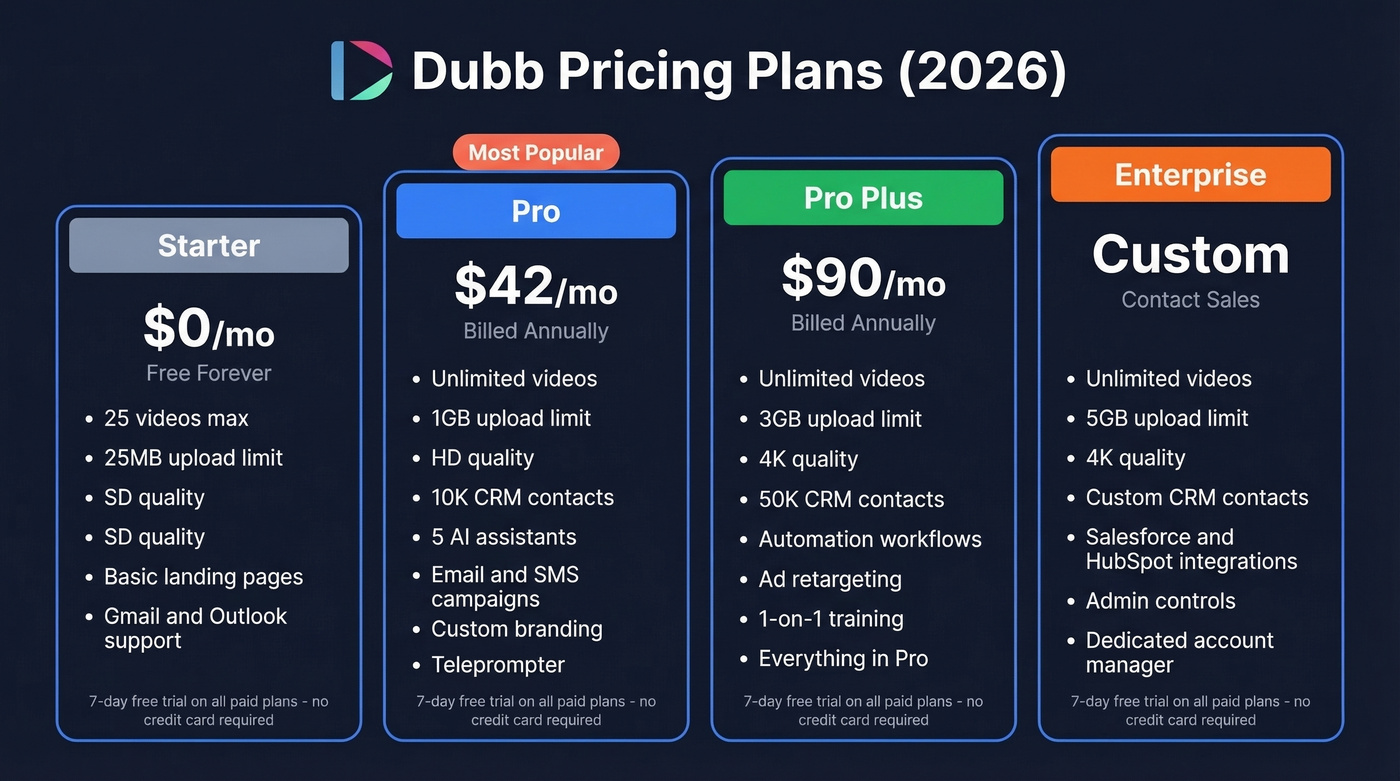
| Plan | Monthly Cost | Upload Limit | Video Quality | CRM Contacts |
|---|---|---|---|---|
| Starter | $0 (forever) | 25 videos, 25MB | SD | - |
| Pro | $42/mo | Unlimited, 1GB | HD | 10K |
| Pro Plus | $90/mo | Unlimited, 3GB | 4K | 50K |
| Enterprise | Custom | Unlimited, 5GB | 4K | Custom |
Pro includes the AI Productivity Suite with five AI assistants, email/SMS campaigns, custom branding, and a teleprompter. Pro Plus adds automation workflows, ad retargeting, and 1:1 training. Enterprise layers on Salesforce/HubSpot integrations, admin controls, and a dedicated account manager. All paid plans come with a 7-day free trial, no credit card required - a low-friction way to test before committing.

Dubb's Pro plan runs $42/mo - but every dollar is wasted if your videos land in dead inboxes. Prospeo verifies emails at 98% accuracy for ~$0.01 each, with a 7-day data refresh cycle. Start with 75 free verified emails/month.
Fix your list before you hit record.
What Users Love About Dubb
We tested the free tier, and the record-to-send workflow is genuinely fast. Chrome extension, desktop app, or mobile - you can share via email or SMS in seconds. One power user on Capterra reported recording 1,200+ videos in a little over their first year, which speaks to how frictionless the daily workflow becomes once you're set up.
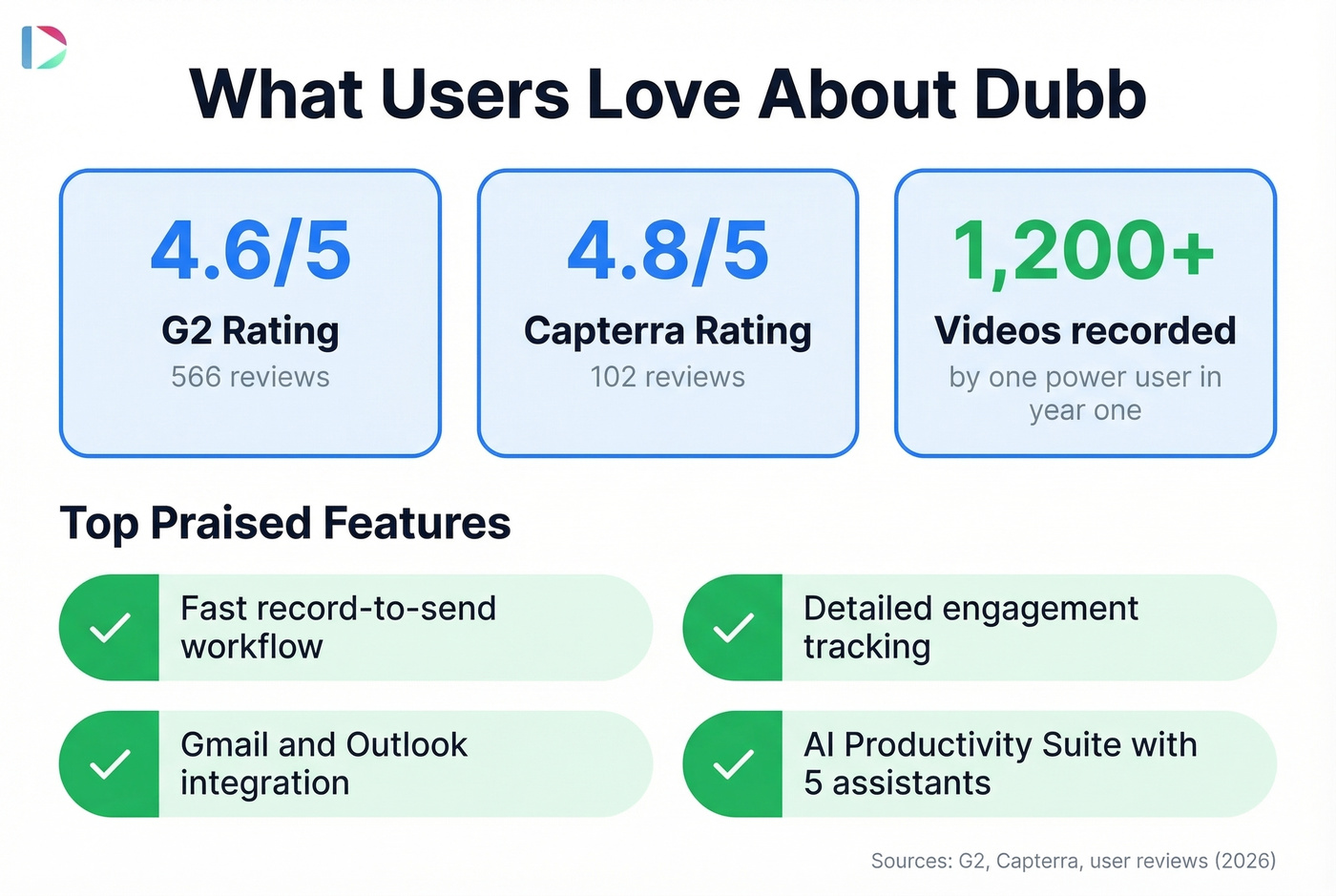
The engagement tracking earns its keep. You see exactly how much of your video was watched and where viewers clicked. One reviewer called out "tracking of user activity - how much your video is viewed and where from" as the standout feature. Gmail and Outlook support plus the Chrome extension help reps move fast without constantly switching tools. Dubb's AI Productivity Suite is a real differentiator if you want video plus coaching and writing help inside the same platform - not just a screen recorder.
What Users Complain About
The learning curve is the biggest barrier. On G2, "Learning Curve" shows up 6 times and "Steep Learning Curve" another 5 times as recurring review themes. One user put it bluntly: "there are so many features, I FAIL to use them all." At least one former user stopped using Dubb because they felt the money they paid was too much for their actual usage.
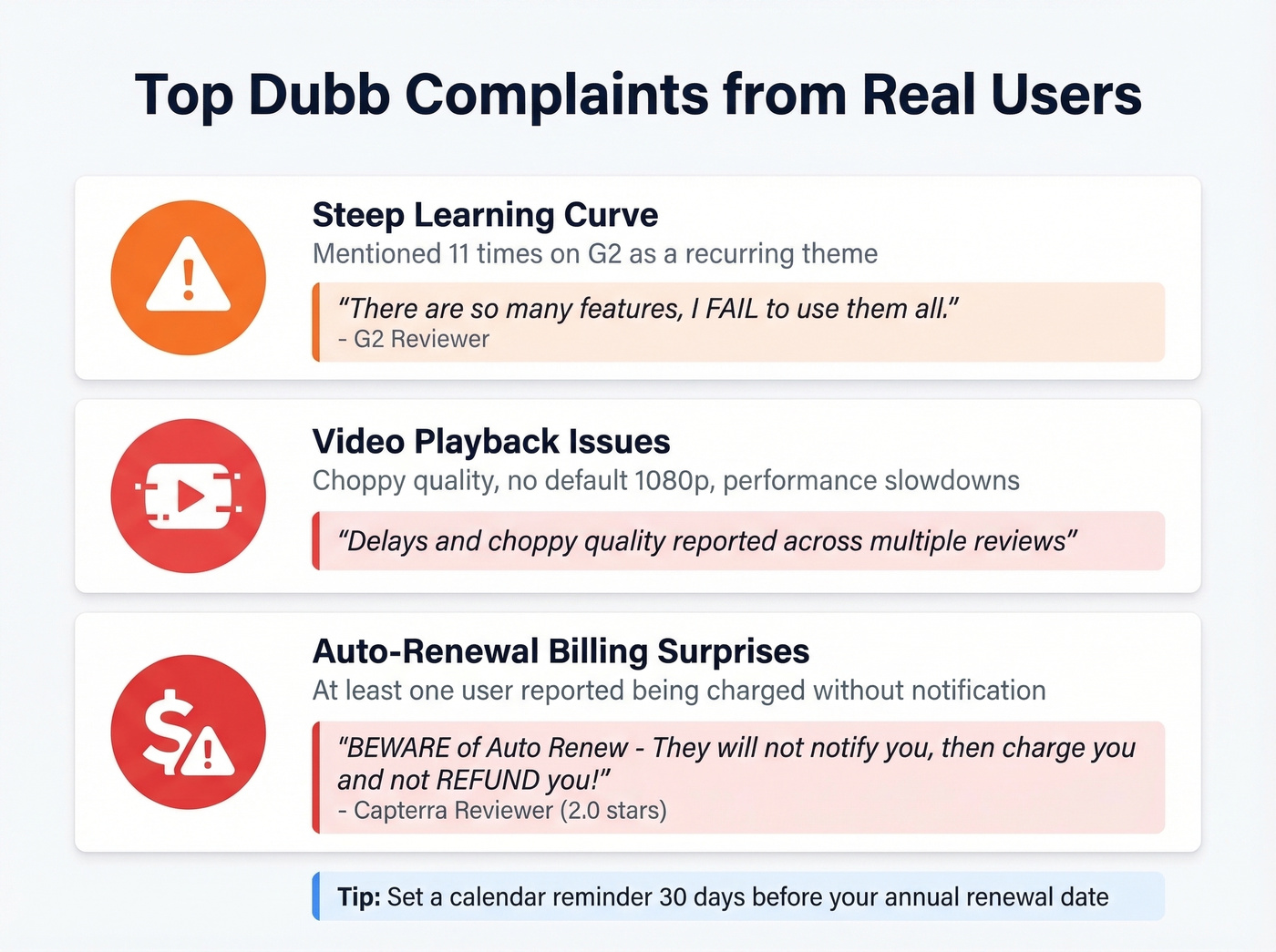
Video playback can be choppy. G2 review themes mention delays and playback issues, including "choppy quality" and a "lack of default 1080p resolution." Performance slowdowns attributed to excessive cookies and trackers compound the problem. When the tool itself creates friction, reps stop using it.
Then there's the billing issue. A reviewer left a 2.0-star warning: "BEWARE of Auto Renew - They won't notify you, then charge you and not REFUND you!" For a tool priced at $42-$90/mo billed annually, that's a serious trust hit. Customer support gets praise from many reviewers, though G2 themes also include complaints about slow response times and no phone assistance.
How Dubb Stacks Up Against Alternatives
| Tool | Price (Annual) | Best For | Key Limit |
|---|---|---|---|
| Dubb Pro | $42/mo | All-in-one video + CRM | Steep learning curve |
| BombBomb | $36/mo | Simple video messaging | No built-in CRM or automation |
| Loom | ~$12.50/mo | Screen recording | No CRM-first sales stack |
| Vidyard | ~$59/mo | Video analytics | Not a CRM-first tool |
| Hippo Video | ~$20/mo | Budget video email | Smaller ecosystem |
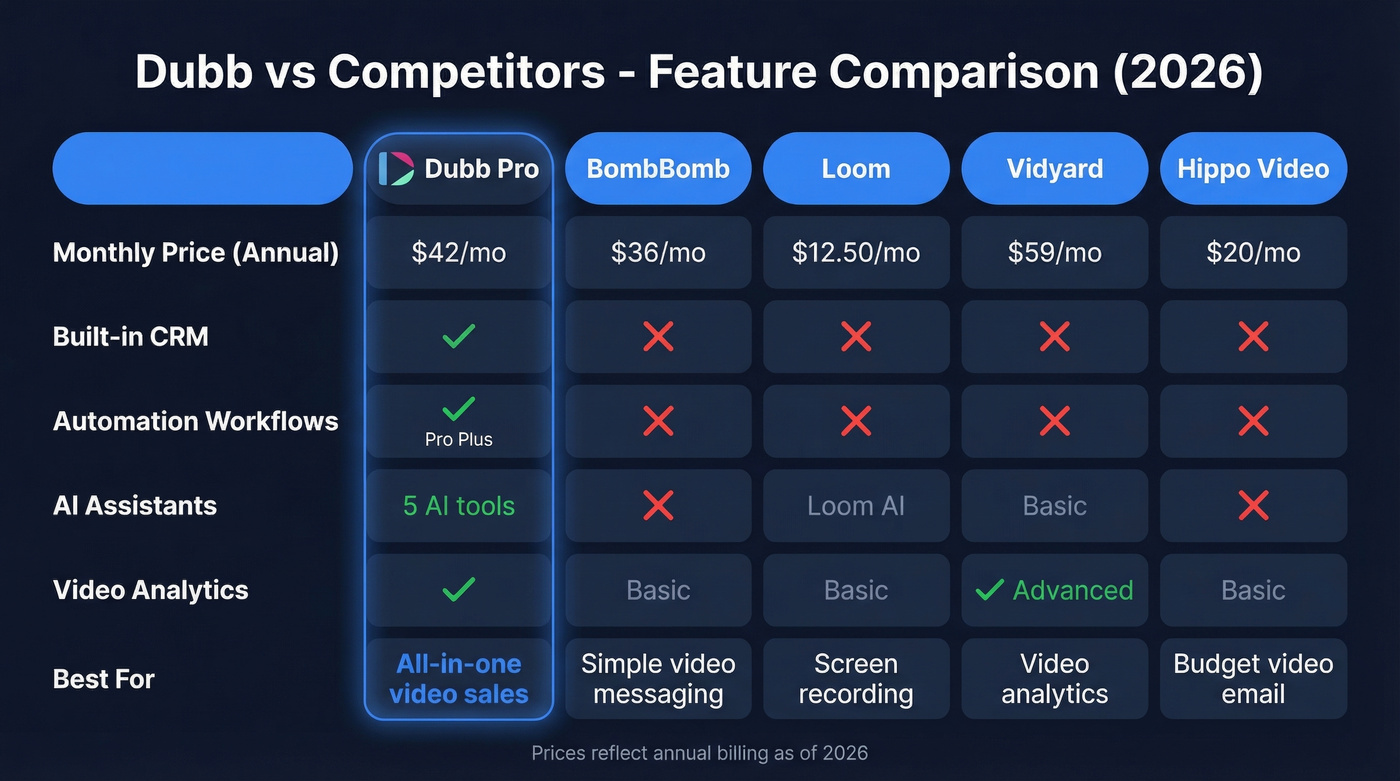
BombBomb is the closest head-to-head competitor. At $36/mo vs. Dubb's $42/mo billed annually, it's slightly cheaper - but it's positioned as a video messaging tool, not an all-in-one video + CRM + automation platform. If you want video-plus-everything, Dubb wins on scope. If you want simple "record and send" without the complexity, BombBomb is the cleaner choice.
Loom is a screen recorder that happens to work for sales. Vidyard leans into analytics. Neither tries to be a CRM.
Here's the thing: if your average deal is under $5K, you probably don't need Dubb's full stack. A free Loom account plus a solid email verification tool will get you 80% of the results at 20% of the cost. Dubb's value kicks in when you're running enough video outreach to need the CRM, automation, and tracking working together in one place.
Is Dubb Worth It in 2026?
Use Dubb if you want video creation, CRM, automation, and tracking in a single platform - and you're willing to invest a few weeks learning the system.
Skip Dubb if you just need screen recordings (get Loom), you hate complex tools, or you're a solo rep who doesn't need a built-in CRM.
Dubb has minimal Reddit presence - most user discussion lives on G2 and Capterra, which is unusual for a tool at this price point. That means fewer community workarounds and tips to lean on during onboarding.
One thing no Dubb review mentions: your personalized videos are worthless if they bounce. We've seen teams invest hours in video outreach only to watch deliverability crater because half their list was stale. Verify your prospect list with Prospeo - 98% email accuracy on a free tier of 75 emails/month - so your Dubb videos actually reach inboxes instead of vanishing into the void.
FAQ
Does Dubb have a free plan?
Yes. The Starter plan is free forever with 25 SD-quality videos, basic landing pages, and Gmail/Outlook support. You'll hit the 25-video cap fast during any real outreach campaign, so expect to upgrade within the first month.
Is Dubb better than BombBomb?
Dubb offers more - built-in CRM, automation, and five AI assistants - at a similar price ($42/mo vs. BombBomb's $36/mo, both billed annually). BombBomb wins if you only need straightforward video messaging without the complexity.
Can I cancel Dubb anytime?
Watch the auto-renewal. Set a calendar reminder 30 days before your annual renewal date - at least one user reported being charged without notification and denied a refund. Monthly plans offer more flexibility but cost significantly more.
How do I make sure Dubb videos reach prospects?
Verify every email before sending. Tools like Prospeo and NeverBounce catch invalid addresses before they tank your deliverability. A 5%+ bounce rate can trigger spam filters and kill your entire video outreach campaign.
Teams investing in video outreach tools like Dubb need verified contact data underneath. Prospeo's 300M+ profiles and 143M+ verified emails ensure your personalized videos actually reach decision-makers - not spam folders.
Stop sending polished videos to addresses that bounce.