


Results Software Review 2026: Pricing, Pros & Cons
You're trying to price out Results Software and every aggregator site gives you a different number. One says $10/mo, another says $29/mo, a third tells you to "request a quote." We've spent the time cross-referencing so you don't have to. This review covers Results Software pricing, real user feedback, and the honest trade-offs - plus what to use instead if it doesn't fit.
Quick Verdict
Results Software pulls a 4.2/5 from 17 reviews on Capterra (mirrored on SoftwareAdvice), with SelectHub separately aggregating 34 reviews at 84% satisfaction. It's best for service operations teams already running QuickBooks who need CRM and field service management in one platform.
Pricing starts at $10/user/mo for the Field Service Management module, while the CRM module starts at $29/user/mo. Both numbers you see online are "right" - it depends on what you're buying.
Skip it if you need modern sales pipeline management and forecasting, clean reporting without extra tooling, or a vendor that's visibly investing in the product's future. Jobber handles simpler FSM; Pipedrive wins if sales forecasting matters.
What Is Results Software?
Results Software sits in the field service management category - modular software for managing mobile workforces that install, inspect, maintain, and repair. It's an all-in-one platform spanning CRM, operations, billing, and field dispatch, targeting SMB service businesses.
Comparing Results to Salesforce Field Service is like comparing a sedan to a semi truck. They're in the same FSM market (projected to hit $8.06B by 2028 at a 12.7% CAGR), but Results plays in the small-business lane where QuickBooks integration and simplicity matter more than enterprise scalability. It's not trying to compete with Dynamics 365. It's trying to keep a 20-person HVAC company organized.
Pricing Breakdown
Here's the tier breakdown:
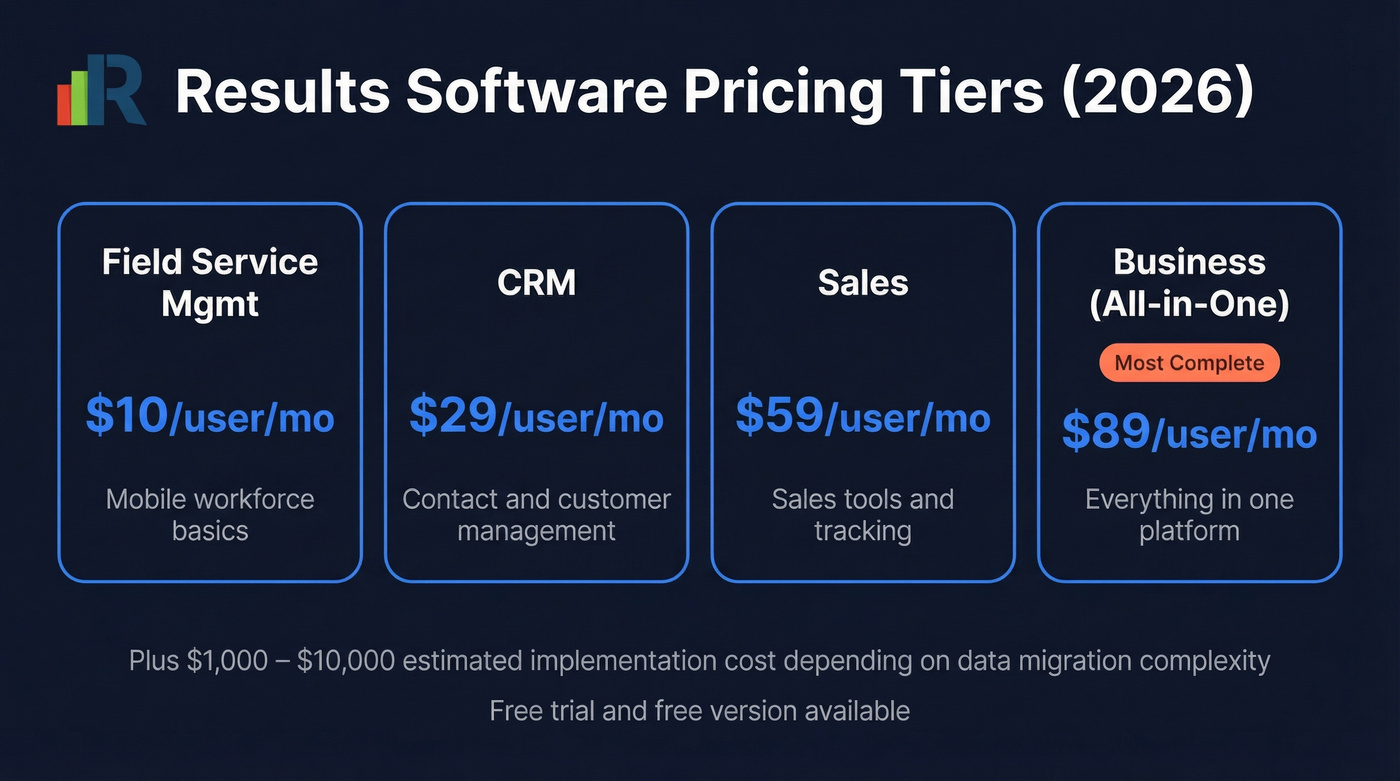
| Plan | Price |
|---|---|
| Field Service Mgmt | $10/user/mo |
| CRM | $29/user/mo |
| Sales | $59/user/mo |
| Business (all-in-one) | $89/user/mo |
The pricing confusion exists because some sites list the FSM tier's $10/user/mo as the "starting price," while others default to the CRM tier at $29/user/mo. Both are technically correct.
Results offers a free trial and a free version per its GetApp listing. Budget $1,000-$10,000 for implementation depending on data migration complexity. One Capterra reviewer flagged the conversion process as "daunting," requiring dedicated hardware and internal manpower.
What Users Like
Fast onboarding. Multiple reviewers mention training new users "quickly and easily." Online modules help, and the implementation team gets consistent praise - one reviewer reported "zero complaints" through the process.
QuickBooks and Outlook integration. This is the top reason users choose Results. When the sync behaves, it cuts down on double entry between systems. For a small service shop already living in QuickBooks, that alone can justify the price.
360-degree operations view. Tracking customer history, staff activity, documents, and job status in one place is the core value proposition. Users confirm it delivers on that promise, especially for teams that previously ran everything through spreadsheets and sticky notes.

Switching CRMs is painful. Switching with bad data inside is worse. Prospeo enriches your contacts with 98% email accuracy across 300M+ profiles - refreshed every 7 days, not every 6 weeks. Whether you land on Results, Pipedrive, or Jobber, plug Prospeo in via Salesforce, HubSpot, or Zapier.
Start with 75 free verified emails and see the difference clean data makes.
What Users Flag as Cons
Here's where it gets rough.
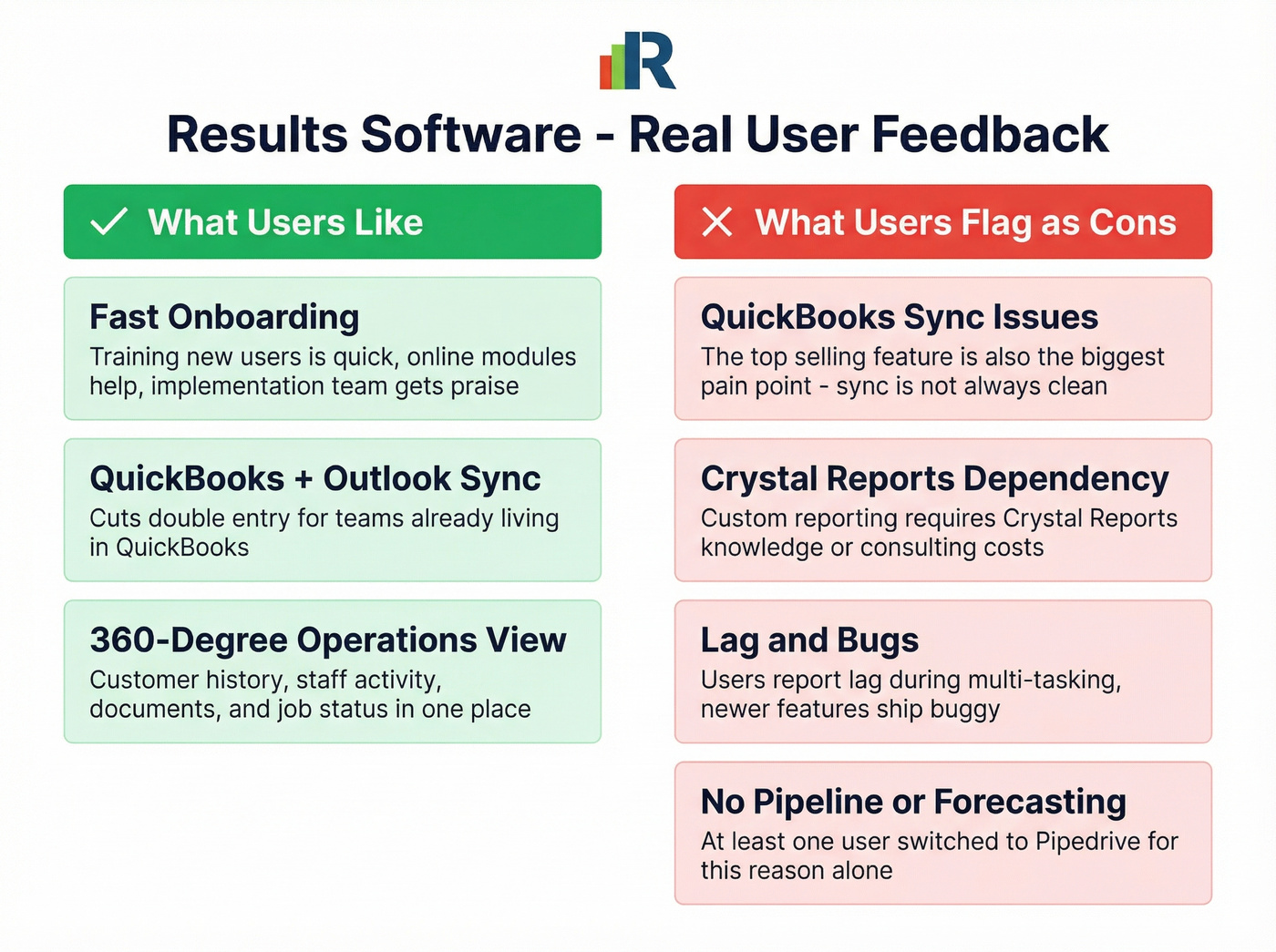
QuickBooks sync isn't always clean. The most damning review quote we found: "QB Synchronization not clean. Created problems that hampered use and implementation." The very feature that sells the product is also its biggest pain point - and that's a problem when it's the reason you bought it.
Crystal Reports dependency. Custom reporting requires Crystal Reports familiarity. If your team doesn't know it, expect a learning curve or consulting costs that aren't in the sticker price.
Lag and bugs on newer features. Users report lag during multi-tasking and note newer features ship buggy. For a product with limited recent reviews, that's concerning.
Pipeline and forecasting gaps. At least one user churned to Pipedrive because Results "had no pipeline and sales predictions." If your team needs sales visibility beyond basic contact management, this is a dealbreaker.
Who Should Use Results
Good fit: Service operations teams running QuickBooks with modest CRM needs and comfort with Crystal Reports. The $10/user/mo FSM tier is genuinely competitive for small field teams - hard to find cheaper.
Bad fit: Teams needing modern sales pipeline visibility, clean reporting without extra tooling, or a vendor that's visibly investing in the product's future. We've seen teams get burned by products that stop evolving. The switching costs are real, and they compound the longer you wait.
Alternatives Worth Considering
| Tool | Best For | Starting Price | Key Strength |
|---|---|---|---|
| Pipedrive | Sales pipeline | $14/user/mo | Visual pipeline + forecasting |
| Jobber | Simple field service | $39/mo | Purpose-built SMB FSM |
| Zoho CRM | Budget teams | $14/user/mo | Flexibility + app ecosystem |
| Housecall Pro | Home services | $79/mo | Scheduling + payments |
| Salesforce FSM | Enterprise FSM | $150/user/mo | Scale + ecosystem |
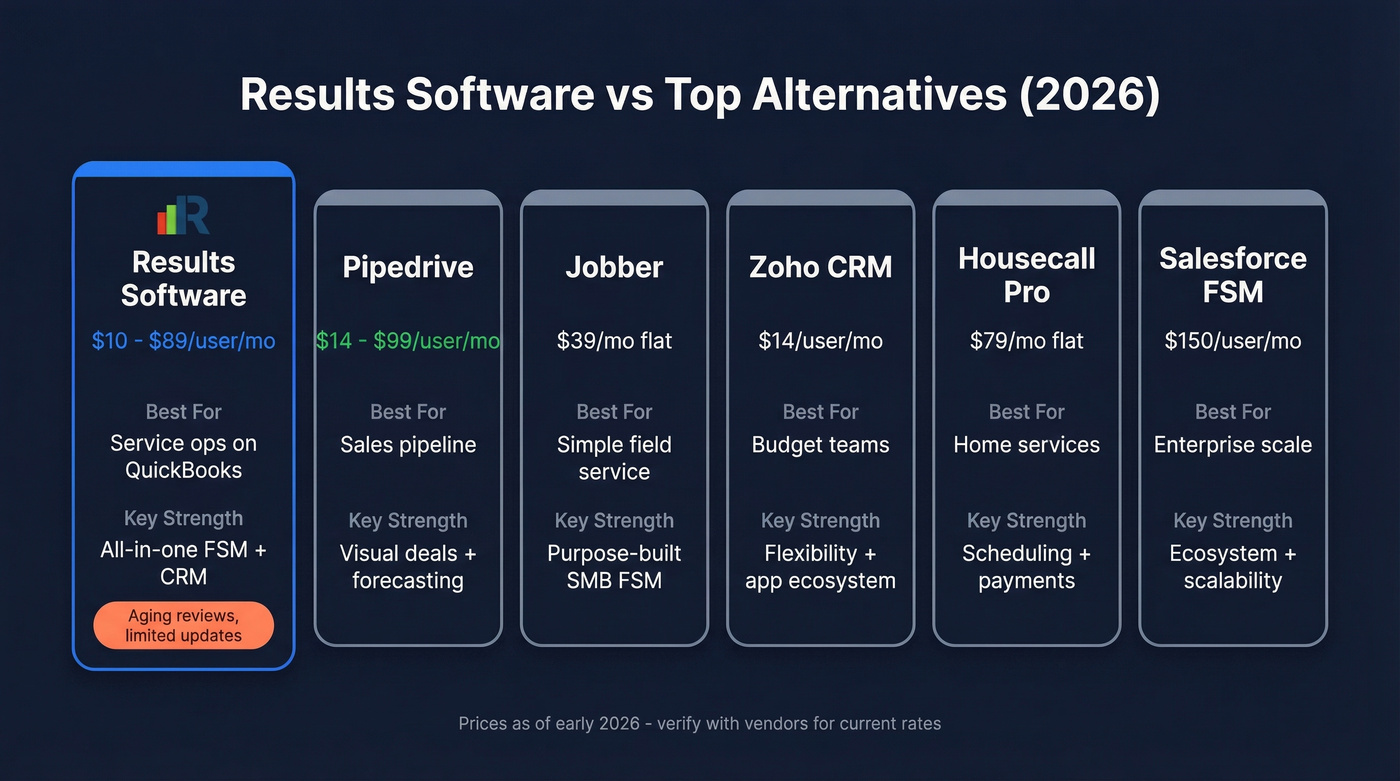
Pipedrive is the tool a Results user literally switched to after hitting the pipeline gap. At $14-$99/user/mo, it's purpose-built for sales teams who need visual deal tracking. It won't manage field dispatch, but if your frustration with Results is sales-side, Pipedrive solves that cleanly.
Jobber starts at $39/mo and is the simpler FSM play. It handles scheduling, quoting, invoicing, and client communication without trying to be a full CRM. For teams that find Results overbuilt, Jobber strips it down to essentials.
Zoho CRM at $14/user/mo is the budget Swiss Army knife - flexible and cheap, but you'll configure it yourself. Housecall Pro at $79/mo targets home service businesses with scheduling and payments baked in. Salesforce Field Service at $150/user/mo is enterprise overkill for most Results users but worth knowing if you're scaling fast.

Whichever CRM or FSM tool you land on, the contacts inside it need to be accurate. Prospeo plugs into Salesforce, HubSpot, and Zapier as a data quality layer - 300M+ professional profiles with 98% email accuracy, refreshed every 7 days. Free tier with 75 emails/month; paid plans from roughly $0.01/email.
The Elephant in the Room
Let's be honest: those 17 reviews on Capterra are mostly from 2015-2018, even though the listing itself shows a last updated date of March 13th, 2026. G2 has a Results profile with a single visible review dated November 2022 and a "re-claim profile" prompt.
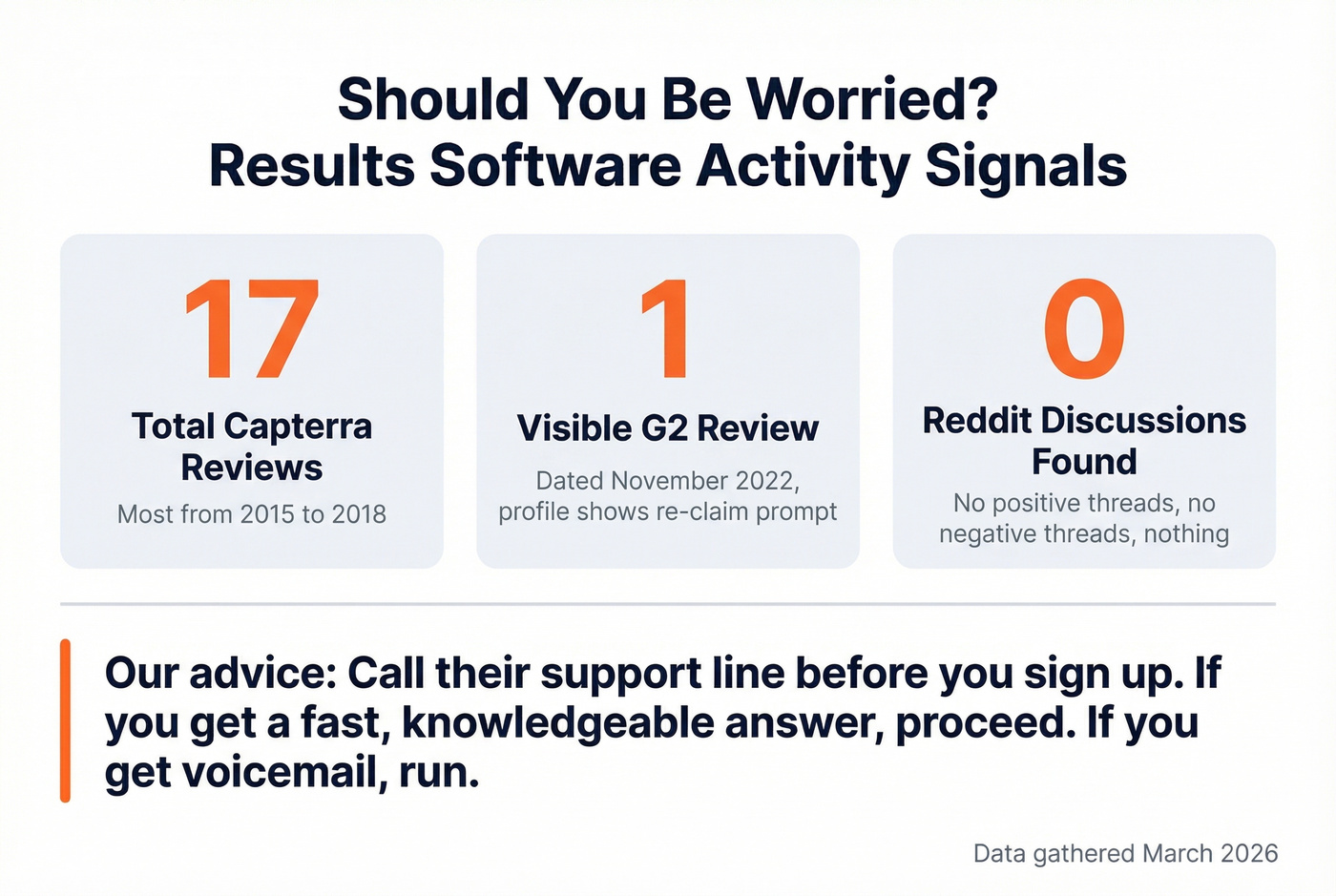
We found zero Reddit discussion about Results CRM. Not negative threads, not positive ones. Nothing.
For a product you're evaluating in 2026, this silence is a signal. It doesn't mean the software stopped working, but competitive pricing doesn't help if the product isn't keeping pace with tools like Jobber and Housecall Pro that ship updates monthly.
Here's our take: if you're a sub-30-person service team doing under $50k in annual contract value, the $10/user/mo FSM tier is still a bargain - but only if you can verify the vendor is responsive before you commit. Call their support line before you sign up. If you get a fast, knowledgeable answer, proceed. If you get voicemail, run.
Final Verdict
Results Software is a solid pick if you're a service business on QuickBooks with modest CRM needs and your team can tolerate Crystal Reports. The $10/user/mo FSM tier is hard to beat on price alone. But the warning signs are real - aging reviews, a quiet community footprint, and a QuickBooks integration that users describe as both the best feature and the biggest headache.
Weigh the pricing and trade-offs carefully against your team's actual workflow before committing. If Results' gaps are dealbreakers, Jobber handles field service more simply and Pipedrive handles sales pipeline more capably. Test the free trial, but have a backup shortlisted.
Results Software users flag QuickBooks sync issues and stale contact data as top frustrations. Bad data compounds in any CRM. Prospeo's 5-step verification and 7-day refresh cycle keep your pipeline clean at roughly $0.01/email - 90% cheaper than legacy data providers.
Stop feeding broken contacts into your CRM. Fix the data layer first.
FAQ
How much does Results Software cost per user?
Results Software starts at $10/user/mo for the Field Service Management module and $29/user/mo for CRM. The all-in-one Business plan runs $89/user/mo. Budget an additional $1,000-$10,000 for implementation depending on data migration complexity.
Is Results Software good for sales teams?
Not really. Results lacks visual pipeline management and sales forecasting. At least one reviewer switched to Pipedrive specifically for those features. Results is better suited for field service operations teams than outbound sales organizations.
What are the best alternatives to Results CRM?
Jobber at $39/mo is the top alternative for simple field service management, and Pipedrive at $14/user/mo is best if you need sales pipeline visibility. For data accuracy across any CRM, Prospeo offers 98% verified emails with a free 75-credit tier and integrations with Salesforce, HubSpot, and Zapier.
Does Results Software integrate with QuickBooks?
Yes, QuickBooks integration is Results' flagship feature and the primary reason users adopt it. But multiple reviewers report sync issues - one called it "not clean" and said it "created problems that hampered use and implementation." Test the integration thoroughly during your free trial before migrating any production data.