

BounceRemove vs SalesQL: You're Comparing Two Different Tools
BounceRemove vs SalesQL isn't a real comparison. One verifies emails you already have. The other finds emails you don't. If you're weighing these two against each other, you're probably looking for a single tool that does both - and neither qualifies.
Why This Comparison Doesn't Make Sense
Comparing BounceRemove to SalesQL is like comparing a dishwasher to a grocery store. One cleans what you already have; the other goes out and gets you new stuff.
An email verifier checks whether addresses in your CRM will actually land in an inbox. An email finder discovers contact information you don't have yet. These are two distinct steps in any outbound workflow, and most teams need both - which is exactly why this matchup falls apart the moment you think about it for more than ten seconds.
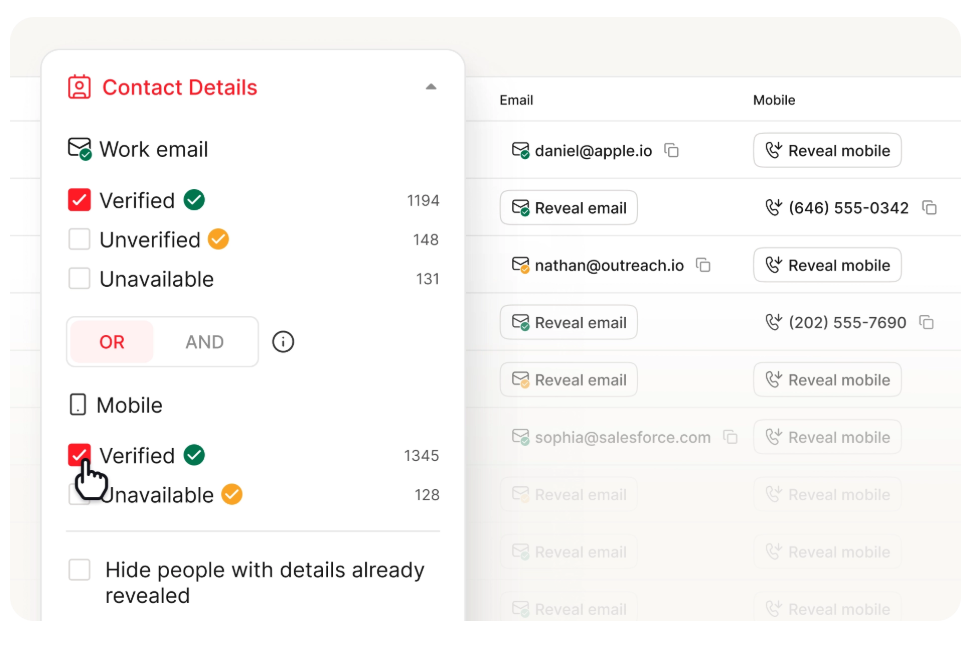
BounceRemove sits in the verifier camp: syntax checks, MX records, SMTP responses, spam trap detection. SalesQL is a finder that pulls emails from professional profiles. The real question isn't which is "better." It's whether you can get both capabilities without paying for two separate tools.
BounceRemove at a Glance
Use this if you've got a CSV of 10,000 emails from a trade show or a legacy CRM and need to scrub it before launching a campaign. BounceRemove runs verification with pay-as-you-go pricing - $0.003/email for small batches, dropping to $0.002 at 5K+. No subscription, no contracts, 100 free credits on signup.
Skip this if you need to build a prospect list from scratch. BounceRemove doesn't find emails. It's purely a cleaning tool.
SalesQL at a Glance
SalesQL is a Chrome extension and database built for pulling emails and phone numbers from professional profiles. The database covers 89M direct emails, 127M work emails, and 30M phone numbers across 1st, 2nd, and 3rd+ connections.
Here's the thing: the gap between SalesQL's G2 rating (4.5/5 from 166 reviews) and its Capterra rating (3.8/5 from 46 reviews) tells you a lot. G2 skews toward users who had a good onboarding experience. Capterra captures the people who stuck around long enough to get frustrated.
What works:
- Fast Chrome extension workflow with bulk extraction from search pages
- Affordable entry - free tier with 100 credits, paid plans from $39/mo ($29/mo billed annually)
- Integrations with HubSpot, Salesforce, Zapier, and Make
What doesn't:
- Accuracy is inconsistent. One Capterra reviewer reported 13 undeliverable out of 300+ emails - a ~4% bounce rate that concerned them enough to flag it. Others call the data "completely inaccurate"
- Customer service scores just 3.3/5, with multiple reviewers describing a strict zero-day return and refund policy
- The built-in verifier draws from a separate credit pool (100-20K depending on plan), so you're effectively paying twice within the same tool. Reviewers still recommend running output through a dedicated verifier before sending
- SalesQL recently restructured its plans, so pricing on third-party directories is likely outdated
SalesQL has minimal Reddit discussion. Most community threads about professional-profile email finders point users toward Apollo.io or Lusha instead.

You shouldn't need two tools and two invoices to get verified prospect emails. Prospeo searches 300M+ profiles, finds emails, and verifies them in a single pass - 98% accuracy, 7-day data refresh, $0.01/email. No CSV exports between tools.
Replace your finder and verifier with one platform - free tier included.
Side-by-Side Comparison
| Category | BounceRemove | SalesQL |
|---|---|---|
| Primary function | Email verification | Email finding |
| Pricing model | Pay-per-email | Subscription + credits |
| Starting price | $0.003/email | $0/mo (100 credits) |
| Accuracy claim | Not published | Not published |
| Chrome extension | No | Yes |
| Built-in verifier | Core product | Yes (separate credits) |
| Integrations | API | HubSpot, Salesforce, Zapier, Make |
| Best for | Cleaning existing lists | Building new prospect lists |
When You Need Both (Which Is Almost Always)
Let's be honest: if your outbound workflow requires both finding and verifying emails - and it does - stitching together two separate tools is a waste of time. We've seen teams burn hours exporting CSVs from one tool, uploading to another, cleaning the list, then importing into a sequencer. Three steps, two logins, two invoices. It's the kind of workflow that makes you wonder why you got into sales ops in the first place.

SalesQL's reviewers say to verify externally. BounceRemove can't find emails at all. Prospeo does both - proprietary email finding across 300M+ profiles with 5-step verification built in. 75 free emails/month, no credit card, no contracts.
One tool. Found and verified. Under 4% bounce rate or you're doing it wrong.
The Verdict
If you literally only need to clean a list you already have, BounceRemove does the job cheaply. If you only need to pull emails from professional profiles and you'll verify elsewhere, SalesQL works - just budget for external verification and go in with realistic accuracy expectations.
But the whole BounceRemove vs SalesQL framing shouldn't exist. Most teams need both capabilities, and a single platform that handles finding and verification in one pass will save you money, time, and the headache of juggling two tools that weren't designed to talk to each other.
FAQ
Is BounceRemove an email finder?
No. BounceRemove only verifies emails you already have - it checks syntax, MX records, and SMTP responses. It won't discover new contacts or build prospect lists. You need a separate finder tool for that.
Does SalesQL verify the emails it finds?
SalesQL includes a built-in verifier, but it draws from a separate credit pool, so you're effectively paying twice. Multiple reviewers recommend running SalesQL output through a dedicated verification tool before sending any campaigns.
Is there a tool that finds and verifies emails in one step?
Yes. Prospeo searches 300M+ professional profiles and returns verified emails at 98% accuracy with a 7-day data refresh cycle. The free tier includes 75 emails/month - no credit card required. It replaces both a finder and a verifier in a single workflow.