

7 Best Cal.com Alternatives for Every Use Case
Every "Cal.com alternatives" article you'll find is written by a scheduling company that ranks itself #1. We're not a scheduling company. We tested all seven of these tools, and here's an honest breakdown of what's worth switching to - and when Cal.com itself is the right call.
What Cal.com Gets Right (and Wrong)
Cal.com's free tier is one of the most generous in scheduling software. That's not hype.
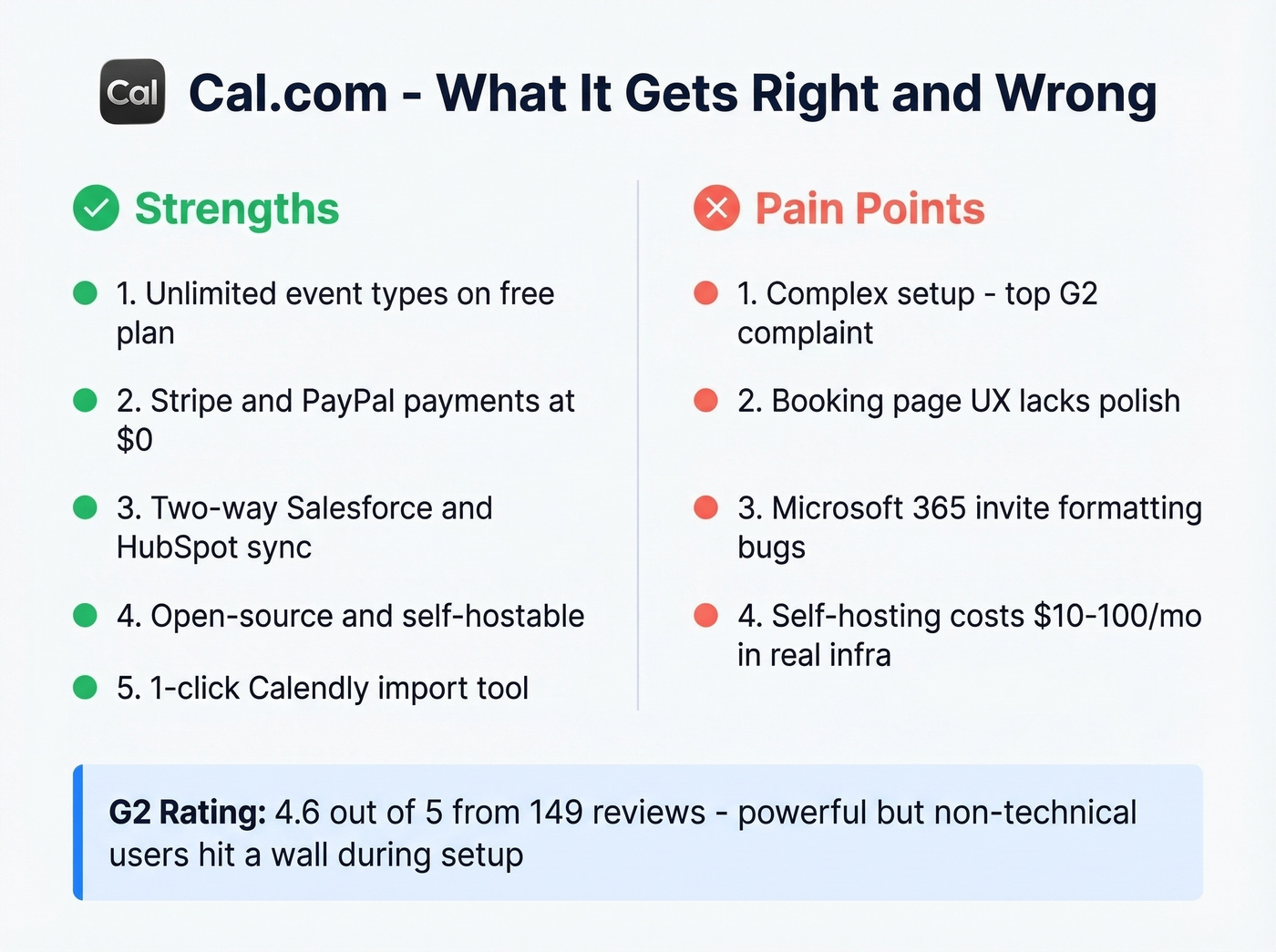
What's genuinely great:
- Unlimited event types and calendars on the Individuals (free) plan for a single user
- Stripe and PayPal payments included at $0
- Two-way Salesforce and HubSpot sync - free
- 1-click Calendly import for easy switching
- Open-source, self-hostable, developer-friendly APIs
Where it frustrates people:
- Complex initial setup is the #1 complaint on G2 (4.6/5 from 149 reviews)
- The booking page UX lacks the polish of Calendly or SavvyCal
- Microsoft 365 invite formatting issues come up constantly in reviews
- Self-hosting is "free" the way building your own furniture is "free" - expect $10-100/month in real infrastructure costs
Here's the thing: Cal.com is powerful, but non-technical users hit a wall during setup. That friction is what sends people looking for alternatives in the first place.
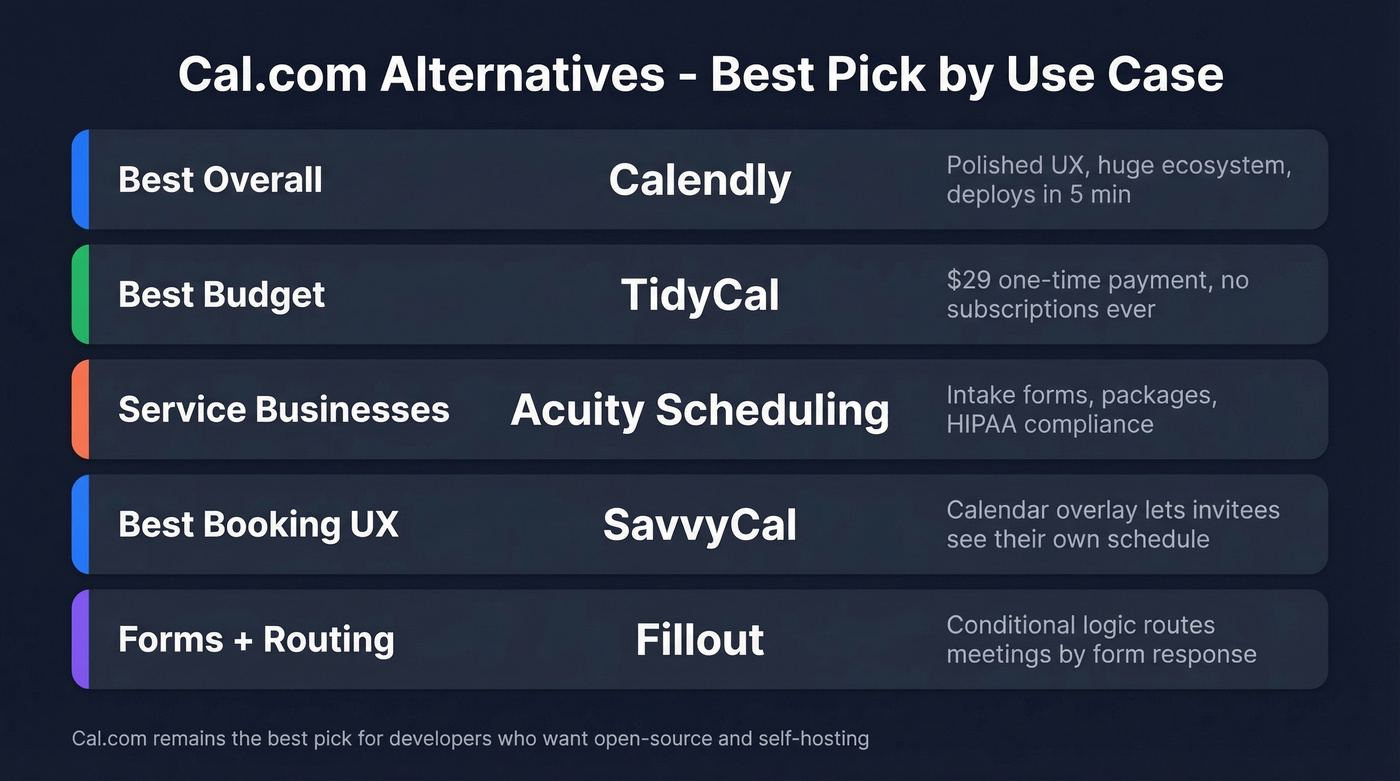
Our Picks (TL;DR)
| Use Case | Pick | Why |
|---|---|---|
| Best overall | Calendly | Polished, just works, huge ecosystem |
| Best budget | TidyCal | $29 one-time, done forever |
| Service businesses | Acuity | Intake forms, packages, HIPAA |
| Best booking UX | SavvyCal | Calendar overlay, invitee-first |
| Forms + routing | Fillout | Conditional logic routes by response |
We excluded WordPress-native options like FluentBooking and revenue routing tools like Chili Piper - those serve different use cases entirely.

You're comparing scheduling tools to book more meetings. But the biggest bottleneck isn't your booking page - it's whether your link reaches a real inbox. Prospeo delivers 98% verified emails so your Calendly or Cal.com link actually lands.
Fix the data before you fix the scheduling tool.
The Best Scheduling Tools to Replace Cal.com
Calendly
Calendly is the Honda Civic of scheduling - not exciting, but it works for 90% of people. There's a reason it has 4.7/5 on G2 from 2,562 reviews. That's 17x Cal.com's review volume.
The free plan is far more restrictive than Cal.com's: one event type, one calendar connection. But paid tiers deploy in under five minutes, and in our experience the onboarding is the smoothest in the category. Standard runs $10/seat/month, Teams is $16/seat/month, and Enterprise starts around $15k/year.
If you just want scheduling that works without thinking about it, this is the answer. Skip it if you need deep API customization or want to self-host - that's Cal.com's territory, and Calendly won't try to compete there.

TidyCal
Use this if you're a solopreneur or freelancer who hates subscriptions. Skip it if you need team features or deep integrations.
TidyCal's pricing is one of the best deals in scheduling: free tier with unlimited bookings and one calendar connection, $29 one-time for Individual, $79 one-time for Agency. No monthly drain. The free plan even includes paid bookings, recurring events, and packages - features Cal.com charges for on team plans.
The integration ecosystem is smaller than Cal.com's, and you won't find enterprise-grade routing or round-robin. But for solo operators who just need a booking page that works? Stop overthinking this. $29 and done.
Acuity Scheduling
Acuity is built for service businesses - coaches, therapists, consultants, anyone whose clients book sessions. Intake forms, packages, and payment collection are baked in, not bolted on.
Pricing runs $16/month for Starter, $27/month for Standard, and $61/month for Premium. No free plan, just a 7-day trial. The Premium tier includes HIPAA compliance with a signed BAA, which is a real differentiator if you're in healthcare or handle sensitive client data.
More expensive than Cal.com for basic scheduling, but purpose-built for how service businesses actually work. If clients book you for sessions and you need intake forms before the call, Acuity fits better than a developer-first tool ever will.
SavvyCal
SavvyCal's calendar overlay lets invitees see their own calendar alongside yours while picking a time. It's the best booking UX in the category, and it's not close.
Free plan available. Paid plans start at Basic for $12/user/month with Premium at $20/user/month. Worth it if first impressions on your booking page affect your close rate - and if you're in sales, they absolutely do.
Fillout
Fillout started as a form builder and added scheduling, which sounds like a weakness but is actually its superpower. The killer feature is conditional branching that routes meetings based on form responses - so a prospect who selects "Enterprise" gets routed to your senior AE, while "Just exploring" gets a self-serve demo link.
Free tier includes unlimited event types and 1,000 bookings/month. Starter is $15/month, Business is $75/month. Best pick for lead qualification before the meeting gets booked.
YouCanBook.me
Affordable team scheduling with a clean interface. Free tier available, paid plans from $8.10/month. It's a solid budget alternative to Calendly's per-seat pricing when you're scaling a team and every dollar per seat matters.
Doodle
Different category entirely. Doodle is for group polling, not 1:1 booking links. Free with ads, $6.95/user/month paid, and Team is $8.95/user/month. Use it to find a time that works for 5+ people, not as your primary scheduling tool.
Pricing Comparison for 2026
All prices verified March 2026. Annual billing where available.
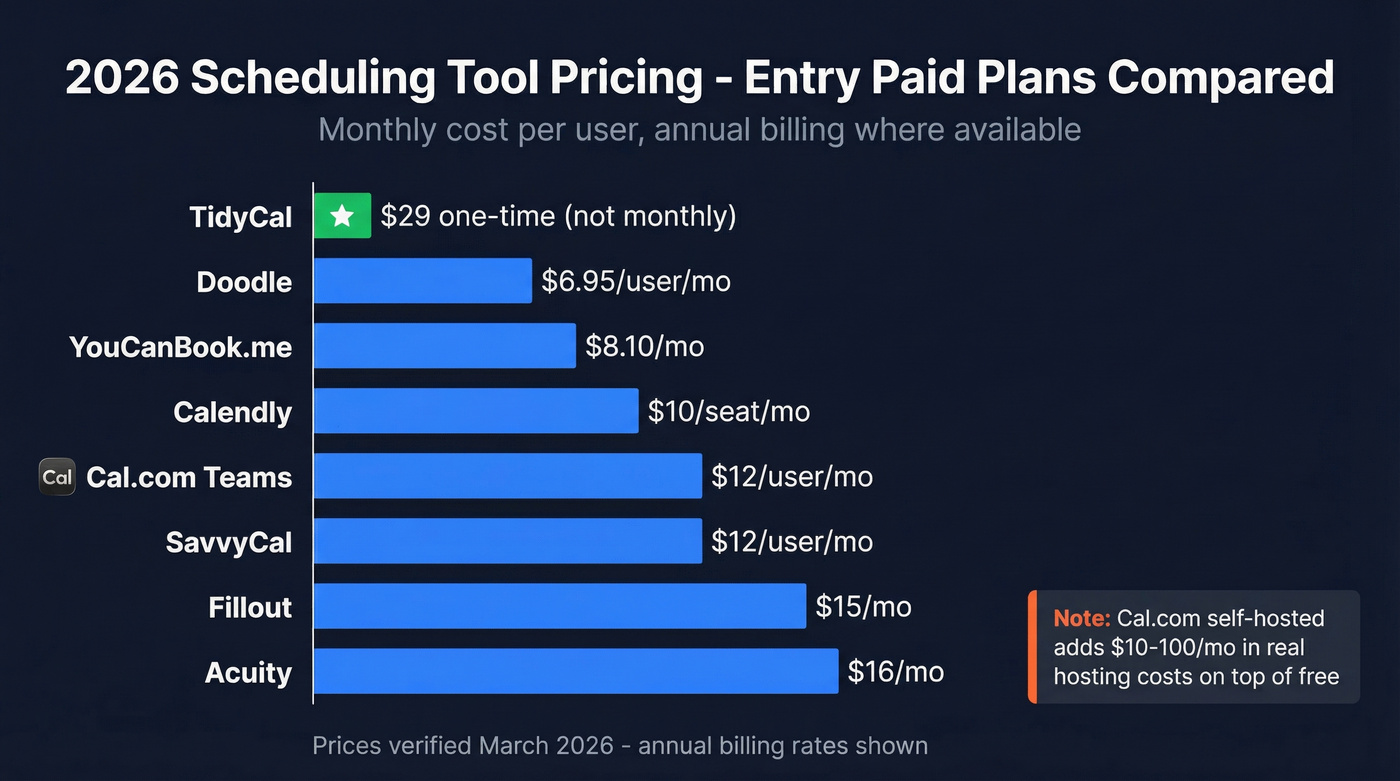
| Tool | Free Tier | Entry Paid | Top Tier |
|---|---|---|---|
| Cal.com | Yes (generous) | $12/user/mo Teams | $28/user/mo Orgs |
| Calendly | Yes (1 event) | $10/seat/mo | $15k+/yr Enterprise |
| TidyCal | Yes | $29 one-time | $79 one-time |
| Acuity | No (7-day trial) | $16/mo Starter | $61/mo Premium |
| SavvyCal | Yes | $12/user/mo | $20/user/mo |
| Fillout | Yes (1,000/mo) | $15/mo | $75/mo |
| YouCanBook.me | Yes | $8.10/mo | $16.20/user/mo |
| Doodle | Yes (with ads) | $6.95/user/mo | $8.95/user/mo |
Cal.com and Calendly prices reflect annual billing. Monthly billing runs higher on both. Cal.com's self-hosted option adds $10-100/month in real hosting costs on top of "free."
Let's be honest: Cal.com's free tier is unbeatable on paper. But if your average deal size is under $8k and you're not a developer, the setup time alone costs more than a year of Calendly Standard. Pick the tool that gets out of your way fastest.
Your Booking Link Is Useless If It Never Reaches the Right Inbox
We've seen this pattern dozens of times: a sales team spends hours picking the perfect scheduling tool, customizing their booking page, writing the perfect CTA - then sends the link to an email address that bounces. The scheduling tool wasn't the bottleneck. The data was.
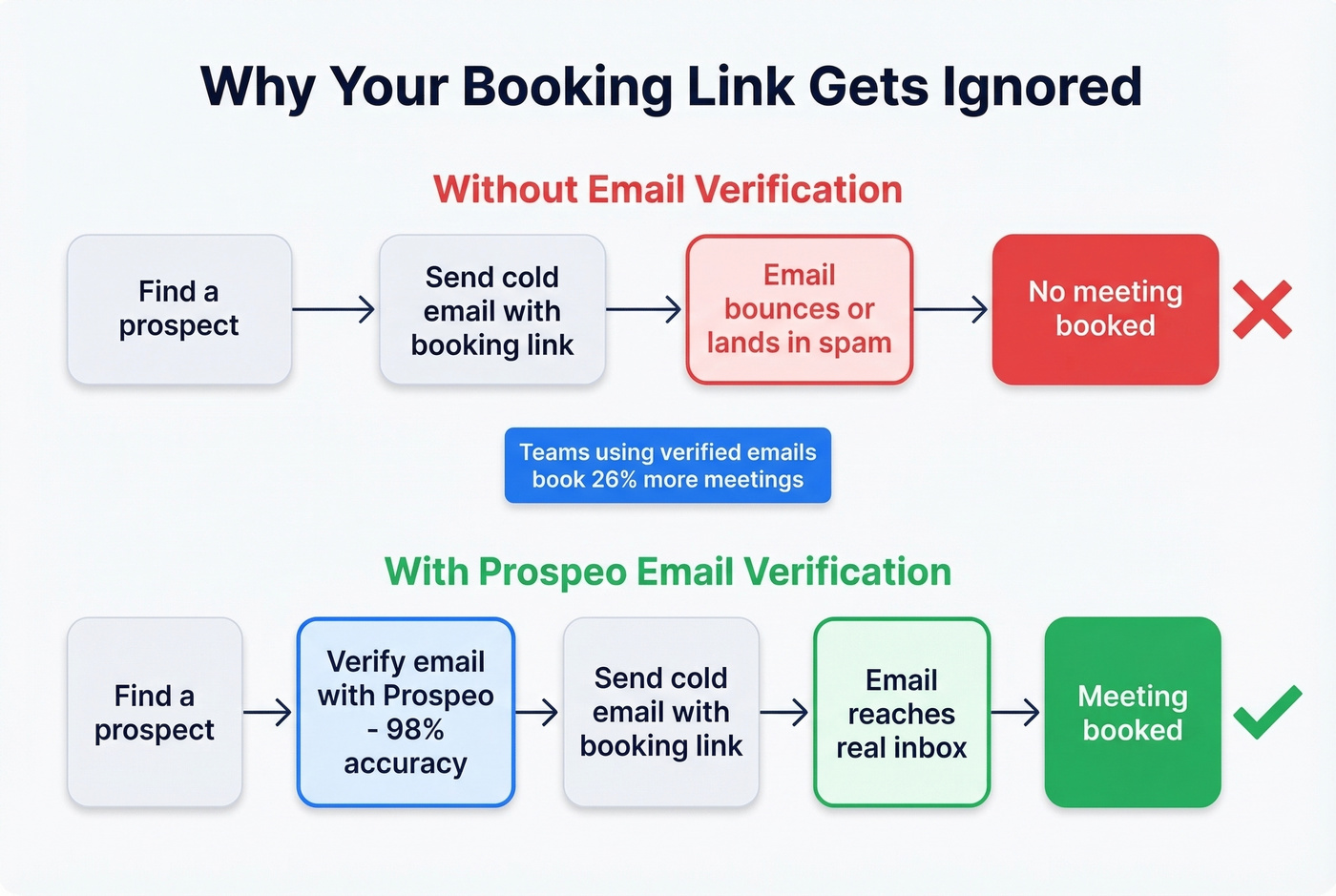
Before you send that Calendly or Cal.com link in a cold email, verify the address is real. Prospeo finds and verifies B2B contact data across 300M+ professional profiles with 98% email accuracy on a 7-day refresh cycle. The free tier gives you 75 verified emails per month - enough to make sure your booking page actually gets seen.
If you want a deeper workflow for cleaning lists before outreach, start with CRM Verify and then benchmark your email bounce rate so you can see the impact.

Teams that switch to Prospeo book 26% more meetings - not because of better scheduling software, but because they stop sending booking links to dead emails. 143M+ verified addresses at $0.01 each. No contracts.
Your booking link only works when it reaches the right person.
FAQ
Is Cal.com really free?
Yes - the Individuals plan is free forever for one user, with unlimited event types, Stripe/PayPal payments, and Salesforce/HubSpot sync. Self-hosting the open-source version is technically free, but expect $10-100/month in hosting, email delivery, and maintenance costs for even a small deployment.
What's the best Cal.com alternative for teams?
Calendly Teams at $16/seat/month. It's polished, deploys in minutes, and has round-robin built in. Acuity Standard at $27/month is the better pick if your team runs a service business with intake forms and payment collection.
How do I get prospects to actually use my booking link?
The link only works if it reaches the right person. Use Prospeo's email finder to verify addresses before sending your scheduling link - 98% accuracy means fewer bounces and more booked meetings.