

Email Bounce Rate: What It Is, Why It Spikes, and How to Fix It
Your bounce rate spiked after Tuesday's send. Half the team blames the list, the other half blames the new domain. You've already read five articles that all say "clean your list" - thanks, very helpful.
The real problem is usually your data, not your sending behavior. Here's what the numbers should actually look like and how to fix them.
TL;DR
- A healthy bounce rate sits under 2% for marketing email, under 5% for cold outreach. Above those thresholds, you've got a data or authentication problem.
- Check SPF/DKIM/DMARC first. The Gmail/Yahoo mandate can soft-bounce 100% of emails to those providers for non-compliant domains.
- Verify every email before sending. ZeroBounce, NeverBounce, and Prospeo are the three tools worth trialing first.
What Does Email Bounce Rate Mean?
Email bounce rate measures the percentage of emails that fail to deliver - not "fail to land in the inbox" (that's inbox placement, a different metric). It's strictly about delivery failure: the receiving server rejected your message outright.
(Bounced emails / Emails sent) x 100 = Bounce rate %
The formula is the same whether you're running newsletters or cold outreach. Send 10,000 emails and get 150 bounces? That's 1.5% - healthy range. Get 800 bounces? That's 8%, and your sender reputation is actively degrading with every send.
Hard Bounces vs. Soft Bounces
Hard bounces are permanent. The email address doesn't exist, the domain is dead, or the server explicitly says "this person isn't here." No retry logic fixes a hard bounce. Most ESPs auto-suppress these after the first failure, but the reputation damage is already done.
Soft bounces are temporary - the recipient's inbox is full, the server is down, or you've hit a rate limit. ESPs retry soft bounces for up to 72 hours before giving up. A few per send are normal. A sudden wave of them, especially to Gmail or Yahoo, often points to an authentication or compliance issue rather than bad addresses.
2026 Bounce Rate Benchmarks
"What's a good bounce rate?" gets wildly inconsistent answers online. Practitioners on Reddit report seeing thresholds quoted anywhere from 2% to 8%, which is useless. Let's pin it down.
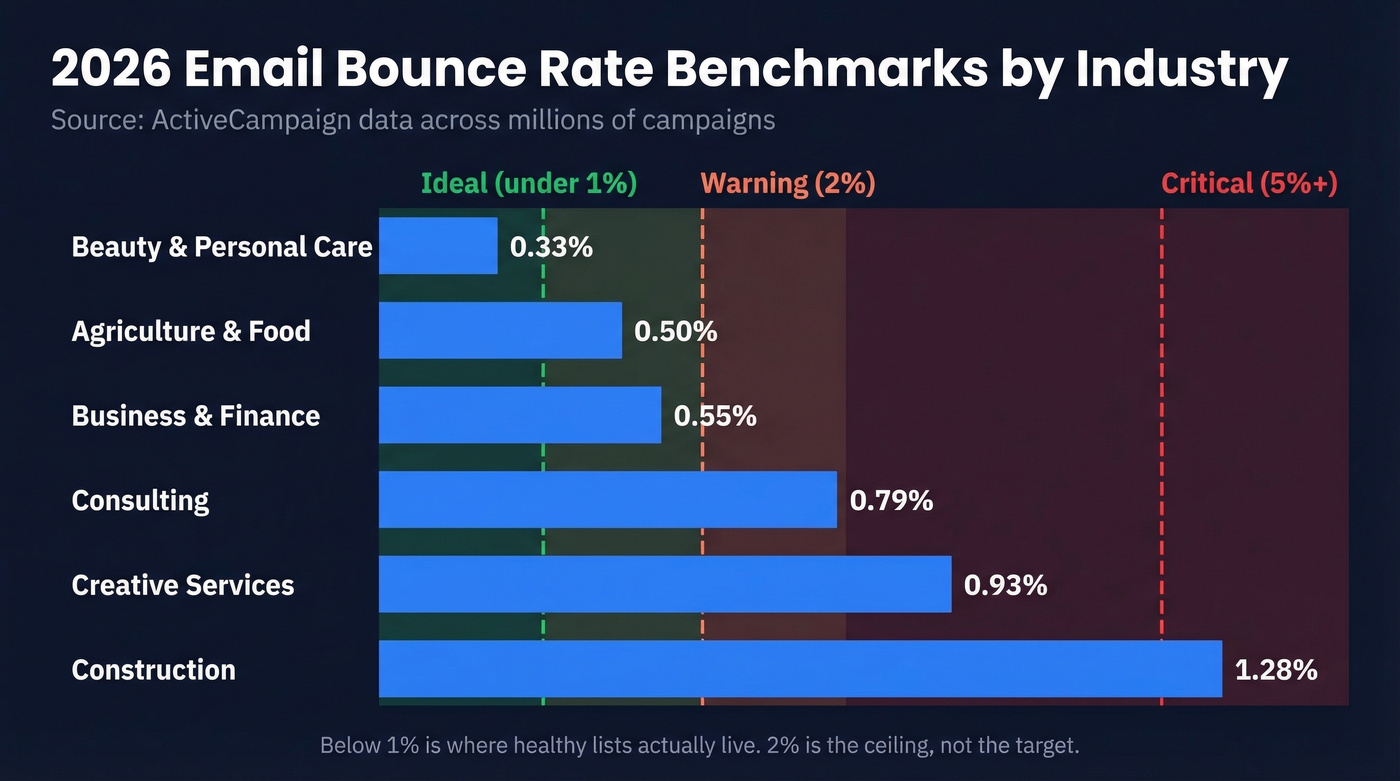
ActiveCampaign's benchmark data across millions of campaigns gives us industry-specific numbers:
| Industry | Avg. Bounce Rate |
|---|---|
| Beauty & personal care | 0.33% |
| Agriculture & food | 0.50% |
| Business & finance | 0.55% |
| Consulting | 0.79% |
| Creative services | 0.93% |
| Construction | 1.28% |
These are marketing email rates from opt-in lists with established senders. Brevo's benchmark report, analyzing over 44 billion emails, confirms similar ranges.
The thresholds that matter:
- Under 2%: Healthy. Keep doing what you're doing.
- 2-5%: Warning zone. Audit list sources and check authentication.
- Above 5%: Critical. Stop sending and investigate.
Here's the thing: 2% is the ceiling, not the target. Below 1% is where healthy lists actually live. If your ESP tells you 5% is "normal," they're grading on a curve designed to keep you paying.

Snyk's 50 AEs went from 35-40% bounce rates to under 5% - and grew pipeline 180%. The fix wasn't sending behavior. It was switching to 98% accurate, 7-day-refreshed email data from Prospeo.
Stop diagnosing bounces. Eliminate the bad data causing them.
SMTP Bounce Codes Reference
Don't just count bounces - read the codes. They tell you exactly what went wrong. The format follows a class.subject.detail structure where 4xx means retry and 5xx means stop sending.
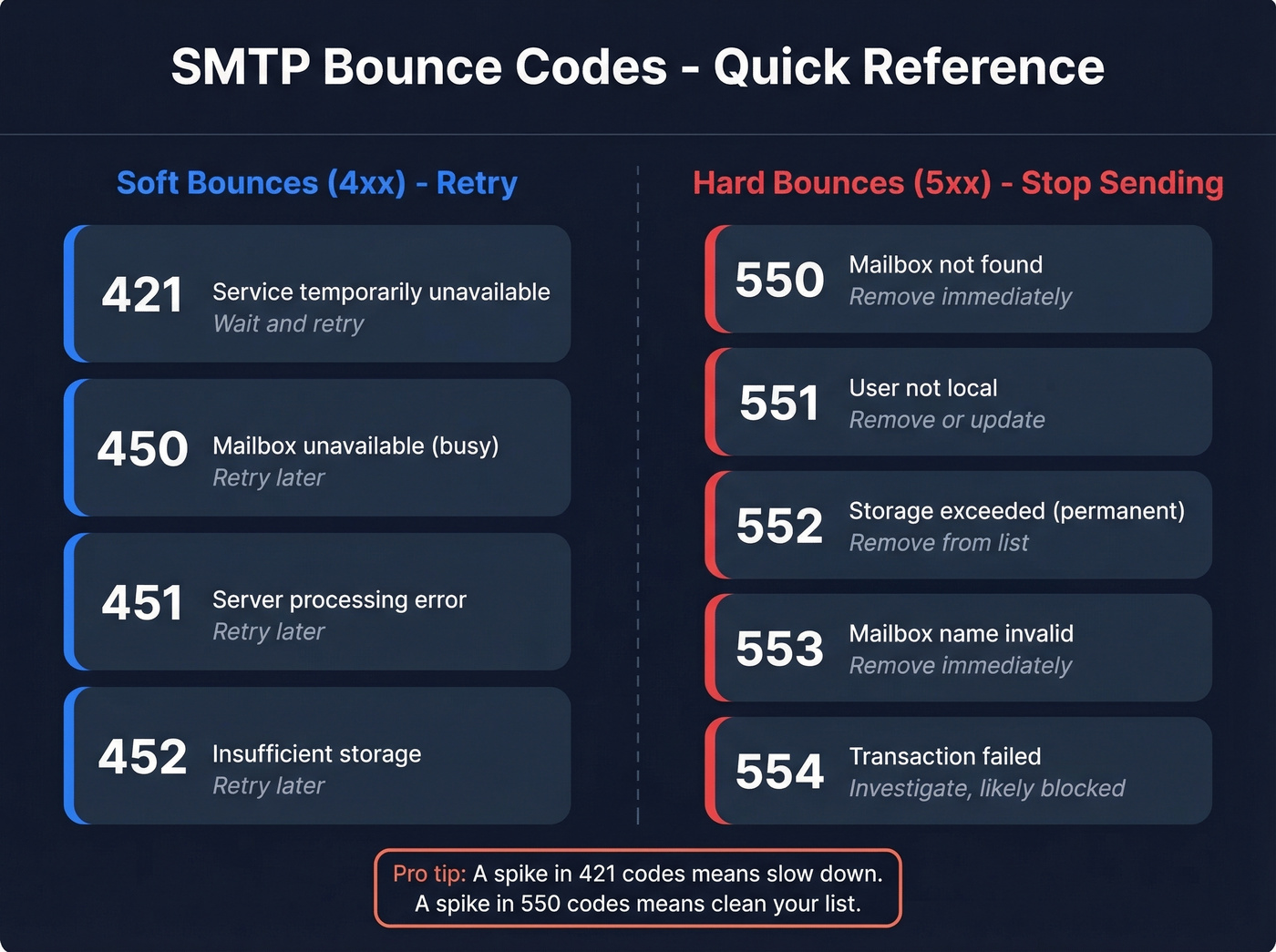
| Code | Type | Meaning | Action |
|---|---|---|---|
| 421 | Soft | Service temporarily unavailable | Wait and retry |
| 450 | Soft | Mailbox unavailable (busy) | Retry later |
| 451 | Soft | Server processing error | Retry later |
| 452 | Soft | Insufficient storage | Retry later |
| 550 | Hard | Mailbox not found | Remove immediately |
| 551 | Hard | User not local | Remove or update |
| 552 | Hard | Storage exceeded (permanent) | Remove from list |
| 553 | Hard | Mailbox name invalid | Remove immediately |
| 554 | Hard | Transaction failed | Investigate; likely blocked |
A 421 4.7.0 specifically means the receiving server thinks you're sending unsolicited mail too fast - slow down until trust recovers. Gmail caps incoming mail at 60 emails per minute from a single sender, and rate limits trigger 4xx deferrals like 450.
The Gmail/Yahoo Authentication Mandate
Since March 2024, Google and Yahoo have enforced mandatory sender requirements that changed the game for every email sender. If your deliverability tanked around that time and you never fixed the root cause, this is still your problem two years later.
The requirements:
- SPF, DKIM, and DMARC authentication - all three, properly configured
- Spam complaint rate under 0.3% - measured by Google Postmaster Tools
- One-click unsubscribe with a 2-day honor window
- Valid PTR/rDNS for sending IPs
These primarily target bulk senders (5,000+ emails per day to Gmail or Yahoo), but compliance matters for everyone. A Reddit practitioner reported that non-compliant domains saw 100% of their Gmail/Yahoo emails soft-bouncing until DKIM/SPF/DMARC were fixed. ISP inbox placement numbers tell the rest of the story: Gmail delivers 87.2% to inbox, Microsoft only 75.6%, Yahoo 86.0%.
Cold Email vs. Marketing Email
Different game, different rules. Marketing email goes to people who opted in. Cold email goes to strangers. The thresholds and failure modes aren't even close.
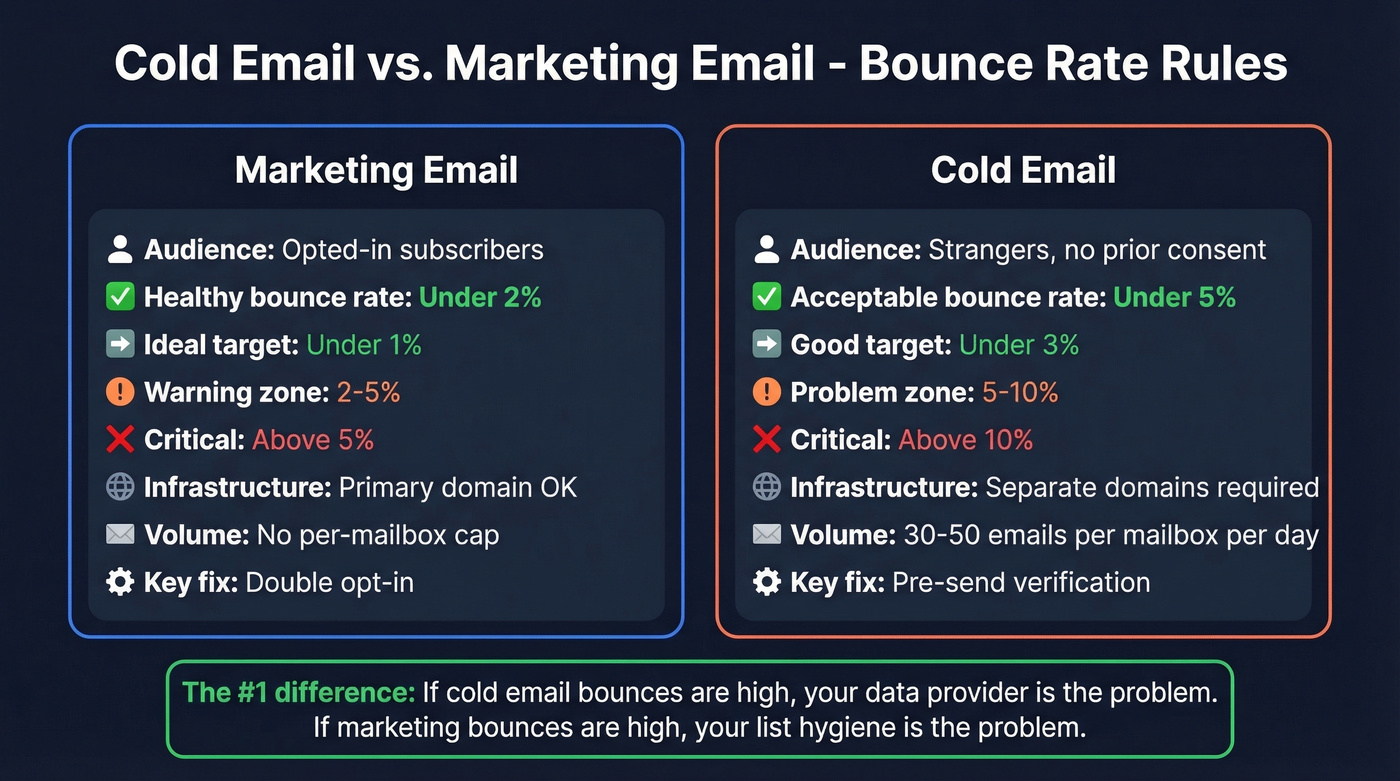
For cold outreach, under 5% is acceptable. Under 3% is good. Above 5%? Your data provider is the problem, full stop.
A team on r/salestechniques shared their numbers: sending 800-1,000 cold emails per week at an 18-22% bounce rate. After adding verification and improving sourcing, bounces dropped to ~7% in three weeks. We've seen even sharper turnarounds - Snyk's 50 AEs dropped bounces from 35-40% to under 5% and grew AE-sourced pipeline 180% after making verification non-negotiable.
The infrastructure rules for cold outreach are non-negotiable: use separate domains from your primary brand, cap volume at 30-50 emails per mailbox per day, and warm new mailboxes for 2-4 weeks before sending real campaigns.
How to Reduce Email Bounce Rate
Fix authentication first. SPF, DKIM, and DMARC aren't optional anymore. If these aren't configured correctly, nothing else matters - Gmail and Yahoo will reject your mail outright. (If you need a quick sanity check, start with SPF record examples and how to verify DKIM is working.)
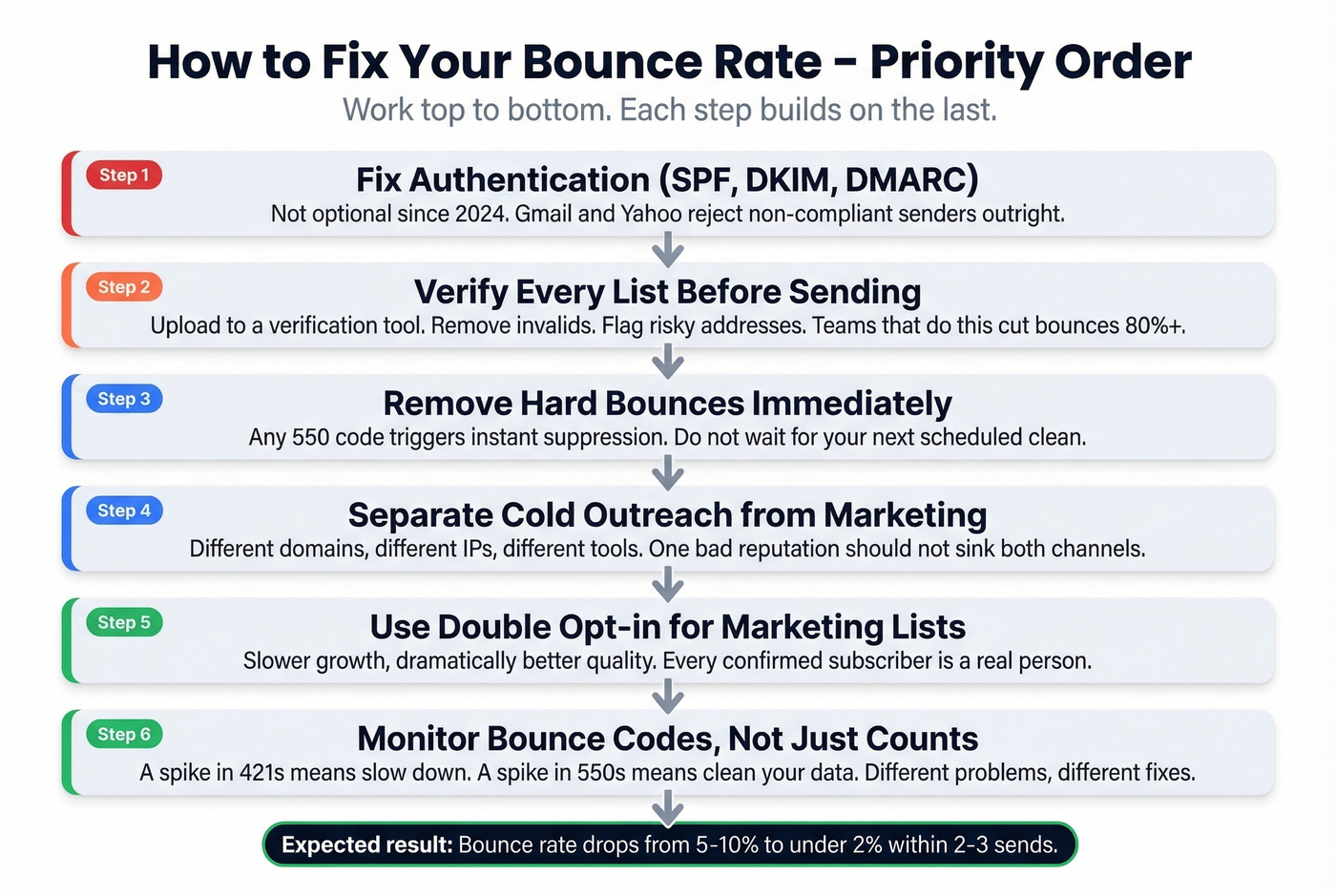
Verify every list before sending. This is the single highest-impact action you can take. Upload your list to a verification tool, remove invalids, and flag risky addresses. If you're building a process around it, use an AI email checker to standardize pre-send QA. In our testing, teams that add verification as a mandatory pre-send step cut bounces by 80%+ regardless of which tool they use.
Remove hard bounces immediately. Any 550 code should trigger instant suppression - don't wait for your next scheduled list clean.
Use double opt-in for marketing lists. It cuts list growth speed but dramatically improves quality. Every subscriber who confirms is a real person at a real address.
Monitor bounce codes, not just bounce counts. A spike in 421 codes means something different than a spike in 550 codes, and the fix is different too. (If you're troubleshooting broader issues, keep an eye on email reputation tools and your sender reputation.)
Separate cold outreach infrastructure from marketing. Different domains, different IPs, different sending tools. A cold email reputation problem shouldn't tank your newsletter deliverability.
And clean your lists on a regular cadence. People change jobs, companies shut down, inboxes get deactivated. A list that was clean six months ago isn't clean today. Watch especially for catch-all domains, which accept any address at the domain level and inflate your "valid" count during basic verification.
Email Verification Tools Compared
Vendor-claimed accuracy numbers are often inflated. A benchmark by Hunter tested 15 verification tools against 3,000 real emails - the top performers scored 65-70% accuracy on real-world lists. That's a long way from the 97-99% on every vendor's homepage.
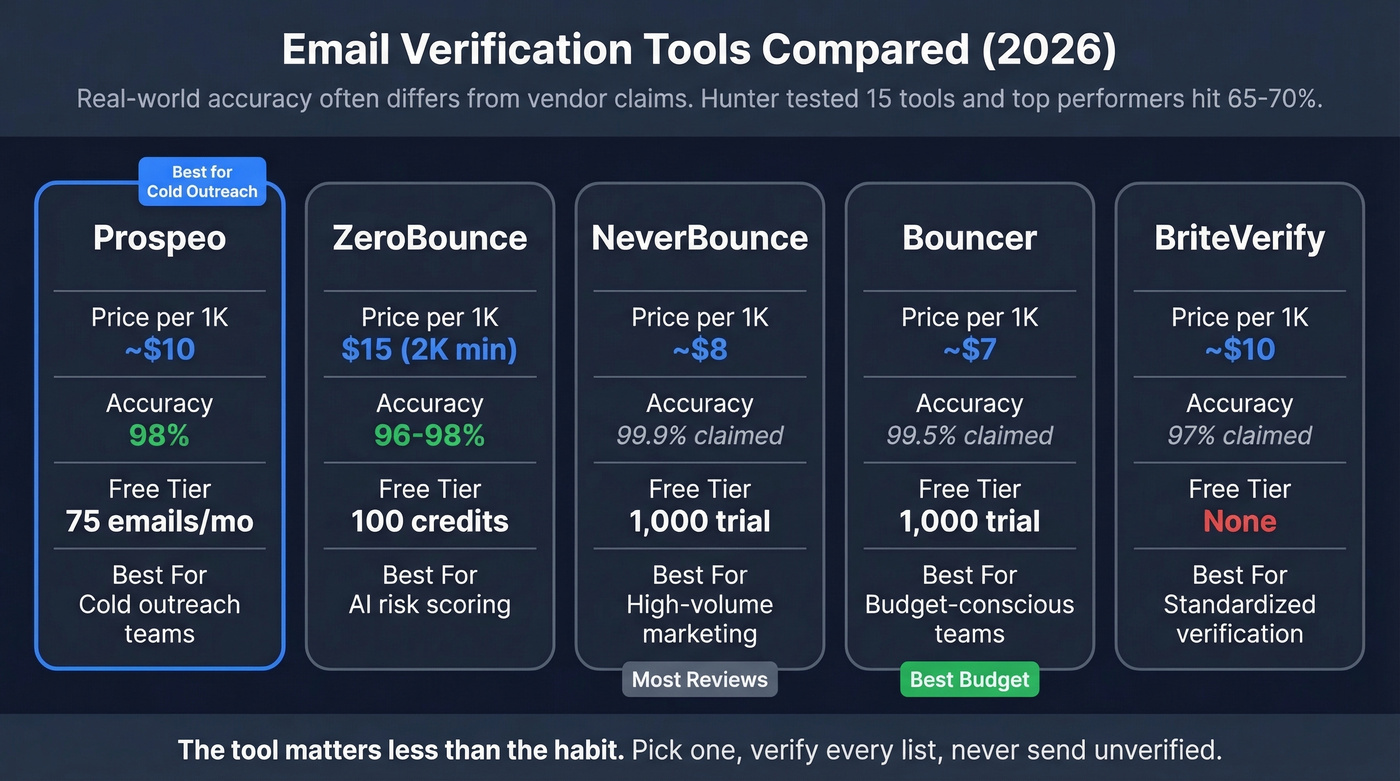
| Tool | Price / 1K | Accuracy | Free Tier | Best For |
|---|---|---|---|---|
| Prospeo | ~$10 | 98% | 75 emails/mo | Cold outreach teams |
| ZeroBounce | $15 / 2K min | 96-98% | 100 credits | AI-scored risk analysis |
| NeverBounce | ~$8 | 99.9% claimed | 1,000 credits trial | High-volume marketing |
| Bouncer | ~$7 | 99.5% claimed | 1,000 credits trial | Budget-conscious teams |
| BriteVerify | ~$10 | 97% claimed | None | Standardizing verification |
Best for cold outreach: Prospeo. Its 5-step verification pipeline runs catch-all detection, spam-trap removal, honeypot filtering, and disposable email checks - not just an SMTP ping. Data refreshes every 7 days vs. the 6-week industry average, so you're sourcing from records that are actually current.
Best budget option: Bouncer. Fast processing at the lowest per-verification cost. (If you're comparing vendors, start with Bouncer alternatives.)
Best social proof: NeverBounce. Thousands of G2 reviews and wide ESP integrations.
Let's be honest: the tool matters less than the habit. Pick one, verify every list, and never send unverified. The difference between a 98% tool and a 96% tool is marginal compared to the difference between verifying and not verifying at all. Skip verification entirely and you're gambling your domain reputation on data you haven't checked - that's how teams end up on blocklists.
Verification after the fact catches bad emails. Prospeo catches them before they exist in your list - 143M+ pre-verified emails, refreshed every 7 days, at $0.01 each. Stack Optimize built a $1M agency on sub-3% bounce rates with this data.
Replace your bounce-prone lists with emails that actually deliver.
FAQ
What is a good email bounce rate?
Under 2% for marketing email, under 5% for cold outreach. Below 1% is ideal for opt-in lists. Industry benchmarks show most well-maintained lists sit between 0.3% and 1.3%. If you're consistently above 2%, investigate list quality and authentication before your sender reputation takes permanent damage.
What's the difference between a hard bounce and a soft bounce?
A hard bounce is permanent - the address doesn't exist or the domain is invalid. A soft bounce is temporary - the inbox is full, the server is down, or you've hit a rate limit. Most ESPs auto-suppress hard bounces after one attempt. Soft bounces get retried for up to 72 hours before the ESP gives up.
How do verification tools reduce bounces?
They check each address against SMTP servers before you send, flaging invalid, disposable, and risky addresses. The best tools also handle catch-all domains and remove spam traps. Running verification as a mandatory pre-send step is the single most effective way to keep bounces under 2%.
Does bounce rate affect sender reputation permanently?
Sustained high bounce rates cause lasting damage, but recovery is possible. ISPs like Gmail use rolling reputation scores - once you fix the root cause, consistent clean sends over 2-4 weeks rebuild trust. A single bad send rarely causes permanent blacklisting, but repeated sends above 5% can land your domain on blocklists that take months to resolve.