

Best Domain Lookup Tools in 2026: What Actually Works
You typed a domain into a lookup tool, hit search, and got back a wall of "REDACTED FOR PRIVACY." Registrant name? Redacted. Email? Redacted. Phone? Redacted. You're staring at a creation date, a registrar name, and nothing useful.
This isn't a bug. It's the new normal. WHOIS was sunset as the primary protocol for gTLDs in early 2025, replaced by RDAP, and GDPR had already gutted most personal data from results years before that. So if you're still relying on the same workflow from 2019, you're wasting time.
Here's what actually works now.
What You Need (Quick Version)
You don't need 10 tools. You need the right one for your goal:
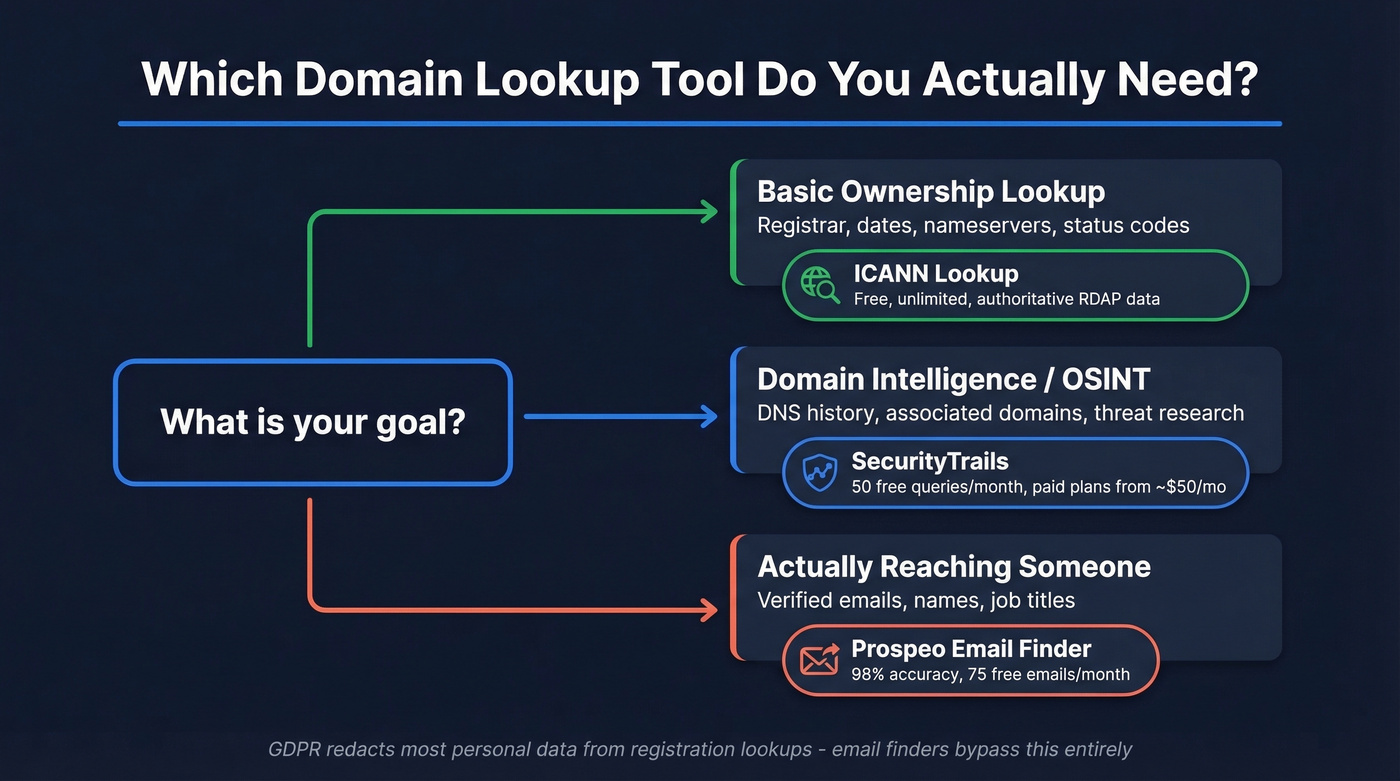
- Basic ownership lookup - ICANN Lookup is free, authoritative, and returns RDAP-based registration data for gTLDs
- Domain intelligence / OSINT - SecurityTrails gives you 50 free queries/month with DNS history and associated domains
- Actually reaching someone at the domain - Prospeo's email finder returns verified contacts with 98% email accuracy, free tier included
Pick your lane, then go deep.
Best Free Domain Lookup Tools
Many free lookup tools handle basic queries well. The differences show up in depth, API access, and what happens when you need more than one lookup per minute.
| Tool | Best For | Free Tier | RDAP Support |
|---|---|---|---|
| ICANN Lookup | Authoritative basics | Unlimited | Yes |
| Whois.com | Fast one-off lookups | Unlimited (throttled) | Partial |
| MxToolbox | DNS + mail diagnostics | Free (rate-limited) | Partial |
| SecurityTrails | DNS history & OSINT | 50 queries/mo | Yes |
| WhoisXML API | Reverse WHOIS & API | 500 API requests | Yes |
| DomainTools | Enterprise intelligence | None (~$10K+/yr) | Yes |
| Verisign | .com/.net registry data | Unlimited | Partial |
| ViewDNS | Reverse WHOIS | Limited (~$15-$25/report) | Partial |
| DNSimple | Registrar + privacy bundle | Free lookup (registrar paid) | Partial |
In our testing, ICANN Lookup is the most reliable free option for everyday queries. It pulls directly from registry RDAP servers, so you're getting authoritative data rather than a cached copy. WhoisXML API is the strongest choice for reverse WHOIS at scale - they track 25.5B+ historical WHOIS records across 7,596+ TLDs, which makes them the go-to for security researchers and domain investors who need to map ownership patterns across thousands of domains. DomainTools sits at the enterprise end, running $10K-$50K+/year depending on package. SecurityTrails paid plans start around $50/month and scale with API volume; security teams lean on it heavily for phishing investigation and threat actor profiling.
If you want free reverse WHOIS, the consensus on r/OSINT is blunt: it barely exists. ViewDNS teases results but paywalls the full report.
How to Read Lookup Results
Key Fields That Matter
Even with GDPR redaction, every registration lookup returns a core set of fields worth understanding.
Registrar tells you which company manages the domain - GoDaddy, Namecheap, Cloudflare, etc. This matters when you need to contact the owner, because the registrar is your gateway. Creation date reveals how long a domain has been registered; older domains generally signal more established organizations. Expiration date shows when the registration lapses. And nameservers indicate where DNS is hosted, which often reveals the hosting provider or CDN.
Domain status is the most misunderstood field. Those cryptic codes like clientTransferProhibited are EPP status codes, and they tell you exactly what's happening with a domain.
EPP Status Codes Explained
Every domain carries at least one EPP status code. Here are the ones you'll actually encounter:
| Code | What It Means |
|---|---|
| ok | Normal, no restrictions |
| clientTransferProhibited | Registrar locked transfers |
| serverHold | Registry suspended resolution |
| clientDeleteProhibited | Registrar blocked deletion |
| pendingDelete | Domain expiring, being purged |
| redemptionPeriod | Expired, owner can still recover |
Server codes take precedence over client codes. If you see serverHold, the registry itself has intervened - that overrides anything the registrar set. This distinction trips people up constantly, especially domain investors watching expiring inventory.

Domain lookups used to surface registrant emails. GDPR killed that. Prospeo picks up where WHOIS left off - 143M+ verified emails across 300M+ professional profiles, refreshed every 7 days. Enter any domain and get the actual decision-makers behind it, not redacted placeholder text.
Stop reading REDACTED. Start reaching real people at $0.01 per email.
Why Most Results Look Empty
GDPR went into effect in May 2018 and changed domain lookups permanently. Registrars began redacting personal data by default - not just for EU residents, but often globally.
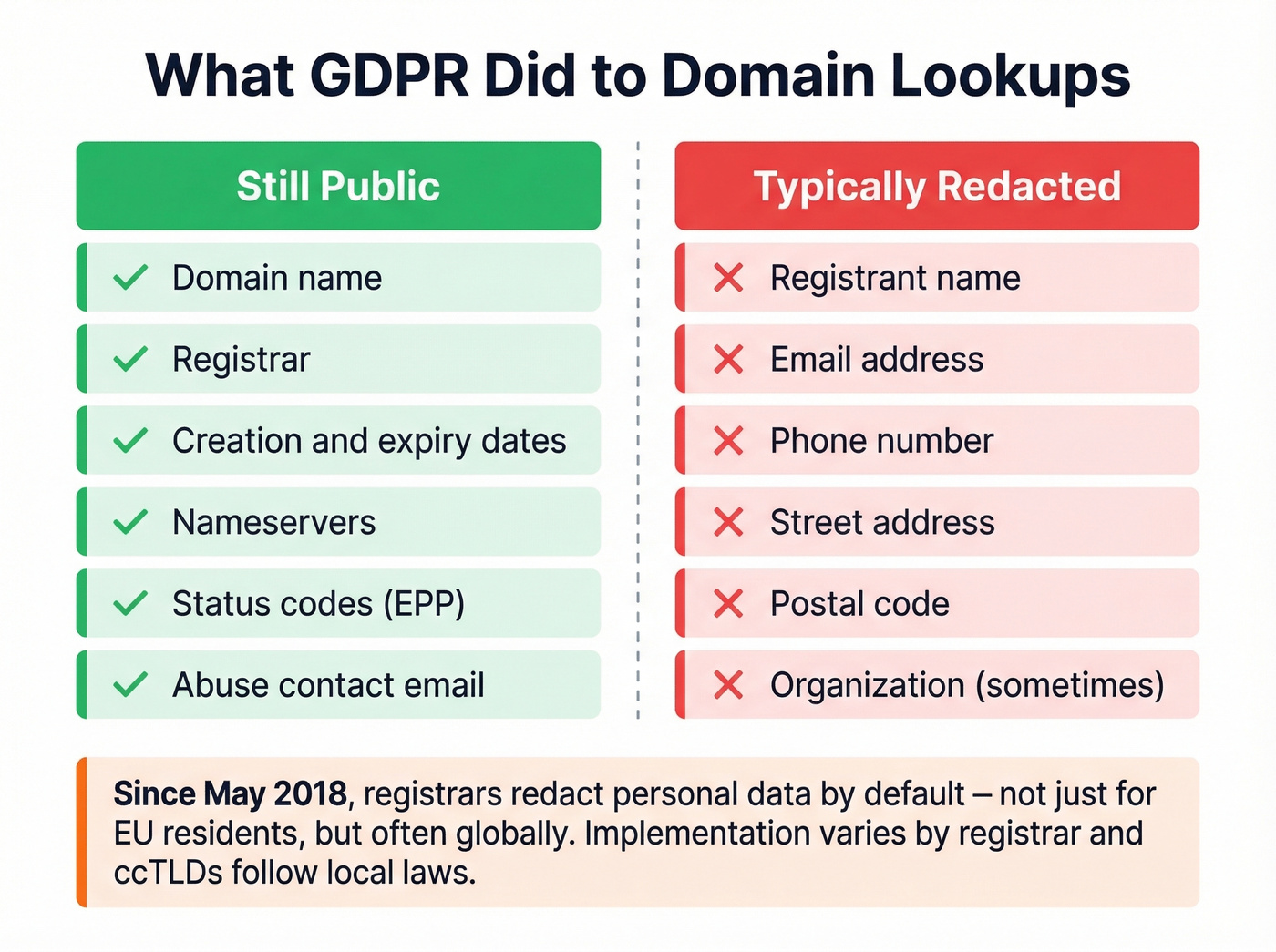
| Still Public | Typically Redacted |
|---|---|
| Domain name | Registrant name |
| Registrar | Email address |
| Creation/expiry dates | Phone number |
| Nameservers | Street address |
| Status codes | Postal code |
| Abuse contact | Organization (sometimes) |
"Privacy enabled" doesn't always mean everything is hidden. One NameSilo user discovered on r/Domains that their state/province and country still displayed on both Whois.com and ICANN Lookup despite having privacy protection active. Implementation varies by registrar, and ccTLDs follow local laws rather than ICANN guidance, adding another layer of inconsistency.
WHOIS vs. RDAP
WHOIS is dead. RDAP replaced it. Most people don't know what changed or why it matters.
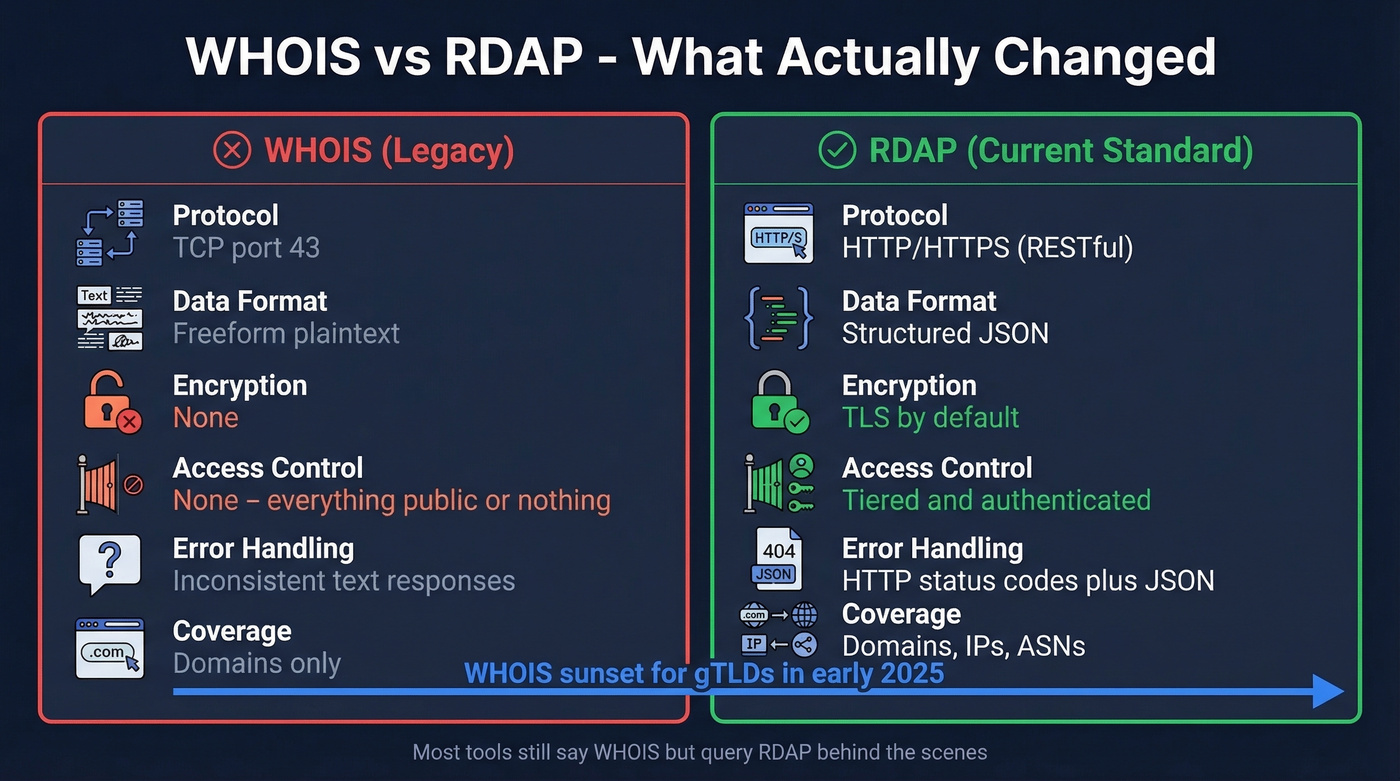
| WHOIS | RDAP | |
|---|---|---|
| Protocol | TCP port 43 | HTTP/HTTPS (RESTful) |
| Data format | Freeform plaintext | Structured JSON |
| Encryption | None | TLS by default |
| Access control | None | Tiered/authenticated |
| Error handling | Inconsistent text | HTTP status codes + JSON |
| Coverage | Domains only | Domains, IPs, ASNs |
RDAP is strictly better. Structured JSON means tools can parse results reliably instead of scraping freeform text that every registrar formats differently. Tiered access means registrars can show different data to authenticated requestors - law enforcement, IP holders - versus the general public. That's how GDPR compliance actually works at a protocol level.
You can query RDAP directly via https://rdap.org/domain/example.com. Note that rdap.org is a community redirect service that routes to the correct registry's RDAP server - it's not an official ICANN endpoint, but it works well for quick checks. Most "WHOIS lookup" tools now query RDAP behind the scenes and just keep the old branding because that's what people search for.
Here's the thing: if your deal sizes are under five figures, you don't need DomainTools-level domain intelligence. ICANN Lookup plus a good email finder covers what most sales teams actually use these lookups for. The expensive tools exist for cybersecurity teams and IP attorneys - not for prospecting.
How to Find a Domain Owner's Email
When WHOIS won't give you an email, here's the registrar workaround:
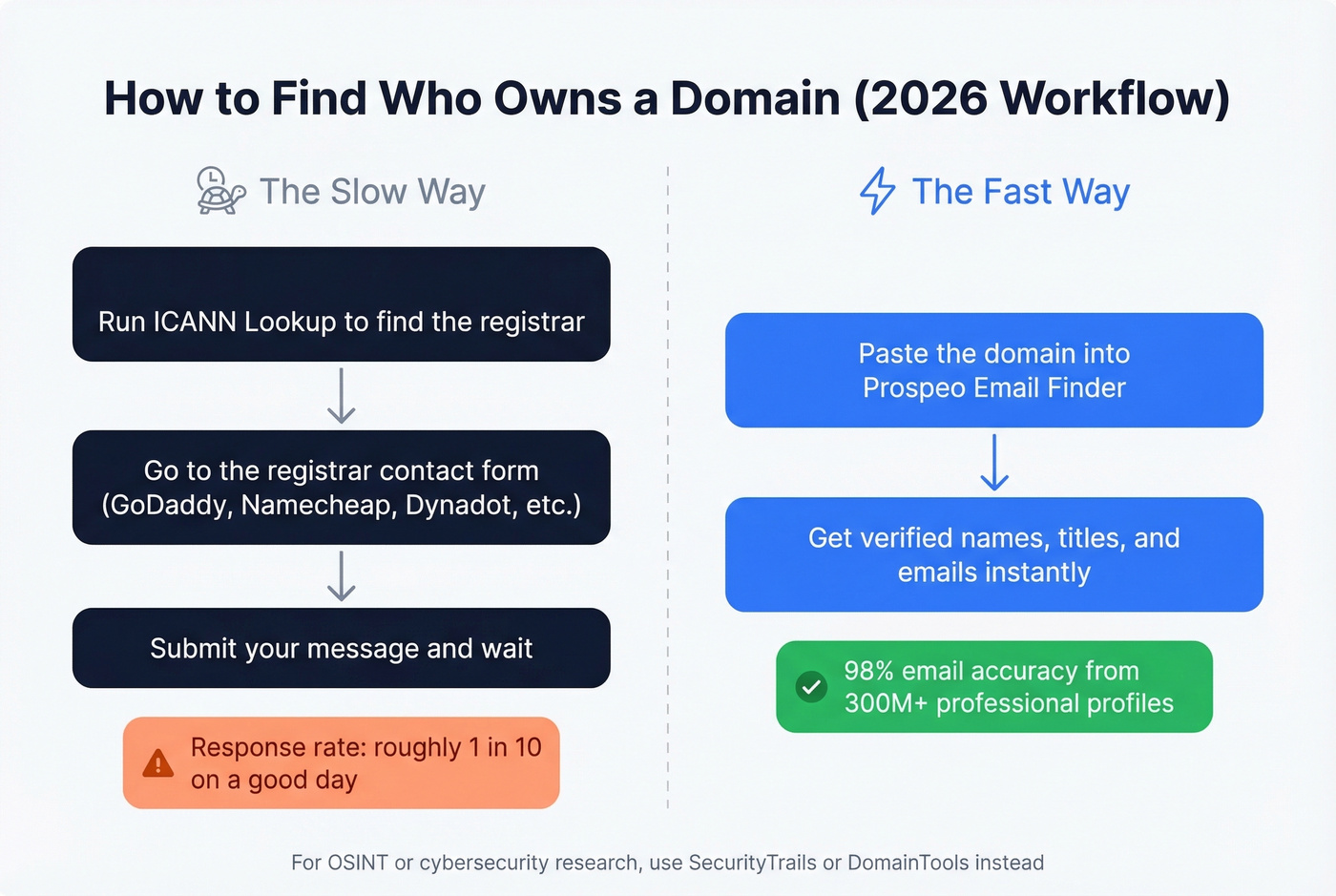
- Run ICANN Lookup on the domain to identify the registrar
- Go to the registrar's contact form - most major registrars offer one:
- GoDaddy:
godaddy.com/whois/results.aspx?domain=example.com - Namecheap:
namecheap.com/domains/whois/result?domain=example.com - Dynadot:
dynadot.com/domain/contact-request - Porkbun:
porkbun.com/whois/contact/admin/example.com - Squarespace:
domains.squarespace.com/whois-contact-form
- GoDaddy:
- Submit your message and hope the registrar forwards it
Real talk: this process is slow and unreliable. Registrars aren't obligated to forward messages promptly, and many owners never check these. We've sent dozens of these over the years and the response rate is abysmal - maybe one in ten, on a good day.
When You Need the Person, Not the Domain
A domain lookup tool gives you domain data. It doesn't give you contact data. And registrar contact forms are a black hole.
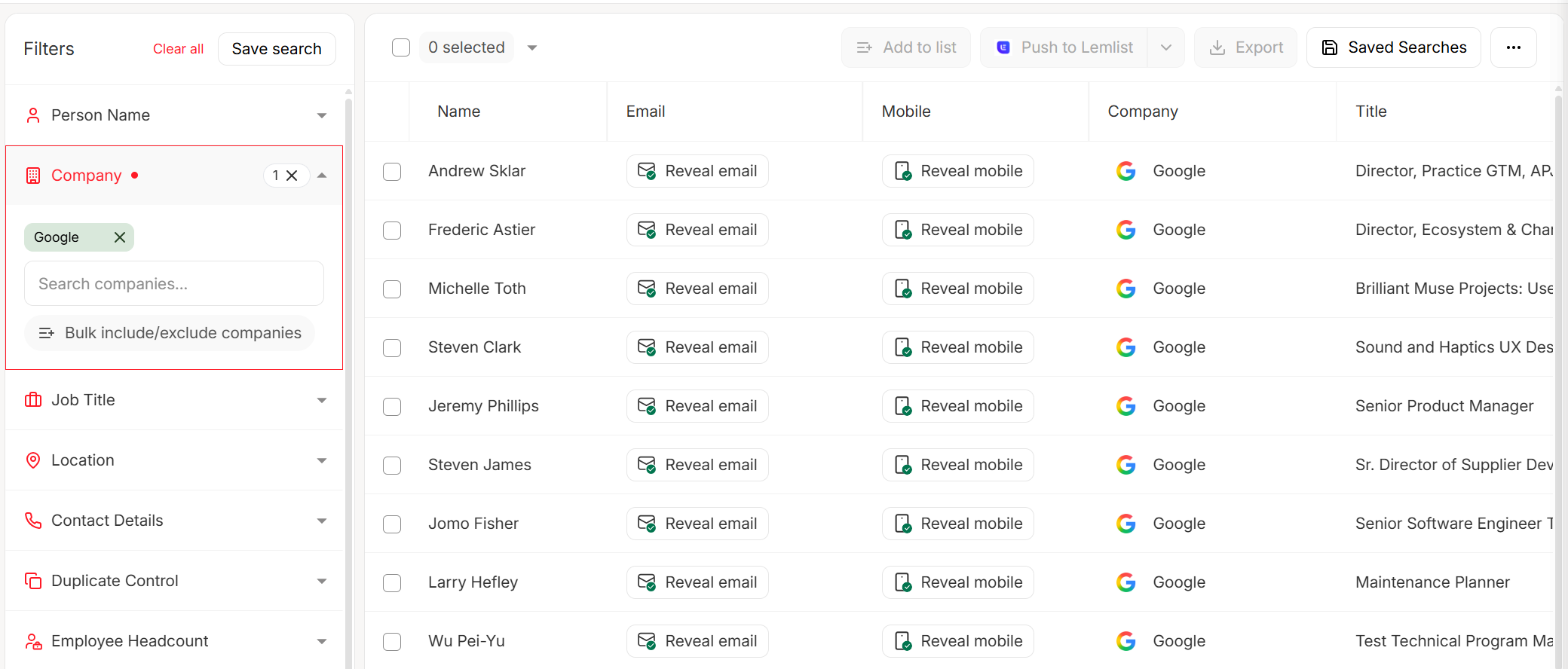
If you're trying to reach someone for a business conversation - a partnership, an acquisition, outbound sales - dedicated email finders are the practical answer. Prospeo's email finder takes a domain and returns verified professional contacts, bypassing the WHOIS dead-end entirely. Paste in a domain, get back names, titles, and verified emails pulled from 300M+ professional profiles. The free tier gives you 75 emails per month, which is enough to test whether it fits your workflow before committing.
Skip this approach if you're doing pure OSINT or cybersecurity research - you'll want SecurityTrails or DomainTools for that. But for anyone in sales, partnerships, or business development, the fastest path from "I have a domain" to "I'm talking to a human" runs through an email lookup tool, not a registration database.
If you’re building a repeatable outbound motion, pair domain lookups with email verification so you don’t burn deliverability on bad addresses.
You don't need $10K/year domain intelligence tools to find who runs a company. Prospeo's Chrome extension lets you pull verified contacts from any company website in one click - 40,000+ users already do. 98% email accuracy, 125M+ verified mobiles, zero annual contracts.
Skip the WHOIS rabbit hole. Get verified contacts from any domain instantly.
FAQ
What's the best free domain lookup tool?
ICANN Lookup is the most reliable free option. It's authoritative, unlimited, and returns RDAP-based registration data for all gTLDs. For DNS history and associated-domain intelligence, SecurityTrails offers 50 free queries per month.
Is WHOIS still available in 2026?
WHOIS was sunset as the primary gTLD protocol in early 2025 and replaced by RDAP. Most tools still brand themselves as "WHOIS lookup" but query RDAP under the hood. Legacy port-43 WHOIS still works for some registries, but RDAP is the standard going forward.
Can I find out who owns a domain for free?
You can find registration details - registrar, dates, nameservers - for free through ICANN Lookup. GDPR redaction hides personal ownership data in most cases, though. If your real goal is reaching the person behind a domain, a dedicated email finder will get you further than any WHOIS or RDAP query.