


FindThatLead vs MailMerge365: Different Tools, Different Jobs
Comparing FindThatLead to MailMerge365 is like comparing a fishing rod to a frying pan. One finds contacts. The other sends emails from Outlook. They don't compete, and you probably don't need to choose between them - you might need both, or neither.
Feature Comparison at a Glance
These tools sit in completely different categories. The table makes that obvious fast.
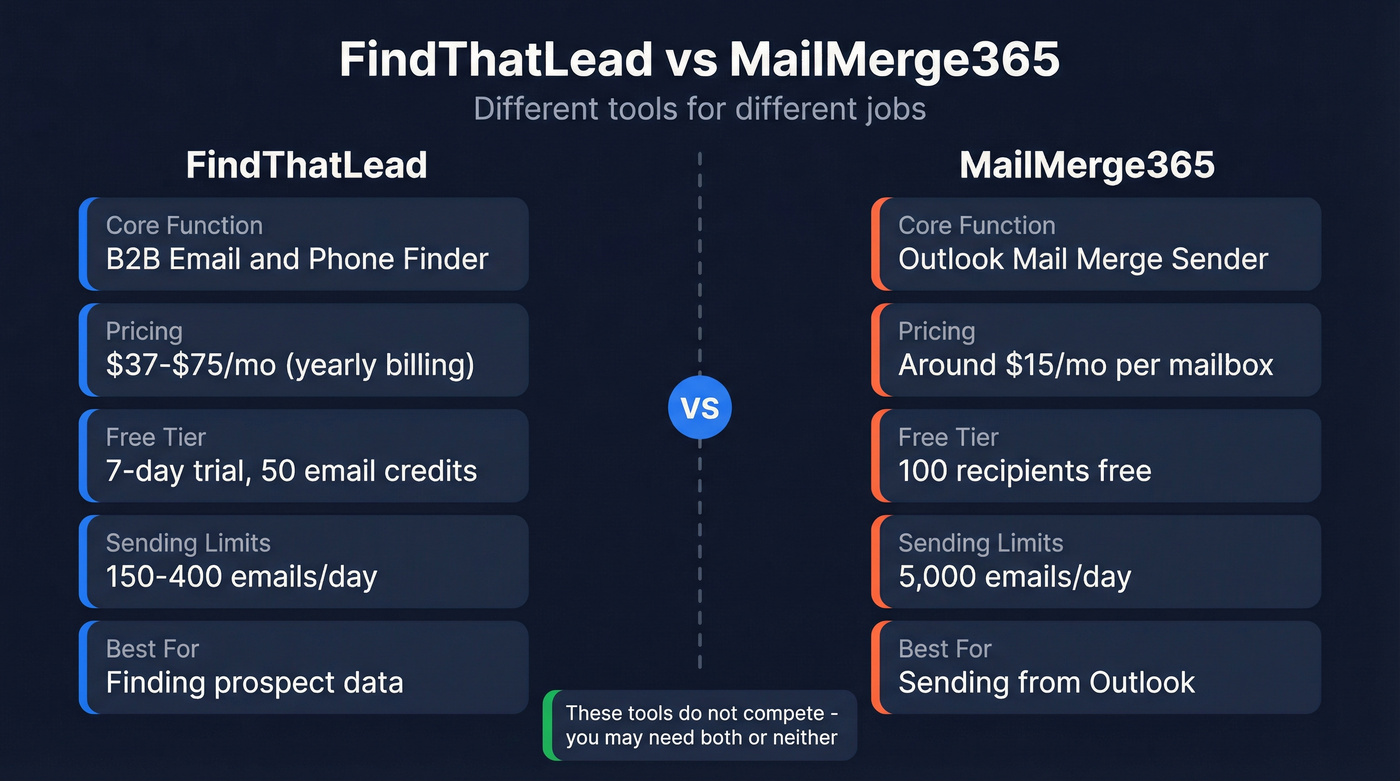
| Category | FindThatLead | MailMerge365 |
|---|---|---|
| Core function | B2B email/phone finder | Outlook mail merge |
| Pricing | $37-$75/mo (yearly billing) | ~$15/mo per mailbox |
| Free tier | 7-day trial, 50 email credits | 100 recipients |
| Sending limits | 150/day (trial) to 400/day (Starter) | 5,000 emails/day |
| Platform | Web app + Chrome extension | Outlook/M365 add-in |
| Best for | Finding prospect data | Sending from Outlook |

FindThatLead's 2,000 monthly credits run dry fast, and MailMerge365 can't fix bad data. Prospeo's 300M+ profiles with 98% email accuracy and 7-day refresh give you contacts that actually connect - then export straight to your sending tool.
Stop burning sends on stale emails. Start with verified data.
What Each Tool Actually Does
FindThatLead
Use this if you need a quick, affordable way to find prospect emails and run basic cold email sequences from one platform. The Chrome extension is genuinely easy to use, and AppSumo reviewers give it a 4.1/5 across 75 reviews, with plenty of praise for lead accuracy.
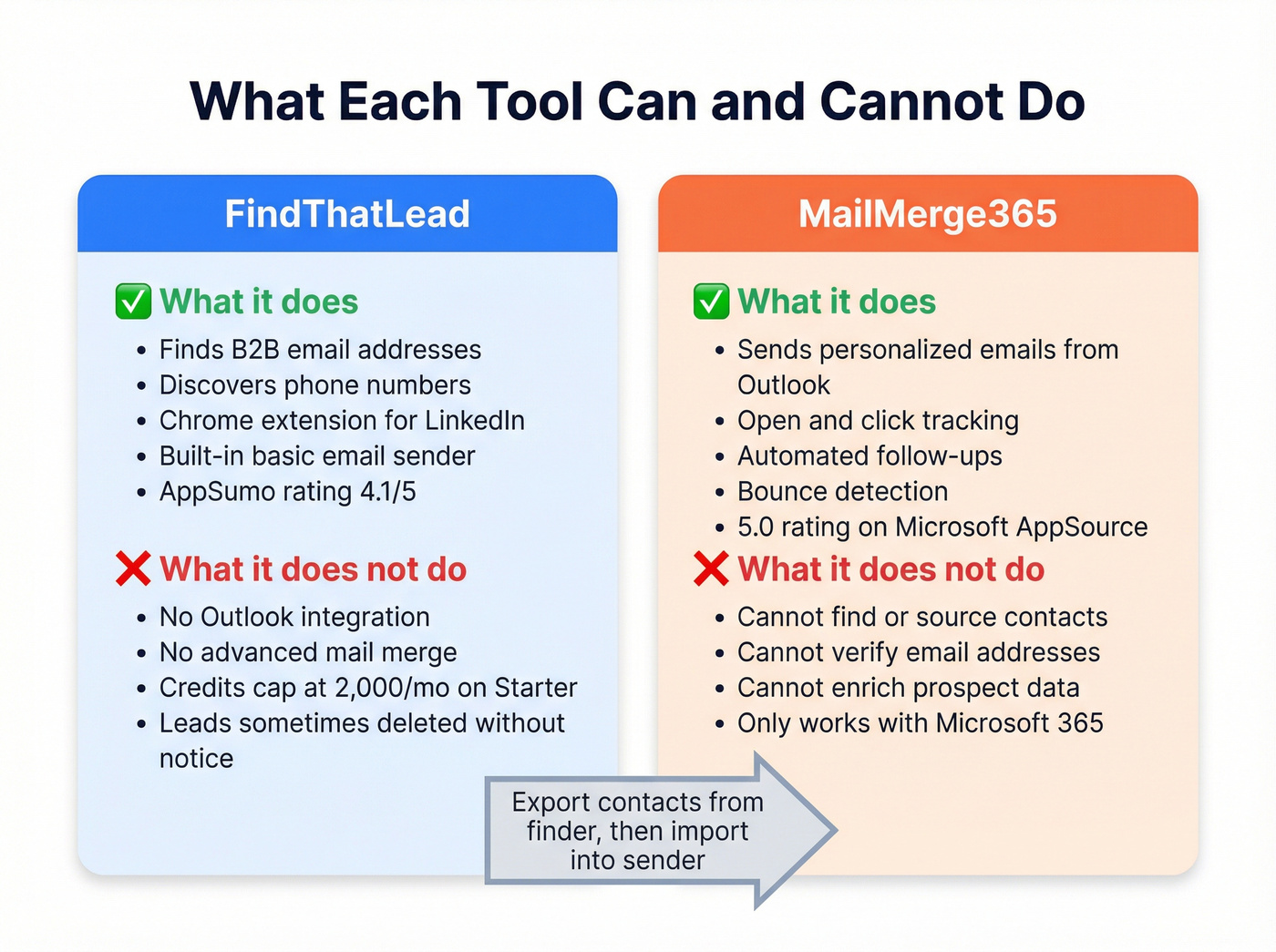
Skip this if you need serious volume. The Starter plan caps you at 2,000 email credits and 50 mobile credits per month at $49/mo billed monthly or $37/mo billed yearly - that feels stingy in 2026 when competitors offer far more at similar price points. The Ultimate plan runs $99/mo monthly or $75/mo yearly and unlocks "unlimited" credits, but that's subject to a fair use policy. AppSumo reviews also flag a frustrating pattern: leads getting deleted without notice, which is the kind of thing that erodes trust fast. On G2, FindThatLead sits at 4.0/5, with Hunter, Apollo, and Lusha listed as top alternatives.
MailMerge365
MailMerge365 is the opposite kind of tool - and honestly, it's one of the simplest Outlook add-ins we've tested. Upload a spreadsheet, add personalization tokens, schedule your send, and walk away. Emails go from your personal Outlook account, which helps deliverability versus dedicated bulk senders. You get open/click tracking, bounce detection, automated follow-ups to non-responders, and built-in templates for around $15/mo per mailbox. It holds a 5.0 rating on Microsoft AppSource and a 4.3/5 on G2, though from only 2 reviews.
The catch? MailMerge365 doesn't source contacts. It only sends to lists you already have. One Reddit user reported roughly 5% open rates sending monthly newsletters to a 5,000-person list, but that's a list quality problem, not a tool problem. MailMerge365 does its job; it can't fix bad data.
Which One Do You Actually Need?
Here's the thing: most outbound teams don't need to choose between a finder and a sender. They need both - and neither of these tools alone solves the full problem.
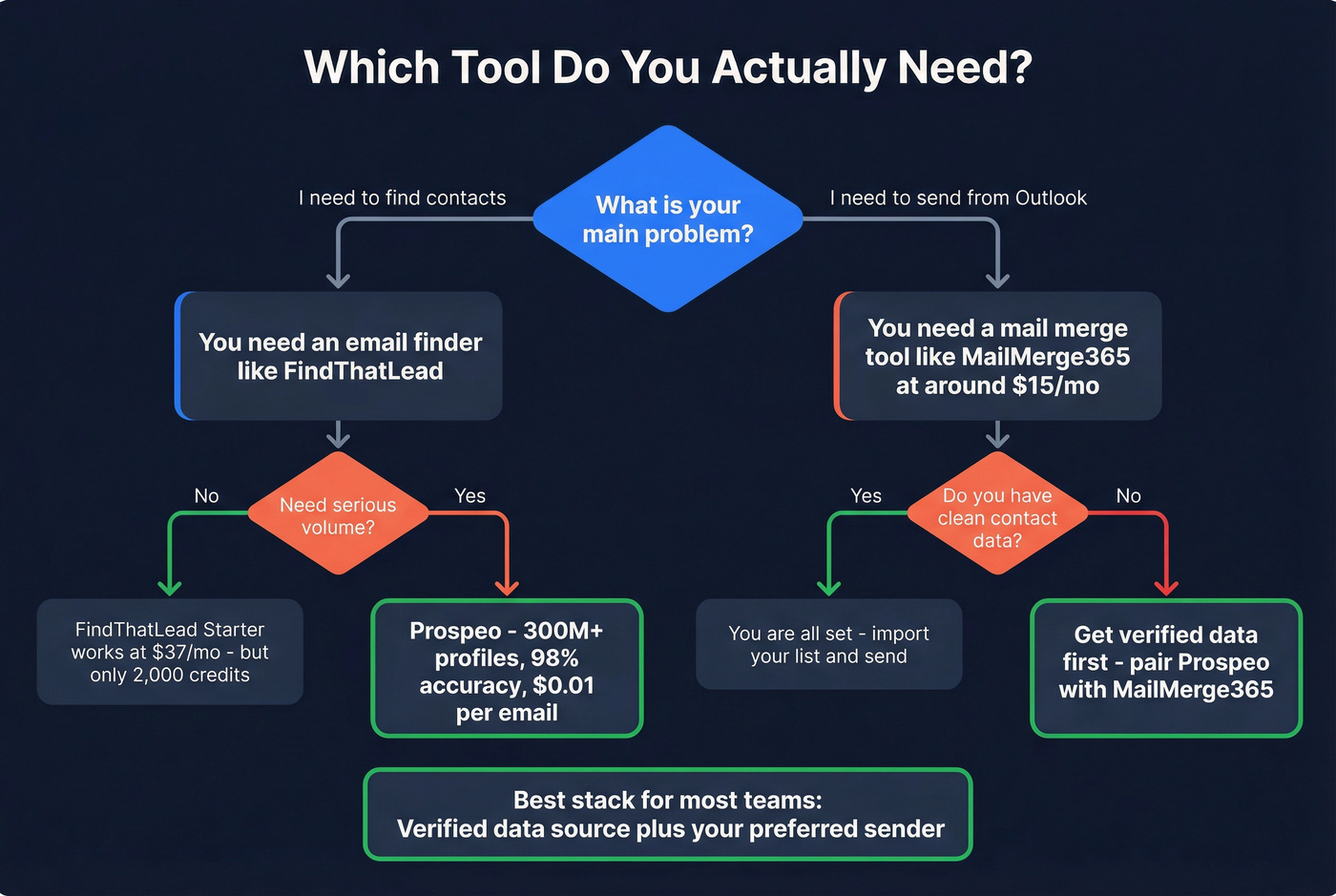
For teams that need to find leads, FindThatLead works but better options exist. A February 2026 benchmark testing 15 tools on 20,000 real contacts showed that "usable enrichment" often lands in the 30-60% range, meaning 40-70% of the contacts you pull are unusable because they're missing, invalid, or outdated. If FindThatLead's credit limits feel too restrictive, Apollo and Hunter are common alternatives - but they share the same accuracy ceiling.
When you just need to send personalized emails from Outlook, MailMerge365 handles that well at ~$15/mo. No complaints there.
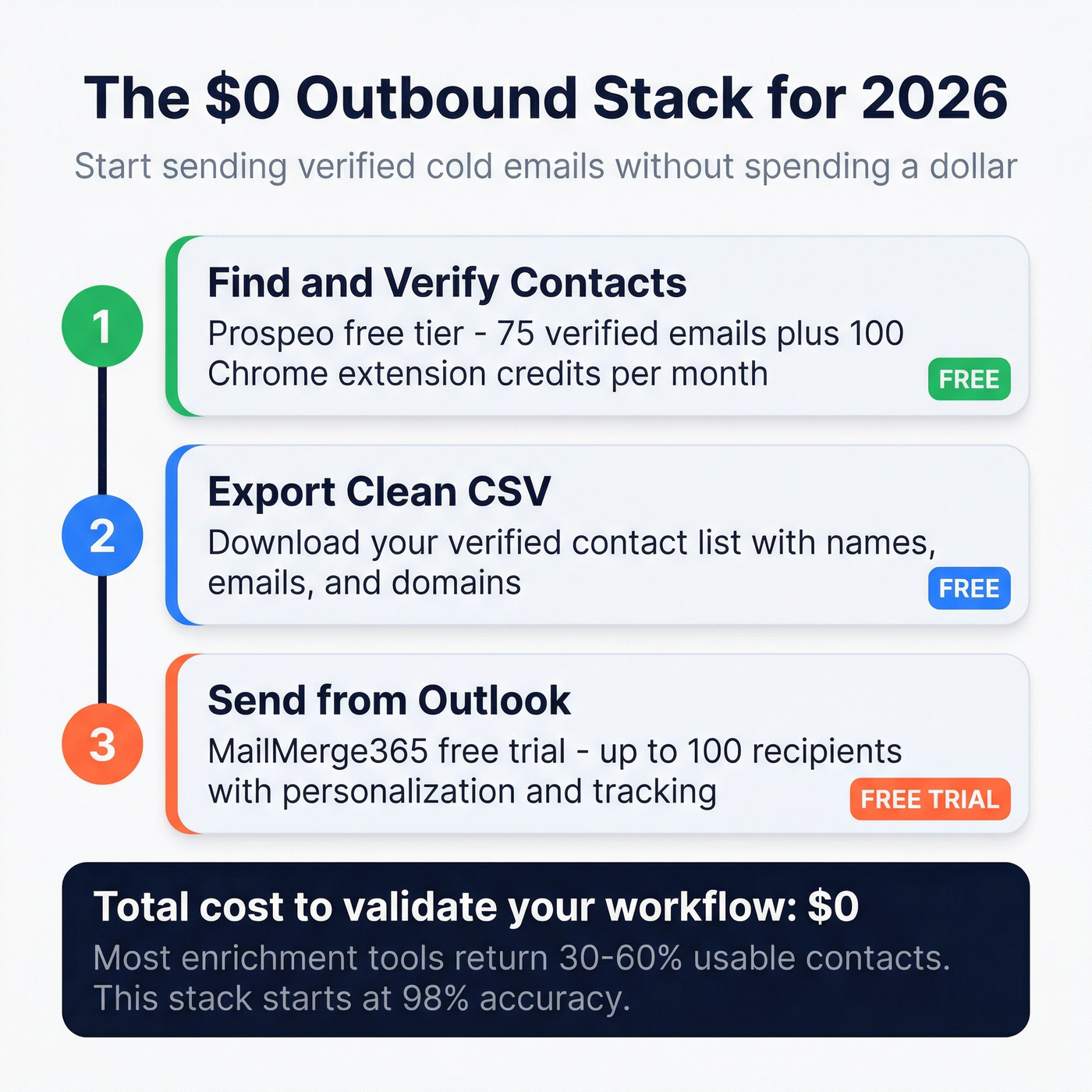
When budget is tight and you need both capabilities, pair Prospeo's B2B database with MailMerge365 for sending. Prospeo's 300M+ professional profiles come with 98% email accuracy and a 7-day data refresh cycle, so the contacts you export are genuinely clean - fewer bounces, fewer wasted sends, and a list you can actually trust. The free tier gives you 75 verified emails and 100 Chrome extension credits per month, enough to validate the workflow without spending a dollar. Find and verify your contacts, export the list, feed it into MailMerge365. Clean data in, better results out.

Most enrichment tools return 30-60% usable contacts. Prospeo's 5-step verification delivers 98% accurate emails at $0.01 each - pair that with MailMerge365 and your Outlook outbound actually lands.
Clean data in, real replies out. 75 free emails to prove it.
FAQ
Can MailMerge365 find email addresses?
No. It's strictly a sending tool - it delivers personalized emails from your Outlook mailbox but doesn't discover or verify contacts. You'll need a dedicated email finder to build your list before importing it.
Does FindThatLead integrate with Outlook?
FindThatLead has its own built-in email sender but doesn't plug into Outlook as an add-in. You'd export contacts from FindThatLead and import them into MailMerge365 or another Outlook-compatible tool to send from your Microsoft 365 mailbox.
What's the cheapest way to find and send B2B emails in 2026?
Prospeo's free tier paired with MailMerge365's free trial costs nothing to start. That's enough to validate your outbound workflow and test deliverability before committing to paid plans on either side.
Bottom Line
FindThatLead and MailMerge365 don't compete - one finds contacts, the other sends emails. Pick based on your actual problem. If you need both (and most outbound teams do), get a verified data layer with real accuracy first, then plug your preferred sending tool on top. That's the stack that actually works.