

GetProspect vs TailorMails: You're Comparing Two Different Things
You've got two tabs open - GetProspect and TailorMails - and something feels off. That's because this isn't really a head-to-head at all. GetProspect finds email addresses. TailorMails writes email copy. You're choosing between two different stages of the outreach workflow, not two competing products.
That distinction matters, because picking the wrong category wastes either your budget or your time. Let's sort out what you actually need.
30-Second Verdict
Use GetProspect if you need a B2B email finder with a Chrome extension and built-in database. It works, but public benchmarks put its verified match rate at 62-65% - roughly a third of your lookups won't return a verified email.
Use TailorMails if you want cheap AI-generated cold emails with lightweight campaign execution. It starts at $4.55/mo, but it has zero reviews on Capterra and no G2 listing. That's a trust gap you can't ignore for team adoption.
Skip both if your real problem is email accuracy. Prospeo delivers 98% verified email accuracy across 143M+ verified emails, with a 7-day data refresh cycle - a different league from GetProspect's 62-65% match rate, and a problem TailorMails doesn't even attempt to solve.
What Each Tool Actually Does
GetProspect - Email Finder & B2B Database
GetProspect is a straightforward email finder. It carries a 4.0/5 on G2 from 41 reviews and offers a Chrome extension, a web app, and a Google Sheets add-on for enrichment workflows. Marketing materials reference 200M+ contacts in some places, while the comparison page breaks this into 18M business emails plus a 900M-member professional graph - the discrepancy is never clearly explained, so treat the 18M figure as the actual business email pool.
The real-time email verifier is a nice touch. The free plan gives you 50 valid emails per month and 100 verifications to test. Paid plans start at $49/mo for 1,000 valid emails and 2,000 verifications, with team workspace support for collaborative prospecting.
What users say: G2 reviewers consistently praise ease of use and call it affordable compared to Apollo or ZoomInfo. The recurring complaints are inconsistent accuracy and database gaps outside major English-speaking markets. We've seen teams get solid results for US-based tech companies and struggle with European or APAC contacts.
TailorMails - AI Email Writer & Lightweight Outreach
TailorMails is more than a copywriting toy. It's an AI email generator bundled with lightweight outreach execution. You feed it prospect context - name, niche, offer - and it generates multiple draft variations with A/B-testable subject lines. Beyond writing, it includes a Gmail-connected inbox that categorizes replies using AI, automated campaign sequences that auto-pause when a prospect responds, a compliance assistant for CAN-SPAM and GDPR, and bulk generation via CSV upload on the Pro plan.
The credit model is simple: 1 credit equals 1 AI-generated email. The free plan gives you 20 credits. Starter runs $4.55/mo for 500 credits (promotional for the first 100 users) - enough for roughly 500 personalized emails per month. Pro at $19/mo unlocks 2,000 credits plus automated sequences and bulk CSV generation. Don't confuse TailorMails with "TailoredMail" on G2 - completely different product.
The catch? Zero Capterra reviews, no G2 listing, no community footprint anywhere. It's built for solo SDRs and bootstrapped founders willing to experiment with an early-stage tool.
Side-by-Side Feature Comparison
Most rows in this table show "N/A" for one tool or the other. That's the clearest signal this isn't a real head-to-head - it's a category mismatch.
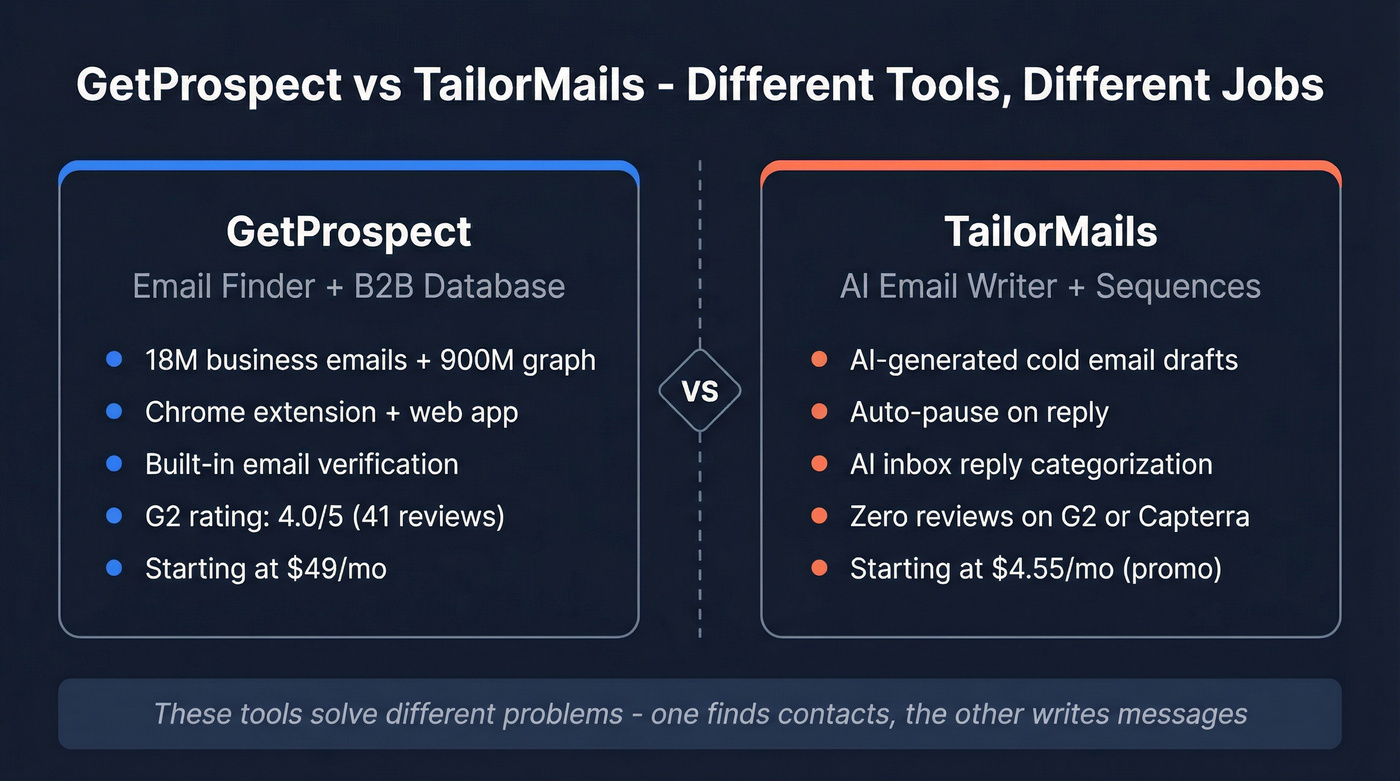
| Feature | GetProspect | TailorMails | Best for |
|---|---|---|---|
| Category | Finder + DB | AI writer + sequences | Different jobs |
| Database size | 18M emails + 900M graph | N/A | GetProspect |
| Email finding | Yes | No | GetProspect |
| Email verification | Yes (built-in) | No | GetProspect |
| AI email writing | No | Yes | TailorMails |
| Campaign sequences | Yes (basic) | Yes (auto-pause on reply) | TailorMails |
| Reply categorization | No | Yes (AI inbox) | TailorMails |
| Starting price | $49/mo | $4.55/mo (promo) | TailorMails |
| G2 rating | 4.0/5 (41 reviews) | No listing | GetProspect |
| Free plan | 50 valid emails/mo | 20 credits | GetProspect |
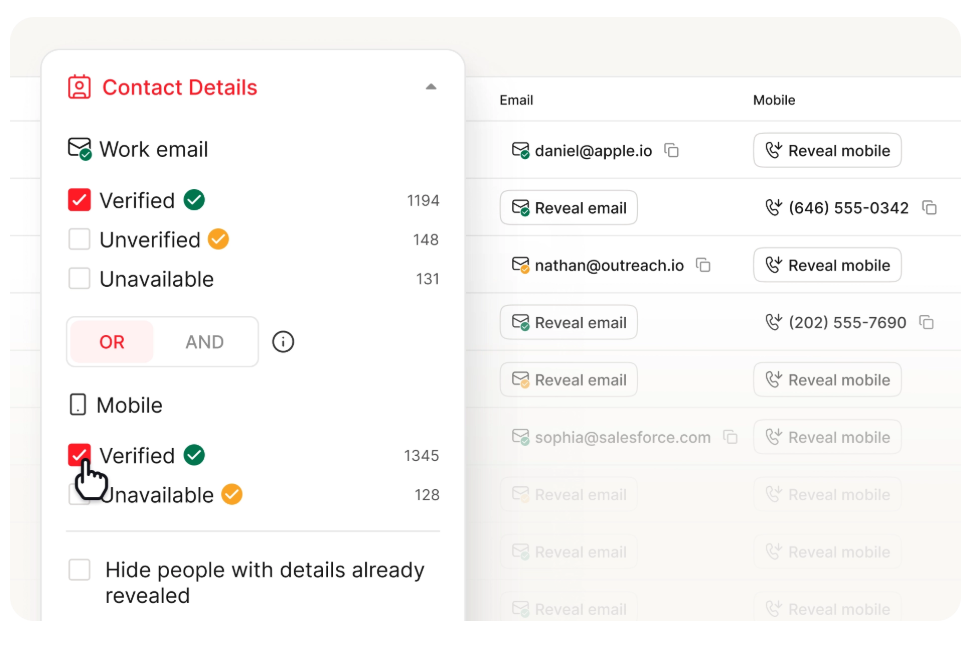

GetProspect returns a verified email 62-65% of the time. Prospeo hits 98% across 143M+ verified emails - refreshed every 7 days, not every 6 weeks. At $0.01 per email, you pay less than GetProspect and bounce less than anyone.
Fix your data layer first. Everything else follows.
Accuracy & Data Quality
GetProspect's accuracy has been tested in two public benchmark-style tests. An Anymailfinder benchmark across 5,000 contacts measured a 61.9% verified rate. A PhantomBuster test came in at 65%. Both are vendor-run benchmarks with potential bias, but they're useful directional signals. Call it a 62-65% verified match rate.
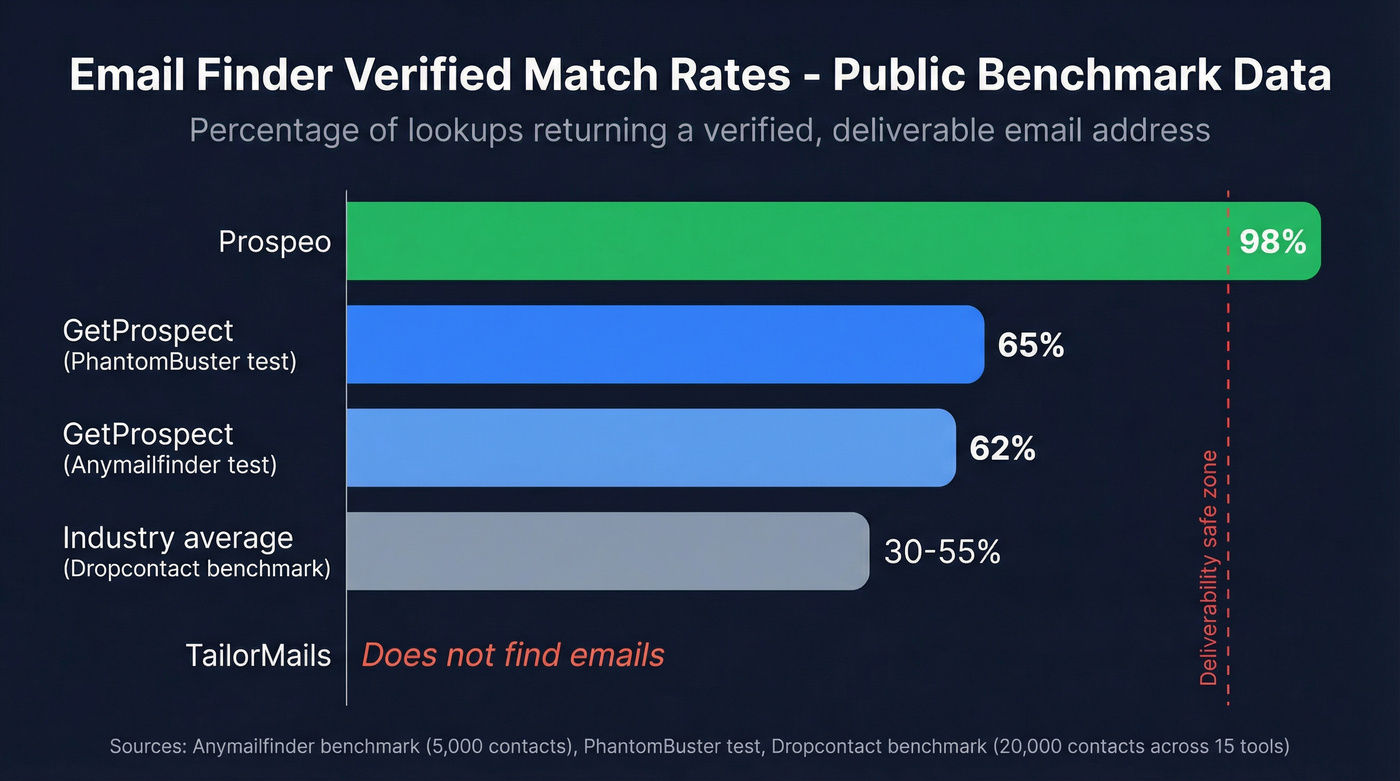
What "verified match rate" actually means: it's the percentage of lookups that return an email address confirmed as deliverable through SMTP-level verification. It doesn't count catch-all domains, where any address technically "accepts" mail, or risky/unverified results. This matters because high bounce rates hurt deliverability and domain reputation.
For market-wide context, a Dropcontact benchmark testing 15 tools across 20,000 contacts found most email finders land between 30-55% "real enrichment rate." TailorMails doesn't find emails at all, so accuracy isn't relevant here.
In our experience, the fastest way to lift reply rates is verified data first, personalization second. AI-written emails sent to bad addresses are a waste of everyone's time. Personalization doesn't matter if the email bounces.
What You Actually Need
Every outbound workflow has four stages: find contacts, verify emails, personalize messaging, and send. GetProspect covers stages one and two partially. TailorMails covers personalization plus lightweight sending. Neither does the full job alone.
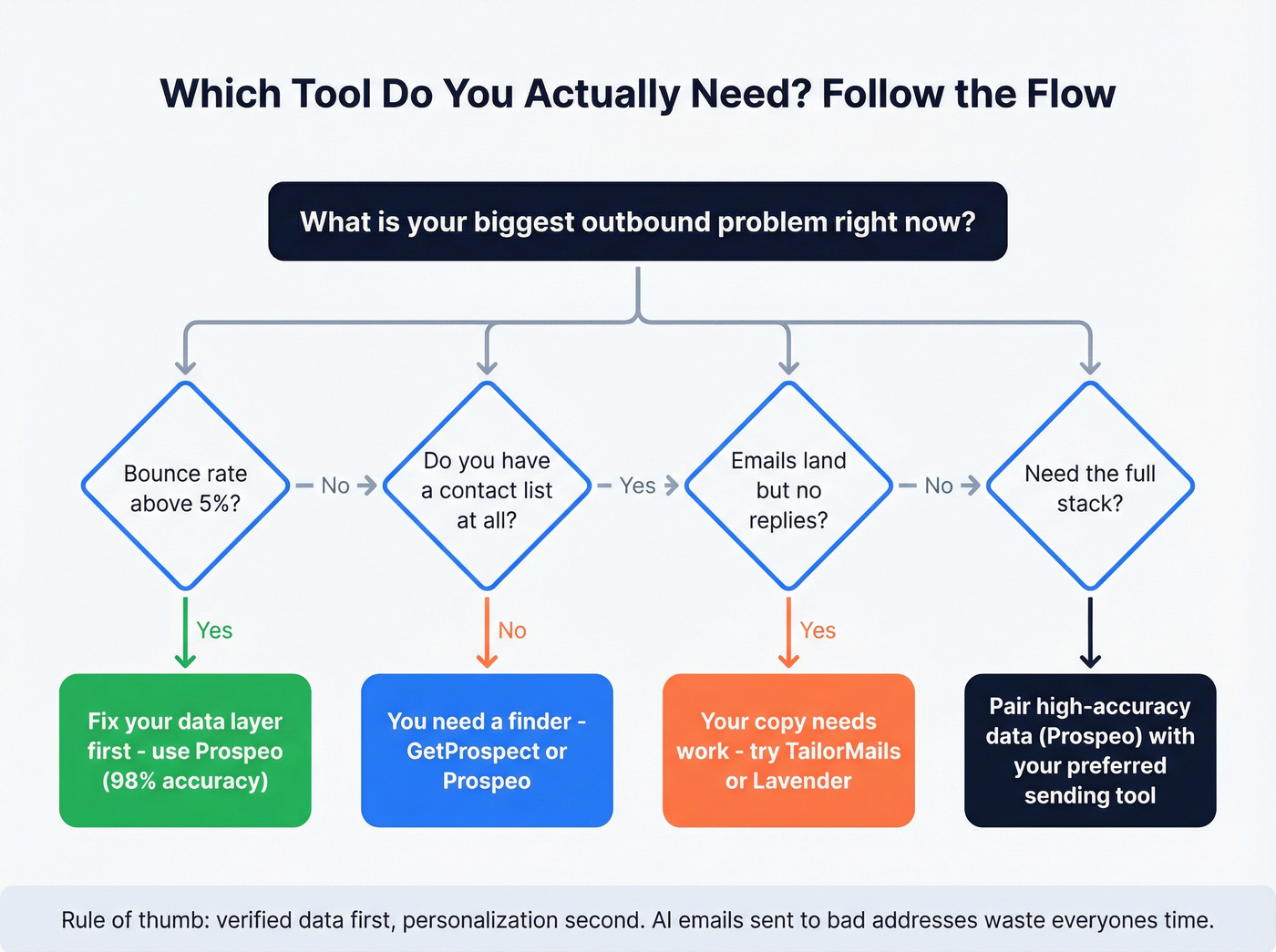
Here's a quick decision path:
- Emails bouncing above ~5%? Your data layer is the problem. Fix that first.
- Emails landing but no replies? Your copy or targeting needs work. TailorMails might help.
- No contact list at all? You need a finder, not a writer.
- Need the full stack? Pair a high-accuracy data source with your preferred sending tool.
Here's the thing: if your emails bounce, nothing else matters. We've watched teams waste weeks optimizing subject lines and personalization tokens when their list quality was the real bottleneck the entire time - one team we spoke with had a 38% bounce rate and was blaming their copywriter. Lower bounces protect sender reputation, which keeps you out of spam folders and in front of actual humans.
Prospeo fits as the data foundation here. With 98% email accuracy, 143M+ verified emails, 125M+ verified mobile numbers with a 30% pickup rate, and 30+ search filters including buyer intent and technographics, it solves the hardest part of the workflow. The free tier gives you 75 verified emails plus 100 Chrome extension credits per month. Credit-based pricing means you only spend credits on valid results - roughly $0.01 per email. Pair that data layer with whatever sending or writing tool you prefer, and you've got a stack that actually holds together.
You don't need to choose between finding emails and writing them. Prospeo gives you 98% accurate contacts with 30+ filters - buyer intent, technographics, job changes - then plug that data into whatever sending tool you want.
Build your outreach stack on data that actually delivers.
Final Verdict
Stop comparing tools from different categories. Here's what to do instead.
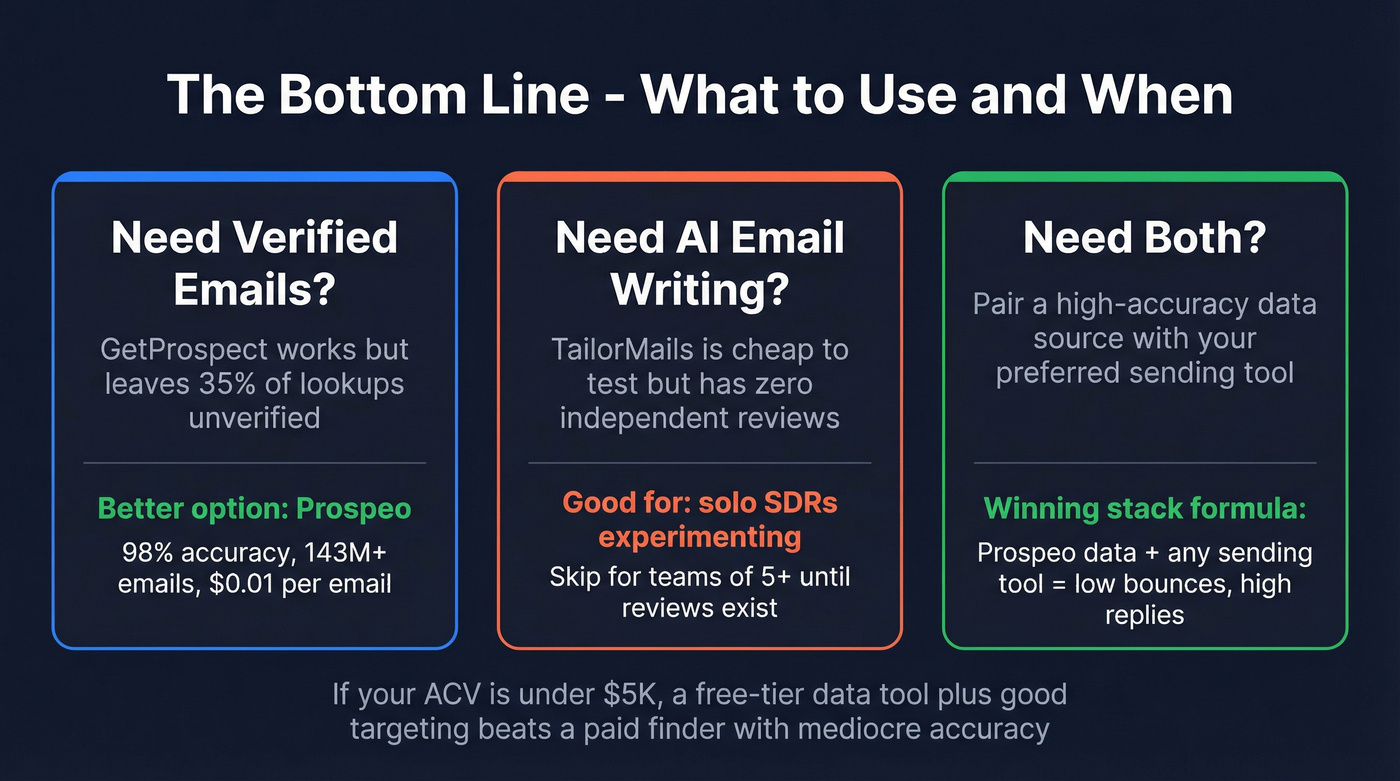
Need verified emails? GetProspect is serviceable but leaves a third of your lookups unverified. TailorMails doesn't do this at all. For best-in-class accuracy, use a dedicated data platform with 98%+ verification.
Need AI email writing? TailorMails is cheap enough to experiment with - the auto-pause and AI inbox features are genuinely useful for solo operators. But zero independent reviews means you're the beta tester. Skip it if you're rolling this out to a team of five or more; established alternatives like Lavender and Smartwriter have the track record TailorMails doesn't.
Need both? Pair a high-accuracy data source with your preferred sending tool. That's the stack that won't burn your domain.
One last thought: if your annual contract value is under $5K, you probably don't need a $49/mo email finder at all. A free-tier data tool plus good targeting will outperform a paid finder with mediocre accuracy every time.
FAQ
Are GetProspect and TailorMails competitors?
No. GetProspect finds and verifies B2B email addresses from a database of 18M business emails and a 900M-member professional graph. TailorMails generates AI-written personalized cold emails and runs lightweight campaign sequences. They serve different stages of the outreach workflow and can technically be used together, but they don't overlap on core functionality.
Is TailorMails reliable enough for team use?
Not yet. TailorMails has zero user reviews on Capterra and no G2 listing, and its Starter pricing is promotional, signaling early-stage development. Solo founders experimenting with AI outreach may find value in the credit model and auto-pause features, but teams should wait for independent validation before committing workflows to it.
What's the most accurate email finder in 2026?
Prospeo leads with 98% verified email accuracy across 143M+ verified emails, refreshed every 7 days via a proprietary 5-step verification process. Public benchmarks put most email finders between 30-65% verified match rates. GetProspect lands at 62-65%, above average but well below what a purpose-built verification infrastructure delivers. The difference shows up directly in bounce rates and sender reputation.
Can I use GetProspect and TailorMails together?
Yes. Export verified emails from GetProspect, import them into TailorMails via CSV (Pro plan required for bulk import), and let TailorMails generate personalized copy and run sequences. The weak link is GetProspect's 62-65% verification rate - run an additional verification pass before sending to protect your domain reputation.