

6 Presentation Email Templates for Every Scenario
Your deck is done. The slides look sharp. And now you're staring at a blank compose window, wondering what to actually write.
We've seen great decks die in inboxes because the send-off email was an afterthought. With only 8.5% of outreach emails getting a response, your presentation email template needs to work harder than the slides themselves. Most template lists are generic sales outreach - they don't address how to actually send a deck, handle attachments, or write a follow-up that gets your file opened. These six templates fix that.
What You Need (Quick Version)
The email isn't the presentation - it's the appetizer. Aim for three to five short paragraphs optimized for mobile: context, what you're sending, why it matters, and what to do next.
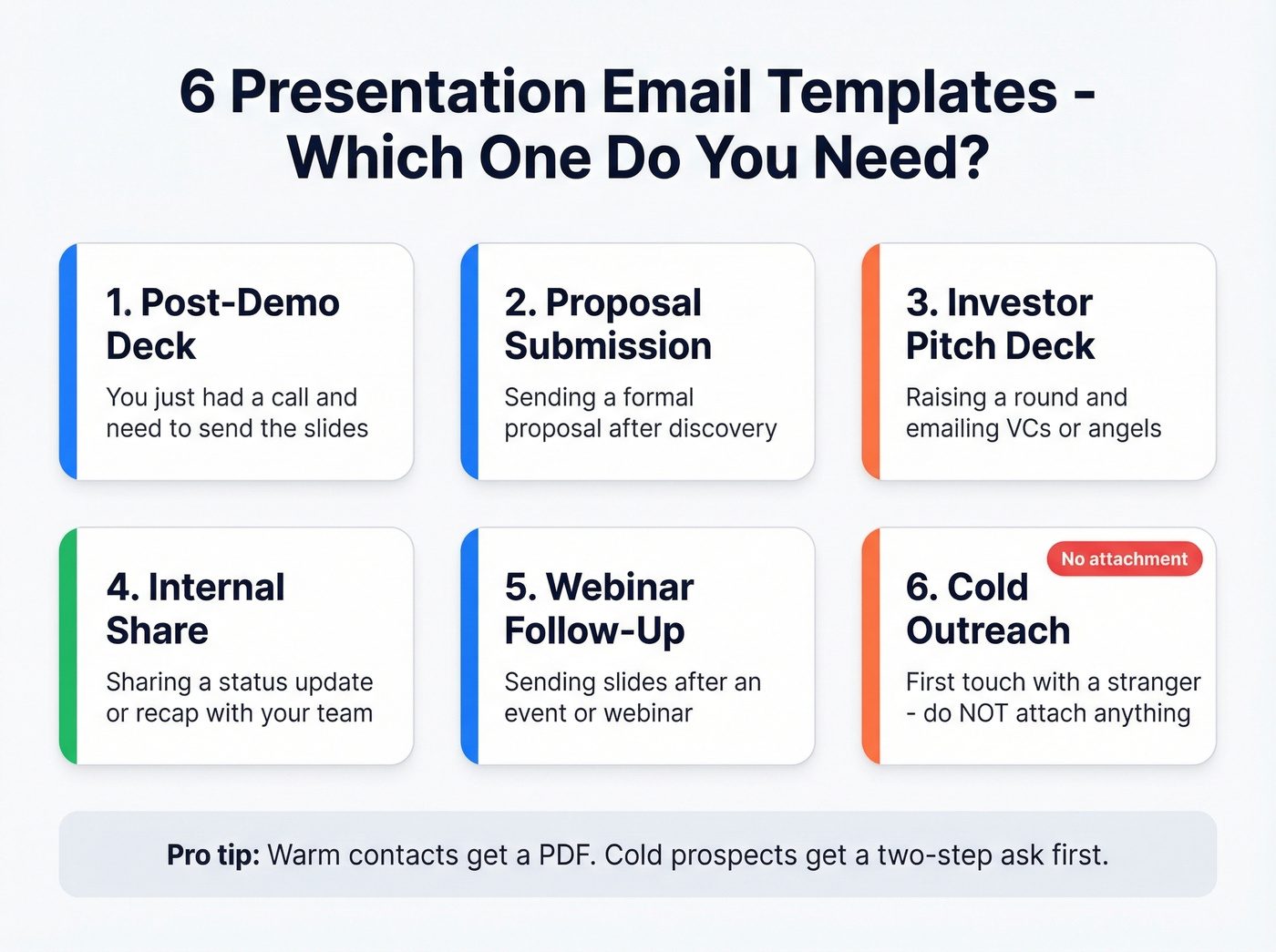
Warm contacts get a PDF attachment. Cold prospects get a link. Follow up in one to two days, and keep follow-ups under 125 words.
Attach or Link Your Deck?
Default to a link. Use an attachment only when there's a hard requirement for offline access or an immutable copy.
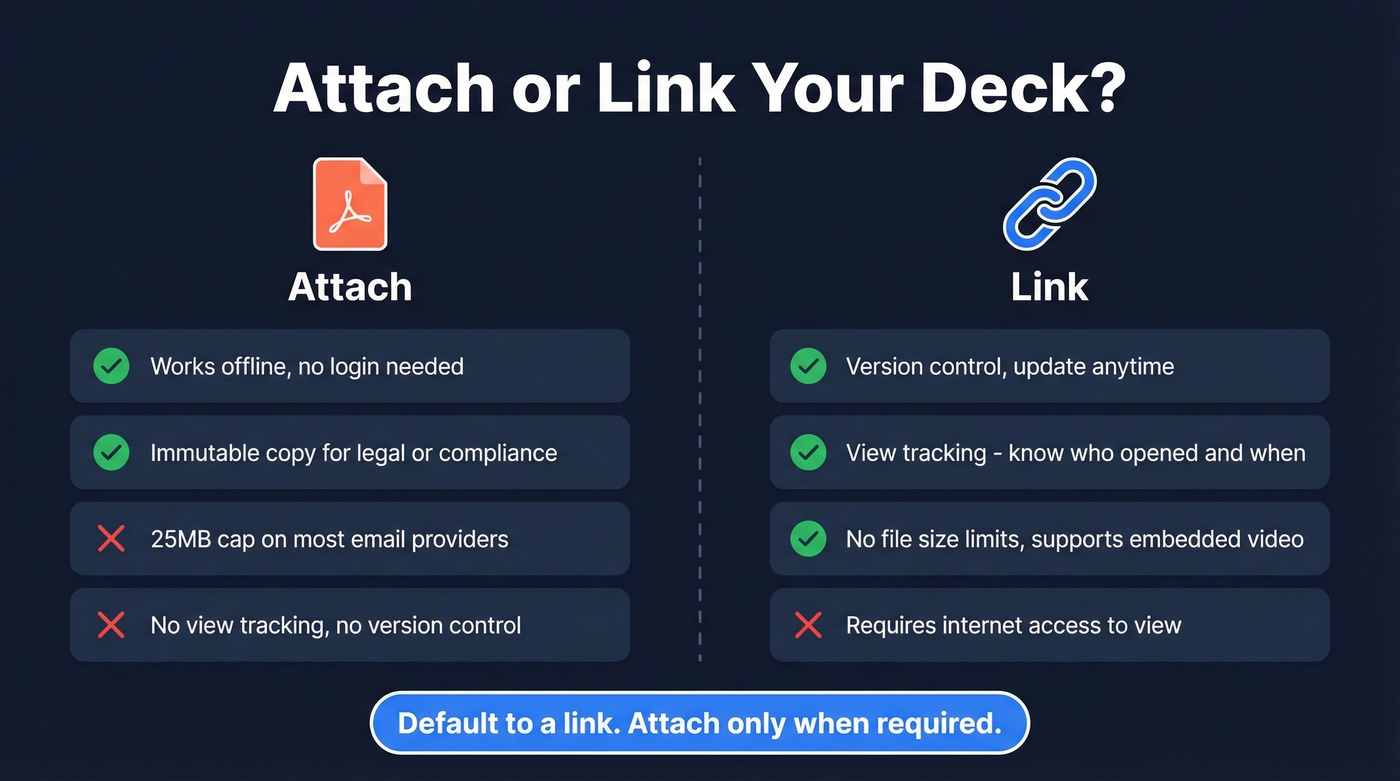
Most email providers cap attachments at 25MB, and embedded video can push a deck past that quickly. Links give you version control and view tracking - you'll know exactly who opened your file and when, which is gold for timing your follow-up. For cold outreach, verify the address before you send. Prospeo checks emails in real time with 98% accuracy so your deck doesn't bounce and tank your sender reputation.
Name your files like a professional: Proposal-v3-2026-02-13.pdf. No one wants to open Final_FINAL_v2_NEW.pptx.

6 Templates for Emailing a Presentation
1. Post-Demo Deck
Subject: [Company] deck from our call
Hi
[First Name],Great speaking with you today. Here's the deck we walked through:
[link or attachment].Slides 8-12 cover the
[specific topic they asked about]in more detail. Want to loop in[their colleague/boss]and pick a time next week?Best,
[Your Name]
2. Proposal Submission
Subject: Proposal for [Project Name]
Hi
[First Name],Here's our proposal based on what we discussed:
[link]. The executive summary on page 2 has the highlights.I'd love to walk through any questions. Does
[day]work for a 20-minute call?
[Your Name]
3. Investor Pitch Deck
Subject: [Company] - [Stage] raise, [one-line traction]
Hi
[First Name],I'm
[Name], founder of[Company]- we[elevator pitch, one sentence]. We've hit[key traction metric]and are raising[$Amount]to[what the funding enables].Deck attached (PDF). Would you have 15 minutes on
[day]?
[Your Name]
Send as PDF - it's cleaner, harder to accidentally edit, and investors generally prefer it over PPT. It also avoids font and formatting issues that plague .pptx files across different machines.
4. Internal Presentation Share
Subject: [Project Name] status update - deck attached
Team,
Attached is the
[Q2 review / project kickoff / sprint recap]deck. Key highlights:[2-3 bullet points].Please review before
[meeting date]. Flag any questions in[Slack channel / reply-all].Thanks,
[Your Name]
5. Webinar or Event Follow-Up
Subject: Slides from [Event Name]
Hi
[First Name],Thanks for joining
[event/webinar]. Here's the deck:[link].Slide
[X]covers the[topic they engaged with]. Happy to dig deeper - reply and I'll send over[case study / demo link].
[Your Name]
6. Cold Outreach With a Deck
Don't attach anything on the first touch. Attachments from strangers trigger spam filters and suspicion.
Here's the thing: the consensus on r/sales is pretty clear on this one - sending a full deck cold is a waste. The two-step ask converts better every time. You tease the value, earn the reply, then deliver the goods.
Subject: Quick question, [First Name]
Hi
[First Name],We help
[type of company]solve[specific problem]-[one proof point].I put together a short overview that shows how. Want me to send it over?
[Your Name]
Once they reply, send the PDF. That two-step approach protects your deliverability and builds a micro-commitment before you ask for real time.

A perfect presentation email means nothing if it bounces. Prospeo verifies emails in real time with 98% accuracy - so your deck lands in the right inbox, not a dead end. 75 free lookups per month, no contract.
Stop sending decks into the void. Verify first.
Subject Lines That Survive Truncation
Mobile truncates around 30 characters. Gmail often cuts around 55. The first four to five words carry all the weight:
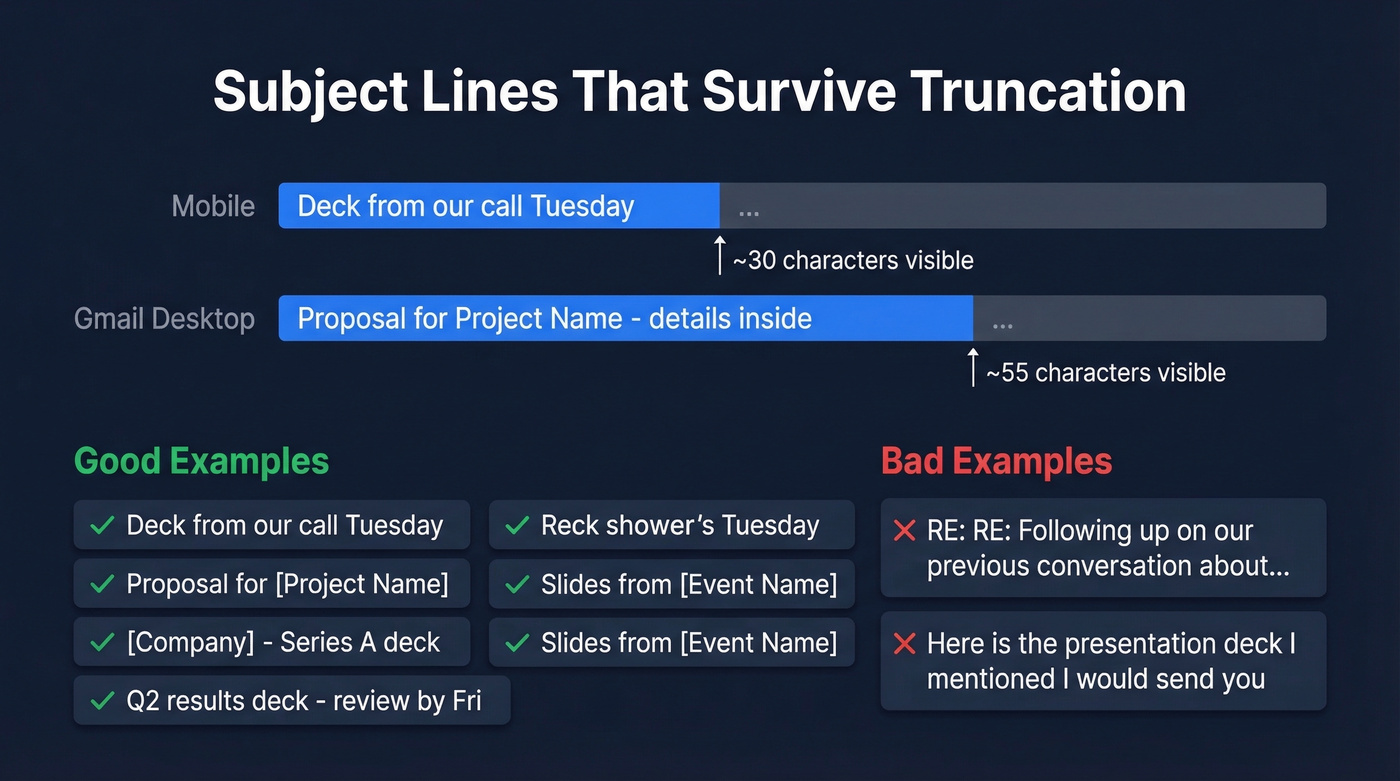
Deck from our call TuesdayProposal for [Project Name][Company] - Series A deckSlides from [Event Name]Q2 results deck - review by Fri
Skip fake "RE:" prefixes. They erode trust instantly.
How to Follow Up After Sending
It takes an average of five touches to engage a prospect - nine for executives. Don't send the deck and disappear.
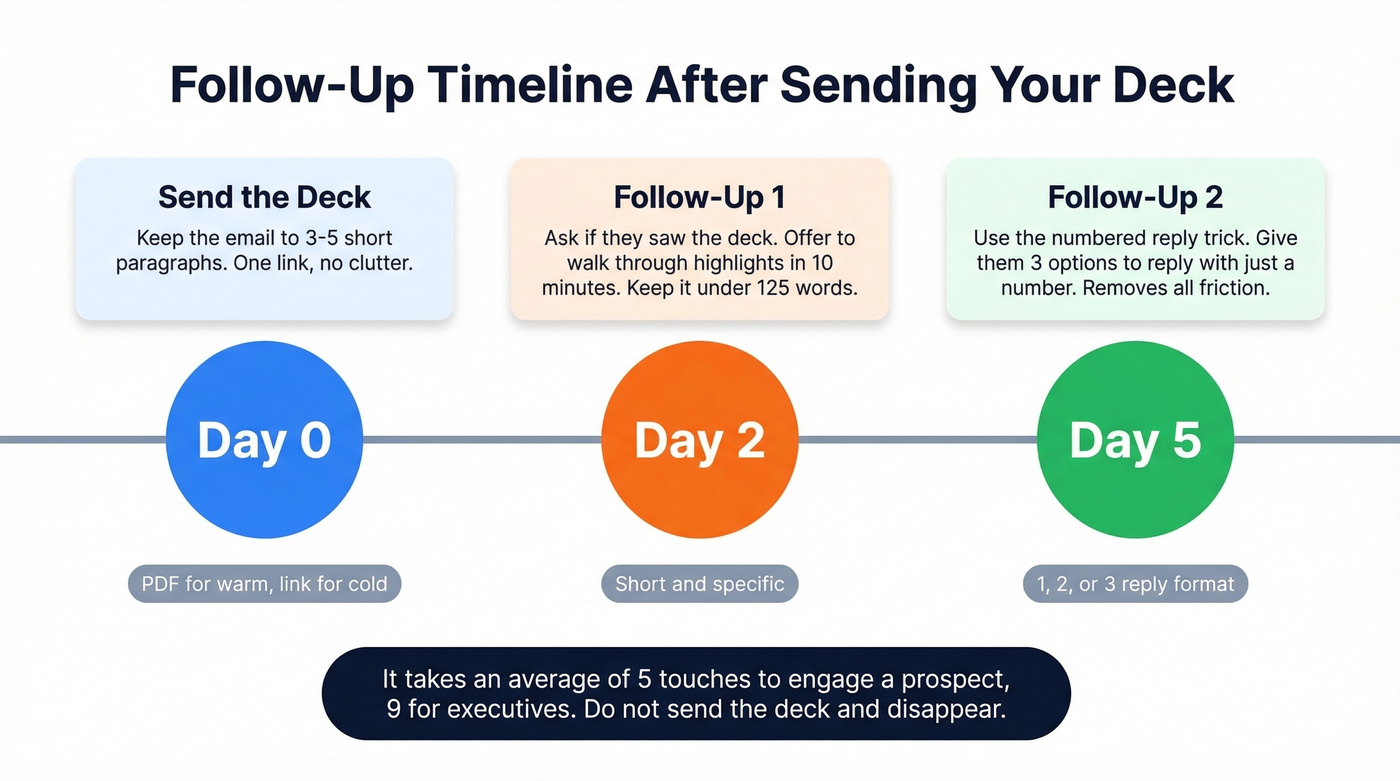
Follow-up #1 (2 days later):
Hi
[First Name], did you get a chance to look at the deck? Happy to walk through the highlights in 10 minutes. Does[day]work?
Follow-up #2 (5 days later):
Hi
[First Name], things get buried. Which of these is most relevant?
[Topic A from deck][Topic B from deck]- Not a priority right now
Just reply with 1, 2, or 3.
That numbered reply trick removes friction. We've tested it across dozens of campaigns and it consistently pulls replies from people who'd otherwise ghost. Keep follow-ups between 50 and 125 words - anything longer and you're writing a second presentation.
Quick Checklist Before You Hit Send
- Send as PDF, not PPTX
- Version your filenames:
Report-v2-2026-06-15.pdf - One link per email - multiple links look spammy
- Avoid URL shorteners (bit.ly and similar short links can hurt deliverability)
- Proofread the email, not just the deck
- Keep follow-ups to 50-125 words
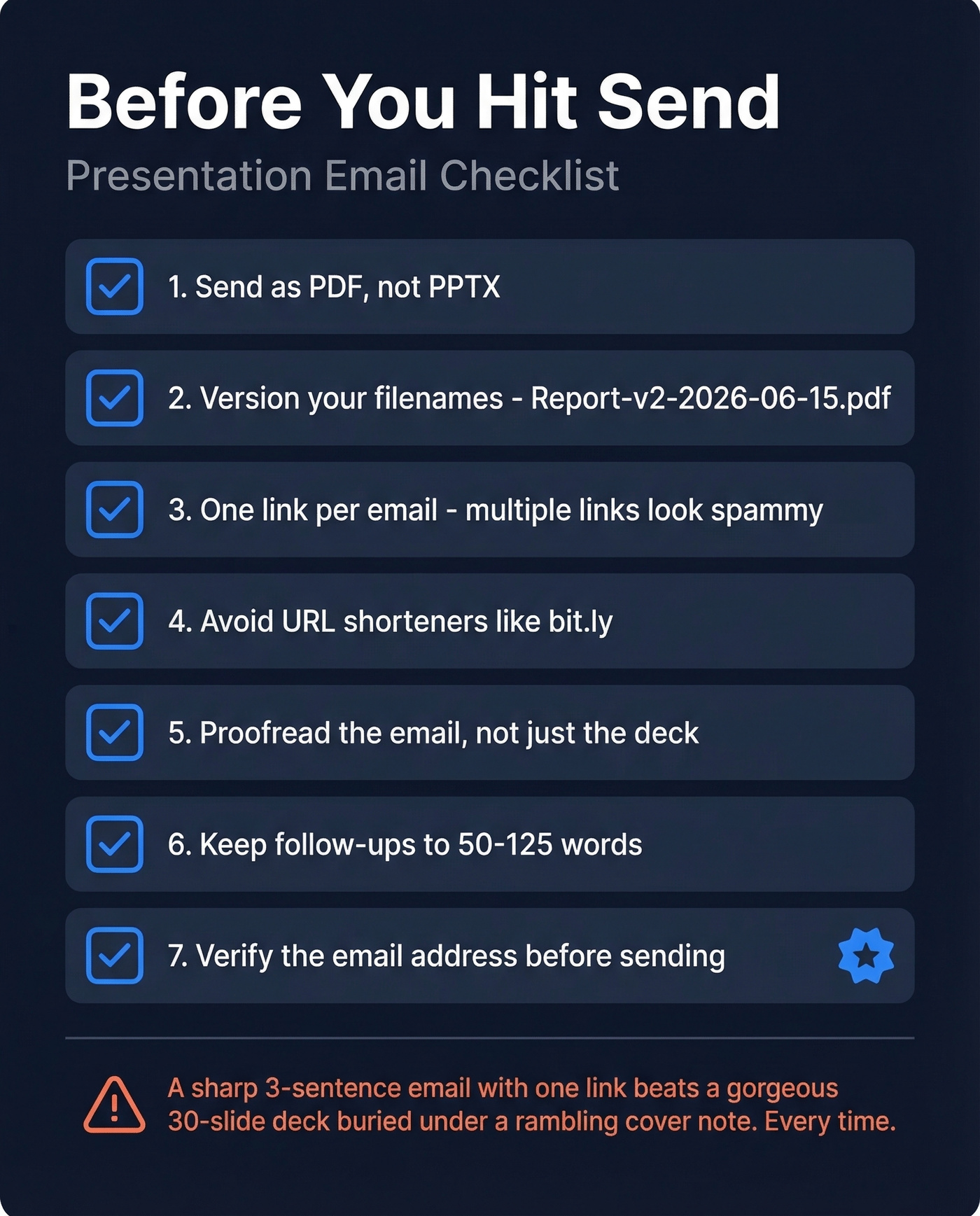
Let's be honest: if your deal size is under five figures, the deck probably matters less than the email itself. A sharp three-sentence email with a single link will outperform a gorgeous 30-slide deck buried under a rambling cover note every single time. Write the email first, then decide if the deck even needs to go out yet.
The right presentation email template keeps your message tight, your deck accessible, and your follow-up relentless. Nail those three things and the slides do the rest.
Cold outreach with a deck only works when you're emailing real decision-makers. Prospeo's database has 300M+ profiles with 30+ filters - find the right contact, verify their email at 98% accuracy, and send your presentation with confidence.
Find verified emails for $0.01 each. Your slides deserve real prospects.