

Software Demo Tips That Actually Win Deals (2026)
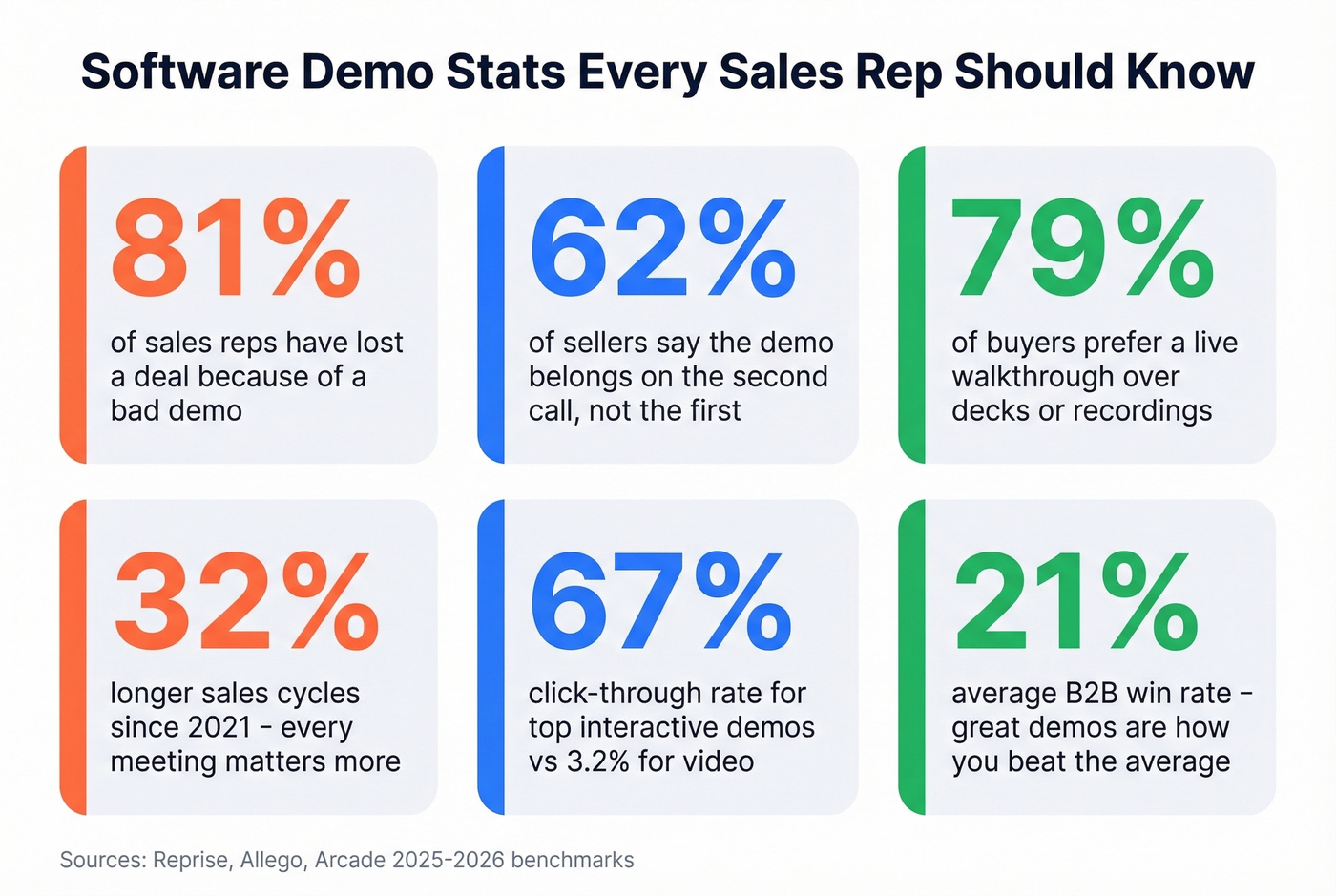
81% of sales reps have lost a deal because of a bad demo. Not because the product was wrong - because the demo was. Average B2B win rates sit at 21%, sales cycles have stretched 32% longer since 2021, and 80% of sales engagements now happen digitally. Every meeting counts more than it used to, and the demo is the meeting where deals are won or buried.
The gap between a good demo and a great one isn't charisma. It's preparation, structure, and follow-up. Let's break down all three.
The Short Version
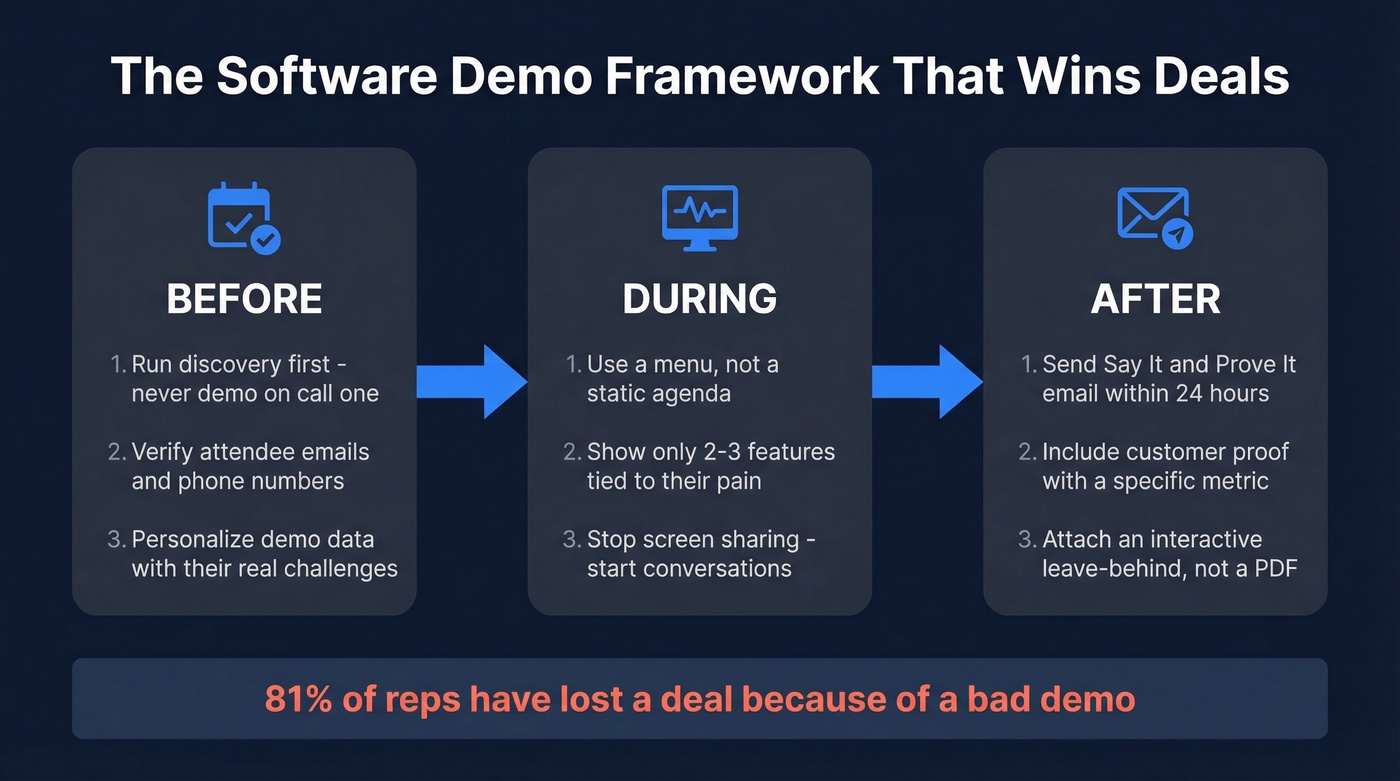
- Before: Run discovery first - 62% of sellers say the demo belongs on the second call, after you understand the prospect's pain.
- During: Show only 2-3 features tied to their stated problem. You're solving, not touring.
- After: Follow up within 24 hours using the "Say It and Prove It" framework - proof points, not a feature recap.
Before the Demo
Run Discovery First
Demoing on the first call is the single most common mistake in B2B sales. You haven't earned the right to show your product until you understand what the prospect actually needs.
Use your discovery call to surface real pain. Two questions from Jiminny's discovery bank that consistently deliver: "What metric is suffering as a result of this problem?" and "What happens if you do nothing to fix this?" The first gives you a number to anchor your demo around. The second creates urgency you can reference during the walkthrough. Skip this step and you're guessing - and guessing produces generic demos that lose to competitors who did their homework.
Verify Your Prospect Data
Here's a frustration we hear constantly from sales teams: they spend hours personalizing a demo environment, building custom dashboards, loading real data - and the prospect doesn't show because the email bounced or they changed jobs three months ago.
Verify attendee emails and phone numbers before you invest that time. We've found that running your attendee list through Prospeo's email verification catches dead addresses and job changes before they become no-shows. Grab direct dials too, so you can make a same-day confirmation call if someone goes dark.

Personalize With Real Data
85% of reps personalize their demo data, and there's a reason it's nearly universal: generic demos feel generic. Pull the prospect's industry, company size, and a real challenge from your discovery notes. Load those into your demo environment so the screens they see reflect their world, not a fictional "Acme Corp."
Within two minutes, the prospect should feel like they're looking at their own system.
Pre-Flight Checklist
Technical failures during a demo are unforgivable. Run through this before every call:
- Use a wired internet connection - Wi-Fi drops kill momentum
- Test your screen share on the exact platform the prospect uses
- Clear your desktop of notifications, tabs, and anything distracting
- Have backup assets ready - an interactive tour or screenshots in case the live environment crashes
- Load your demo environment 10 minutes early and confirm data is stable
How to Structure the Live Demo
Use a Menu, Not an Agenda
The Great Demo! methodology nails this: replace your static agenda slide with a dynamic menu. List 4-5 topics you can cover, then ask the prospect which ones matter most. Let them choose the order. This gives the prospect ownership of the meeting, which keeps them engaged, and it forces you to confirm their priorities before you start clicking through screens.
Show Only 2-3 Features
Stop playing tour guide. The Factor 8 approach is simple: pick your top three features that map directly to the prospect's pain, and go deep on those. Keep two backup features ready in case the conversation shifts, but don't volunteer them.
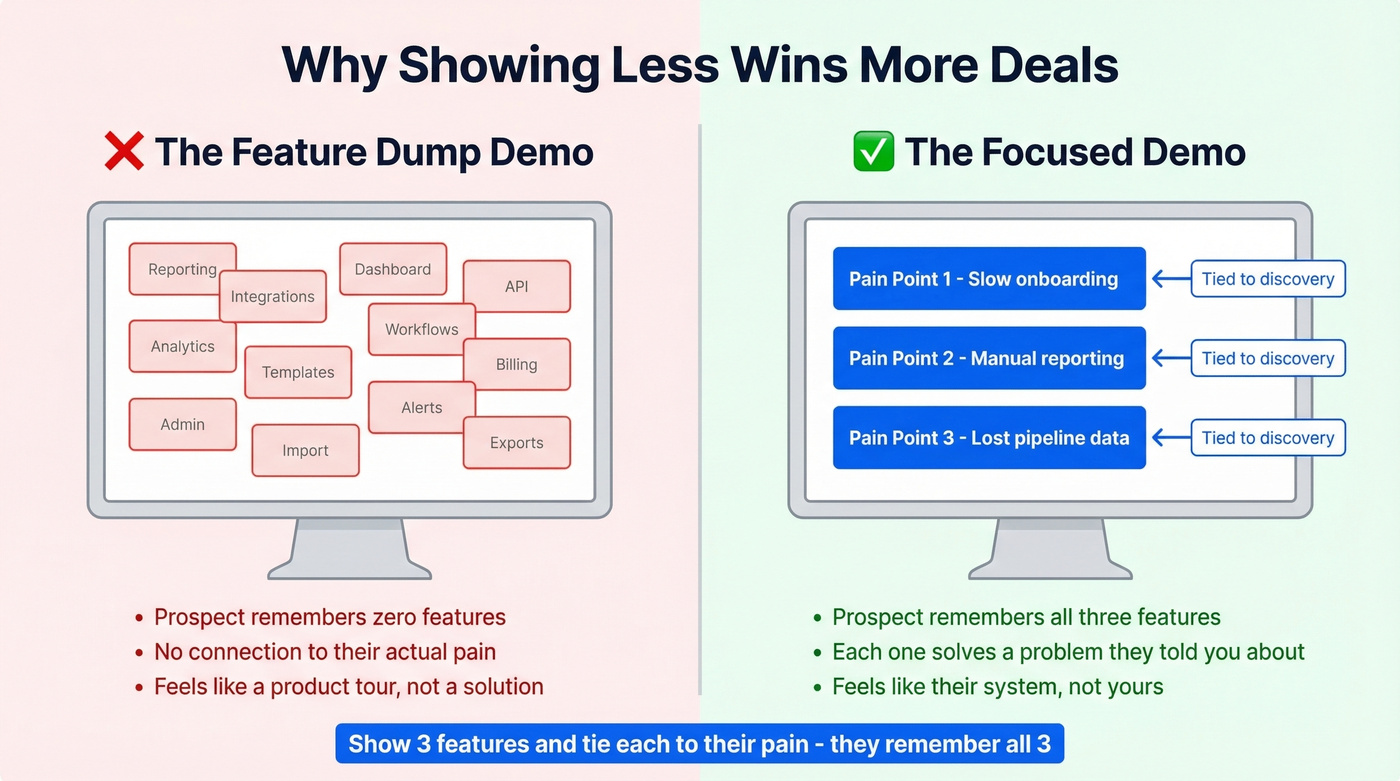
Every feature you add dilutes the ones that matter. If you show twelve things, the prospect remembers zero. Show three and tie each one to a problem they told you about in discovery, and they remember all three.
There's a psychological dimension here too - when prospects interact with your product during the demo, they start feeling ownership before they've bought anything. Let them click. Let them explore a sandbox briefly. Let them feel what it's like to use the tool. A clean, intuitive interface that prospects can navigate without hand-holding sells itself far better than a cluttered screen you have to narrate through.
Stop Sharing Your Screen
Periodically stopping your screen share is one of the most effective demo tactics most reps never try. Gong's data backs this up: prospects who talk more during demos buy more.
When you're screen-sharing, you're performing. When you stop, you're having a conversation. Ask questions like "Can you see this fitting into your current workflow?" or "Which of these two approaches would your team actually use?" When you are sharing, hold your mouse still - constant cursor movement is distracting. Use annotations to highlight key areas, and consider handing over remote control briefly so the prospect drives. Aim for five clicks or fewer between discussion points.
End With a Next Step
Never end a demo with "Any questions?" That's a dead-end that lets the prospect say "Nope, we're good" and disappear. Instead, use a pre-close question. One from r/sales that works well: "Before we go into plans and pricing... do you feel this is what you're looking for? If not, it may not make sense to go over pricing."
79% of buyers prefer a live walkthrough over decks or recordings. They showed up because they're interested. Don't waste that momentum with a weak close.

You just read that the #1 demo killer is no-shows from bad contact data. Prospeo's 98% accurate email verification and 125M+ verified mobile numbers let you confirm every attendee before you spend hours personalizing a demo environment. At $0.01 per email, catching one dead address saves more prep time than it costs.
Verify your demo attendee list in seconds - start free with 75 credits.
After the Demo
Follow Up With "Say It and Prove It"
Jason Hersh at Gainsight developed a follow-up framework called "Say It and Prove It" that's the best post-demo email structure we've come across. Reaffirm the prospect's problem using their exact words, state how you uniquely solve it, and validate with proof.
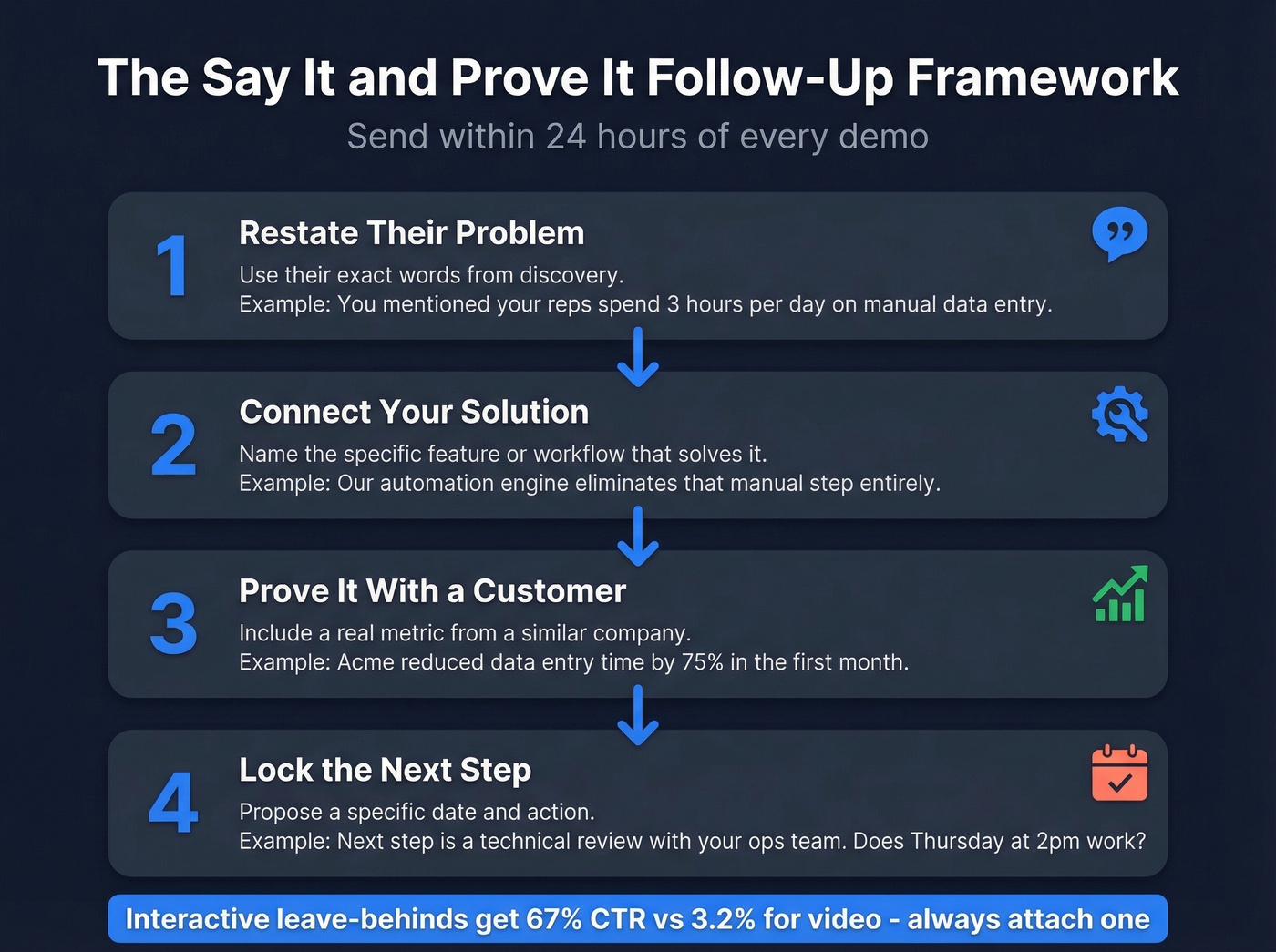
Subject: Re: [their priority - e.g., "reducing ramp time for new reps"]
Hi [Name],
You mentioned that [specific problem in their words]. That's exactly what [Your Product] was built to solve - specifically through [feature/workflow tied to their pain].
[Customer Name] faced the same challenge and [specific result with metric - e.g., "cut ramp time from 10 weeks to 4"]. Happy to connect you with their team if that'd be helpful.
Next step: [specific action + date]. Does [day/time] work?
Send this to your champion so they can forward it to the buying committee with your proof points already baked in.
Send an Interactive Leave-Behind
A follow-up email with a product tour link outperforms a PDF or a recording by a wide margin. Arcade's benchmarks across 37,000 interactive demos show the top 1% of demos hit a 67% CTR - compared to 3.21% for video. The structure that works: 12 steps, under 30 words per step, and 1-2 CTAs max.
Demo Mistakes That Kill Deals
Most of these are completely avoidable, and we see them constantly.
| Mistake | Fix |
|---|---|
| Demoing on the first call | Run discovery first; demo on call two |
| Feature dumping ("harbor tour") | Show 2-3 features tied to their pain |
| Letting the prospect "try it alone" | Guide every step; they'll get lost |
| Running long (45+ min of features) | Shorter demos with discussion win |
| Building dashboards/reports live | Pre-build everything; show the result |
If your deal size is under $10K, you probably don't need a 45-minute live demo at all. A 15-minute walkthrough paired with an interactive leave-behind will close just as well and free your calendar for more pipeline.
Tools That Help
Before investing in demo software, fix your data - no platform compensates for no-shows. Reps over-invest in demo tooling while under-investing in the data quality that gets prospects on the call in the first place.
| Tool | Best For | Starting Price |
|---|---|---|
| Arcade | Interactive leave-behinds | ~$32/user/mo |
| Storylane | No-code demo creation | ~$40/user/mo |
| Consensus | Buyer-led demo sharing | ~$8.99/user/mo |
| Supademo | Quick product walkthroughs | ~$27/user/mo |
| Navattic | Team-based demo building | ~$500/mo (5 seats) |
| Reprise | Enterprise demo environments | ~$50K+/yr |
Great follow-up emails only work if they land in real inboxes. Prospeo refreshes contact data every 7 days - not every 6 weeks like competitors - so your 'Say It and Prove It' emails reach champions who can actually forward them to the buying committee. 15,000+ companies trust Prospeo to keep their pipeline connected to real buyers.
Send your post-demo follow-up to verified emails, not dead ends.
FAQ
How long should a software demo be?
Aim for 30-45 minutes total, with the core walkthrough covering 2-3 workflows tied to the prospect's specific pain. Shorter, focused demos with clear next steps consistently outperform hour-long feature tours across every deal size.
Should I demo on the first sales call?
No. 62% of sales professionals say the demo belongs on the second call, after discovery. Demoing before you understand the prospect's problem produces generic presentations that rarely convert.
How do I reduce demo no-shows?
Verify attendee contact data before the call to catch job changes and bounced emails. Send a pre-demo agenda 24 hours in advance and confirm attendance the morning of via direct dial.
What's the best follow-up after a product demo?
Send a "Say It and Prove It" email within 24 hours: restate the prospect's problem in their words, tie your solution to it, and include a customer proof point with a specific metric. Attach an interactive leave-behind - they outperform PDFs and recordings by roughly 20x on click-through rate.