


TidyCal Review 2026: Pricing, Pros, Cons, and Who It's Actually For
TidyCal's $29 one-time payment for a scheduling tool sounds like a no-brainer. For a lot of solopreneurs, it genuinely is. But before you buy, you need the full picture - TidyCal's pricing, reviews, pros, and cons tell a more nuanced story than "cheap forever." We've tested TidyCal alongside Calendly and Cal.com, and the gap between them matters more than most reviews let on.
The Quick Verdict
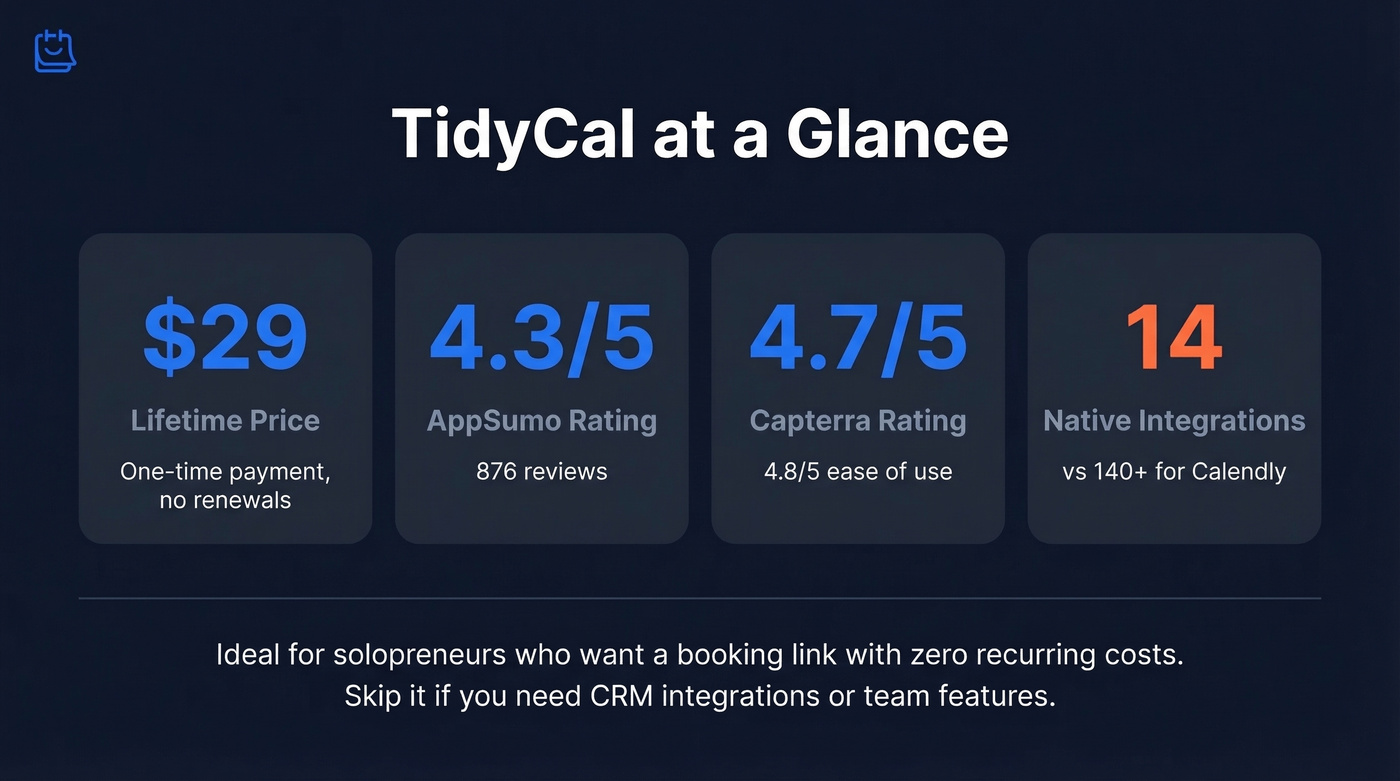
TidyCal is a $29 lifetime scheduling tool that's ideal for solopreneurs who want a booking link and nothing else. It holds a 4.3/5 on AppSumo across 876 reviews, 4.7/5 on Capterra from 51 reviews, and 4.7/5 on G2 with 24 reviews. If you need CRM integrations, a mobile app, or team routing, you'll outgrow it fast.
TidyCal Pricing Breakdown
TidyCal's pricing is its headline feature. There's a Free plan plus two lifetime tiers via AppSumo, and the paid tiers are a single payment:
| Feature | Free | Individual ($29) | Agency ($79) |
|---|---|---|---|
| Calendar connections | 1 | 10 | 25 |
| Remove branding | No | Yes | Yes |
| Auto-gen video links | No | Yes | Yes |
| API access | No | Yes | Yes |
| Team features | No | No | Yes |
| SMS credits (Vonage) | No | No | 20/month |
Both paid plans are one-time payments through AppSumo with a 60-day money-back guarantee. No subscriptions, no renewals.
TidyCal vs Calendly vs Cal.com
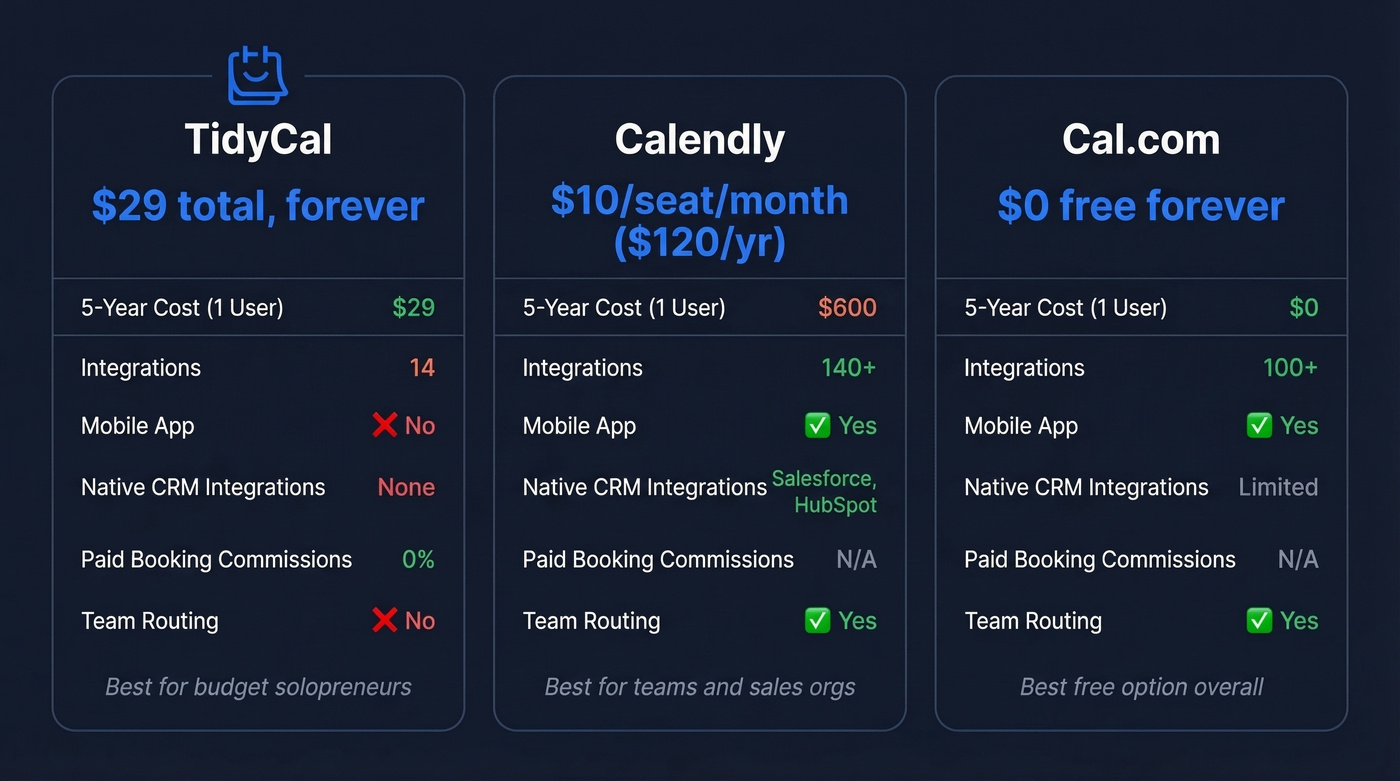
Here's where the lifetime deal shines - and where the feature gap becomes obvious:
| TidyCal Individual | Calendly Standard | Cal.com Free | |
|---|---|---|---|
| Price (annual) | $29 total, forever | $10/seat/mo ($120/yr) | $0 |
| 5-year cost (1 user) | $29 | $600 | $0 |
| Integrations | 14 | 140+ | 100+ |
| Mobile app | No | Yes | Yes |
| Native CRM integrations | None | Yes | - |
Over five years, a single Calendly Standard seat costs $600. TidyCal costs $29. That's it.
For teams, the math gets even louder: 10 seats on Calendly Teams at $16/seat/month (billed yearly) runs $160/month, or $1,920/year. TidyCal Agency at $79 total isn't even in the same cost universe, but the feature gap scales proportionally. Cal.com's free plan also matches or beats TidyCal's paid plan on integrations, mobile access, and unlimited calendars.
Here's the thing: TidyCal's real competitor isn't Calendly - it's Cal.com's free plan. If you're choosing purely on value, Cal.com gives you more for $0 than TidyCal does for $29. TidyCal wins on simplicity and the AppSumo ecosystem, but the "cheapest scheduling tool" crown belongs elsewhere.
What Users Actually Like
The 876 marketplace reviewers didn't show up by accident. TidyCal's core appeal is dead simple: pay once, get a scheduling tool forever. Capterra gives it a 4.8/5 for ease of use, and that tracks - setup takes minutes, not hours.
It also punches above its weight on the basics. You get unlimited bookings, customizable booking pages and booking types, embed codes for landing pages, date polls to collect votes on preferred times, and GA4 tracking with events like view_booking_page and booking_complete. For a $29 tool, that's a solid feature set.
For coaches and consultants, the paid bookings feature is the standout. TidyCal takes 0% commission on payments processed through Stripe or PayPal - you keep every dollar. If you're a solo operator charging $150 for a coaching session, that zero-commission structure adds up fast compared to platforms that skim 3-5% on top of payment processing fees.

TidyCal handles the booking page - but who are you booking? 14 integrations won't fill your pipeline. Prospeo's 300M+ profiles with 98% email accuracy and native HubSpot + Salesforce integrations give you the contacts TidyCal can't.
Fill your calendar with verified prospects, not empty time slots.
Where TidyCal Falls Short
The cons list is longer than you'd expect for a tool this well-reviewed. In our testing, the calendar limitations surfaced within the first week.
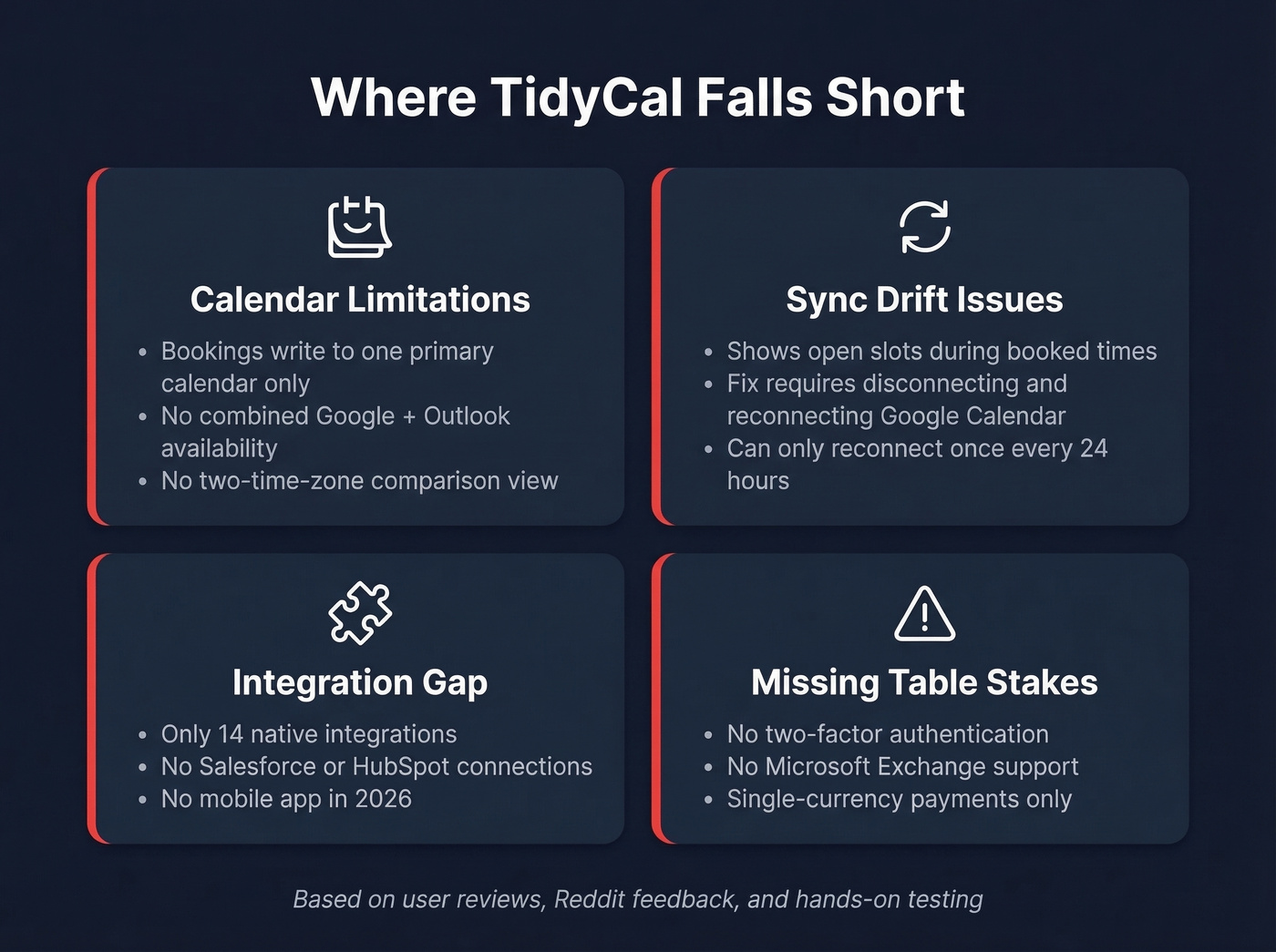
Calendar limitations hit hardest. TidyCal can read multiple calendars to block busy times, but it can only write bookings to one "Primary" calendar. Want different booking types writing to different calendars? You'll need multiple TidyCal accounts. There's also no multi-calendar combined availability across Google and Outlook - a long-time user on Reddit praised TidyCal but left specifically because of this gap. No two-time-zone comparison view either, which frustrates anyone scheduling across continents.
Calendar sync drift is real. One Reddit user described TidyCal showing open slots during already-booked times. In the same thread, the user shared help-bot guidance calling disconnecting and reconnecting Google Calendar "standard protocol" - something you can do once every 24 hours. That's periodic babysitting, not a fix.
The integration gap is massive. Fourteen native integrations versus 140+ for Calendly. No native CRM connections to Salesforce or HubSpot. No mobile app in 2026. Let's be honest - for anyone running a multi-tool sales stack, 14 integrations is a hard ceiling. If you're evaluating what's supported, start with TidyCal's Integrations list.
Missing table stakes. No 2FA, no Microsoft Exchange support (only Microsoft 365, Outlook.com, Live, and Hotmail), single-currency payments only, and an AppSumo verified purchaser reported contrast failures on booking pages with poor screen reader support. Team licensing is also confusing - team members need to have purchased their own license for team features to work, which isn't obvious from the marketing.
Who Should (and Shouldn't) Buy
Use TidyCal if you're a solopreneur, coach, or freelancer who wants a booking link with zero recurring costs. You use one primary booking calendar, don't need CRM integrations, and value simplicity over power.
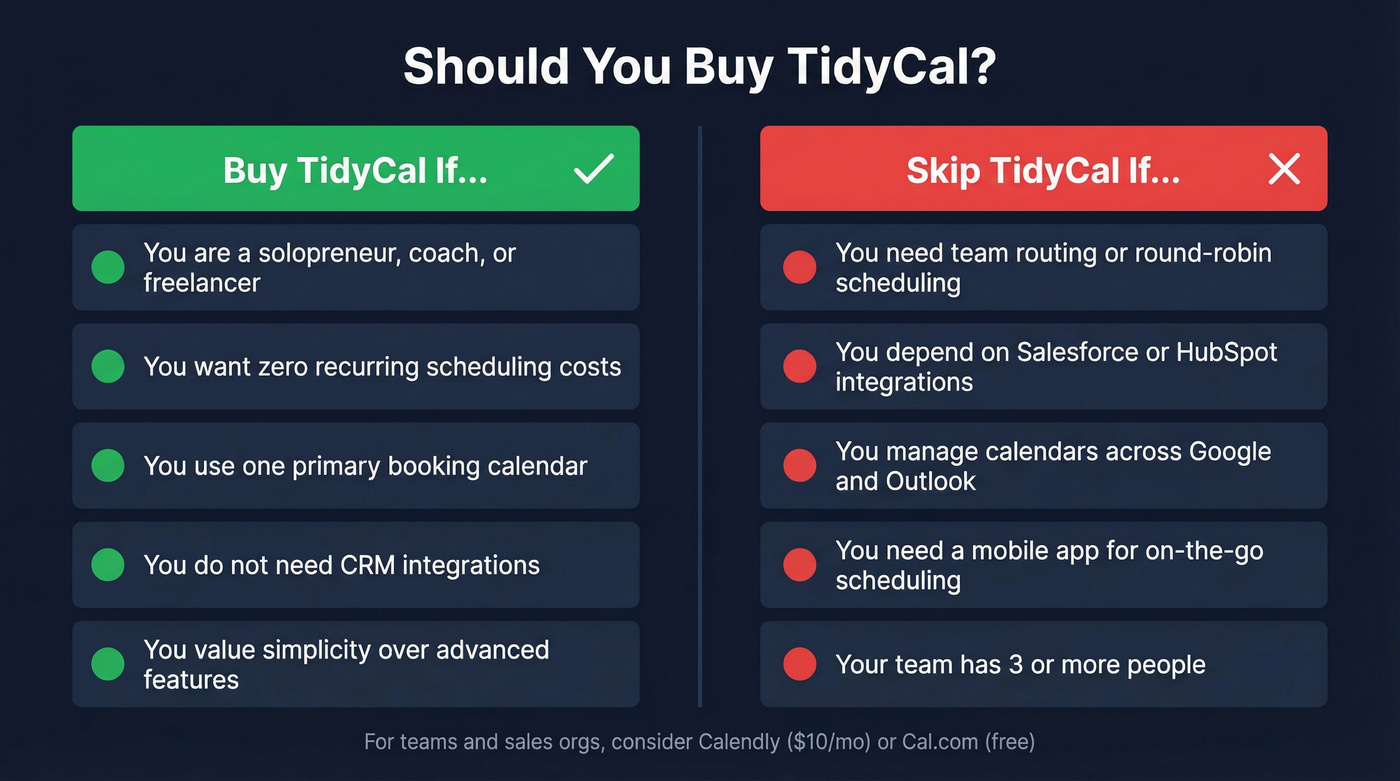
Skip TidyCal if you need team routing, depend on CRM integrations, manage multiple calendars across Google and Outlook, or serve clients who require accessible booking pages. For teams of three or more, the feature gaps aren't minor inconveniences - they're blockers.
TidyCal handles the booking page. But the scheduling link is the last mile; getting prospects to click it is the hard part. If your real bottleneck is finding verified emails to fill that calendar, a tool like Prospeo covers 300M+ profiles with 98% email accuracy and a free tier to get started. If you're building a repeatable outbound motion, pair scheduling with sales prospecting techniques that consistently generate replies.
You just saved $571 over five years choosing TidyCal over Calendly. Invest a fraction of that into the data that actually drives bookings. Prospeo delivers verified emails at $0.01 each from 300M+ profiles - no contracts, cancel anytime.
Spend less on scheduling. Spend smarter on prospecting.
Alternatives Worth Considering
Cal.com - Free forever for individuals with unlimited event types and calendars, 100+ integrations, a mobile app, and a browser extension. Teams tier runs $12/user/month. If you don't care about the AppSumo ecosystem, this is the first place to look.
Calendly - The default for a reason. $10-$16/seat/month, 140+ integrations, native Salesforce support, team routing, and a polished mobile app. The price is higher, but so is the ceiling.
Acuity Scheduling - Starts around $16/month. Stronger on deposits, intake forms, and client management - ideal for service businesses with complex scheduling needs.
TuCalendi - A lesser-known option that Reddit users describe as "rock solid" for basic scheduling. Starts around $6/month with a free tier available. Worth a look if TidyCal's sync issues concern you.
If your main issue isn't scheduling but consistently getting qualified meetings, consider adding free lead generation tools and a lightweight lead generation workflow before upgrading your calendar app.
FAQ
Is the $29 lifetime deal permanent?
As of 2026, the $29 Individual and $79 Agency one-time deals are available through AppSumo with a 60-day money-back guarantee. There's no public commitment to keep this pricing indefinitely - buy now if the current rate matters to you.
Can TidyCal replace Calendly for a small team?
For solo use, absolutely. For teams of three or more, no. TidyCal lacks native CRM integrations, automated workflows, a mobile app, and clear team licensing. Each team member needs their own purchased license for team features to work.
What are TidyCal's biggest limitations?
Only 14 native integrations versus 140+ for Calendly, no mobile app, bookings write to one primary calendar only, no 2FA, and occasional Google Calendar sync drift that requires manual reconnection every 24 hours.
What's a good free alternative to TidyCal?
Cal.com's free plan offers unlimited event types, 100+ integrations, and a mobile app - more features than TidyCal's $29 tier. For the prospecting side, Prospeo's free tier includes 75 email credits per month to help you find contacts worth scheduling with.