

WhatCMS Alternatives: Best Tech Detection Tools in 2026
Most results for WhatCMS alternatives - especially Reddit threads - point you to Drupal, Wix, or Strapi. Those are content management systems. That's a completely different question.
WhatCMS.org is a technology detection tool: give it a URL, and it identifies the CMS and other web technologies a site runs. If you want alternatives to that, here are the ones actually worth your time.
Our Picks (TL;DR)
- Best overall: Wappalyzer - fast browser extension, strong API, rated 4.7/5 from 55 reviews on G2
- Best for bulk lead gen: BuiltWith - 414M domains tracked, historical data, weekly recrawls
- Best for tech-to-outreach: Prospeo - technographic filters plus verified contact data in one platform
- Best free option: WhatRuns - zero cost, browser extension only, no API
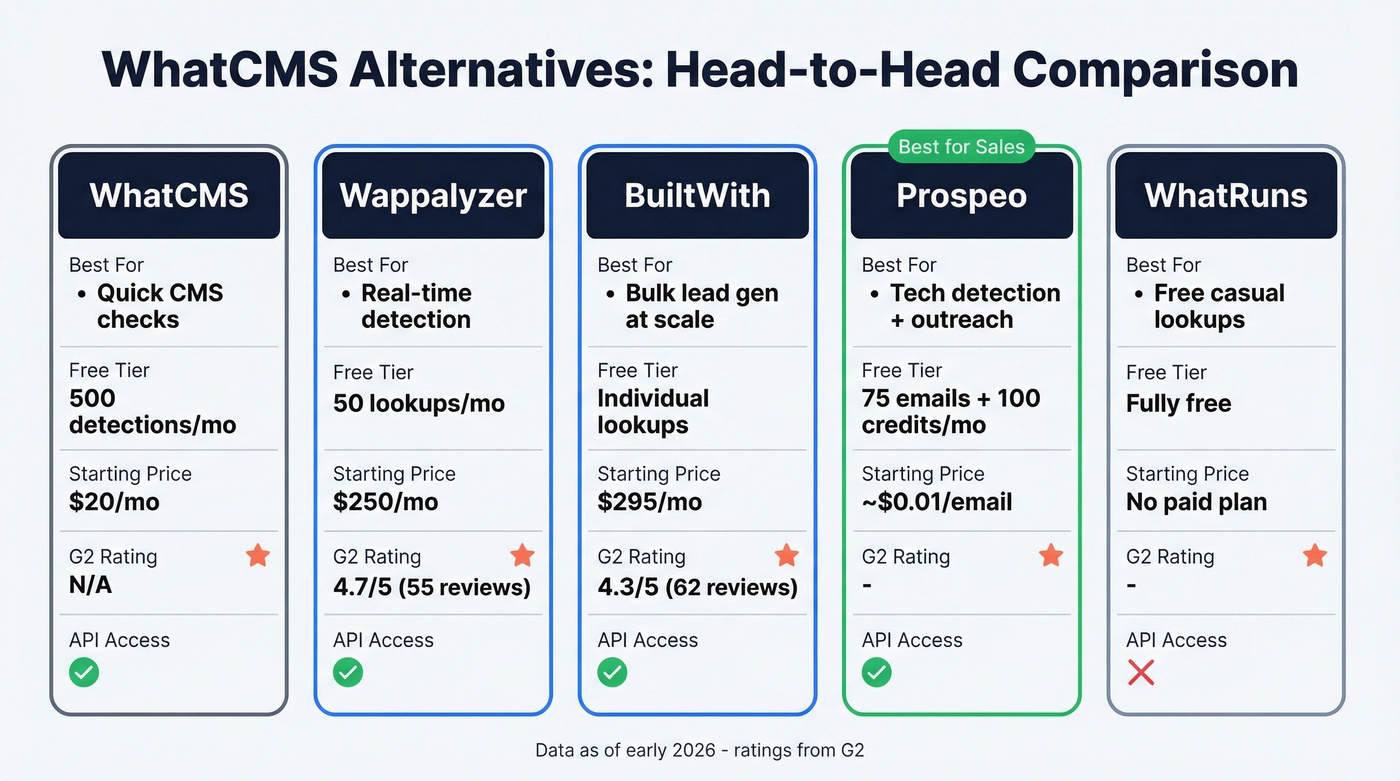
Pricing at a Glance
| Feature | Wappalyzer | BuiltWith | Prospeo | WhatRuns | SimilarTech |
|---|---|---|---|---|---|
| Free tier | 50 monthly lookups | Individual lookups | 75 emails + 100 credits/mo | Fully free | No free plan |
| Entry paid | $250/mo | $295/mo | ~$0.01/email | No paid plan | $200/mo |
| Top tier | $850+/mo | $995/mo | Custom | - | $490/mo |
| API access | Yes ($250+) | Yes (Team) | Yes | No | Yes |
| Bulk detection | Yes | Yes | Via DB filters | No | Yes |
For reference, WhatCMS itself offers 500 free detections per month. Paid API plans start at $20/mo for 10,000 detections and scale to $800/mo for 1,000,000 detections.

Why detect a tech stack, then manually hunt for contacts? Prospeo's 30+ filters include technographics - search 300M+ profiles by the technologies they use and get 98% accurate emails instantly. Data refreshes every 7 days, not every 6 weeks.
Collapse detection and outreach into a single search for ~$0.01/email.
Best Technology Detection Tools
Wappalyzer
Use this if you need real-time, extension-based tech detection with a solid API. The Chrome extension is the fastest way to see what a site runs - click the icon, get the stack. Free tier gives you 50 monthly lookups. Pro starts at $250/mo with 5,000 technology lookups and API access.

Skip this if you need bulk detection on a budget. API credits expire after 60 days, and G2 reviewers flag occasional browser slowdown and incomplete detection for niche technologies.
Extension-based tools also can't see everything you'd get from deeper infrastructure analysis like DNS-based signals or TLS certificate inspection - they primarily read what loads in the browser. That said, the 4.7/5 rating from 55 reviews is one of the strongest among mainstream tech detection tools on G2. For one-at-a-time detection with a clean UX, Wappalyzer is hard to beat.
BuiltWith
BuiltWith is the heavy hitter for lead list building at scale. It tracks 414M domains and 113,027 technologies, updates data weekly, and includes history going back over four decades. That historical depth is a genuine advantage - you can see when a company adopted or dropped a technology, which is great for timing competitive displacement campaigns.

The biggest drawback: messy exports. A common complaint across the 62 reviews (4.3/5) on G2 is that CSV exports need manual cleanup before they're truly usable. We've seen this ourselves - the raw data is rich, but you'll spend time wrangling it into shape.
Basic runs $295/mo and includes 2,000 domains/month in upload analysis credits. Team at $995/mo unlocks 100,000 monthly API credits. It's a crawl-based system, not real-time, so it tells you what a site has been running based on its recrawl cycle rather than what changed five minutes ago. For most lead gen workflows, that's fine.
Prospeo
Technology detection is step one. The real question is what you do with the data.
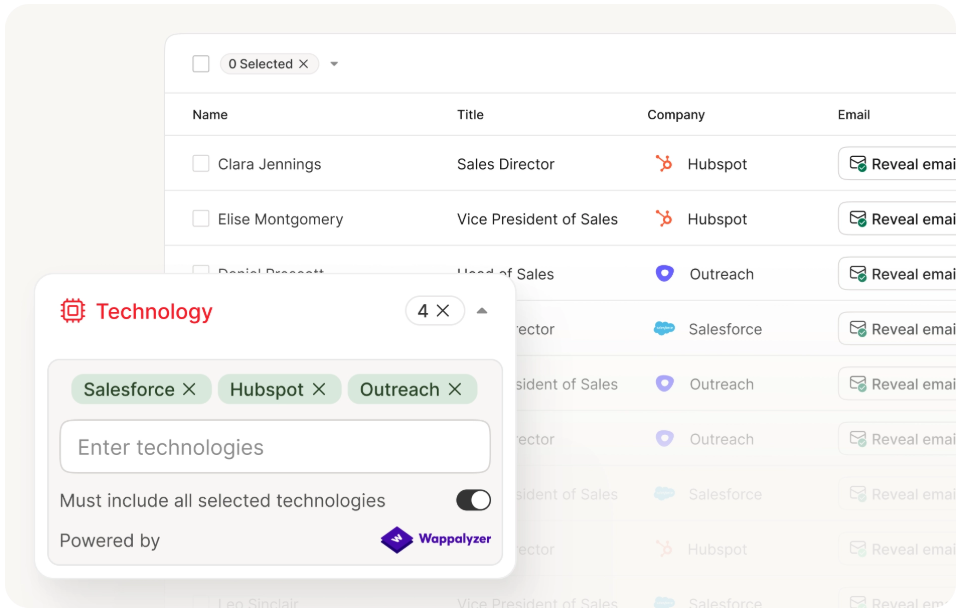
Most teams detect a tech stack, then manually hunt for decision-maker contacts at those companies. Prospeo collapses that into a single search. The B2B database covers 300M+ professional profiles with technographic filters - search by technology (companies running Shopify Plus, HubSpot, whatever you're targeting) and get verified emails with 98% accuracy and mobile numbers without opening a separate detection tool.
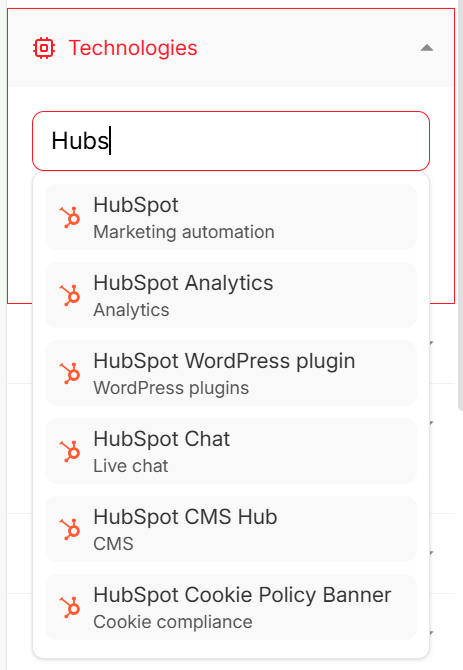
Thirty-plus search filters go beyond technographics: buyer intent powered by Bombora across 15,000 topics, headcount growth, funding, department headcount. Data refreshes every 7 days, which is dramatically faster than the 6-week industry average. Free tier includes 75 emails and 100 Chrome extension credits monthly.
If your goal is "find companies using X technology, then reach the right person there," this skips the detection step entirely.
WhatRuns
Completely free, no strings attached. WhatRuns is a browser extension that detects technologies on any page you visit - no API, no bulk capabilities, no paid plans.
Use it for casual one-off checks when browsing a prospect's site. Skip it for anything at scale; there's no way to export data, run batch lookups, or integrate with other tools.
SimilarTech
Mid-tier competitive intelligence play. Basic starts at $200/mo, Ultimate at $490/mo, rated 4.2/5 from 12 reviews on G2. Worth a look if you need technology market share data, but Wappalyzer and BuiltWith cover most use cases better for similar money.
Most Teams Don't Need Pure Detection
Here's our honest read on this market: if you're a security researcher or a developer auditing infrastructure, pure detection tools like Wappalyzer and BuiltWith are essential. But if you're in sales or marketing - and let's be real, that's most people searching for tech detection tools - you don't actually need to detect anything. You need to act on technographic data.
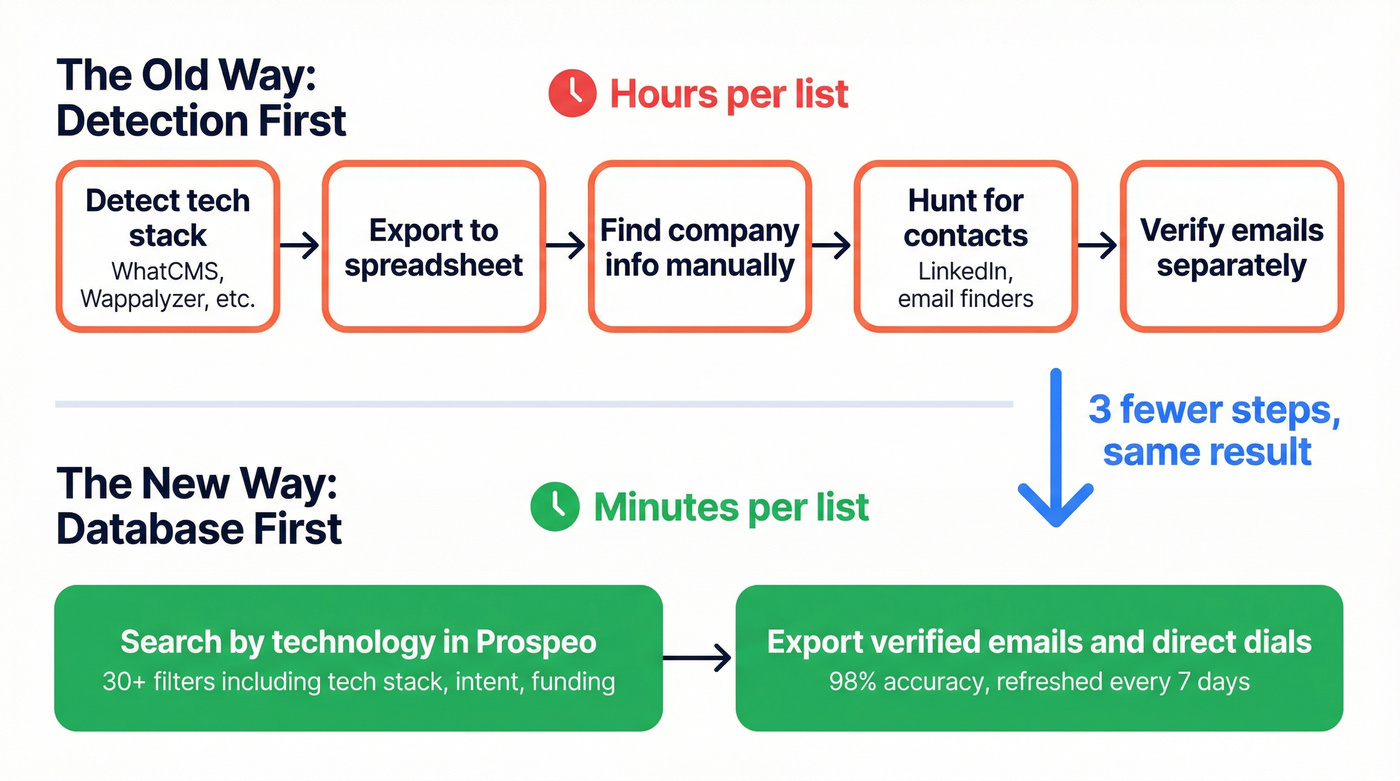
The technographics market grew from $367M in 2020 to $1.17B in 2025. That growth isn't driven by people who want to know what CMS a site runs. It's driven by teams using tech stack data to target accounts and personalize outreach. We've seen teams cut prospecting setup from hours to minutes by searching a database directly instead of chaining detection tools together with spreadsheets and manual lookups that eat half the afternoon.
Even the Reddit threads that show up for technology identifier alternatives are often about choosing a CMS platform, not detection tools - which tells you how niche pure detection really is.
BuiltWith and Wappalyzer tell you what a site runs. Prospeo tells you who to call. Layer technographic filters with buyer intent across 15,000 Bombora topics, headcount growth, and funding signals - then export verified emails and 125M+ direct dials.
Stop chaining detection tools with spreadsheets. Start reaching decision-makers.
FAQ
Is WhatCMS free?
Yes - WhatCMS offers 500 free detections per month. Paid API plans start at $20/mo for 10,000 detections and scale to $800/mo for 1,000,000 detections. For casual use, the free tier is generous.
Which detection tool is most accurate?
Wappalyzer leads for real-time client-side detection (4.7/5 on G2). BuiltWith is stronger for historical data across 414M domains. No single tool catches everything - extension-based and crawl-based approaches each miss what the other finds.
Can I find contacts by technology stack?
Yes. Prospeo's B2B database includes technographic filters, so you can search by technology and get verified emails (98% accuracy) and mobile numbers for decision-makers without a separate detection tool. Free tier includes 75 emails per month.