

Why Is My Email Address Invalid? Fixes That Work in 2026
You type your email into a signup form, hit submit, and the form flashes red: "Please enter a valid email address." You've had this email for years. It works everywhere else.
Here's the thing: if you're seeing this error, the answer is usually that your email isn't invalid - the website's validator is broken.
What to Try First
Before you spiral, do three things:
- Retype the address manually - don't paste it. Hidden characters from copy-paste and autofill cause this error constantly.
- If one website rejects your email but others accept it, the website's validator is broken, not your address.
- Need proof your email actually works? Run it through an email verification tool for a definitive answer in seconds.
Quick Diagnostic: You or the Website?
Send yourself a test message. Open Gmail, Outlook, whatever client you use. If it arrives, your email works. That's it.
Now ask: does the rejection happen on one site or everywhere? One site means the site's validator is the problem. Everywhere means you've got a typo, a domain issue, or an inactive mailbox.
Did anything change recently? Switched hosting providers? Let the account sit unused for a year? Changed your domain's DNS records? Any of these can break an address that worked last week, and we've seen each one trip people up in support threads.
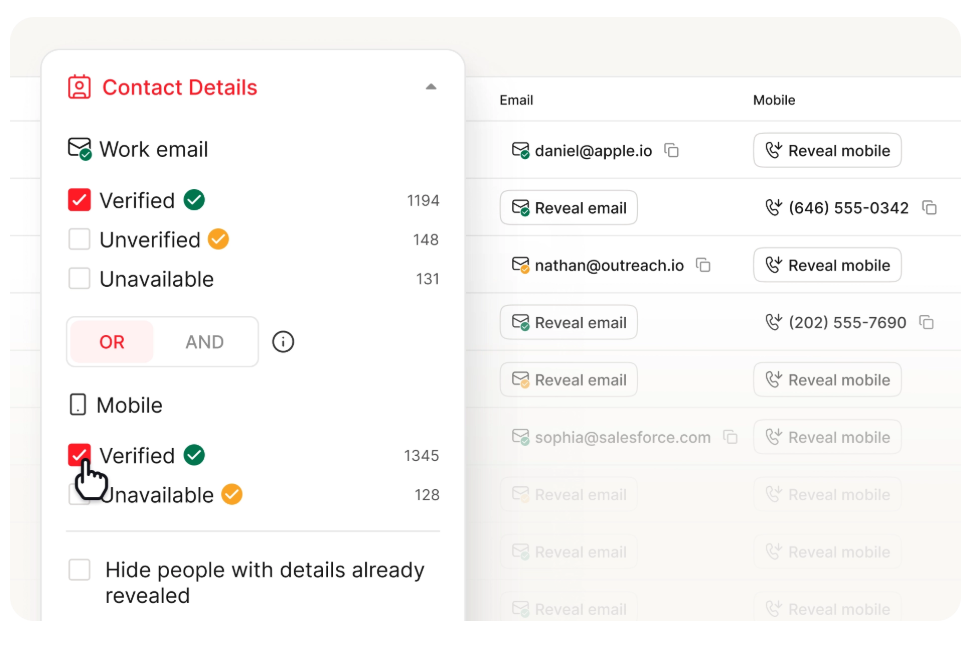
Seven Reasons Your Address Shows as Invalid
1. Typos and Formatting Mistakes
The boring answer is often the right one. A missing letter, an extra dot, .con instead of .com - these happen all the time. gmial.com and outlok.com show up more often than you'd think.
These formats are always invalid: user@.com (domain starts with a dot) and user@@gmail.com (double @ sign). Worth knowing: some validators incorrectly reject addresses that are perfectly valid under the email standards, so don't assume the error message is telling you the truth.
2. Hidden Characters from Copy-Paste
This one's sneaky. When you copy an email from a document, spreadsheet, or web page, invisible Unicode characters can tag along - zero-width spaces, non-breaking spaces, or other whitespace that looks like nothing but breaks validation. Your browser's autofill can do the same thing.
Delete the field entirely, then retype the address character by character.
3. Overly Strict Website Validator
A very common culprit, and it's not your fault. Many websites use simplistic regex patterns that reject perfectly valid email formats. Plus-addressing (you+tag@gmail.com), dots in unusual positions, new TLDs like .agency or .io - all valid, all commonly rejected. We'll go deeper on this below, because it's a bigger problem than most people realize.
4. Domain or MX Record Issues
Your address might be formatted correctly, but if the domain's DNS records are misconfigured - missing MX records, expired domain, broken mail server - the address can't receive mail. One Reddit user reported that multiple addresses started bouncing after switching hosting providers. The common denominator was the host.
5. Deleted, Inactive, or Full Mailbox
Gmail deactivates accounts after 2 years of inactivity. Microsoft Outlook/Hotmail and Yahoo follow similar policies after roughly a year. If you haven't logged in for a while, your mailbox may no longer exist even though the address looks fine.
A full mailbox that hits its storage limit will also bounce incoming messages.
6. Provider Not on the Site's Allowlist
Some platforms quietly maintain allowlists of "supported" email providers. If your domain isn't on the list, you get a generic "email invalid" error with zero explanation. Discogs users with Fastmail addresses have hit exactly this wall - support told them the address "is not supported," and the workaround was creating a Gmail account. Frustrating, but at least you know it's not you.
7. Role-Based or Disposable Address Blocked
Addresses like info@, admin@, or support@ are role-based, and many forms block them outright. Same goes for disposable email services like Guerrilla Mail or Temp Mail. If you're using either type, that's likely why.
Quick Fixes (In Order)
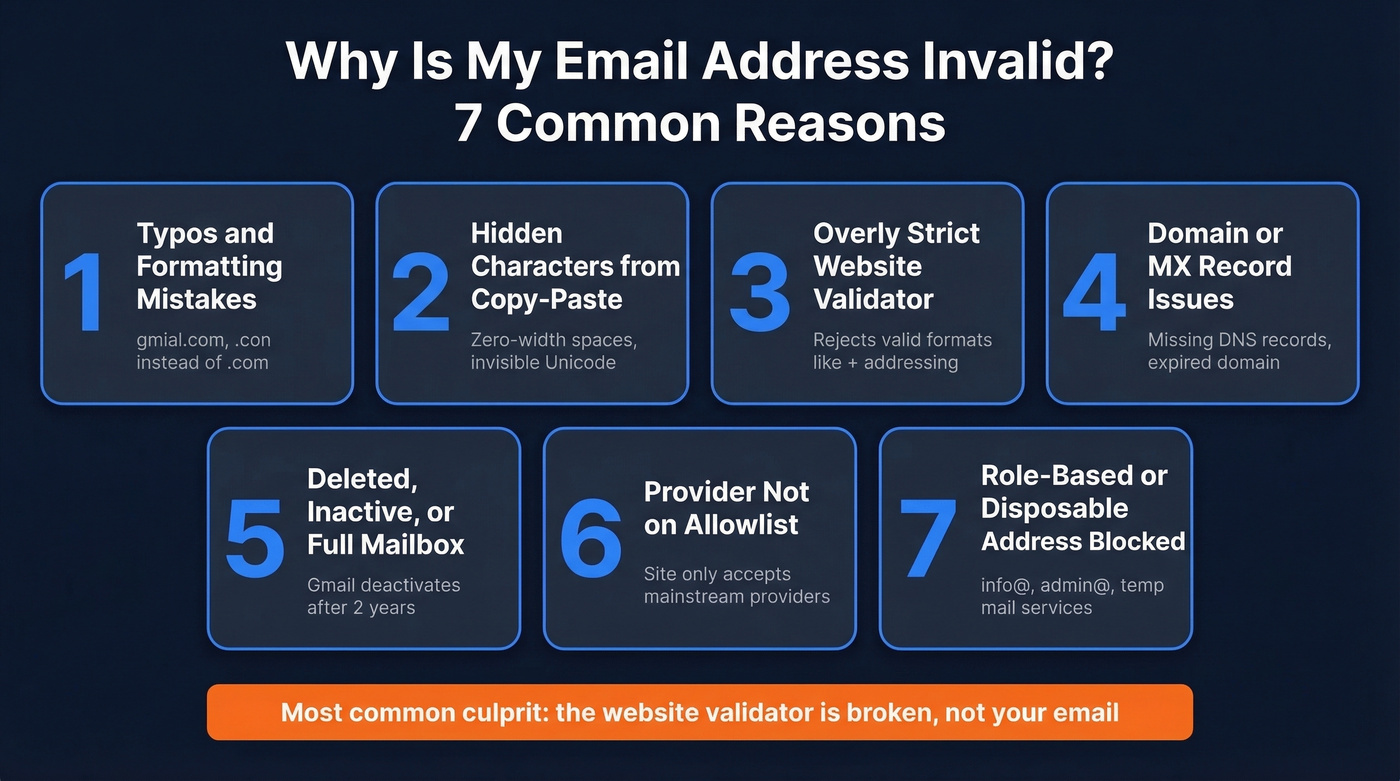
- Retype manually. Delete the entire field and type your email from scratch. No paste, no autofill.
- Remove the +tag. If your address is
you+newsletter@gmail.com, try justyou@gmail.com. Many validators choke on plus-addressing. - Try a mainstream provider. For teams using a custom domain or smaller provider, test with a Gmail or Outlook address. If that works, the site's validator is the problem - contact their support and reference RFC compliance.
- Go incognito or switch browsers. Extensions and cached autofill data can inject garbage characters. A clean session eliminates that variable.
- Inspect the form's
patternattribute. Right-click the email field, choose "Inspect," and look for apattern=attribute. If the regex is overly restrictive, you've found your answer - report it to the site. - Contact site support. Reference that your address is valid per RFC 5322 and that the maximum email length is 254 characters. Most support teams can manually add your address or escalate the bug.
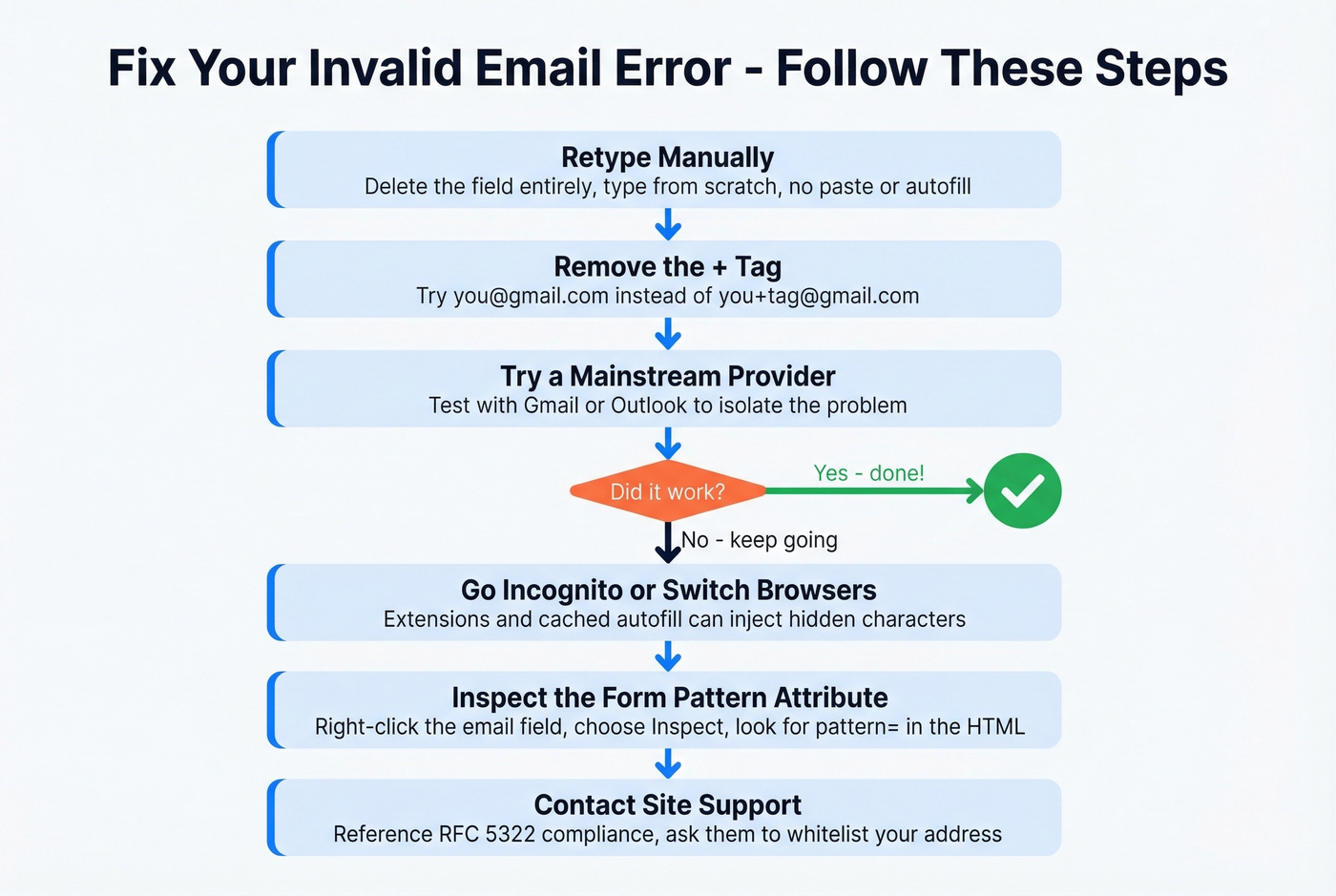

Tired of wondering if an email address actually works? Prospeo's 5-step verification process catches invalid addresses, spam traps, and catch-all domains before you ever hit send. 98% accuracy across 143M+ verified emails.
Get a definitive answer on any email address in seconds.
Platform-Specific Troubleshooting
Outlook / Exchange
Outlook's Auto-Complete cache (the "nickname cache") is a frequent offender. When recipients migrate between on-premises Exchange and Exchange Online, the cached internal identifier goes stale - even though the visible email address looks identical. The fix: File > Options > Mail > Empty Auto-Complete List. Rebuild from scratch.
If you're seeing 550 5.1.x bounce codes, Microsoft's documentation points to two common causes: a wrong address (check the NDR against what's in your Sent Items) and auto-forwarding rules pointing to a dead address.
A 66-vote thread on Microsoft Q&A shows Outlook for Mac users hitting "Invalid email address" when sending to anyone outside their contacts - with no definitive fix from Microsoft. If you're in that camp, try the web version as a workaround. And if you're getting NDRs for messages you never sent, check for account compromise. Someone may be spoofing your address.
Apple ID / iCloud
Apple's ecosystem can be picky with custom-domain emails. Users with Fastmail-hosted domains report being unable to add their address to Apple ID - on both iOS and the Apple ID website - with the generic "Invalid Email Address" error. The practical workaround: use a mainstream provider for your Apple ID and keep your custom domain for everything else.
Mobile and Web Forms
On mobile, keyboard autocorrect and autofill are the usual suspects. Your phone's keyboard might capitalize the first letter, insert a space after a period, or pull a malformed address from your contacts. Toggle off keyboard suggestions, paste the address into a plain-text editor first to strip formatting, or type it in a different browser entirely.
Why Website Validators Get It Wrong
There's a gap between what the email standard (RFC 5322) allows and what most website validators accept. The standard is surprisingly permissive - and most developers don't know that.
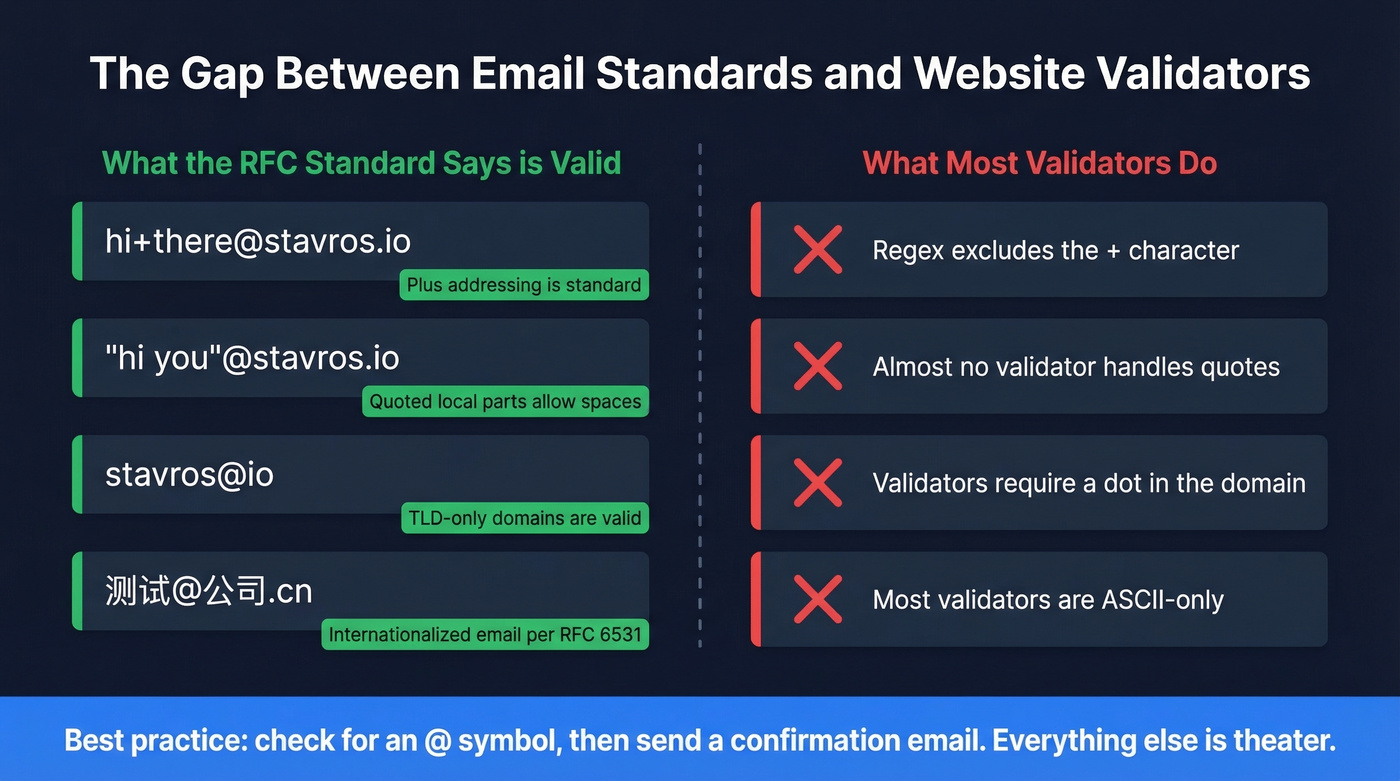
| Email Address | Why It's Valid | Why It Gets Rejected |
|---|---|---|
hi+there@stavros.io |
Plus-addressing is standard | Many regex patterns exclude + |
"hi you"@stavros.io |
Quoted local parts allow spaces | Almost no validator handles quotes |
stavros@io |
TLD-only domains are valid | Validators expect a dot in the domain |
我買@屋企.香港 |
Internationalized email per RFC 6531 | Most validators are ASCII-only |

The developer consensus on Stack Overflow is blunt: rejecting a valid email is "rude and impolite." The pragmatic approach is two steps - check that the string contains an @, then send a confirmation email. If it arrives, it was valid. Everything else is theater.
Let's be honest: we've seen validators reject plus-addressing, new TLDs, and internationalized addresses for over a decade now. If your website still uses a strict regex for email validation in 2026, you're not protecting anything. You're just losing signups.
One distinction worth understanding: validation checks format. Verification checks whether the mailbox actually exists and can receive mail. Most websites only do the first - and they do it badly.
Decoding Bounce Messages
If your email isn't being rejected by a form but is bouncing back from a server, the error code tells you what happened.
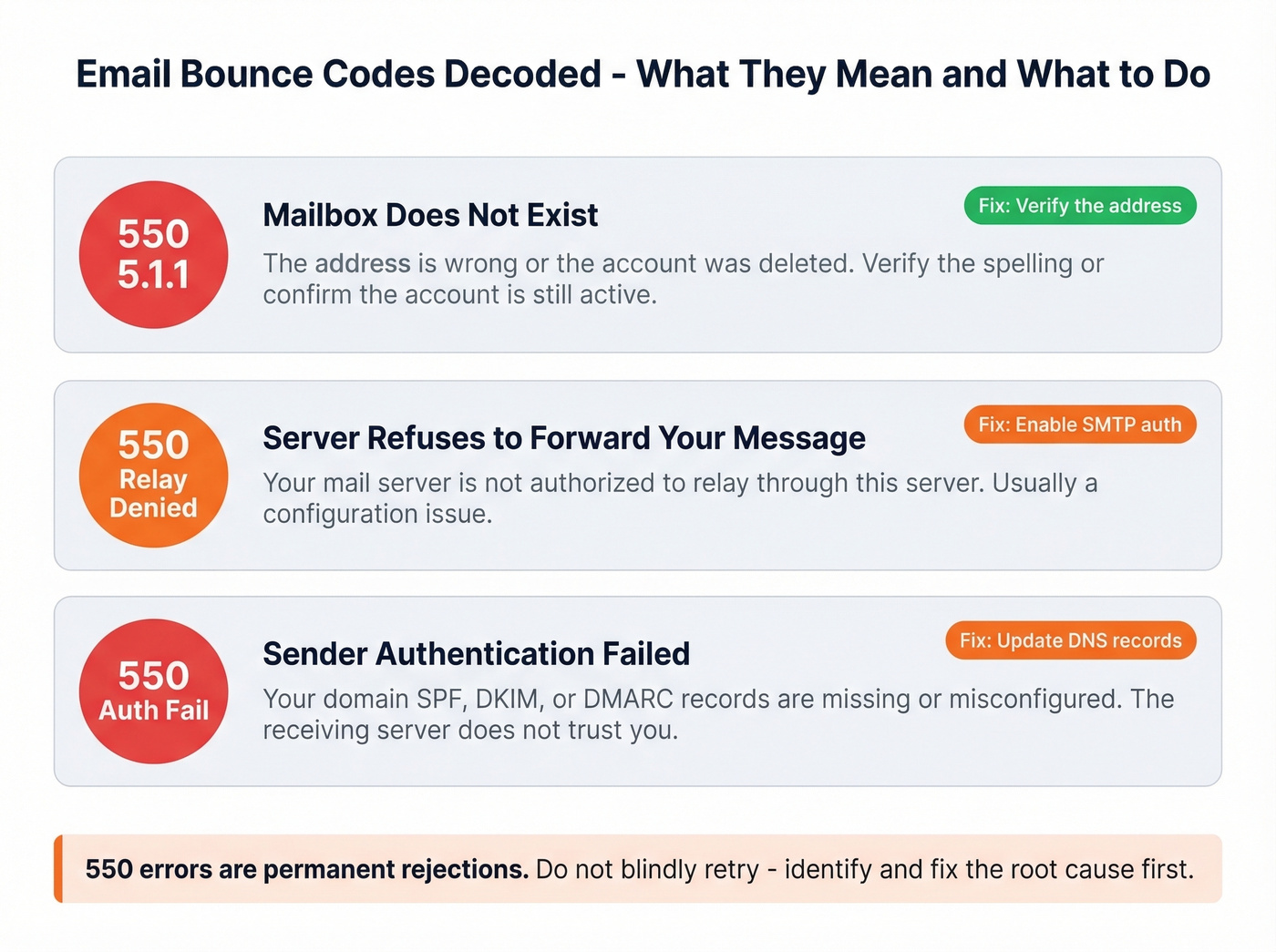
| Error Code | What It Means | What to Do |
|---|---|---|
| 550 5.1.1 | Mailbox doesn't exist | Verify the address - likely a typo or deleted account |
| 550 Relay denied | Server won't forward your message | Enable SMTP authentication; check credentials |
| 550 authentication/alignment failure | Sender authentication failed | Fix your domain's SPF, DKIM, and DMARC records |
The 550 class means permanent rejection. Don't blindly retry - the server is telling you something specific. Identify the root cause first.
How to Verify Your Email Address
For anyone managing a mailing list, you can also upload a list and run bulk verification to clean out addresses that no longer exist, preventing hard bounces from damaging your sender reputation.
Bad email data doesn't just cause form errors - it tanks your sender reputation and kills outreach campaigns. Prospeo refreshes every record on a 7-day cycle and removes spam traps and honeypots automatically. That's why teams using Prospeo see bounce rates drop from 35% to under 4%.
Stop sending to invalid addresses. Start with data you can trust.
For Developers and Admins
If users are suddenly reporting "invalid email" errors on your platform, the problem might be upstream. In late 2024, Supabase changed its SMTP policy to require custom SMTP configuration for email signups - even with email confirmations turned off. Users started seeing "Email address cannot be used as it is not authorized" with no warning. The fix: Project Settings > Authentication > SMTP Settings, then add your SMTP credentials.
The broader lesson: don't over-validate. A confirmation email is the only real proof that an address works and that the user owns it. And keep in mind that more than 2% hard bounces can lead to your sending IP being blacklisted - so if you're collecting emails, verify them on intake rather than trusting a regex to do the job.
If you're troubleshooting deliverability end-to-end, it also helps to understand email bounce rate benchmarks and how to set up DMARC alignment correctly.
FAQ
How do I know if my email address is valid?
Send yourself a test email. If it arrives, your address works. For a technical check, use a verification tool that tests MX records and real-world deliverability, not just formatting. Prospeo's free tier covers 75 checks per month.
Why does one website reject my email but others accept it?
The website uses an overly strict regex validator or an allowlist of "supported" providers. This is a site-side bug, not a problem with your address. Try a Gmail or Outlook address as a workaround, or contact their support referencing RFC 5322 compliance.
Can an email address become invalid over time?
Yes. Gmail deactivates accounts after 2 years of inactivity, and Microsoft Outlook/Hotmail and Yahoo follow similar policies after roughly a year. Domains expire, hosting changes break MX records, and mailboxes fill up - all of which make a previously working address stop functioning.
What does a 550 bounce error mean?
It's a permanent rejection by the receiving server. The three most common causes: nonexistent mailbox (typo or deleted account), failed sender authentication (misconfigured SPF/DKIM/DMARC), or a relay configuration error. Check the full bounce message for specifics before taking action.
Why does my email say invalid on iPhone?
Apple ID rejects some custom-domain and non-mainstream email addresses during account setup or sign-in. Use a Gmail, iCloud, or Outlook address for your Apple ID and keep your custom domain for everything else.