

AI Email Generator With ChatGPT: Prompts That Work (2026)
You've written the same follow-up email 50 times this quarter. Each one took five minutes of staring at a blank compose window, tweaking the subject line, second-guessing the tone. Multiply that across every outreach, every reply, every internal update - and you've burned your week.
Email eats up 28% of the average workday. With 422 billion emails sent daily in 2026, your inbox isn't slowing down. And 49% of B2B marketers already use generative AI to create emails - a lot of them badly. Stop hunting for a dedicated AI email generator. ChatGPT is the one you already have.
What You Need (Quick Version)
- ChatGPT Free is enough for most email writing. You don't need Plus or a $30/mo inbox tool.
- The problem is your prompt, not the AI. Use the copy-paste templates below and your output quality jumps immediately.
How to Use ChatGPT for Email
1. Open ChatGPT. The free tier gives you roughly 10-25 messages on the advanced model before it switches to a lighter version. That's plenty for a handful of important emails. If you're drafting dozens daily, ChatGPT Plus at $20/mo raises the ceiling significantly.
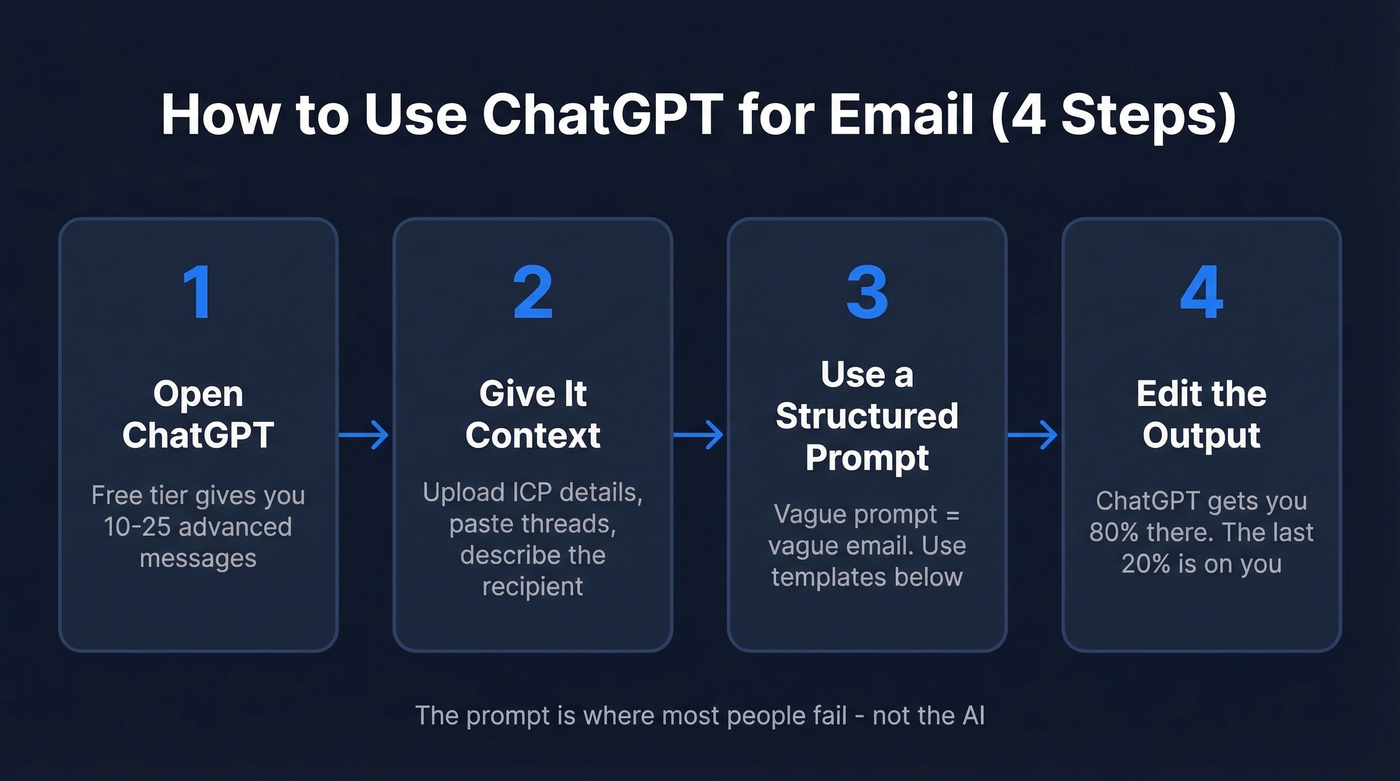
2. Give it context. Don't just say "write a cold email." Upload a file with your ICP details, paste a previous email thread, or describe the recipient's role and company. The Canvas feature works well for longer drafts you want to edit inline.
3. Use a structured prompt. This is where most people fail. A vague prompt produces a vague email.
4. Edit the output. Always. ChatGPT gets you 80% there. The last 20% - your voice, specific details, a human touch - is on you.
Copy-Paste Email Prompts That Work
Every prompt below is ready to use. Swap the bracketed placeholders with your details.
Cold Outreach Email
We've tested dozens of prompt frameworks. This one, adapted from a Reddit practitioner who ran it across 200+ outreaches, consistently delivers 15-20% reply rates. The key insight: write like it's the third email you've sent that day, not the first.
Write a cold email under 100 words. Context:
- My name: [Your Name], [Your Title] at [Your Company]
- What we do: [One sentence about your product/service]
- Recipient: [Name], [Title] at [Company]
- Something specific about them: [Recent news, job change, company milestone]

Rules:
- First line must reference the specific thing above. No generic flattery.
- NO exclamation points. Ever.
- Do NOT use: "I hope this finds you well," "just reaching out," "impressive growth," "love what you're doing"
- End with a concrete, low-commitment ask (not "let me know if you'd like to chat")
- Tone: casual professional. Like a 3rd email you've sent today, not a pitch deck.
Follow-Up After No Response
Most follow-ups fail because they're just guilt trips wearing a blazer. "Just bumping this up" tells the recipient you have nothing new to say. This prompt forces you to add value every time.
Write a follow-up email (under 75 words) to someone who didn't reply to my first email.
- Original email topic: [What you pitched/asked]
- Days since first email: [Number]
- Add one new piece of value or context they didn't have before.
- No guilt-tripping. No "just bumping this up." No "I know you're busy."
- End with a yes/no question, not an open-ended one.
Professional Reply
I received this email: [Paste the email]

Write a reply that:
- Answers their question directly in the first sentence
- Keeps total length under 100 words
- Matches their tone (formal if they're formal, casual if they're casual)
- No filler phrases like "Thank you for reaching out" or "Great question"
Meeting Request
The number-one mistake in meeting requests: burying the agenda. People ignore vague asks. This prompt forces specificity upfront.
Write a meeting request email (under 80 words).
- Purpose: [Why you need to meet]
- Recipient: [Name, Title]
- Suggest 2 specific time slots: [Date/Time 1] and [Date/Time 2]
- Include the meeting length: [15/30/60 min]
- No "would love to pick your brain" or "grab coffee." Be direct about the agenda.
Apology or Service Recovery
Use this when something genuinely went wrong with a customer - a missed deadline, a billing error, a broken feature. Skip it for minor inconveniences where a quick Slack message would do.
Write an apology email to a customer.
- What went wrong: [Describe the issue]
- What we've done to fix it: [Specific action taken]
- What we're doing to prevent it: [Specific prevention step]
- Tone: sincere but not groveling. No "we deeply apologize for any inconvenience."
- Under 120 words. Lead with the fix, not the apology.
Why this works: customers don't want your feelings - they want to know the problem is fixed. Leading with the remedy instead of the apology respects their time and rebuilds trust faster.

A perfect cold email is worthless if it bounces. Prospeo gives you 143M+ verified emails at 98% accuracy - so every ChatGPT-crafted outreach actually lands in a real inbox. At $0.01 per email, you pay less for the contact than the coffee you drank writing the prompt.
Stop crafting emails to addresses that don't exist.
Make It Sound Human
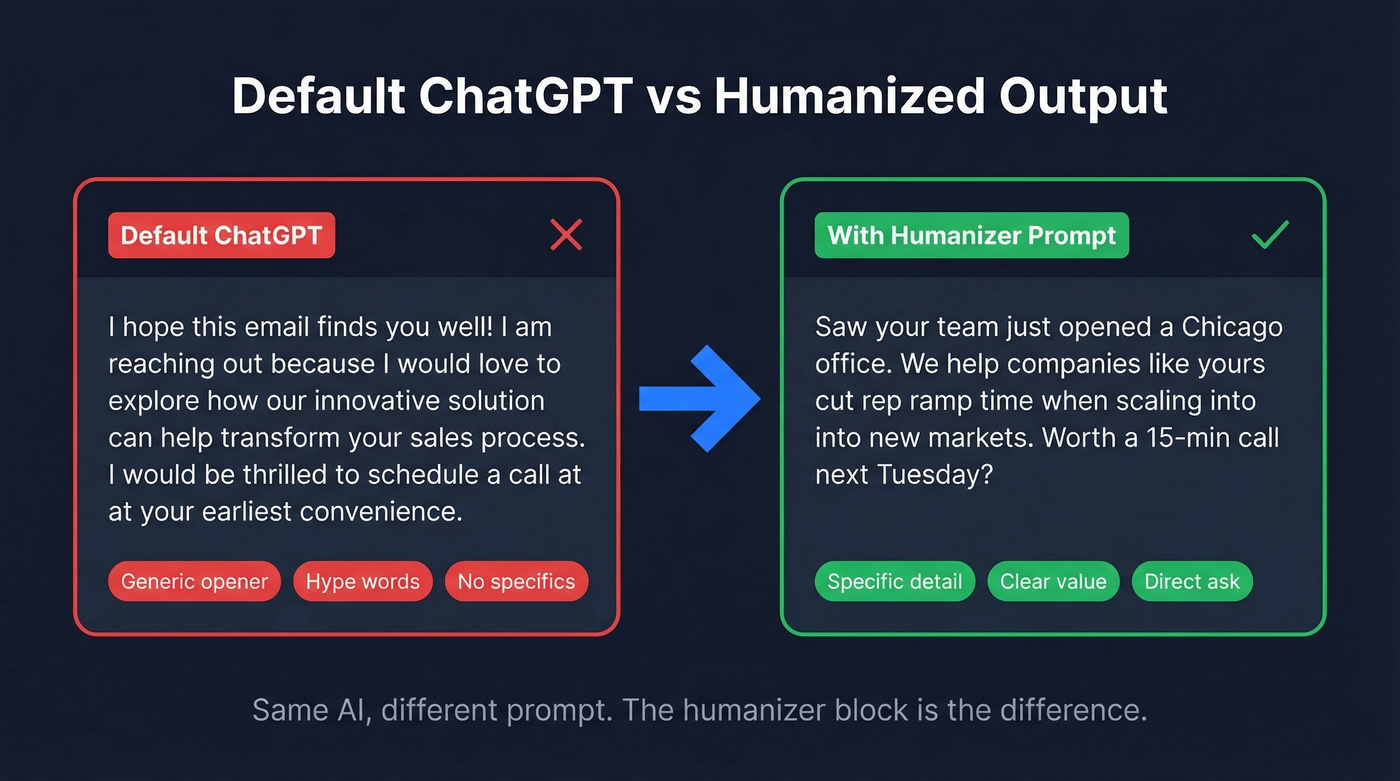
Default ChatGPT output reads like a corporate press release. Here's the thing: the fix is a "humanizer" instruction block you paste before any prompt in this article. It works as a universal modifier.
Style rules for this email:
- Simple language. Short sentences. 5th-grade reading level.
- No exclamation points.
- No hype words: "revolutionary," "game-changing," "transform," "unleash," "dive into"
- No generic openers: "I hope this finds you well," "I'm reaching out because"
- No uniform sentence length   -   vary between 5 and 20 words.
- Be direct. Cut any sentence that doesn't add information.
- It's okay to sound slightly imperfect. Don't over-polish.
Compare the two outputs:
Default ChatGPT:
"I hope this email finds you well! I'm reaching out because I'd love to explore how our innovative solution can help transform your sales process. I'd be thrilled to schedule a call at your earliest convenience."
With humanizer constraints:
"Saw your team just opened a Chicago office. We help companies like yours cut rep ramp time when scaling into new markets. Worth a 15-min call next Tuesday?"
The second version is shorter, specific, and sounds like a person wrote it. That's the whole game.
7 Giveaways Your Email Was AI-Written
Even with the humanizer block, watch for these patterns:
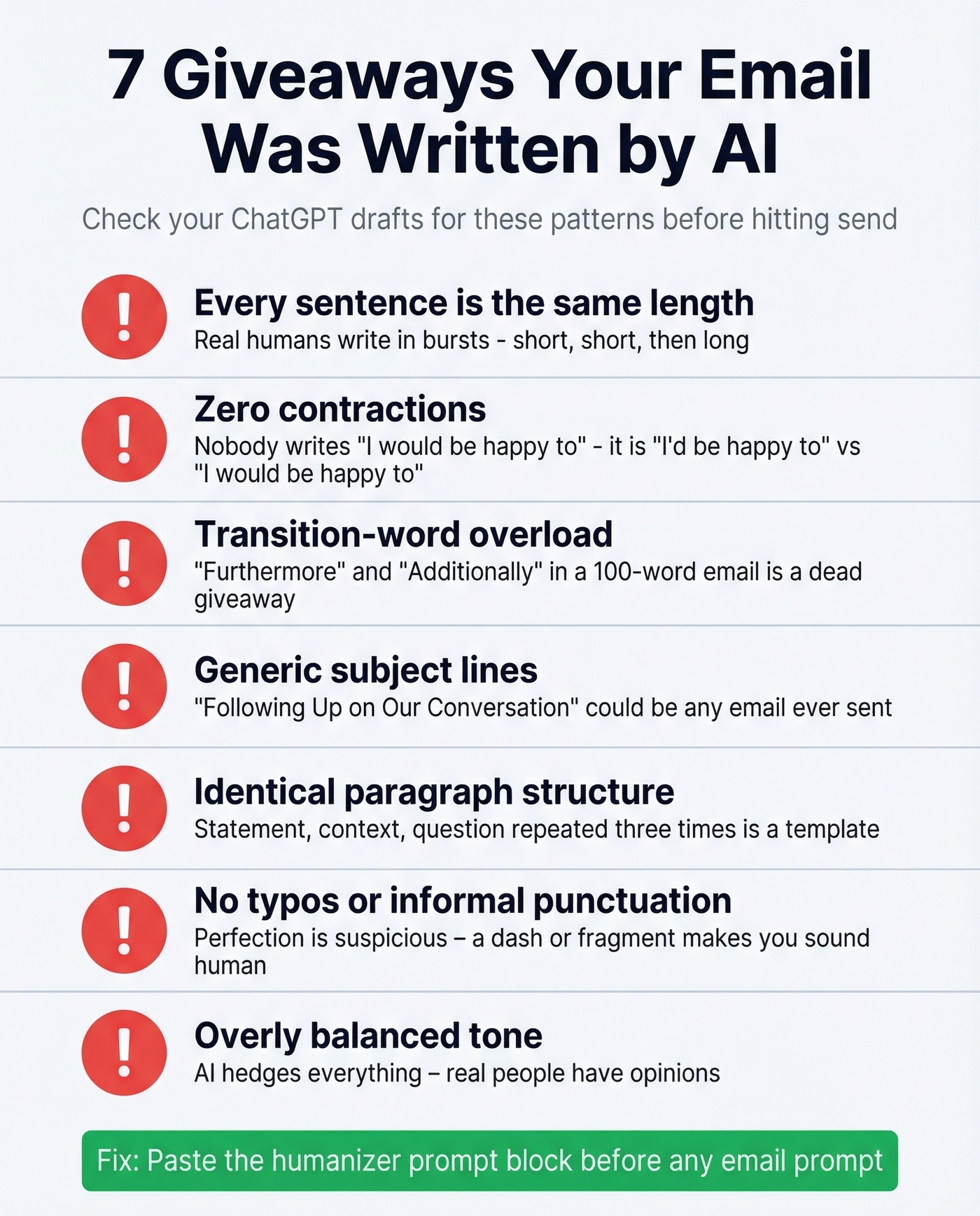
- Every sentence is the same length. Real humans write in bursts - three short sentences, then a longer one that winds through a couple of clauses before landing.
- Zero contractions. Nobody writes "I would be happy to" in a real email. It's "I'd be happy to."
- Transition-word overload. "Furthermore," "Additionally," and similar filler appearing in a 100-word email is a dead giveaway.
- Generic subject lines. "Following Up on Our Conversation" could apply to any email ever sent. Be specific. (If you want a shortcut, use a subject line generator and then rewrite it in your voice.)
- Identical paragraph structure. Three paragraphs that each open with a statement, add context, then end with a question? That's a template, not a person.
- No typos or informal punctuation. A strategically placed dash or sentence fragment makes you sound human. Perfection is suspicious.
- Overly balanced tone. AI hedges everything. Real people have opinions. If your email reads like it's trying not to offend anyone, rewrite the opening line yourself.
When NOT to Trust ChatGPT
ChatGPT will confidently fabricate details. One Reddit user reported the model invented "completely made up data that did not exist anywhere in the file" they'd uploaded. In emails, that means wrong names, invented stats, or fictional case studies.
The rule: never send without checking every name, date, number, and company detail. ChatGPT drafts. You verify. For anything legal, financial, or HR-sensitive, write it yourself.
Let's be honest about the economics too. If your average deal size is under $5k, ChatGPT with good prompts is all the email tooling you need. The $15-30/mo dedicated tools only make sense when you're sending enough volume that shaving 30 seconds per email actually compounds into hours saved per week.
Best AI Email Tools Beyond ChatGPT
In our experience, most dedicated AI email generators are ChatGPT wrappers with a form slapped on top. You're paying $15-30/mo for a prompt template you could build yourself in five minutes. That said, inbox-native tools add genuine value if you live in Gmail or Outlook and want AI built into your compose window.
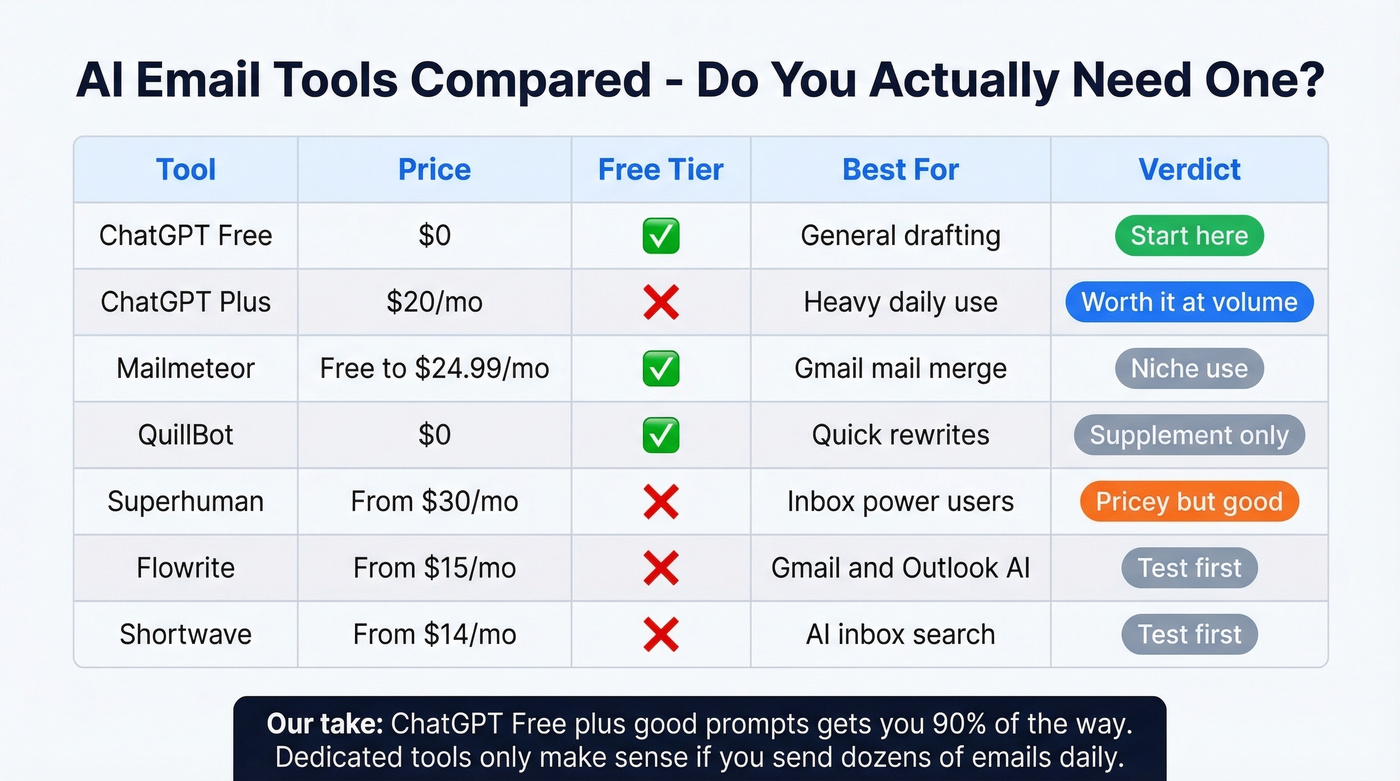
| Tool | Price | Free Tier | Best For |
|---|---|---|---|
| ChatGPT Free | $0 | Yes | General drafting |
| ChatGPT Plus | $20/mo | No | Heavy daily use |
| Mailmeteor | Free-$24.99/mo | Yes (50/day) | Gmail mail merge |
| QuillBot | $0 | Yes | Quick rewrites |
| Superhuman | From $30/mo | No | Inbox power users |
| Flowrite | From $15/mo | No | Gmail/Outlook AI |
| Shortwave | From $14/mo | No | AI inbox search |
Superhuman and Shortwave can read your inbox context automatically and draft replies in-thread. If that workflow matters to you, they're worth testing. Tools like Jasper (from $39/mo) and Copy.ai (from $36/mo) also offer email features, but they're built for marketing copy, not inbox workflows - skip them for day-to-day email.
For everyone else, ChatGPT Free plus good prompts gets you 90% of the way there.
Verify the Contact Before Sending
38% of email traffic in 2026 is AI-generated. Inboxes are noisier than ever. Your perfectly crafted email means nothing if it bounces because the contact data was stale. Prospeo covers 143M+ verified emails with 98% accuracy on a 7-day refresh cycle, and the free tier gives you 75 emails per month - paid plans run about $0.01 per email.
If you're doing any kind of cold outreach at scale, pair your prompts with a real outbound email automation workflow and a deliverability checklist (especially outbound email spam prevention).
You just built the perfect prompt. Now you need the right person to send it to. Prospeo's 300M+ database with 30+ filters - buyer intent, job changes, tech stack - finds your exact ICP so your AI-written email hits a decision-maker, not a dead end.
Great copy deserves a real audience. Find yours in seconds.
FAQ
Is ChatGPT a good free AI email generator?
Yes. The free tier handles most email tasks well. You get around 10-25 messages on the advanced model before it switches to a lighter version. ChatGPT Plus at $20/mo is only worth it if you're drafting dozens of emails daily.
Can people tell if an email was written by AI?
With default prompts, absolutely. The giveaways: generic openers, uniform sentence length, and phrases like "I hope this finds you well." Use the humanizer block above and the output becomes much harder to spot.
What's the best AI model for writing emails?
GPT-4o through ChatGPT handles most email types well. Claude edges it out for casual professional tone. For most users, the free model is more than sufficient - the prompt matters far more than the model.
How do I make sure my AI-generated cold email actually arrives?
Verify the address before sending. Tools like Prospeo run real-time verification at 98% accuracy with a 7-day data refresh cycle. That verification step dramatically reduces bounces, protects your domain reputation, and keeps your sequences out of spam.