


ContactOut vs QuickMail: Different Tools, Different Jobs
Comparing ContactOut to QuickMail is like comparing a metal detector to a delivery truck. ContactOut finds contact data - emails, phone numbers, professional profiles. QuickMail sends cold emails at scale with a deliverability stack designed to keep you out of spam. They're built for different jobs, with almost zero overlap. So the real question isn't which one to pick. It's whether you need one, the other, or both.
30-Second Verdict
- Need contact data? ContactOut. Chrome extension and search portal for pulling emails and phones from professional profiles.
- Need to send cold emails? QuickMail. Inbox rotation, warm-up, and campaign automation built around deliverability.
What Each Tool Actually Does
ContactOut - The Data Finder
ContactOut is a Chrome extension that surfaces emails and phone numbers while you browse professional profiles and company websites. The database covers 300M+ professionals and 30M companies, and the company claims 1.4M users across 76% of the Fortune 500.
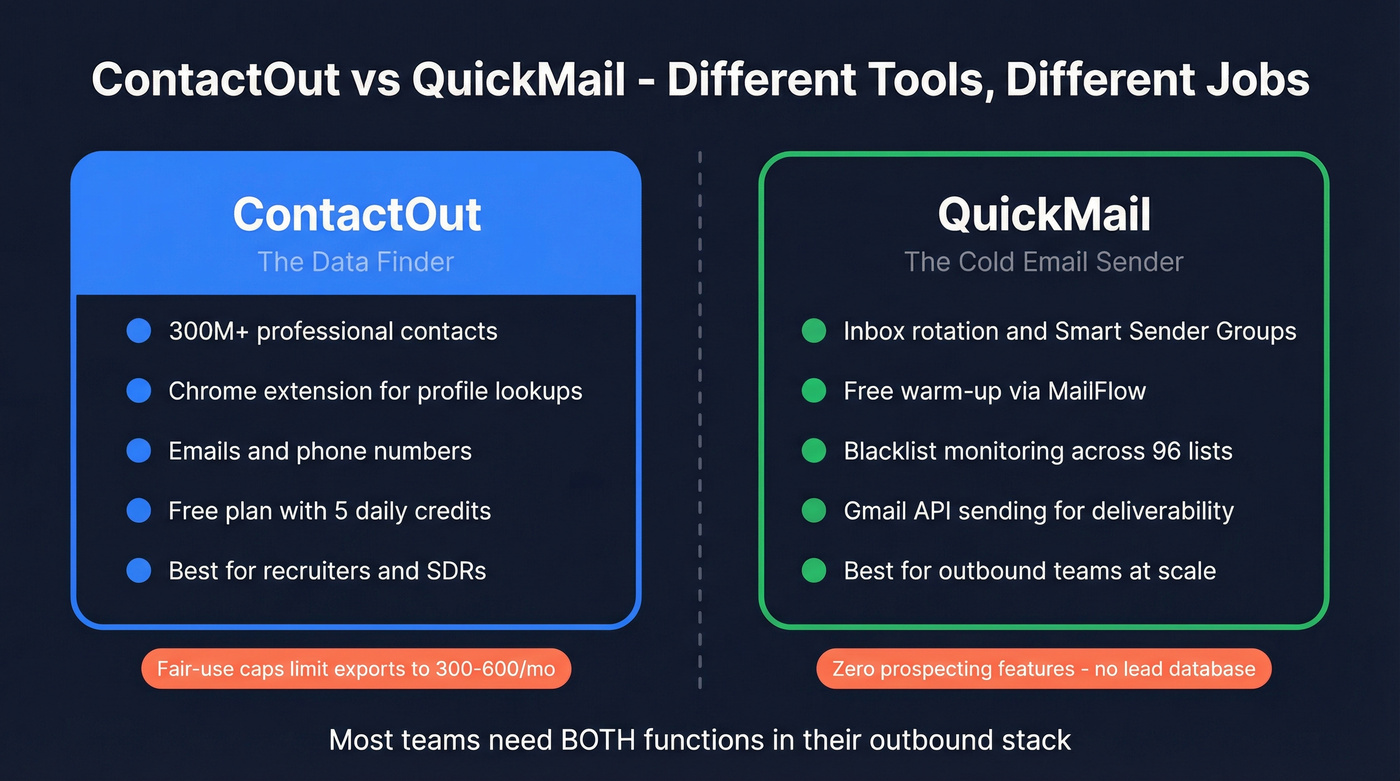
Use this if you're a recruiter or SDR who lives in a browser and needs quick lookups. The free plan gives you 5 emails, 5 phone numbers, and 5 exports per day. Paid tiers typically run $99/mo for email-only or $199/mo for email plus phone.
Here's the thing, though - skip this if you need high-volume exports. The "unlimited" plans are governed by fair-use policies that cap you at roughly 2,000 email lookups and 1,000 phone lookups per month, with exports limited to 300-600 depending on your tier. The pricing page pushes you toward "Talk to us" for anything beyond individual plans, which G2 reviewers (4.4/5, 109 reviews) frequently flag alongside occasional outdated contacts.

QuickMail - The Cold Email Sender
QuickMail doesn't find leads. It sends to them. The platform popularized inbox rotation, and the rest of the feature set follows that deliverability-first philosophy: free warm-up via MailFlow, Smart Sender Groups that automatically swap underperforming inboxes, blacklist monitoring across 96 lists, Gmail API sending for better deliverability, and randomized metadata for untraceable sends. Everything routes through your email provider's servers - no proprietary sending infrastructure sitting between you and the inbox.
Pricing starts at $9/mo for Starter (1 sender, 1,000 contacts, 3,000 emails/mo), $99/mo for Growth (unlimited senders, 30,000 contacts, 100,000 emails/mo), and $299/mo for Agency (50,000 contacts, 300,000 emails/mo). No per-seat fees. The unified inbox for managing replies is a nice operational touch. G2 gives it 4.7/5 across 116 reviews.
Skip this if you expect a built-in lead database - QuickMail has zero prospecting features. The initial setup also has a learning curve that trips up beginners: connecting inboxes, configuring SPF/DKIM, navigating the dashboard. Once you're past that, it's smooth.

Feature-by-Feature Comparison
| ContactOut | QuickMail | |
|---|---|---|
| Category | Contact data finder | Cold email sender |
| Starting price | Free (daily credits); ~$99/mo paid | $9/mo (Starter) |
| Top tier | ~$199/mo; Team/API = custom | $299/mo (Agency) |
| G2 rating | 4.4/5 (109 reviews) | 4.7/5 (116 reviews) |
| Best for | Finding emails & phones from profiles | Sending cold email campaigns at scale |
| Integrations | Salesforce, ATS, recruiter tools | HubSpot, Pipedrive, Zapier, API, webhooks |
| Volume limits | Fair-use caps; ~300-600 exports/mo | 3K-300K emails/mo by tier |
| Key limitation | Opaque fair-use caps on "unlimited" plans | No lead database whatsoever |

ContactOut's fair-use caps stall at 600 exports/month. Prospeo delivers 98% verified emails on a 7-day refresh cycle at $0.01 each - no opaque limits, no sales calls. It integrates natively with QuickMail, so your outbound stack stays clean from data to send.
Feed QuickMail emails that actually land in inboxes.
Which One Do You Need?
You have no contact data yet. You need a data provider first. ContactOut works, though you'll bump into export limits fast if you're building large lists.
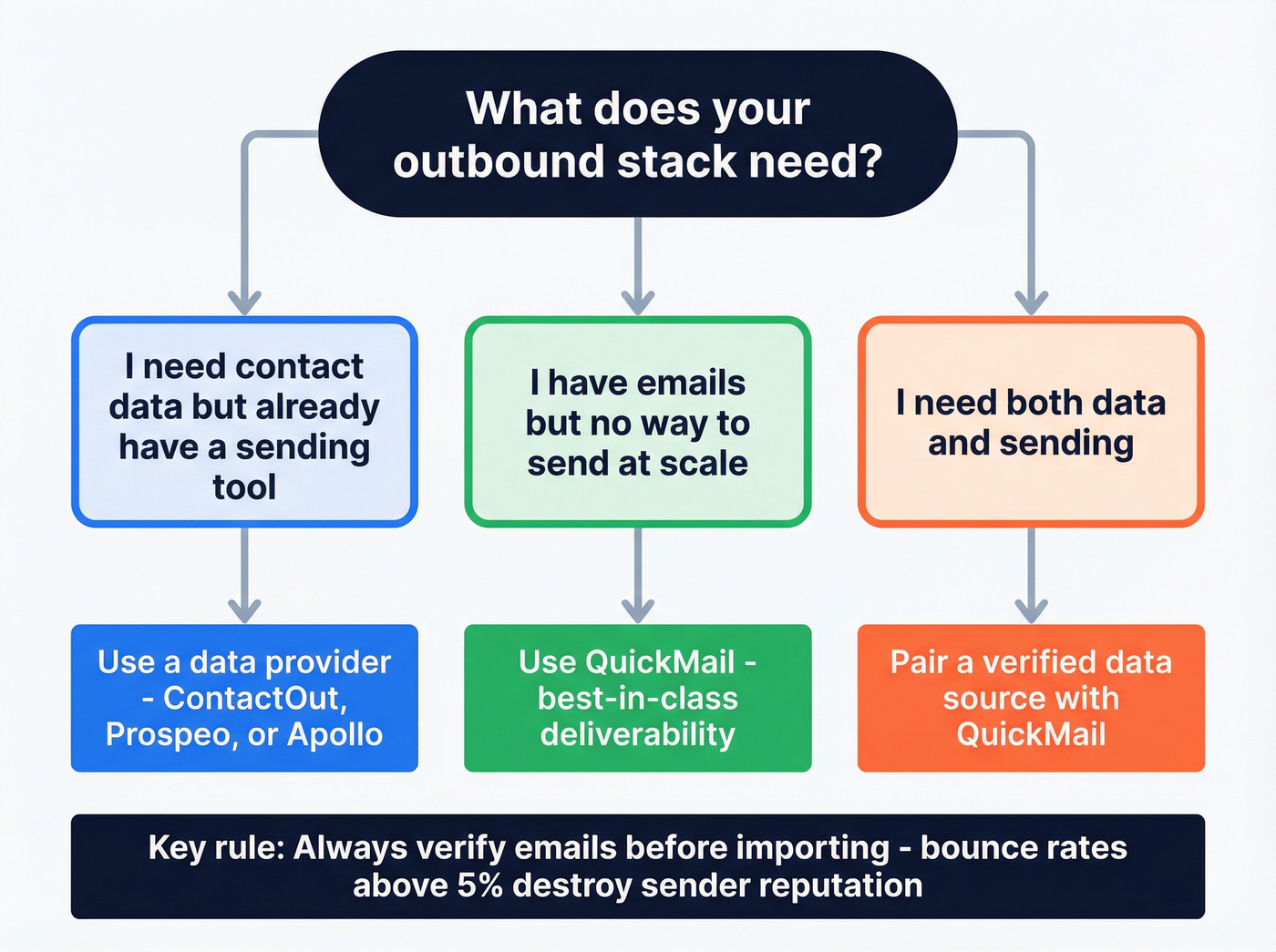
You have emails but no way to send at scale. QuickMail is the move. Its deliverability stack is genuinely best-in-class for keeping your domain healthy (and it helps to understand email velocity as you scale).
You need both data and sending. This is most teams. Pair a data tool with QuickMail, and the question becomes which data source gives you the cleanest emails so your campaigns don't bounce. In most outbound stacks, contact finders and email senders are separate components - you evaluate each layer independently.
Why the Data Layer Matters Most
Let's be honest: your sending tool is only as good as the data you feed it. We've run campaigns where unverified emails from stale databases killed domain deliverability within days. Bounce rates above 5% will torch your sender reputation regardless of how good your warm-up is. That's not a theoretical risk - one bad import and you're spending weeks rebuilding trust with Google and Microsoft.
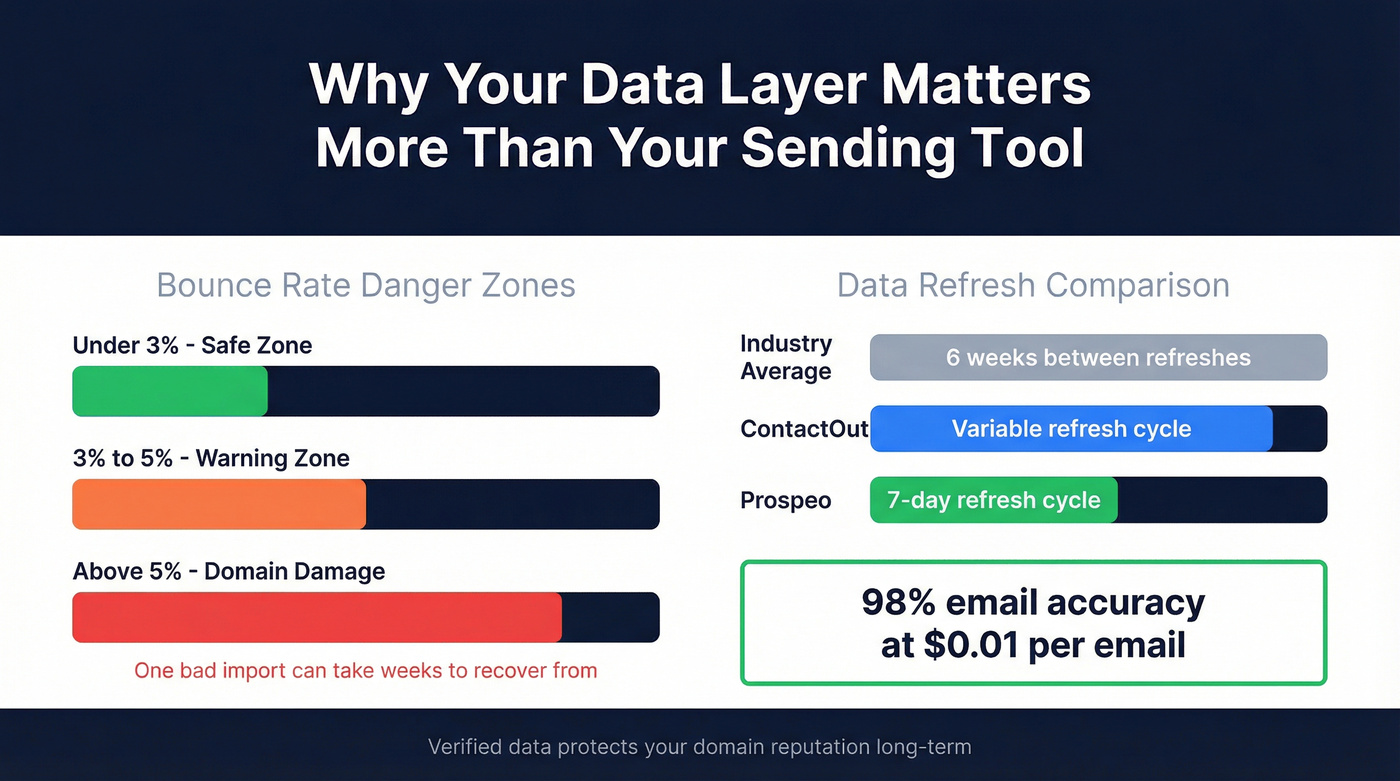
Prospeo handles this with 98% email accuracy and a 7-day refresh cycle, compared to the industry average of six weeks. Pricing is transparent and self-serve at $0.01/email, with a free tier of 75 emails and 100 Chrome extension credits per month. No contracts, no sales calls. It integrates natively with QuickMail, so the workflow is straightforward: find verified contacts, push them into QuickMail, launch your sequence. In our experience, teams using verified data from a strong source alongside QuickMail regularly keep bounce rates under 3% - the kind of number that protects your domain long-term (more on benchmarks in our email bounce rate guide).

Final Verdict
ContactOut and QuickMail aren't competitors. Stop comparing them. One finds data, the other sends emails. Most outbound teams need both functions, just not necessarily both tools.
If data quality is your priority, pair Prospeo with QuickMail. You get 98% verified emails flowing into one of the strongest deliverability engines on the market. If you're already using ContactOut and happy with the data, QuickMail is a strong sender - just verify your lists before importing (see our email deliverability guide).
Your sending tool is only as good as your data layer. Bounce rates above 5% destroy domain reputation regardless of warm-up. Prospeo's 5-step verification and 7-day refresh keep bounce rates under 3% - the threshold that protects your sender score long-term.
Stop burning domains with stale contact data.
FAQ
Can I use ContactOut and QuickMail together?
Yes - they serve different functions. Export contacts from ContactOut, then import them into QuickMail. One critical step most people skip: verify your emails before importing. ContactOut's data isn't always current, and even a few bad addresses above a 5% bounce threshold can damage your sender reputation fast.
Does QuickMail include an email finder?
No. QuickMail is purely a sending and deliverability platform. You need a separate data tool - Prospeo, ContactOut, Apollo, or similar - to source contacts before loading them into QuickMail for campaigns.
Is ContactOut's "unlimited" plan actually unlimited?
Not exactly. Fair-use policies typically cap lookups at around 2,000 emails and 1,000 phone numbers per month, with exports limited to 300-600 depending on your tier. Once you hit the cap, you wait for the monthly reset or negotiate a custom arrangement.
What's a cost-effective data source to pair with QuickMail?
At $0.01/email with 98% accuracy, Prospeo is the most affordable option with enterprise-grade verification. The free tier gives you 75 emails and 100 Chrome extension credits monthly - enough to test the full workflow with QuickMail before committing. Apollo and Hunter are other options, though both report lower verified-email accuracy rates in independent tests. The consensus on r/sales tends to favor tools with built-in verification over those that require a separate step, since that extra friction is where most bounce-rate problems start.