

Email Address Format With Name: Every Pattern Explained (2026)
You've got a name and a company. You need an email address. The problem is that "email address format with name" means three completely different things depending on who's asking - and getting the wrong one wastes your time. And if your company just hired a second David Johnson, you need a collision policy before IT creates david.johnson2@.
Here's the quick version:
- The technical format (for email headers):
Display Name <email@domain.com>- that's the RFC 5322 standard. - The most common professional pattern:
first.last@company.com. - Trying to find someone's email? Guess the pattern, then verify it before you hit send.
Let's break each one down properly.
What Is an Email Address Format?
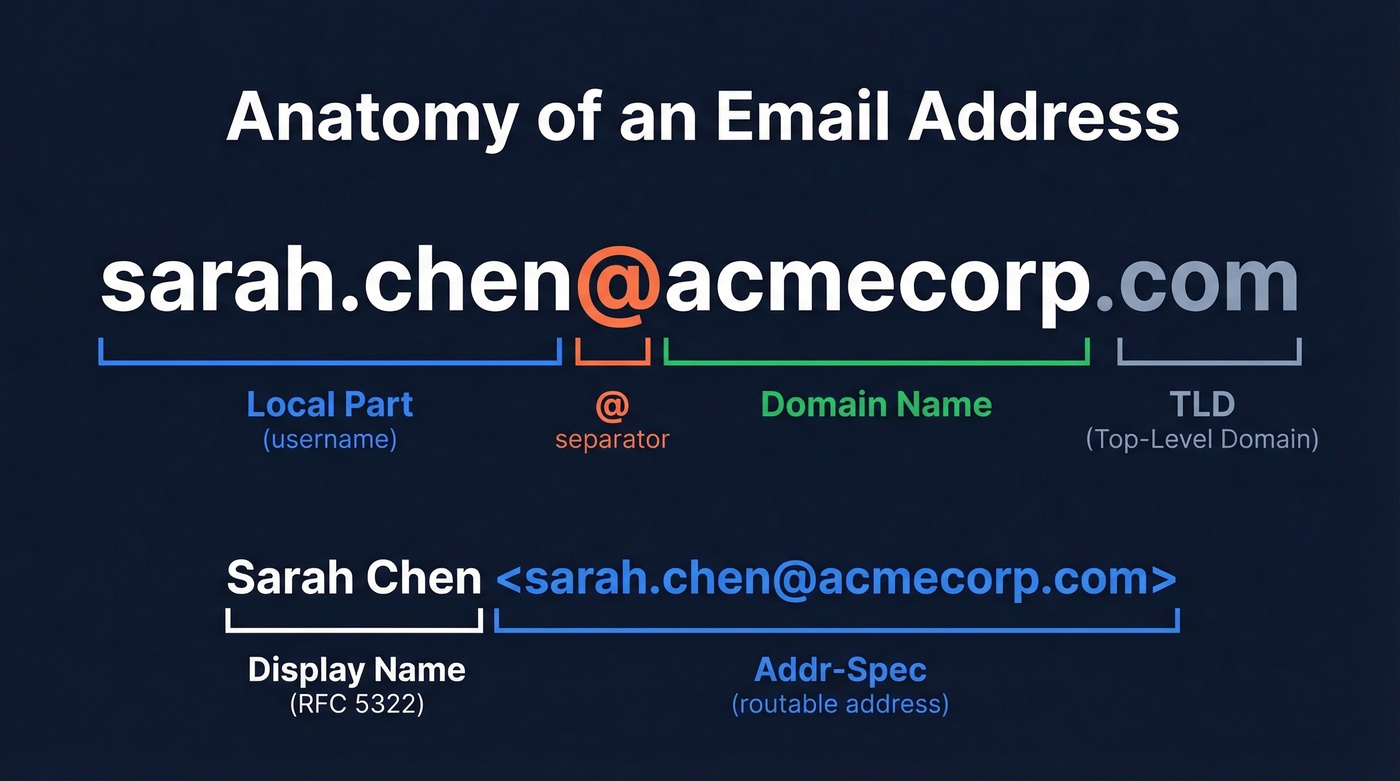
Every email address follows the same anatomy: a local-part (the username), the @ symbol, and a domain with a TLD (top-level domain). So sarah.chen@acmecorp.com breaks into sarah.chen (local-part) + @ + acmecorp.com (domain + TLD).
When people search for name-based email formats, they're usually asking one of two things. Either they want to know how to display a name alongside an email address in headers and signatures - the technical display-name format - or they want to know which naming convention a company uses so they can guess someone's address. Both matter.
The Display Name Format (RFC 5322)
RFC 5322 defines what's called a mailbox: an optional display name paired with an addr-spec wrapped in angle brackets. It looks like this:
Sarah Chen <sarah.chen@acmecorp.com>
That's the format you see in From and To fields. The display name is the human-readable part; the addr-spec inside the angle brackets is the actual routable address.
Quotes around the display name aren't always required. You need them when the name contains characters that aren't valid as "atoms" - commas are the classic offender. "Chen, Sarah" <sarah.chen@acmecorp.com> is valid. Without the quotes, that comma breaks things.
Here's what most people miss: most mobile email clients show only the display name, not the actual address. That's a branding opportunity and a spoofing risk in equal measure. It's also why getting the syntax right matters for deliverability. As Word to the Wise documented, unquoted special characters in display names can create syntactically invalid headers, and intermediary servers that try to "fix" them can break DKIM signatures in the process. That's a fast track to the spam folder.
Common Name-Based Email Patterns
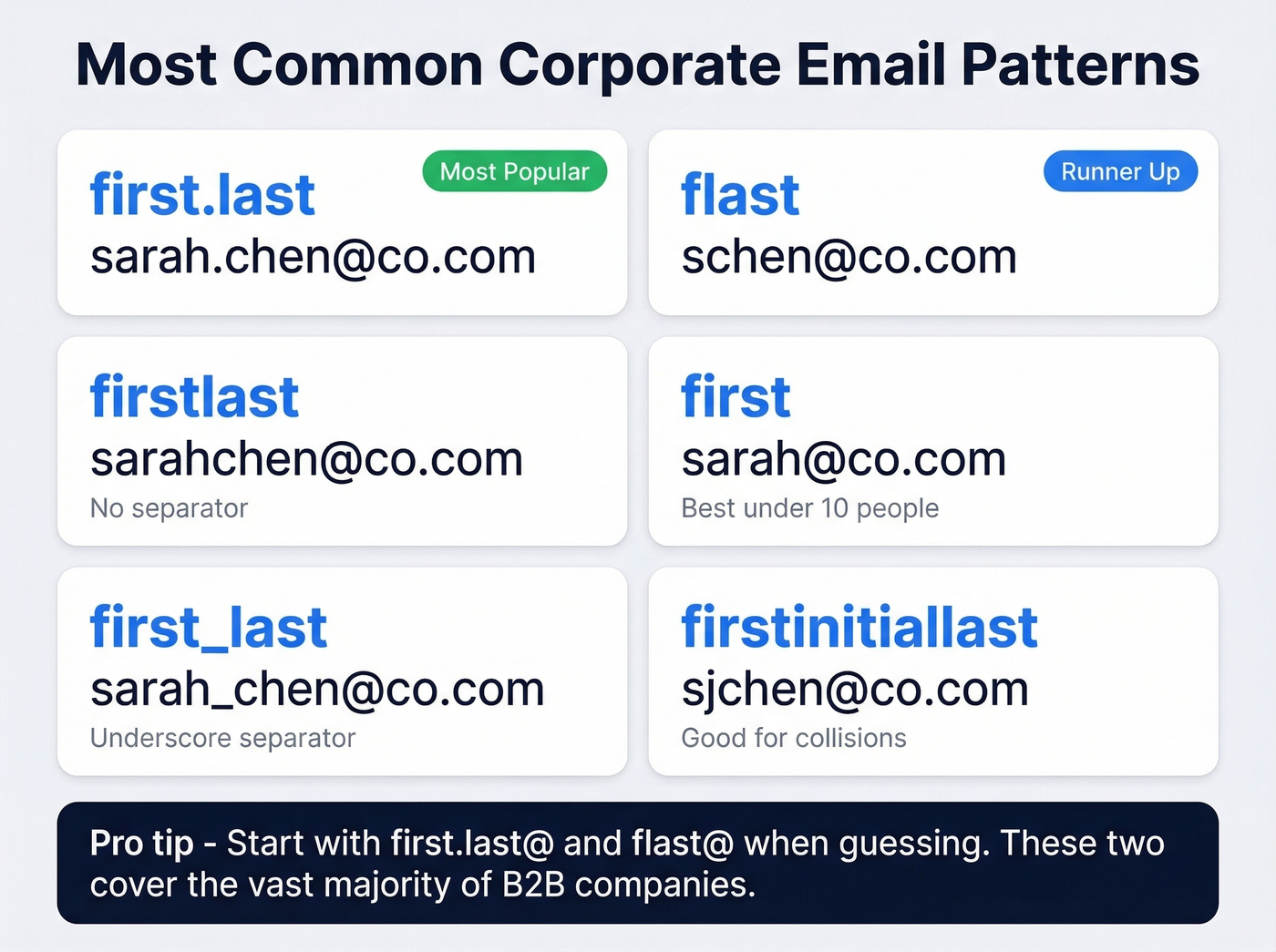
If you're setting up email for a company - or trying to guess someone's address - these are the naming conventions you'll encounter:
| Pattern | Example | Pros | Cons |
|---|---|---|---|
| first.last | sarah.chen@co.com | Most recognizable | Long; collision risk |
| flast | schen@co.com | Short, easy to share | Initial collisions |
| firstlast | sarahchen@co.com | No separator needed | Harder to read |
| first | sarah@co.com | Clean, personal feel | Only works under ~10 employees |
| first_last | sarah_chen@co.com | Clear separation | Underscores look odd in links |
| firstinitiallast | sjchen@co.com | Handles collisions | Unintuitive |
| lastfirst | chensarah@co.com | Sorts by surname | Uncommon; confusing |
| last.first | chen.sarah@co.com | Surname-first cultures | Rare in Western B2B |
In B2B, most companies pick one pattern and stick with it. first.last and flast dominate.
For a concrete example, Mailmo's analysis of employers.com found that {f}{last} accounted for 93.4% of their addresses, with {first}.{last} at just 2.6%. The clustering is real - once a company picks a convention, nearly everyone follows it. If you're guessing, start with first.last@domain.com and flast@domain.com. You'll be right more often than not.

You now know the patterns - but guessing formats and hoping for the best still gets you bounces. Prospeo searches 300M+ professional profiles and returns verified email addresses at 98% accuracy. No pattern-guessing, no catch-all gambles. Just the right email for the name you have, at $0.01 per address.
Skip the guesswork. Get verified emails for any name instantly.
How to Choose the Right Format
Personal or Freelance Use
first.last@gmail.com is the gold standard for personal professional email. If that's taken, firstinitiallast@gmail.com works. Avoid birth years, nicknames, and outdated providers - cooldude1987@aol.com isn't landing you a callback. As GMass's best-practices guide puts it, keep it simple, clean, and name-based.
Better yet, grab a custom domain. As of early 2026, Google Workspace runs about $7-$25/user/month and Microsoft 365 about $6-$22/user/month. sarah@sarahchen.com signals you take your professional presence seriously, and it gives you full control over your inbox infrastructure. The custom domain wins every time for credibility.
For Your Company
Company size should drive the decision. Under 10 people, firstname@company.com feels personal and works fine - set up role-based addresses like hello@ or sales@ for public-facing communication. From 10 to 100, switch to first.last@company.com because it scales and it's what people expect. Over 100, stick with first.last but document a collision policy before you need one.
We've seen companies with 500+ employees still using firstname@. It's a collision nightmare. One real concern from the r/sysadmin community: CEOs sometimes push back on full-name formats because of privacy, and shorter formats like flast are easier to share verbally. These are legitimate tradeoffs, but guessability matters more than brevity for most B2B companies.
Our Recommendation
first.last@domain.com is the right default. Most recognizable, most guessable, most professional. If privacy is a concern, firstinitial.last@ is the runner-up.
Look - if your average deal is under $15k and you're a team of five, stop agonizing over email format. Pick first.last, buy the domain, and spend your energy on what you're actually selling.
Handling Edge Cases
Duplicate names. Middle initial insertion is the cleanest fallback. john.m.smith@company.com reads professionally. john.smith2@company.com tells the world someone got there first. For large orgs, a department prefix like sales.john.smith@ is acceptable. Avoid sequential numbers when you can.
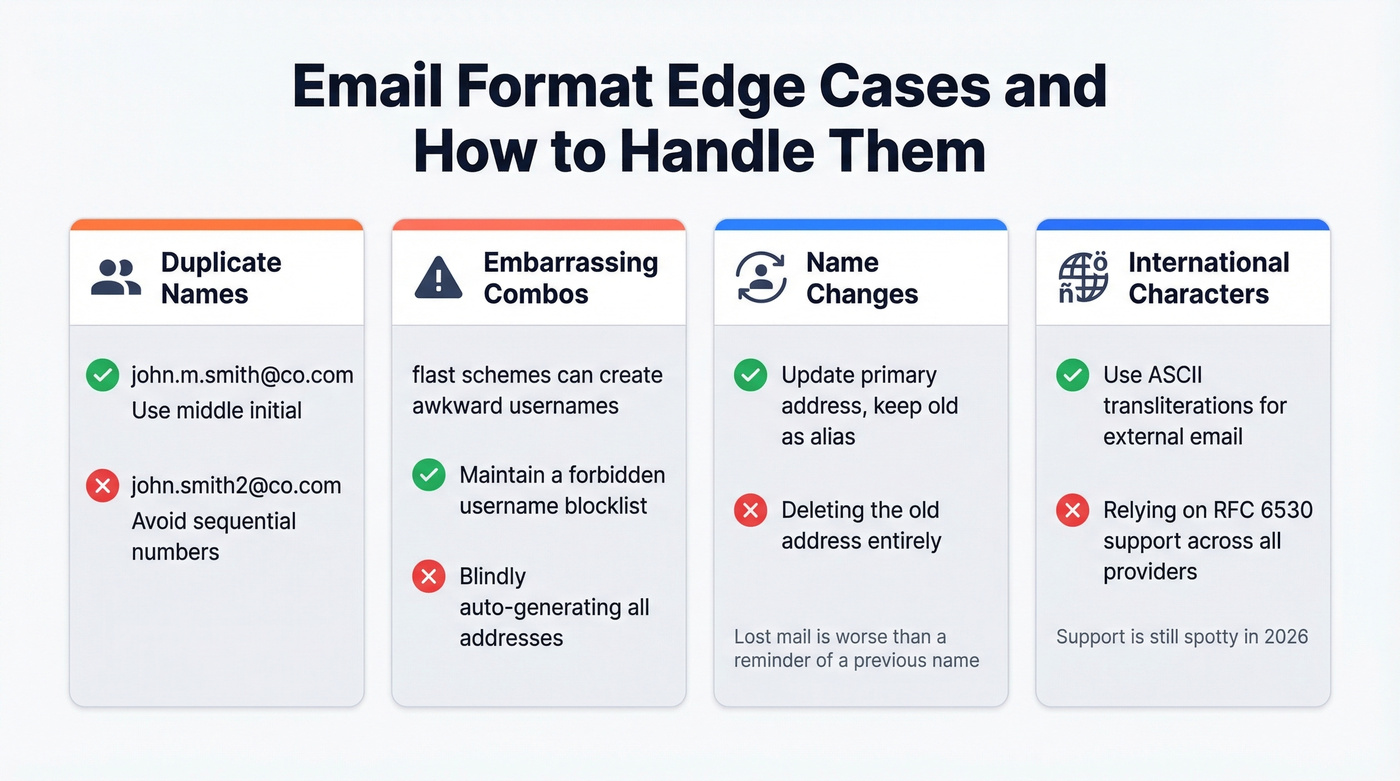
Embarrassing combinations. Before you commit to an flast or firstinitiallast scheme, maintain a forbidden-username list. Initial-plus-last-name schemes can generate addresses like slaughter@ or worse. One pass through a blocklist saves you a very awkward conversation with HR.
Name changes. Microsoft 365's best practice: update the primary SMTP address to the new name, keep the old address as an alias. The mailbox stays the same, no emails are lost. Some employees want the old-name alias removed entirely - resist this. Lost mail is worse than a reminder of a previous name.
International names and special characters. Non-Latin characters are technically allowed by RFC 6530 (Email Address Internationalization), and Punycode exists for domain-level encoding, but practical support across providers and receiving servers remains spotty. Stick to ASCII transliterations for reliability. Skip this if you're setting up internal-only addresses on a system you fully control - in that case, internationalized addresses work fine.
Finding a Company's Email Format by Name
Say you're trying to reach Sarah Chen at Acme Corp. Here's the workflow we use:
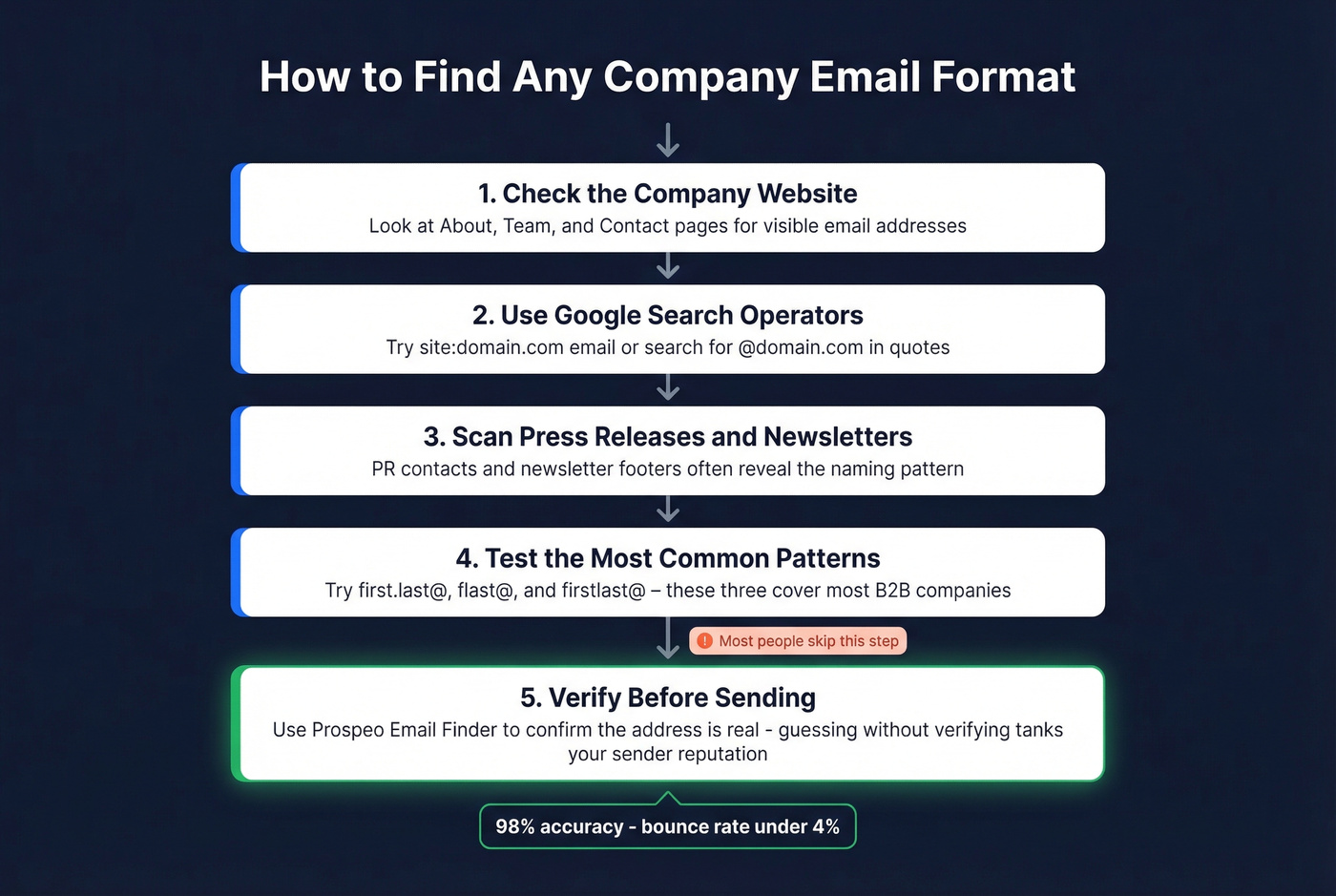
Check the company website. About, Team, and Contact pages often list email addresses outright. One visible address reveals the whole pattern.
Use Google operators. Search
site:acmecorp.com emailor"@acmecorp.com"to surface addresses indexed on their domain. This works surprisingly often.Scan press releases and newsletters. Email signatures in PR contacts and newsletter footers are goldmines for format discovery.
Try common patterns. Based on what you know, test
sarah.chen@acmecorp.com,schen@acmecorp.com, andsarahchen@acmecorp.com- those three cover the majority of B2B conventions.Verify before sending. This is the step most people skip, and it's the one that matters most. An email finder like Prospeo's Email Finder takes you from "I think the format is first.last@" to a verified address, pulling from 300M+ professional profiles with 98% email accuracy. Guessing without verifying is how you tank your sender reputation.

Always Verify Before You Send
Guessing an email address format and firing off a cold email without verification is one of the fastest ways to damage your domain reputation. Bounced emails signal to inbox providers that you're not maintaining clean lists, and that signal compounds quickly. A few bad sends become a deliverability spiral.
If you're building outbound lists at scale, it also helps to understand email bounce rate benchmarks and what different bounce codes actually mean.
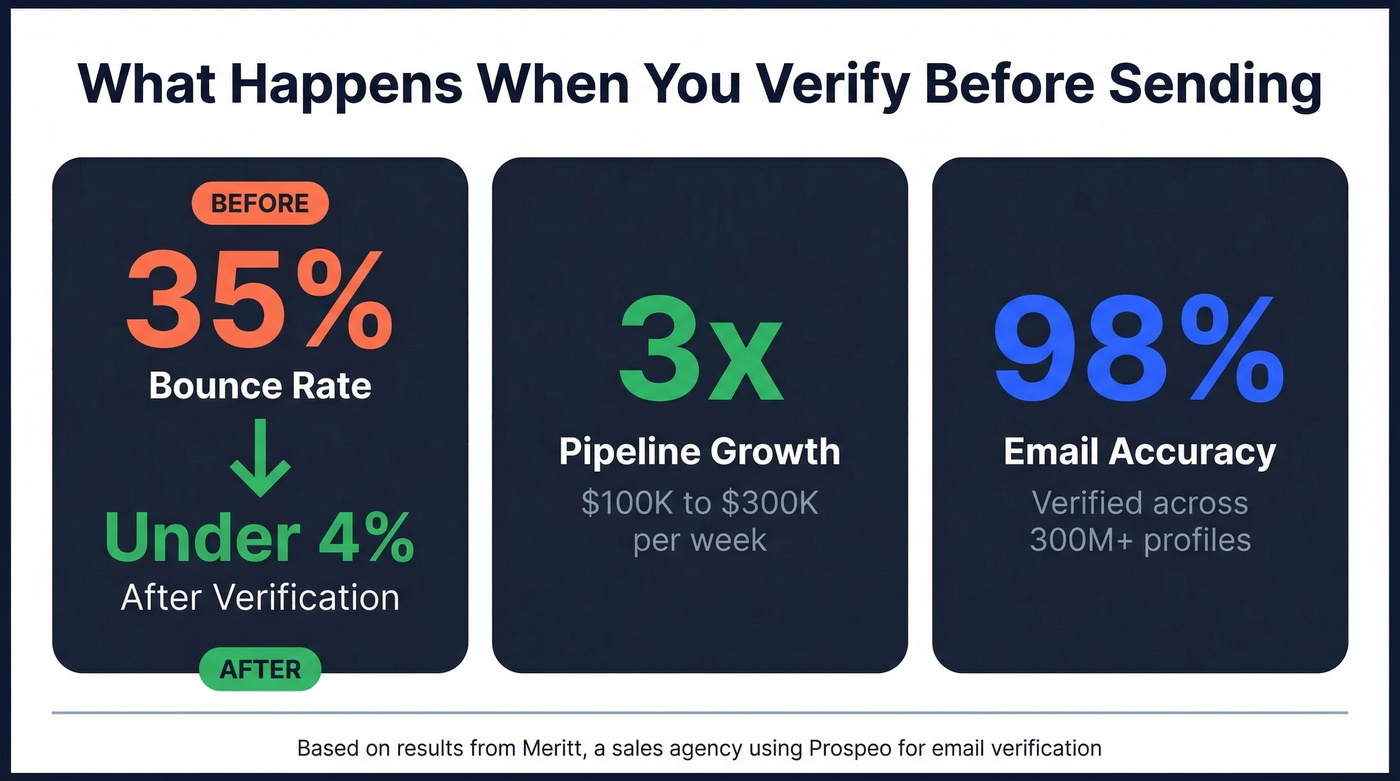
The numbers are stark. Meritt, a sales agency using verified data from Prospeo, saw their bounce rate drop from 35% to under 4% - and their pipeline tripled from $100K to $300K per week. Bad data doesn't just waste sends; it actively undermines every good email you send afterward.
Catch-all domains make this trickier. These domains accept mail to any address, so a standard ping-based verification can't tell you if sarah.chen@catchall-domain.com actually reaches a real inbox. Prospeo handles this with a 5-step verification process that includes catch-all handling, spam-trap removal, and honeypot filtering - you pay only for valid addresses. If you want the deeper mechanics, see our email deliverability guide and spam trap removal playbook.
Knowing that a company uses first.last@ is step one. Verifying that the address actually works - and won't bounce or hit a spam trap - is where most people fail. Prospeo's 5-step verification catches bad addresses before they torch your domain reputation. 15,000+ companies trust it to keep bounce rates under 4%.
Every email you send should land. Start with data you can trust.
FAQ
What's the most professional email format?
first.last@yourdomain.com is the B2B standard. Without a custom domain, first.last@gmail.com works. Avoid numbers, nicknames, and outdated providers like AOL or Hotmail - they undermine credibility before anyone reads your message.
How do I format a display name in email headers?
Use the RFC 5322 syntax: Display Name <email@domain.com>. Wrap the display name in quotes if it contains commas or special characters - "Chen, Sarah" <sarah.chen@domain.com> - to avoid breaking DKIM authentication and causing deliverability issues.
Can I figure out someone's email from their name and company?
Yes. Most companies use predictable patterns like first.last@company.com or flast@company.com. Try the common formats against the domain, then verify with a tool like Prospeo (75 free credits/month) to confirm the address exists and is deliverable before sending.
What's the difference between display name and email username?
The display name is the human-readable label shown in email clients (e.g., "Sarah Chen"), while the username is the local-part before the @ symbol (e.g., sarah.chen). Display names are set per-client and can be changed freely; the username is fixed by your mail administrator.