

Email Marketing IP Warming: The Practical Playbook
A sender on r/Emailmarketing watched open rates collapse from 30% to 0.44% after a misconfigured SPF record mid-warmup. That's not an edge case. It's what happens when you rush email marketing IP warming or skip the fundamentals. The Yahoo sender requirements enforced since February 2024 raised the stakes even higher - breach complaint thresholds during warm-up and you're blocklisted before you start.
Do You Actually Need a Warm-Up?
Depends on volume and IP type.
You need IP warming if you're on a dedicated IP sending more than 50,000 emails per month - that's Twilio SendGrid's threshold. Acoustic sets the bar higher at 100,000/month; below that, a dedicated IP can't build enough consistent reputation signal to justify the effort.
You don't need it if you're on a shared IP. Shared pools are pre-warmed by the ESP, so ISPs already recognize them. You still need to ramp your sending domain, though - reputation isn't only tied to the IP.
- Shared IP, under 50K/month - no warm-up needed
- Dedicated IP, 50K-100K/month - warm-up recommended
- Dedicated IP, 100K+ - warm-up mandatory
- Haven't sent in 30+ days on a dedicated IP - re-warm
IP Warming vs Domain Warming
These aren't the same thing, and confusing them is one of the most common mistakes we see.
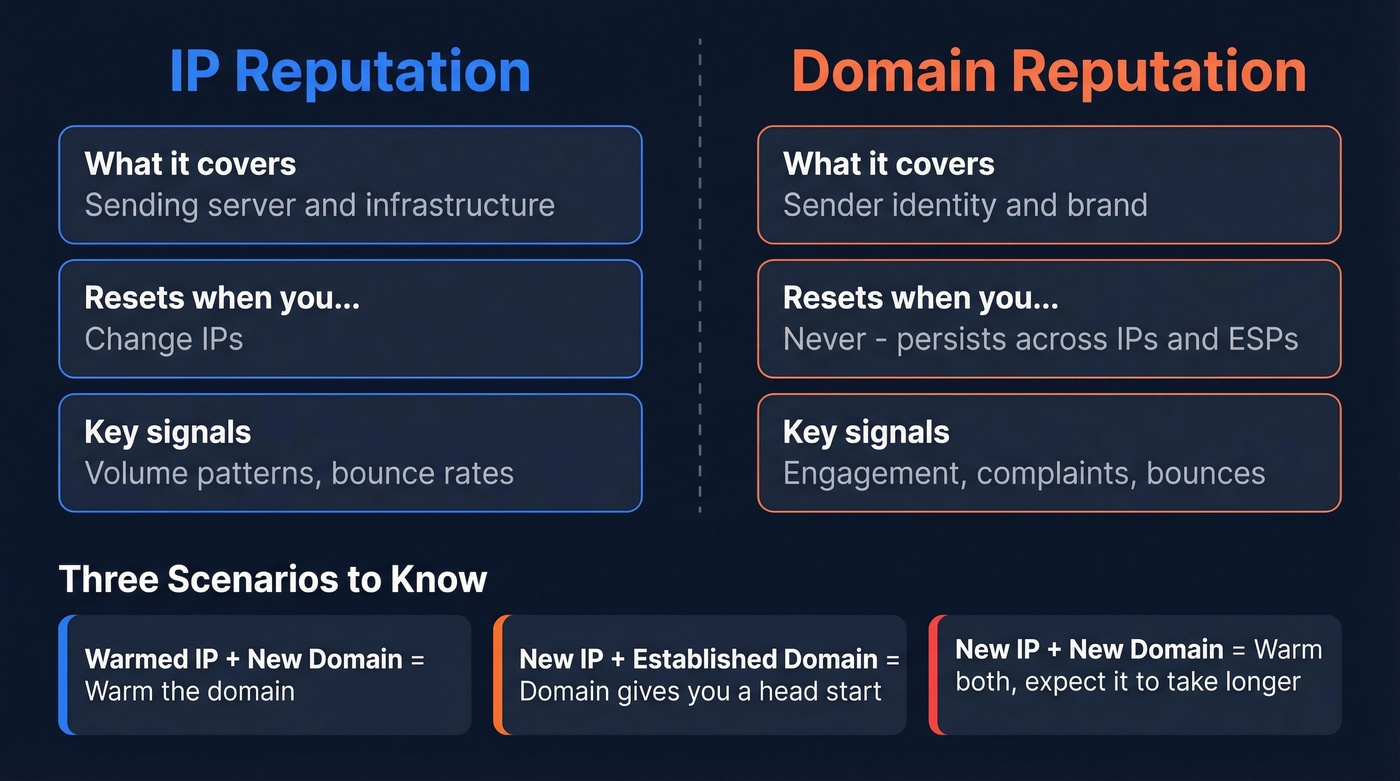
| IP Reputation | Domain Reputation | |
|---|---|---|
| What it covers | Sending server/infrastructure | Sender identity/brand |
| Resets when you... | Change IPs | Persists across IPs and ESPs |
| Key signals | Volume patterns, bounces | Engagement, complaints, bounces |
AWS outlines three scenarios worth knowing. Warmed IPs but new domain? Warm the domain. New IP but established domain? Your domain reputation gives you a head start. New IP and new domain? Warm both, and expect it to take longer.
Domain reputation follows you across ESPs. Switching providers doesn't reset it.
Pre-Warmup Checklist
Skipping these turns your warm-up into a reputation-destruction exercise.
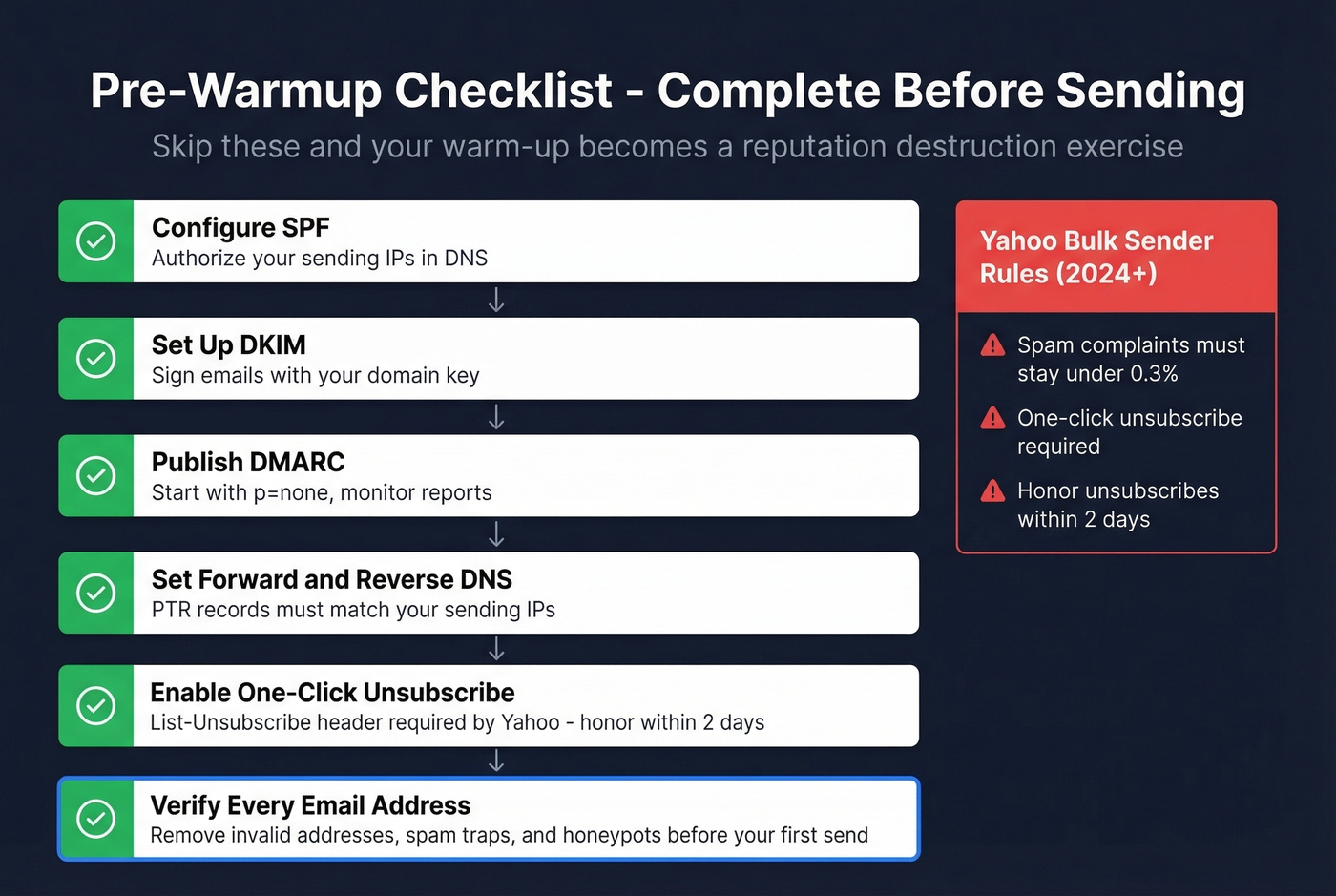
Authentication is non-negotiable. Configure SPF and DKIM, publish DMARC with at least p=none, and set valid forward and reverse DNS for your sending IPs. Yahoo now enforces strict requirements for bulk senders: keep spam complaints below 0.3%, support one-click unsubscribe via List-Unsubscribe headers, and honor unsubscribes within two days. Fail these during warm-up and you're done.
Verify every address before your first send. Bounces during warm-up are catastrophic because you have zero reputation buffer. Prospeo's email verification catches invalid emails with catch-all handling, spam-trap removal, and honeypot filtering - exactly the data quality issues that derail warm-ups before they start. If you need a deeper baseline, start with an email deliverability audit before you ramp volume.

One hard bounce during warm-up does more damage than a hundred on an established IP. Prospeo's 5-step verification catches invalid addresses, spam traps, and honeypots before your first send - so your new IP builds reputation on clean signals, not garbage data.
Verify your entire list at $0.01 per email before you send a single warm-up message.
The 30-Day Warm-Up Schedule
Based on Inboxroad's published schedule, condensed to key milestones:
| Day | Daily Volume | Cumulative |
|---|---|---|
| 1 | ~500 | 500 |
| 7 | ~4,000 | ~12,000 |
| 14 | ~16,000 | ~75,000 |
| 21 | ~45,000 | ~280,000 |
| 30 | ~112,000 | ~1,000,000 |
Start with transactional emails - purchase receipts, password resets, account notifications - because they get high engagement and signal legitimacy to ISPs. Then move to your most engaged subscribers, the people who opened something in the last 30 days. Only after two weeks should you expand to your broader list. Rejoiner's guide walks through this transactional-first approach in detail.
Consistency matters as much as volume. ISPs analyze the previous one to two weeks of sending patterns, and a sudden spike or multi-day gap can reset your progress entirely. We've seen teams lose two weeks of ramp progress from a single weekend pause. If you're unsure what "too fast" looks like, use an email velocity framework to set safe daily caps.
When to Pause Your Ramp
Don't just watch your volume climb - watch your metrics.
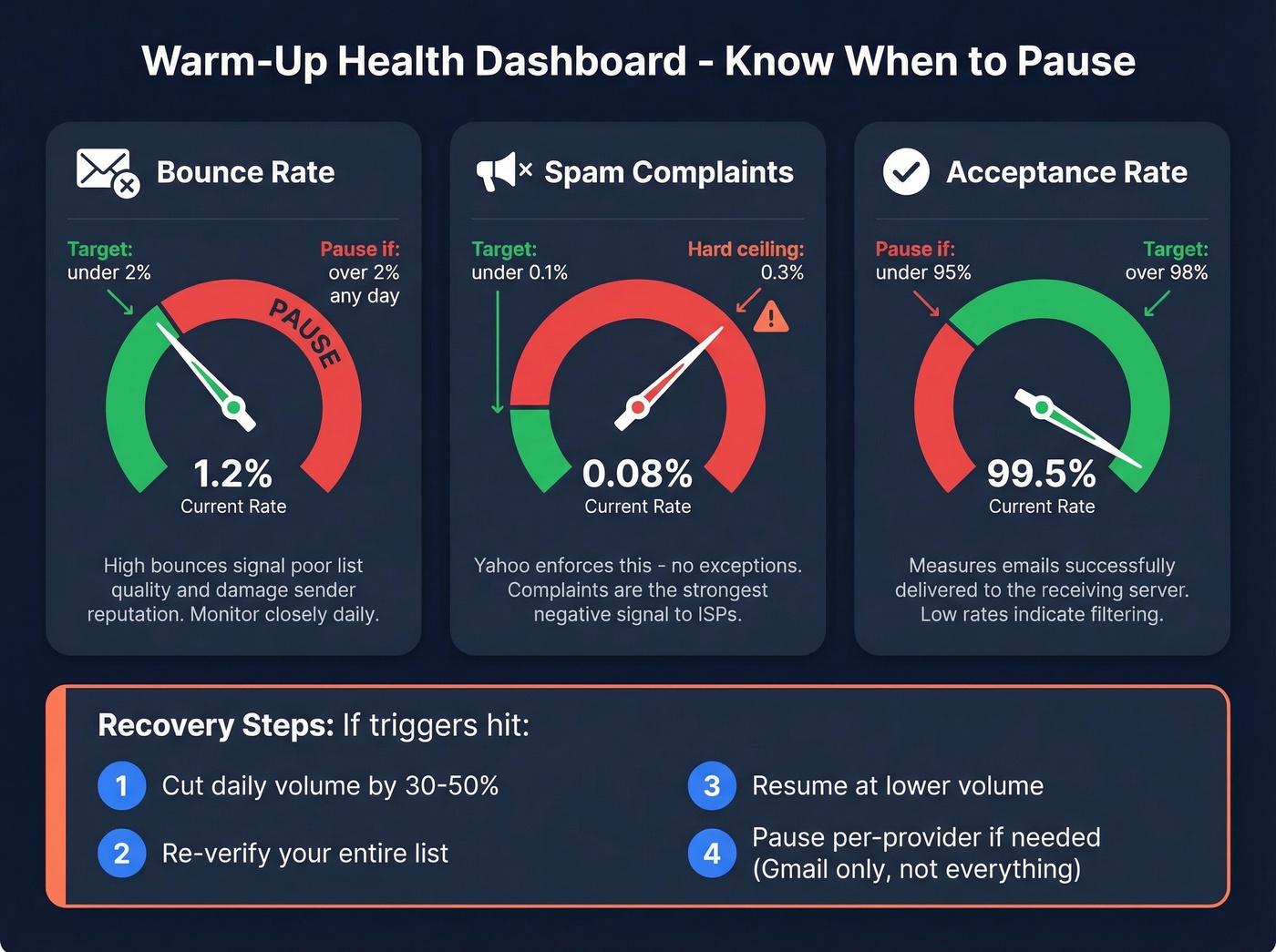
| Metric | Target | Pause Trigger |
|---|---|---|
| Bounce rate | < 2% | > 2% any day |
| Spam complaints | < 0.1% | > 0.3% hard ceiling |
| Acceptance rate | > 98% | < 95% |
If metrics spike, cut daily caps by 30-50%, re-verify your list, and resume at the lower volume. Don't push through bad signals - ISPs have long memories. If Gmail is deferring but Yahoo is fine, pause Gmail volume only rather than halting everything.
Here's the thing: most warm-up failures we've seen aren't volume problems. They're list quality problems. Teams send to unverified lists on day one and blame the ramp schedule when the real issue was garbage data. One agency we spoke with burned through three dedicated IPs in two months before realizing their purchased list was 40% invalid. If you're diagnosing deliverability, start by checking your email bounce rate patterns and cleaning the list before you touch the ramp.
The agency that burned three dedicated IPs had a list problem, not a volume problem. Prospeo's 98% email accuracy with catch-all handling and spam-trap removal means your warm-up ramp stays on schedule instead of resetting every week.
Stop re-warming IPs you wrecked with bad data. Start with verified contacts.
Monitoring Deliverability During Warm-Up
You need visibility into what ISPs think of you. Three tools are essential.
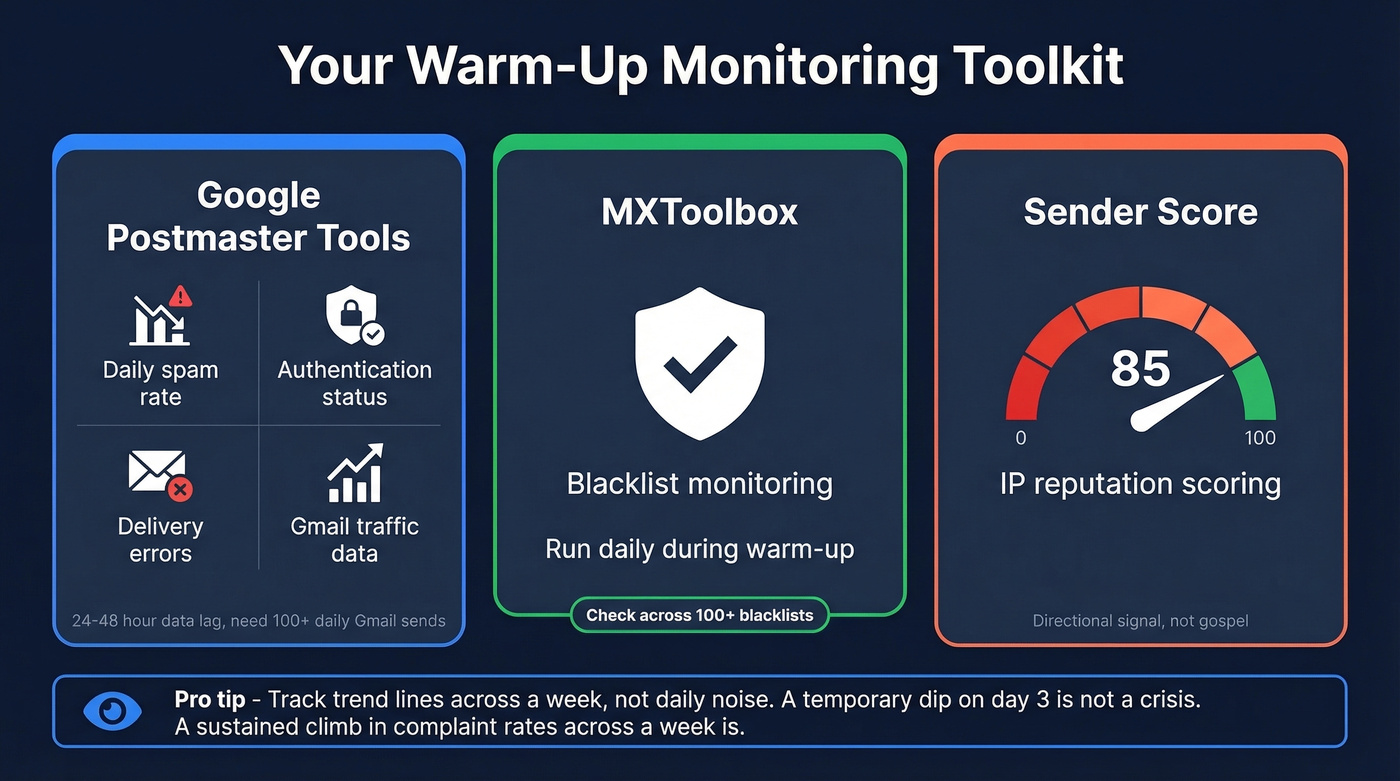
Google Postmaster Tools gives you daily spam rate, authentication status, and delivery error data for Gmail traffic. Expect a 24-48 hour data lag, and you'll need roughly 100+ daily Gmail messages for consistent reporting.
MXToolbox runs blacklist checks - run this daily during warm-up. Sender Score provides a reputation score for your sending IP, useful as a directional signal though not gospel. For a broader toolkit, compare options in our guide to email reputation tools.
Let's be honest: don't obsess over any single metric in isolation. A temporary dip in open rates on day three isn't a crisis. A sustained climb in complaint rates across a week is. Track the trend lines, not the daily noise. If you're tightening authentication, it helps to understand DMARC alignment so your policy actually reinforces trust.
FAQ
How long does email marketing IP warming take?
Expect 30 days for senders targeting 100K+ monthly volume. Very high-volume programs (500K+) can take up to 60 days. Timeline depends on your target volume and how strong engagement is during the ramp - higher open rates accelerate trust-building with ISPs.
What happens if I skip the warm-up entirely?
ISPs flag sudden volume spikes from unknown IPs as spam. Your emails land in junk, bounce rates spike, and the IP gets blocklisted. Recovery takes weeks - far longer than a proper 30-day ramp would have taken.
Can bad email data ruin a warm-up?
It's the number one warm-up killer. Invalid addresses cause hard bounces that tank IP reputation before it's established. Spam traps are worse, signaling to ISPs that you're sending to purchased or unverified lists. Run every address through a verification tool before your first send.
Do I need to re-warm after switching ESPs?
If you're moving to a new dedicated IP, yes - the new IP has no reputation regardless of your sending history. Your domain reputation carries over, though, which gives you a head start. Warm the new IP using the same graduated schedule, starting with your most engaged segments.