

How to Find an Employee of a Company (2026 Guide)
Most advice on how to find an employee of a company boils down to "search LinkedIn." That's one method out of five, and it's not even the best one for most use cases. Contact data goes stale at a rate of 33% per year, sales reps burn 17% of their working hours just hunting for contact info, and a lot of the emails you find through generic tools bounce on the first sequence.
Here's the thing: the right method depends entirely on how many people you need to find. Tracking down one VP at a target account is a different problem than building a list of 500 engineering managers across a vertical. This guide covers both ends of that spectrum - and everything in between.
What You Need (Quick Version)
1-10 people: Manual research using company websites, public filings, and Google. Free, but budget 20-30 minutes per person.
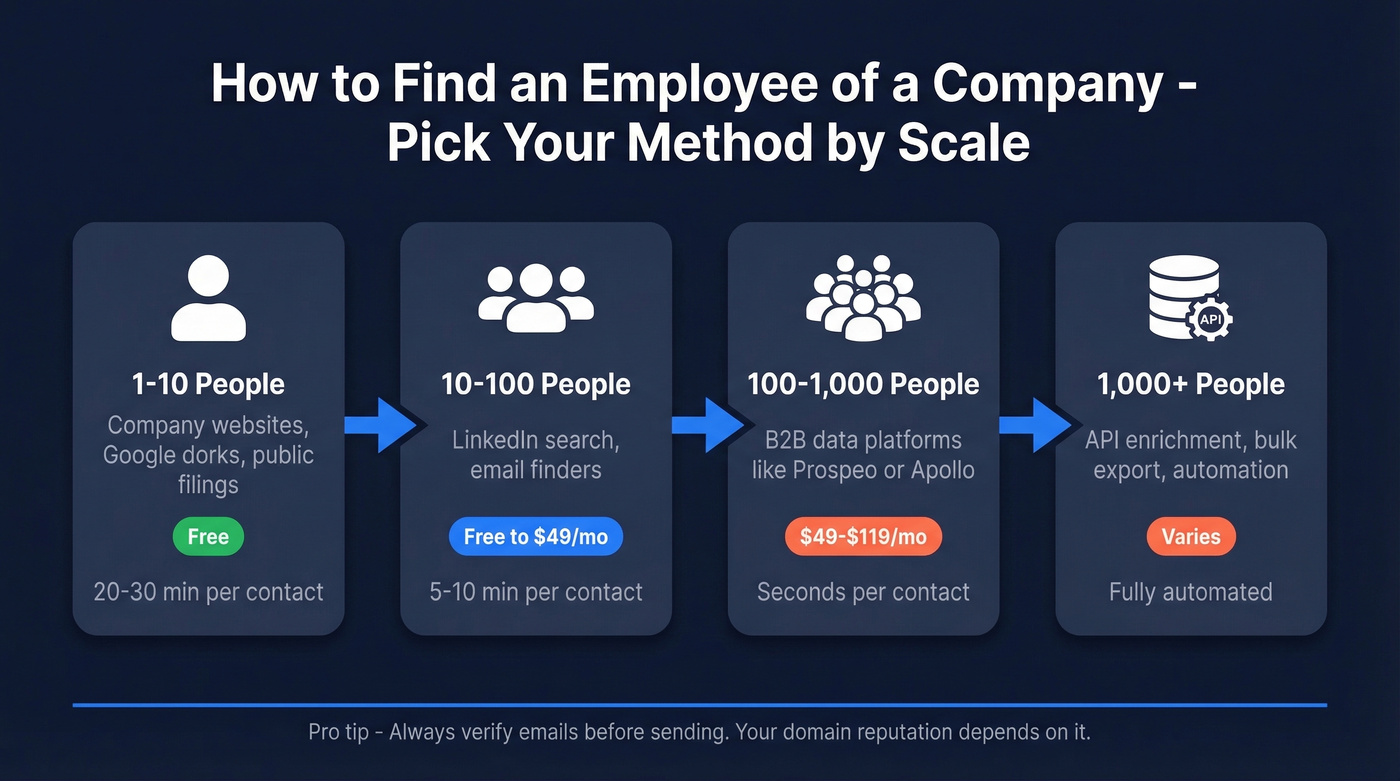
10-100 people: Use a B2B data platform or email finder. You'll get verified emails in seconds instead of minutes, and the good tools cost less than a coffee per contact.
100+ people: Automate with API enrichment or bulk export tools. Verify every email before sending - your domain reputation depends on it.
Pick Your Method
| Scale | Best Method | Cost | Time per Contact |
|---|---|---|---|
| 1-10 | Company sites + public sources | Free | 20-30 min |
| 10-100 | Professional network search + email finder | Free-$49/mo | 5-10 min |
| 100-1,000 | B2B data platform | $49-$119/mo | Seconds |
| 1,000+ | API + automation | Varies | Automated |
Company Websites and Public Sources
For small-volume research - finding a specific VP at a target account, or mapping the leadership team at a prospect company - free public sources are underrated. They take time, but the data is often more current than what's sitting in a database.
Team and About Pages
Start with the company's own website. Most B2B companies publish a leadership or team page, and startups especially love putting their whole team on the About page. Look for /about, /team, /leadership, or /our-people paths. You'll often find names, titles, and sometimes direct email addresses.
For engineering teams, check the company's GitHub organization. Contributors and organization members are frequently visible publicly with profile links.
Google Dork Operators
Google's site search is surprisingly powerful for a company employee search. Three queries worth bookmarking:
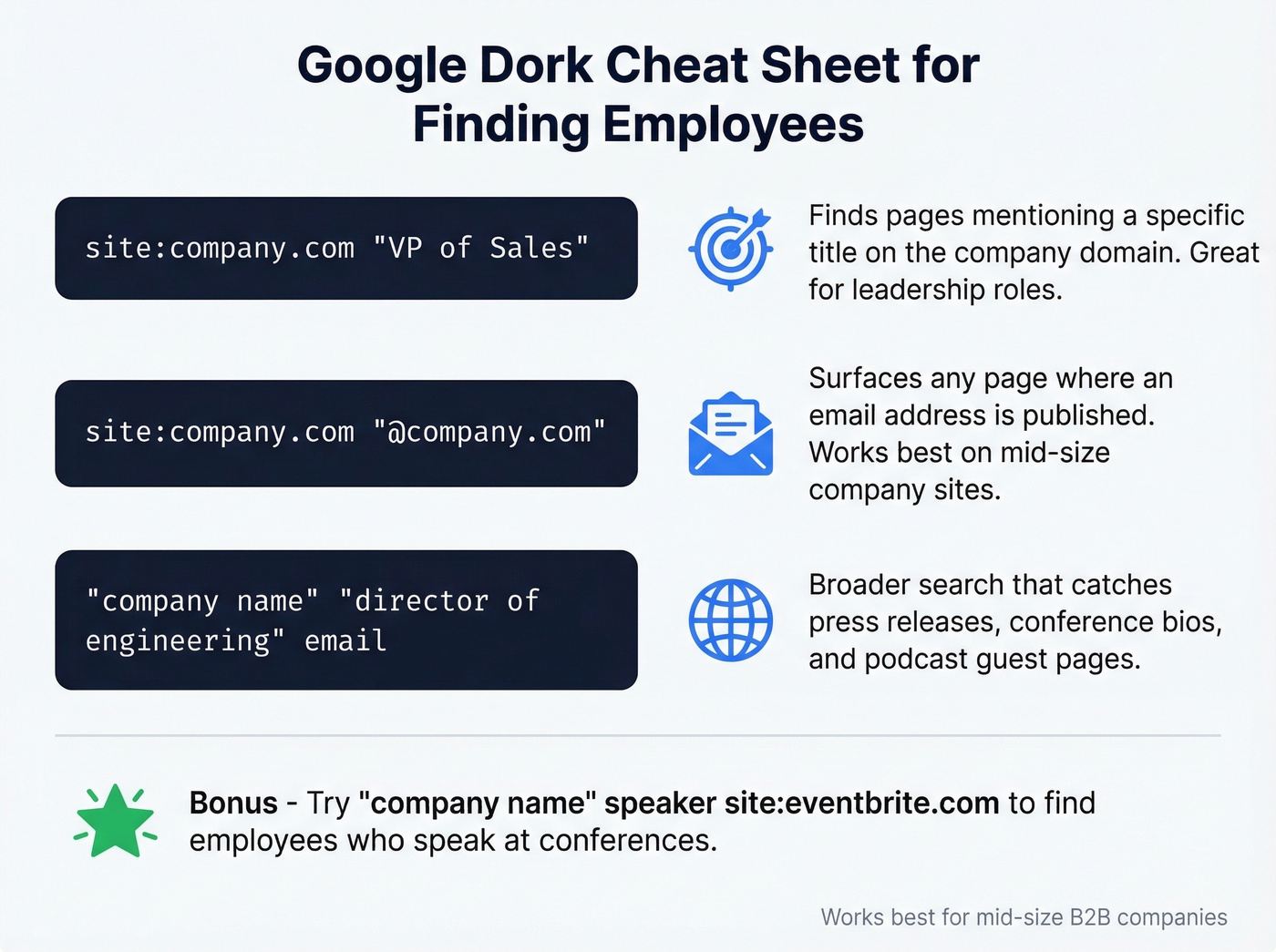
site:company.com "VP of Sales"- finds pages mentioning that title on the company's domainsite:company.com "@company.com"- surfaces any page where an email address is published"company name" "director of engineering" email- broader search that catches press releases, conference bios, and podcast appearances
These work best for mid-size companies that publish content. Enterprise companies tend to lock things down tighter.
Public Filings and Directories
For public companies, SEC EDGAR filings list executives and board members by name in 10-K and proxy statements. Crunchbase and Wellfound cover startup leadership and funding teams. Patent filings name inventors - useful if you're targeting R&D leads. Professional directories for niche industries like state bar associations, medical boards, or engineering registries can surface names that don't appear anywhere else online. Conference speaker lists are another underused source: search "company name" speaker site:eventbrite.com or check industry conference archives directly.
Finding Employees via LinkedIn
LinkedIn is the obvious starting point, but most people barely scratch the surface of what's possible without paying for Sales Navigator.
Free Search Filters
The free tier lets you search employees by company, title, location, and keywords. Boolean operators work in the search bar: "VP of Sales" AND "SaaS" NOT "retired" narrows results fast. The free version caps how many results you can browse, but for targeted searches of 10-50 people at a specific company, it's usually enough.
Advanced URL Parameters
Here's a technique most people don't know about. LinkedIn's people search accepts URL parameters you can edit directly:
https://www.linkedin.com/search/results/people/?company=Microsoft&title=Director&firstName=John
You can combine company, title, firstName, lastName, and school parameters in a single URL. The key distinction: company=Microsoft (text-based) searches broadly and returns roughly 241K results, while facetCurrentCompany=["1035"] (company-ID-based) narrows to the exact entity and returns about 155K. The company ID approach is more precise - find it in the URL when you visit a company's LinkedIn page.
What Paid Tiers Unlock
Sales Navigator adds filters free search can't touch: annual revenue, headcount growth, department headcount, technologies used, buyer intent signals, and years in current role. LinkedIn's network spans 1B+ members across 67M+ companies. At around $100/month, it pays for itself within a few deals if you're doing serious outbound.
Operational tip: LinkedIn tracks profile visits by default. If you're researching competitors or sensitive accounts, switch to private mode in your visibility settings before browsing.
B2B Data Platforms for Finding Employees at Scale
This is where most teams land once manual research stops scaling. The right platform gives you verified emails and phone numbers in seconds. But accuracy varies enormously - a benchmark testing 15 email finders on 20,000 real contacts found real enrichment rates ranging from 30-55% after accounting for bounces and wrong domains.
In our experience, the best workflow isn't picking one tool and trusting it blindly. It's finding the name through one source and verifying the contact through another. Here's how the major platforms stack up.
Prospeo
Prospeo covers 300M+ professional profiles with 143M+ verified emails and 125M+ verified mobile numbers. Email accuracy sits at 98%, backed by a proprietary 5-step verification process that handles catch-all domains, spam traps, and honeypots. Data refreshes every 7 days - compared to the 6-week industry average, that's a meaningful edge for anyone tired of stale records.

The platform offers 30+ search filters including buyer intent via Bombora, technographics, job change signals, headcount growth, funding, and revenue data. The Chrome extension pulls verified contact data from any website or CRM in one click. Pricing is straightforward: about $0.01 per email, 10 credits per mobile number, with a free tier of 75 emails and 100 Chrome extension credits per month. No contracts, no sales calls required.
Apollo
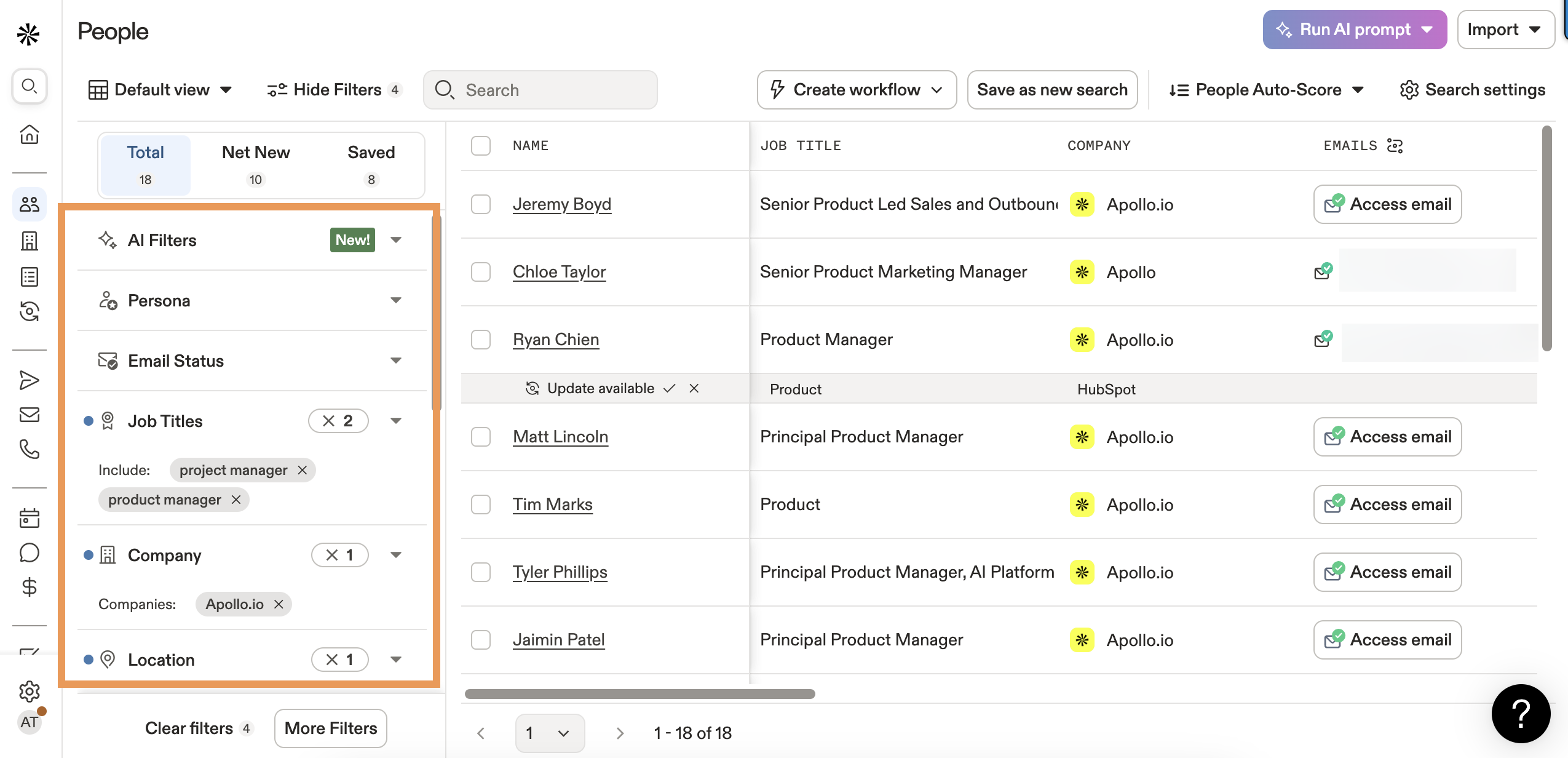
Apollo is the go-to for teams that want prospecting, sequencing, and data in one platform. The database covers 275M+ contacts across 73M companies with 65+ search filters. Pricing starts at $49/user/month (Basic), $79 (Professional), and $119 (Organization), with a usable free tier.
The tradeoff: practitioner-reported email accuracy hovers around 65-70%. That means roughly a third of the emails you pull need a second pass. Apollo also had data breaches in 2018 and 2021 - worth knowing if your security team asks.
Use this if you want an all-in-one prospecting tool on a startup budget. Skip this if email accuracy is your top priority or you're sending high-volume cold email where bounces tank deliverability.
ZoomInfo
ZoomInfo is the enterprise default. It's also absurdly expensive for small teams. Professional plans start around $15K/year, Advanced runs about $25K, and Elite hits roughly $40K.
Look, ZoomInfo is still the best all-in-one enterprise platform. But if your deal sizes are under five figures or your team is lean, you're overpaying for capabilities you'll never use. Most teams are better off pairing a focused email finder with a separate sequencing tool.
Use this if you need enterprise-grade coverage, intent data, and workflow automation from one vendor. Skip this if you're a small team wondering why you're paying $15K for a search bar.
Hunter, Lusha, and RocketReach
Not every use case needs a full platform.
Hunter excels at domain-level email pattern detection - give it a company domain and it shows you the email format plus any addresses it's found. Free tier offers 25 searches/month, and Starter runs about EUR 34/month for 500 searches and 1,000 verifications. The finding rate has declined according to Reddit practitioners, but it's still useful as a pattern-detection layer.
Lusha is built for quick Chrome extension lookups. Pro plan at about $22/user/month (annual billing) gets you 3,000 annual credits. Premium jumps to roughly $52/user/month for 7,200 annual credits. The catch: 1 credit per email, 5 credits per direct dial, and credits expire monthly. Practitioner accuracy sits around 60-65%.
RocketReach starts at about EUR 32/month for 125 credits. The consensus on r/sales is that it's worth trying specifically for hard-to-reach executives and niche contacts where other tools come up empty. Practitioner accuracy runs 60-70%.
Platform Comparison
| Tool | Email Accuracy | Free Tier | Starting Price | Best For |
|---|---|---|---|---|
| Prospeo | 98% | 75 emails/mo | ~$0.01/email | Verified emails, data freshness |
| Apollo | 65-70%* | Yes | $49/user/mo | All-in-one prospecting |
| ZoomInfo | 87% | No | ~$15K/yr | Enterprise teams |
| Hunter | Varies | 25 searches/mo | ~EUR 34/mo | Email pattern detection |
| Lusha | 60-65%* | 5 credits/mo | ~$22/user/mo | Quick Chrome lookups |
| RocketReach | 60-70%* | No | ~EUR 32/mo | Hard-to-reach executives |
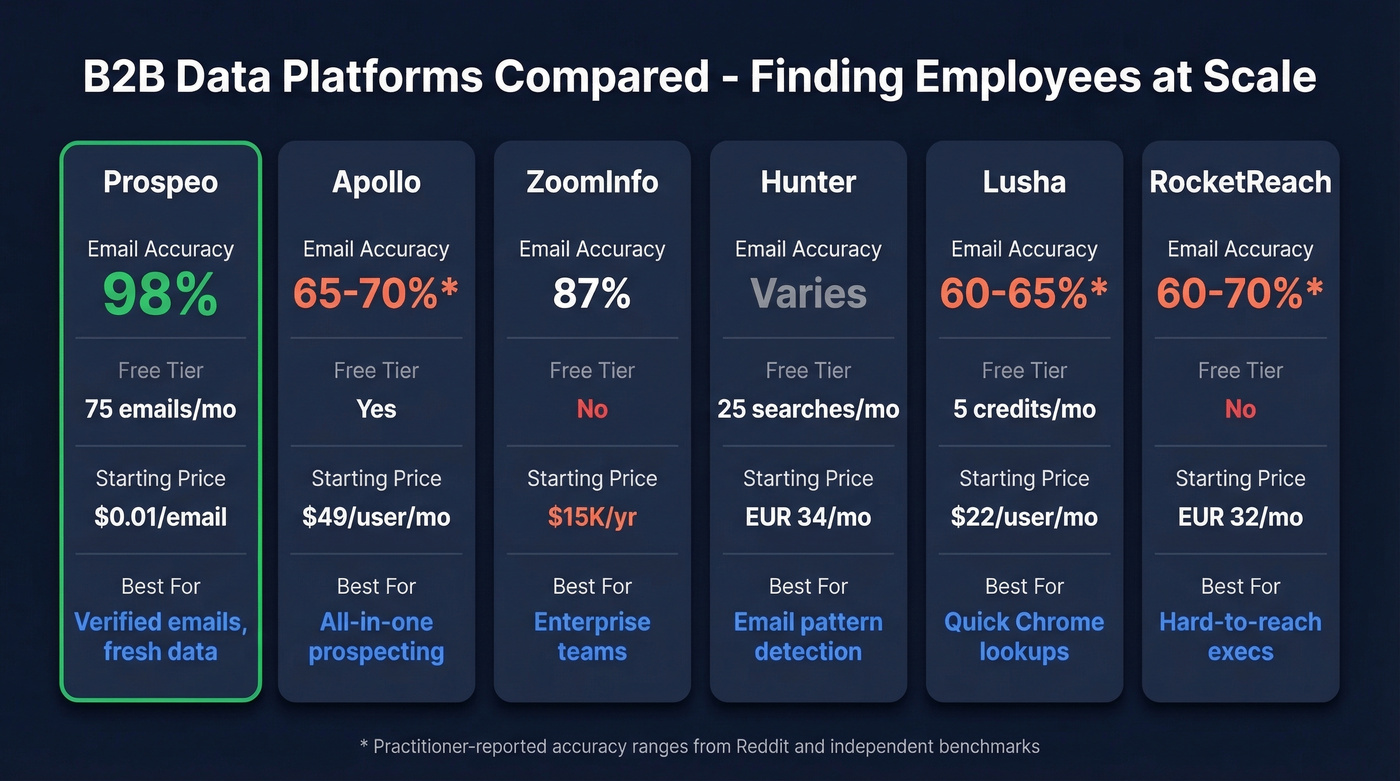
* Practitioner-reported ranges

You just read that sales reps waste 17% of their time hunting for contact info. Prospeo's 300M+ profile database with 30+ filters lets you find any employee at any company in seconds - with 98% email accuracy and a 7-day data refresh so you never hit a stale record.
Find your first 75 employees for free. No credit card, no sales call.
Building a list of 100+ employees across target accounts? Prospeo returns verified emails at $0.01 each and mobile numbers with a 30% pickup rate - backed by 5-step verification that kills bounces before they kill your domain reputation.
Stop guessing email formats. Get verified contact data in bulk.
Email Pattern Guessing + Verification
Sometimes you know the person's name and company but can't find their email in any database. Pattern guessing becomes your backup play.
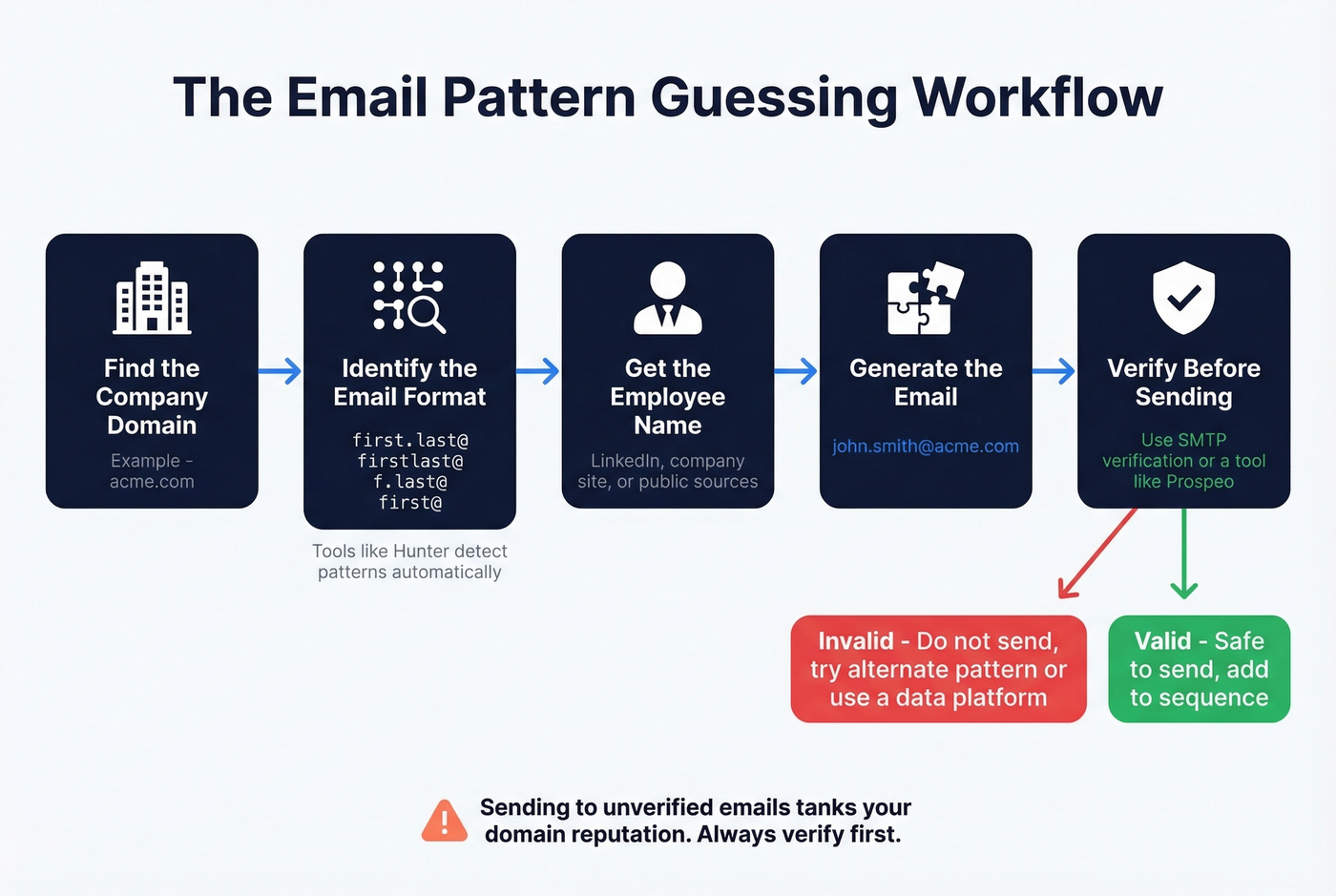
Most companies use one of a handful of email formats:
| Pattern | Prevalence |
|---|---|
| firstname.lastname@ | 35% |
| firstnamelastname@ | 20% |
| firstname@ | 15% |
| flastname@ | 12% |
| firstnamel@ | 8% |
| lastname.firstname@ | 5% |
| Other | 5% |
The workflow is straightforward. Find one known email at the target company using the Google dork site:company.com "@company.com" to surface published addresses. Identify the pattern from that sample, apply it to your target's name, then verify before sending.

That last step isn't optional. Catch-all domains accept any email address during SMTP checks, so a standard verification ping won't tell you if the address is real. Waterfall enrichment - querying 15+ sources - achieves 80-90% coverage versus 50-60% from single-source tools. Once you've guessed the email, run it through a dedicated email finder that handles catch-all verification and spam-trap removal automatically. Never send to an unverified address. One bad batch can wreck your domain reputation for months.
Automation and Bulk Export
Once you're past 1,000 contacts, manual methods and one-at-a-time lookups don't cut it. This is API territory.
The standard automation workflow: export names and companies from your source (professional networks, conference lists, CRM), enrich with a dedicated email finder via API, then push verified contacts to your CRM. PhantomBuster recommends staying under about 1,000 results per day on free accounts and roughly 2,500/day with premium - push harder and you risk account restrictions.
The two-step approach - export names from one source, verify contacts through a dedicated tool - consistently outperforms relying on a single platform's built-in data. We've seen teams cut bounce rates from 35% to under 5% just by adding a verification layer. That's the difference between a healthy sending domain and one that's flagged by every major ESP. For teams running M&A contact outreach or large-scale account mapping, this workflow is non-negotiable.
Staying Current with Prospect Intelligence
Finding employees is only half the battle. Knowing when to reach out matters just as much.
A news aggregator for sales - tools like Feedly, Google Alerts, or Owler - can surface trigger events like leadership changes, funding rounds, and product launches at your target accounts. Pairing these signals with your contact list turns a static spreadsheet into a dynamic pipeline. When you spot a trigger event, you already have the right person and a relevant reason to reach out.
Compliance Basics
Finding employees is legal. How you use the data matters.
The practical rules are simple: use business-relevant data, keep records of where you sourced each contact, always include an unsubscribe mechanism, honor opt-out requests promptly, and if someone asks to be removed, remove them immediately. None of this should stop you from prospecting. It just means being professional about it.
Common Questions
How do I look up employees of a company?
For a handful of names, start with the company's website team page and LinkedIn. For larger lists, use a B2B data platform that lets you search by company and export verified contact details in bulk. Public filings, Crunchbase, and conference archives round out the picture for harder-to-find contacts.
Can I find employees of a private company?
Yes. Private companies still publish team pages, appear in press releases, speak at conferences, and maintain professional network profiles. B2B data platforms index hundreds of millions of profiles regardless of public/private status. Wellfound is especially useful for startup leadership teams.
How do I find someone's work email after identifying them?
Use an email finder tool - paste the person's name and company domain, and the tool returns a verified address. Alternatively, identify the company's email pattern (firstname.lastname@ is the most common at 35% prevalence) and verify your guess before sending. Never send to an unverified address.
What's the most accurate email finder in 2026?
Independent benchmarks testing 15 tools on 20,000 contacts show most finders achieve 30-55% real enrichment rates. Prospeo reports 98% email accuracy with a 7-day data refresh cycle. Practitioner reports put Apollo at 65-70% and Lusha at 60-65%. The comparison table above breaks down accuracy, pricing, and best-fit use cases.
Is it legal to look up employees of a company?
Yes, in most jurisdictions. Follow basic compliance rules: use business-relevant data, avoid scraping personal social media accounts, include an unsubscribe mechanism, honor opt-outs quickly, and keep internal records of your data sources and removals.