

Sales Call Report Template (Free) for 2026
Your SDR made 50 calls yesterday. You ask what happened. "A bunch of voicemails and a few good conversations." That's not a report - that's a shrug.
Sales reps spend roughly 60% of their time on non-selling tasks, and poorly designed call reports eat a big chunk of that waste. Meanwhile, 84% of reps missed quota last year. Bad reporting means bad follow-up, which means lost deals. A good sales call report template fixes this by forcing reps to capture what actually matters - not just that a call happened, but what it means for the deal.
What You Actually Need
You don't need 16 templates. You need one your team will actually use. Below you'll find six variations - pick the one closest to your workflow, customize it in 10 minutes, and enforce it.
Daily Call Log · BANT Report · MEDDIC Report · Cold Call Tracker · Deal-Advancing Report · [Manager Coaching Roll-Up](#manager-review - coaching-template)
The real distinction isn't format. It's whether your template captures activity ("I made 47 calls") or strategy ("The VP of Ops has budget but needs internal buy-in from IT by March").
What to Include in Every Report
Every call report needs the same structural bones, regardless of whether you're running cold outbound or mid-funnel discovery:
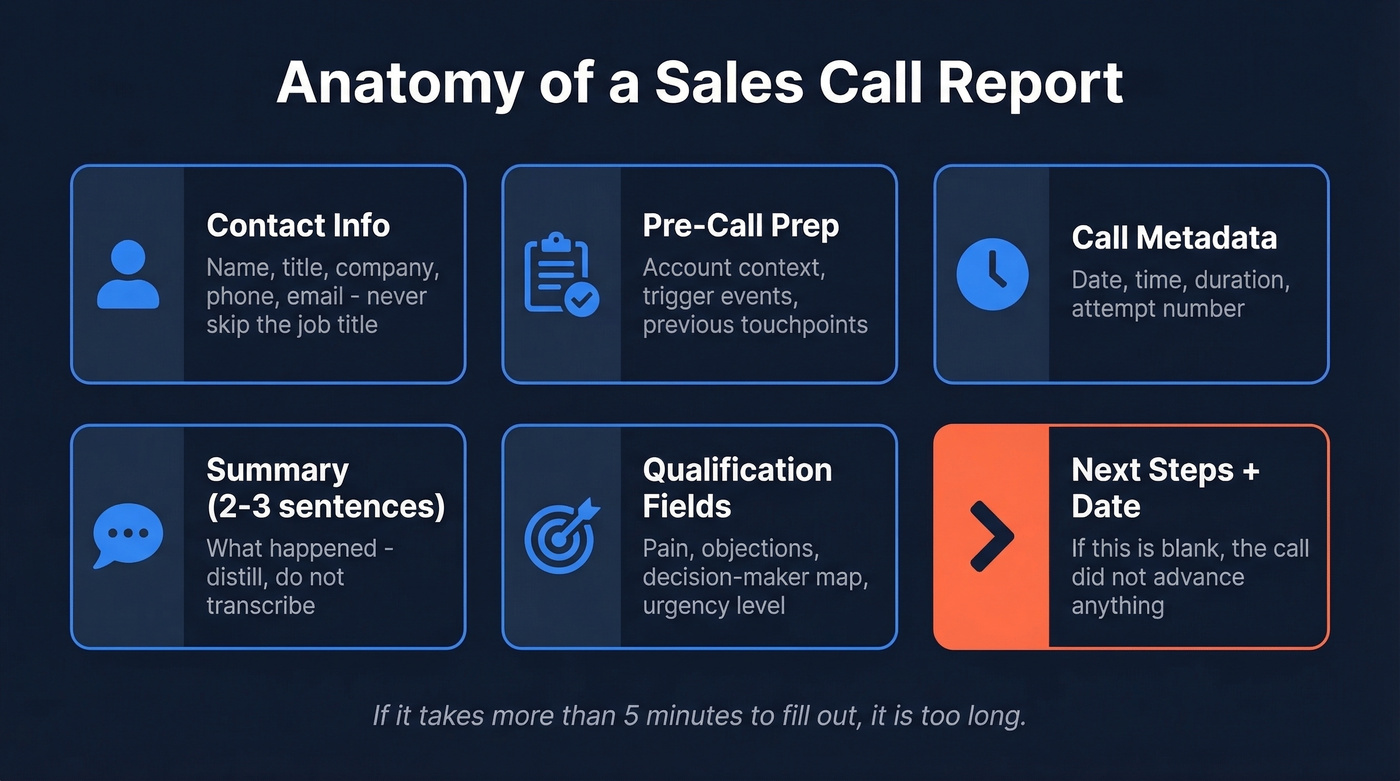
- Contact info: Name, title, company, phone, email. Sounds obvious, but half the reports we've reviewed skip the title.
- Pre-call prep notes: Account context, trigger event, previous touchpoints.
- Call details: Date, time, duration, attempt number - the metadata that make reporting possible later.
- Summary (2-3 sentences max): What happened. Not a transcript - a distillation. If your summary runs longer than three sentences, you're writing a novel nobody will read.
- Qualification fields: Pain identified, objections raised, decision-maker mapping, urgency level. These turn a log into a strategic asset.
- Next steps + follow-up date: The single most important field. If it's blank, the call didn't advance anything.
If it takes more than 5 minutes to fill out, it's too long. The 2-3 sentence rule for summaries isn't arbitrary - it forces reps to think about what actually mattered instead of dumping raw notes.
Free Templates for Every Stage
Each template below works as a free Google Sheets or Excel download. Grab the one that fits, duplicate it, and start logging.
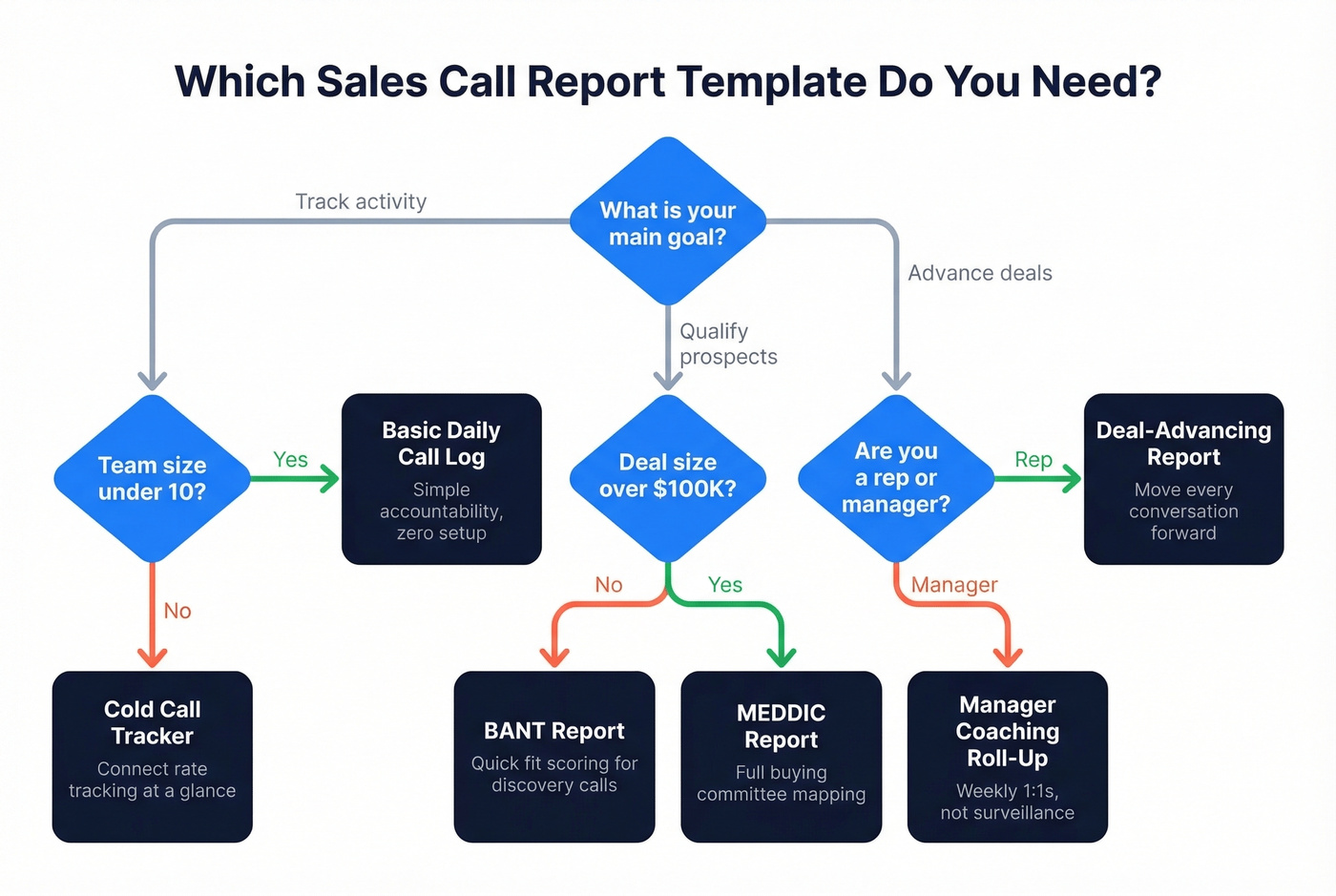
Basic Daily Call Log
For teams under 10 reps or situations where CRM adoption just isn't happening. Fields: date, prospect name, company, phone, call outcome (connected/voicemail/no answer), duration, notes (2-3 sentences), next step, follow-up date.
This is the call log template for the cold caller who won't touch a CRM but still needs accountability. Zero setup required.
BANT Qualification Call Report
Skip this if you're running high-volume cold outreach - BANT is built for discovery calls where you need to score fit quickly. Structured fields: Budget (confirmed? range? fiscal year timing?), Authority (decision-maker or influencer? who else is involved?), Need (stated problem, urgency 1-5), Timing (timeline to decision, trigger events).
BANT's been around since the 1950s for a reason: it's simple enough that reps actually complete it. We've seen teams try to "improve" BANT by adding 8 more fields, and completion rates crater within two weeks.
MEDDIC Qualification Call Report
When deals run six figures and involve multiple stakeholders, BANT isn't enough. MEDDIC maps the full buying committee: Metrics (how does the prospect measure success?), Economic Buyer (who signs the check?), Decision Criteria (what are they evaluating?), Decision Process (steps, timeline, committee), Identify Pain (quantified impact), Champion (internal advocate name and role).
Overkill for transactional sales. Essential for complex B2B where a single missed stakeholder can kill a deal at the finish line.
Cold Call Tracking Template
Connect rates typically fall in the 3-10% range, with top performers hitting around 22%. This sales call tracker is designed to surface that ratio at a glance. Fields: prospect, company, phone, attempt number, connected (Y/N), duration, disposition (meeting booked/callback/not interested/wrong number), objection category, next step.
The key addition over a basic log is connect-rate tracking - you want dials-to-conversations, not just raw activity. Without it, you can't tell whether your team has a dialing problem or a conversation problem.
Deal-Advancing Call Report
For mid-to-late-stage pipeline calls where every conversation should move the deal forward. Sections: company context, pain points discussed, value proposition presented, objections raised, decisions made (demo scheduled/quote sent/next meeting), and internal notes - decision-maker map, surprising reactions, exact language the prospect used. This is the template that turns your CRM into a coaching tool instead of a data graveyard.
Manager Review / Coaching Template
Here's the thing about manager templates: when reports feel like a performance review, reps game them. When they feel like a tool for getting better, reps use them honestly. That tension is the entire design philosophy here.
Fields: rep name, total calls, connect rate, meetings set, top objections this week, deals advanced, deals stalled, coaching notes. Built for weekly 1:1s and team meetings, not surveillance.
A Filled-Out Example
Most template articles give you empty fields and wish you luck. Here's what a completed deal-advancing report actually looks like:
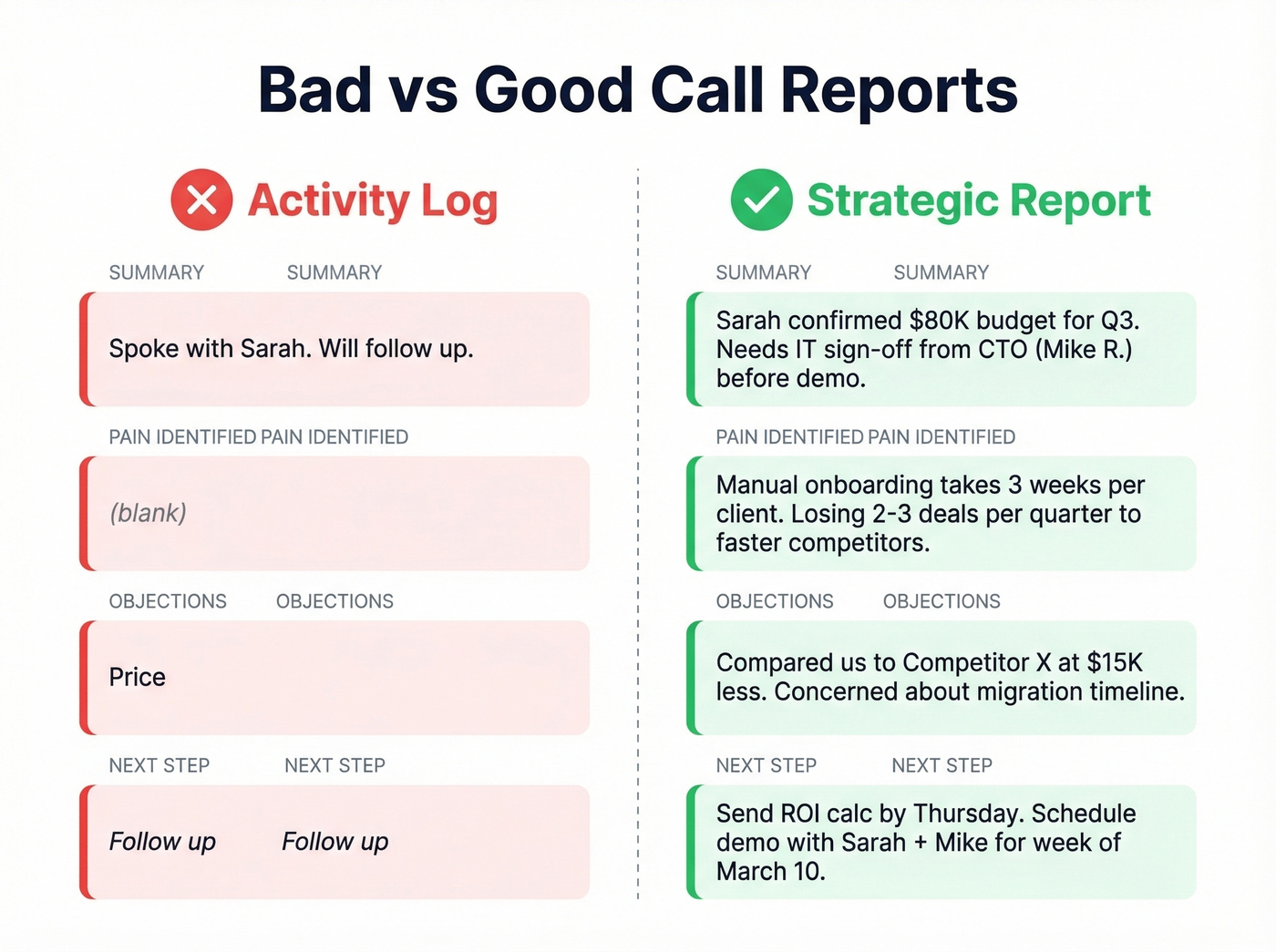
| Field | Bad Example | Good Example |
|---|---|---|
| Summary | "Spoke with Sarah. Will follow up." | "Sarah confirmed $80K budget for Q3. Needs IT sign-off from CTO (Mike R.) before demo." |
| Pain | (blank) | "Manual onboarding takes 3 weeks per client. Losing 2-3 deals/quarter to faster competitors." |
| Objections | "Price" | "Compared us to Competitor X at $15K less. Concerned about migration timeline." |
| Next step | "Follow up" | "Send ROI calc by Thursday. Schedule demo with Sarah + Mike for week of March 10." |
| Decision map | (blank) | "Sarah = champion. Mike (CTO) = technical veto. CFO signs above $50K." |
The difference is stark. The "bad" column is an activity log - it tells you something happened. The "good" column is a strategic report - it tells you what to do next, who matters, and where the deal could stall.

A perfect call report means nothing if the phone number is wrong. Prospeo gives you 125M+ verified mobile numbers with a 30% pickup rate - 3x the industry average. Stop logging "wrong number" dispositions and start filling reports with real conversations.
Fix your connect rate before you fix your call reports.
Mistakes That Kill Call Reports
1. Tracking dials instead of conversations. It takes roughly 6 attempts to contact 50% of leads, but the average rep makes fewer than 2 calls before giving up. If your template rewards raw dial volume, reps rush through lists and skip the persistence that actually books meetings.
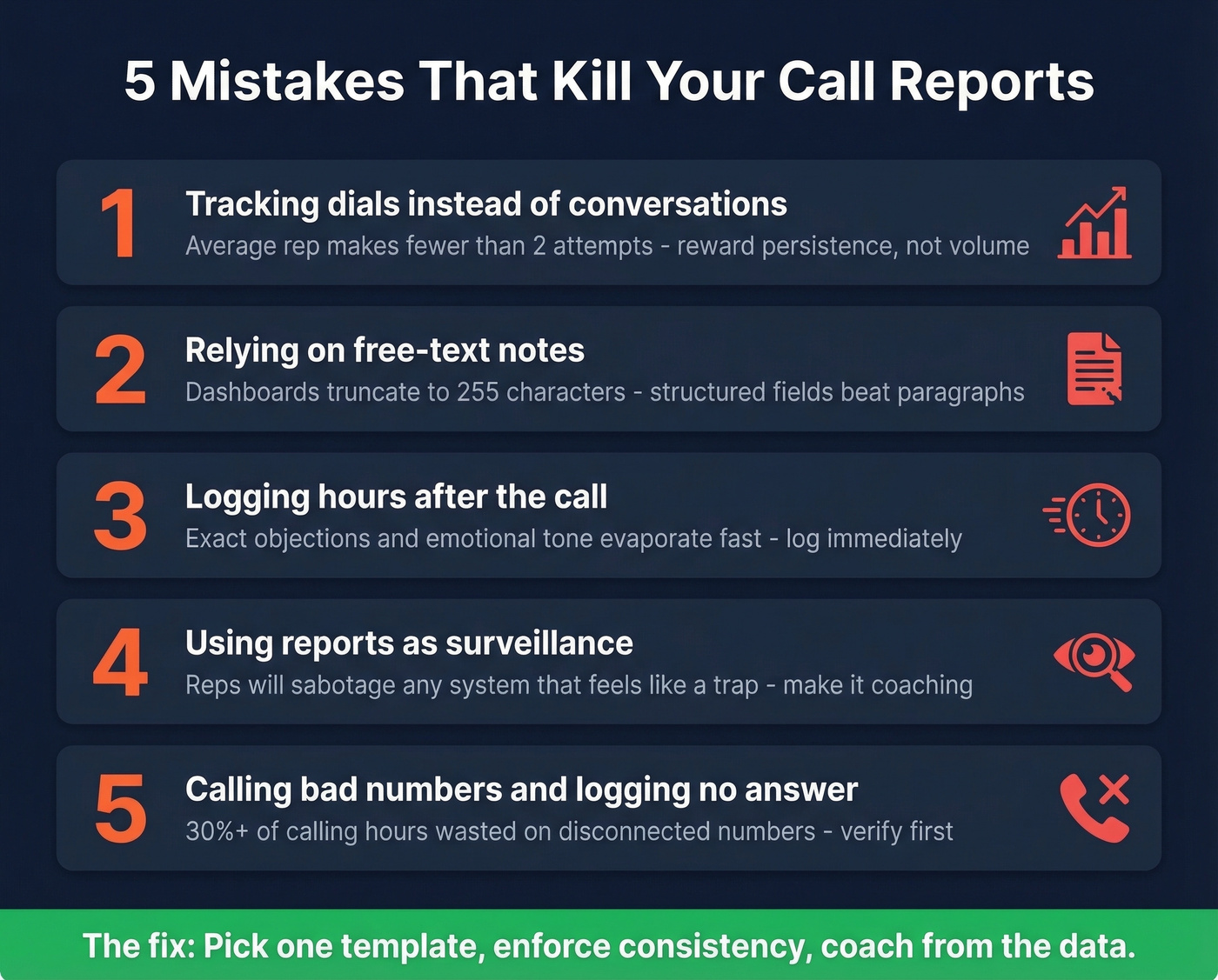
2. Relying on free-text notes. Salesforce's rich-text fields look great until you try to report on them - dashboards truncate to 255 characters and exports lose formatting entirely. Structured fields beat paragraphs every time.
3. Logging hours later. Waiting even a few hours destroys accuracy. The details that matter - exact objections, specific language, emotional tone - evaporate fast. Log immediately after hanging up, not at 5 PM when everything blurs together.
4. Using reports as surveillance. If reps think call reports exist to catch them slacking, they'll fill in the minimum. If reports feed into coaching sessions that help them close more, they'll invest in quality. The consensus on r/sales is pretty clear: reps will sabotage any system that feels like a trap.
5. Calling bad numbers and logging "no answer." We've seen teams waste 30%+ of their calling hours on disconnected numbers. Cold-calling converts at roughly 2.3% dial-to-meeting. If a third of your numbers are dead, a third of your activity is wasted, and your call reports fill up with phantom "no answers" that skew every metric. Verify your numbers before the call happens, not after.
Key Metrics and Benchmarks
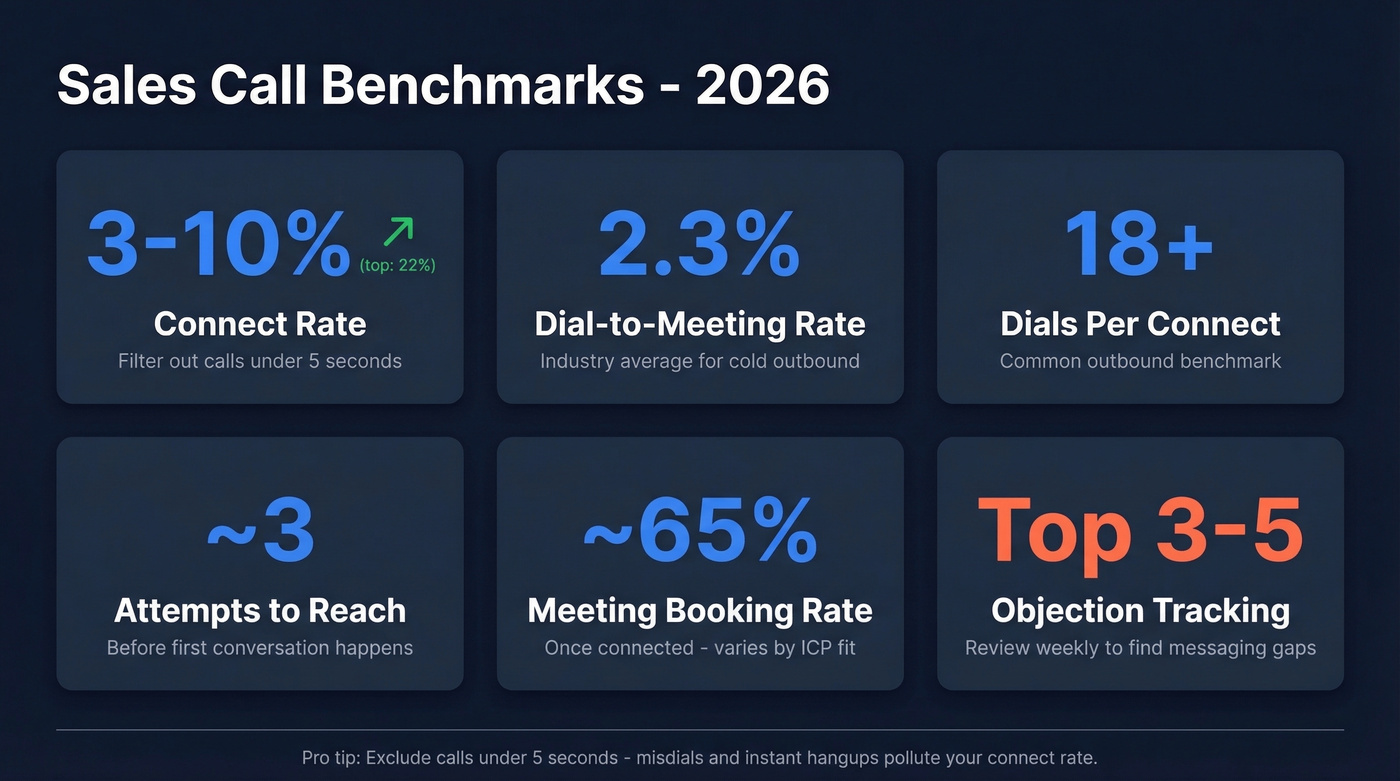
Here are the benchmarks that matter, with realistic ranges so you know where your team stands:
| Metric | Benchmark Range | Notes |
|---|---|---|
| Connect rate | 3-10% (top: ~22%) | Filter out calls under 5 seconds |
| Dial-to-meeting | ~2.3% | Industry average for cold |
| Dials per connect | 18+ | Common outbound benchmark |
| Attempts to reach | ~3 per prospect | Before first conversation |
| Meeting booking rate | ~65% once connected | Varies by ICP fit |
| Objection frequency | Track top 3-5 weekly | Patterns reveal messaging gaps |
The minimum-call-duration filter is underrated. Exclude anything under 5 seconds - those are misdials and instant hangups that pollute your connect rate. SDRs making 40-50 calls per day generate a lot of noise without it.
Let's be honest: if your average deal size is under $15K, you probably don't need a MEDDIC-level call report. A basic log with next steps and one qualification field will outperform a 15-field template that nobody fills out. The best report format is the one your team actually completes - every time, right after the call.
When to Ditch the Spreadsheet
A call report template in Excel or Google Sheets is fine until it's not. In our experience, the ceiling hits around 10 reps. The most sophisticated spreadsheet setup we've seen is Salesflare's three-tab structure - a settings sheet, a data entry sheet, and an auto-updating report sheet. Beyond that, things break.
Time to graduate when your team exceeds 10 reps, data starts slipping through cracks, you're seeing duplicate entries, or follow-ups are inconsistent. And 73% of B2B buyers actively avoid irrelevant outreach - sloppy call notes are exactly how follow-ups become irrelevant.
For conversation intelligence, the market has options at every price point. Gong runs roughly $100-$200/user/month and is built for enterprise coaching. Claap offers a free tier with paid plans around $20-$50/user/month. Fireflies.ai has a free plan with paid tiers around $10-$30/user/month.
Quick Rules
- Log immediately after the call. Not after lunch. Not at end of day. Now.
- Keep your summary to 2-3 sentences. If you can't distill the call that tightly, you don't understand what happened on it.
- Map template fields to your CRM objects so data flows without re-entry.
- Review reports weekly as a team - coaching sessions, not interrogations.
- Pick one sales call report template and enforce consistency. Five reps using five formats produces zero usable data.
- Before each calling block, run your list through Prospeo's mobile finder to verify numbers and emails. At roughly $0.01 per email, it's cheaper than one wasted hour dialing dead numbers.
Your cold call tracker shows a 4% connect rate. Is it a dialing problem or a data problem? Teams using Prospeo's 300M+ verified profiles book 35% more meetings than Apollo users - because every dial reaches a real person at the right company.
Turn your call log from an activity report into a pipeline machine.
FAQ
What should a sales call report include?
At minimum: contact info (name, title, company), call details (date, duration, attempt number), a 2-3 sentence summary, qualification fields (pain, objections, decision-maker map), and a concrete next step with a follow-up date. If the next-step field is blank, the call didn't advance anything.
What's the difference between a call log and a call report?
A call log tracks activity - date, number dialed, duration, outcome. A call report adds strategic context: what objections surfaced, who the decision-makers are, and what the next step is. Logs tell you what happened; reports tell you what to do next. Most teams need reports, not logs.
How long should filling out a report take?
Three to five minutes, maximum. If it takes longer, your template has too many fields. Focus on qualification score, pain points, objections, and next steps - two to three sentences for the summary. You're capturing insight, not writing a transcript.
How do I improve the data quality behind my call reports?
Start by verifying contact data before you dial. Eliminating dead numbers removes the "no answer" noise that inflates your call counts and skews connect-rate metrics. Clean data in means accurate reports out.