

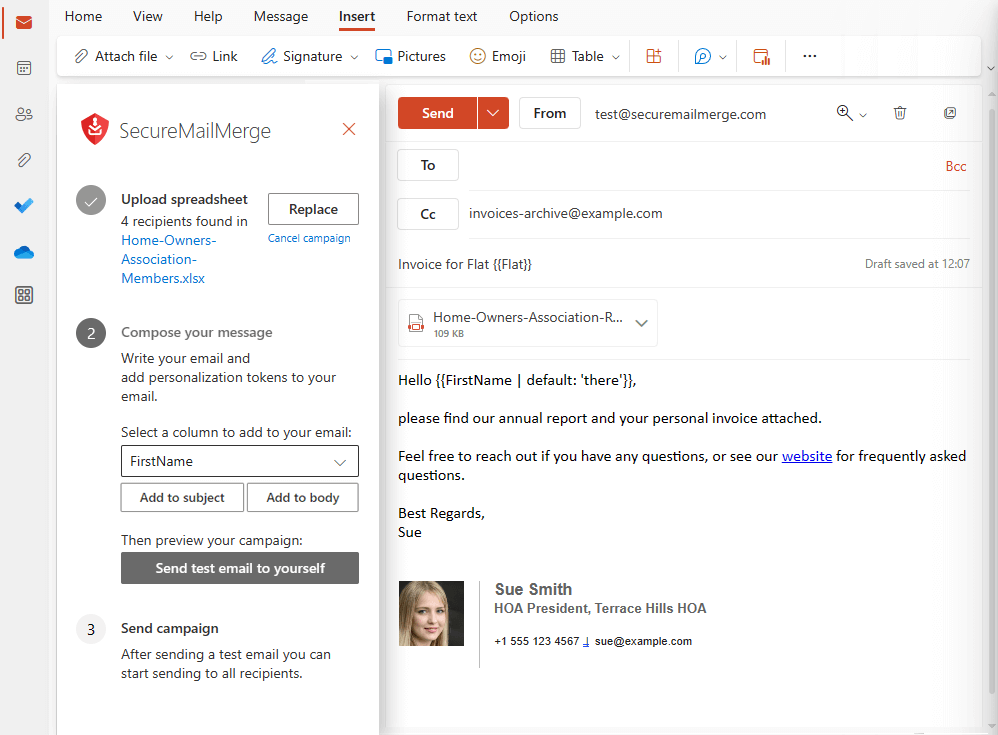
SecureMailMerge Alternatives: 7 Better Picks for 2026
New Outlook broke your mail merge workflow, and you're not alone. The built-in merge in New Outlook lacks personalization fields, CC/BCC support, and multi-recipient control - basically everything that made mail merge useful. Some teams are even considering Mailchimp, which is like using a firehose to water a houseplant.
Here are seven SecureMailMerge alternatives that actually fill the gap.
Our Picks (TL;DR)
- Prospeo - Best for verifying your list before you hit send
- MailMerge365 - Best drop-in replacement for Outlook power users
- Mail Merge Toolkit - Best for teams that want a one-time purchase with local data processing
What to Look For in a Replacement
Before you trial anything, check these boxes:
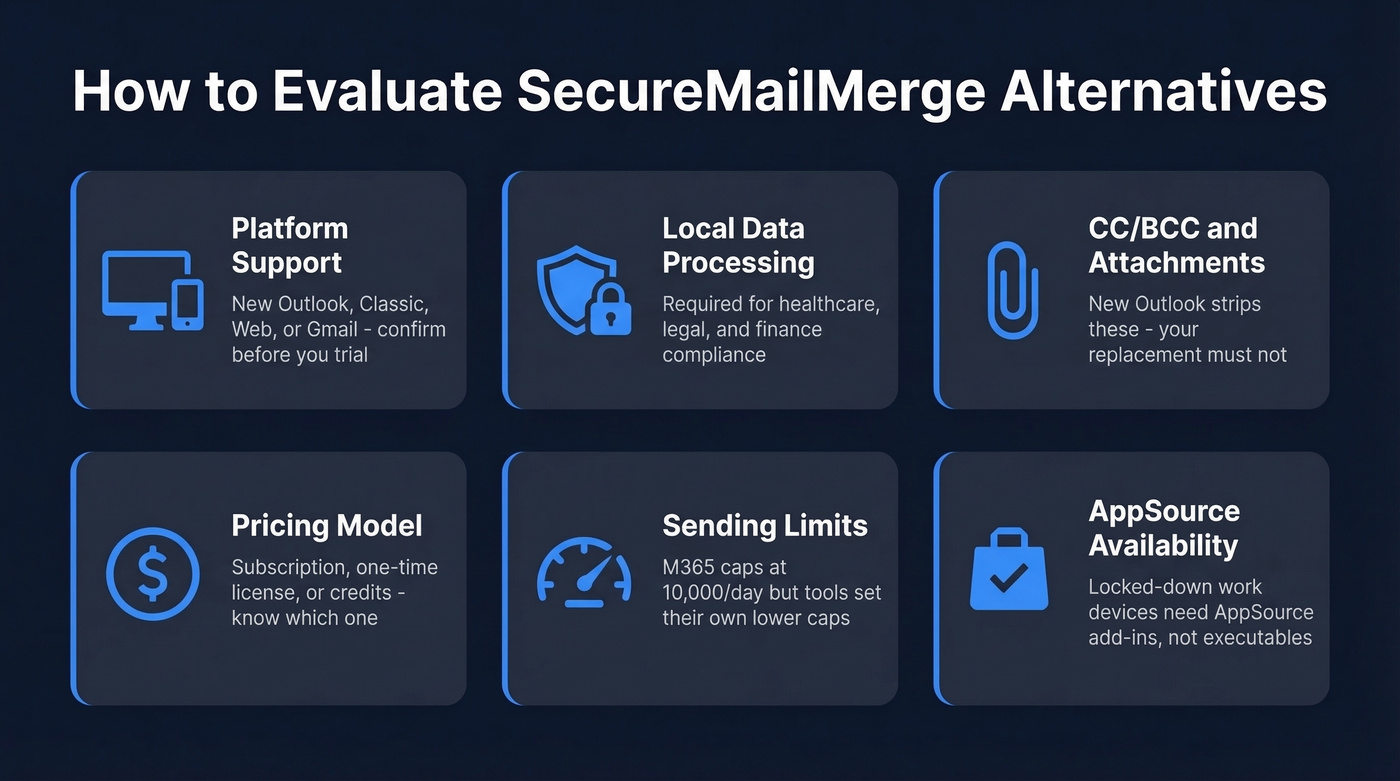
- Platform support - New Outlook, classic Outlook, Outlook Web, and Gmail aren't interchangeable. Confirm compatibility first.
- Local data processing - If you're in healthcare, legal, or finance, your compliance team will ask where campaign data goes.
- CC/BCC and attachments - New Outlook's merge strips these. Make sure your replacement doesn't.
- Pricing model - Subscription, one-time license, or credits. Know which you're signing up for.
- Sending limits - [Microsoft 365 caps you at 10,000 emails/day](https://learn.microsoft.com/en-us/office365/servicedescriptions/exchange-online-service-description/exchange-online-limits), but most tools impose their own lower limits.
- AppSource availability - If IT has locked down your work device, you need an add-in from Microsoft AppSource, not a desktop executable.

Every mail merge alternative on this list sends emails - none of them verify your list first. Prospeo's 5-step verification catches dead addresses, spam traps, and honeypots before they wreck your domain reputation. At $0.01 per email with 98% accuracy, it costs less than a single bounced campaign.
Clean your list before you hit send. 75 free verifications to start.
The 7 Best SecureMailMerge Alternatives
Prospeo - Verify Before You Merge
Every tool below sends emails. None of them check whether those emails are valid first.
Mail merge campaigns fail in two ways: bad content and bad data. You can A/B test subject lines all day, but if 15% of your list bounces, you're torching your domain reputation regardless. We've seen teams blame their merge tool for poor deliverability when the real problem was a stale spreadsheet full of dead addresses - a problem no send tool can fix on its own.

Prospeo catches dead and invalid emails before they ever hit your merge tool. Export your list from Excel or your CRM, run it through Prospeo's bulk verification, then feed the clean file into whichever merge tool you pick below. The 5-step verification process - including catch-all handling, spam traps, and honeypot filtering - delivers 98% accuracy at roughly $0.01 per email. That's negligible compared to the deliverability damage a dirty list causes. A free tier covers 75 emails/month if you want to test the workflow before committing.
Use this if: You're sending to lists older than 30 days, purchased lists, or any dataset you didn't personally collect. Skip this if: You're merging to a handful of internal recipients you already know are valid.
MailMerge365
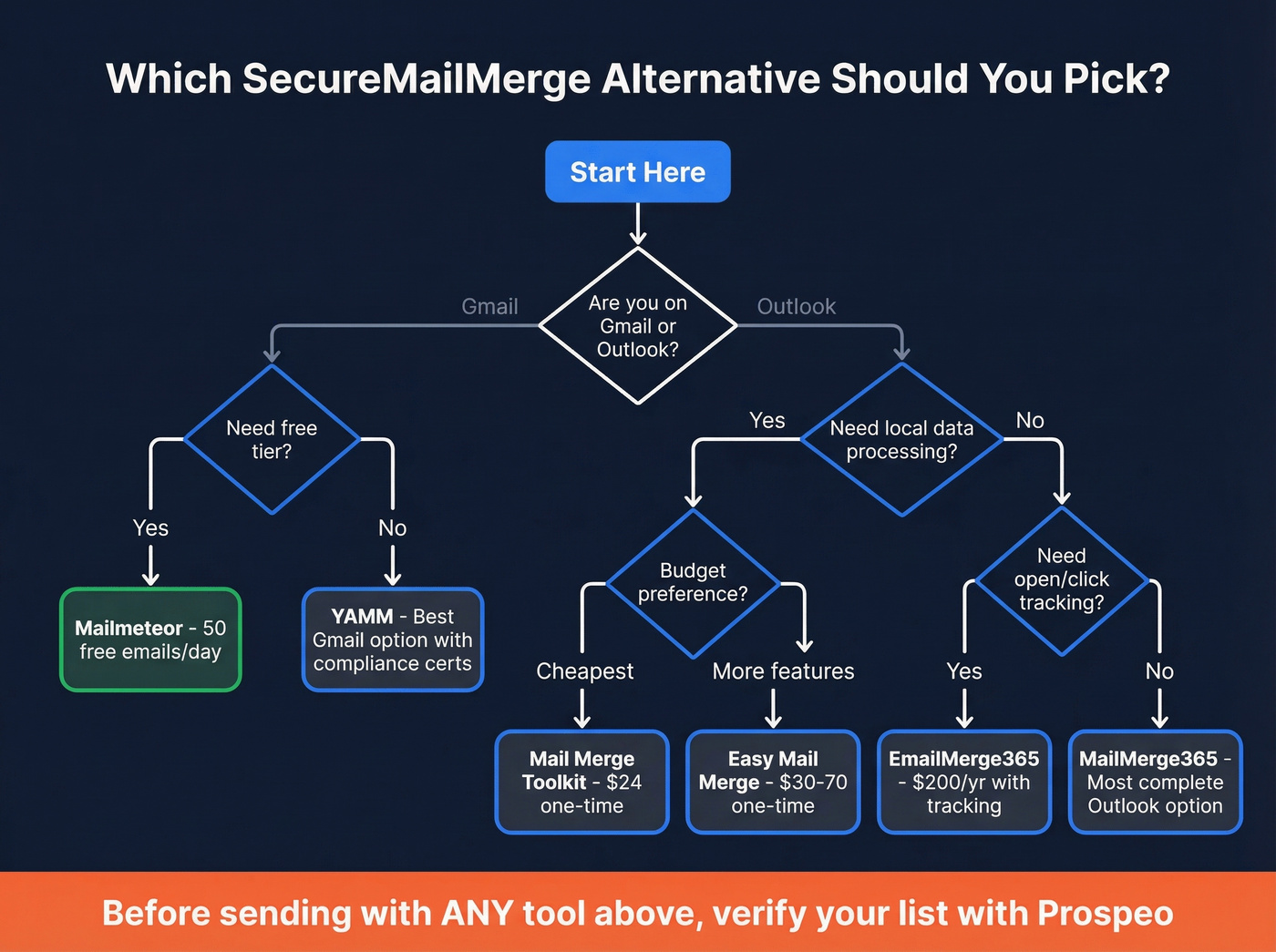
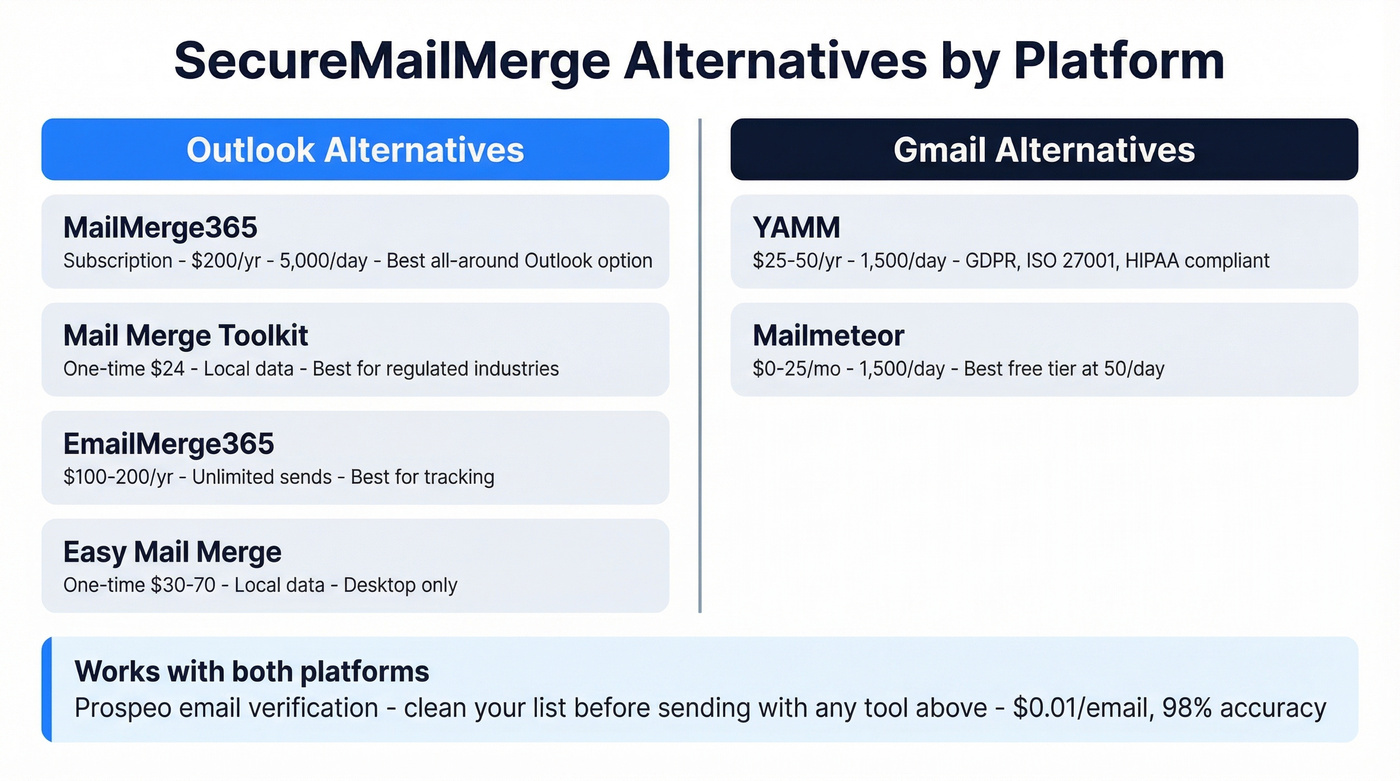
MailMerge365 is the closest drop-in replacement for SecureMailMerge if you're committed to Outlook. It supports personalization fields, CC/BCC, and individual attachments - the features New Outlook stripped out.
Two licensing models: pay-as-you-go credits or a subscription (commonly around $200/year) that caps you at 5,000 emails per day. Here's the thing: MailMerge365's help docs explicitly warn that excessive sending "will most probably put you on the radar of Microsoft's security team." Don't treat the 5,000/day cap as a target - stay well under it.
The feature set is genuinely strong, covering scheduling, tracking, and template management alongside the core merge functionality, which makes it the most complete Outlook-native option we've tested in this category.
Use this if: You need the most feature-complete Outlook mail merge and don't mind a subscription. Skip this if: You want local data processing - MailMerge365 processes through its own infrastructure.
Mail Merge Toolkit
If your merge needs are straightforward and you're in a regulated industry, stop reading after this section. Mail Merge Toolkit from MAPILab costs $24/user as a one-time purchase - the cheapest option with serious features: password-protected PDF/DOCX attachments, CC/BCC, Send As support, and SharePoint as a data source.
All operations run locally within your environment - no data transfers to third-party servers. For teams in regulated industries, that's a requirement, not a nice-to-have. The tool carries a 4.8/5 on Capterra, though one reviewer noted the UI feels "too busy." Fair criticism. This is a power-user tool, not a minimalist one, and the interface reflects that tradeoff between depth and simplicity.
Use this if: You want to pay once, own the license forever, and keep all data local. Skip this if: You need a web-based or Mac-compatible solution - this is Windows/Outlook desktop only.
EmailMerge365
EmailMerge365 runs $100/year for Pro (unlimited emails to unlimited recipients) or $200/year for open and click tracking. The tracking tier caps you at 200 emails per tracked merge, which is tight for larger campaigns. Emails route through your own mailbox, not Standss' servers - only license data is stored on their end.
EmailMerge365's pricing page lists every permission it requires (Mail.ReadWrite, Mail.Send, User.Read, Contacts.Read). That transparency is rare and genuinely useful when your IT team needs to approve the add-in.
Easy Mail Merge
Easy Mail Merge keeps your mailing list on your local machine - no web platform involved. It's a one-time purchase (~$30-$70 depending on edition) with no subscription. The tool doesn't impose mass-email limits, so you're mainly working within Microsoft/ESP sending limits.
The catch: it only supports Outlook desktop versions (2007-2021 and Outlook for Office 365 desktop). No Outlook Web, no Mac. For teams still on classic Outlook desktop, it's a solid, affordable pick with built-in throttling and scheduling.
YAMM
If you're on Gmail or Google Workspace, YAMM (Yet Another Mail Merge) is the default pick. Free plan gives you 20 recipients/day; Pro scales to 1,500/day. YAMM holds GDPR compliance, ISO 27001 certification, and HIPAA compliance with a BAA available - strong credentials for a merge tool. Pricing runs ~$25-$50/year per user.
On Outlook? Skip this entirely.
Mailmeteor
Gmail-focused with a generous free tier: 50 emails/day. Paid plans start at $4.99/user/month and scale to $24.99/user/month for Pro with 1,500/day sending plus warmup. If you're a Gmail user who just needs basic merge without complexity, it’s the fastest path. Let's be honest - for simple Gmail campaigns under 50 recipients, the free tier alone might be enough.
Switching mail merge tools won't fix a stale contact list. Teams blame SecureMailMerge alternatives for poor deliverability when the real problem is 15% of their spreadsheet bouncing. Prospeo's bulk verification - with catch-all handling and spam-trap removal - cleans your list in minutes. Feed the results into any merge tool above.
Stop blaming your merge tool. Start verifying your data.
Comparison Table
Platform compatibility and pricing model will narrow your shortlist fastest. In our experience, most merge failures start with bad data, not bad tools - which is why only one option on this list addresses list quality before sending.
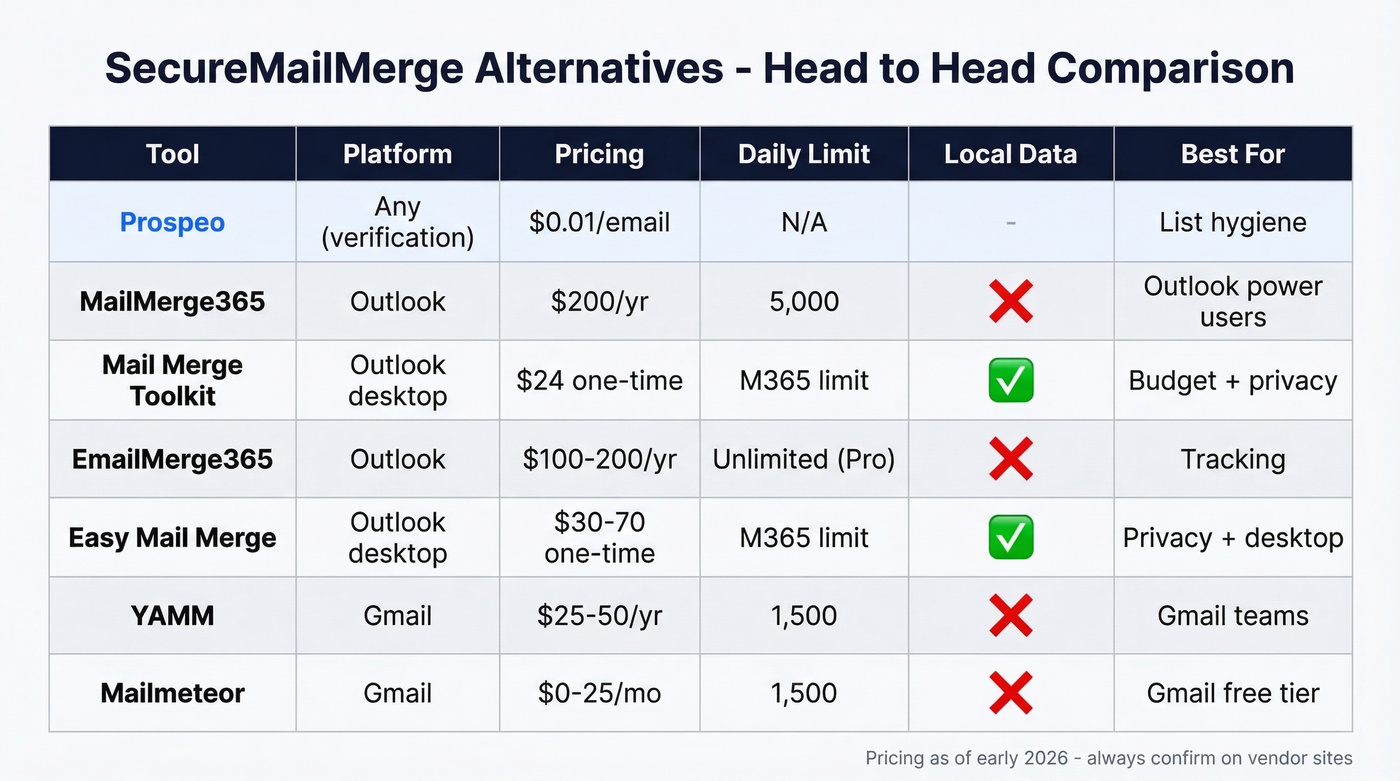
| Tool | Platform | Pricing | Daily Limit | Local Data | Best For |
|---|---|---|---|---|---|
| Prospeo | Any (verification) | ~$0.01/email, credits | N/A | N/A | List hygiene |
| MailMerge365 | Outlook | ~$200/yr or credits | 5,000 | No | Outlook power users |
| Mail Merge Toolkit | Outlook desktop | $24/user one-time | MS 365 limit | Yes | Budget + privacy |
| EmailMerge365 | Outlook | $100-$200/yr | Unlimited (Pro) | No | Tracking |
| Easy Mail Merge | Outlook desktop | ~$30-$70 one-time | MS/ESP limit | Yes | Privacy + desktop |
| YAMM | Gmail/Workspace | ~$25-$50/yr | 1,500 (Pro) | No | Gmail teams |
| Mailmeteor | Gmail | $0-$24.99/mo | 1,500 (Pro) | No | Gmail free tier |
FAQ
Does mail merge work in New Outlook?
New Outlook includes a basic built-in merge, but it's missing personalization fields, CC/BCC, and multi-recipient control. You'll need a third-party add-in like MailMerge365 or EmailMerge365 to restore those features.
What are the sending limits for Outlook mail merge?
Microsoft 365 allows up to 10,000 recipients per day, but individual tools impose their own caps. MailMerge365 maxes at 5,000/day; EmailMerge365 Pro is unlimited. The lower number always wins.
How do I avoid bounces in a mail merge campaign?
Run your email list through a verification tool before sending - stale lists are the top cause of high bounce rates. Prospeo's bulk verification catches invalid addresses at 98% accuracy, and the free tier (75 emails/month) is enough to test the workflow.
Which SecureMailMerge alternative is best for regulated industries?
Mail Merge Toolkit at $24/user (one-time). All data stays local - nothing leaves your environment. It supports password-protected attachments and SharePoint data sources, which checks the boxes for healthcare, legal, and financial compliance teams.