

What Is a Spam Email - and Why Is It Still a Problem?
You opened your inbox this morning and counted 23 new messages. Fourteen were junk - fake invoices, "urgent" account alerts from banks you don't use, and a pitch from a company you've never heard of. So what is a spam email, exactly? It's persistent, it's evolving, and it's getting harder to separate the dangerous stuff from the merely annoying.
The Short Answer
A spam email is any unsolicited, bulk-sent message you didn't ask for - typically commercial, sometimes malicious, and always unwanted. It's the digital equivalent of junk mail, except junk mail can't install ransomware on your computer.
Roughly 45-60% of all email sent daily is spam. A Journal of Economic Perspectives analysis estimated spam costs American firms and consumers about $20 billion per year. Email remains the primary spam channel - 49% of consumers say it's where they encounter the most spam, followed by phone calls (26.5%) and texts (14.7%). You can fight it with filters, authentication checks, and smarter data hygiene.
How Spam Email Is Defined
You already know what spam feels like. It's the junk clogging your inbox - messages sent in bulk to people who never opted in.
Some of it is harmless marketing from companies buying cheap lists. Some of it is phishing designed to steal your credentials or deploy malware. The term covers a wide spectrum: a mattress company blasting 500,000 cold emails is spam, and a spoofed "PayPal" alert trying to harvest your password is also spam. What unites them is the lack of consent and the sheer volume. One sender, millions of recipients, zero permission.
Spam by the Numbers
Roughly 376 billion emails are sent and received daily worldwide. Depending on methodology, somewhere between 45% and 60% of that volume is spam - roughly 170-225 billion unwanted messages hitting inboxes every single day.
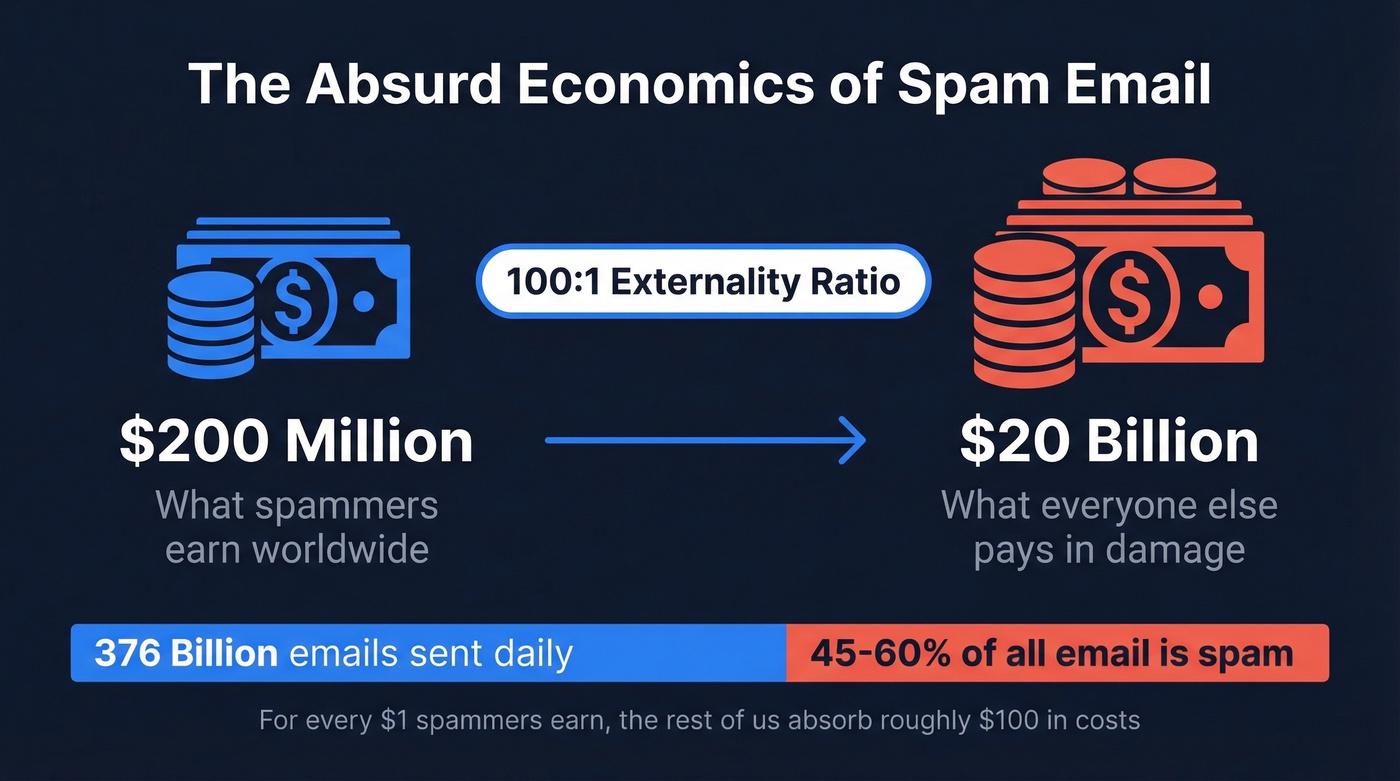
The economics are absurd. Spammers and the merchants they advertise for gross about $200 million worldwide, while the rest of us absorb roughly $20 billion in costs. That's a 100:1 externality ratio - for every dollar spammers earn, everyone else eats about a hundred dollars in damage.
Here's how people actually deal with it:
| Action | % of Users |
|---|---|
| Delete it | 40.8% |
| Ignore it | 23.1% |
| Mark as spam | 19.9% |
| Open it | 7.9% |
| Unsubscribe | 7.2% |
| Report to authorities | 1.0% |
The spam itself breaks down roughly like this: marketing and advertising (36%), adult content (31.7%), financial offers (26.5%), and outright scams and fraud (2.5%). That scam slice looks small until you remember that even a few percent of global spam volume is still billions of fraudulent messages.
A Brief History of Spam
The first spam email predates the modern internet. In 1978, a marketer named Gary Thuerk sent an unsolicited message to about 400 ARPANET users promoting DEC computers. It generated $13 million in sales. The term "spam" came later, borrowed from the Monty Python sketch where a chorus of Vikings drowns out all conversation by chanting "SPAM" - a fitting metaphor for what happens to your inbox.
By the 2000s, spam had become industrialized. The Rustock botnet infected over a million computers and pumped out 30 billion spam emails per day before Microsoft helped take it down in 2011. And for all that volume, spam is spectacularly ineffective - an Oracle/Dyn test tracked 350 million spam emails over 26 days and recorded twenty-eight sales. That's one purchase per 12.5 million emails sent. Spammers don't need good conversion rates. They need zero marginal cost, and email gives them exactly that.
Common Types of Spam Email
Not all spam is created equal. Here's what's actually landing in inboxes:
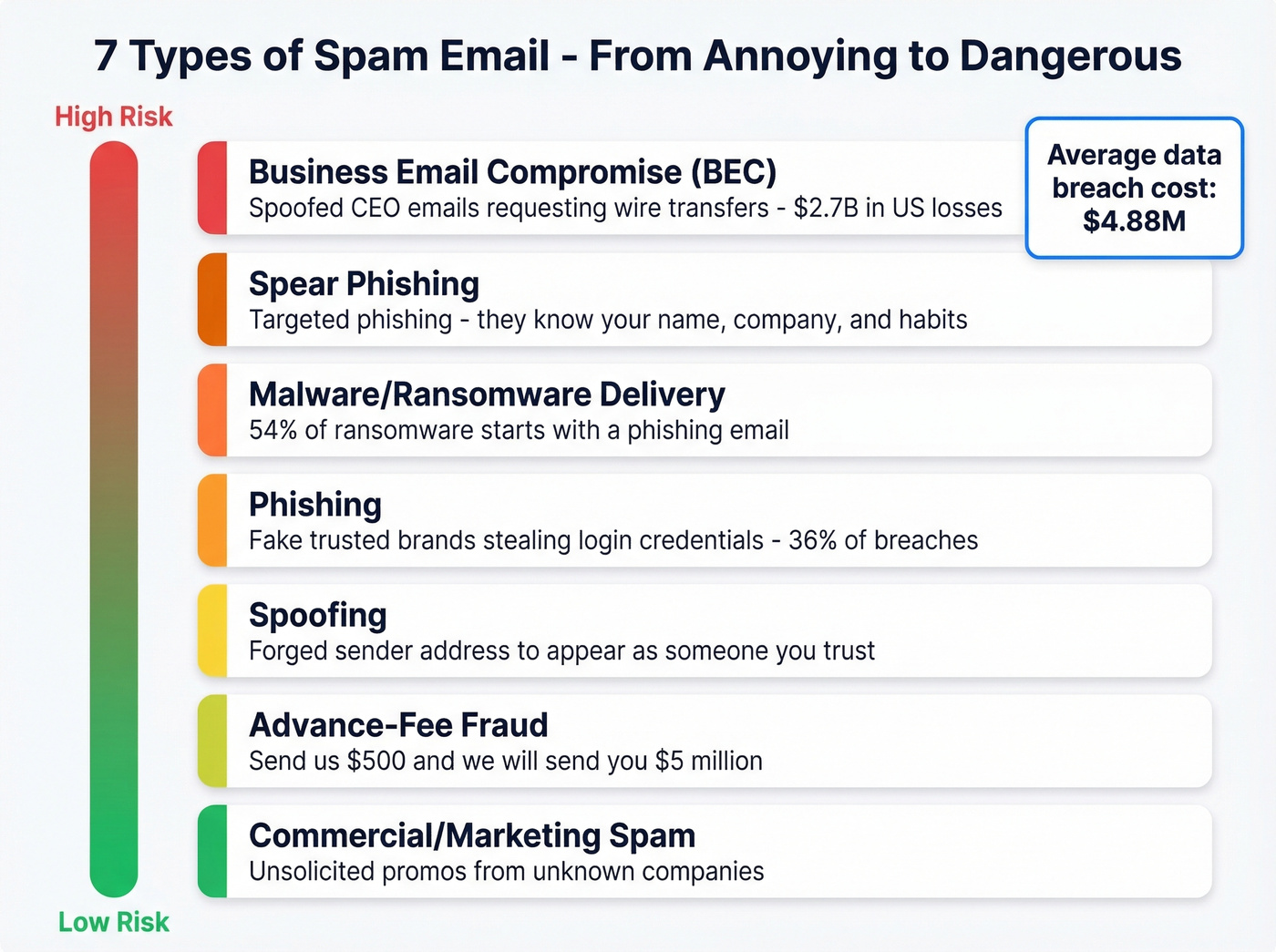
- Commercial/marketing spam - Unsolicited promotions from companies you've never interacted with. Annoying, sometimes legal if it follows CAN-SPAM rules, but still unwanted.
- Phishing - Messages impersonating trusted brands to steal login credentials or payment info. Phishing is involved in 36% of breaches.
- Spear phishing - Phishing with homework. The attacker knows your name, your company, maybe your recent purchase. Much harder to spot.
- Malware and ransomware delivery - Emails with infected attachments or links that install malicious software. About 54% of ransomware infections begin with phishing emails.
- Business email compromise (BEC) - Spoofed emails from "the CEO" asking finance to wire money. BEC losses exceeded $2.7 billion in the US in recent years.
- Spoofing - Forging the sender address to appear as someone you trust. Often paired with phishing or BEC.
- Advance-fee fraud - The classic "Nigerian prince" scam. Send us $500 and we'll send you $5 million. Still works often enough to persist.
The average data breach costs $4.88 million, which explains why spam isn't just an inbox nuisance - it's a business risk.
Unsolicited messages now flood social media DMs, text messages (smishing), phone calls (robocalls), and even search engine results too. The tactics are the same - bulk volume, zero consent - but the channels keep multiplying.
What Spam Actually Looks Like
Modern spam has gotten better at mimicking real email. These subject lines, flagged in NASAFCU's phishing research, illustrate the patterns:
- "Action Required: Verify Your Account" - Urgency plus a vague action. Legitimate services rarely phrase it this way.
- "Unauthorized login attempt on your account" - Fear trigger designed to make you click before thinking.
- "Wire Transfer - Confirmation Needed" - Financial urgency targeting people who handle wire transfers.
- "AMAZON: Your Order Has Been Shipped" - Brand impersonation. The all-caps "AMAZON" is a tell.
- "Quick Review" - Deliberately vague. Could be anything, which is exactly why you click.
- "Your subscription has expired" - Plays on the fear of losing access to something you use.
Spam now scrapes real data. Academic researchers complain about getting junk emails that reference their actual paper titles. Shoppers see fake shipping notifications with real order numbers. The days of obviously broken English and absurd promises aren't over, but they're no longer the only threat.

Bad data is the fastest way to get flagged as spam yourself. Prospeo's 5-step email verification - with spam-trap removal, honeypot filtering, and catch-all handling - delivers 98% accuracy. That's why teams using Prospeo keep bounce rates under 4% and never trigger spam filters.
Stop sending emails that land in junk. Start with data that's actually verified.
Spam vs. Phishing vs. Spoofing
These terms get used interchangeably, but they're distinct threats:
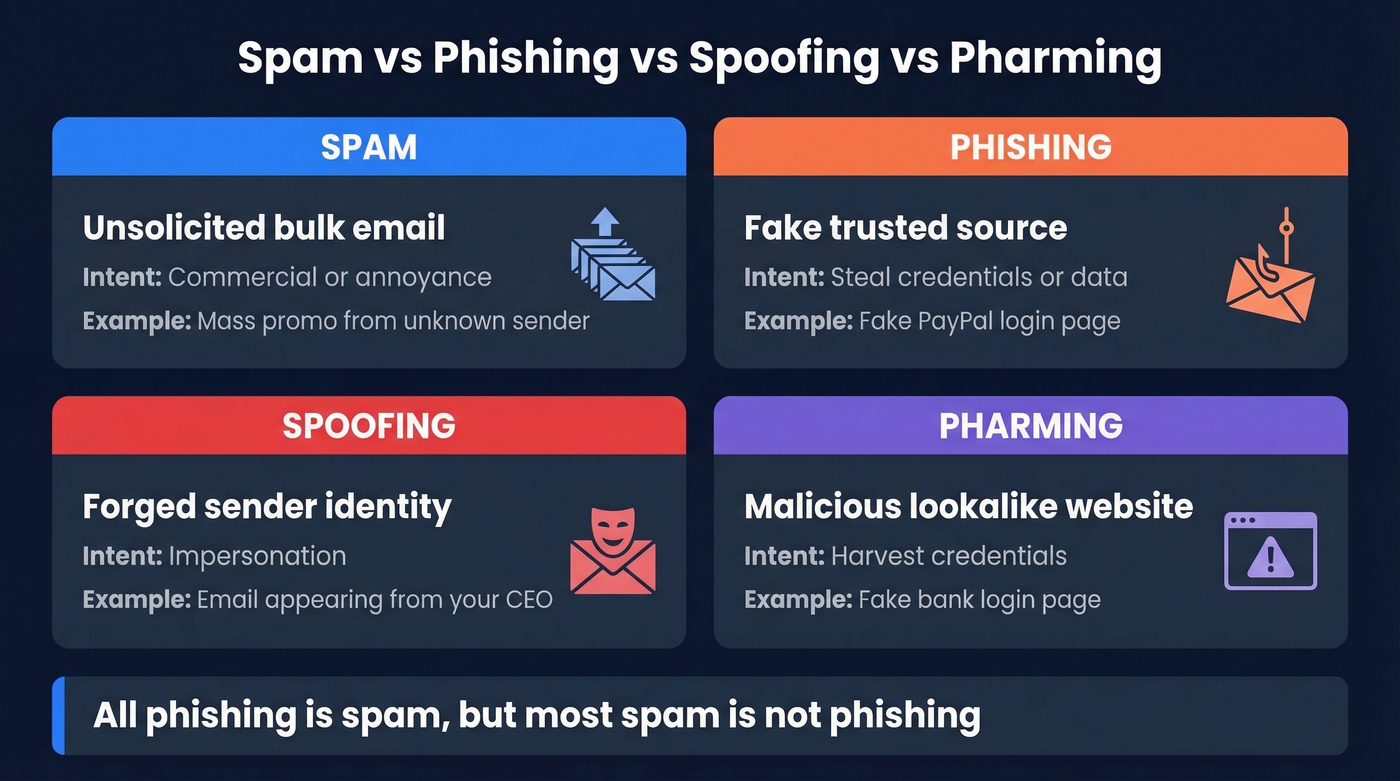
| Term | What It Is | Intent | Example |
|---|---|---|---|
| Spam | Unsolicited bulk email | Commercial / annoyance | Mass promo, unknown sender |
| Phishing | Fake trusted source | Steal credentials/data | Fake "PayPal" login page |
| Spoofing | Forged sender identity | Impersonation | Email "from" your CEO |
| Pharming | Malicious lookalike site | Harvest credentials | Fake bank login page |
The key distinction: spam is bulk and often commercial, phishing is fraudulent. All phishing is spam, but most spam isn't phishing.
Red flags that apply across all four categories:
- Time-sensitive threats or urgency language
- Spelling and grammar errors
- Vague or missing sender information
- Mismatched URLs - always hover before you click
- Unexpected attachments
- "Reply to opt out" tricks
- Emotional manipulation designed to bypass your judgment
How to Stop Spam Email
Identifying Junk Messages
Before you click anything, run through this checklist:
- Unknown sender - Do you recognize the address, not just the display name?
- Urgency or threats - "Act now or your account will be closed" is almost always fake.
- Spelling and grammar errors - Legitimate companies proofread their emails.
- Mismatched URLs - Hover over any link. Does the URL match the supposed sender?
- Unexpected attachments - Especially .zip, .exe, or .docm files from strangers.
- Generic greetings - "Dear Customer" instead of your actual name.
Should you unsubscribe? If it's a known brand with a proper CAN-SPAM-compliant unsubscribe link, yes - they're legally required to honor it within 10 business days. If the sender is unknown or suspicious, never click unsubscribe. Spammers use opt-out links to confirm your address is active or route you to something malicious.
Reporting Spam
Marking messages as spam trains your filter, but don't expect miracles. Spammers rotate domains and IPs constantly, which is why the same junk keeps reappearing. Still, reporting helps over time.
Gmail: Open the message, click the three-dot menu, then "Report spam" or "Report phishing."
Outlook: Select the message, click "Junk" in the toolbar, then choose "Junk" or "Phishing."
Apple Mail: Select the message and click "Junk" in the toolbar. For phishing, forward to reportphishing@apwg.org.
Reduce Spam Long-Term
Use email aliases or masking services for signups - keep your primary address off marketing lists. Don't post your email publicly on websites; contact forms or obfuscation work better. Enable two-factor authentication on every account, and maintain a dedicated throwaway address for low-trust signups.
For organizations, the playbook is different: implement a DMARC policy, run regular employee phishing simulations, and deploy an email deliverability security gateway. Individual hygiene only goes so far when you're protecting a 200-person company.
CAN-SPAM, GDPR, and CASL
Three major frameworks govern spam, and they aren't equally strong:
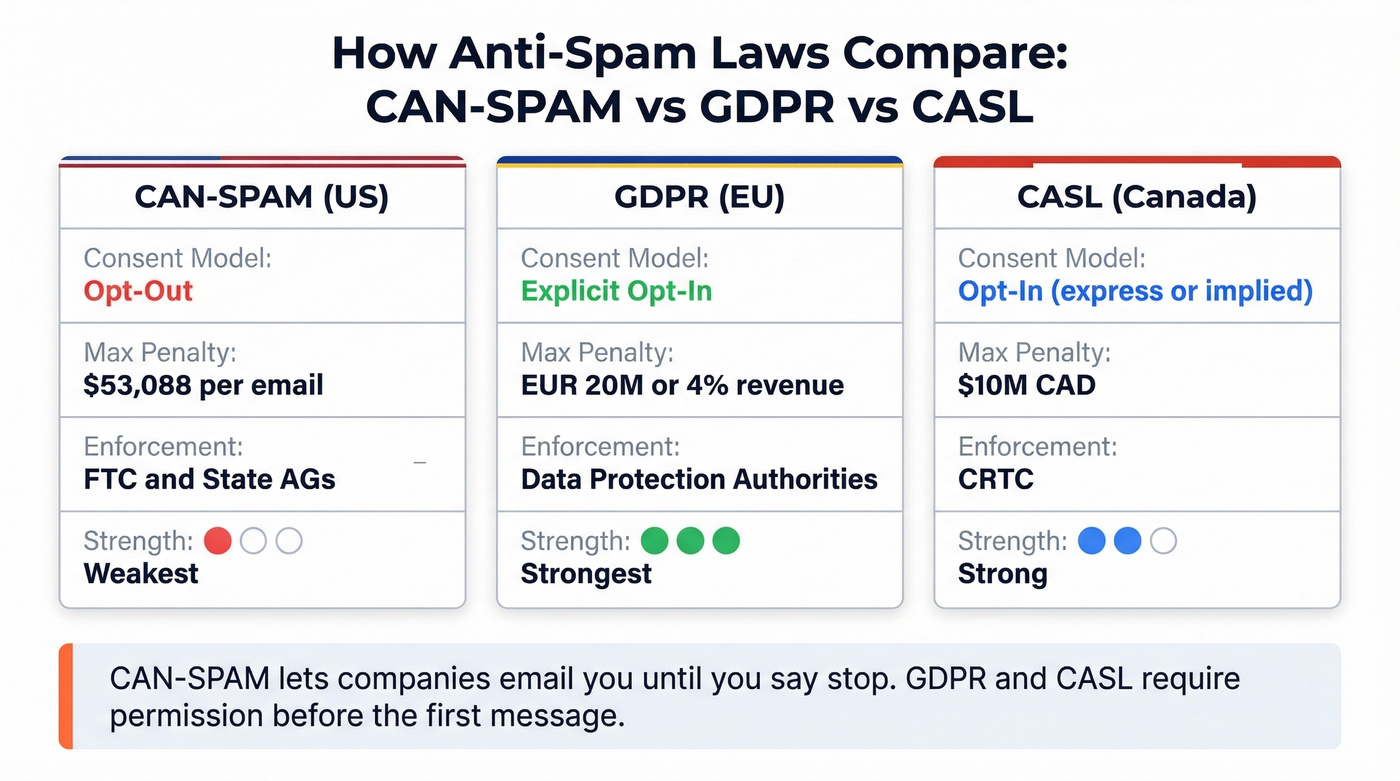
| CAN-SPAM (US) | GDPR (EU) | CASL (Canada) | |
|---|---|---|---|
| Consent model | Opt-out | Opt-in (explicit) | Opt-in (express or implied in limited cases) |
| Max penalty | $53,088/email | EUR 20M or 4% revenue | $10M CAD |
| Enforcement | FTC / state AGs | Data Protection Authorities | CRTC |
CAN-SPAM is an opt-out law, which means companies can email you until you explicitly tell them to stop. GDPR and CASL require consent before the first message. Let's be honest - CAN-SPAM is the weakest of the three, and it shows in American inboxes.
CAN-SPAM's seven key requirements: no false headers, no deceptive subject lines, identify the message as an ad, include a physical mailing address, provide a clear opt-out mechanism, honor opt-out requests within 10 business days, and monitor what third parties do on your behalf.
How Email Authentication Fights Spam
The root problem is that SMTP - the protocol email runs on - has no built-in authentication. Anyone can send an email claiming to be from any address. Three standards were bolted on to fix this:
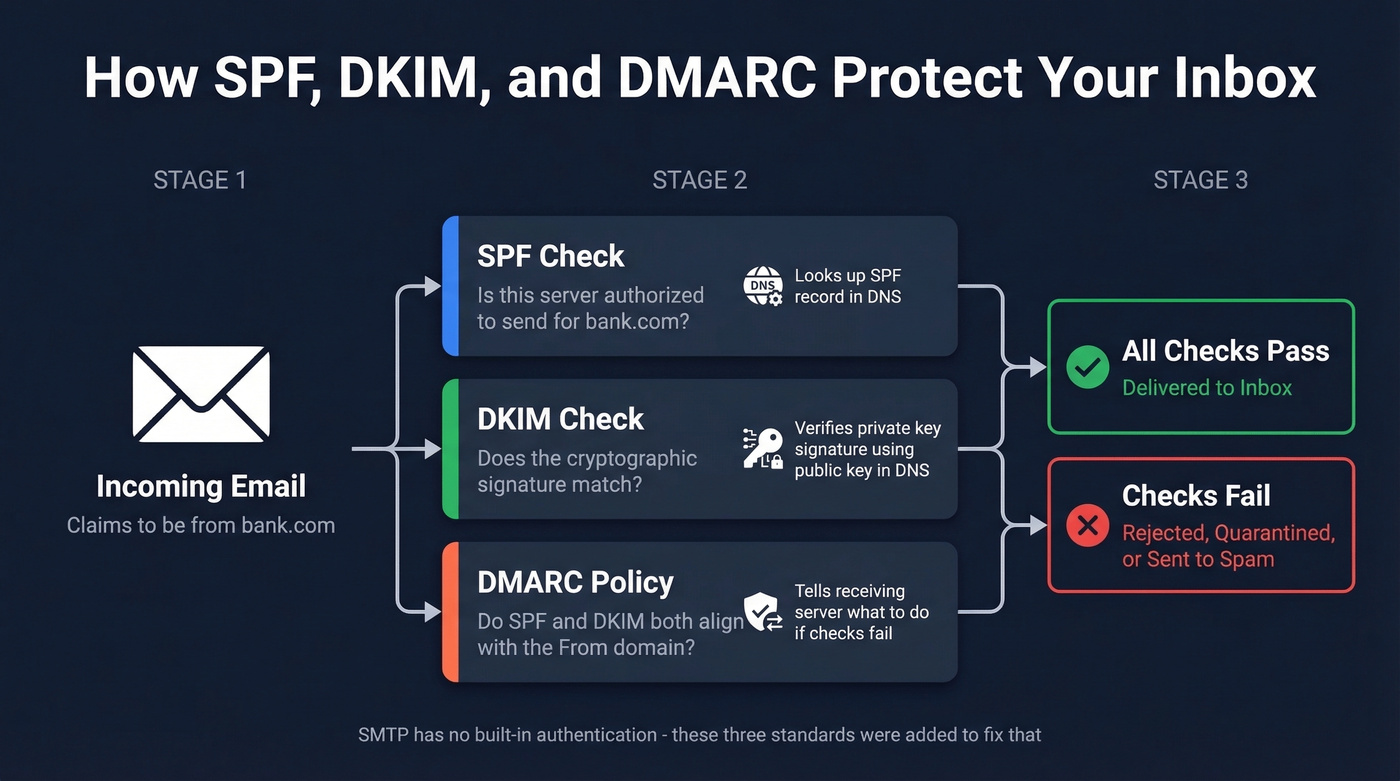
SPF (Sender Policy Framework) lets a domain publish a list of servers authorized to send email on its behalf. When your inbox receives a message "from" bank.com, it checks bank.com's SPF record to verify the sending server is approved.
DKIM (DomainKeys Identified Mail) adds a cryptographic signature to email headers. The sending server signs with a private key; the receiving server verifies using a public key in DNS. If the signature doesn't match, the message was tampered with or forged.
DMARC (Domain-based Message Authentication, Reporting & Conformance) ties SPF and DKIM together with a policy telling receiving servers what to do when authentication fails - deliver, quarantine, or reject.
You can check these yourself. In Gmail, open a message, click the three-dot menu, select "Show original," and search for spf=pass, dkim=pass, and dmarc=pass. If any show "fail," treat the message with suspicion.
An emerging layer worth watching is BIMI (Brand Indicators for Message Identification), which displays a brand's verified logo next to authenticated emails - a visual trust signal that makes spoofed messages easier to spot.
How spammers fight back: Modern spammers don't just blast from one domain. They use snowshoe spamming (spreading volume across hundreds of IPs to stay under radar), image-based spam (embedding text in images so filters can't read it), and rapid domain rotation. Filters are always playing catch-up.
If you run a business and haven't set up DMARC, you're part of the problem. Your domain can be spoofed, and your legitimate emails are more likely to land in spam folders.
Why Spam Hurts Legitimate Senders
Here's the thing: spam isn't really an email problem - it's a data problem.
Consider a sales rep sending 200 cold emails per day. They think of it as legitimate outbound, but inbox providers and recipients treat it like spam if the targeting is sloppy and the data is bad. If 15% of their list consists of invalid addresses, spam traps, and honeypots, the damage is identical to what a spammer causes. Bounce rates spike to 35-40%, the domain gets flagged, and suddenly even emails to real prospects land in junk folders.
We've seen domains get blacklisted overnight from a single campaign to an unverified list. Spam filters blacklist sending IPs and domains that repeatedly hit traps, and once you're on a list like Spamhaus or Barracuda, clawing your way off takes weeks of remediation. Spam traps are email addresses maintained by ISPs and blacklist operators specifically to catch senders using bad data. Honeypots work similarly - planted addresses that no real person would email. Hit enough of them and your domain reputation craters. Sometimes your messages aren't outright blocked but greylisted, meaning the receiving server temporarily defers delivery, which tanks engagement metrics until your sending reputation recovers.
Before you send a single cold email, verify your list. Prospeo's 5-step verification process catches spam traps, honeypots, and dead addresses - the exact things that get your domain flagged. Snyk's 50-person sales team saw their bounce rate drop from 35-40% to under 5% after switching their verification workflow, the kind of result that keeps a domain off blacklists.
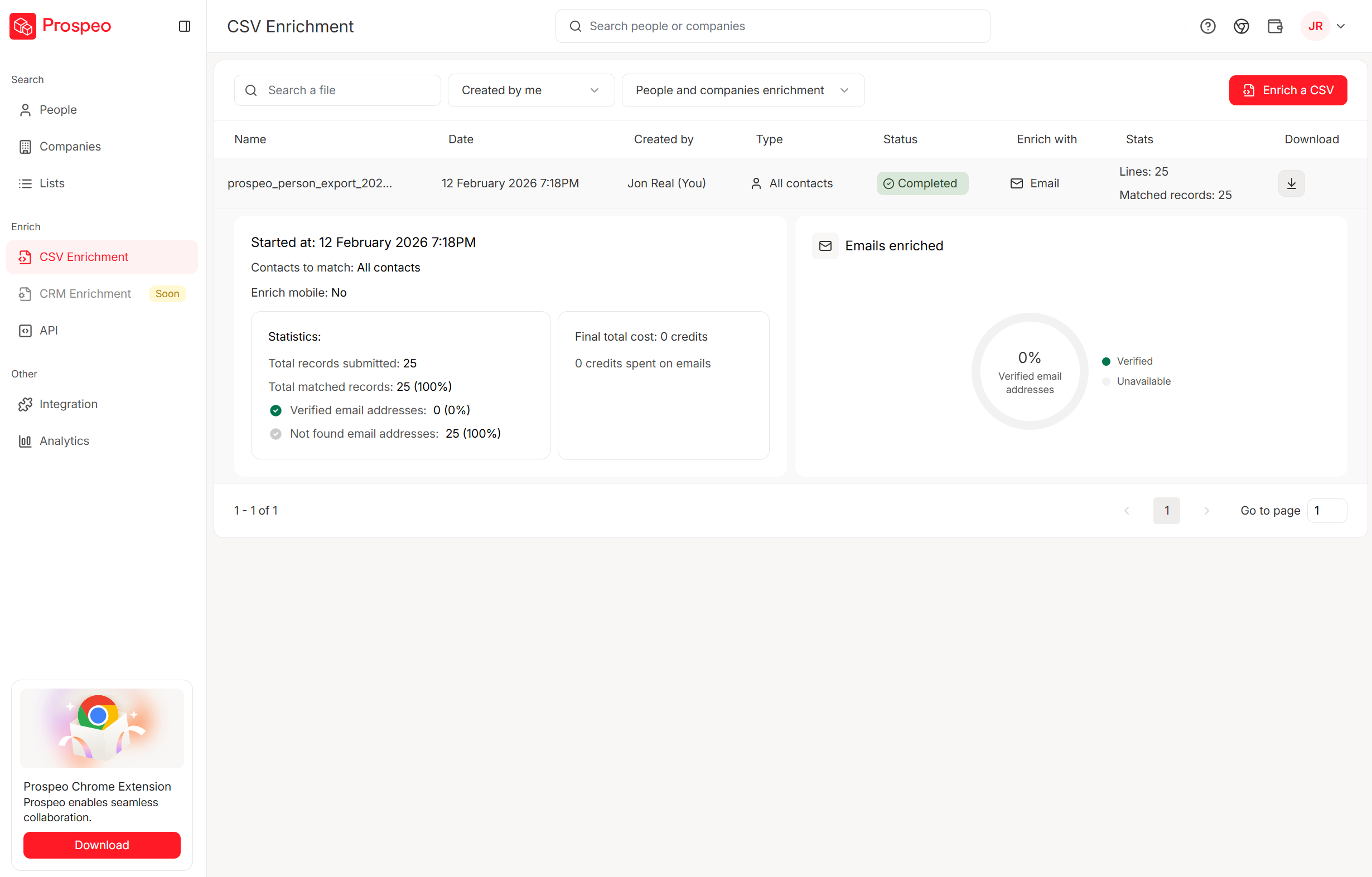
Every email you send to an invalid address trains spam filters to distrust your domain. Prospeo refreshes all 300M+ profiles every 7 days - not every 6 weeks like competitors. One agency built to $1M ARR with 94%+ deliverability and zero domain flags across all clients.
Your domain reputation is only as good as your data. Protect it.
Spam Email FAQ
Is spam email dangerous?
Most spam is annoying marketing, but phishing is involved in 36% of breaches and the average data breach costs $4.88 million. Never click links or download attachments from unknown senders - even a single click can trigger credential theft or malware installation.
Why am I getting so much spam?
Your address was likely harvested from a data breach, scraped from a public website, or purchased on a bulk list. Once an email enters spammer circulation, it spreads permanently across resold databases. Use aliases for new signups to limit future exposure.
Is it safe to unsubscribe from spam?
From a known brand with a proper CAN-SPAM-compliant unsubscribe link, yes - they must honor it within 10 business days. From an unknown or suspicious sender, never click. Spammers use opt-out links to confirm your address is active, which increases the volume you receive.
What's the difference between spam and phishing?
Spam is unsolicited bulk email, usually commercial. Phishing is a fraudulent attack impersonating a trusted source to steal credentials or financial information. All phishing is spam, but most spam isn't phishing - the distinction matters because phishing requires immediate action while marketing spam is merely annoying.
How do I keep outbound emails out of spam folders?
Authenticate your domain with SPF, DKIM, and DMARC. Verify your email list before sending to remove spam traps and invalid addresses. Avoid spammy subject lines, keep sending volume consistent, and monitor your bounce rate closely. In our experience, list verification alone cuts bounce rates by 80% or more for most teams.