

BuiltWith vs Wappalyzer: Which Tech Detection Tool Is Worth Your Money?
You need to know what tech stack a prospect runs before you pick up the phone. The BuiltWith vs Wappalyzer decision comes down to this: both tools answer that question, but they answer it in different ways, for different workflows, at very different price points.
We've spent time inside both platforms, exported lists from both, and talked to sales teams who've switched between them. Here's the honest breakdown.
30-Second Verdict
Wappalyzer wins for day-to-day prospecting, quick lookups, and ease of use. Its Chrome extension is best-in-class, and the UX gap isn't close.
BuiltWith wins for historical research, massive list building, and market-share analysis. If you need every site that's ever run Magento since 2015, BuiltWith is the only real option.
Neither tool gives you verified emails or phone numbers for the companies you identify. That's the gap most teams hit right after they build their tech-filtered list.
Feature Comparison at a Glance
| Feature | BuiltWith | Wappalyzer | Winner |
|---|---|---|---|
| Paid entry price | $295/mo | $250/mo | Wappalyzer |
| Free tier | Free individual site lookups | 50 lookups/mo | BuiltWith |
| G2 rating | 4.3/5 (62 reviews) | 4.7/5 (55 reviews) | Wappalyzer |
| Ease of Use (G2) | 8.5/10 | 9.9/10 | Wappalyzer |
| Detection method | Crawl-based (updated weekly) | Extension + web app lookups | Wappalyzer |
| Database size | 414M domains | Not public | BuiltWith |
| Technologies tracked | 113,007 | Not public | BuiltWith |
| Browser extension | Yes | Yes (standout) | Wappalyzer |
| API access | Included on Team ($995/mo) | $450/mo (Business) | Wappalyzer |
| CRM integrations | Manual/clunky | Salesforce, HubSpot | Wappalyzer |
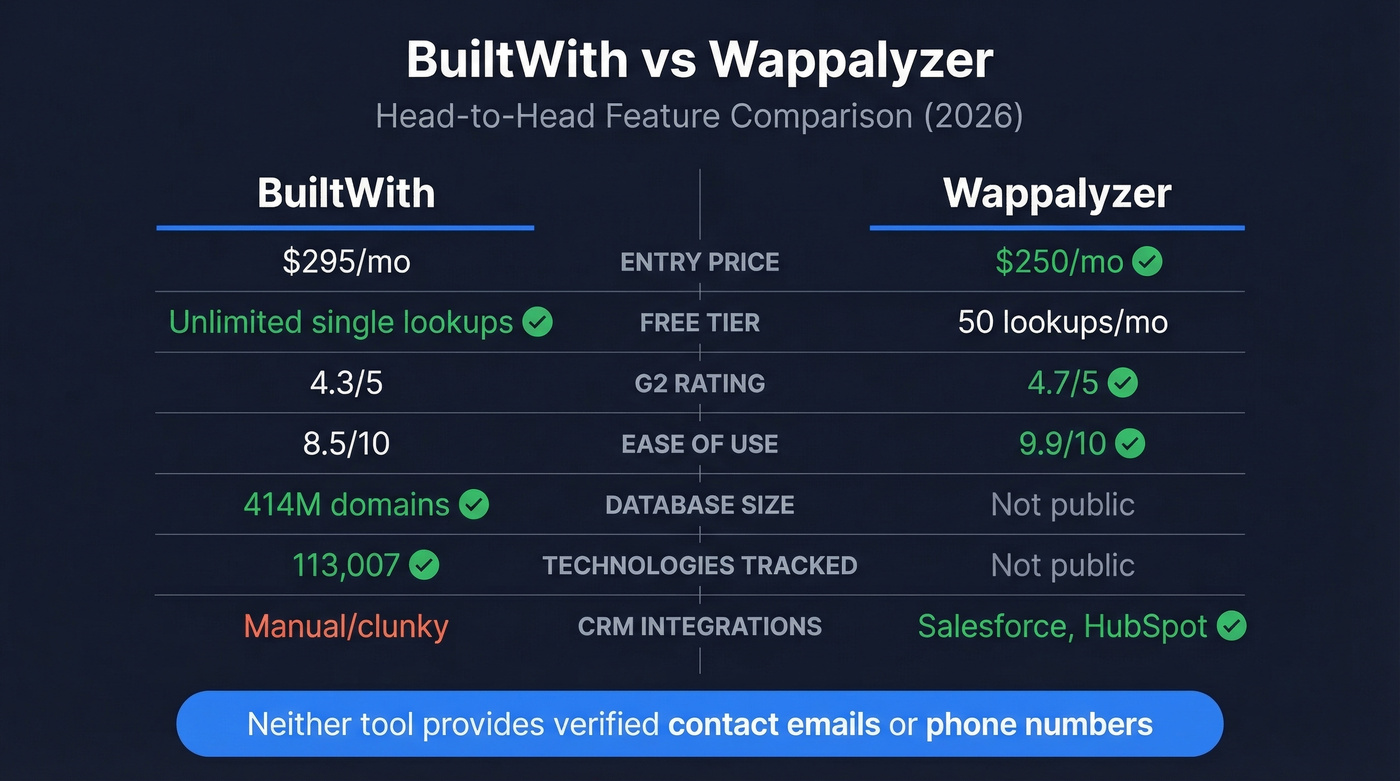
Wappalyzer is cheaper to start, easier to use, and better reviewed. BuiltWith's advantage is raw scale - data from 414 million domains with historical records going back over a decade.
Here's the thing: most sales teams buying BuiltWith are overpaying for data depth they'll never touch. Unless your workflow specifically requires historical trend analysis or 50K+ domain exports, Wappalyzer delivers more usable value at a lower price.
How They Detect Technologies
The detection methods matter because they determine what you can and can't trust in the results.
If you're building a workflow around firmographic and technographic data, the difference between crawl latency and real-time detection matters a lot.
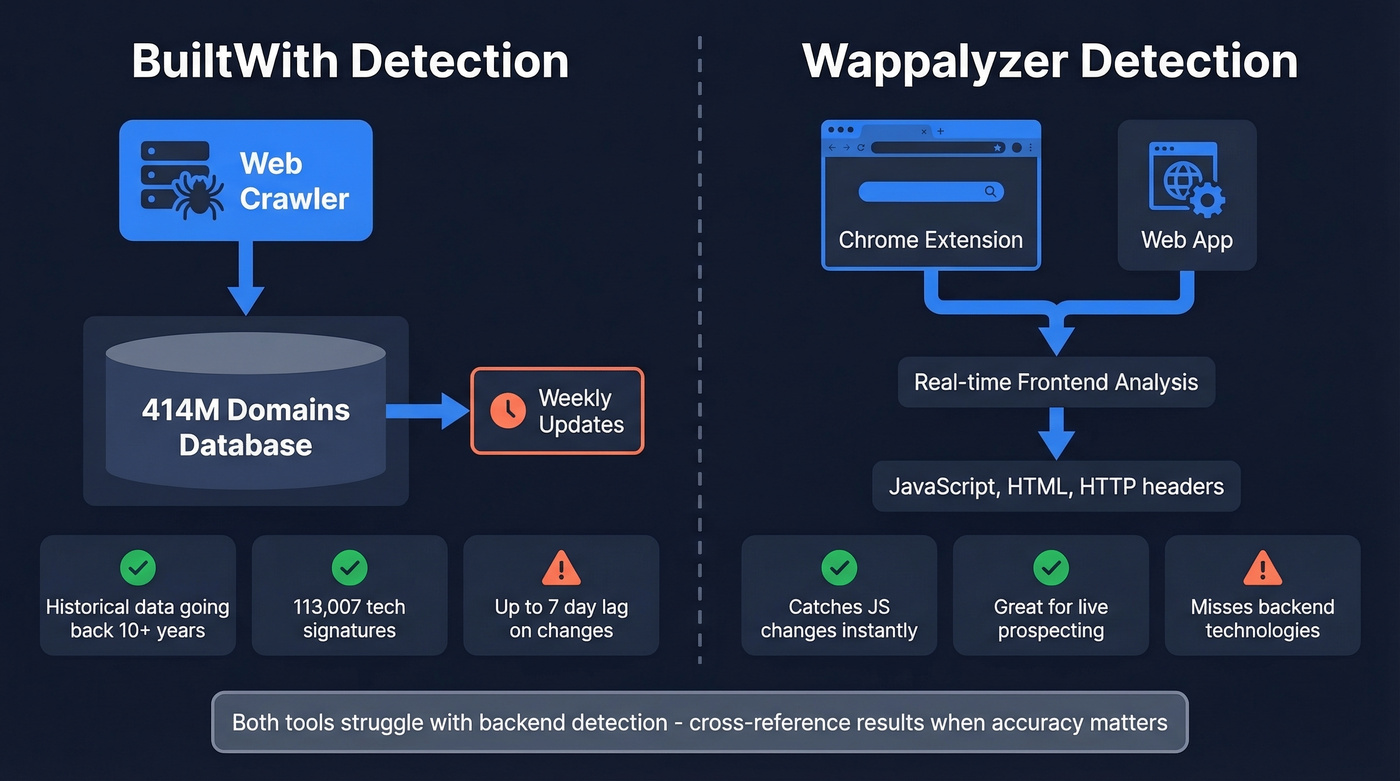
BuiltWith crawls 414 million domains and updates weekly, tracking 113,007 technologies. The strength is breadth and history - you can see what tech a site ran years ago. The tradeoff is latency: if a company switches tools today, it takes up to a week to show up. For fast-moving SaaS companies that swap vendors quarterly, that lag adds up.
Wappalyzer is built around its browser extension for real-time detection, plus a web app for lookups and lead lists. It catches client-rendered JavaScript changes faster, but it can miss backend technologies since it largely infers from frontend signals.
One thing worth knowing: Wappalyzer went closed-source, which caused real turbulence for third-party tools that relied on its open detection signatures. If you're building custom workflows around Wappalyzer's fingerprints, you're locked into their ecosystem now. And like most tech profilers, backend detection remains unreliable on both sides - don't expect perfect identification of every server-side component.
Pricing Breakdown
Older articles still cite BuiltWith at $199/mo. That's wrong. Current entry price is $295/mo.
BuiltWith Pricing
| Plan | Price | Tech Filters | Lookups/Uploads | Logins |
|---|---|---|---|---|
| Free | $0 | Single lookups | Unlimited individual | - |
| Advanced | $144/yr | Detailed reports | - | - |
| Basic | $295/mo | 2 | 2,000/mo | 1 |
| Pro | $495/mo | Unlimited | 20,000/mo | 1 |
| Team | $995/mo | Unlimited | 20,000 + API credits | Unlimited |
The detail most people miss: Basic at $295/mo only lets you track two technologies. Need a third filter? You're jumping to $495/mo. One workaround we've seen teams use: BuiltWith lets you reset your account monthly, clearing reports so you can swap technology filters without upgrading. The $144/yr Advanced plan is solid for individual lookups but doesn't include list building.
Wappalyzer Pricing
| Plan | Price | Lookups/mo | API Credits | Users |
|---|---|---|---|---|
| Free | $0 | 50 | - | 1 |
| Pro | $250/mo | 5,000 | - | 1 |
| Business | $450/mo | 20,000 | 20,000 | 5 |
| Enterprise | $850+/mo | 200,000+ | 200,000+ | 25+ |
Each tier includes matching email verifications. Annual billing saves 17%. One gotcha: API credits expire after 60 days, while purchased bundles last 365 days - easy to get burned if you don't plan usage carefully.
BuiltWith Basic ($295/mo) gives you less than Wappalyzer Pro ($250/mo) in most scenarios - two technology filters and 2,000 uploads vs. 5,000 lookups with unlimited detection. Unless you specifically need historical data or the 414M domain index, Wappalyzer is the better entry-level value.
If you're trying to turn these exports into a repeatable sales pipeline, the pricing differences matter less than how fast you can operationalize the data.

BuiltWith and Wappalyzer show you the tech stack. Prospeo shows you the decision-maker's verified email and direct dial. Filter 300M+ profiles by technographics - including Wappalyzer + live job posting signals - and export contacts with 98% email accuracy at $0.01/lead.
Stop exporting company lists you can't actually contact.
What Users Actually Say
A user on r/coldemail couldn't create and pay for a BuiltWith account for weeks - ID verification kept failing and support went silent. They switched to Wappalyzer. That kind of onboarding friction is hard to forgive when you're ready to spend money.
This is also why teams often pair tech detection with AI lead prospecting workflows - less manual work, fewer brittle steps.
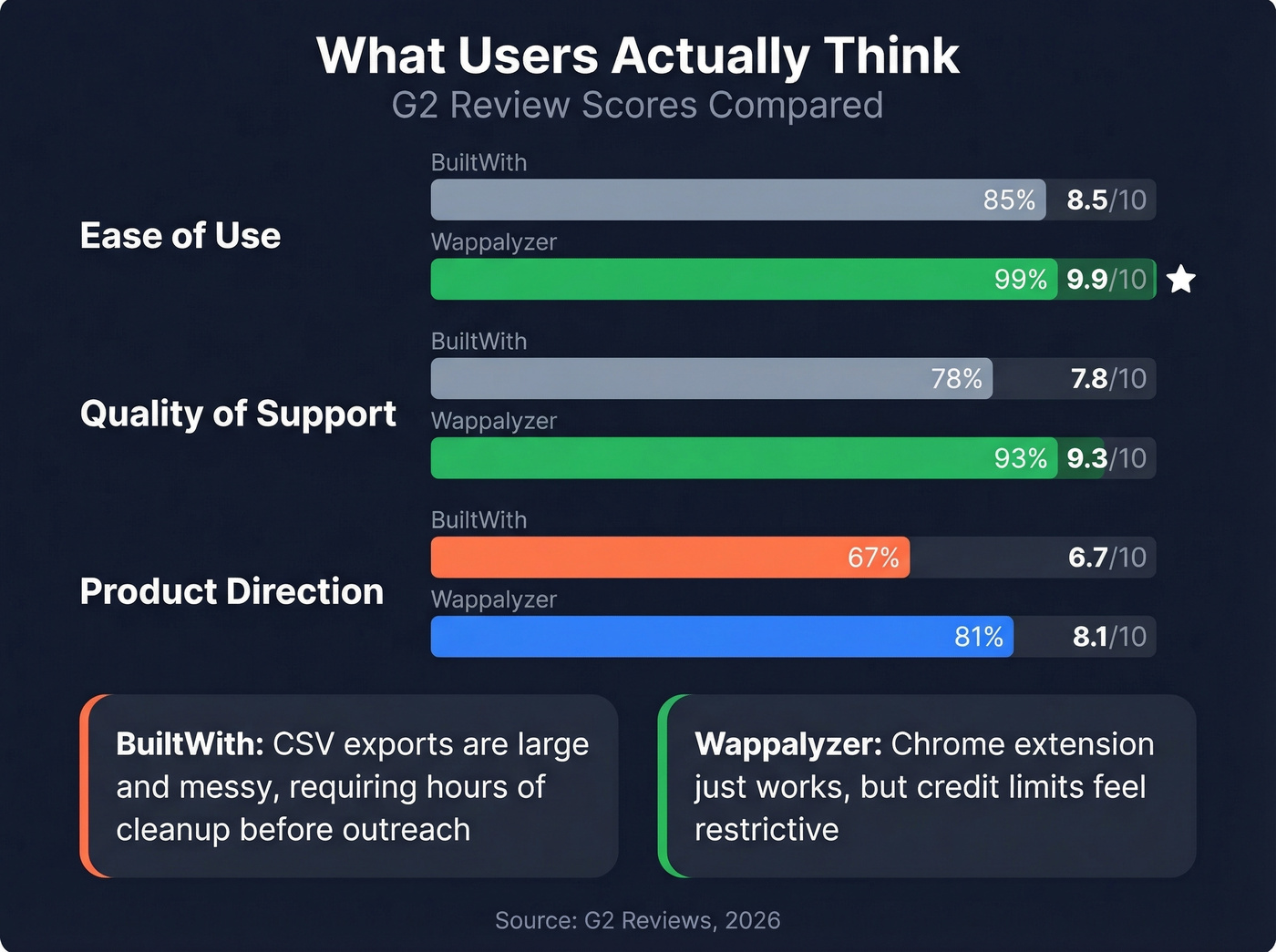
The G2 numbers back this up:
| Category | BuiltWith | Wappalyzer |
|---|---|---|
| Ease of Use | 8.5 | 9.9 |
| Quality of Support | 7.8 | 9.3 |
| Product Direction | 6.7 | 8.1 |
That 9.9 ease-of-use score for Wappalyzer is nearly perfect. It reflects what everyone says about the Chrome extension - it just works.
BuiltWith's recurring complaint: CSV exports are large and messy, requiring significant manual cleanup before they're CRM-ready. Teams love the detection capabilities but hate operationalizing the output. We've seen SDR teams spend hours reformatting BuiltWith exports before they can even start outreach.
If you're stuck cleaning lists, it's usually a sign you need better pipeline management tools or a cleaner enrichment step upstream.
Wappalyzer's recurring complaint: Credit limits feel restrictive, the extension can slow your browser, and occasional accuracy gaps require validation. The free tier's 50 lookups disappear fast if you're prospecting seriously.
When to Pick Which
Pick BuiltWith if you need:
- Historical data going back years, not just a current snapshot
- Massive list building at scale - 53M+ ReactJS sites, for example
- Market-share analysis where technology adoption trends matter
- API automation and can justify the $995/mo Team plan
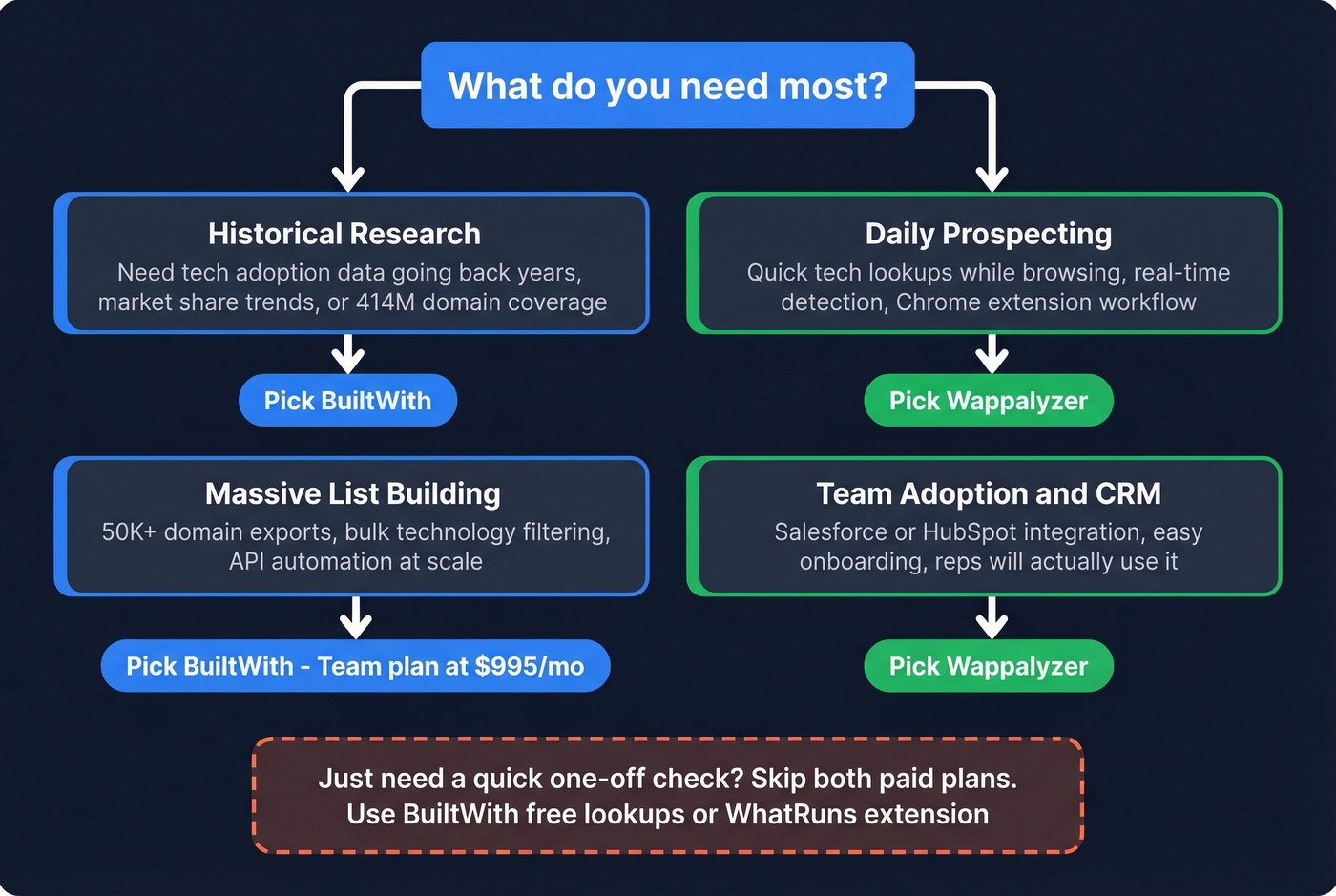
Pick Wappalyzer if you need:
- Daily prospecting with quick tech lookups while browsing
- CRM integration that works without manual CSV wrangling
- More value at entry price - $250/mo gets you further than BuiltWith's $295/mo
- Team adoption - reps will actually use Wappalyzer where they'd bounce off BuiltWith
For one-off checks, skip both paid plans. BuiltWith's free individual lookups work fine, and WhatRuns offers a free browser extension for casual use.
The Missing Piece: Contact Data
Let's say you've identified 500 companies running Shopify + Stripe. Great. Now what?
Neither tool tells you who the VP of Engineering is or how to reach them. That's the gap that kills most technographic prospecting workflows - you've got the signal, but no way to act on it.
Prospeo bridges that gap with 300M+ professional profiles and 98% email accuracy. It includes technographic search filters, so you can go from "companies using technology X" to "verified email for the decision-maker" without switching tools or doing manual enrichment. Data refreshes every 7 days, which means you're not emailing someone who left the company last month. The free tier gives you 75 emails/month, and paid plans run about $0.01 per email. No contracts, no sales calls required.
If you're evaluating options here, compare approaches like an email lead finder or a dedicated free B2B database before you commit.
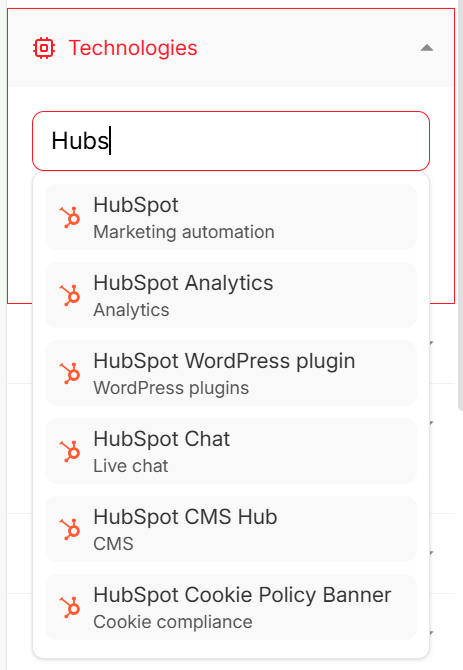
You just identified 500 Shopify + Stripe companies. Prospeo gives you the VP of Engineering's verified email and mobile number in seconds - with 30+ filters including technographics, buyer intent, and headcount growth. No CSV wrangling. No manual enrichment.
Bridge the gap between tech detection and booked meetings.
Final Verdict
BuiltWith is a research platform for analysts who need scale and history. Wappalyzer is a prospecting tool for sales teams who need speed and simplicity. When comparing BuiltWith vs Wappalyzer, the answer depends entirely on your workflow: market research favors BuiltWith, outbound favors Wappalyzer.
But the tool that matters most isn't the one detecting the tech stack. It's the one that turns detection into actual outreach. Pair either with verified contact data, and you've got a workflow that goes from technology signal to booked meeting without the gaps.
FAQ
Which tool is more accurate for tech detection?
No independent benchmark exists. Wappalyzer catches client-rendered JavaScript changes faster via its browser extension. BuiltWith excels at indexed historical data across 414M domains. Both miss backend technologies - cross-reference results when accuracy matters.
Can I use BuiltWith for free?
Yes. Individual site lookups are free forever. The $144/yr Advanced plan adds detailed reports. List building starts at $295/mo on Basic, limited to two technology filters.
Why do BuiltWith and Wappalyzer show different results?
Different detection methods cause the discrepancy. BuiltWith crawls weekly against 113,007 technology signatures. Wappalyzer uses an extension-plus-web-app approach catching real-time frontend changes. Results diverge most on client-rendered JavaScript and recently adopted tools.
What's a good free alternative for tech lookups?
WhatRuns offers a solid free browser extension for quick checks. Wappalyzer's free tier gives 50 lookups/month. BuiltWith's individual lookups are free. For turning those lookups into outreach, Prospeo's free plan includes 75 verified emails/month with technographic filters.
How do I get contact data for companies I find?
Neither BuiltWith nor Wappalyzer provides verified emails or phone numbers. Export your technology-filtered list, then enrich it with a contact data platform. Prospeo covers 300M+ profiles with 98% email accuracy and 125M+ verified mobiles, taking you from tech stack to decision-maker contact in one step.