

How to Check Website Spam Score (And What to Actually Do About It)
You just ran your domain through a spam score checker and got back a 45%. Your stomach drops. Before you panic-disavow every backlink you've ever earned, stop. A Sterling Sky case study from the August 2025 spam update showed sites losing rankings over exact-match anchor text from spammy backlinks that were five years old - links Google had apparently tolerated for half a decade before re-evaluating them. That number on your screen matters far less than knowing what it actually measures.
What You Need (Quick Version)
- To check Moz Spam Score: Use Moz's free Domain Analysis - 3 reports per day, no login required.
- For a full backlink toxicity audit: Semrush's toxicity scoring uses 45 toxic markers with machine-learning scoring.
- Skip the free wrapper tools. Most free "spam score checkers" pull from Moz metrics and return the same number with different branding.
What Is Website Spam Score?
Moz defines Spam Score as "the percentage of sites with similar features we've found to be penalized or banned by Google." It's a correlation metric, not a verdict. And it's not a Google metric - Google doesn't publish a spam score, doesn't use Moz's model, and has never referenced it.
Here's the thing most guides skip: Spam Score measures features of your own site. It's not a score of the sites linking to you. Many people confuse it with a backlink toxicity metric, but that's a different thing entirely. It's also not predictive - a high score doesn't mean a penalty is coming. It means your site shares characteristics with sites that were penalized.
The score is built on a machine learning model trained against millions of penalized or banned sites. Moz identified 27 common features shared by those sites and uses them to generate a percentage. The thresholds: 1-30% is low risk, 31-60% is medium, 61-100% is high.
Why Some Sources Say "17 Signals"
When Moz launched Spam Score in 2015, the original model used 17 spam flags at the subdomain level. In subsequent updates, Moz expanded to 27 features and shifted to a percentage-based score. If you see older guides referencing 17 flags, they're describing the legacy version.
The 27 Spam Signals Explained
Moz doesn't show which specific signals your site triggered. That's genuinely frustrating - you get a score but no breakdown. The only option is to self-audit against the full list.
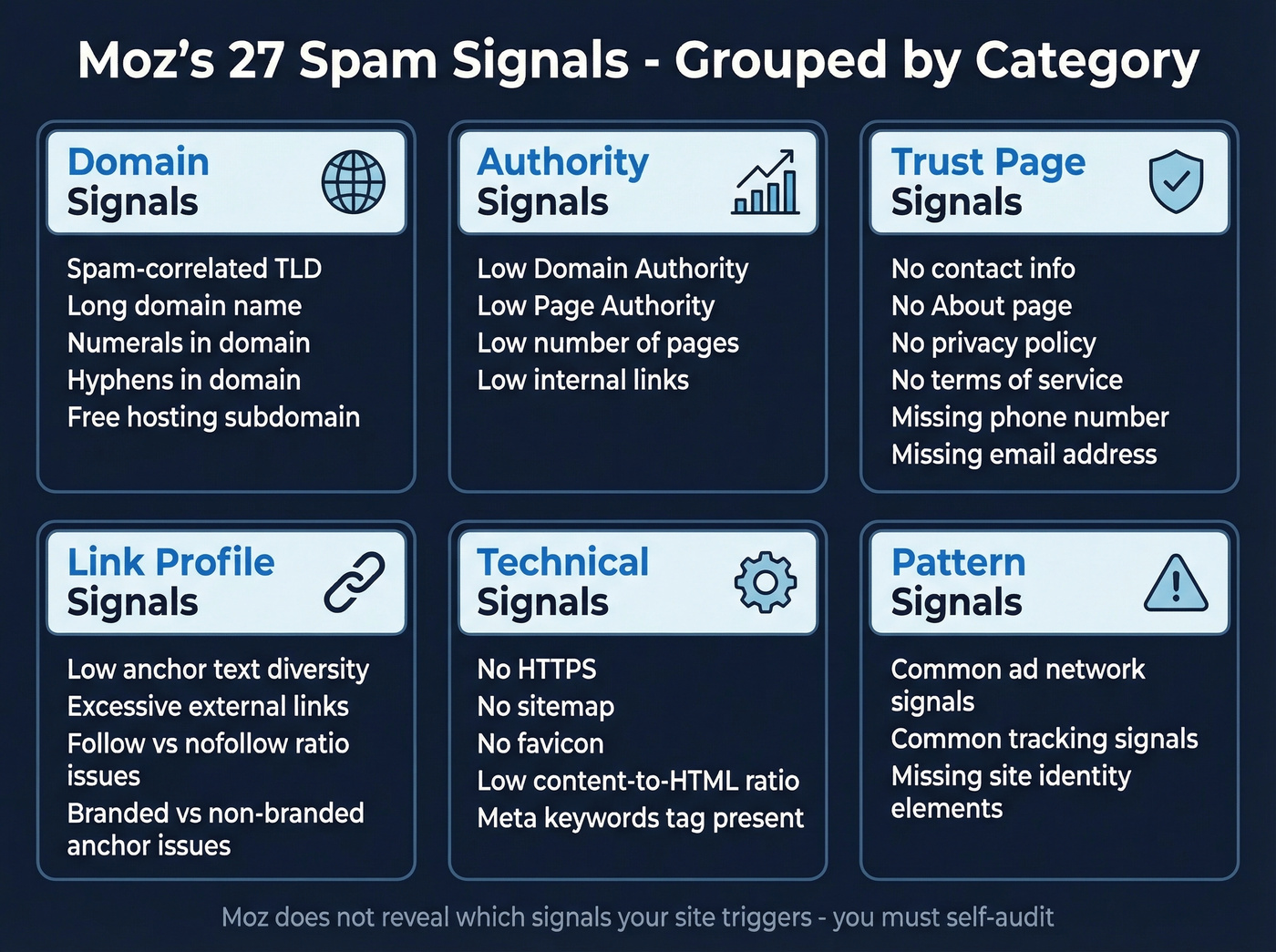
Below is a plain-English walkthrough aligned to Moz's documented 27-feature framework:
- Low number of pages found - very small sites with minimal crawlable content.
- Spam-correlated TLD - certain TLD patterns show up more often in penalized site sets.
- Domain name length - unusually long domains correlate with spam.
- Domain contains numerals - numbers in the domain can flag spam patterns.
- Domain contains hyphens - hyphenated domains skew spammy.
- Subdomain of a free hosting provider - free-host subdomains correlate with spam clusters at scale.
- Low Moz Domain Authority - weak authority signals.
- Low Moz Page Authority of homepage - homepage lacks link equity.
- No contact information found - missing basic contact details.
- No "About" page found - absence of basic trust pages.
- No privacy policy found - another trust signal gap.
- No terms of service found - same category.
- No sitemap found - missing sitemap discovery.
- Low anchor text diversity - repetitive anchor text patterns.
- Large number of external links - excessive outbound linking patterns.
- Followed vs. nofollowed link ratio issues - unusual ratios correlate with manipulative patterns.
- Branded vs. non-branded anchor ratio issues - over-optimized anchors correlate with spam.
- Meta keywords tag present - a legacy tag correlated with spam.
- Low content-to-HTML ratio - code-heavy, content-light pages.
- Common ad network signals - heavy ad patterns correlate with spam.
- Common tracking signals - excessive tracking patterns correlate with spam.
- Missing phone number - incomplete contact footprint.
- Missing email address - incomplete contact footprint.
- No HTTPS - still running on HTTP.
- Missing basic site identity elements - weak or absent site-level trust cues.
- No favicon - missing basic site branding.
- Low number of internal links - poor internal linking structure.
Moz updates these scores quarterly. Fix an issue today, and don't expect the score to change until the next crawl cycle.
How to Check Website Spam Score
The fastest path is Moz's free Domain Analysis tool. No login required.
Step 1: Go to moz.com/domain-analysis and enter your domain.
Step 2: Read the results. You'll see Domain Authority, Page Authority, and Spam Score displayed as a percentage.
Step 3: Interpret the percentage against Moz's thresholds - under 30% is low risk, 31-60% is medium, 61+ is high.
You get 3 free reports per day without logging in. Moz Pro customers get unlimited reports. Moz also offers free-tier access to deeper link data, with around 10 free queries per month for Link Explorer-style checks.
One limitation: Moz doesn't provide a historical trend view for Spam Score, so you can't track changes over time within the tool. And because Moz crawls independently, it can't see links you've disavowed in Google Search Console - your score reflects Moz's view of the web, not your disavow file.

A high spam score often starts with bad outbound data. Every bounced email chips away at your sender reputation and pushes your domain closer to blocklists. Prospeo's 5-step email verification delivers 98% accuracy - teams using it cut bounce rates from 35%+ to under 4%.
Stop feeding spam filters. Start sending to verified contacts only.
Spam Score Tools Compared
| Tool | What It Checks | Free Limits | Best For | Paid Price |
|---|---|---|---|---|
| Moz Spam Score | 27 features (site/domain patterns) | 3 reports/day | Quick free checks | ~$99/mo (Moz Pro) |
| Semrush | Toxicity scoring (45 markers, ML) | Limited trial | Active spam cleanup | ~$139.95/mo |
| Ahrefs | Link profile + SPAM label | Limited | Existing Ahrefs users | ~$129/mo |
| Spamhaus | Domain/email reputation | Free basic lookups | Email deliverability | Free/enterprise |
| Free wrappers | Usually the same Moz % | Varies | When Moz is down | Free |
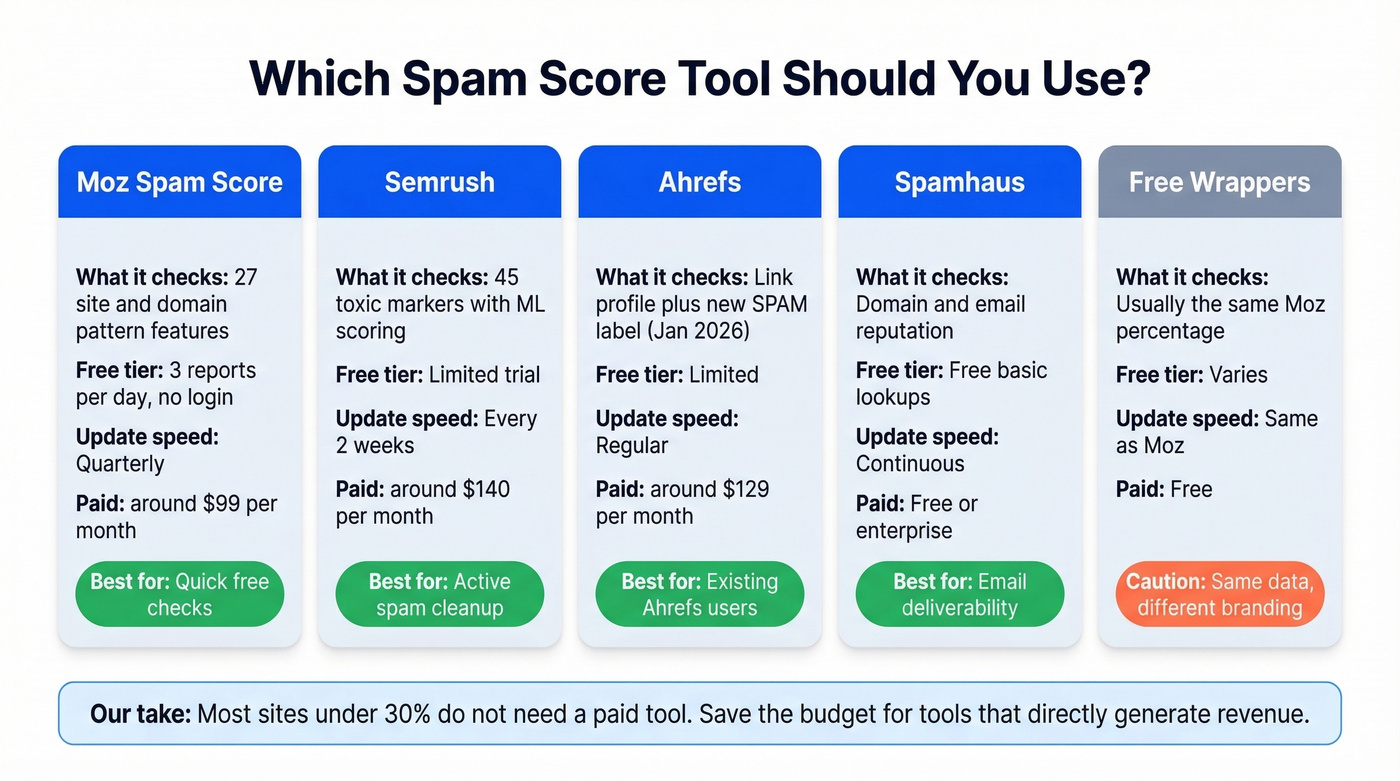
Moz is the original and still the most referenced spam score tool. Its index covers 45.5 trillion links, 8.7 trillion URLs, and 1 billion domains.
If you're dealing with an active link spam problem, Semrush is often the better tool for cleanup workflows. Its toxicity scoring uses 45 markers and machine learning, and its authority-style metrics update about every two weeks - much faster than Moz's quarterly cycle. We've found Semrush more useful when you need to actually fix something, not just measure it.
Ahrefs historically didn't do spam detection in the same "spam score" sense - Domain Rating is primarily link-strength. In January 2026, Ahrefs added a SPAM label for referring domains, which helps with basic spam flagging if you're already in the ecosystem.
Spamhaus operates in a completely different context - email and security-focused domain reputation. If your concern is email deliverability rather than SEO, Spamhaus domain reputation lookups are free for basic checks.
Free wrappers like WebsiteSEOChecker, SmallSEOTools, DapaChecker, and Linkody often reskin Moz-style metrics. Running your domain through five of them won't give you five independent data points - it'll give you the same data point five times.
Let's be honest: most sites don't need any paid tool for spam score monitoring. If your Moz score is under 30% and you're not seeing manual actions in Search Console, the free tier is plenty. Save the $99-140/month for tools that directly generate revenue.
How to Interpret Your Score
1-30% (Low): Relax. Monitor quarterly. Your site shares few characteristics with penalized domains. No action needed unless you're seeing other warning signs in Search Console.
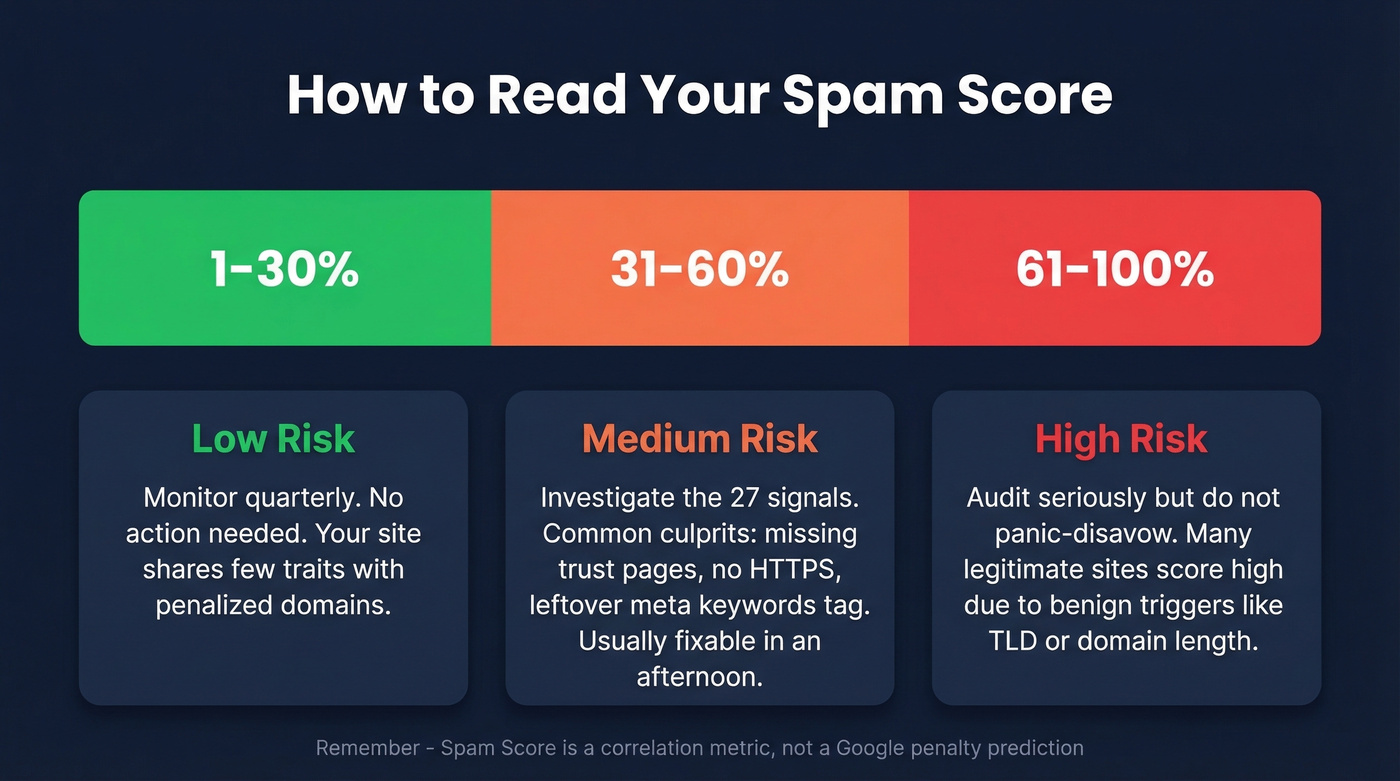
31-60% (Medium): Investigate. Walk through the 27 signals manually and identify which ones your site triggers. In our experience, the most common culprits at this level are missing trust pages, no HTTPS, or meta keywords tags left over from 2014. These are usually quick fixes that take an afternoon.
61-100% (High): Audit seriously. But don't panic-disavow. We've audited dozens of sites with high Moz scores that had zero Google penalties - the underlying signals were benign, like using a spam-correlated TLD or having a long domain name. A high score is a flag to investigate, not a death sentence.
Common Spam Score Myths
Myth: "Spam Score is a Google metric." Google doesn't use it, reference it, or publish it. Moz Spam Score is a third-party metric. Google has its own internal spam systems like SpamBrain.
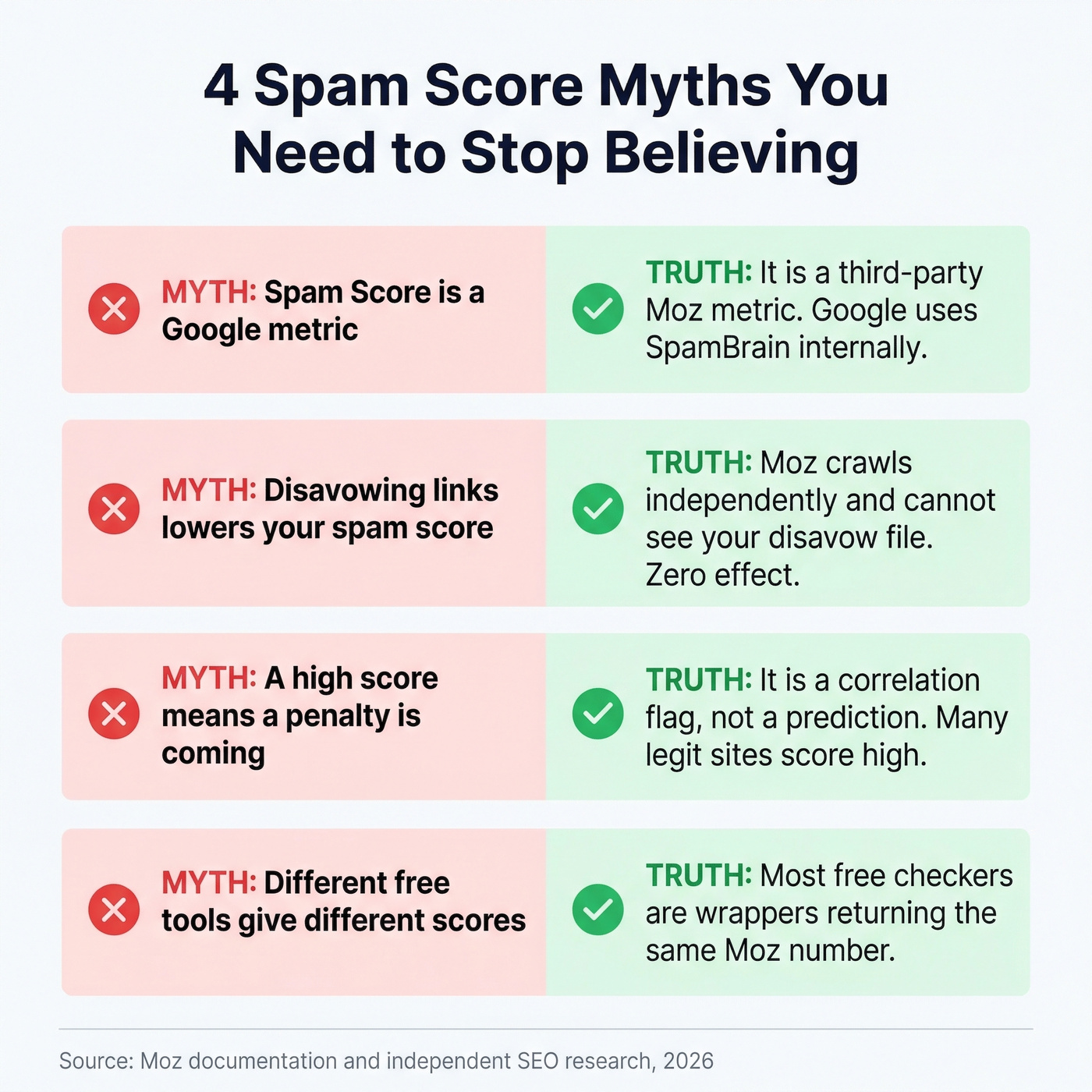
Myth: "Disavowing links will lower my spam score." Google's Disavow Tool has zero effect on Moz's score. Moz crawls the web independently and can't see your disavow file. Your score won't change until Moz's own crawlers detect changes that impact the 27 signals, and that happens quarterly at best.
Myth: "A high score means a penalty is coming." Spam Score is a correlation flag, not a prediction engine. Plenty of legitimate sites trigger multiple signals without ever facing a penalty - especially newer or smaller ones.
Myth: "Different free tools give different scores." Most free spam score checkers return the same Moz number. They're wrappers with different branding.
How to Reduce Your Domain's Spam Score
The fixes map directly to the 27 signals. Start with the easy wins.
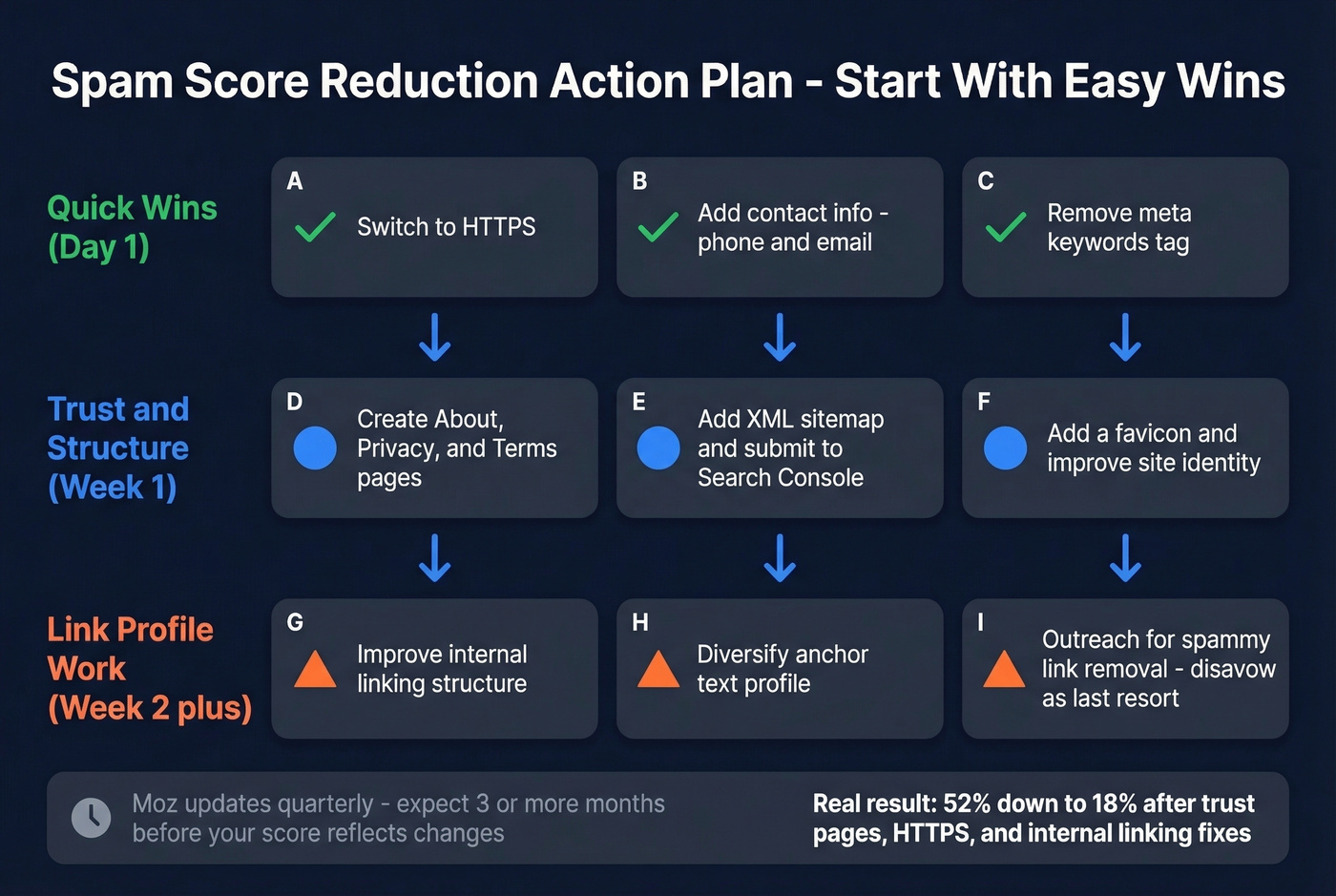
Switch to HTTPS if you haven't already - this is table stakes in 2026. Add contact information, because phone number and email address both matter. Create trust pages including About Us, Privacy Policy, and Terms of Service; even basic versions help. Remove the meta keywords tag, which does nothing for SEO and correlates with spam. Add a sitemap and submit it to Search Console.
For the structural stuff: improve internal linking since thin internal link structures are a flag, and diversify your anchor text profile - if most inbound links use the same exact-match anchor, that's a red flag for both Moz and Google. We worked with a SaaS client last year whose score dropped from 52% to 18% after they added trust pages, switched to HTTPS, and cleaned up their internal linking. Took about two weeks of actual work, then a quarter of waiting for Moz to re-crawl.
For backlink-related issues, try outreach first. Contact webmasters and request link removal before reaching for the Disavow Tool. Google's own guidance is clear: they can ignore most spammy links algorithmically, so disavow is a last resort. The tool was released in 2012 specifically for Penguin-era link scheme cleanup. If you don't have a manual action in Search Console, you probably don't need it.
Check quarterly, not monthly. More frequent checks just show you stale data.
Bad Data and Domain Reputation
Spam score measures site-level features, but your outbound behavior can damage domain reputation through a completely different mechanism. If your outbound team is blasting 5,000 emails per week and half are bouncing, those bounces generate spam complaints that tank sender reputation - and sender reputation feeds into broader domain signals affecting deliverability across every channel.
This is where data quality becomes a domain health issue. Prospeo's 5-step verification catches invalid addresses before they hit an inbox, with spam-trap removal and honeypot filtering built into every record. One customer, Stack Optimize, went from zero to $1M ARR while maintaining 94%+ deliverability and sub-3% bounce rates across all their clients - zero domain flags.
If you want to go deeper on deliverability mechanics, start with sender reputation and then map your fixes to a full email deliverability checklist. If bounces are the immediate issue, benchmark your bounce rate and set a safe email velocity before scaling.
Missing contact info and weak trust signals trigger Moz's spam flags. But the real domain killer? Sending outbound to unverified addresses. Prospeo refreshes 300M+ profiles every 7 days - not every 6 weeks - so your lists never go stale and your domain stays clean.
Clean data at $0.01 per email. Your domain reputation is worth more than that.
FAQ
Is Moz Spam Score the same as Google's spam detection?
No. Moz Spam Score is a third-party metric based on 27 features commonly found on sites Google has penalized or banned. Google doesn't use, reference, or publish this score - it has its own internal spam systems like SpamBrain.
What's a good spam score for a website?
Moz considers 1-30% low risk, and most sites in that range need no action. Scores above 30% warrant investigation against the 27 signals. Above 60% means a serious audit, but even high scores don't guarantee a penalty.
Does disavowing links lower my spam score?
Not directly. Google's Disavow Tool tells Google to ignore certain links - it doesn't communicate with Moz at all. Moz crawls independently and updates quarterly, so your score reflects Moz's own view of your site regardless of what you've disavowed.
How often should I check my domain's spam score?
Quarterly is sufficient. Moz updates its index about four times per year, so checking weekly or monthly just returns the same stale number. Set a calendar reminder and move on.
Can bad email data affect my domain's spam reputation?
Yes. Sending to invalid addresses generates bounces and spam complaints that directly damage sender reputation. Over time, this erodes domain-level deliverability. Verified data - whether from Prospeo or another provider with real verification infrastructure - prevents bounce-driven reputation damage before it starts.