

Email Sender Reputation: What It Is, How to Check It, and How to Fix It
Your open rates were 35% last month. This month, they cratered to 12%. Nothing changed - same subject lines, same audience, same send times. The problem isn't your content. It's your email sender reputation, and it's been quietly deteriorating while you were focused on copy and cadence.
We've watched teams spend weeks A/B testing subject lines when the real issue was sitting in their DNS records. Here's what to do right now: set up Google Postmaster Tools, Microsoft SNDS, and MxToolbox. Know your thresholds - spam complaints under 0.1%, bounce rate under 2%. And if your bounce rate is above 5%, stop sending and verify your list before anything else. Bad data is the fastest way to torch a sending reputation.
What Is Sender Reputation?
Email sender reputation is the trust score that mailbox providers - Gmail, Outlook, Yahoo - assign to your sending infrastructure based on your behavior. Think of it like a credit score for email. It determines whether your messages land in the inbox, get filtered to spam, or get rejected outright.
Most tools represent it on a 0-100 scale, but there's no single universal score. Gmail calculates reputation differently than Outlook, which calculates it differently than Yahoo. A "good" reputation on one provider doesn't guarantee inbox placement on another, which is exactly why you need multiple monitoring tools instead of one dashboard.
Domain vs. IP Reputation
Your IP reputation is tied to the specific mail server sending your emails. Your domain reputation is tied to your sending domain and follows you everywhere - across ESPs, across IPs, across infrastructure changes.
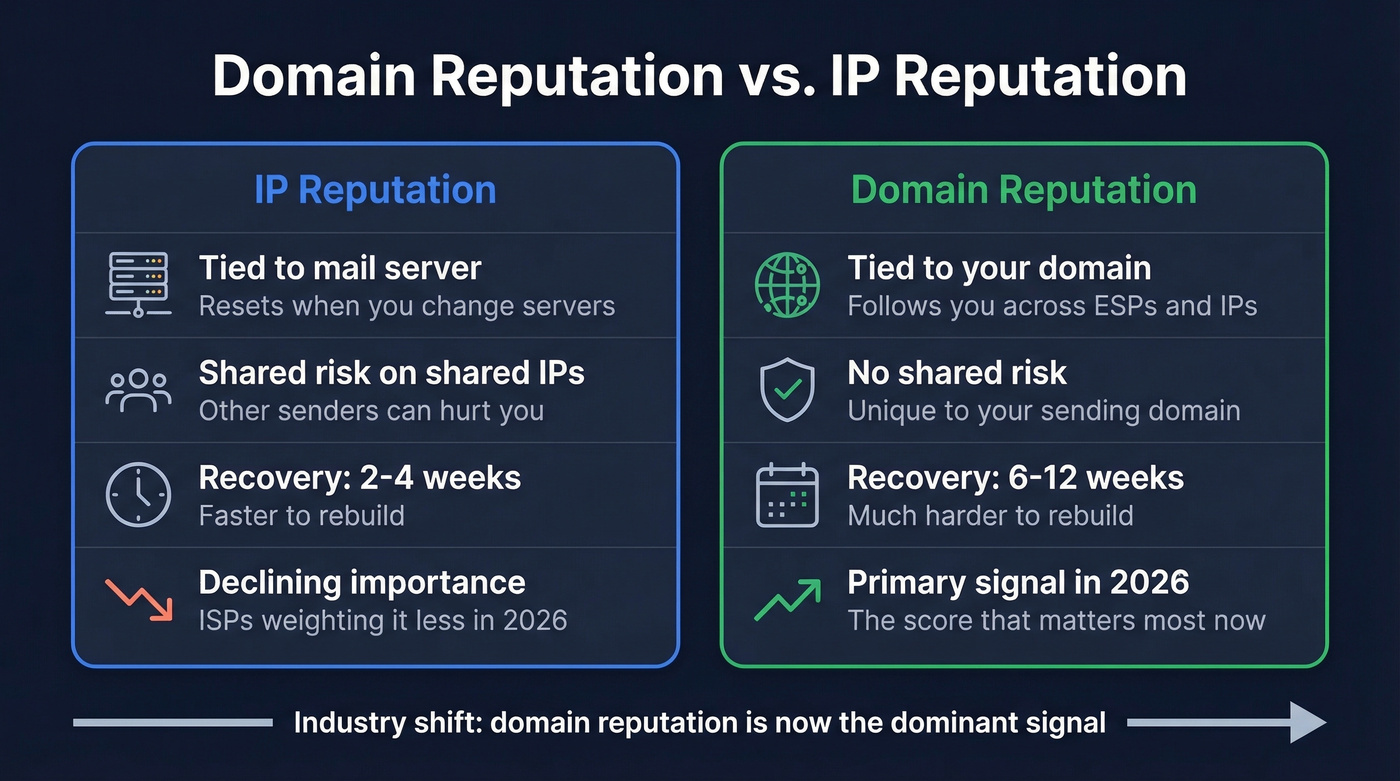
| Factor | IP Reputation | Domain Reputation |
|---|---|---|
| Portability | Resets on server change | Follows you across IPs/ESPs |
| Shared risk | Yes (shared IPs) | No (unique to your domain) |
| Recovery time | 2-4 weeks | 6-12 weeks |
| Modern weighting | Declining | Primary signal |
The industry has shifted toward domain reputation as the dominant signal. That's both good and bad news. Good because you're not at the mercy of a shared IP's behavior. Bad because domain damage is harder to undo - you can't just switch to a new domain without starting from scratch, and if you're migrating ESPs expecting a clean slate, your domain reputation comes with you regardless. The grace period where you could outrun a bad domain by switching providers is long gone.
What Affects Your Sending Reputation
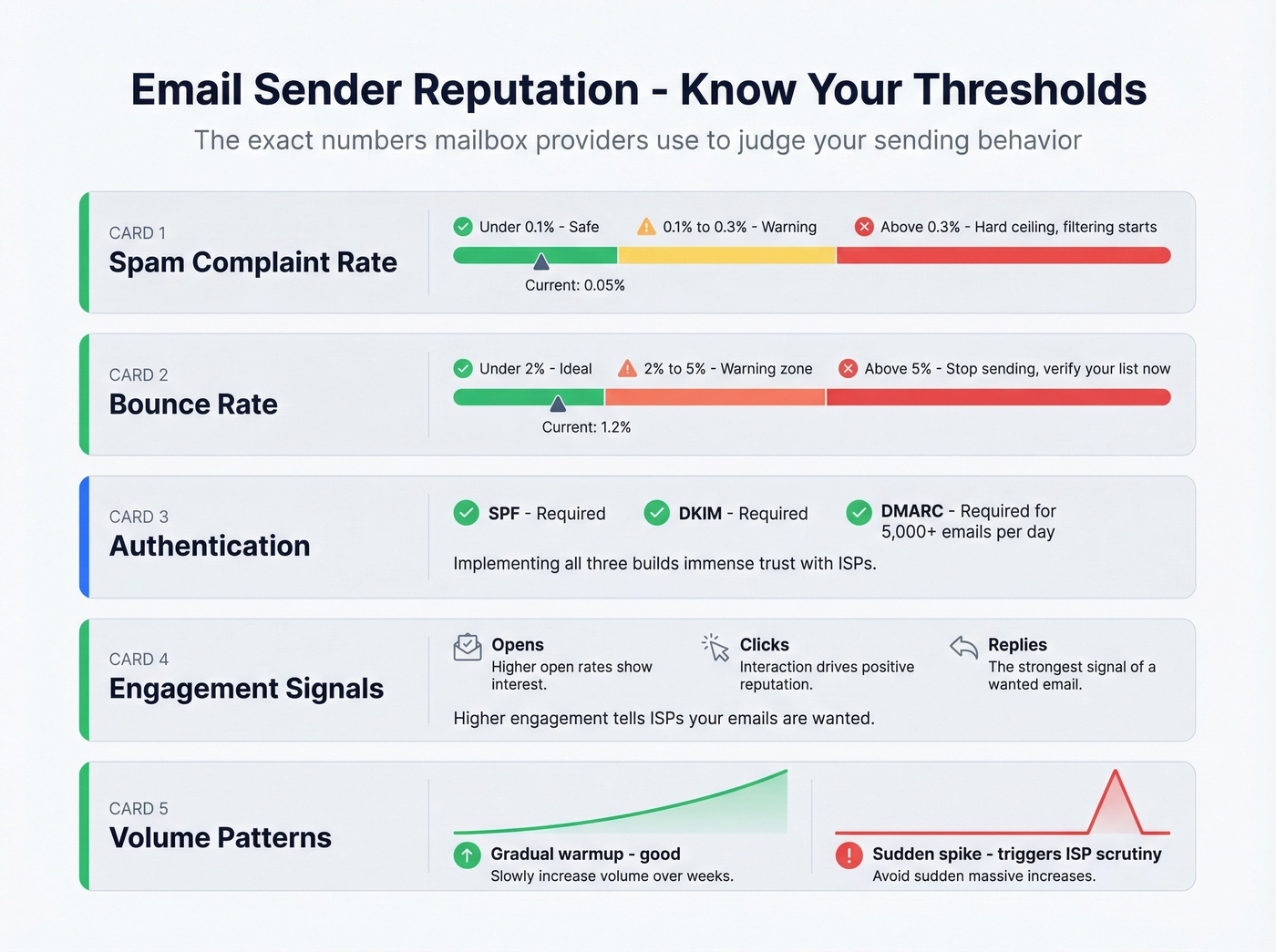
Every deliverability guide says "keep your bounce rate low" without telling you what "low" actually means. Here are the actual numbers.
Authentication: SPF, DKIM, DMARC
SPF and DKIM are required. DMARC is required for bulk senders hitting 5,000+ emails per day under the 2024-2025 enforcement rules. SPF validates your sending server, DKIM cryptographically signs your messages, and DMARC ties them together with a policy. Missing these in 2026 is like showing up to a job interview without ID.
Spam Complaint Rate
Target below 0.1%. Never let it hit 0.3% - that's the hard ceiling Gmail and Yahoo enforce. Once you cross 0.3% consistently, filtering and rejection risk spikes fast.
Bounce Rate
Under 2% is ideal. Between 2-5% is a warning zone. Above 5% is critical - stop sending and fix your list. One practitioner on r/salestechniques reported running at 18-22% bounce rates before realizing the damage, which brings us to a point we'll keep hammering: data quality isn't optional.
Engagement Signals
Opens, clicks, and replies all signal trust to mailbox providers. If your recipients aren't interacting with your emails, ISPs read that as "this sender isn't wanted here" and act accordingly. Strong engagement is the clearest indicator of a healthy reputation.
Sending Volume Patterns
Sudden spikes trigger ISP scrutiny immediately. Going from 500 emails per day to 50,000 overnight looks like a compromised account. Any new IP or domain needs a proper warmup ramp.
Blocklist Presence
Spamhaus, Barracuda Central, and Talos Intelligence are three of the most commonly checked sources. Landing on any of them can tank your deliverability overnight. Monitor weekly with MxToolbox.
The 2024-2025 Rules That Changed Everything
What used to be "best practices" became hard requirements with real consequences.
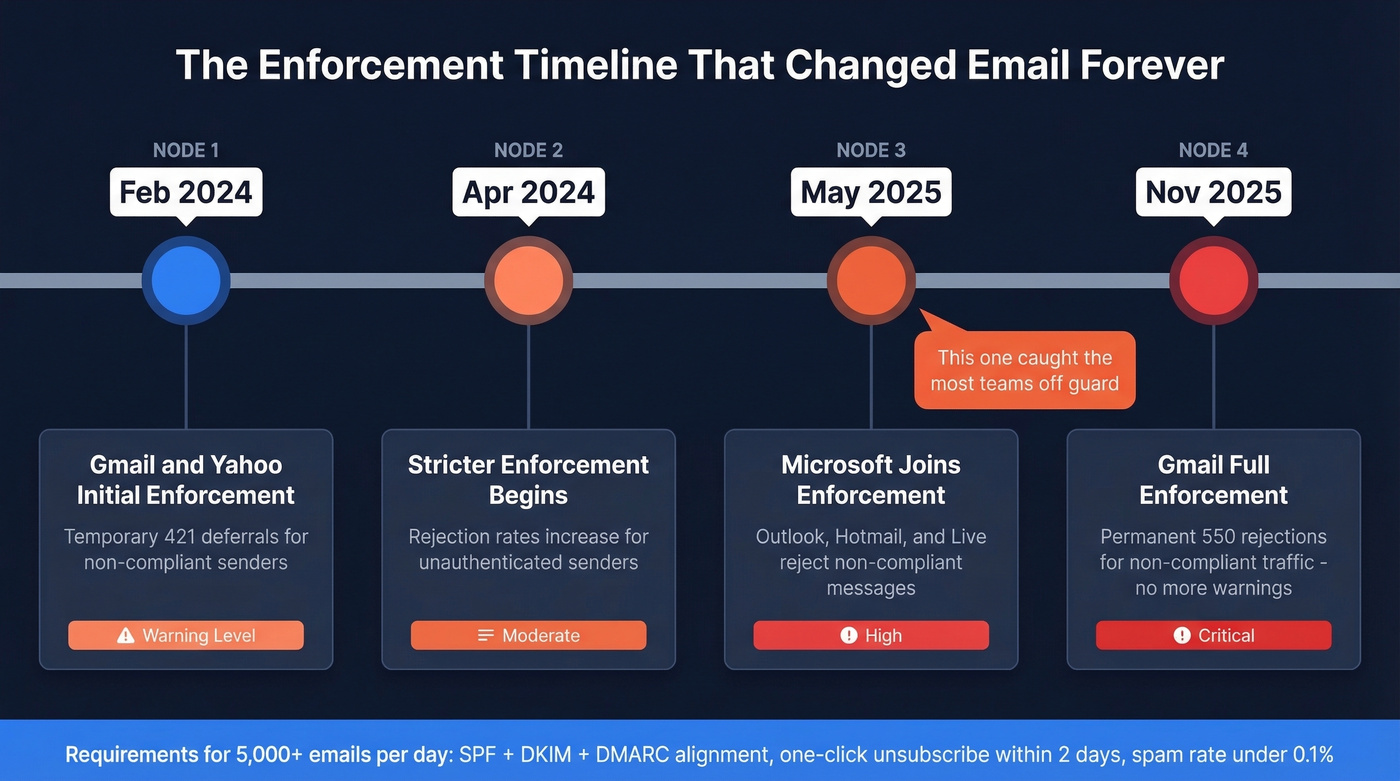
| Date | What Happened | Impact |
|---|---|---|
| Feb 2024 | Gmail/Yahoo initial enforcement | Temporary deferrals (421 errors) for non-compliant mail |
| Apr 2024 | Stricter enforcement | Rejection rates increase for unauthenticated senders |
| May 2025 | Microsoft joins enforcement | Outlook.com/Hotmail/Live reject non-compliant messages |
| Nov 2025 | Gmail ramps to full enforcement | Permanent rejections (550 errors) for non-compliant traffic |
The 5,000+ emails/day threshold is the trigger. If you're above it, you need SPF + DKIM + DMARC alignment, one-click unsubscribe processed within 2 days, and spam rates below 0.1%.
In our experience, Microsoft joining enforcement in May 2025 caught more teams off guard than the original Gmail changes. They'd been focused on Gmail compliance and assumed Outlook was more lenient. The 421-to-550 error progression means ISPs went from warning you to blocking you - and the grace period is over. These aren't optional best practices anymore. They're table stakes for anyone sending at scale in 2026.

The article says it clearly: bounce rates above 5% mean stop sending and fix your list. Prospeo's 5-step email verification - with catch-all handling, spam-trap removal, and honeypot filtering - delivers 98% accuracy. Teams using Prospeo cut bounce rates from 35%+ to under 4%.
Stop guessing which emails are valid. Verify before you send.
How to Check Your Reputation
No single tool gives you the full picture. You need a monitoring stack.
Recommended Monitoring Stack
| Tool | What It Measures | Cost |
|---|---|---|
| Google Postmaster Tools | Gmail compliance + spam rate | Free |
| Microsoft SNDS | Outlook/Hotmail reputation | Free |
| Sender Score | Cross-provider 0-100 score | Free |
| MxToolbox | Blocklist presence | Free (basic) |
| Spamhaus | Blocklist status | Free lookup |
| Barracuda Central | Blocklist status | Free lookup |
| Talos Intelligence | Blocklist + reputation | Free lookup |
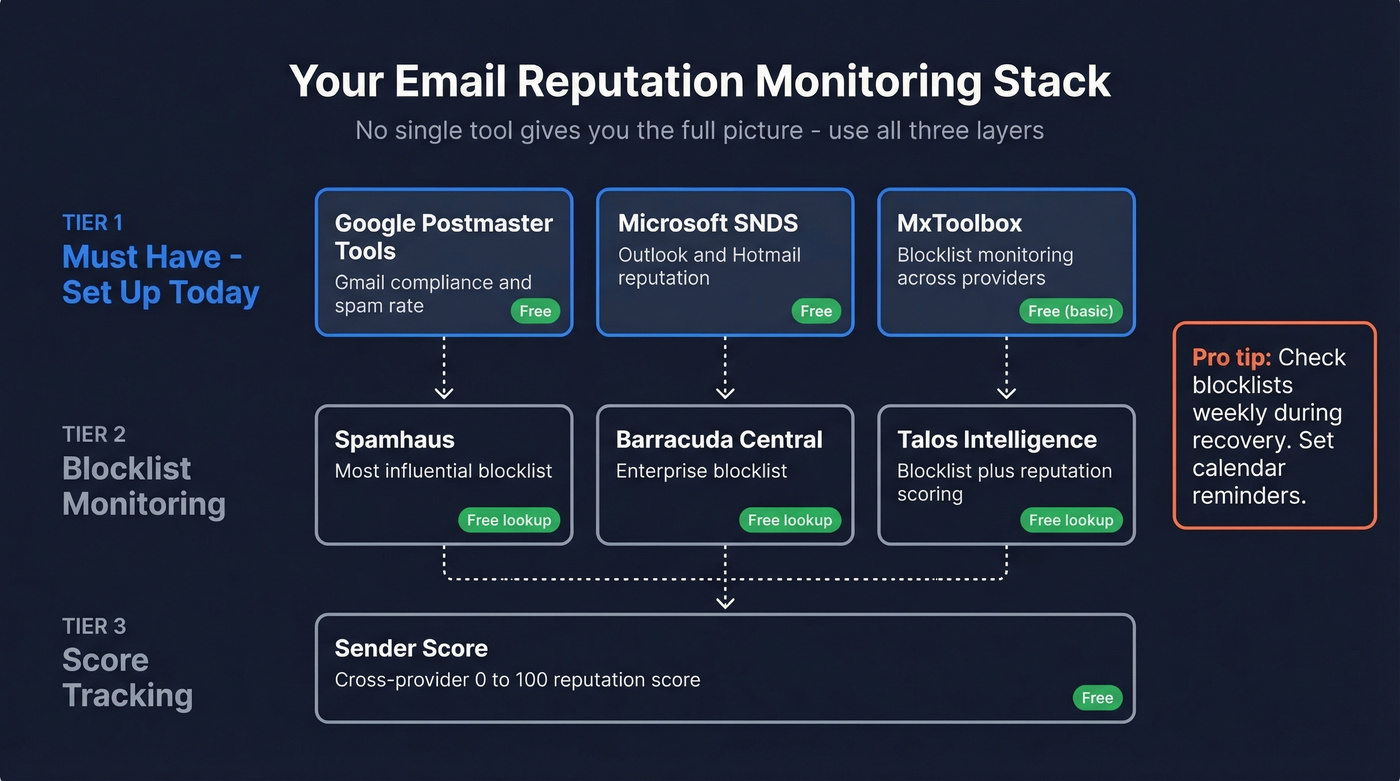
At minimum, set up Google Postmaster Tools + Microsoft SNDS + MxToolbox. That covers the two biggest mailbox providers and blocklist monitoring.
Google Postmaster Tools V2
Google retired the old IP Reputation and Domain Reputation dashboards. Most deliverability guides still reference the old interface - don't follow outdated screenshots. The new V2 focuses on two dashboards: Compliance Status and Spam Rate.
Here's the thing most people miss: GPT spam rate only reflects manual spam reports from users. It doesn't tell you about automatic filtering. You can have a 0.01% spam rate in GPT while Gmail silently routes a huge share of your emails to spam. Low spam rate does not equal good inbox placement.
One more gotcha worth knowing. GPT can show a 100% spam rate on days you didn't even send. That's a division-by-zero artifact - delayed complaints hitting against a zero-send denominator. Check the surrounding days for context before you panic.
Engagement Benchmarks That Signal Reputation Health
Engagement metrics are your early warning system. When they drop, reputation damage is usually already underway.
| Metric | 2025 Median (MailerLite, 3.6M campaigns) | 2023 Average (Mailchimp) |
|---|---|---|
| Open rate | 43.46% | 35.63% |
| Click rate | 2.09% | 2.62% |
| Unsubscribe rate | 0.22% | 0.22% |
Apple Mail Privacy Protection inflates open rates. Don't celebrate a 45% open rate without accounting for MPP - your real human opens are likely lower.
MailerLite's 2025 data shows unsubscribe rates rose year-over-year, partly because Gmail made it easier to unsubscribe directly from the inbox UI. That's actually a good thing. An unsubscribe is infinitely better than a spam complaint for your reputation.
How to Fix a Damaged Reputation
If your reputation is already damaged, here's the recovery playbook. Order matters - don't skip steps.
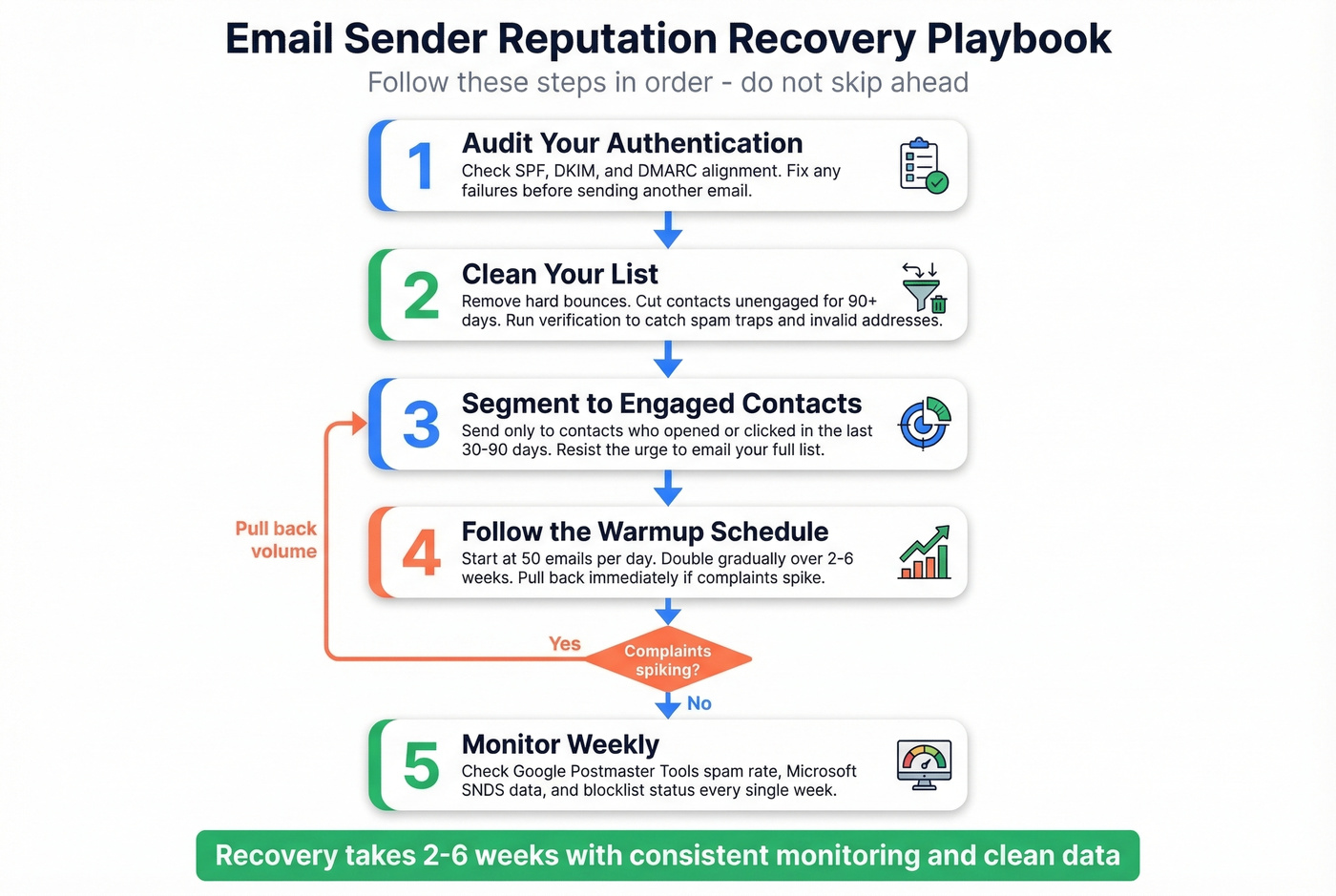
1. Audit Your Authentication
Check SPF, DKIM, and DMARC alignment first. Misconfigurations here undermine every other recovery effort. Use MxToolbox or your ESP's built-in diagnostics. Fix any failures before you send another email.
2. Clean Your List
Remove hard bounces immediately. Then cut unengaged contacts - anyone who hasn't opened or clicked in 90+ days. Run your list through a verification tool to catch invalid addresses, spam traps, and catch-all domains before you resume sending. This single step prevents the bounces that caused the damage in the first place.
3. Segment to Engaged Contacts
Start recovery sends exclusively with contacts who opened or clicked in the last 30-90 days. These are the people most likely to engage, and positive engagement signals rebuild your sending reputation. Resist the urge to send to your full list. That's how you got here.
4. Follow the Warmup Schedule
Whether you're warming a new IP or recovering a damaged one, the ramp matters. Here's a template based on Braze's research.
| Day | Volume | Notes |
|---|---|---|
| 1 | 50 | Most engaged cohort only |
| 2 | 100 | Monitor bounces/complaints |
| 3 | 500 | Expand to 60-day engagers |
| 4 | 1,000 | Check GPT spam rate |
| 5 | 5,000 | Slow down if complaints spike |
| 6 | 10,000 | Expand to 90-day engagers |
| 7 | 20,000 | Review blocklist status |
| 8 | 40,000 | Per-provider monitoring |
| 9 | 70,000 | Approaching full volume |
| 10 | 100,000 | Full volume if metrics hold |
Total warmup duration runs 2-6 weeks depending on your target volume and list health. If complaints spike at any point, pull back volume and investigate before continuing.
5. Monitor Weekly
Check GPT spam rate, SNDS data, and blocklist status every week during recovery. If complaints spike after expanding to a new cohort, slow down. Recovery is iterative, not a one-time fix.
Bad Data Destroys Reputation Faster Than Bad Content
Most sender reputation guides tell you to "send better content" or "optimize your subject lines." Let's be honest - the real problem is usually that your list is full of dead emails and spam traps. Fix your data first, then worry about copy.
If your bounce rate is above 5%, no amount of subject line optimization or send-time testing will save you. Data quality isn't a nice-to-have. It's the foundation everything else sits on.
We've seen this pattern play out dozens of times. A team's bounce rate creeps up to 15-20%, reputation degrades, inbox placement drops, and they blame their ESP or their content. The root cause? They're sending to addresses that haven't been valid in months. That Reddit practitioner bouncing at 18-22%? After implementing verification, they dropped to 7% in three weeks.
Prospeo's 5-step verification with spam-trap removal and honeypot filtering catches the addresses most likely to destroy reputation before they hit your sending domain. With 98% email accuracy and a 7-day data refresh cycle - compared to the industry average of six weeks - contacts don't go stale between sourcing and sending. That refresh cadence matters because six weeks is plenty of time for emails to deactivate and your bounce rate to climb.
Real results from teams that switched to verified data:
- Meritt: bounce rate 35% down to under 4%
- Stack Optimize: deliverability 94%+ with bounce under 3% and zero domain flags across all clients
Every bounced email chips away at your domain reputation - and domain damage takes 6-12 weeks to recover. Prospeo refreshes all 300M+ profiles every 7 days, so you're never sending to stale data that other providers haven't updated in six weeks.
Clean data at $0.01 per email beats rebuilding a burned domain for months.
FAQ
What's a good sender reputation score?
Above 80 on a 0-100 scale is generally considered good. Gmail, Outlook, and Yahoo each calculate reputation differently, so no single number tells the full story. Check Google Postmaster Tools and Microsoft SNDS alongside Sender Score for a complete picture.
How long does it take to recover a damaged reputation?
IP reputation can rebuild in 2-4 weeks with clean, engaged sending. Domain reputation takes 6-12 weeks. The timeline depends on how severe the damage is and how consistently you follow recovery steps - especially list verification and warmup discipline.
Does email verification improve deliverability?
Yes. Verification removes invalid addresses, spam traps, and honeypots before you send, preventing the bounces that damage reputation in the first place. For full-list hygiene at scale, you need a tool built for volume - spot-checking a handful of addresses won't cut it.
What spam complaint rate is too high?
Keep complaints below 0.1%. Gmail and Yahoo enforce a hard ceiling at 0.3% - consistently exceeding that triggers filtering and outright rejection. Monitor weekly through Google Postmaster Tools to catch spikes early.
What's the difference between domain and IP reputation?
IP reputation is tied to your sending server and resets when you change IPs. Domain reputation follows your sending domain across any IP or ESP, making it more persistent and harder to recover. Modern mailbox providers weight domain reputation more heavily than IP reputation, which is why switching servers won't fix a domain-level problem.