


Findymail vs Mailfloss: You're Comparing Two Different Things
Findymail vs Mailfloss is a common comparison, but it's basically a category mistake. It's like comparing a fishing rod to a cooler - one helps you catch new fish, the other keeps what you already caught from going bad. They sit at different stages of the email workflow, so "which is better?" only makes sense after you figure out what problem you're actually solving.
Findymail is an email finder. It discovers and verifies prospect emails for outbound. Mailfloss is a list hygiene tool - it connects to your ESP and automatically scrubs contacts that have gone stale. The overlap is minimal. And if you're running outbound at any scale, you probably need both categories covered. The industry rule of thumb is to keep total bounces below 2%. Whichever tool you pick, that's the number you're defending.
30-Second Verdict
Pick Findymail if you're building prospect lists from scratch and need an email finder with built-in verification before you hit send.
Pick Mailfloss if your ESP list is already dirty and you need automated, ongoing hygiene running in the background 24/7.
Findymail vs Mailfloss Comparison Table
| Feature | Findymail | Mailfloss | Winner |
|---|---|---|---|
| Category | Email finder + verifier | ESP list hygiene | Depends on workflow stage |
| Primary plan | Starter: $99/mo | Lite: $29/mo | Mailfloss (on price alone) |
| Credits included | 5,000 finder + 5,000 verifier (bonus) | 10,000 credits/month, 1 ESP | Mailfloss (more volume per dollar) |
| Email finding | Yes | No | Findymail |
| Email verification | Yes (pre-send) | Yes (ESP-connected, ongoing) | Tie - different timing |
| ESP integrations | API, exports, Chrome extension, Google Sheets | 40+ native, Lite = 1 ESP | Mailfloss |
| Catch-all handling | Built-in verification | Flags + auto-actions | Mailfloss (automation) |
| Credit model | Charged only on verified result | Charged per verification run | Findymail (less waste) |
| Trial | Free: 10 emails | 7 days (requires ESP + card) | - |
| Best for | Outbound prospecting | Marketing list maintenance | - |
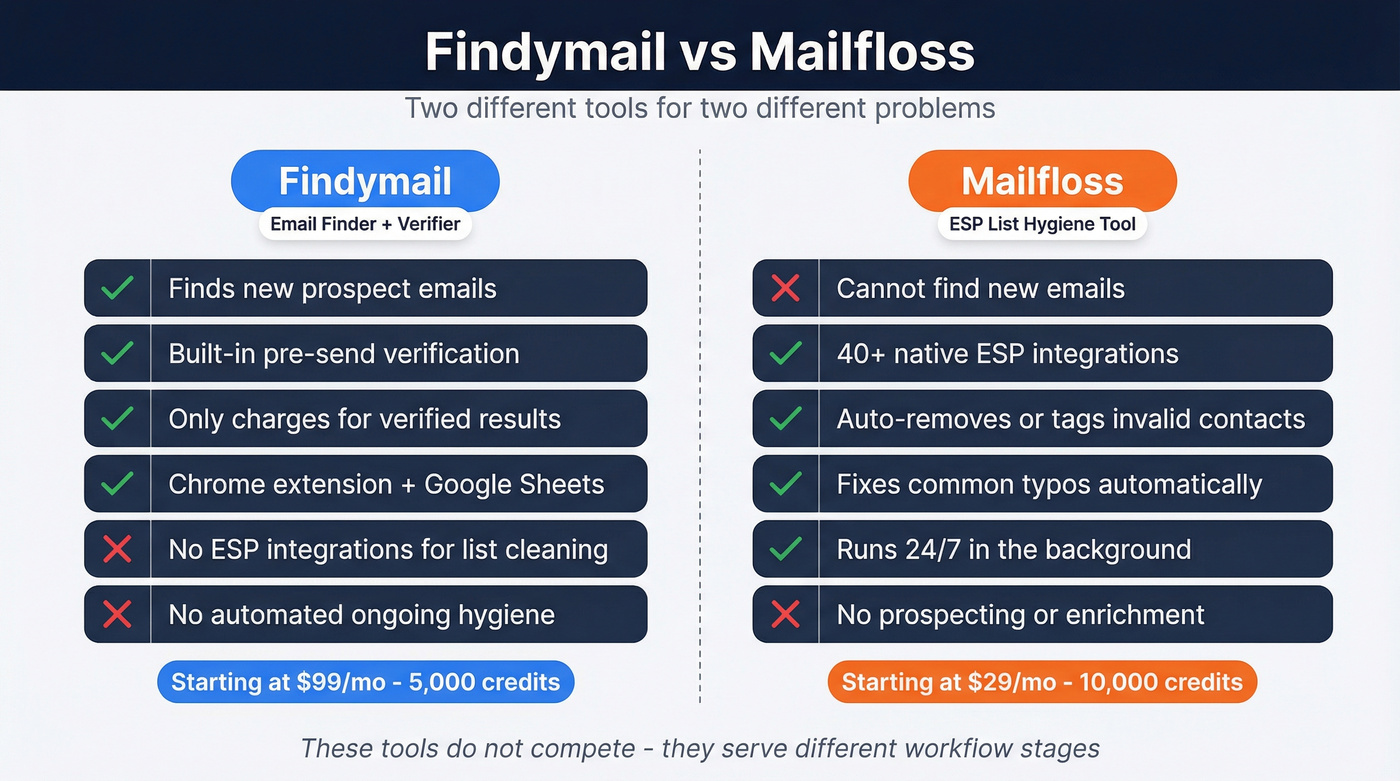
The cost models tell you everything. Findymail charges only when it returns a verified address, so you're paying for results. Mailfloss charges per verification run against your existing ESP list, which makes sense when you're maintaining thousands of contacts that decay over time. These tools don't compete - they serve different workflow stages.
What Findymail Does Well
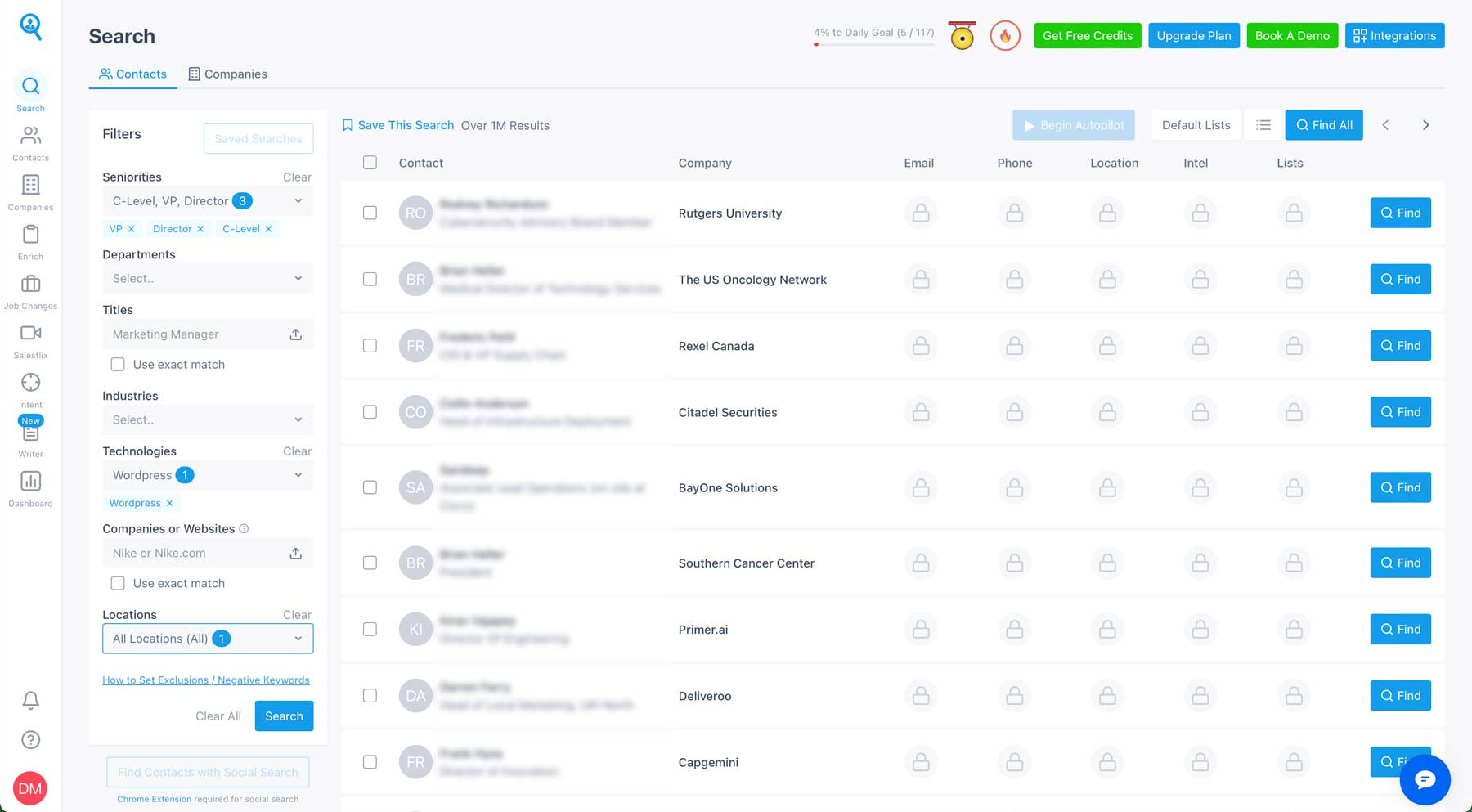
Findymail's pitch is simple: find emails, verify them, charge only for verified results. The Starter plan runs $99/mo for 5,000 finder credits plus 5,000 verifier credits as a bonus. Verification is baked into the finding workflow - no second tool, no extra step. For outbound teams building lists from scratch, that's a clean experience.
It also offers an AI-powered lead finder (Intellimatch) that analyzes company websites rather than relying purely on static database filters. That's useful when your ICP is niche and you're tired of database filters that feel like guesswork.
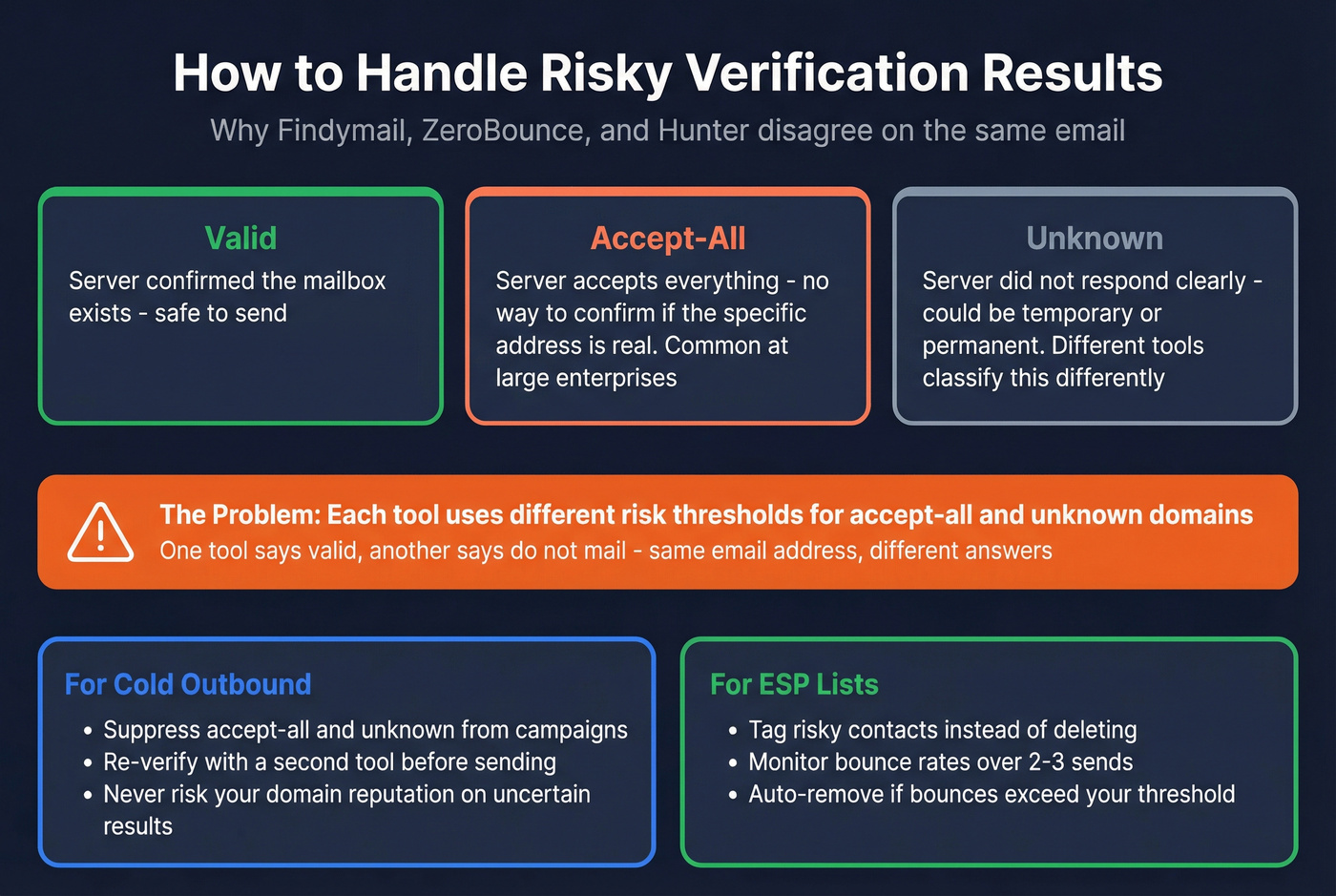
Here's the thing, though. One Reddit thread on r/coldemail highlights a frustrating reality: Findymail, ZeroBounce, and Hunter frequently disagree on the same email address. This happens because of how accept-all and unknown results work. An accept-all domain (common at large enterprises) is inherently uncertain for verifiers, and "unknown" means the server didn't respond clearly enough to classify the address. Different tools handle these edge cases with different risk thresholds, which is why one marks an address "valid" while another flags "do_not_mail."
How to treat risky results
Treat accept-all and unknown results as risky. Suppress them from cold outbound entirely, or re-verify with a second tool before sending. For ESP lists, tag them and monitor bounce rates over the next 2-3 sends. We've seen teams ignore this advice and then wonder why their sender reputation tanked after a single campaign - don't be that team.

Tired of tools disagreeing on whether an email is valid? Prospeo's 5-step verification handles catch-all domains, strips spam traps, and removes honeypots - so you never have to cross-reference Findymail, ZeroBounce, and Hunter again. 98% email accuracy, verified before you send.
One tool. One verification stack. Zero guesswork on risky emails.
What Mailfloss Does Well
Mailfloss isn't trying to find anyone. It keeps your existing email list from rotting.
Connect it to your ESP - Mailchimp, HubSpot, ActiveCampaign, Klaviyo, or any of 40+ supported platforms - and it runs continuous verification in the background. Invalid contacts get auto-removed, unsubscribed, or tagged based on your rules. It even fixes common typos ("gmial.com" to "gmail.com"), a small feature that prevents surprisingly dumb bounces.
If your ESP isn't natively supported, Mailfloss also works via Zapier with triggers like "Flossing Completed" and actions like "Add Email," so you're not locked out. The Capterra rating sits at 4.9/5 across 39 reviews, with reviewers consistently praising setup speed - some report going live in under three minutes.
Pricing breaks down like this:
- Lite - $29/mo, 10,000 credits/month, 1 ESP integration, $0.005/email overage
- Business - $59/mo, 25,000 credits/month, 10 ESP integrations, $0.003/email overage
- Pro - $209/mo, 125,000 credits/month, unlimited ESP integrations, $0.001/email overage
The 7-day free trial requires a supported ESP and a credit card on file. No ESP connection, no trial. And the big limitation remains: it doesn't build prospect lists. It only cleans what's already in your system.
If you're running any ESP list over 5,000 contacts without automated hygiene, you're burning email deliverability for no reason. $29/mo is cheap insurance.
How to Choose (By Workflow)
If you're stuck, decide based on where the email address "lives" today.
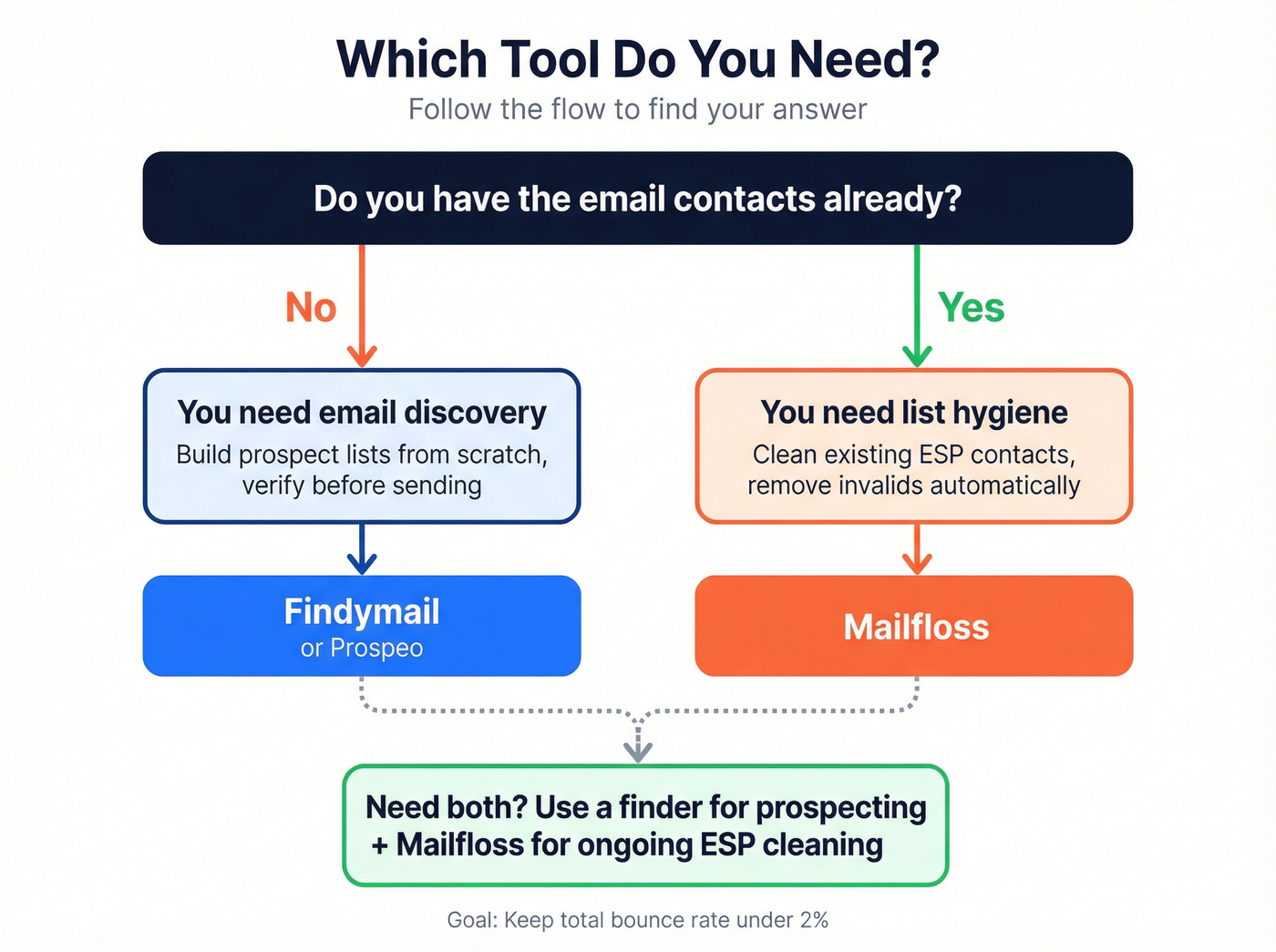
You don't have the contacts yet (outbound)
You need email discovery plus pre-send verification. That's the "build a list" problem: enrichment, segmentation, and filtering come first, then you verify before pushing into a sequencer. Findymail fits here. So does Prospeo.
You already have the contacts (marketing/CS)
You need ongoing list cleaning inside the ESP. That's the "maintain a list" problem: decay happens every month, people change jobs, inboxes get disabled, and old imports quietly turn into bounce traps. Mailfloss was built for exactly this.
You need both
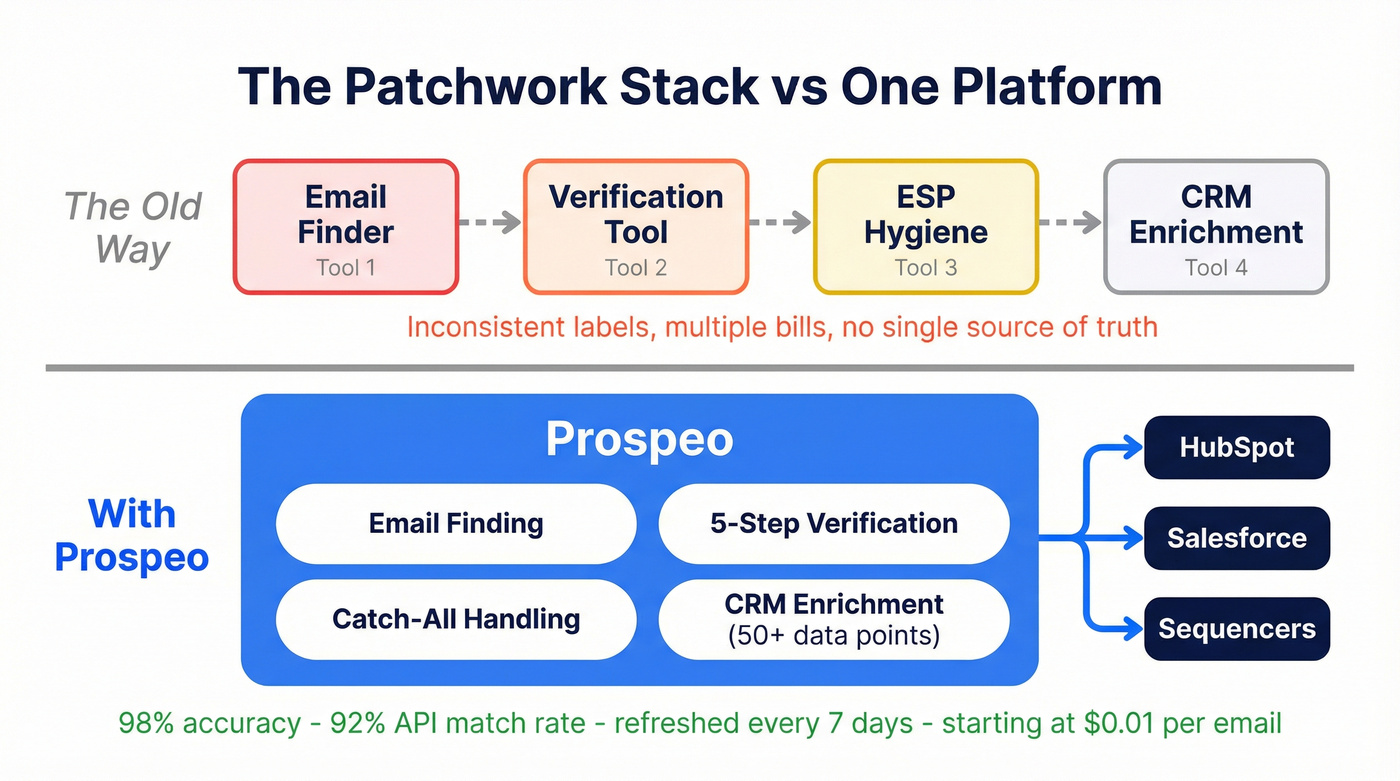
This is where teams get annoyed, and honestly, we get it. One tool finds, another cleans, and neither one is accountable for the end-to-end bounce rate. If you're juggling multiple sources, you also end up with inconsistent labeling - "valid" vs "risky" vs "unknown" - which makes automation messy. In our experience, the teams that handle this best pick one finding tool they trust and pair it with automated ESP hygiene, rather than trying to make a single tool do everything poorly.
A Strong One-Tool Option
Prospeo's verification stack handles catch-all domains and removes spam traps and honeypots as part of a 5-step process, which directly addresses the accept-all disagreement problem we mentioned earlier. For teams doing enrichment at scale, it also supports CRM and CSV enrichment with 50+ data points per contact, a 92% API match rate, and native integrations with HubSpot, Salesforce, Clay, Smartlead, Instantly, Lemlist, Zapier, and Make.

Which One Should You Pick?
Pick Findymail if you're doing outbound prospecting and need to discover verified emails for new contacts. You don't have a list yet - you're building one.
Pick Mailfloss if you're running email marketing and your existing subscriber or customer list needs ongoing hygiene. You already have the list - you need to keep it clean.
Let's be honest: this "Findymail vs Mailfloss" decision is really about whether you're creating new contacts, maintaining existing ones, or trying to do both without wrecking your sender reputation. Name the problem first. The tool choice follows.
You shouldn't need a finder AND a cleaner AND a prayer to stay under 2% bounce. Prospeo combines email finding, built-in verification, and CRM enrichment (92% match rate, 50+ data points) - all refreshed every 7 days, not 6 weeks. Starting at $0.01/email.
Replace your patchwork stack with one platform that owns the entire workflow.
FAQ
Is Findymail better than Mailfloss?
They solve different problems. Findymail finds and verifies new prospect emails before outbound, while Mailfloss continuously cleans an existing ESP list. If your bounce rate target is under 2%, pick the tool that matches where your contacts live today.
Can I use Findymail and Mailfloss together?
Yes, and it's common: use Findymail for prospecting and Mailfloss for ongoing ESP hygiene. The main downside is inconsistency on accept-all and unknown results, so set a rule - suppress risky statuses or re-verify - to avoid creeping bounce rates.
What's a good free alternative to start with?
Prospeo includes a free tier with 75 verified emails per month and real-time verification, so you can test deliverability without paying upfront. If you're cleaning an ESP list specifically, Mailfloss has a 7-day trial, but it requires an ESP connection and a card.