

How to Use AI to Write Emails Without Sounding Like a Robot
An [ActivTrak study of 10,584 users](https://www.prnewswire.com/news-releases/activtrak-productivity-lab-analyzes-443m-hours-of-work-activity-revealing-ai-is-accelerating-work - not-replacing-it-302710985.html) found that time spent on email increased 104% after AI adoption. The average knowledge worker [fields 117 emails a day](https://www.microsoft.com/en-us/worklab/work-trend-index/breaking-down-infinite-workday) and spends 28% of their workweek in their inbox. So if you're trying to figure out how to use AI to write emails without creating more busywork, you need a system - not just a chatbot window and good intentions.
The problem isn't AI. It's the absence of constraints. People open ChatGPT, type "write me an email," and spend 20 minutes wrestling with the output. Whether you're composing B2B outreach or dashing off a quick internal update, here's what actually works.
What You Need (Quick Version)
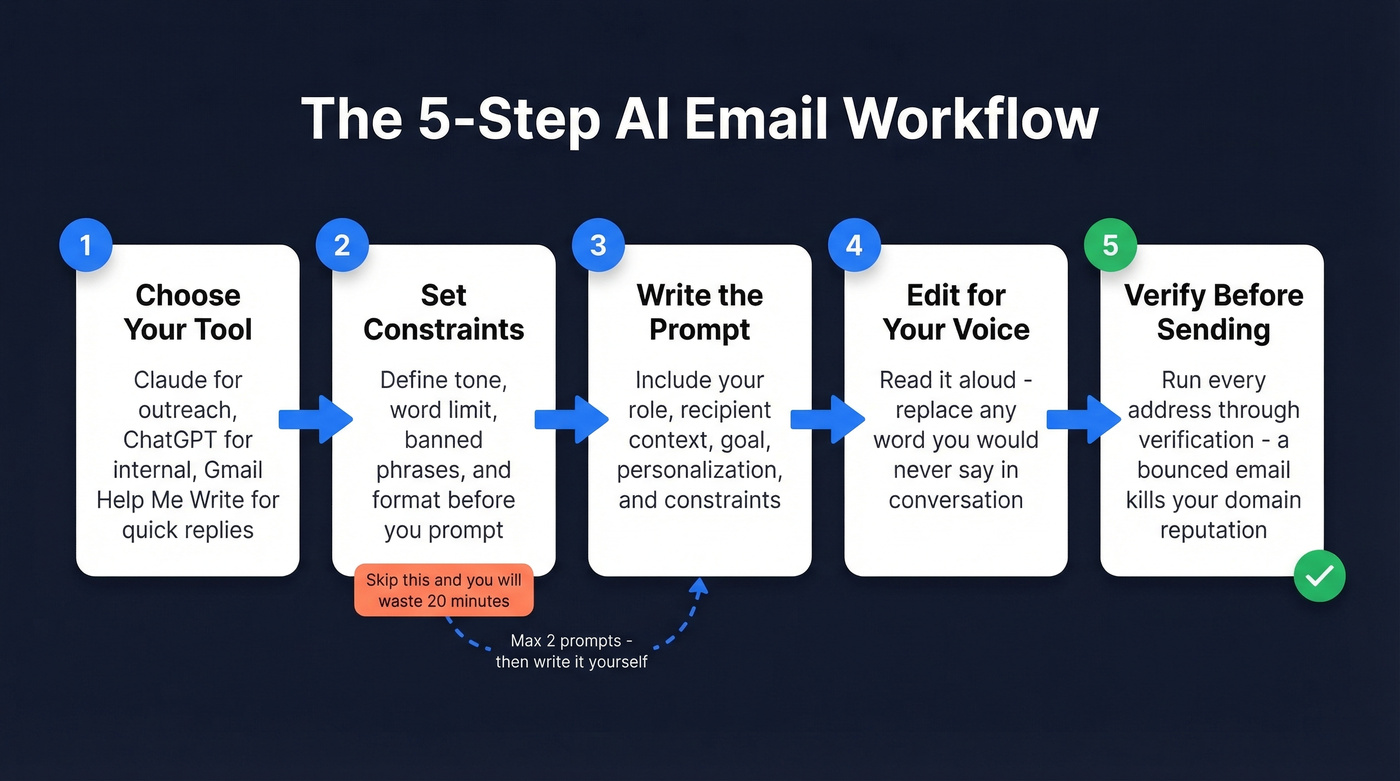
- Pick one tool and learn to prompt it well. Claude tends to handle cold outreach tone better than ChatGPT out of the box. ChatGPT excels at structured internal emails. Gmail's "Help me write" is fastest for quick replies.
- Set constraints before you prompt. Banned phrases, word limit, tone. This is the single biggest difference between AI saving you time and doubling it.
- Verify contact data before sending. A perfect AI email that bounces is worse than no email at all. Run addresses through Prospeo before you hit send - 98% email accuracy, real-time verification, and a free tier covering 75 emails plus 100 Chrome extension credits per month.
When to Use AI vs. Write It Yourself
Not every email should be AI-generated. Map two dimensions: is the email relational or transactional, and is it one-to-one or one-to-many?
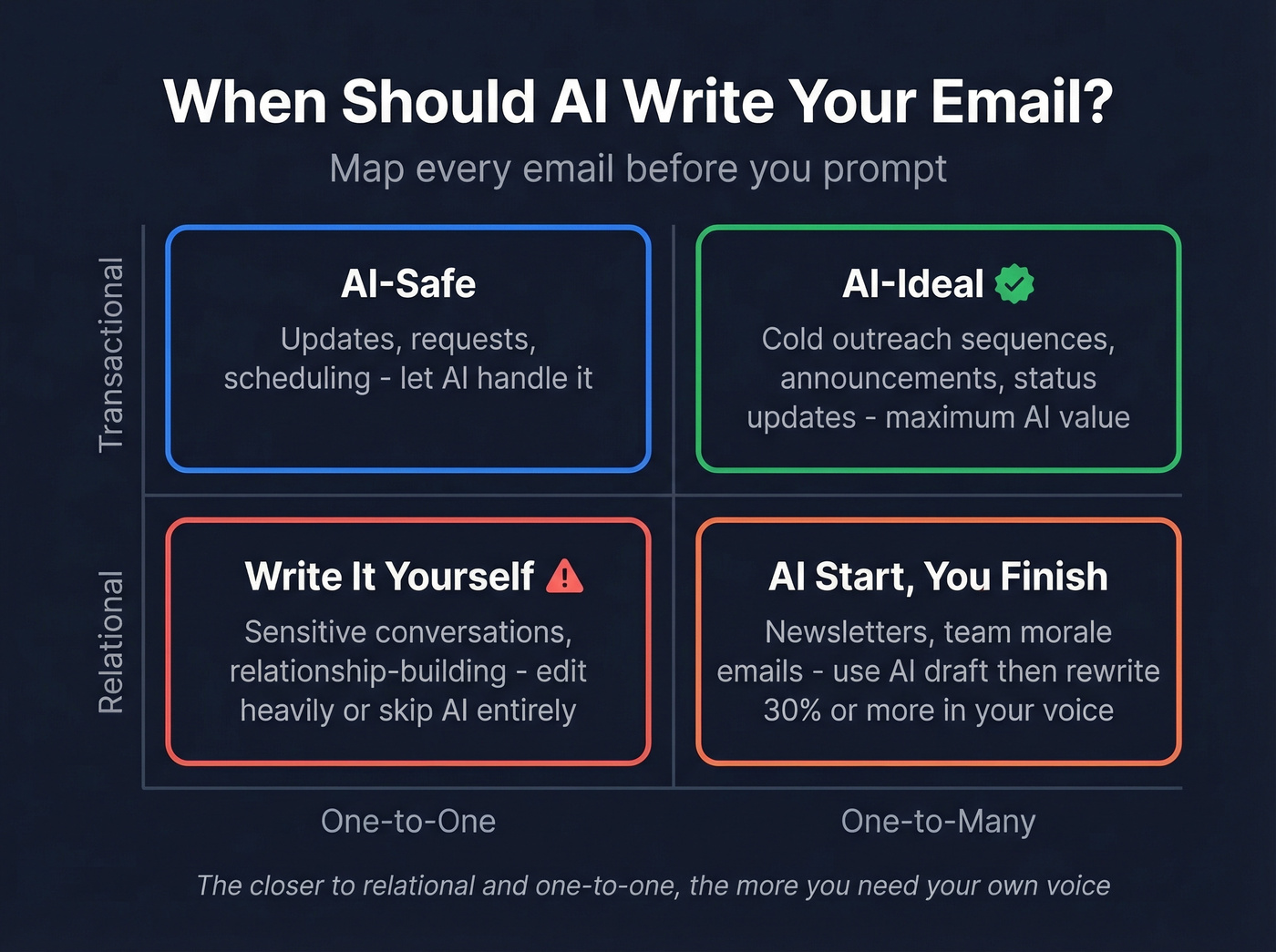
| One-to-One | One-to-Many | |
|---|---|---|
| Transactional | AI-safe (updates, requests) | AI-ideal (sequences, announcements) |
| Relational | Edit heavily or write manually | AI start, you finish |
Transactional one-to-many emails - cold outreach sequences, internal announcements, status updates - deliver the most AI value. You're communicating information, not building a relationship yet.
Relational one-to-one emails are where AI gets dangerous. A generic opener like "Hope this email finds you well" when a colleague is going through a rough patch doesn't just sound lazy - it erodes trust. Gmail's Smart Reply accounted for [12% of daily email communication by 2017](https://pmc.ncbi.nlm.nih.gov/articles/PMC10073210/), roughly 6.7 billion AI-generated emails per day. That number has only grown since. The question isn't whether to use AI for email. It's knowing when to let it drive and when to take the wheel.
How to Write Emails with AI (Step-by-Step)
Choose Your Tool
Don't overthink this. A popular r/ChatGPTPromptGenius cold-email prompt thread says Claude "nails casual professional tone" without heavy guardrails. ChatGPT is stronger for structured internal comms. Gmail's built-in "Help me write" is unbeatable for speed on quick replies. Pick one and move on.
Set Constraints First
Before you write a single word of your email prompt, define the guardrails: tone (casual professional, not corporate), word limit (under 100 words for outreach), banned phrases ("I hope this finds you well," "just reaching out," exclamation points), and format (short paragraphs, no bullet points in cold emails).
We've hit the 20-minute prompt-editing loop more times than we'd like to admit, and it's always because we skipped this step.
Write the Prompt
A good prompt has five parts: your role, context about the recipient, the goal of the email, personalization details, and your constraints. Include a line asking the model to request missing info before drafting - this prevents it from hallucinating details about your company or the recipient.
Edit for Your Voice
Read the draft aloud. Would you actually say this to a human being? Replace any word you'd never use in conversation. Check for hallucinated details - AI loves to invent specific facts about companies it knows nothing about. This takes 30 seconds and prevents the "AI tells" that make recipients question every email you've ever sent.
Verify Before You Send
AI writes the email. It can't verify the address is real.
A bounced email damages your sender reputation, and enough bounces tank deliverability for your entire domain. Run your list through an email verification tool before loading into your sequencer.
Copy-Paste AI Email Prompts
Sales Cold Email
This prompt structure produced 15-20% reply rates across 200+ outreaches on Reddit:
You are a sales professional writing a cold email. Before drafting, ask me for: my name and role, the recipient's name/role/company, 2-3 sentences about what their company does, and my one-sentence value proposition.
Rules: No exclamation points. No filler phrases ("I hope this finds you well," "just reaching out," "I wanted to touch base"). First line must reference something specific and recent about the recipient or their company. Under 100 words. Short, punchy sentences. End with a low-commitment CTA. Do not use the word "excited."
Claude handles this better than ChatGPT out of the box. If you're using GPT, add: "Write in a casual professional tone. Avoid sounding like a LinkedIn post."
Follow-Up After No Reply
Write a follow-up email to [Name] at [Company]. I sent the original email [X days ago] about [topic]. Reference the original in one sentence, add one new piece of value or remove friction, stay under 60 words, end with a yes/no question. No exclamation points.
Apology or Sensitive Email
Write an email to [Name] acknowledging [specific issue]. Tone: empathetic and direct, not corporate. No "we apologize for any inconvenience." Acknowledge the specific impact on them. Offer a concrete next step. Under 120 words.
This is a relational one-to-one scenario. Use the AI draft as a starting point, then rewrite at least 30% in your own voice.
Internal Update or Meeting Request
Write an internal email to [team/person] requesting a [meeting type] about [topic]. Include: purpose (one sentence), proposed time/duration, what to prepare, and a clear ask. Under 80 words.
ChatGPT excels at these structured formats - its slightly formal default tone actually works here.

AI can craft the perfect cold email in seconds. But a perfect email that bounces destroys your sender reputation. Prospeo verifies every address with 98% accuracy before you hit send - real-time, 5-step verification, no third-party dependencies.
Stop letting bounced emails undo your best AI-written copy.
Best AI Model for Email Writing
| Tool | Best For | Tone | Price | Verdict |
|---|---|---|---|---|
| Claude | Cold outreach | Casual professional | ~$20/mo (free tier available) | Best for outreach |
| ChatGPT | Internal comms | Formal, structured | $20/mo (free tier available) | Best for internal |
| Gmail "Help me write" | Quick replies | Neutral, adjustable | Included with Google Workspace / Google One AI Premium | Fastest for replies |
| Microsoft Copilot | Microsoft 365 | Professional, corporate | $30/user/mo | Skip unless full M365 shop |
| Grammarly | Editing/polishing | Matches your input | Free; premium plans available | Editor, not writer |
| Gmelius | Gmail power users | Adjustable | From $10/mo (billed annually) | Gmail-only teams |
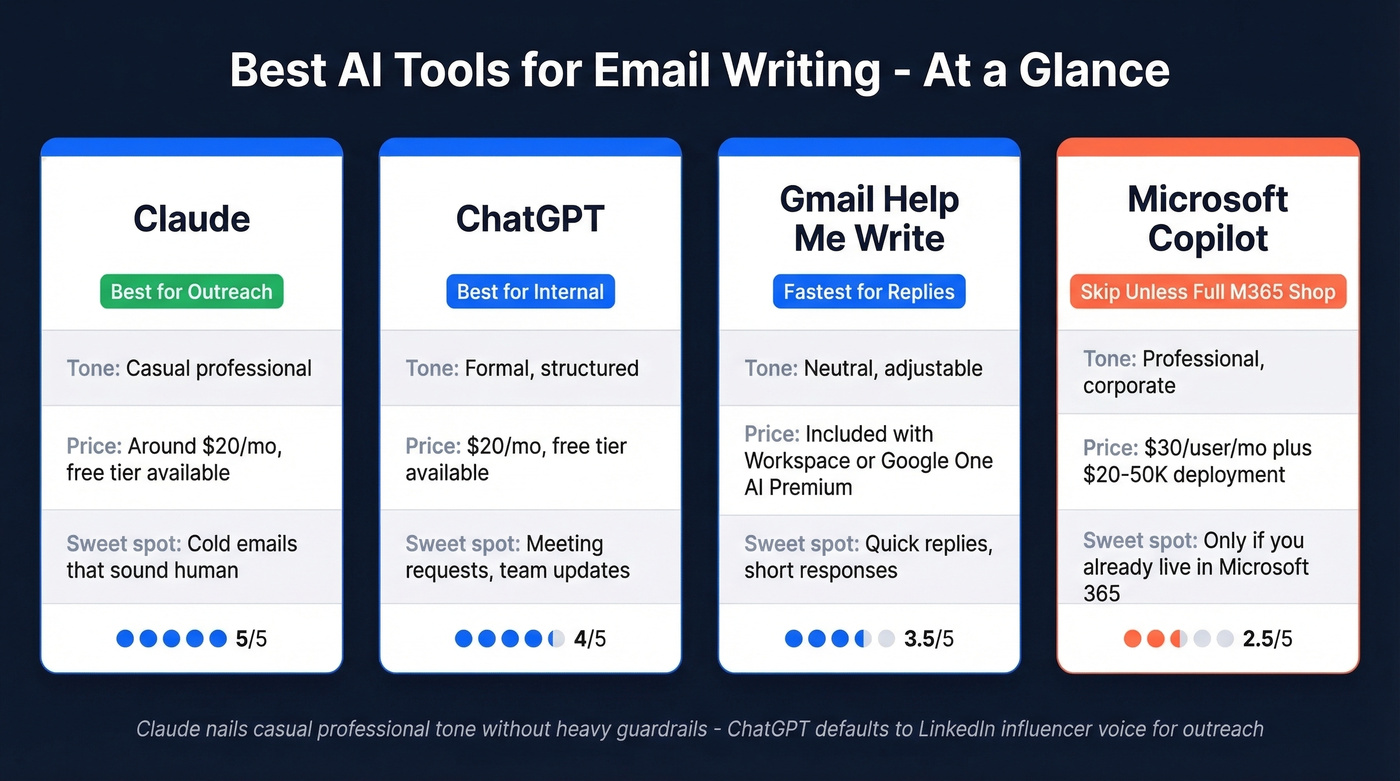
In our experience, Claude outperforms ChatGPT for cold outreach tone more often than not. ChatGPT defaults to structured and slightly formal, which that r/ChatGPTPromptGenius thread describes as outputs that "skew LinkedIn influencer." For outreach, that distinction kills reply rates - you want to sound like a person, not a template.
Gemini is worth a mention for speed. In one head-to-head test, it finished a source-lookup task in about 5 seconds versus ChatGPT's 25. But it tends to add assumptions, which is risky for email.
Here's the thing about Microsoft Copilot: it looks great on paper, but beyond the $30/user/month license, expect $20-50K in deployment and data remediation before you send a single AI-drafted email. If your average deal size is under five figures, skip it.
Gmail "Help Me Write" Walkthrough
Gmail users have the fastest path from blank compose to sent:
- Open a new email or reply in Gmail.
- Click the pencil icon ("Help me write") in the compose toolbar.
- Type your prompt - be specific about tone and length.
- Click Create. Gmail generates a draft.
- Use Refine options: Formalize, Elaborate, or Shorten.
- Click Insert to drop it into your email.
You'll need a paid Google Workspace plan or Google One AI Premium at $20/mo. Google Workspace Labs may offer free experimental access. The output tends toward generic - fine for quick replies, but grab Claude or ChatGPT for anything that needs personality.
5 Mistakes That Make AI Emails Backfire
No constraints = robotic output. Without banned phrases and tone rules, every AI email reads like it was generated by AI. The default voice of every model is "helpful assistant," and that's not how humans email.
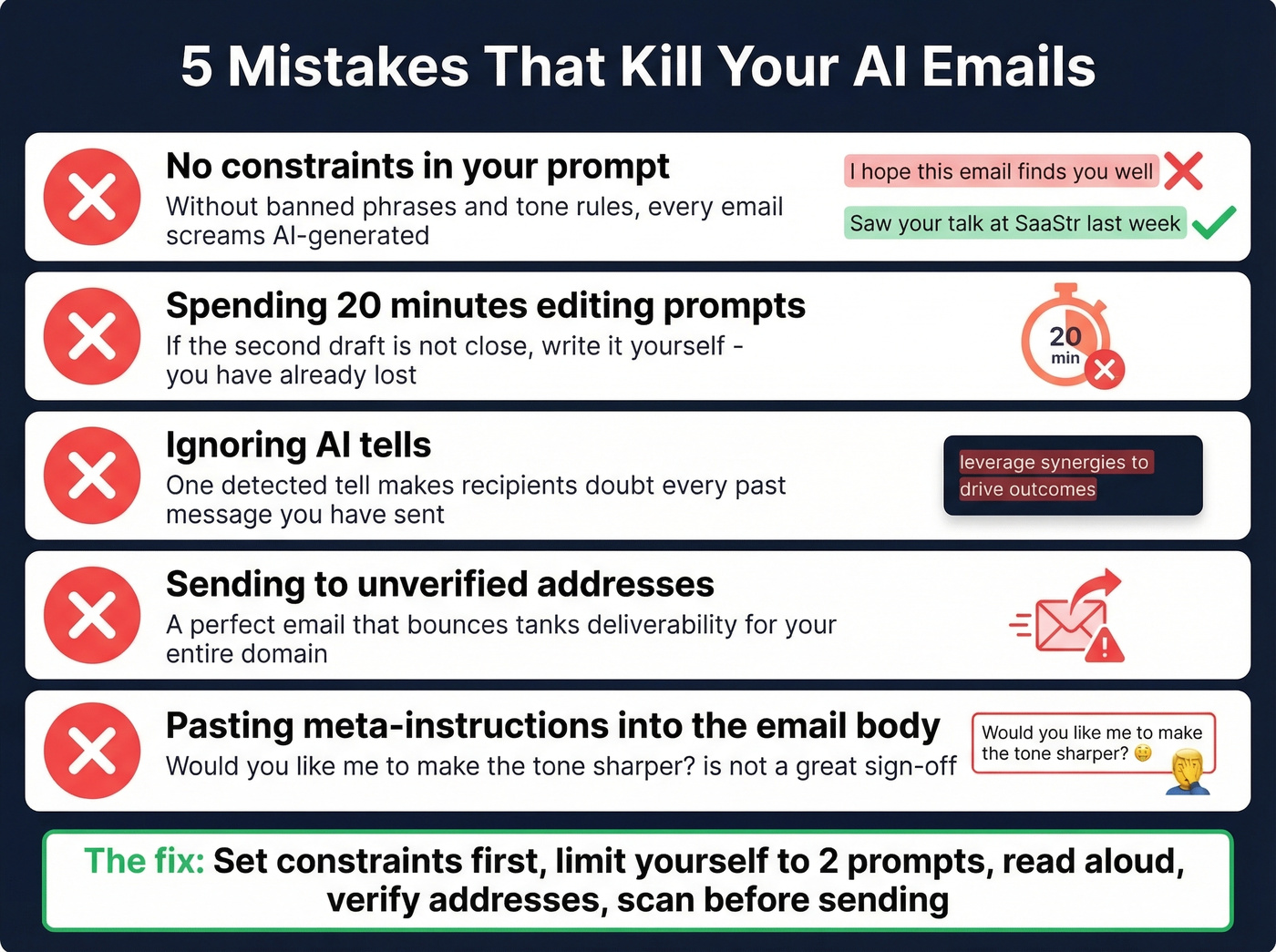
Iterating prompts longer than writing manually. This is the automation bias trap the ActivTrak data captures. If you've spent 20 minutes going back and forth with ChatGPT on a two-paragraph follow-up, you've lost. Set a two-prompt limit: if the second draft isn't close, write it yourself.
Ignoring AI tells. Words you'd never use, hallucinated company details, missing awareness of prior conversations. One detected tell makes recipients doubt every past message you've sent. We've seen this erode trust inside sales teams - a prospect replies "did AI write this?" and the relationship is over before it started.
Sending to unverified addresses. A perfect email that bounces damages your domain reputation. Enough bounces and your real emails start landing in spam. Verify first, always. (If you need a workflow, start with a bulk lead list and verify before sequencing.)
Pasting meta-instructions into the email body. This happens more than people admit. "Would you like me to make the tone sharper?" is not a great sign-off. Always scan the full draft before sending - especially if you're copying from a chat window. For anything involving sensitive or proprietary data, use enterprise AI tiers with data isolation rather than consumer tools.
Privacy - What Happens to Your Data
OpenAI retains user content for up to 30 days for abuse monitoring on consumer accounts. If model training is enabled on your account, your email content can be retained indefinitely as training data. AI privacy incidents rose 56.4% year-over-year in the most recent annual tracking, and 26% of organizations admit sensitive data has hit public AI tools.
The practical distinction matters: copy-pasting text into ChatGPT gives limited, one-time exposure. Integrating AI directly into your email client creates persistent data pathways where the AI provider continuously accesses message text, metadata, and behavioral patterns.
Three rules to keep you out of trouble:
- Never paste PII, client data, or proprietary information into consumer-tier AI tools.
- Use enterprise tiers like ChatGPT Enterprise or Copilot with Microsoft Graph for anything confidential.
- When in doubt, redact names and company details before prompting. Only 17% of organizations use technical controls to block sensitive data from reaching public AI. Don't be the other 83%.
Verify Before You Send
You've nailed the prompt, the tone is right, and you've edited for your voice. None of that matters if the address bounces.
Prospeo's Chrome extension lets you verify emails from any website in one click, running real-time checks on a 7-day data refresh cycle so you're never validating against stale records. For outbound campaigns, upload your entire list as a CSV and verify in bulk before loading into your sequencer. Teams like Snyk cut bounce rates from 35-40% to under 5% after switching their verification workflow - that kind of deliverability gap is the difference between landing in the inbox and landing in spam. If you're building lists from scratch, pair verification with a B2B database or vetted B2B list providers.
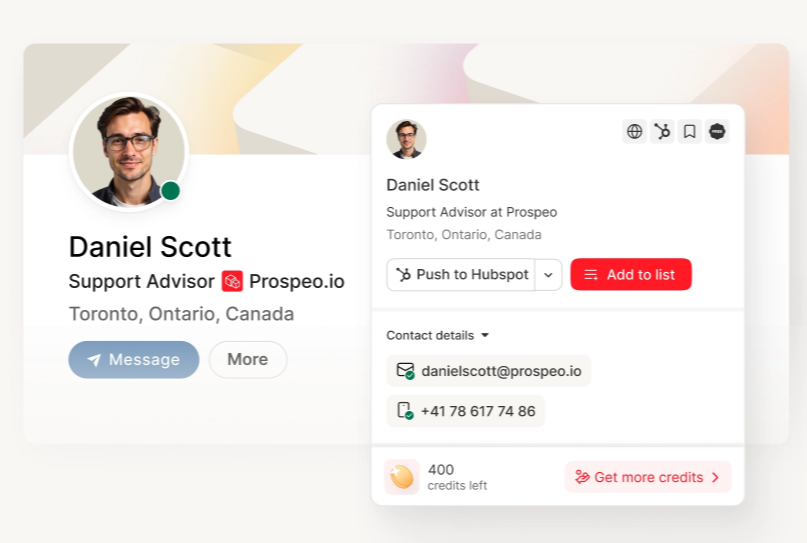
You just built a killer AI outreach sequence. Now you need verified contacts to send it to. Prospeo's database has 143M+ verified emails with 30+ filters - buyer intent, technographics, job changes - so your AI-crafted emails land in real inboxes.
Find the right prospects, then let AI write the message.
FAQ
Is AI email writing safe for work?
Yes, with guardrails. Use enterprise AI tiers (ChatGPT Enterprise, Copilot with Microsoft Graph) for anything confidential. Never paste PII or proprietary information into free-tier consumer tools - OpenAI retains consumer content up to 30 days, and training settings can keep it longer.
Can people tell when an email is AI-generated?
Often. Common tells include vocabulary you'd never use, hallucinated company details, and generic openers in contexts that demand specificity. Constraint-based prompting plus a 30-second read-aloud edit catches most of them before they reach the recipient.
What's the best free AI email writer?
Claude's free tier is strongest for cold outreach tone. ChatGPT's free tier handles structured internal emails well. Gmail's "Help me write" is fastest for quick replies if you're already on a Workspace plan.
How do I make AI emails sound like me?
Set strict constraints in every prompt: specify tone, ban phrases you'd never say, enforce a word limit, and always edit before sending. Save your best prompts as templates so the model starts closer to your voice each time. Two rounds of editing max - beyond that, write it yourself.
Should I verify emails before sending AI-written outreach?
Always. AI writes the email but can't confirm the address exists. Bounced emails damage your sender reputation and tank deliverability for your entire domain. Verify every address before you send - catch-all domains, spam traps, and honeypots are invisible until they've already done the damage.