How to Run an Internal QBR That Actually Drives Decisions
72% of senior executives believe QBRs are a waste of time. Too many slides, no decisions, no follow-up. Intercom's COO called them "a relic of slower-moving times," and she's not wrong about most quarterly business reviews - but the fix isn't killing the meeting. It's rebuilding your internal QBR around decisions instead of slides.
We've sat through enough 40-slide marathons where the only outcome was scheduling the next 40-slide marathon. Here's what we've learned actually works.
Three Things That Fix Every QBR
If you adopt nothing else:
- A time-boxed agenda - 60-90 minutes, structured around decisions
- An 8-slide deck where every data point survives three "So what?" questions
- A post-QBR action register with owners, deadlines, and a mid-quarter checkpoint
That's it. Everything below is the how.
Internal vs. Customer QBRs
An internal QBR is a cross-functional alignment meeting where teams review KPIs, surface blockers, and agree on strategic adjustments. It's not a customer QBR - that's about demonstrating ROI with a client.
The distinction matters because internal reviews generate the insights that make customer conversations better. CS sees customers love a new feature, sales notices prospects aren't aware of it, and the QBR produces a concrete action: adjust messaging this quarter. That's the whole point - connecting signals across functions so decisions happen faster than the usual email-chain-that-dies-in-someone's-inbox pace.
Who to Invite
Keep it to 8-15 people. Past 20, you've got a town hall, not a working meeting. Knowing who belongs in the room is half the battle - you need decision-makers and data owners, not spectators. One representative per function presents; everyone else listens, asks questions, and commits to actions:
- Leadership - CEO/COO or VP-level sponsor
- Sales - CRO or VP Sales
- Marketing - CMO or VP Marketing
- Product - VP Product or PM lead
- Customer Success - VP CS
- Ops/Finance - RevOps lead or FP&A
Skip inviting individual contributors who don't own a metric or a decision. They can read the summary.
The Time-Boxed Agenda
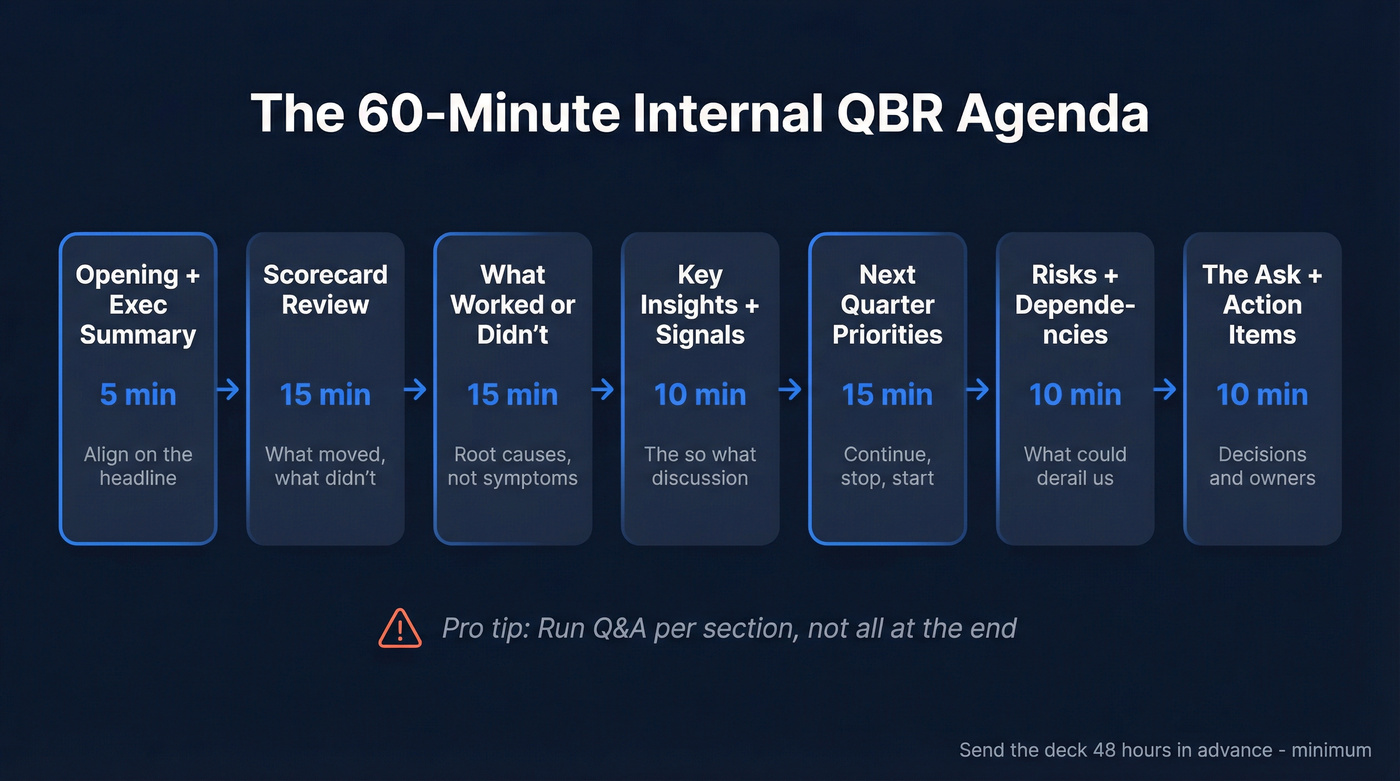
Send the deck 48 hours in advance, minimum. If people are reading slides for the first time in the meeting, you've already lost.
| Section | Time | Purpose |
|---|---|---|
| Opening + exec summary | 5 min | Align on the headline |
| Scorecard review | 15 min | What moved, what didn't |
| What worked / didn't | 15 min | Root causes, not symptoms |
| Key insights + signals | 10 min | The "so what?" discussion |
| Next quarter priorities | 15 min | Continue / stop / start |
| Risks + dependencies | 10 min | What could derail us |
| The ask + action items | 10 min | Decisions and owners |
Run Q&A per section, not all at the end. By the last 15 minutes, attention drops and decisions get sloppy. Smartsheet offers free templates if you want a starting framework to customize.

The #1 QBR credibility killer is presenting pipeline numbers built on stale contacts. Prospeo refreshes 300M+ profiles every 7 days - not every 6 weeks - so your scorecard reflects reality. 98% email accuracy means your pipeline metrics survive every "So what?" question in the room.
Stop defending outdated numbers. Start your next QBR with data you trust.
The 8-Slide Deck
Most QBR decks run 30+ slides of backward-looking charts. Nobody reads them. Nobody acts on them.
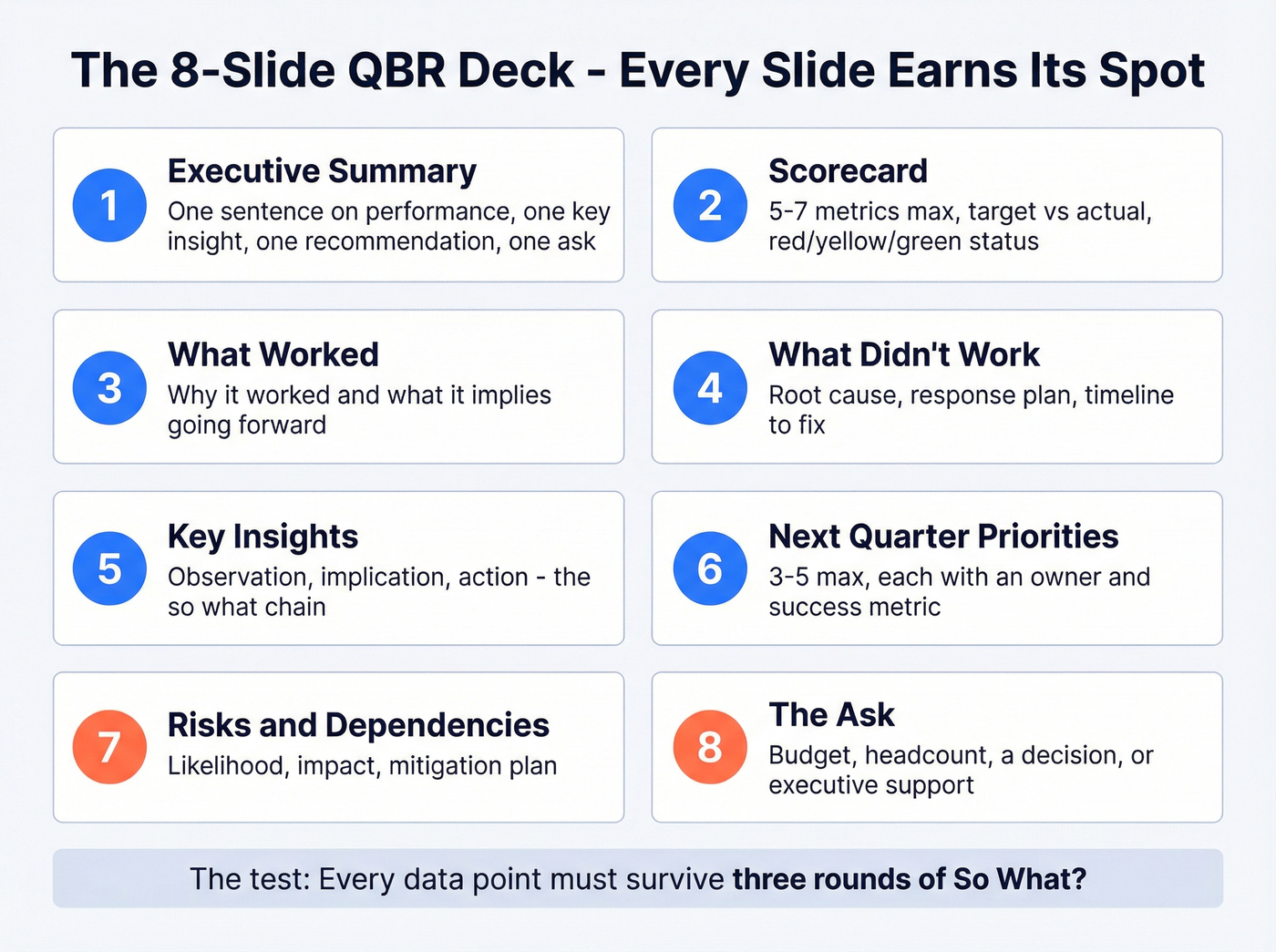
Every data point must survive three rounds of "So what?" - if you can't connect a metric to a decision, cut it. Use this 8-slide structure instead:
- Executive summary - one sentence on performance, one key insight, one recommendation, one ask
- Scorecard - 5-7 metrics max, target vs. actual, red/yellow/green
- What worked - why, and what it implies going forward
- What didn't - root cause, response plan, timeline
- Key insights - observation, implication, action
- Next quarter priorities - 3-5 max, each with an owner and success metric
- Risks and dependencies - likelihood, impact, mitigation
- The ask - budget, headcount, a decision, or executive support
Here's the thing: if your VP of Sales can't explain slide 4 in two minutes without reading bullet points aloud, the slide needs rewriting. The deck supports the conversation. It doesn't replace it.
Performance Analysis: Metrics That Matter
Most QBRs drown in lagging indicators - revenue, deals closed, churn rate. Those are rearview mirrors. Rigorous performance analysis shifts the focus to leading indicators that tell you what's about to happen.
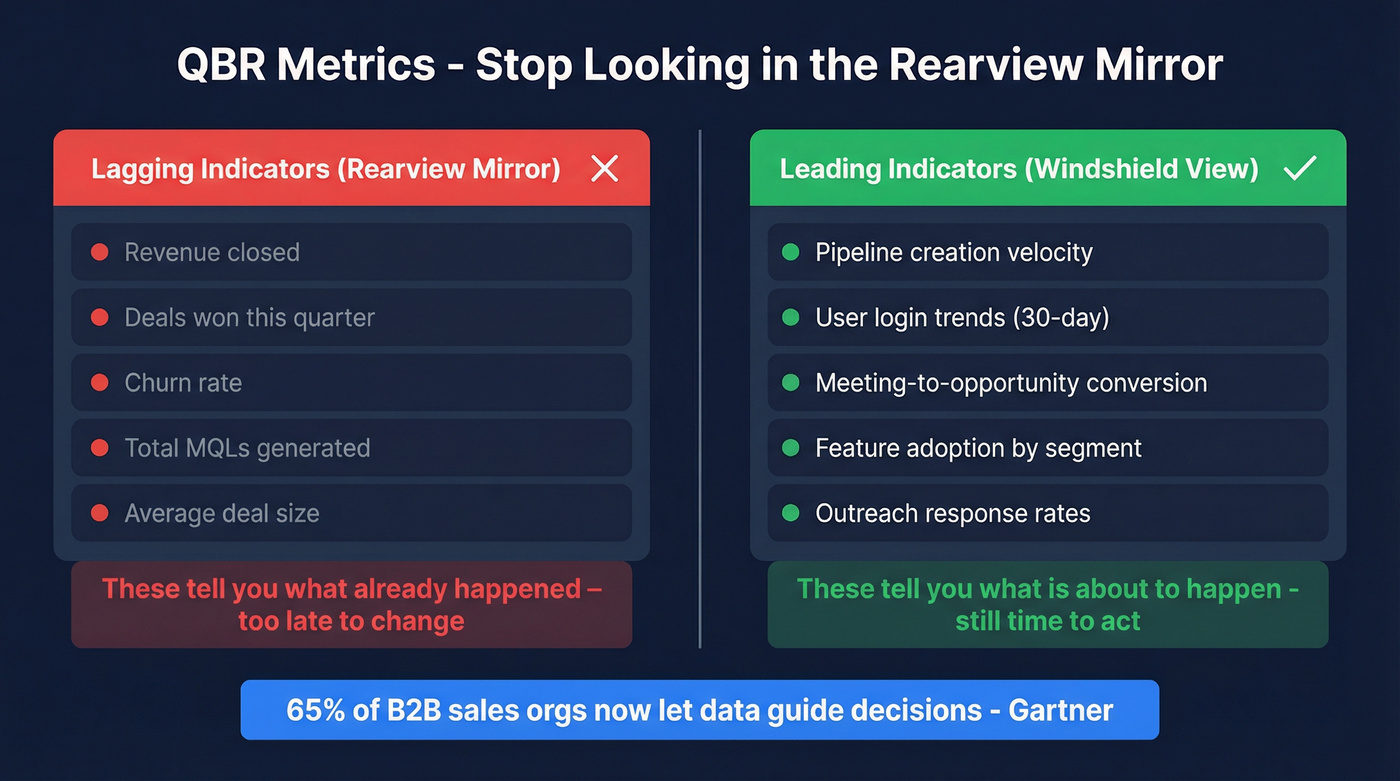
A 40% drop in user logins over 30 days combined with no response to outreach isn't a "metric to watch." It's an immediate intervention.
Gartner reports that 65% of B2B sales orgs now let data guide decisions rather than intuition, yet most QBR scorecards still run on stale CRM records. In our experience, the single biggest credibility killer in a QBR is presenting pipeline numbers that everyone in the room knows are outdated. Tools like Prospeo, which refresh contact data every 7 days with 98% email accuracy, help ensure your pipeline metrics reflect reality rather than last month's snapshot - but whatever enrichment tool you use, the principle is the same: garbage data in, garbage decisions out.
Cadence That Works
Use this: Monthly 30-minute functional check-ins paired with quarterly 60-90 minute strategic reviews. Weekly manager dashboard reviews feed the monthlies, and monthlies feed the quarterly deep dive.
Skip this if your team is under 20 people: Running a full 90-minute QBR every month will burn everyone out and dilute the strategic value. A monthly Loom walkthrough of the scorecard plus a quarterly sit-down works better for smaller orgs.
Here's the OKR integration approach that saves hours of prep: if your teams already run weekly OKR check-ins, the quarterly review becomes synthesis, not data gathering. One team we work with cut their QBR prep from two weeks to three days by pulling directly from existing OKR updates instead of rebuilding dashboards from scratch.
After the QBR
Let's be honest: if nobody can find last quarter's action items, you didn't have a QBR. You had a book club. This is the part everyone skips, and it's exactly why these meetings feel pointless.
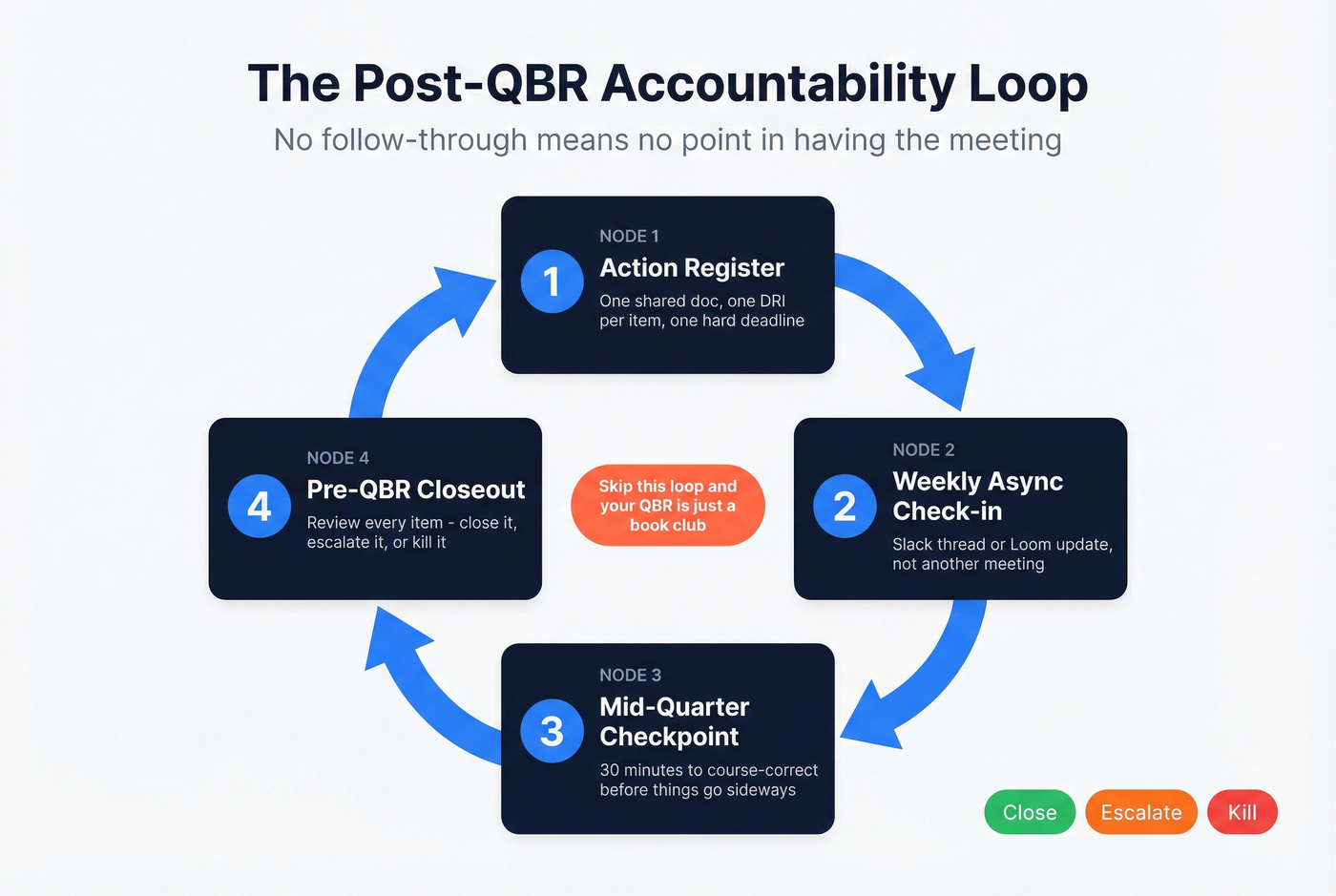
- Single action register - one shared doc with a DRI (directly responsible individual) and a hard deadline per item
- Weekly async check-in - a Slack thread or Loom update, not another meeting
- Mid-quarter checkpoint - 30 minutes to course-correct before things go sideways
- Pre-QBR closeout - review last quarter's items before the next session starts: close, escalate, or kill
No action register, no accountability. No accountability, no point in having the meeting. The consensus on r/sales echoes this constantly - the QBR itself isn't the problem; it's the vacuum that follows.
Your post-QBR action items depend on reaching the right people with verified contact data. Teams using Prospeo book 26% more meetings than ZoomInfo users because every email and phone number passes 5-step verification - at $0.01 per lead, not $1.
Turn QBR decisions into booked meetings with contacts that actually connect.
Adapting by Function
Sales QBR
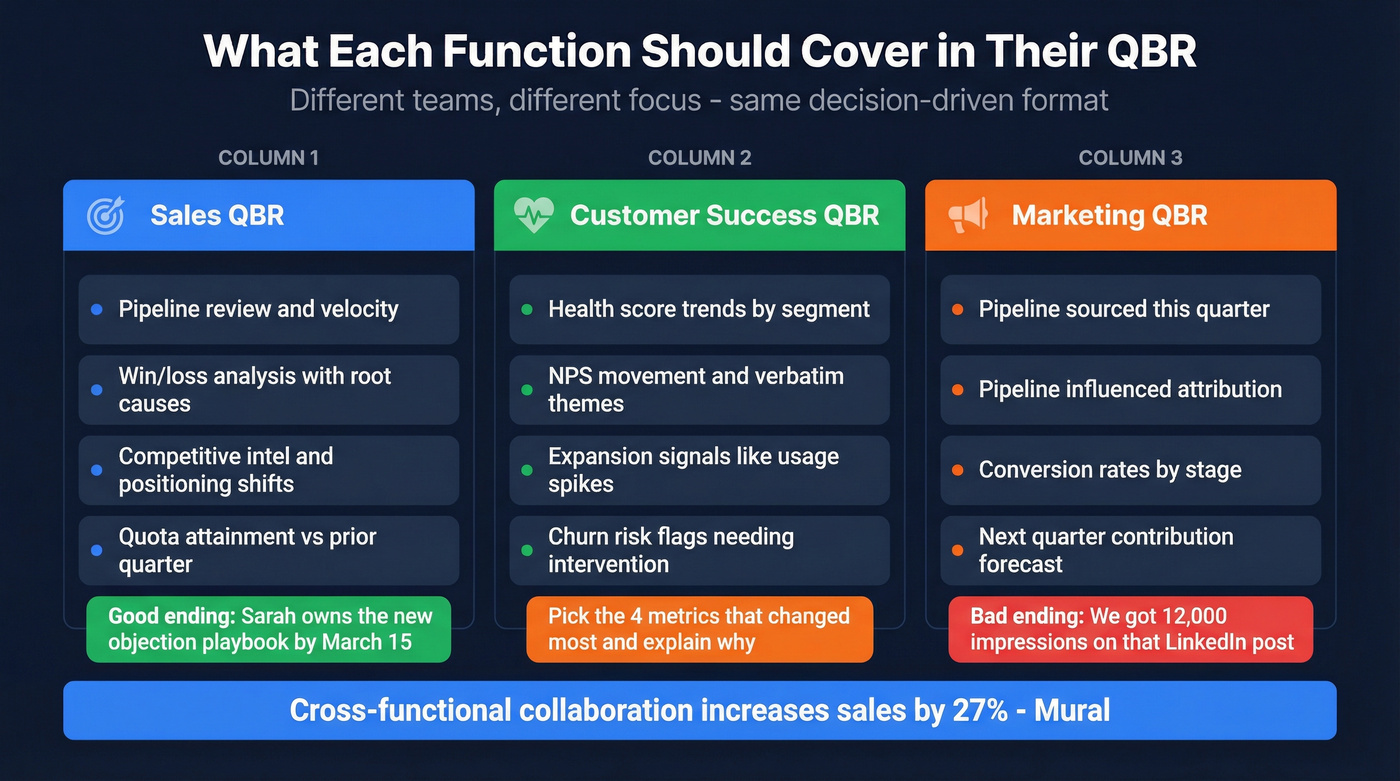
Cross-functional collaboration increases sales by 27%, and the QBR is where that collaboration happens. Focus on pipeline review, win/loss analysis, and competitive intel. Compare quota attainment, average deal size, and cycle length against the prior quarter so reps and leadership leave with a shared understanding of what needs to change - and who owns each change. A sales QBR that ends with "we need to do better" instead of "Sarah owns the new objection-handling playbook by March 15" has failed.
Customer Success QBR
Hit these four items and nothing else:
- Health score trends by segment
- NPS movement and verbatim themes
- Expansion signals like usage spikes and feature requests
- Churn risk flags requiring cross-functional intervention
For teams that track 15+ CS metrics, the QBR isn't the place to review all of them. Pick the four that changed most and explain why.
Marketing QBR
One target metric per slide - pipeline sourced, pipeline influenced, conversion rates. Execs don't want a campaign dashboard tour. They want to know if marketing is moving pipeline and what it'll contribute next quarter. If your best slide is "we got 12,000 impressions on that LinkedIn post," you're answering a question nobody asked.
FAQ
How Long Should an Internal QBR Last?
Sixty to 90 minutes for quarterly strategic reviews; 30 minutes for monthly check-ins. Anything over two hours means you're covering too much ground - split it into two sessions or cut low-value sections.
What's the Difference Between an Internal and Customer QBR?
Internal QBRs align cross-functional teams on performance, priorities, and blockers. Customer QBRs demonstrate ROI and plan next steps with the client. They're complementary - internal insights about adoption gaps feed directly into stronger customer conversations.
How Do You Ensure Follow-Through After a QBR?
Assign every action item a single DRI, a hard deadline, and track it in one shared register. Run a weekly async update and a 30-minute mid-quarter checkpoint. Before the next internal QBR, review every open item - close it, escalate it, or kill it. That closing loop is what separates teams that improve quarter over quarter from teams that just talk about improving.