How to Turn Job Changes Into Your Best Sales Pipeline in 2026
Your biggest champion just updated their title. New company, new logo, new budget. That person already knows your product, trusts your team, and - if you move fast - is 114% more likely to convert than a cold prospect. Meanwhile, B2B contact records decay roughly 30% per year, so the email you had for them last quarter is probably dead.
Job change sales prospecting is the highest-ROI motion most teams still aren't running systematically. The window is narrow, the data hygiene requirements are real, and the payoff is enormous.
What You Need (Quick Version)
- Track the right people. Use the 5-tier priority model below - champions and customer contacts first, closed-lost contacts second.
- Reach out within 14 days. Send a short, no-ask congrats message first. Wait 2-4 weeks before any real CTA.
Why Job Changes Are the Highest-Intent Signal
New executives don't sit still. They make 70% of vendor evaluation decisions in their first 100 days, ripping out incumbents and bringing in tools they've used before. That's not a vague buying signal. It's an open wallet with a ticking clock.
Signal-personalized outreach - where you reference the job change, the new company's context, or a shared history - pulls 18% average response rates compared to 3.4% for generic cold outreach. Leadership-change outbound hits 14% response rates versus 1.2% for standard cold calls. That's a 10x delta on the same effort.
Here's the thing: most teams know job changes matter. Few actually build a system around them. They'll notice a notification, maybe fire off a quick message, and move on. That's leaving pipeline on the table.
Which Accounts to Monitor
Not every job change deserves the same urgency. We use a 5-tier framework that prioritizes based on relationship depth and conversion likelihood.
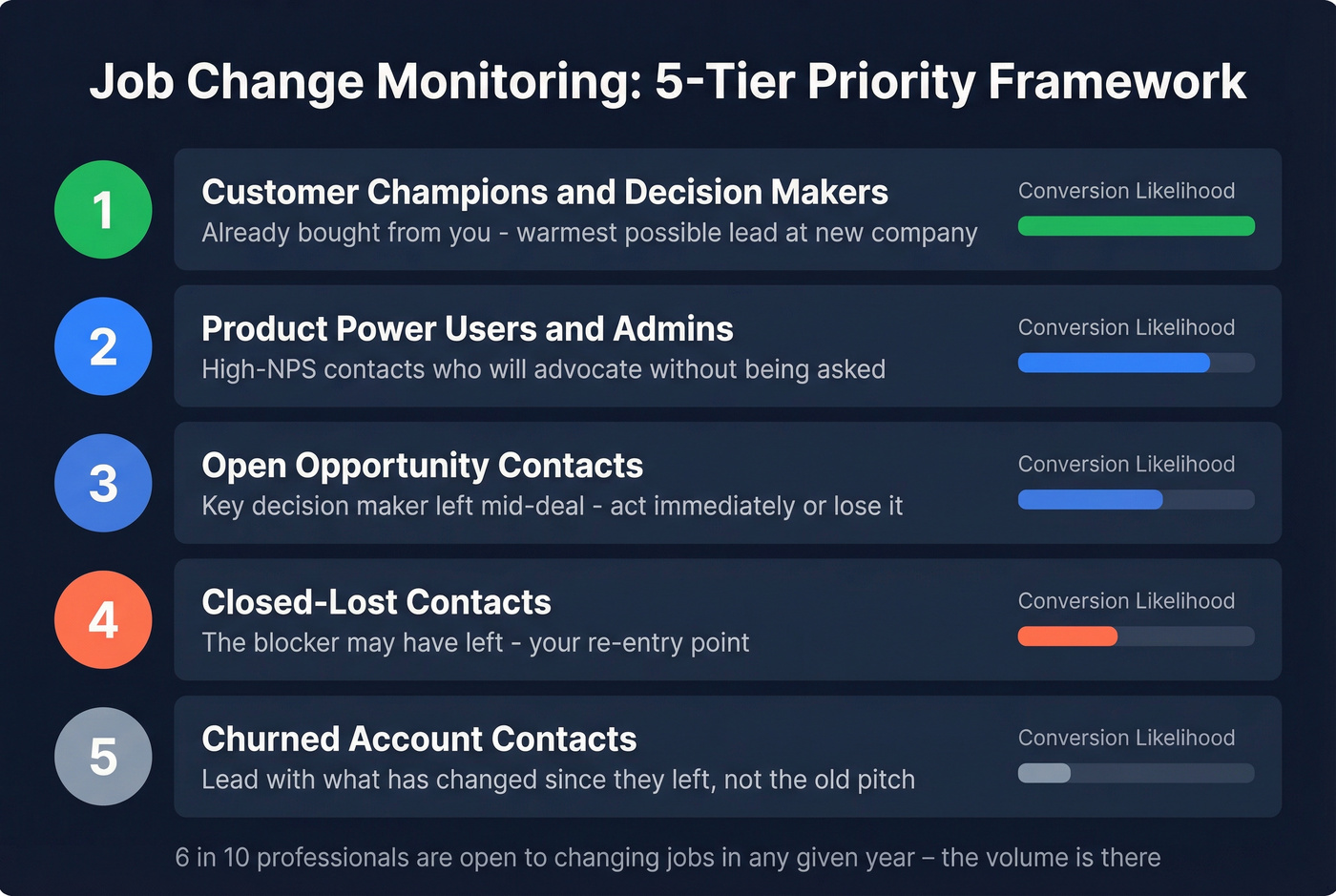
| Tier | Who | Why It Matters |
|---|---|---|
| 1 | Customer contacts | Champions, decision-makers, primary contacts who already bought from you |
| 2 | Product users | Admins, power users, high-NPS contacts who know your product deeply |
| 3 | Open opp contacts | Decision-makers from active deals - a new role could accelerate or kill the deal |
| 4 | Closed-lost contacts | The blocker may have left, or your champion landed somewhere new |
| 5 | Churned accounts | Reach out differently - acknowledge the past, address prior objections |
Tier 1 is where the magic happens. A champion who already went to bat for your product internally is your warmest possible lead at their new company. Tier 2 is sneaky valuable - a power user who loved your product will advocate for it without being asked, especially if you make re-adoption easy.
Tier 3 requires speed: if a key decision-maker leaves mid-deal, you need to know immediately so you can either follow them or re-map the buying committee. Tier 4 is underrated. When a closed-lost deal stalls because one VP blocked it, that VP leaving is your re-entry point. Tier 5 needs the most care - lead with what's changed since they left, not a rehash of the old pitch.
Roughly 6 in 10 professionals report openness to changing jobs in any given year. The volume of trackable moves is significant. The question isn't whether your contacts are changing roles. They are. The question is whether you're catching it in time.
Tools for Tracking Job Changes
The tooling ranges from free manual workflows to $33K/year dedicated platforms. Here's what's actually worth your time.
| Tool | Job-Change Feature | Starting Price | Data Refresh | Best For |
|---|---|---|---|---|
| Prospeo | Job-change filter + verification | Free tier; ~$0.01/email | 7 days | Best starting point, any team size |
| Sales Navigator | Lead Changed Job alerts | ~$100-$180/user/mo | Real-time alerts | Only if you already pay for it |
| UserGems | Automated CRM workflows | $2,750/mo + $3K setup | Monthly | 50+ rep orgs with $33K+ budget |
| Amplemarket | Job-change alerts (500 contacts) | $600/mo | Varies | Mid-market, 2-4 reps |
| Apollo | Job-change filters | $49-$119/user/mo | Varies | Already using Apollo for prospecting |
Sales Navigator: Zero Incremental Cost
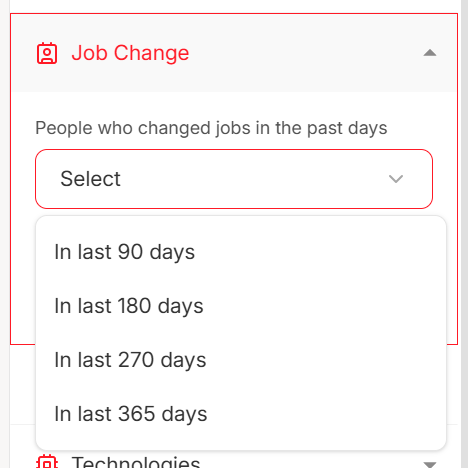
If you're already paying for Sales Navigator, the "Lead Changed Job" alert is essentially free pipeline intelligence. Build saved lead lists for your Tier 1-3 contacts, enable notifications, and you'll get updates via dashboard or email digest. The limitation is real - you still need to find verified contact info, write the outreach, and track it yourself. But for zero incremental cost, it's a solid detection layer. Skip this if you don't already have a license; $100-$180/user/mo isn't justified for job-change tracking alone.
UserGems: The $33K Question
Let's talk about cost first, because that's the real story. The [Core plan runs $2,750/month](https://www.usergems.com/pricing) plus a $3,000 implementation fee. Annual contracts only, no free trial. Total cost of ownership with surrounding tools can hit $60K-$133K/year for a small team.
For a 50+ rep org running this at scale, it pays for itself - it holds a 4.7/5 on G2 across 141 reviews for a reason. It automatically detects job changes across your CRM contacts, creates enriched leads in Salesforce or HubSpot, and triggers workflows in Outreach or Salesloft. But for a 5-person SDR team? The math doesn't work. Period.
Amplemarket: The Mid-Market Option
Amplemarket's Startup plan at $600/month gives you 500 contacts for job-change tracking, 30,000 total contacts, and 2 user seats. Growth and Elite plans scale up but pricing goes custom. It's the right tool if you've outgrown manual tracking but can't justify UserGems pricing.
Apollo: Good Enough, Not Great
Apollo's database includes job-change filters at $49-$119/user/month. It's not specialized for automated job-change workflows - you won't get the CRM-native triggers that UserGems offers. But if you're already using Apollo for prospecting, the job-change data is there and the price is right. Think of it as a bonus feature rather than a core capability.
Other Options Worth Knowing
Autobound covers 4M+ contacts with weekly refresh and confidence scoring on job-change signals - each alert includes a probability score so you can prioritize high-certainty moves. Expect enterprise-tier pricing given the database size. Seamless.AI is rolling out a job-change filter; tools in this space typically land around $100-$200/user/month. Common Room aggregates signals across channels with a free tier; paid plans often start in the $500-$1,000/month range.
Our take: The biggest friction point isn't detecting job changes - it's acting on them before the data goes stale. The fanciest detection tool in the world is worthless if your verification and outreach workflow adds two weeks of lag. Invest in speed-to-contact infrastructure first, detection second.

Job change prospecting dies when contact data is stale. Prospeo refreshes every 7 days - not 6 weeks - so the email you pull for a champion's new role actually lands. 98% email accuracy, 30+ filters including job change, and verification built in at $0.01/email.
Catch the move, verify the email, and reach out - all before competitors notice.
Outreach That Gets Replies
Timing Cadence
Days 1-3: Short congrats message. No ask, no pitch, no calendar link. "Saw you moved to [Company] - congrats. Exciting move." That's it. You're re-establishing the relationship, not selling.
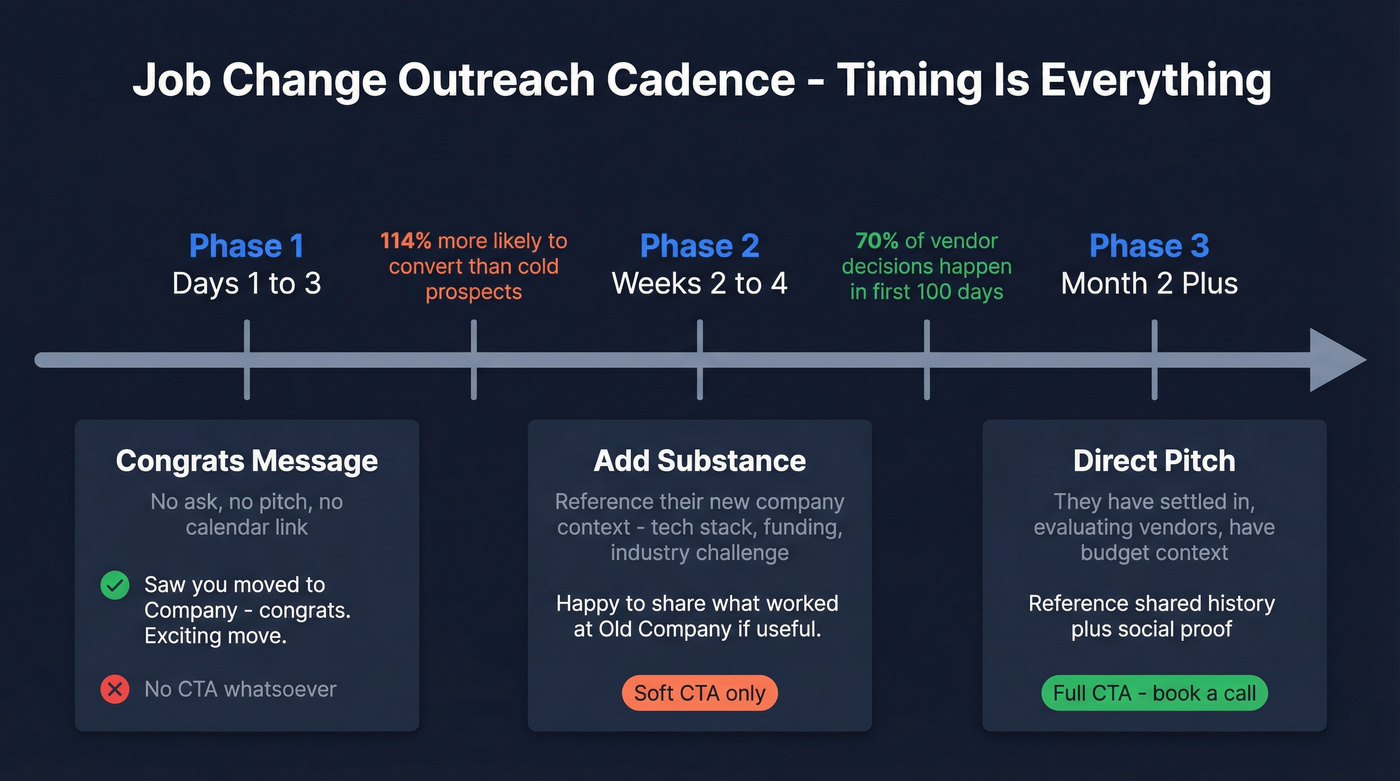
Weeks 2-4: Add substance. Make an observation about their new company - something specific about their tech stack, a recent funding round, or a challenge common to their industry. Soft CTA: "Happy to share what worked at [old company] if it'd be useful."
Month 2+: Direct pitch with social proof. They've settled in, they're evaluating vendors, and they have budget context. Reference your shared history and what you can do for their new org.
Copy Rules
Keep emails under 50 words. Writing at a 3rd-5th grade reading level leads to 68% more replies. Writing too authoritatively - like you already know their problems - leads to 26% fewer replies. Use boring 3-5 word subject lines. Include zero or one questions.
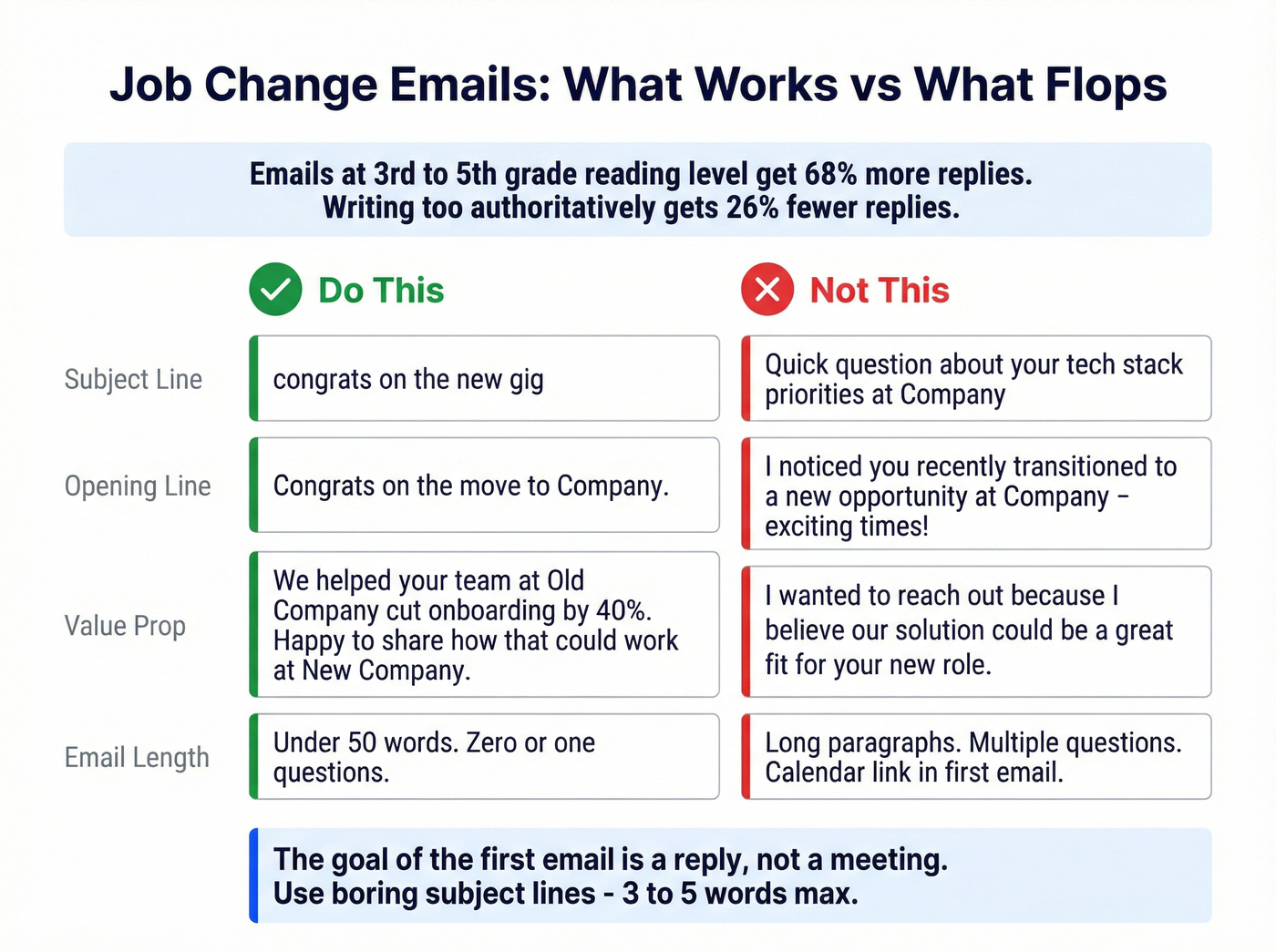
Use: "Congrats on the move to [Company]." Skip: "I noticed you recently transitioned to a new opportunity at [Company] - exciting times!"
Use: "We helped your team at [Old Company] cut onboarding by 40%. Happy to share how that could work at [New Company]." Skip: "I wanted to reach out because I believe our solution could be a great fit for your new role."
Use: A one-line subject like "congrats on the new gig" Skip: "Quick question about your tech stack priorities at [Company]"
Look - if your job-change outreach reads like every other SDR template, you've wasted the warmth that made this lead special in the first place. The goal of the first email is a reply, not a meeting.
Verify Before You Send
When someone changes jobs, their old email is dead. Their new email might not be indexed yet. And if you're pulling contact data from a database that refreshes monthly, you're sending into the void.
The consequences are concrete. Bounce rates above 2% damage your sender reputation. Spam complaint rates above 0.01% can get your domain flagged. GDPR fines run up to EUR 20M or 4% of global annual revenue. We've seen teams torch their domain reputation in a single campaign because they skipped verification on a job-change list.
Snyk's 50-person AE team dropped their bounce rate from 35-40% to under 5% after switching their verification workflow - the same infrastructure that handles job-change lists at scale.
Your Tier 1 champion just landed at a new company. You have 14 days before the window closes. Prospeo's job-change filter surfaces verified emails and direct dials across 300M+ profiles so you skip the detection-to-outreach lag that kills this motion.
Stop losing warm pipeline to slow data - act on job changes the same day.
Signal Stacking for Higher Conversions
Job changes alone are powerful. Job changes combined with other signals are a cheat code.
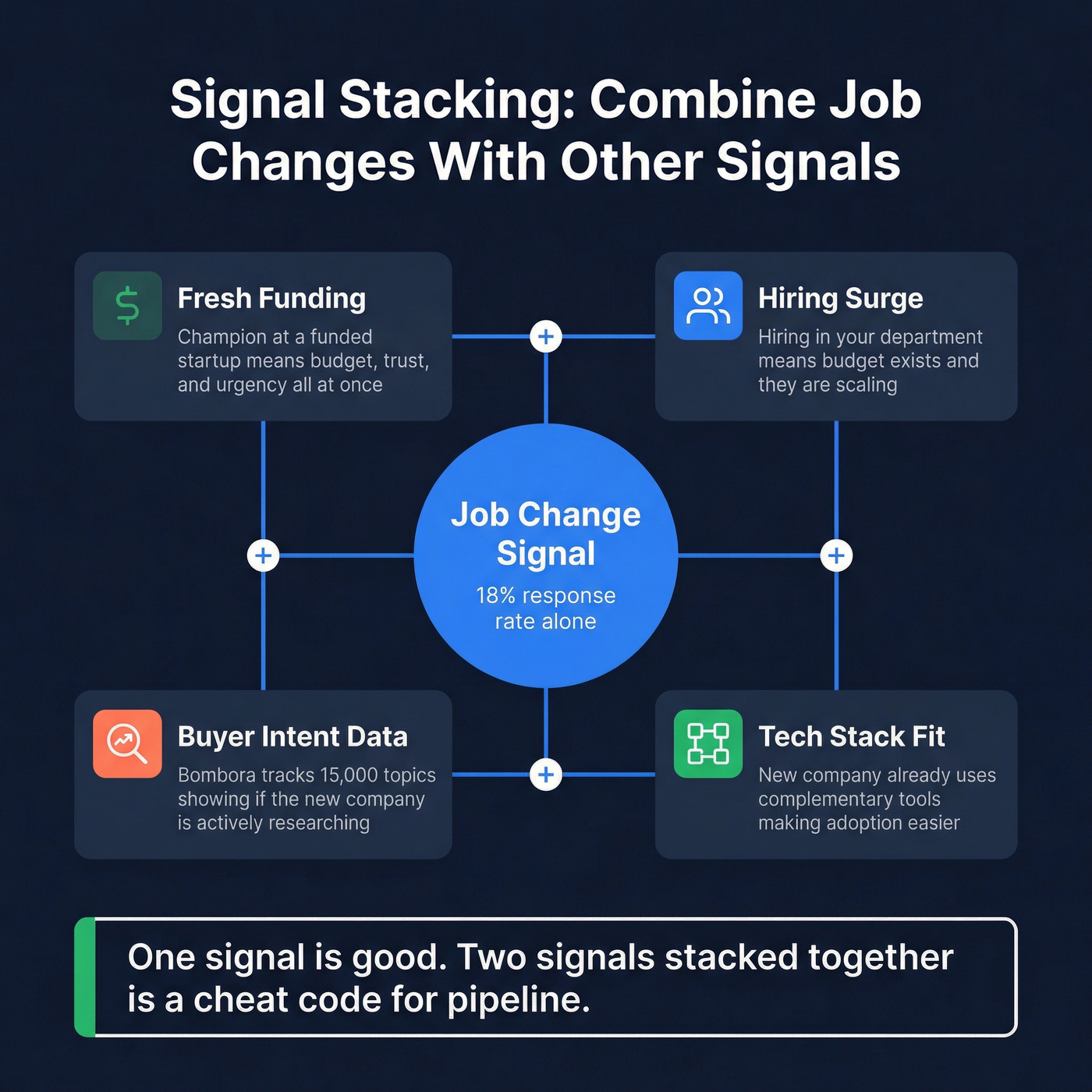
A champion landing at a freshly funded startup is the highest-priority lead you'll find - combine the job-change signal with funding data and you've got someone with budget, trust, and urgency all at once. If their new company is hiring aggressively in the department you sell into, budget exists and they're scaling. Buyer intent data (Bombora tracks 15,000 topics) tells you whether the new company is actively researching your category. And if they just ripped out a competitor's tool? That's your opening.
The best teams don't chase every job change equally. They stack 2-3 signals to separate "nice to know" from "drop everything and call." Executives who changed roles at target accounts and are showing intent signals should jump to the top of every rep's queue. The consensus on r/sales backs this up - reps who layer signals consistently report 2-3x the booking rate of those who treat every job change the same.
Mistakes That Kill Your Pipeline
Emailing old addresses is the #1 killer. Skip verification and expect 20%+ bounce rates on job-change lists.
Mass impersonal blasts - "Hey, saw you changed jobs!" sent to 500 people - aren't warm outreach. They're spam with a thin veneer. Pitching too early destroys the advantage: a day-one sales pitch to someone who hasn't set up their laptop yet signals you don't actually care about the relationship.
Ignoring compliance is riskier than most teams realize. GDPR applies to job-change outreach, and legitimate interest isn't a blank check. Trying to track moves manually without any system is another common failure mode - reps scroll feeds once a week, catch maybe 10% of moves, and miss the rest entirely.
And the silent killer? Not blocking review time. Block one day per month to review job-change leads and send messaging. Otherwise, leads pile up and go stale - you've built a detection system with no execution engine.
FAQ
How quickly should I reach out after a job change?
Send a short, no-ask congratulations message within the first 1-2 weeks. Wait 2-4 weeks before introducing any pitch. New executives make 70% of vendor decisions in their first 100 days, so speed matters - but leading with a sales pitch before they've settled in kills the warmth.
What's the biggest risk with job-change outreach?
Emailing stale addresses. When someone switches companies, their old email is dead instantly. If your bounce rate exceeds 2%, domain reputation suffers and deliverability tanks across all campaigns - not just the job-change sequence. Always verify the new email before sending.
How do I track decision-makers who left client accounts?
Build a saved list in your CRM that includes every key contact at current customer accounts - champions, economic buyers, and power users. Enable job-change alerts on that list so you're notified the moment someone departs. Then find their new email and reach out within the first two weeks. This is the single highest-conversion motion because the relationship and product familiarity are already established.
The teams that win with job change sales prospecting aren't the ones with the fanciest tools - they're the ones who built the system. Pick your tier model, set your detection layer, verify before you send, and review monthly. That's the whole playbook.