

Lead Status: What It Is, How to Set It Up, and the Mistakes That Break Your Pipeline
A RevOps lead we know inherited a CRM with 14 lead status values, including "Warm," "Hot," "Very Hot," and - our personal favorite - "Nurture (Maybe)." Nobody on the sales team could explain the difference between six of them, and pipeline reports were fiction. Lead status is one of the simplest fields in your CRM, but it's also one of the easiest to get catastrophically wrong.
The Short Version
- Lead status tracks what sales is doing with a lead right now. Lifecycle stage tracks where they are in the buyer journey. Don't conflate them.
- Start with 5 statuses: New, Attempting to Contact, Contacted, Qualified, Unqualified. Add more only when you can prove the reporting need.
- Automate updates from outreach activity. If reps are updating statuses manually multiple times per lead, your workflows are broken.
What Is Lead Status?
Lead status is a CRM property that tells you what a sales rep is currently doing with a specific lead. It's an execution field - not a marketing metric, not a buyer journey tracker, not a lead score. Think of it as the answer to one question: "Where does this lead stand in the outreach process right now?"
The field lives on the Lead object in Salesforce and as a contact property in HubSpot. When reps glance at their queue, it should instantly tell them which leads need a first touch, which are mid-conversation, and which are done. That's it. Without clear definitions, reps interpret each value differently, and your reporting becomes meaningless.
Lead Status vs. Lifecycle Stage
The naming is bad. You're not dumb for being confused - HubSpot and Salesforce use overlapping terminology that trips up even experienced ops teams. One HubSpot community thread has a long comment chain from people trying to untangle this exact distinction.
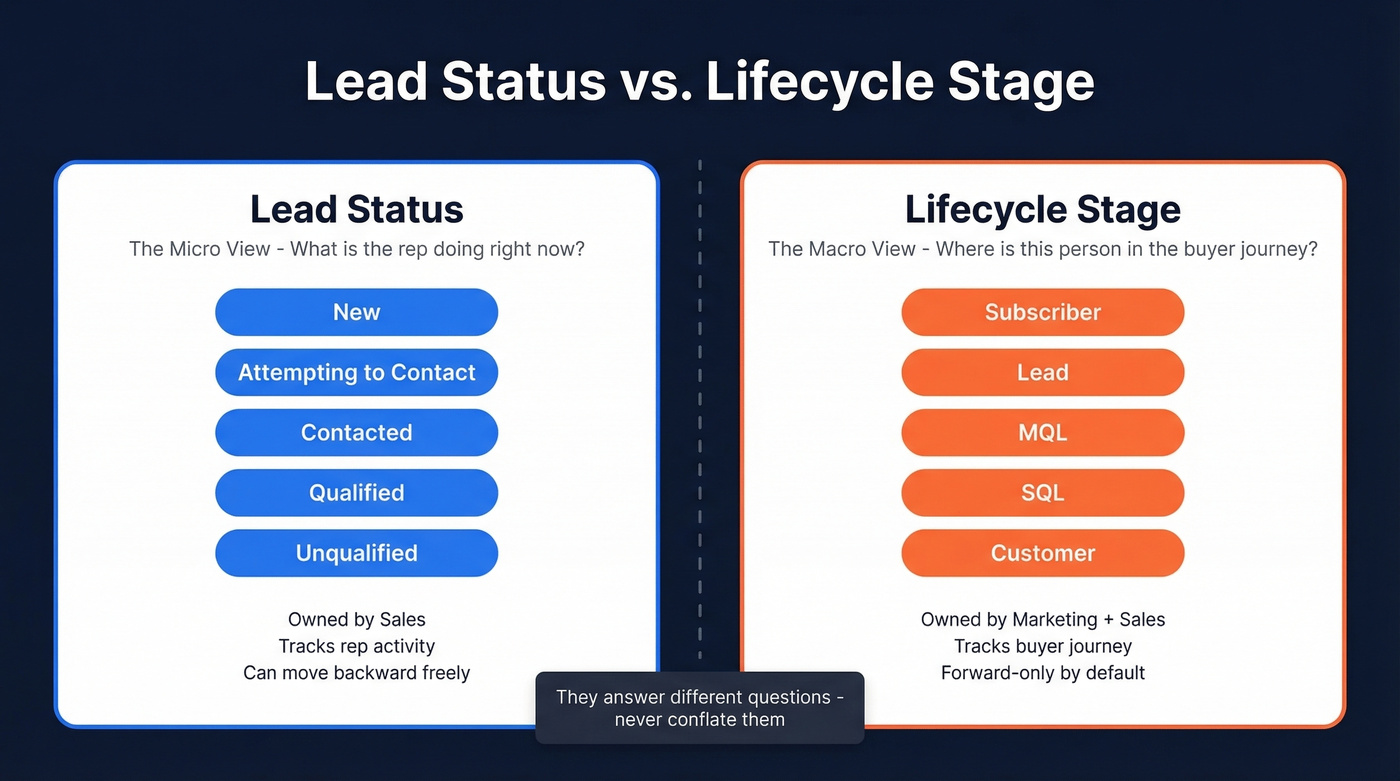
Lifecycle stage is the macro view: where is this person in the buyer journey? Lead status is the micro view: what's the rep doing about it right now? HubSpot says explicitly that it stores "sub-stages" within the Sales Qualified Lead lifecycle stage. Prospect stages are the broader journey markers, while status values capture the granular, day-to-day outreach reality.
| Dimension | Lead Status | Lifecycle Stage |
|---|---|---|
| Tracks | Rep activity | Buyer journey |
| Owned by | Sales | Marketing + Sales |
| Example values | Attempting, Contacted | MQL, SQL, Customer |
| HubSpot behavior | Editable (no forward-only constraint) | Forward-only by default |
| Salesforce term | Lead Status (field) | Often implemented as a custom "Lead Stage"/waterfall field |
One critical HubSpot gotcha: lifecycle stages only move forward automatically. If you need to move a contact backward - say, from SQL back to Lead - you have to clear the existing value first, then set the new one. Status fields don't have this constraint, which matters more than you'd think. Real buyer journeys aren't linear. A customer who churns and re-enters your pipeline, or an existing account that's upselling into a new product line, needs a clear path back in. Status handles these re-entry scenarios gracefully; lifecycle stage fights you every step of the way.
Lead Status Examples
Three frameworks you can copy directly into your CRM. Start with the universal five, then customize.
Universal 5-Status Framework
This is the Iceberg RevOps approach, and it's the one we recommend for most B2B teams. These five values cover the full outreach lifecycle without creating unnecessary complexity.
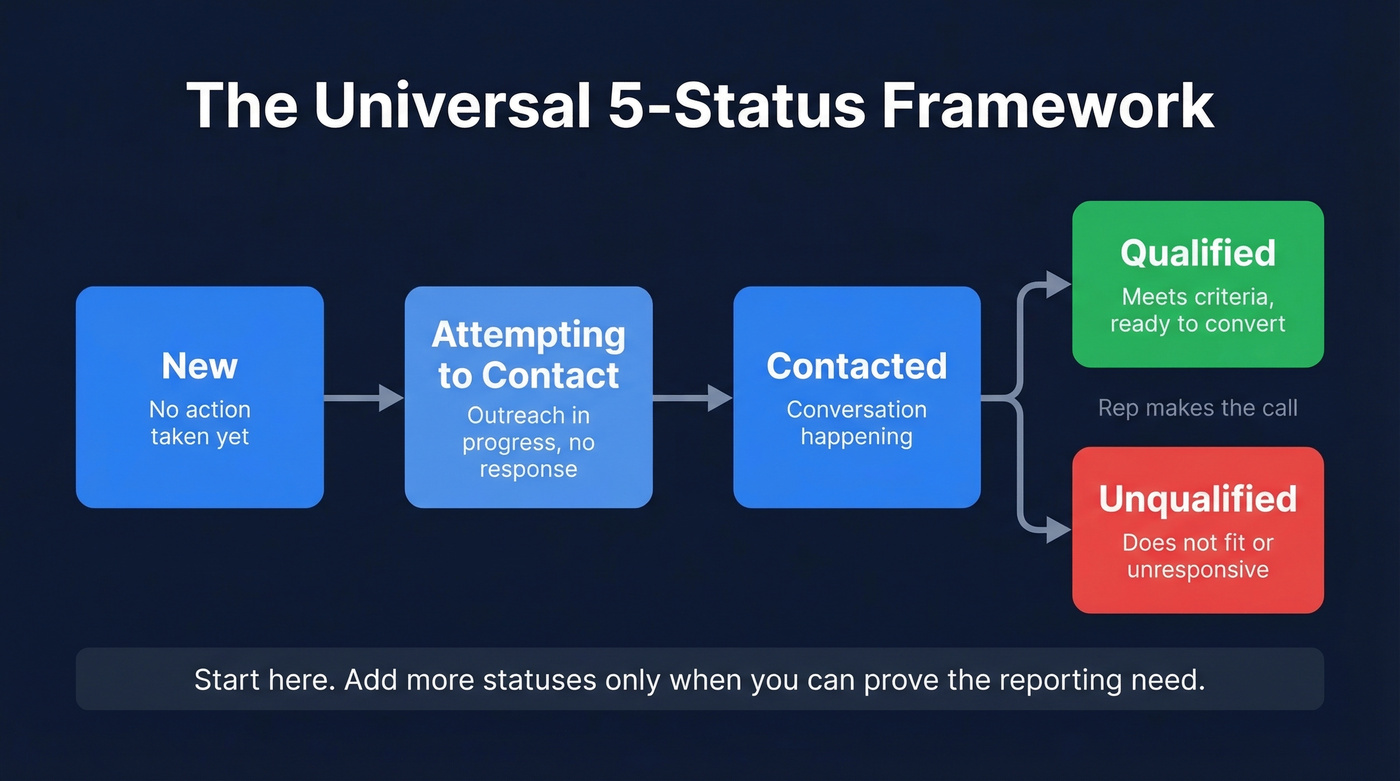
| Status | Meaning |
|---|---|
| New | No action taken yet |
| Attempting to Contact | Outreach in progress, no response |
| Contacted | Conversation happening |
| Qualified | Meets criteria, ready to convert |
| Unqualified | Doesn't fit or unresponsive |
HubSpot's 8 Defaults
HubSpot ships with eight statuses out of the box - more granular than most teams need.
| Status | Definition |
|---|---|
| New | Not yet contacted, often unassigned |
| Open | Assigned to a rep, no action yet |
| In Progress | On rep's radar, not contacted |
| Attempted to Contact | Outreach sent, no response |
| Connected | Responded, not yet an opportunity |
| Open Deal | Active purchase conversation |
| Unqualified | Not a fit or lost interest |
| Bad Timing | Fit confirmed, blocked by timing/budget |
"Open Deal" exists so teams can filter deal-worked records out of lead views. If you're already using lifecycle stage = Opportunity to signal this, Open Deal is redundant - and HubSpot's own community experts acknowledge this.
Salesforce Defaults
Salesforce ships leaner:
| Status | Meaning |
|---|---|
| Open | New, unworked lead |
| Contacted | Rep has made contact |
| Qualified | Meets criteria for conversion |
| Unqualified | Not a fit |
Most teams customize from here, adding "Attempting to Contact" at minimum. Pair "Unqualified" with a separate Unqualified Reason picklist with values like Unresponsive, Too Small, or Wrong Use Case. A validation rule requiring the reason field when status = Unqualified keeps your disqualification data clean and actually useful for pattern analysis.

A clean lead status framework only works when the leads themselves are real. Prospeo delivers 98% verified email accuracy with a 7-day data refresh - so every "New" lead in your queue is actually reachable, and "Unqualified" means unqualified, not bad data.
Stop marking leads unqualified because the email bounced.
How to Set Up Lead Status
HubSpot Setup
- Go to Settings > Data Management > Properties
- Search for "Lead Status" and click the property
- Edit the dropdown options
- Remove statuses you won't use (looking at you, "In Progress" - it's nearly identical to "Open")
- Add custom values, reorder to match your sales process, and save
Here's the thing: if your SDRs and AEs work the same records, don't try to cram both prospecting activity and deal-stage tracking into one dropdown. Create a separate "Contact Status" property for prospecting and keep the original field for deal-stage tracking. This split is the single biggest quality-of-life improvement most HubSpot teams never make.
Salesforce Setup
- Go to Setup and search for Lead Processes
- Create a new Lead Process or edit the default
- Select which status values are available in this process
- Assign the Lead Process to the appropriate Record Type - this lets you run different status sets for inbound vs. outbound leads
- Add an Unqualified Reason picklist and create a validation rule requiring it when Status = Unqualified
The Record Type approach is underused. If your inbound and outbound motions have genuinely different workflows, separate Lead Processes keep each team's view clean without bloating a single status list.
Automating Status Updates
Manual status updates are where lead data goes to die. Reps forget. They batch-update at the end of the week. They skip statuses entirely. This field should be one of the first things you automate.
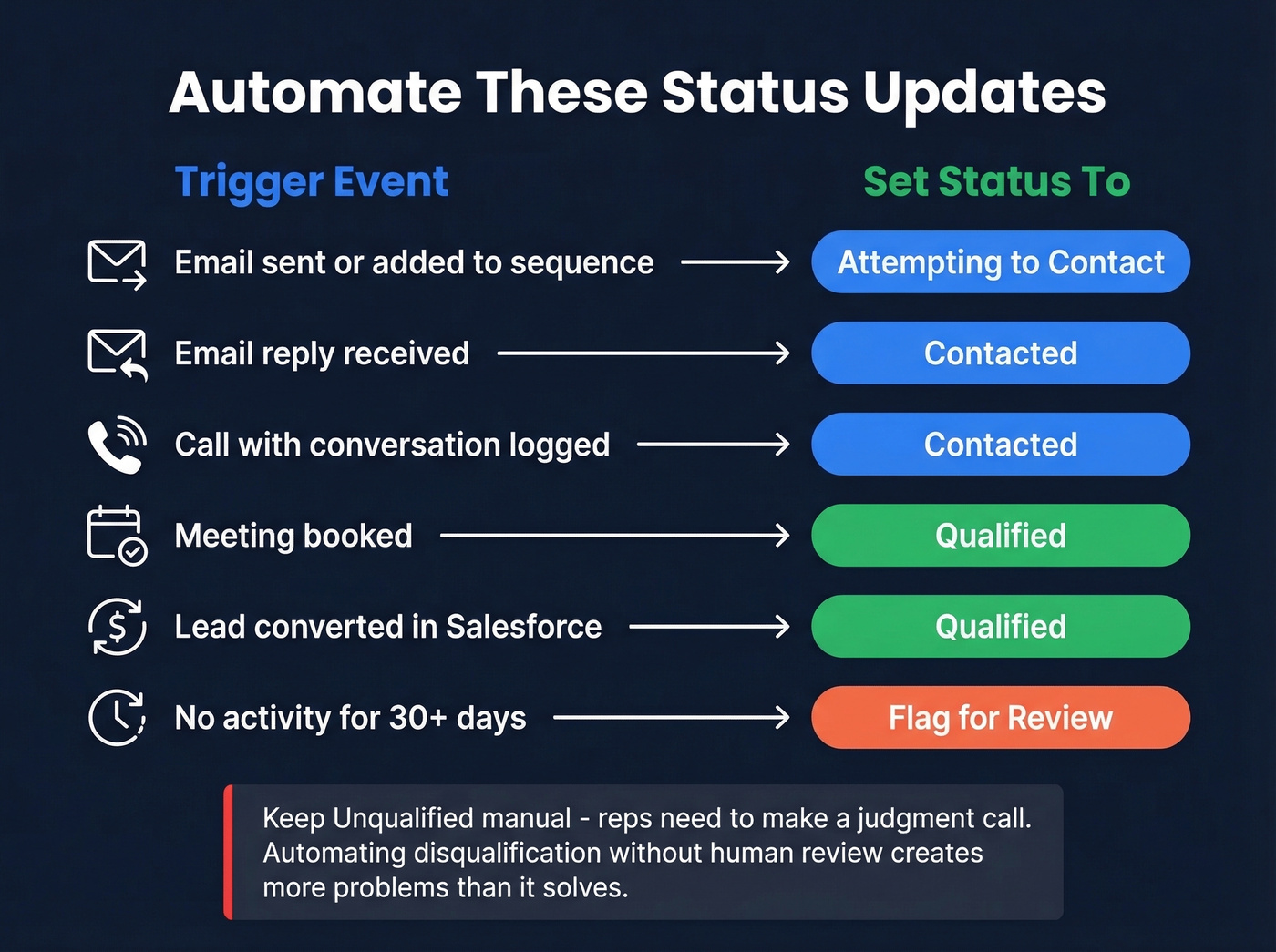
Here are the triggers that matter:
| Trigger Event | Set Status To |
|---|---|
| Email sent or added to sequence | Attempting to Contact |
| Email reply received | Contacted |
| Call with conversation logged | Contacted |
| Meeting booked | Qualified |
| Lead converted (Salesforce) | Qualified |
| No activity for 30+ days | Flag for review |
Outreach activity moves the status forward; engagement from the prospect confirms it. "Unqualified" is the one value that should stay manual - reps need to make a judgment call, and automating disqualification without human review creates more problems than it solves.
Pair status automation with response SLAs: first touch within 15 minutes on inbound demo requests, within 24 hours for lower-intent leads. One NetSuite user on Reddit described dealing with 12+ pipeline-like statuses - the exact mess a lean framework with automation prevents.
A warning for HubSpot users: lifecycle stage workflows are forward-only. If you're building automation that touches both fields, test the backward-movement scenarios carefully. Status won't fight you, but lifecycle stage will.
Mistakes That Kill Your Pipeline
1. Too many statuses. If you have "Warm," "Hot," "Very Hot," and "Engaged" as separate values, you don't have a process - you have a feelings chart. Five to seven covers virtually every B2B sales motion. More than eight creates adoption problems.
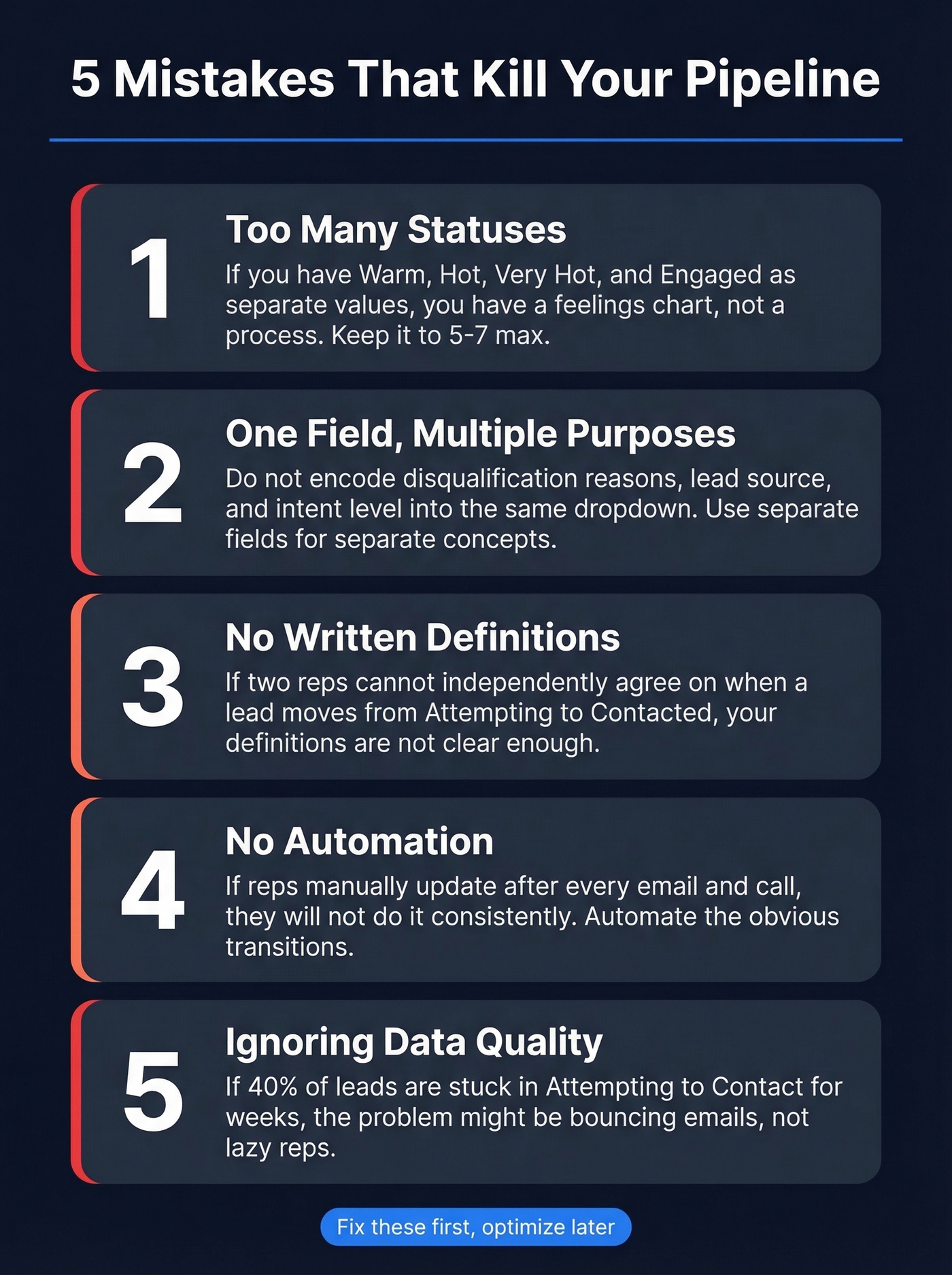
2. Using one field for multiple purposes. This field should communicate one thing: outreach progress. The moment you start encoding disqualification reasons, lead source, or intent level into the same dropdown, your reporting breaks. Use separate fields for separate concepts.
3. No written definitions. If two reps can't independently agree on when a lead moves from "Attempting to Contact" to "Contacted," your definitions aren't clear enough. Document them. Put them in your sales playbook. Review them quarterly.
4. No automation. If reps are manually updating after every email and call, they won't do it consistently. Automate the obvious transitions and reserve manual updates for judgment calls.
5. Ignoring upstream data quality. This is the mistake nobody talks about. Your statuses are only as accurate as the contact data underneath them. If 40% of your leads are stuck in "Attempting to Contact" for weeks, the problem might not be rep effort - it might be that emails are bouncing and phone numbers are disconnected. No amount of process optimization fixes bad data. This kind of silent lead attrition, where contacts decay because of stale information, is the hidden killer of pipeline velocity.

Reporting and KPIs Worth Tracking
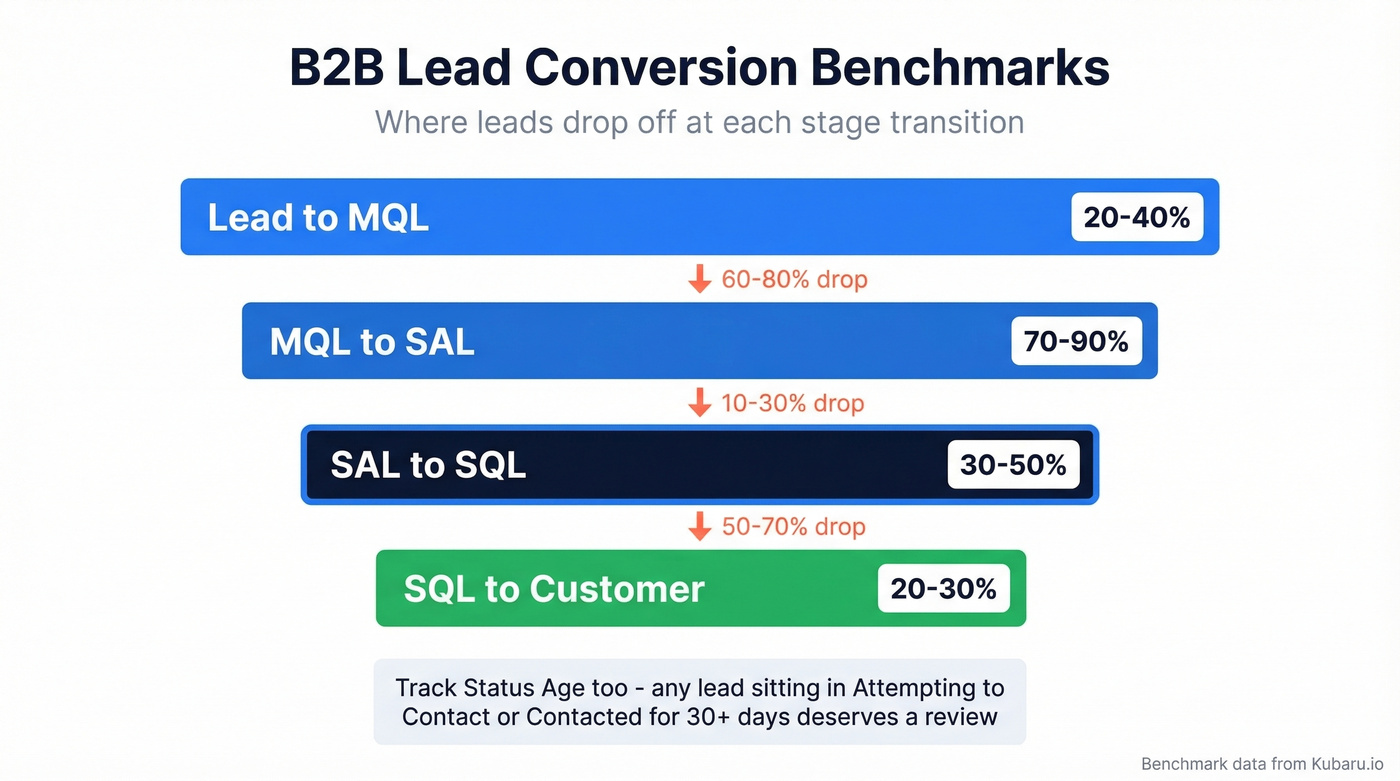
Lead status becomes powerful when you layer conversion benchmarks and time-based metrics on top of it. A lead stuck in "Attempting to Contact" for weeks will never convert to MQL. Here are the B2B rates worth benchmarking against:
| Stage Transition | Benchmark Range |
|---|---|
| Lead to MQL | 20-40% |
| MQL to SAL | 70-90% |
| SAL to SQL | 30-50% |
| SQL to Customer | 20-30% |
Beyond conversion rates, track Status Age - the time a lead has spent in its current value. Create a Last Status Change timestamp and a formula field that calculates days since the last update. Any lead sitting in "Attempting to Contact" or "Contacted" for more than 30 days deserves a review. If leads are piling up past that threshold, it usually signals broken automation or stale contact data.
HubSpot-specific nuance: lifecycle stage automatically tracks "Date entered [stage]" and time-in-stage properties. The status field doesn't get this treatment natively. For time-based reporting, build custom date-stamp workflows for changes or - as HubSpot community experts suggest - track key milestones in lifecycle stage where the built-in reporting is stronger. Salesforce teams can build lead reports that filter by status and show response time, aging, and source attribution out of the box.
Clean Data Makes It All Work
Let's be honest: if 40% of your leads are stuck in "Attempting to Contact" and your reps swear they're making calls and sending emails, the problem is almost certainly data quality. Bounced emails and disconnected phone numbers create phantom pipeline - leads that look like they're being worked but are actually going nowhere.
We've seen this pattern repeatedly across teams we work with. Prospeo fixes it upstream with 98% email accuracy, a 7-day data refresh cycle, and CRM enrichment returning 50+ data points per contact. It works directly with both HubSpot and Salesforce, so enrichment happens inside the CRM your team already uses. Clean data in, accurate statuses out.
If you're tightening the top of funnel at the same time, pair this with a documented lead generation workflow and a consistent set of lead generation metrics so status reporting maps cleanly to pipeline outcomes.
You just built a lead status system that keeps reps focused. Now fill it with leads worth working. Prospeo's 30+ search filters - buyer intent, job changes, headcount growth - let you pre-qualify before a lead ever hits "New" in your CRM.
Feed your pipeline leads that actually convert to Qualified.
FAQ
How many lead statuses should I have?
Five to seven covers most B2B sales teams. Fewer than four leaves reporting gaps; more than eight means reps start guessing. Start with the universal five (New, Attempting, Contacted, Qualified, Unqualified) and add a value only when you can point to a specific reporting need it serves.
Can I use lead status and lifecycle stage interchangeably?
No - they track different things. Lifecycle stage maps the buyer journey (Lead to MQL to SQL to Customer). Lead status tracks what sales is doing right now (New to Attempting to Contact to Contacted). Both should be active in your CRM simultaneously.
What's the difference between a dead lead and a lost lead?
A lost lead engaged with your team but chose a competitor or decided not to buy. A dead lead never had valid contact data - bounced emails, wrong numbers, defunct companies. Lost leads inform competitive strategy; dead leads signal a data quality problem you can fix with enrichment tools.
How do I keep lead status accurate at scale?
Automate updates from outreach activity - emails sent, calls logged, meetings booked - so reps aren't manually changing fields after every touchpoint. Then verify upstream contact data with an enrichment tool so sequences aren't running against bounced emails and disconnected numbers. Skip this step and even the cleanest process falls apart.