


Open Tech Explorer: Pricing, Reviews, Pros & Cons
Open Tech Explorer shares a name with self-storage gate systems and OpenText VM backup tools, so let's clear the air. This review covers the community-driven, free tech stack detection tool built for developers and marketers who want to know what's running behind any website - pricing, strengths, weaknesses, and how it stacks up against the paid alternatives.
30-second verdict: Open Tech Explorer is our pick for the best free tech stack checker in 2026. Zero cost, no API keys, no rate limits. It's ideal for quick, real-time lookups - but it won't replace BuiltWith if you need market intelligence across 414M domains.
What Is Open Tech Explorer?
Open Tech Explorer (OTE) is a community-driven tech stack extractor that detects frameworks and libraries in real time. It exists because the creator wanted something truly open - no paywalls, no closed-source black boxes.
Detection works by scanning window globals, network requests, and resource headers directly in the browser, which means it catches what's actually live on a page right now rather than what a periodic crawl found last week. The backend runs on Supabase with Deno edge functions, delivering sub-200ms responses at scale. WebSocket streams power live technology counters and trend graphs - a nice touch for a free tool. We've tested the API response times ourselves, and they're consistently fast.
There's a Chrome extension supporting both Manifest V3 and V2, with data sync and push notifications for new discoveries. The creator explicitly states no personal data is collected. Early feedback on DEV has been positive, with one user noting they were "surprisingly impressed" by coverage of niche JS libraries and the ability to see the date a site added each technology.
Pricing Breakdown
OTE is free. Not "free tier with 50 lookups" free. Actually, genuinely free - no subscriptions, no rate limits, and a zero-key API. The creator calls it "free forever."
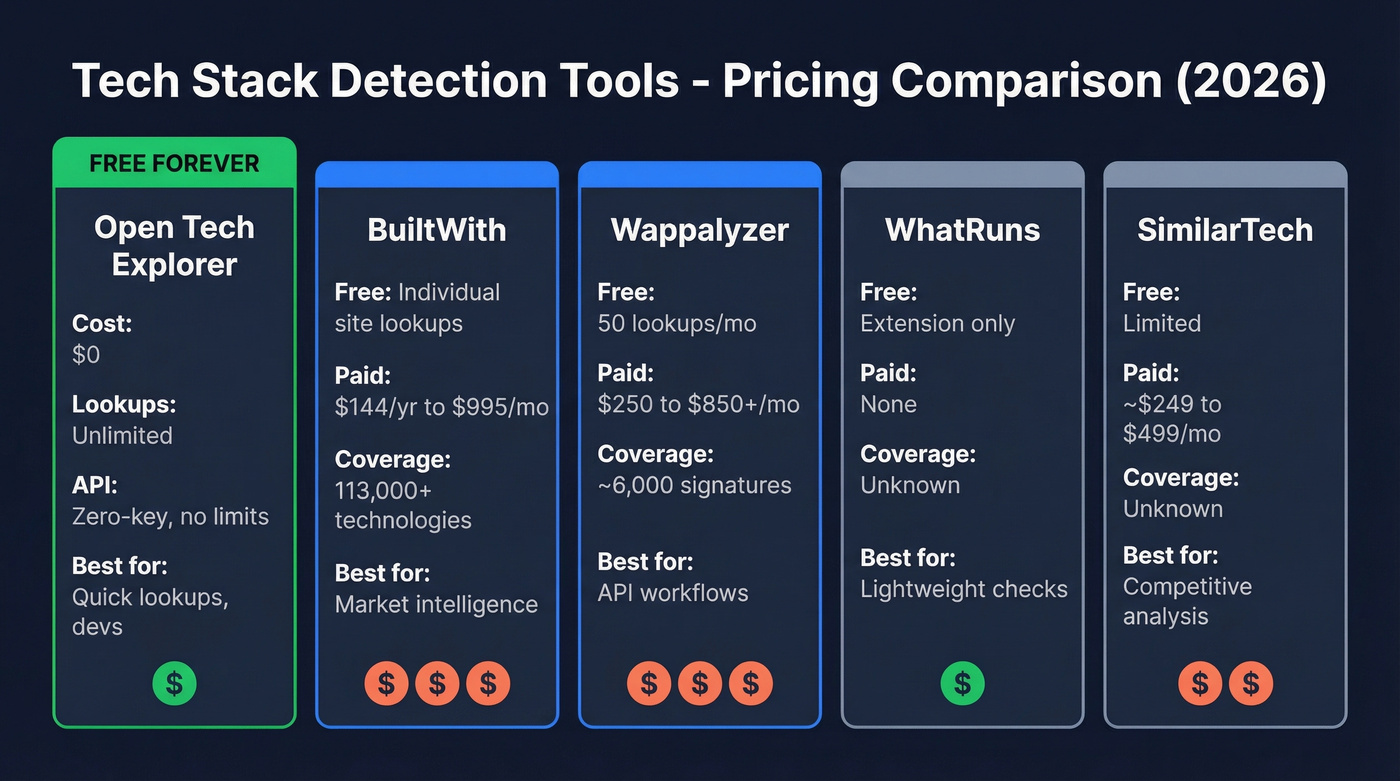
Here's how that stacks up:
| Tool | Free Tier | Paid Tiers | Best For |
|---|---|---|---|
| Open Tech Explorer | Unlimited, free | None | Quick lookups, devs |
| BuiltWith | Free individual site lookups | $144/yr Advanced, $295/mo Basic, $495/mo Pro, $995/mo Team | Market intelligence |
| Wappalyzer | 50 lookups/mo | $250/mo Pro, $450/mo Business, $850+/mo Enterprise | API-driven workflows |
| WhatRuns | Free extension | None | Lightweight checks |
| SimilarTech | Limited | ~$249-$499/mo | Competitive analysis |
OTE's API is genuinely zero-friction. Example endpoint: GET https://openexplorer.tech/api/search?q=react&limit=5. No keys, no credits, fresh data on demand. Try doing that with BuiltWith's plan limits and upload analysis credits, or Wappalyzer's credit-based system where API credits expire after 60 days.

Open Tech Explorer tells you a site runs React. Prospeo tells you the VP of Engineering's verified email. Search 300M+ profiles by technology, job title, and company size - with 30+ filters including technographics powered by Wappalyzer and live job posting signals.
Go from tech stack data to verified contacts at $0.01 per email.
Pros and Cons
Pros:
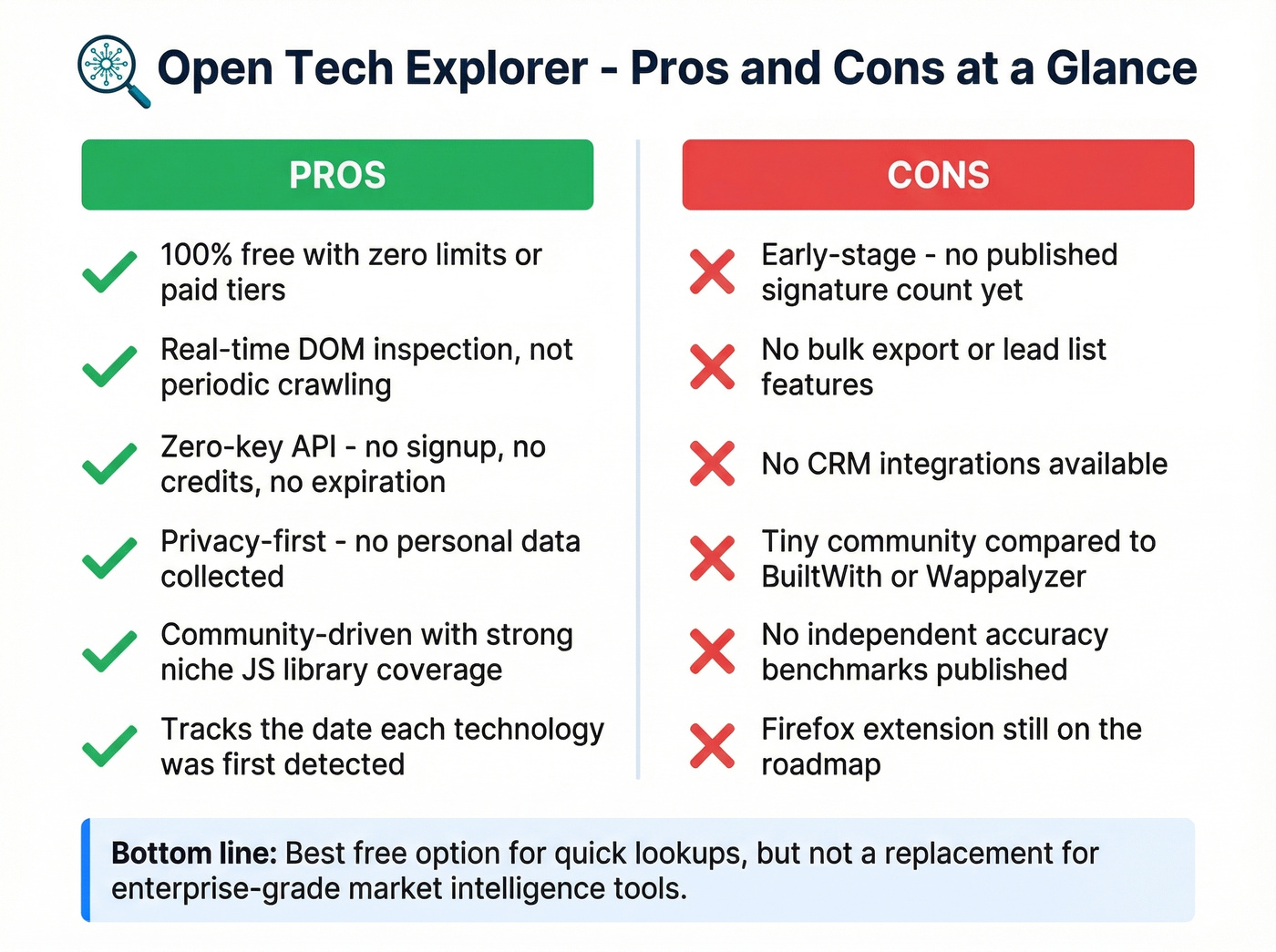
- Completely free with no limits - no paid tiers exist
- Real-time detection via DOM inspection, not periodic crawling
- Zero-key, zero-limit API for programmatic access
- Privacy-first: tracks only public tech metadata, no personal browsing data
- Community-driven with solid niche JS library coverage
- Tracks the date a site added each technology, which is useful for adoption timelines
Cons:
- Early-stage with unknown coverage depth - no published signature count, while BuiltWith tracks over 113,000 technologies
- No bulk export or lead list features (see lead generation workflow options if you need exports)
- No CRM integrations (if that's a must, plan your connect outreach tool to CRM setup early)
- Tiny community compared to established tools
- No independent accuracy benchmarks yet
- Firefox extension isn't available yet (it's on the roadmap)
How It Compares to BuiltWith & Wappalyzer
BuiltWith is the heavyweight. It tracks 113,000+ technologies across 414M domains, updated weekly, and it's built for market-level intelligence - adoption trends, competitive analysis, enterprise reporting. The tradeoff is methodology: periodic crawling misses backend technologies that don't leave obvious footprints in public-facing code.
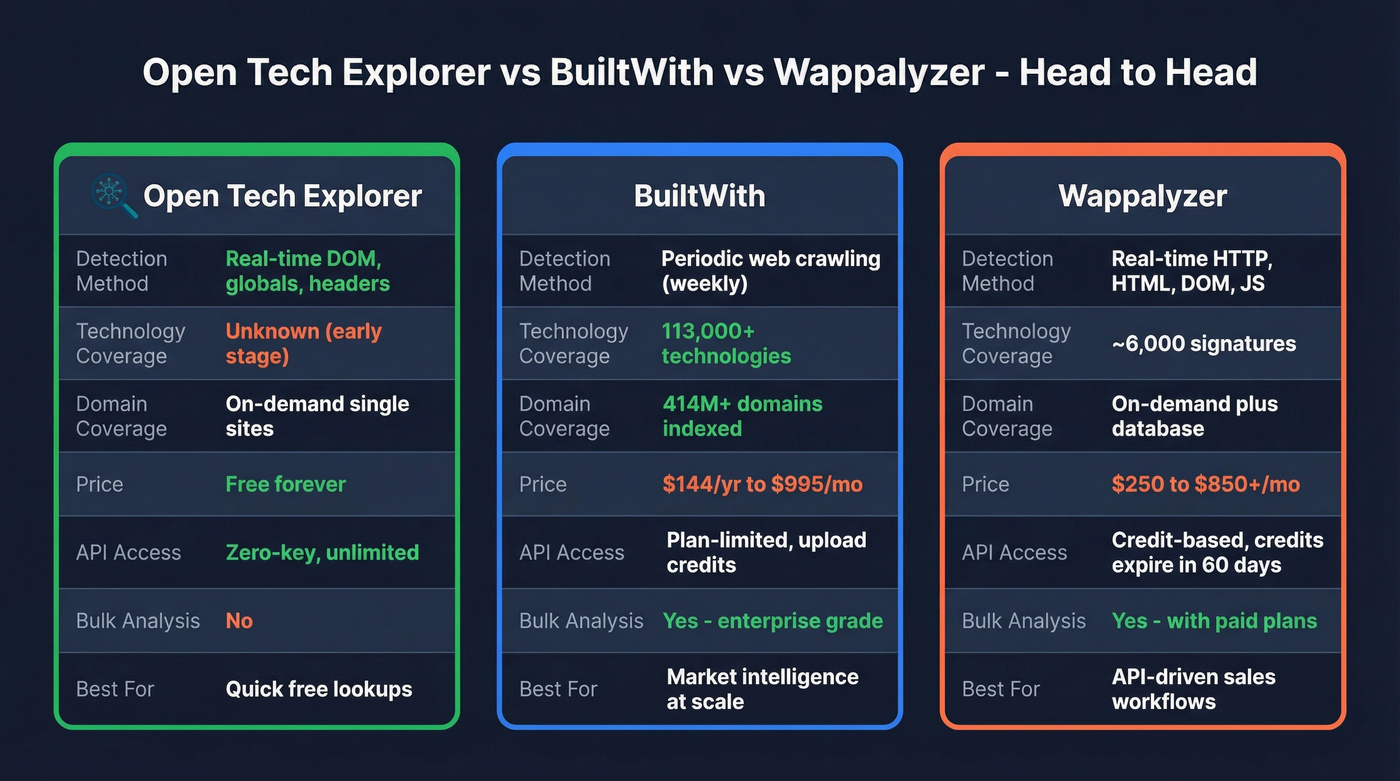
Wappalyzer uses real-time HTTP/HTML/DOM/JS inspection, similar to OTE. It tracks roughly 6,000 signatures - far fewer than BuiltWith, but the real-time method catches what's actually running. Some users report accuracy has declined since the acquisition, and the free tier caps you at 50 lookups per month.
Here's the thing: for most individual lookups, OTE gives you the same answer you'd get from a paid tech-intel tool. The cases where it doesn't - historical data, bulk analysis, enterprise reporting - are where BuiltWith justifies its price.
Verify any tool's results with DevTools. Open your browser console, type window.React or check for __REACT_DEVTOOLS_GLOBAL_HOOK__ to confirm React. Look for wp-content paths in the Network tab to verify WordPress. This 30-second sanity check works regardless of which tool you use, and in our experience it's caught false positives from every detection tool we've tried.
Who Should Use It
Use Open Tech Explorer if you're a developer or marketer who needs quick, free tech stack lookups without signing up for anything. It's perfect for privacy-conscious users, anyone who wants API access without keys, or teams that just need to check a handful of sites without committing to a $250+/mo subscription.
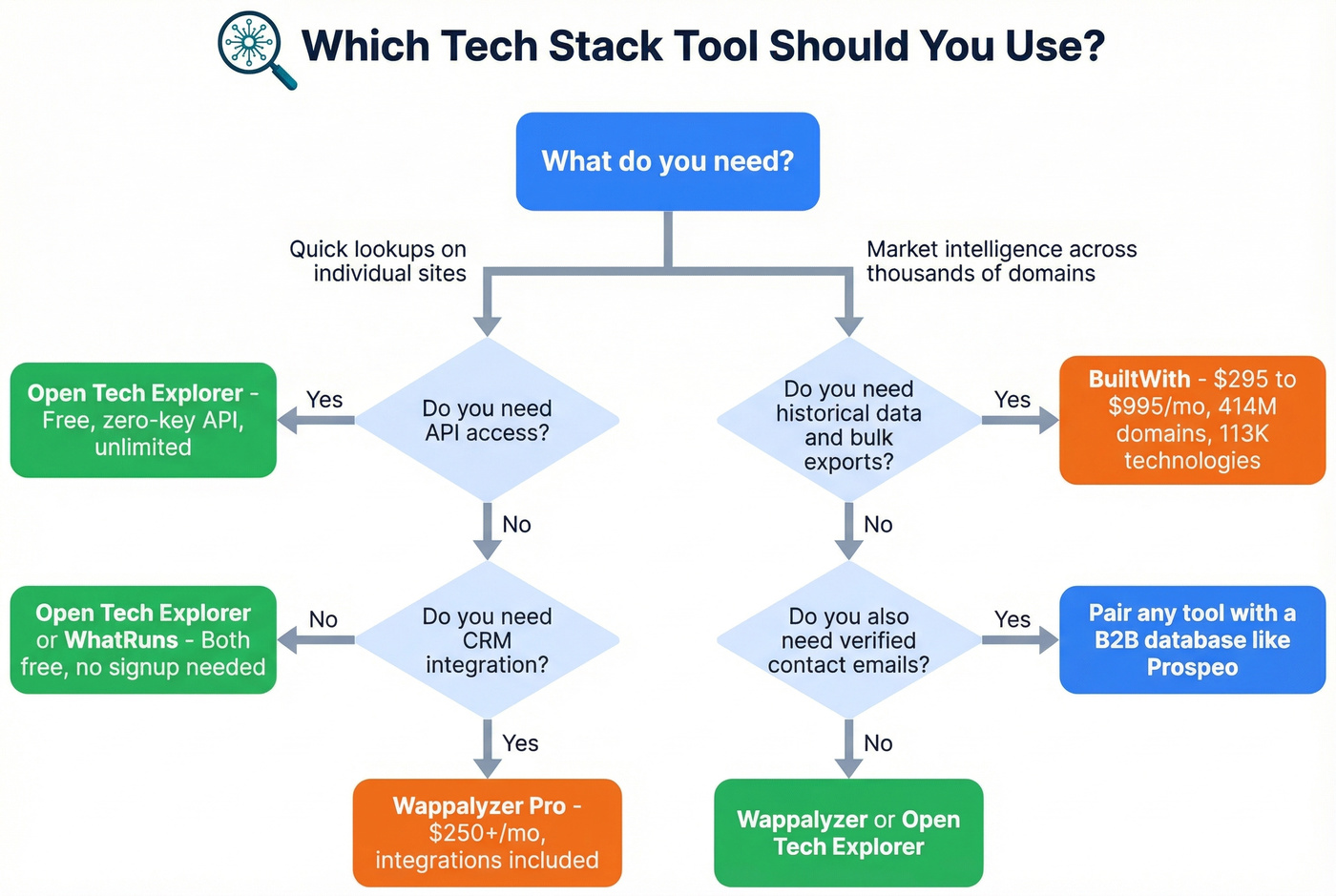
Skip it if you need market-level intelligence across hundreds of thousands of domains, bulk analysis with CSV exports, CRM integration, or enterprise reporting. For those use cases, BuiltWith or Wappalyzer's paid plans are worth the money.
The bigger question behind tech stack detection is always the same: which companies use this technology, and how do I reach the right person there? A detection tool alone won't answer that. Prospeo's B2B database includes technographic filters across 300M+ profiles - search by technology, job title, and company size, then export 98%-verified emails in one step. (If you're building lists from scratch, pair this with an ideal customer profile and clear firmographic filters.)
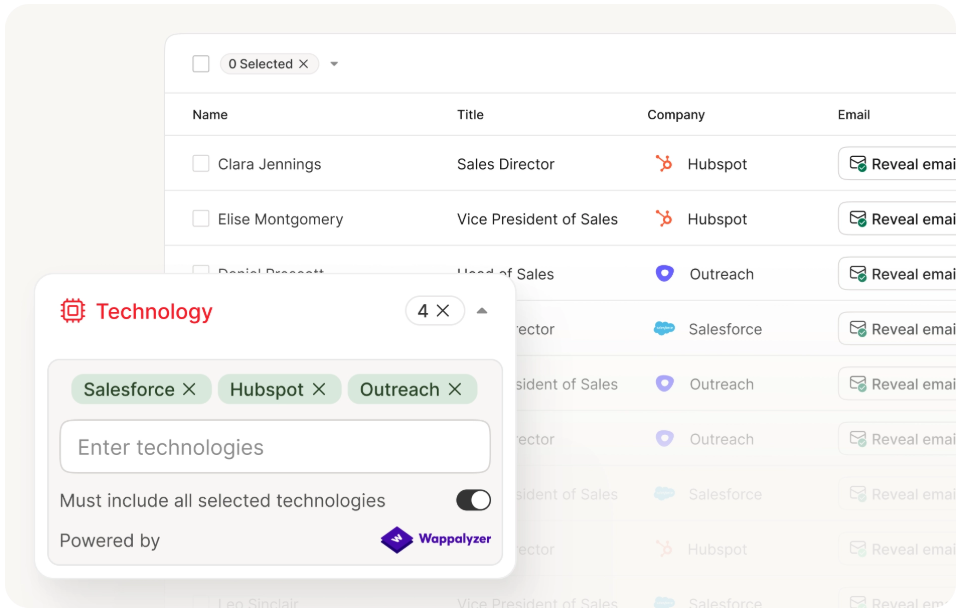
Most outbound teams in 2026 pair tech detection with a contact database. Prospeo's B2B database includes built-in technographic filters across 300M+ profiles - 98% email accuracy, 7-day data refresh, and no annual contracts. Skip the manual workflow of detecting tech stacks in one tool and hunting contacts in another.
Find every company using Shopify, then export their decision-makers' emails in one step.
FAQ
Is Open Tech Explorer really free?
Yes - "free forever" with no subscriptions, no rate limits, and a zero-key API. No paid tiers exist as of 2026. You don't even need an account to hit the API endpoint.
How accurate is it compared to BuiltWith?
No independent benchmarks exist yet. OTE's real-time DOM inspection excels at detecting what's live on a page, while BuiltWith's 113,000+ technology database wins on sheer scale and historical depth. Use OTE for quick lookups, BuiltWith for market intelligence. And always sanity-check results with browser DevTools - we do this routinely and it takes 30 seconds.
Can I use tech stack data for sales prospecting?
You can, but you'll need contact data too. Detection tools tell you what a company runs, not who to call. Pairing a tool like OTE with a B2B data platform that includes technographic filters gets you from "uses Shopify" to a verified CTO email in one search. That's the workflow most outbound teams are actually building in 2026.