

HubSpot Pipeline Management: The Practitioner's Guide to Getting It Right
Most HubSpot pipeline setups don't fail because of the tool. They fail because teams overcomplicate the configuration, nobody enforces stage gates, and within three months the forecast is pure fiction. HubSpot's ROI data shows Sales Hub customers see a 94% increase in deals closed after six months - but that assumes you've built the thing correctly.
We've audited dozens of HubSpot instances over the years, and the pattern is always the same: too many pipelines, too few required properties, and a "follow-up" stage that's really just a graveyard for deals nobody wants to close-lost.
What You Need (Quick Version)
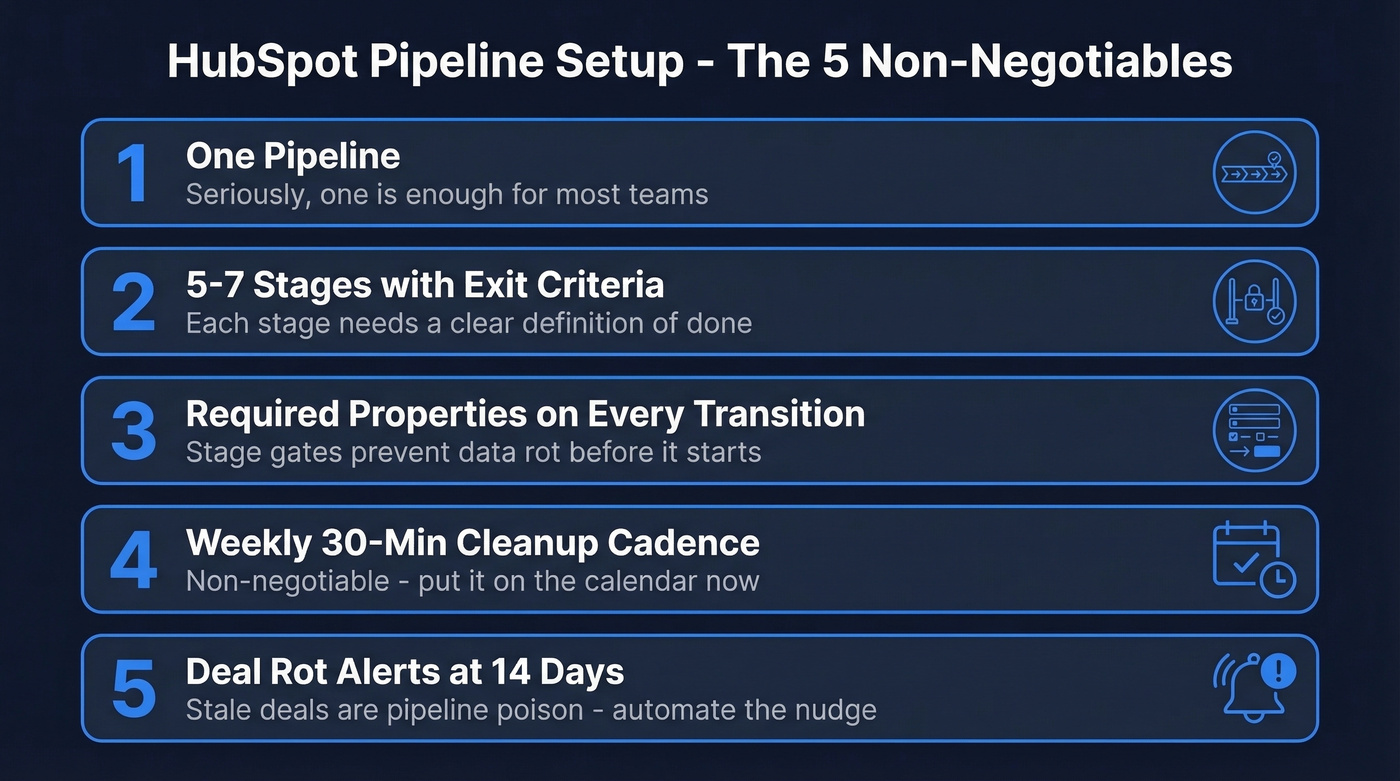
- One pipeline - seriously, one is enough for most teams
- 5-7 stages with clear exit criteria
- Required properties on every stage transition
- Weekly cleanup cadence, 30 minutes, non-negotiable
- Deal rot alerts for anything untouched past 14 days
Already doing all five? Skip to the mistakes section.
Sales Hub Pricing and Pipeline Limits
Here's the thing most teams discover too late: the automation you actually want for pipeline governance is locked behind Professional. Starter gives you basic automation like triggering tasks and email notifications when deals change stage, but real workflow-driven enforcement requires Pro.
| Tier | Price (Annual) | Pipelines | Workflows | Onboarding |
|---|---|---|---|---|
| Free | $0 | 1 | None | - |
| Starter | $9/seat/mo | 2 | Basic automation | - |
| Professional | $90/seat/mo | Multiple | Up to 300 | $1,500 |
| Enterprise | $150/seat/mo | Multiple | Up to 1,000 | $3,500 |
Budget for Pro if pipeline ops matter to you. Professional and Enterprise tiers unlock multiple pipelines, but having the ability to create them doesn't mean you should.
Setting Up Your HubSpot Pipeline
HubSpot ships with seven default stages. They're generic - strip them down to what your reps actually do.
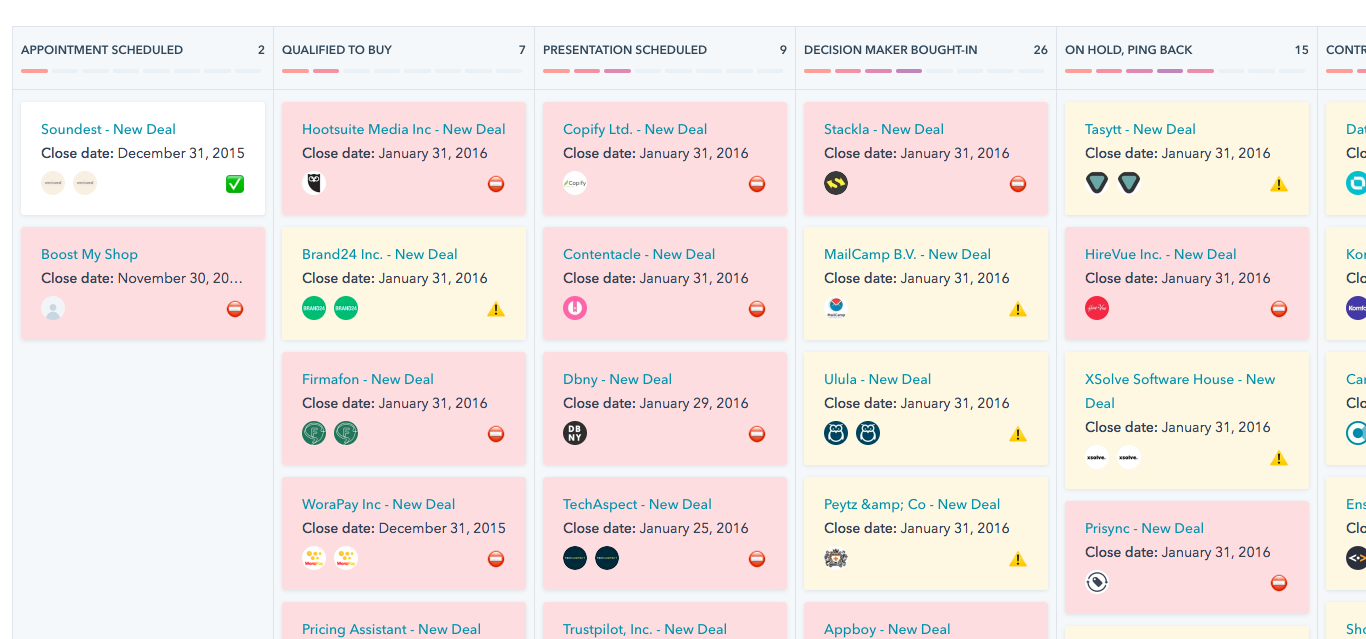
A typical B2B SaaS pipeline looks like this: Discovery, Qualified, Demo Delivered, Proposal Sent, Negotiation, Closed Won / Closed Lost. Assign a win probability to each stage - Discovery at 10%, Proposal Sent at 60% - and your weighted forecast becomes useful instead of decorative. Most teams have too many stages, not too few. If a stage doesn't change the probability of closing or require a distinct rep action, merge it with the one before it.
Power users also add a custom "Forecast Category" property with values like Commit, Strong Upside, Pipeline, and Early Stage. It gives managers a confidence overlay without cluttering the pipeline itself.
Mistakes That Kill Accuracy
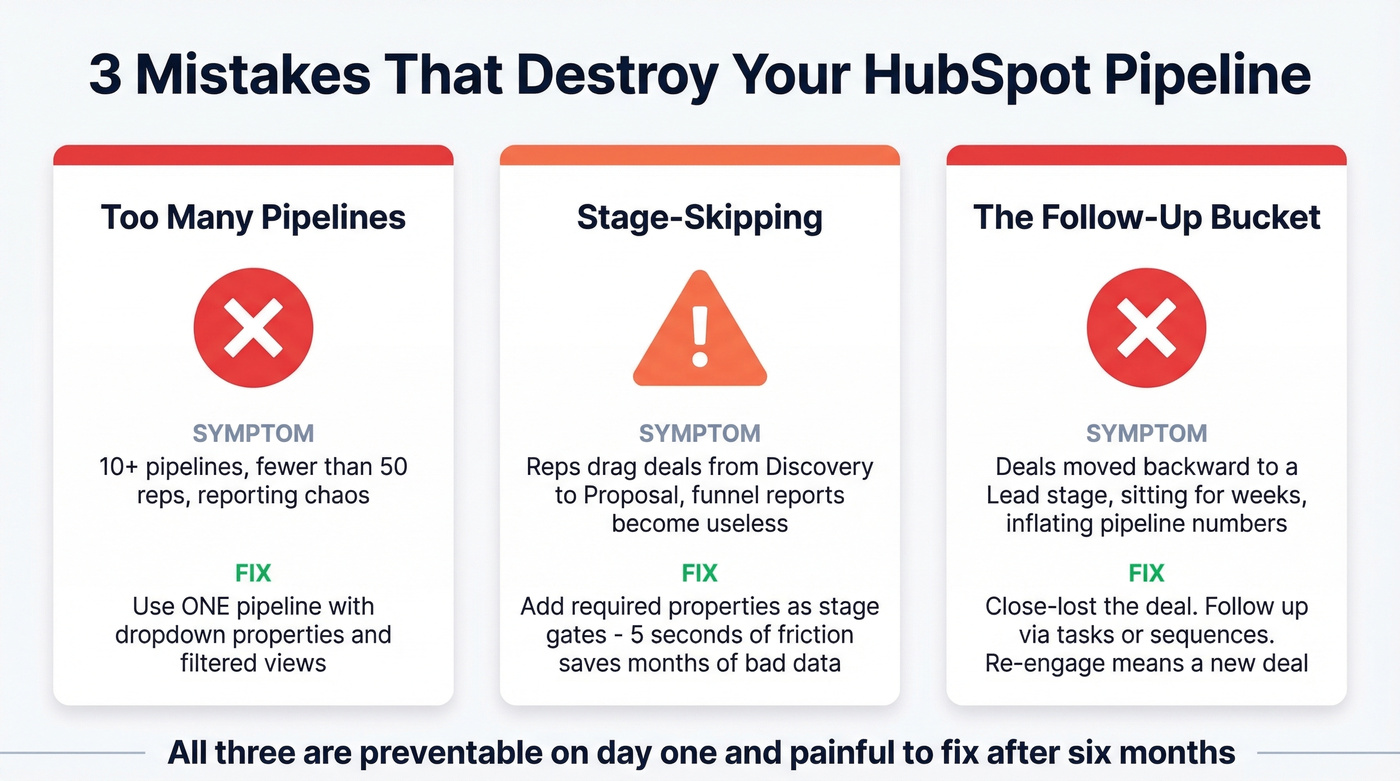
In our audits, we see the same three problems destroy pipeline data. All three are preventable on day one and painful to fix after six months of bad habits.
Too Many Pipelines
The consensus on r/hubspot is clear: creating a new pipeline for every product line, region, or sales motion is a trap. We've seen companies with 10+ pipelines and fewer than 50 reps - it's chaos. Only create a second pipeline when the stages are fundamentally different, like new business vs. channel partnerships. For everything else, use a dropdown property combined with filtered views and reporting filters. If you do run multiple pipelines, keep each one lean and make sure reporting rolls up cleanly across all of them.
Stage-Skipping
When reps drag deals from Discovery straight to Proposal Sent, you lose stage-history data. HubSpot can't backfill it. Your funnel reports become useless. Time-in-stage metrics? Meaningless. The fix is required properties as stage gates - force reps to fill in "Discovery Notes" before moving to Qualified, "Demo Date" before moving to Demo Delivered. Five seconds of friction saves months of bad data.
The Follow-Up Bucket
This one drives us crazy. Reps move deals backward to a "Lead" stage because they want to follow up later, and it destroys funnel accuracy. The deal sits there for weeks, inflating your pipeline and tanking conversion rates.
Close-lost the deal. Follow up separately via tasks or sequences. If the prospect re-engages in 90 days, create a new deal. Nobody likes marking something "lost," but it's the only way to keep your numbers honest.

Bad targeting kills pipelines faster than bad hygiene. Prospeo's 300M+ verified profiles with 30+ filters - buyer intent, technographics, headcount growth - let you fill HubSpot with deals that actually close. Native HubSpot integration, 98% email accuracy, zero bad data inflating your stages.
Stop cleaning up garbage leads. Start with accurate ones.
Pipeline Automation Worth Building
All three workflows below require Professional tier or above. Quick distinction: Workflows handle internal process automation, while Sequences are for rep-to-prospect outreach. Don't confuse them.
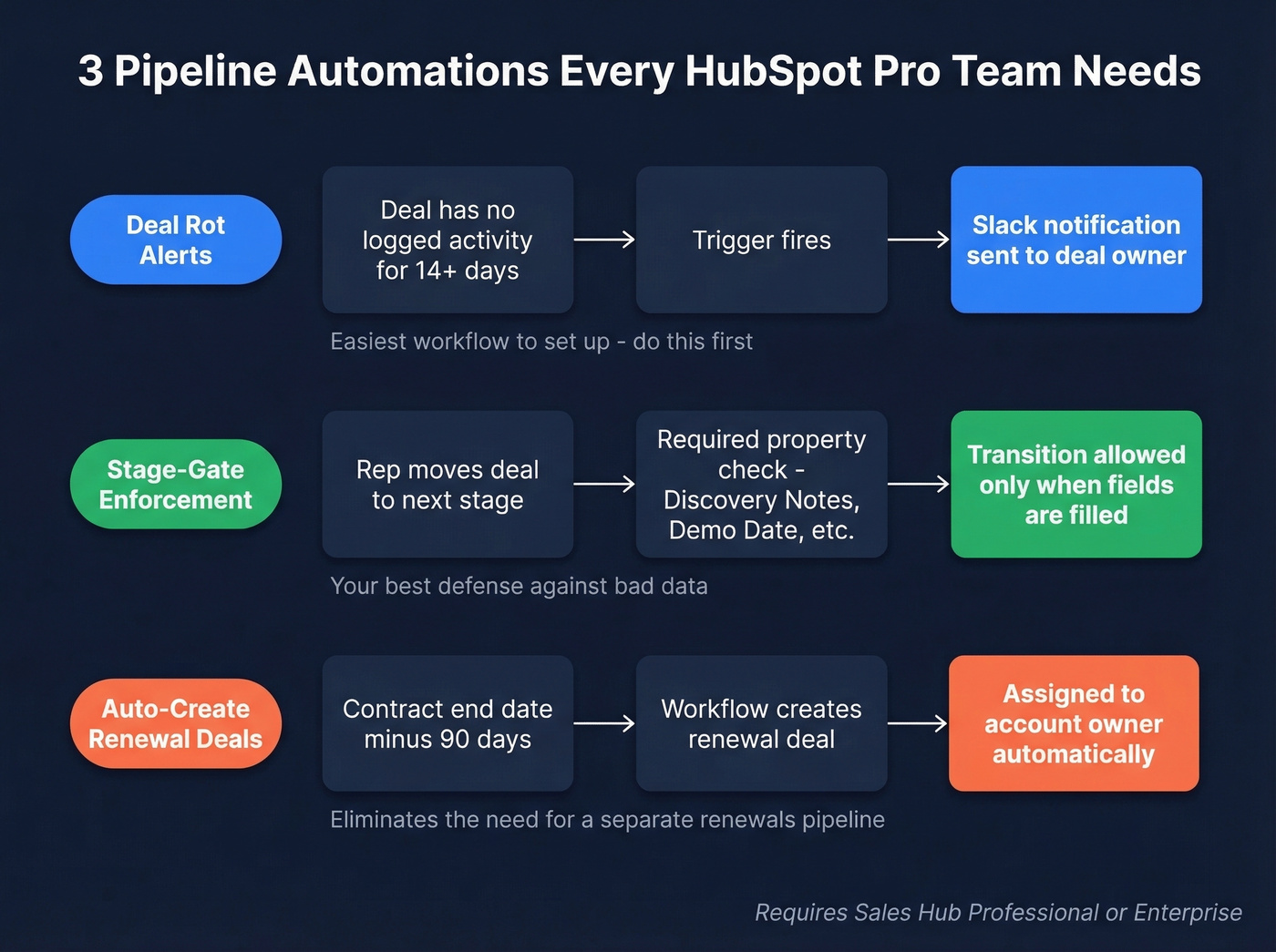
Deal rot alerts - trigger a Slack notification when a deal has no logged activity for 14+ days. Stale deals are pipeline poison, and this is the single easiest workflow to set up.
Stage-gate enforcement - use required properties to block stage transitions until reps fill in key fields. Your best defense against bad data, full stop.
Auto-create renewal deals - set a workflow triggered by contract end date minus 90 days to create a renewal deal and assign it to the account owner. This eliminates the need for a separate renewals pipeline entirely.
These aren't fancy. They're the minimum. HubSpot pipeline automation scales best when each workflow solves one specific governance problem rather than trying to handle every edge case in a single chain.
Reports and Pipeline Velocity
HubSpot doesn't have a single "pipeline velocity" report out of the box. The Sales Analytics Suite, available on Pro and Enterprise, is where you'll build it. For average time in each stage, create a single-object Deal report, add the "Time in stage - all stages" property, and set aggregation to AVG. This one report tells you exactly where deals stall.
The velocity formula worth memorizing:
(Opportunities x Avg Deal Value x Win Rate) / Sales Cycle Length
SaaS pipeline velocity benchmarks land around $1,847/day. Build three dashboards: one for pipeline performance with stage distribution and weighted forecast, one for rep activity covering calls and emails and meetings logged, and one for velocity tracking time-in-stage alongside win rate and deal size trends.
Benchmark Your Pipeline
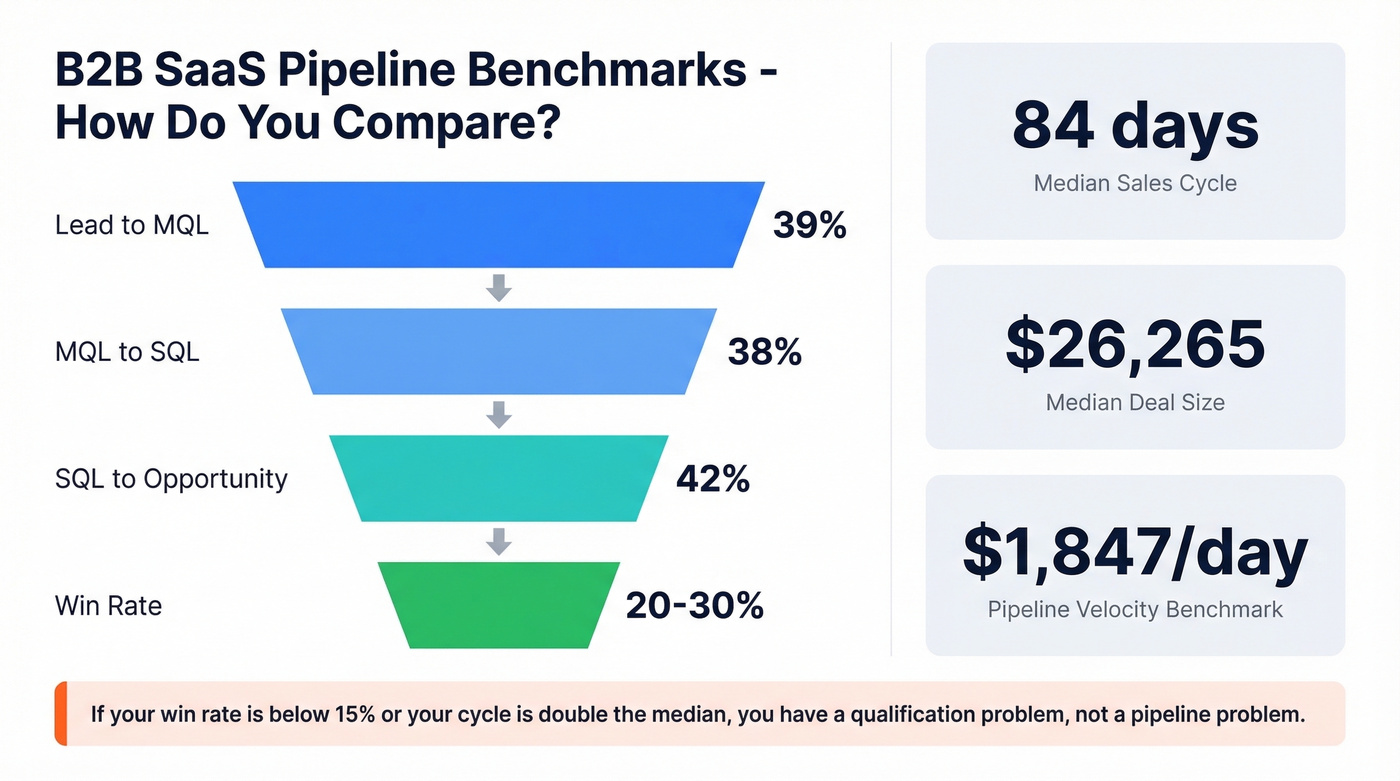
Here are B2B SaaS stage conversion benchmarks to gut-check your numbers:
| Stage | B2B SaaS Benchmark |
|---|---|
| Lead to MQL | 39% |
| MQL to SQL | 38% |
| SQL to Opportunity | 42% |
| Win Rate | 20-30% |
| Median Sales Cycle | 84 days |
| Median Deal Size | $26,265 |
Let's be honest: if your win rate is below 15% or your sales cycle is double the median, you don't have a pipeline problem. You have a qualification problem. No amount of pipeline hygiene fixes bad targeting. Look upstream.
Keep Your Pipeline Data Clean
Your pipeline is only as accurate as the contact data feeding it. A deal associated with a bounced email or a wrong phone number isn't really "in pipeline" - it's a ghost inflating your forecast.
Prospeo's native HubSpot integration enriches and verifies deal contacts automatically on a 7-day refresh cycle. At 98% email accuracy, your reps aren't chasing dead addresses, and your pipeline reflects what's actually happening. The integration runs in the background - no manual CSV uploads, no contact-enrichment busywork.
If you're seeing duplicates and mismatched records, fix the root cause with CRM deduplication and better database hygiene before you touch reporting.

Pipeline velocity depends on reaching real buyers with real contact data. Prospeo enriches your HubSpot CRM with 50+ data points per contact at a 92% match rate - verified emails, direct dials, intent signals - so reps spend time selling, not chasing bounced emails.
Teams using Prospeo book 26% more meetings than ZoomInfo users.
FAQ
How many pipelines should I have in HubSpot?
Most teams need one. Create a second only when deal stages are fundamentally different - new business vs. channel partnerships, for example. For segmenting by region or product, use deal properties and filtered views instead.
Can I fix pipeline data after reps skip stages?
No. HubSpot can't backfill stage-history data retroactively. Set up required properties as stage gates from day one. If the damage is already done, benchmark "before vs. after" your new enforcement rules and report forward.
How do I keep deal contact data accurate in HubSpot?
Use a verification tool with a native HubSpot integration that auto-enriches contacts on a recurring cycle. Prospeo refreshes data every 7 days at 98% email accuracy, compared to the 6-week industry average, which eliminates bounced emails that stall deals and inflate forecasts.