

=== CURRENT ARTICLE (slug: professional-email-address-generator) ===
=== CURRENT ARTICLE (slug: professional-email-address-generator) ===
Professional Email Address Generator: How to Pick One That Actually Works
You type your name into Gmail's signup form. Taken. You add a period. Taken. You try your middle initial. Also taken. Now you're staring at jane.m.smith.marketing.2026@gmail.com and wondering if you've made your professional life worse, not better.
The frustration is real, and most professional email address generator tools people recommend share the same fatal flaw: they don't check whether the address is actually available.
What You Need (Quick Version)
Three paths, depending on who you are:
Job seeker: firstname.lastname@gmail.com is the standard. If it's taken, try Proton Mail or Fastmail before you start adding numbers. A middle initial is fine. A birth year isn't.
Business owner: Buy a custom domain. Zoho Mail ($1-4/mo) if you're budget-conscious, Google Workspace ($6-18/mo) if you want the full ecosystem. A domain costs ~$10-15/year and instantly makes every email you send more credible.
Why Your Email Address Matters
A hiring manager on Reddit shared a story about receiving an application from someone whose email display name was "Kooky Kitten" - while the cover letter was signed with a perfectly normal real name. Their assessment was blunt: that applicant won't get anything with that presentation. Sounds extreme, but first impressions in email happen before anyone reads a single word you've written.
There's research to back this up. A 2017 study summarized by HuffPost, originally published in Social Psychological and Personality Science, found that messages containing smiley emoticons were rated as less competent than the same words without them. If emojis tank perceived competence, imagine what sk8erboi_99@hotmail.com does on a job application or a cold email.
The impact extends to deliverability too. Professional, recognizable from-addresses get opened 15-20% more often than generic ones. That's the difference between a cold email campaign that books meetings and one that gets ignored.
Professional Email Formats, Ranked
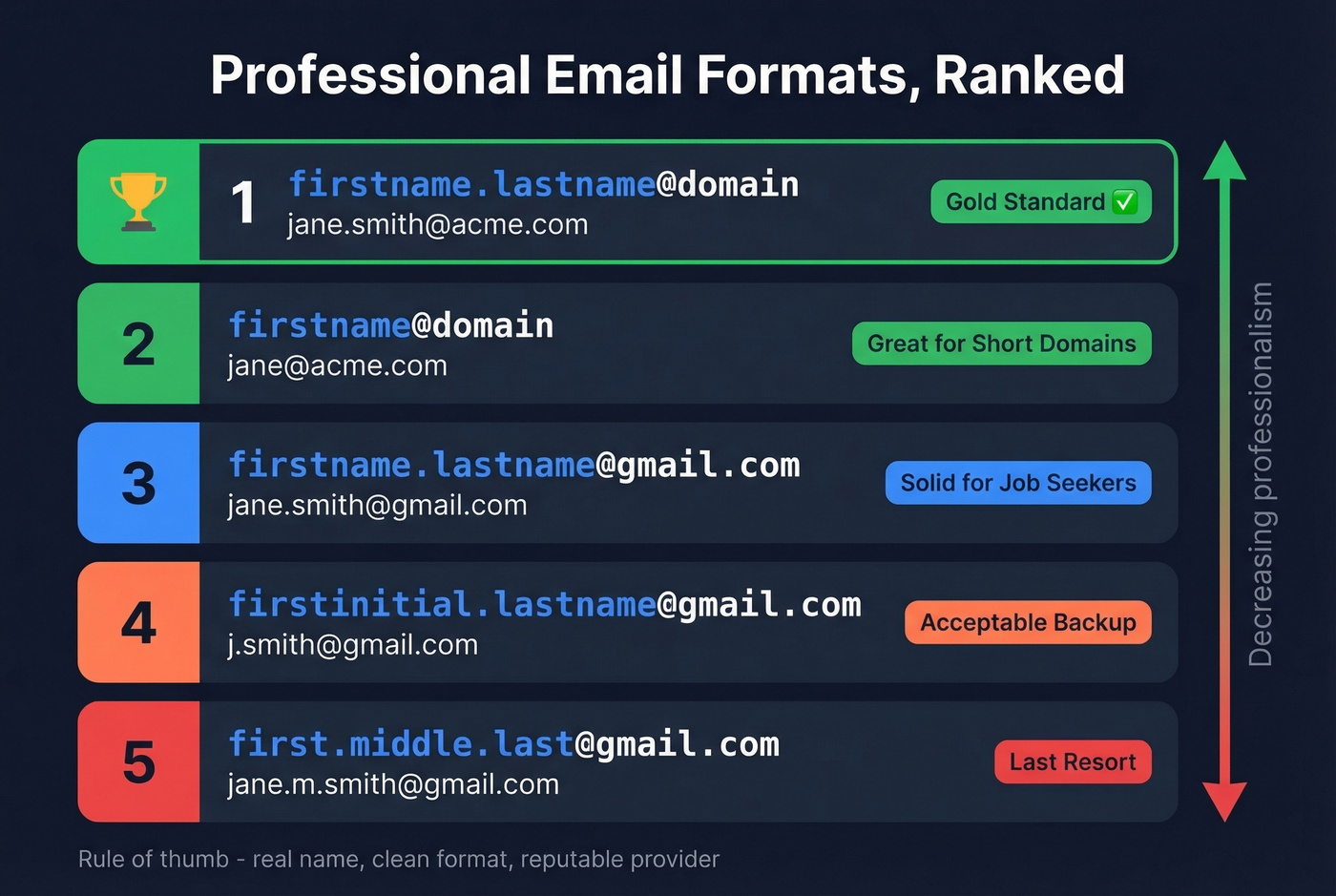
Not all formats are equal. Here's the hierarchy, from gold standard to last resort:
| Rank | Format | Example | Best For |
|---|---|---|---|
| 1 | firstname.lastname@domain | jane.smith@acme.com | Custom domain |
| 2 | firstname@domain | jane@acme.com | Short personal domains |
| 3 | firstname.lastname@gmail | jane.smith@gmail.com | Job seekers, freelancers |
| 4 | firstinitial.lastname@gmail | j.smith@gmail.com | When full name is taken |
| 5 | first.middle.last@gmail | jane.m.smith@gmail.com | Last resort on free providers |
The pattern is simple: real name, clean format, reputable provider. GMass's format guide nails the "do" side - use your real name, keep it simple, pick something future-proof. Don't tie your address to a job title like JaneAccountant@gmail.com because you might not be an accountant next year.
The "don't" list matters just as much. Avoid nicknames, slang, and puns. Skip outdated providers like Hotmail or AOL - they signal that you set up your email in 2004 and never looked back. Don't overuse numbers, especially birth years, because they scream "my first choice was taken." And per Twilio's guide, avoid symbols beyond periods - underscores look dated, and other special characters can trigger spam filters.
Here's the thing: if you're a business sending proposals, invoices, or outreach, nothing below rank 2 on that table is acceptable. A custom domain is the baseline.
When Your Name Is Taken
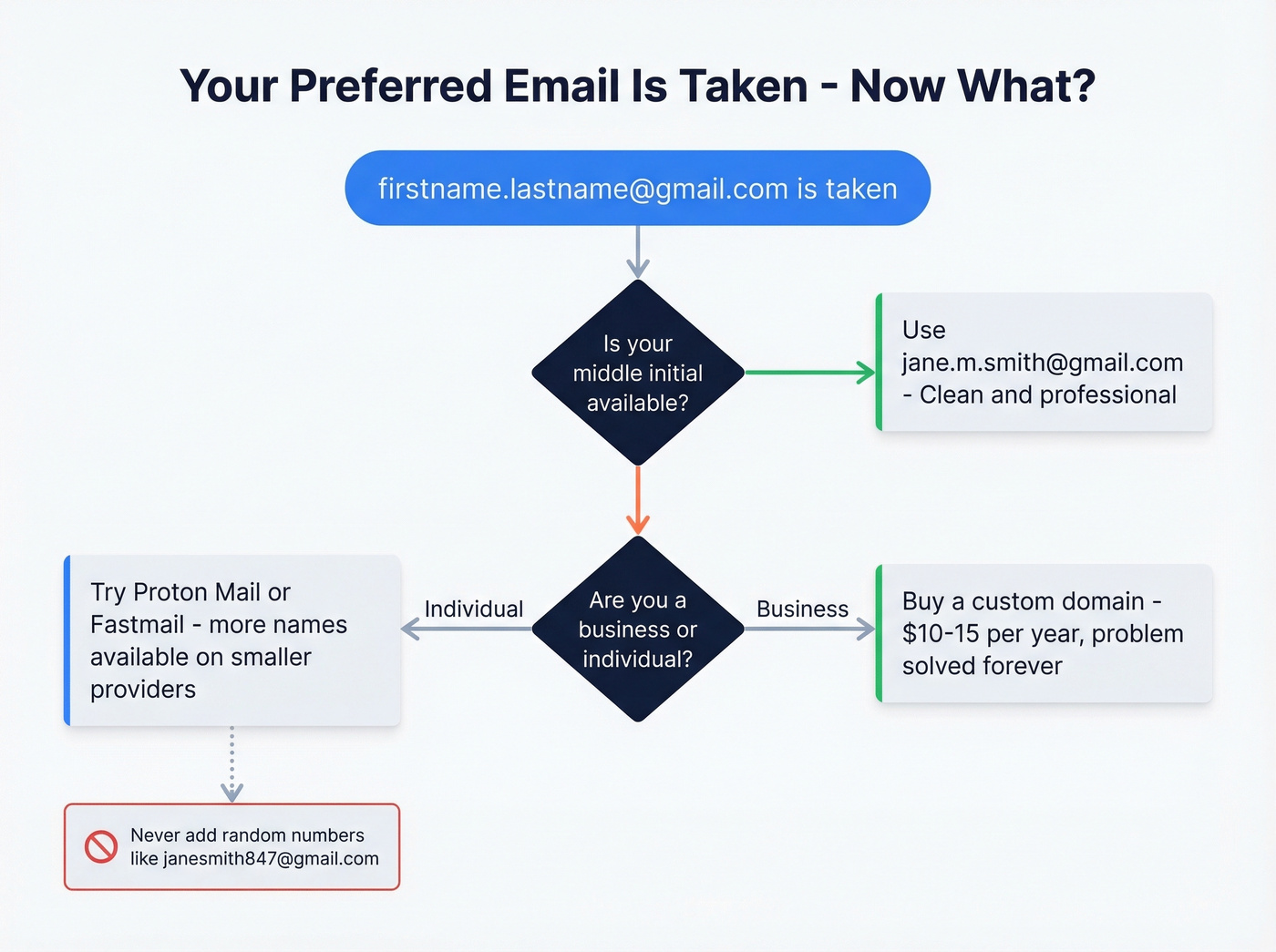
This is the most common frustration on Reddit. Someone's preferred firstname.lastname@gmail.com is taken, and they spiral into increasingly awkward combinations. Eight workarounds, in order of preference:
- Add your middle initial -
jane.m.smith@gmail.comis clean and professional - Use your full middle name -
jane.marie.smith@gmail.comworks if the initial is also taken - Add a profession keyword -
jane.smith.dev@gmail.comorjanesmith.design@gmail.com, kept short - Switch providers - Proton Mail often has more availability than Gmail for common name combinations
- Buy a custom domain - $10-15/year solves the problem permanently
- Use the dot variation - Gmail ignores dots, but other providers don't.
janesmith@protonmail.comvsjane.smith@protonmail.comare different addresses on Proton - Try a different TLD -
jane@smith.ioorjane@smith.coif you're buying a domain - Use an email name generator - but don't expect it to check availability for you
The one thing you shouldn't do: add random numbers. janesmith847@gmail.com tells every recipient that you couldn't get the real thing.
Free Email Name Generators Compared
Most email name generators are glorified random-word combiners. They produce ideas you could think of in 30 seconds and can't tell you if the address is actually available. The consensus on r/email and r/Entrepreneur threads is the same frustration: these tools "can't tell me if they are already used or not."
If you just want to brainstorm names, any of these will do the job in under a minute.
Romarto is the simplest of the bunch - enter your name, get a list of suggestions. No availability check, no frills. WriteMail.ai layers in AI-powered suggestions, though the output still lands in "things you could have thought of yourself" territory. Skip both if you already know the standard naming conventions from the table above.
Typli.ai and Sequenzy take different approaches to the same problem. Typli generates longer-form explanations alongside its suggestions, which is helpful if you're new to email address formats. Sequenzy runs on Gemini and bundles deliverability tips, making it the most educational of the free tools.
The two that come closest to being genuinely useful: Neo doubles as a business email provider, so its suggestions tie to addresses you can actually create on the spot. Panabee checks domain availability, which matters if you're going the custom domain route.
No free generator can check email availability in real time. The real solution is either trying variations manually during signup or buying a custom domain where you control every address.

Generating email address ideas is the easy part. Finding the real, verified email of the person you actually want to reach is the hard part. Prospeo's database has 143M+ verified emails with 98% accuracy - no guessing formats, no bounces.
Skip the guesswork. Get verified professional emails for $0.01 each.
Free Provider vs. Custom Domain
| Factor | Free (Gmail/Outlook) | Custom Domain |
|---|---|---|
| Setup time | ~10 minutes | 1-3 hours |
| Cost | Free | $1-18/user/mo + ~$12/yr |
| Credibility | Fine for individuals | Essential for business |
| Control | Limited | Full (aliases, branding) |
| Best for | Job seekers, freelancers | Businesses, consultants |
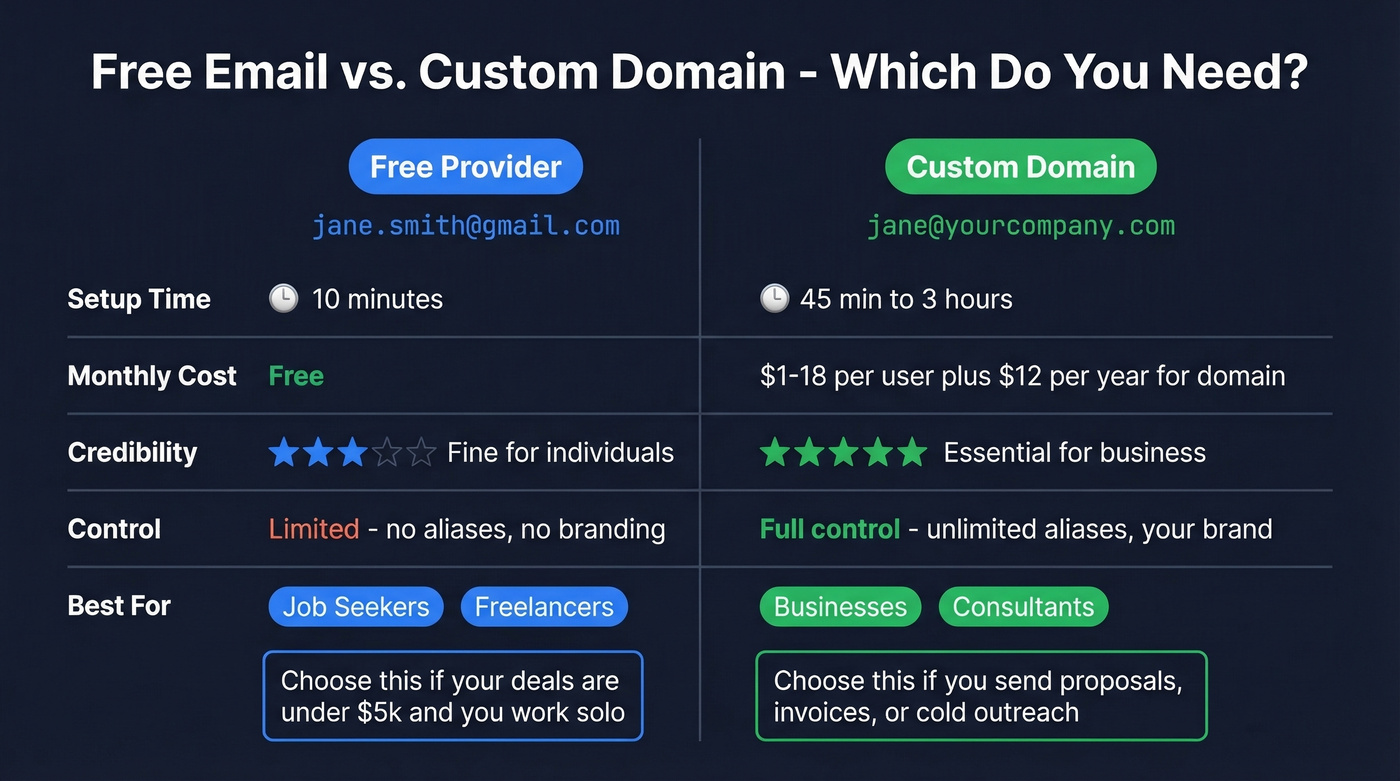
For job seekers and freelancers, a well-formatted Gmail address is perfectly acceptable. Nobody's going to reject your application because you used Gmail instead of a custom domain. The bar is firstname.lastname - not @yourdomain.com.
For anyone running a business, sending proposals, or doing outreach, a custom domain is worth the setup time. It signals permanence and legitimacy. And if you ever switch email providers, your address stays the same because you own the domain. One smart move during the transition: run your old and new addresses in parallel for 30-60 days so nothing falls through the cracks.
Hot take: If your average deal size is under $5k and you're a solo operator, skip the custom domain. A clean Gmail address is fine, and the hours you'd spend on DNS setup are better spent on actual selling. Custom domains matter when you're sending volume or when a prospect might Google your company before replying.
Email Hosting Providers
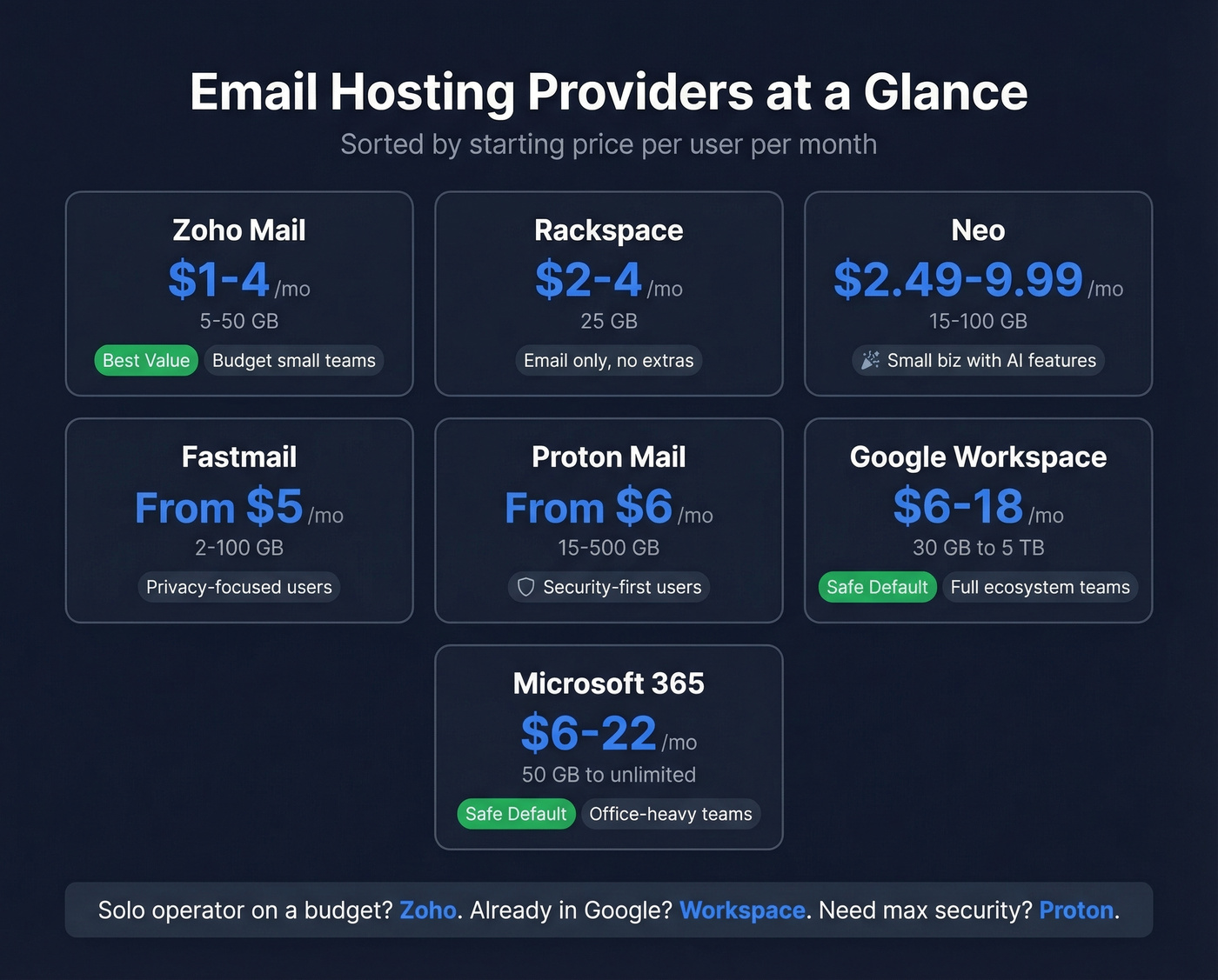
Once you've decided on a custom domain, you need somewhere to host your email:
| Provider | $/User/Month | Storage | Best For |
|---|---|---|---|
| Zoho Mail | $1-4 | 5-50 GB | Budget small teams |
| Rackspace | $2-4 | 25 GB | Email-only, no extras |
| Neo | $2.49-9.99 | 15-100 GB | Small biz, AI features |
| Fastmail | From $5 | 2-100 GB | Privacy-focused users |
| Proton Mail | From $6 | 15-500 GB | Security-first users |
| Google Workspace | $6-18 | 30 GB-5 TB | Full ecosystem teams |
| Microsoft 365 | $6-22 | 50 GB-unlimited | Office-heavy teams |
Zoho Mail is the best value for small teams that just need email. At $1-4/user/month, the math is hard to argue with. Google Workspace is overkill if you only need email, but the ecosystem - Drive, Calendar, Meet, Docs - justifies the price for teams already living in Google.
Neo sits between budget and premium. Their Starter plan at $2.49/mailbox/month on annual billing is competitive, and the "Smart Write" AI feature powered by OpenAI's API is a clever addition. But the best features are locked behind the $9.99/month Max plan, and we've found support response times can be slow. For teams that need enterprise-grade integrations, look elsewhere.
Google Workspace and Microsoft 365 are the safe defaults. Pick whichever ecosystem your team already uses.
How to Set Up Custom Domain Email
In our experience, the whole process takes closer to 45 minutes than 3 hours if your provider has a setup wizard. Here's the step-by-step:
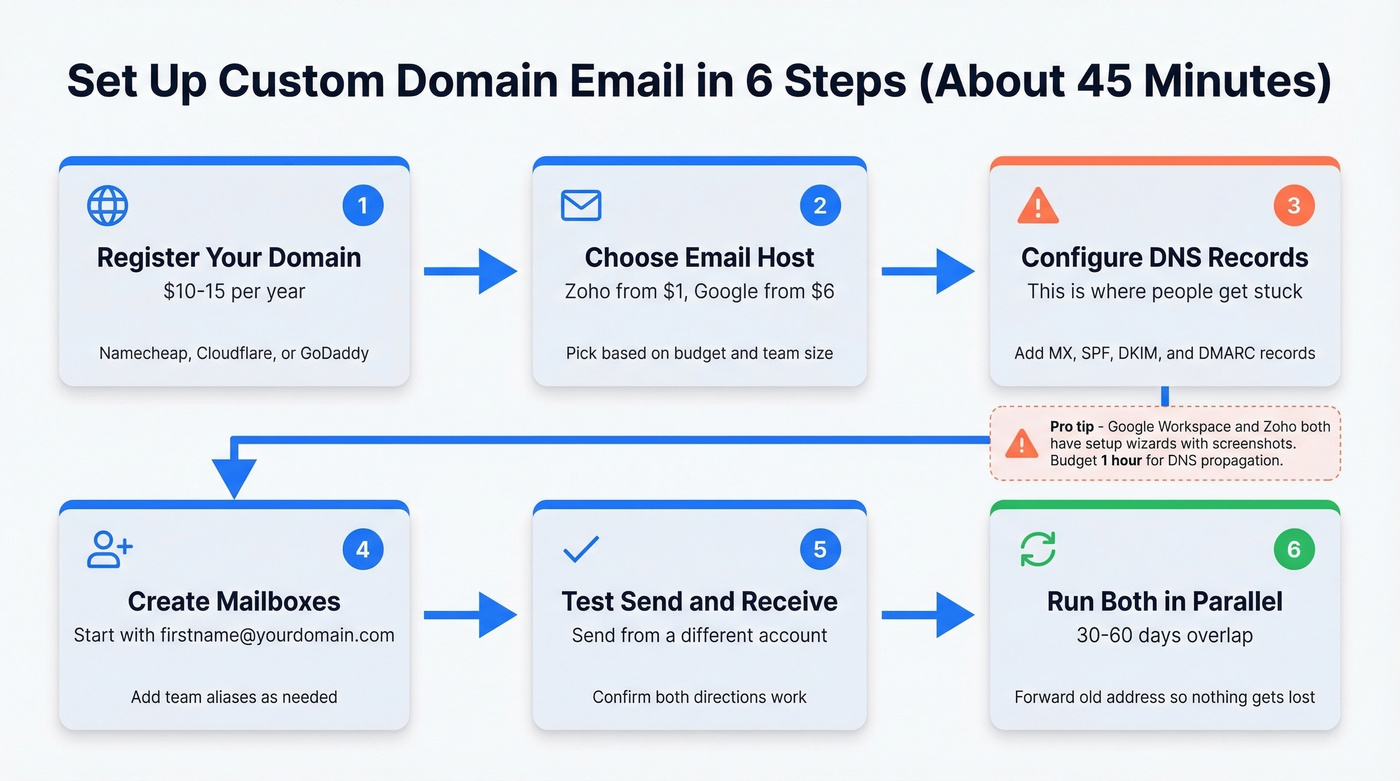
- Register your domain (~$10-15/year through Namecheap, Cloudflare, or GoDaddy)
- Choose an email hosting provider from the table above
- Point your DNS - add MX records so email routes to your provider, then add an SPF record, DKIM key, and DMARC policy for authentication
- Create your mailboxes -
firstname@yourdomain.comis the obvious first one - Test send/receive from a separate account to confirm everything works
- Set up forwarding from your old address and run both in parallel for 30-60 days
Step 3 is where most people get stuck. Your hosting provider will give you the exact records to add - it's copy-paste into your domain registrar's DNS settings. SPF tells receiving servers which mail servers can send on your behalf. DKIM adds a cryptographic signature. DMARC tells servers what to do with messages that fail SPF or DKIM checks. All three are table stakes in 2026. Without them, your emails are more likely to land in spam.
The DNS part sounds intimidating, but Google Workspace and Zoho both walk you through it with screenshots. Budget an hour for DNS propagation after you make the changes.
How Your Email Affects Deliverability
Here's where the "professional email" conversation shifts from personal branding to revenue impact. If you're sending cold outreach or marketing emails, your from-address directly affects whether anyone sees your message.
Person-based senders (sarah@company.com) consistently outperform department aliases (marketing@company.com). People trust people more than departments. With global average open rates around 42%, a 15-20% lift from a professional from-address is the difference between 42% and roughly 50% - that's real pipeline impact.
But your from-address is only half the equation. You've set up a professional email and authenticated your domain. Great. Now, if you're sending outreach to unverified addresses, your bounce rate tanks your domain reputation regardless. We've seen outreach campaigns crater overnight because of unverified email lists - one team we worked with went from 94% deliverability to under 70% in a single week after importing a purchased list. Prospeo's database covers 143M+ verified emails at 98% accuracy, so you can find your prospects' real addresses before you hit send and keep your new domain clean.
If you want to reduce bounces fast, start with an email verification tool or a dedicated bounce checker before you launch a campaign.
Email name generators can't tell you if an address exists. Prospeo can. With 300M+ professional profiles refreshed every 7 days and a 5-step verification process, you get real contact data - not format suggestions.
Find any professional's verified email in seconds, not suggestions.
Professional Email Checklist
Before you call it done, run through this:
- Uses your real name (first, last, or both)
- No nicknames, birth years, or random numbers
- Reputable provider or custom domain
- SPF record configured
- DKIM key added
- DMARC policy set
- Test email sent and received successfully
- Old address forwarding to new one (if transitioning)
- Updated email on LinkedIn and social profiles
- Updated email signatures and business cards
- Set as recovery email on critical accounts (banking, cloud storage)
- Prospect lists verified before sending outreach
That last one matters more than most people realize. A professional from-address paired with a 15% bounce rate will destroy your sender reputation faster than sk8erboi@hotmail.com ever could.
FAQ
Is a Gmail address professional enough?
For job seekers and freelancers, firstname.lastname@gmail.com is perfectly acceptable. For businesses sending proposals or outreach, a custom domain is significantly more credible and gives you full control over branding, aliases, and authentication.
Should I add my birth year to my email?
No. It signals "my first choice was taken" and leaks personal information. Try a middle initial, switch to a provider with more availability like Proton Mail, or buy a custom domain for ~$12/year instead.
What's the most professional email format?
firstname.lastname@yourdomain.com - a custom domain with your real name. On free providers, firstname.lastname@gmail.com is the standard that hiring managers and recipients expect.
Can a business email generator replace a custom domain?
No. A generator can brainstorm naming conventions, but it won't register a domain or configure hosting. Use one for inspiration, then follow the setup steps above to create an address you fully own and control.
How do I find someone's professional email for outreach?
Use a verified B2B database like Prospeo - search by company, role, or name to get verified professional emails at 98% accuracy, rather than guessing formats and risking bounces that damage your sender reputation.