

Sales Process Mapping: A Practical Guide for 2026
Sales process mapping is the difference between a team that diagnoses pipeline problems and one that guesses. 68% of B2B companies don't actually know their own sales funnel, and 84% of reps missed quota last year - with 67% not expecting to hit this year's number either. Those two stats aren't a coincidence.
When nobody can articulate what happens between "new lead" and "closed-won," reps improvise, handoffs break, and pipeline reviews turn into theater.
The Short Version
- Map what actually happens first (current state), not what should happen.
- Keep it to 5-7 stages max. More than that kills adoption.
- Write conversion benchmarks into every stage so you can measure what's broken, not just describe it.
What Is a Sales Process Map?
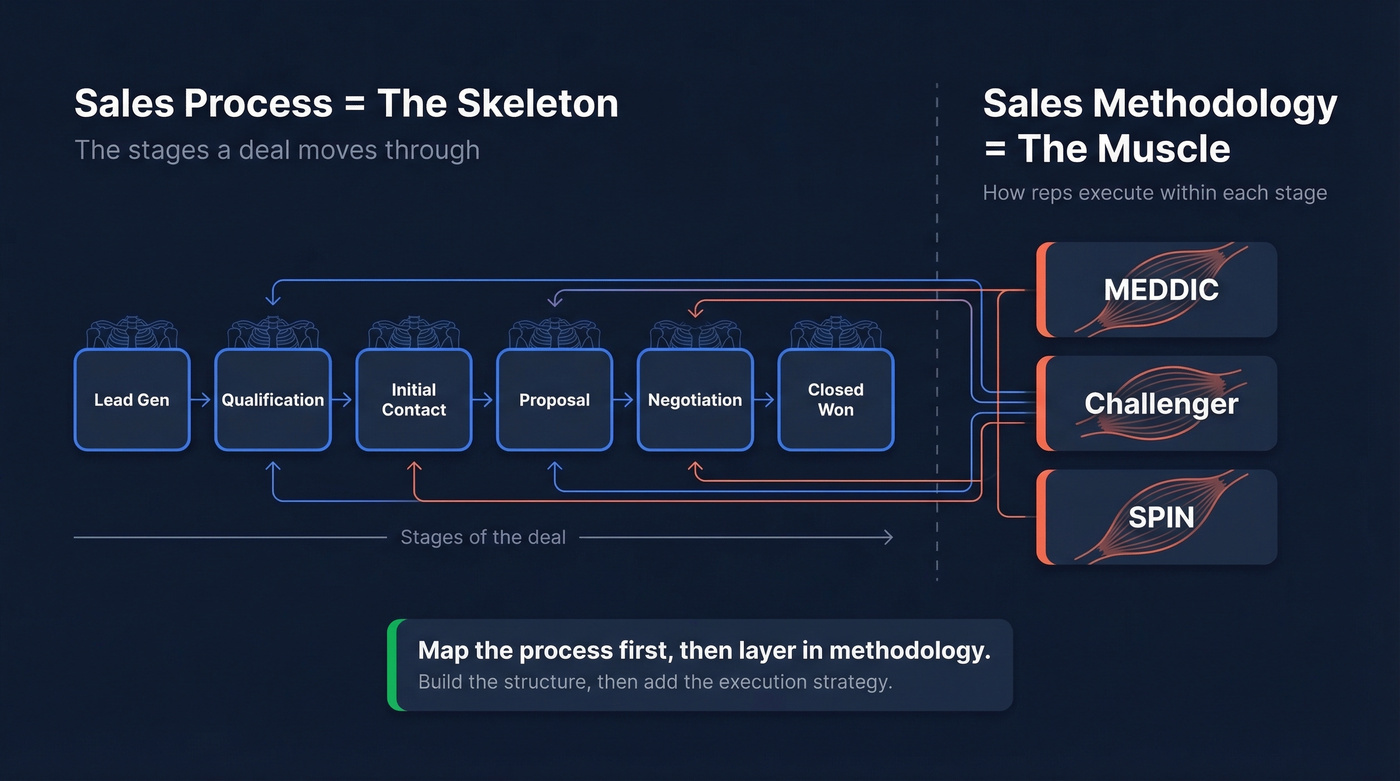
A sales process map is a visual blueprint showing exactly what happens at each stage of your sales cycle - who does what, when, with which tools, and what triggers the next step. The process defines stages a deal moves through. The methodology (MEDDIC, Challenger, SPIN) defines how reps execute within each stage. Process is the skeleton, methodology is the muscle.
Why bother? Companies with aligned sales and marketing processes see 36% higher customer retention. Without a documented process, every rep invents their own, and you end up with five different sales motions under one roof and no way to diagnose where deals stall.
Types of Process Maps
Not all maps serve the same purpose:
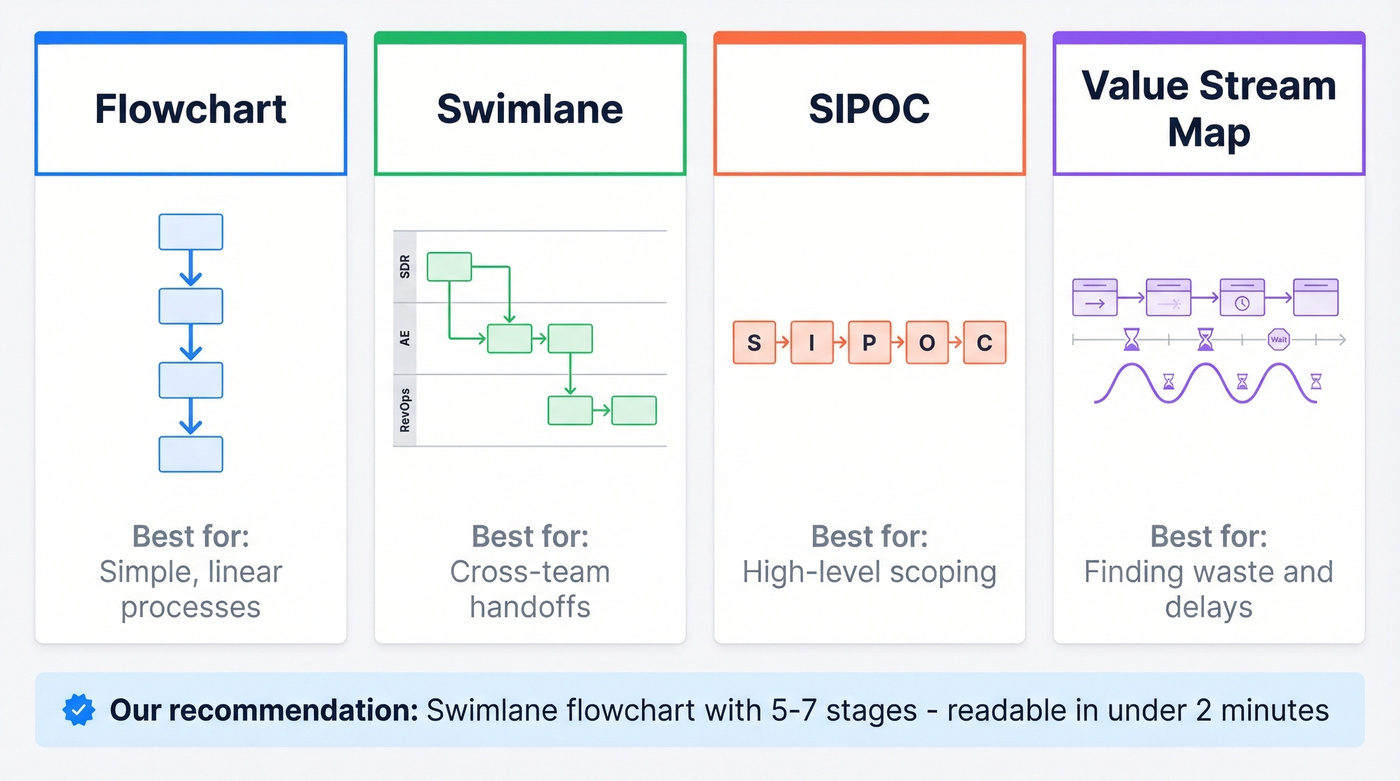
| Map Type | Best For |
|---|---|
| Flowchart | Simple, linear processes |
| Swimlane | Cross-team handoffs |
| SIPOC | High-level scoping |
| Value stream map | Identifying waste and delays |
And here's the symbol glossary - it's universal across all types:
| Symbol | Meaning |
|---|---|
| Rectangle | Activity or task |
| Diamond | Decision point |
| Arrow | Flow direction |
| Circle | Start or end |
If your process crosses departments - and most B2B sales processes do - swimlanes are the right call. They give you that "3D view" showing departments plus tools and systems in one diagram, so handoffs and ownership are obvious at a glance.
For most teams, a swimlane flowchart with 5-7 stages and clear decision diamonds at each gate is the sweet spot. One page, left to right, readable in under two minutes.

You just read that MQL-to-SQL drops to 15% when reps chase bad contact data. Prospeo's 98% email accuracy and 7-day refresh cycle mean your mapped prospecting stage actually works - no bounced emails derailing the process before selling even starts.
Stop mapping a process that breaks at the first email.
How to Build Your Map Step by Step
Step 1: Assemble the Right People
Pull in at least one SDR, one AE, and someone from RevOps. Solo mapping produces an idealized fiction nobody follows. We've seen teams waste months on a "perfect" map that reps ignored from day one because nobody who actually sells was in the room.
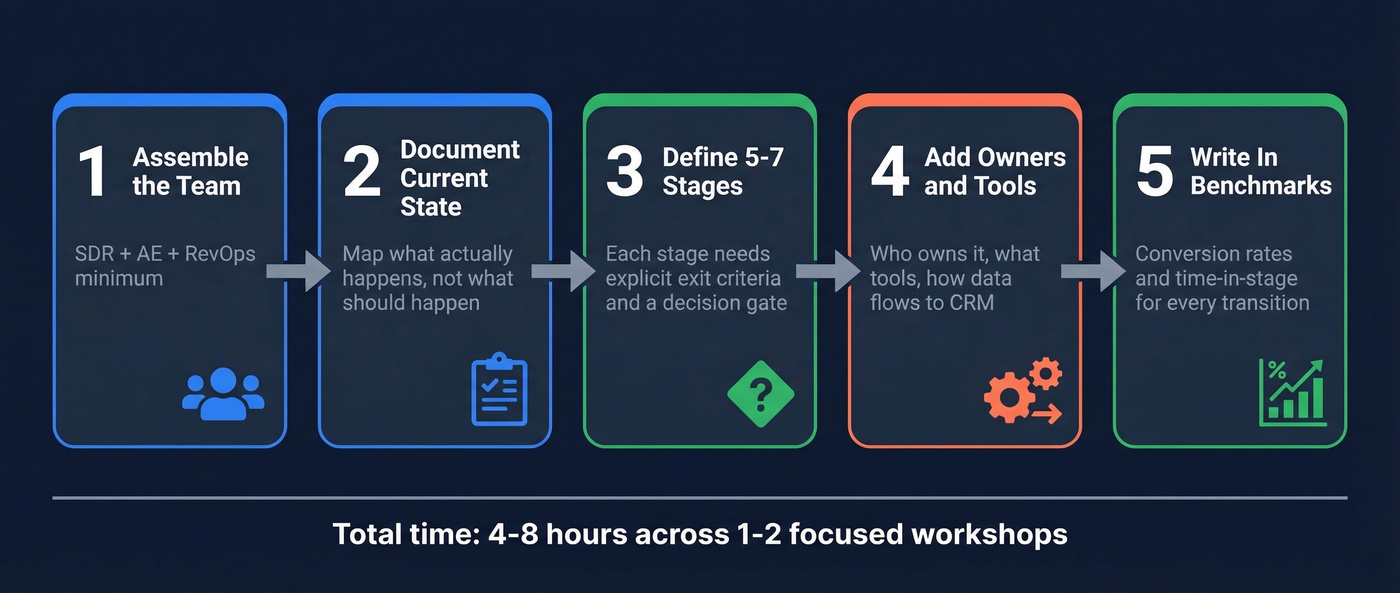
Step 2: Document the Current State
The consensus on r/SalesOperations is clear: map your process as it actually happens, warts and all. Document the messy handoffs, the manual workarounds, the stages where deals stall for weeks. This is where you find friction - and friction is the whole point.
Step 3: Define 5-7 Stages With Exit Criteria
A common B2B stage set: lead generation, qualification, initial contact, proposal, negotiation, closing. Each stage needs a decision point. Does this lead qualify, or does it go to nurture? Without explicit exit criteria, reps define "qualified" differently, and your pipeline data becomes meaningless.
B2B stages look nothing like B2C. B2B cycles involve roughly seven stakeholders, ten or more interaction channels, and ROI-driven decisions across longer timelines. Gartner projects 80% of B2B sales interactions will happen in digital channels by 2026, so your map needs to account for omnichannel buyer behavior - not just phone calls and in-person meetings.
Step 4: Add Owners, Handoffs, and Tools
For each stage, document who owns it, what tools they use, how data flows into the CRM, and what triggers the handoff. Here's the thing: your prospecting stage is only as effective as your contact data. If 30% of emails bounce, reps abandon the process entirely regardless of how well it's mapped. This is where a platform like Prospeo - with 98% email accuracy and a 7-day refresh cycle - keeps early-stage activities from collapsing before the real selling even starts.
Step 5: Write Benchmarks Into Every Stage
A map without numbers is a pretty diagram. The next section gives you the benchmarks to plug in.
Benchmarks to Plug Into Every Stage
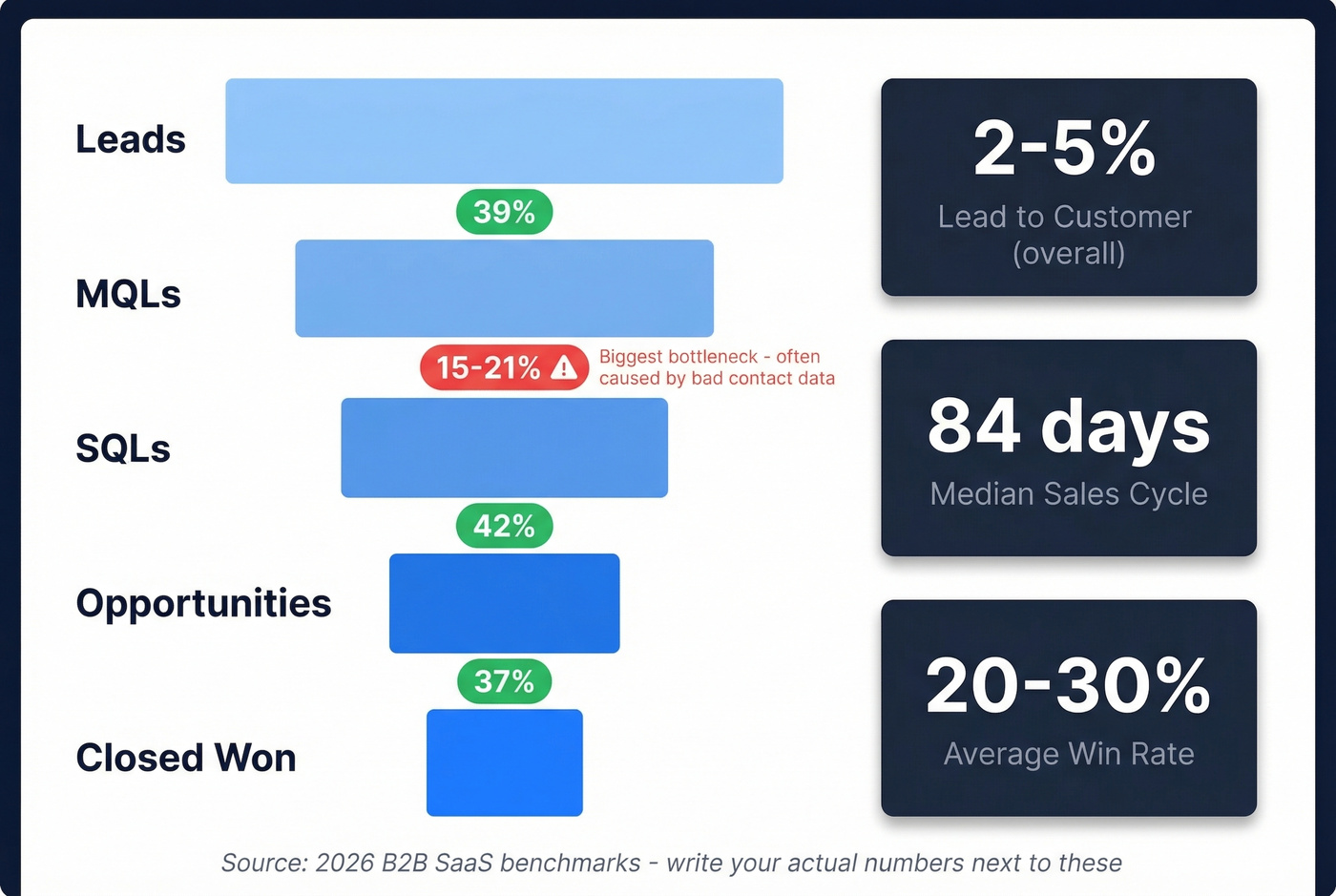
Here's where most process maps fall short. They describe stages but never quantify what "good" looks like. Use these 2026 B2B SaaS benchmarks as starting points:
| Stage Transition | Benchmark |
|---|---|
| Lead to MQL | 39% |
| MQL to SQL | 38% |
| SQL to Opportunity | 42% |
| SQL to Closed Won | 37% |
| Lead to Customer | 2-5% |
| Median Sales Cycle | 84 days |
| Win Rate | 20-30% |
The biggest bottleneck in most funnels is MQL to SQL, which often drops to 15-21% in practice. One common reason: leads enter the pipeline with bad contact data, and reps waste mapped steps on dead contacts.
Let's break down why that matters financially. If you improve MQL to SQL from 15% to 21% on 1,000 MQLs with a median deal size of $26,265, that's roughly 60 additional SQLs. At a 37% SQL to Closed Won rate, that's about 22 more deals - approximately $583K in additional revenue from a single-stage improvement. Write your actual numbers next to these benchmarks. The delta tells you exactly which stage needs attention.
Most teams don't need a better sales methodology. They need to fix one leaky stage in their existing process. The benchmarks above will show you which one.
Mistakes That Kill Map Adoption
Too much detail. If the map takes 20 minutes to read, reps work outside it. One page max.
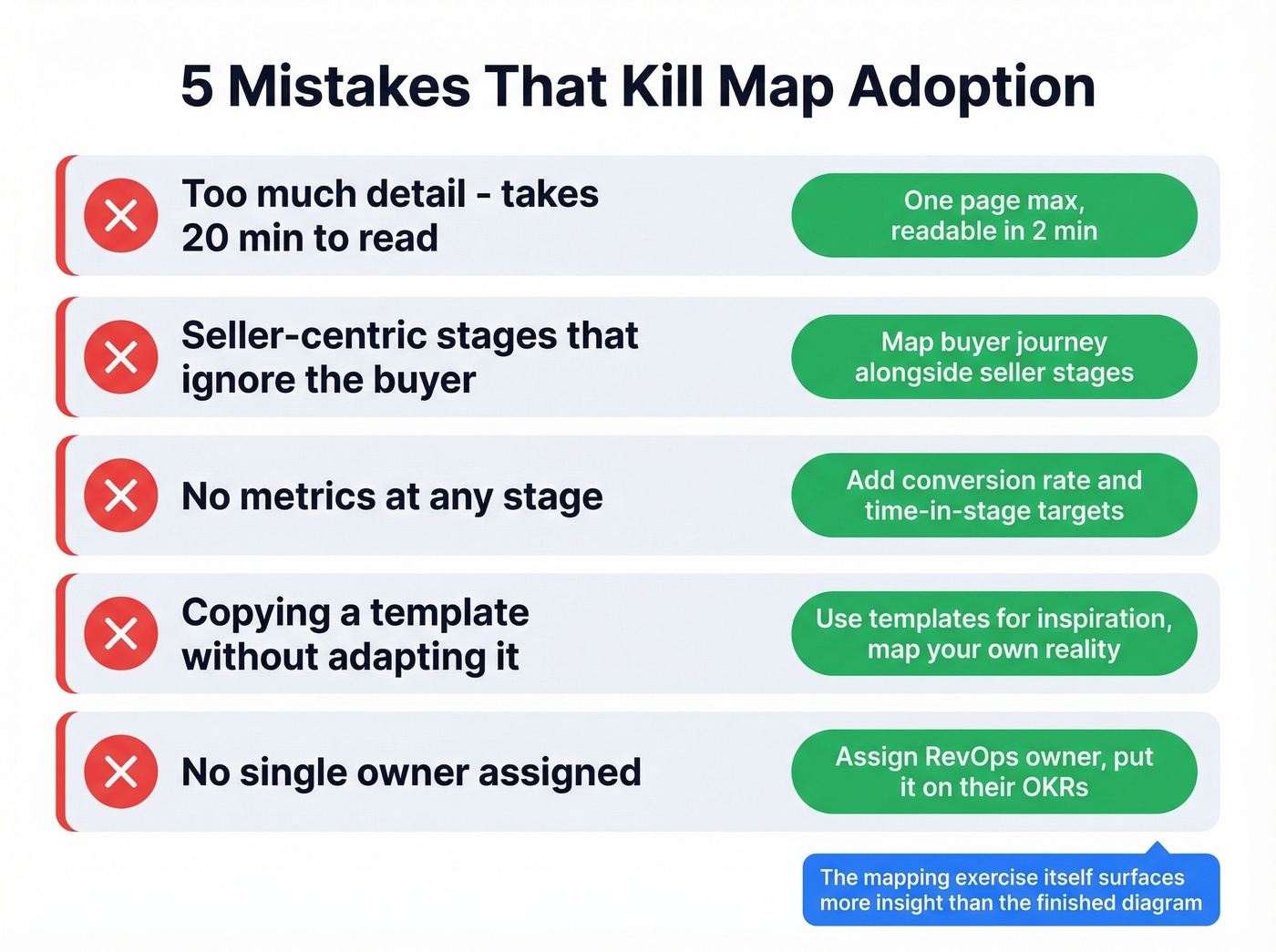
Seller-centric stages. Stages that ignore what the buyer needs at each point produce a push process that doesn't reflect how deals actually close. We've found that mapping the buyer's journey alongside the seller's stages - even roughly - catches misalignment that pure internal maps miss entirely.
No metrics. Every stage needs a conversion rate, a time-in-stage target, or both. Without numbers, you can't tell the difference between a healthy pipeline and a graveyard of stalled deals.
Copying a template wholesale. Looking at examples for inspiration is fine, but transplanting someone else's "ideal" process without adapting it to your team skips the most valuable part - understanding your own reality. In our experience, the mapping exercise itself surfaces more insight than the finished diagram.
No owner. Without a single owner (usually RevOps), the map rots within weeks. Assign someone. Put it on their OKRs.
Best Tools for Diagramming
| Tool | Price | Best For |
|---|---|---|
| Draw.io | Free | Budget-conscious teams |
| Miro | Free; ~$8/user/mo paid | Real-time collaboration |
| Lucidchart | Free limited; ~$9/user/mo | Stakeholder sharing |
| Microsoft Visio | $5-$16/user/mo | Enterprise/Microsoft shops |
| Slickplan | $31.49/mo (3 users, billed annually) | Dedicated diagramming |
Look - if you're starting from scratch, Miro's free tier or Draw.io handles 90% of what you need. We've watched teams spend weeks evaluating diagramming tools when the real work is the thinking, not the software. Skip the tool comparison rabbit hole and start mapping on a whiteboard if you have to.
Every stage in your process map needs an owner, a tool, and reliable data. Prospeo gives your SDRs and AEs 300M+ verified profiles with 30+ filters - so the leads entering your pipeline match the exit criteria you just defined.
Build your pipeline on data that's refreshed every 7 days, not 6 weeks.
FAQ
How often should you update a sales process map?
Every six months minimum, or whenever you change CRM stages, add a product line, or restructure the team. Assign a single RevOps owner to enforce updates - without one, maps go stale fast.
What's the difference between a sales process and a sales methodology?
The process is the stages a deal moves through: lead, qualified, proposal, closed. The methodology - MEDDIC, Challenger, SPIN - is how reps execute within each stage. Map the process first, then layer in methodology.
How do you ensure reps actually follow the mapped process?
Build it with reps, not for them. Tie CRM stages directly to the map and measure stage-to-stage conversion so gaps are visible in every pipeline review. Bad contact data also kills adoption - if emails bounce at the outreach stage, reps abandon the workflow no matter how elegant the diagram looks.
How long does it take to map a sales process from scratch?
Most teams complete a working current-state map in one to two focused workshops, roughly 4-8 hours total. The real time investment comes afterward: validating stages with data, writing exit criteria, and iterating based on what the benchmarks reveal. Don't let perfect be the enemy of a working first draft.