


Add to CRM: Pricing, Reviews, Pros & Cons (2026)
Add to CRM is a one-click Chrome extension that captures B2B contacts and pushes them into your CRM. If you're weighing whether it's worth paying for, this breakdown covers everything from credit costs to real-world limitations. The tool is clean, simple, and supports 29+ CRMs - among the widest coverage in this category. But "simple" has limits, and those limits show up fast once you move past a handful of prospects per week.
30-Second Verdict
Rating: 4.8 stars on the Chrome Web Store
One-line verdict: Widest CRM coverage in its class, but the free tier is nearly unusable and the product stays focused on lightweight capture and enrichment - not a full sales prospecting or automation platform.
Best for: Chrome-only SDRs doing light prospecting who need to push contacts into niche CRMs.
Skip if: You need mobile numbers, intent data, or more than 10 free credits a month.
What Is Add to CRM?
Add to CRM is a Chrome extension that pulls from a 220M+ contact database, enriches profiles with up to 31 data points, and connects to 29+ CRMs - Salesforce, HubSpot, Pipedrive, Zoho, Attio, and more. Browse a company website or professional profile, click the extension, and the contact lands in your CRM with duplicate detection built in.
We found the sync reliable but limited. It does one thing reasonably well. The question is whether one thing is enough. Email accuracy is listed at 96% with real-time verification (see how teams typically validate this with an email verification checker).
Pricing Breakdown
| Plan | Price | Credits/mo | Cost per Enrichment |
|---|---|---|---|
| Free | $0 | 10 | $0.00 |
| Standard | $17/mo | 100 | $0.17 |
| Pro | $59/mo | 500 | $0.12 |
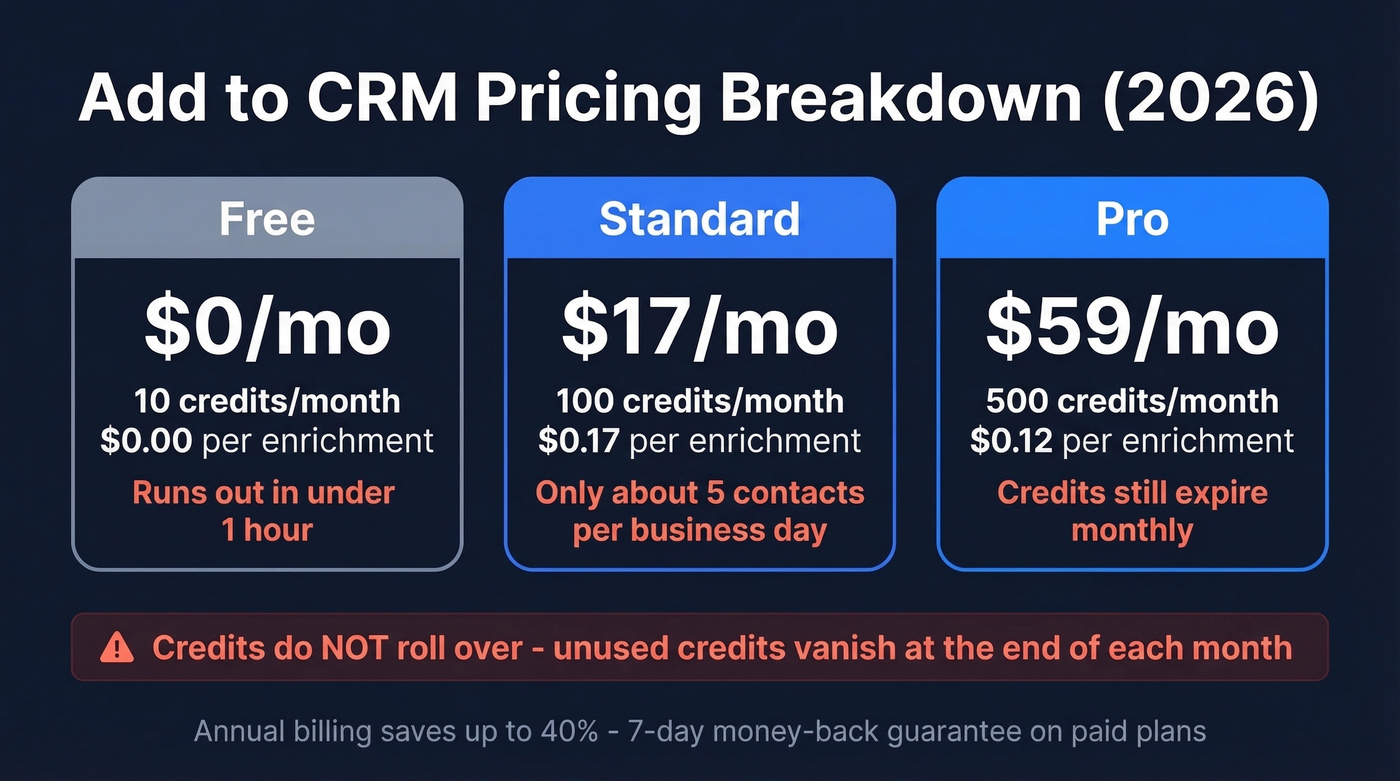
Annual billing saves up to 40%, and there's a 7-day money-back guarantee. The catch: credits don't roll over. If you're on Standard and only use 60 credits, those other 40 vanish. At $0.17 per enrichment, that waste stings.
In our testing, the 10-credit free tier ran out in under an hour. Even Standard at 100 credits works out to roughly five contacts per business day - tight for any active SDR. And on r/sales, credit-based pricing that expires monthly is regularly called out as a model that creeps up at scale, especially when you're paying for credits you never touch (if you're comparing options, start with these lead providers).

At $0.17 per enrichment with credits that expire monthly, Add to CRM's costs add up fast. Prospeo delivers 50+ data points per enrichment at ~$0.01/email - with 98% accuracy, 125M+ verified mobiles, and a free tier of 75 emails + 100 extension credits. No expiring credits. No contracts.
Stop paying 17x more for fewer data points and tighter limits.
Pros and Cons
Pros:
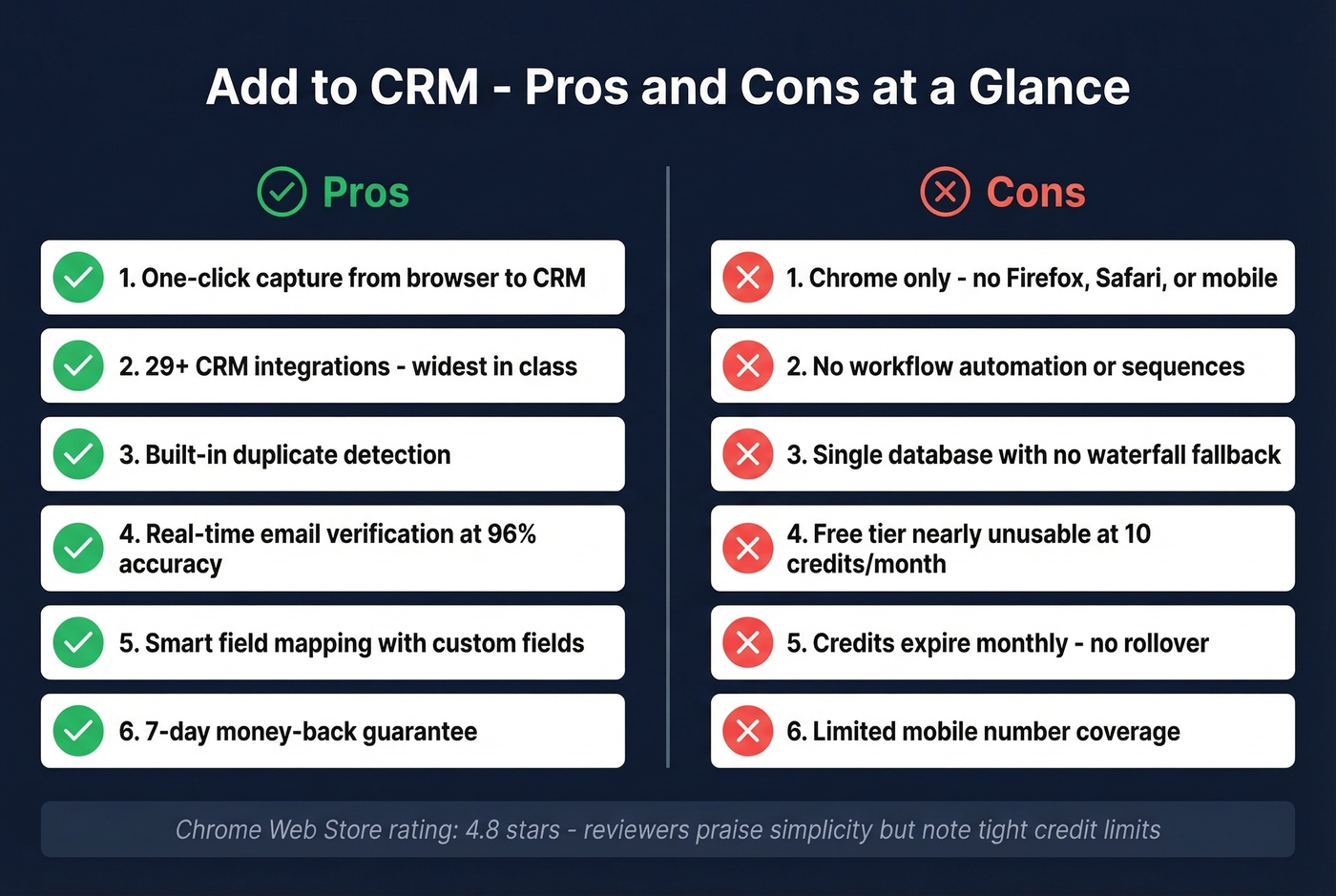
- One-click capture from browser to CRM genuinely reduces tab-switching
- 29+ CRM integrations - among the widest coverage in this category
- Built-in duplicate detection shows if a contact already exists
- Real-time email verification with 96% listed accuracy
- Smart field mapping including custom fields
- 7-day money-back guarantee on paid plans
Cons:
- Chrome-only - no Firefox, Safari, or mobile support
- No workflow automation, sequences, or intent data (for what “automation” usually includes, see sales workflow software)
- Single database with no waterfall fallback - if their data doesn't have it, you get nothing (here’s what waterfall enrichment looks like in practice)
- Free tier is nearly unusable at 10 credits/month
- Credits don't roll over
- Mobile number coverage is limited compared to dedicated data providers (if that’s a requirement, compare approaches in email and phone number lookup)
Chrome Web Store reviewers praise the simplicity but consistently note the tight credit limits. That tracks with what we saw.
How It Compares
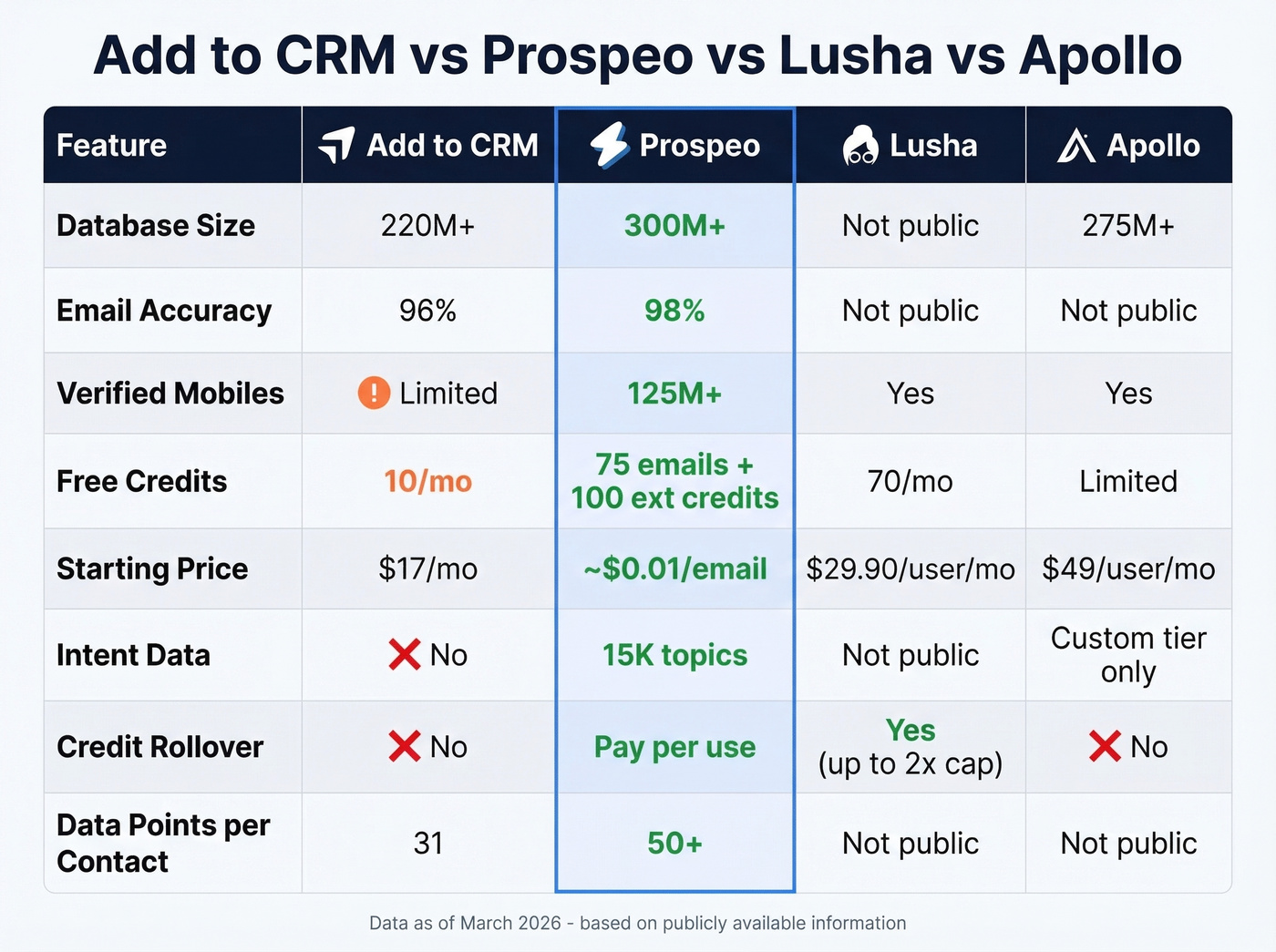
| Feature | Add to CRM | Prospeo | Surfe | Lusha | Apollo |
|---|---|---|---|---|---|
| Database | 220M+ | 300M+ | Not public | Not public | 275M+ |
| Email accuracy | 96% | 98% | Not public | Not public | Not public |
| Verified mobiles | Limited | 125M+ | Not public | Yes | Yes |
| Free credits | 10/mo | 75 emails + 100 extension credits/mo | Limited | 70/mo | Limited |
| Paid from | $17/mo | ~$0.01/email | $29-$79/user/mo | $29.90/user/mo | $49/user/mo |
| CRM integrations | 29+ | Salesforce, HubSpot, Smartlead, Instantly, Lemlist, Clay, Zapier, Make | Not public | Not public | Not public |
| Intent data | No | 15K topics | No | Not public | Custom tier |
| Credit rollover | No | N/A (pay-per-use) | N/A | Yes (up to 2x cap) | No |
Prospeo
Here's the thing: if data quality is what actually drives your pipeline, this is the strongest alternative. The database covers 300M+ profiles with 98% email accuracy, 125M+ verified mobile numbers, and intent data tracking 15,000 topics via Bombora. Data refreshes every 7 days, while the industry average sits around 6 weeks. The free tier includes 75 emails and 100 Chrome extension credits per month, and paid plans start around $0.01 per email with no contracts. Where Add to CRM caps you at 31 data points, Prospeo returns 50+ per enrichment with a 92% API match rate.
Surfe
Surfe is a direct capture-to-CRM competitor with better UI polish, but it typically offers narrower CRM coverage than Add to CRM. Per-user pricing at $29-$79/user/mo gets expensive for teams fast.
Lusha
Lusha's real differentiator isn't the data - it's that monthly credits roll over up to 2x your limit. The free tier gives you 70 credits/month vs Add to CRM's 10, and Pro starts at $29.90/user/mo. Phone numbers cost 10 credits each, which adds up quickly if direct dials are your priority.
Apollo
A full sales intelligence platform with data, outreach sequences, and analytics. Starting at $49/user/mo, the Organization tier requires at least 3 seats. Skip it if you just need capture-to-CRM - but for teams that want everything in one platform, it delivers (if you’re evaluating the category, see sales prospecting platforms).
Best Fit & Skip Signals
Use it if:
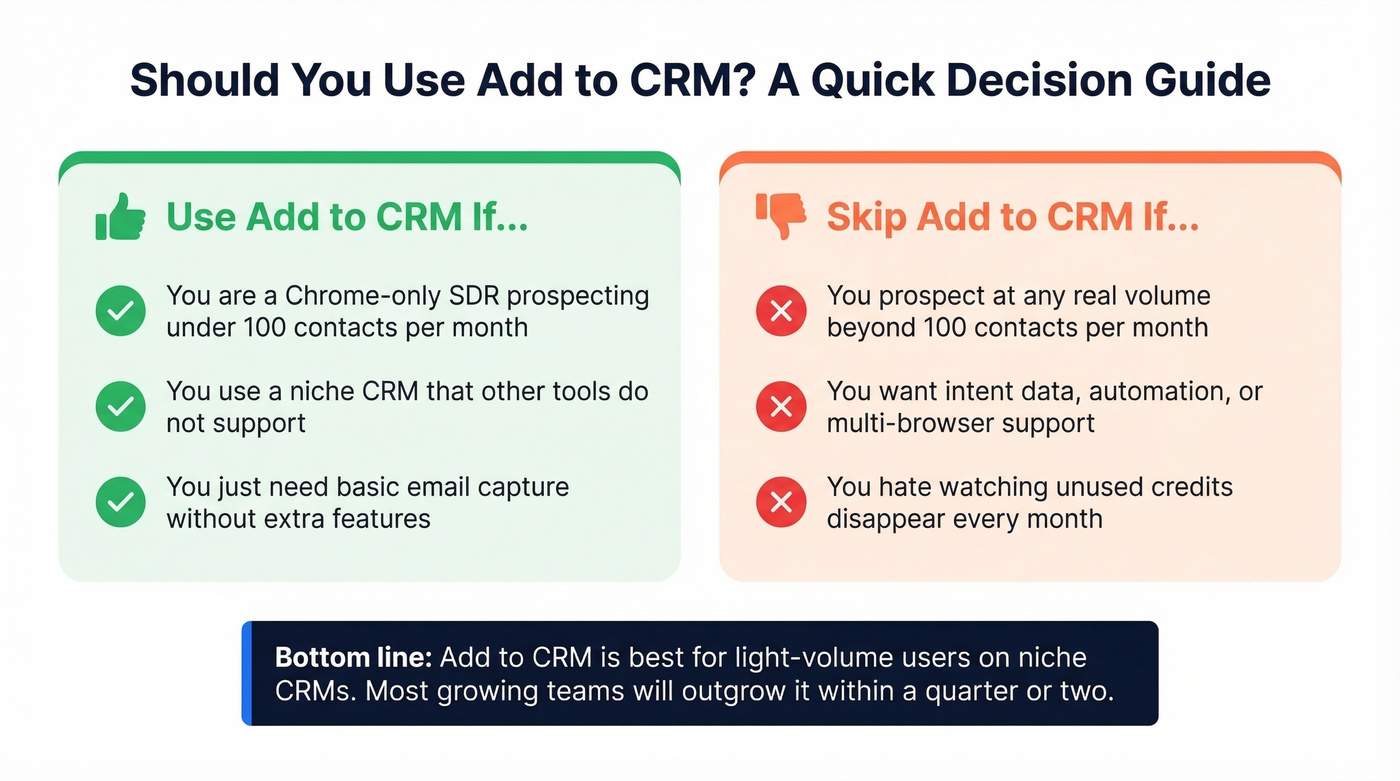
- You're a Chrome-only SDR prospecting under 100 contacts/month
- You use a niche CRM that other tools don't support - those 29+ integrations are genuinely hard to beat
- You just need basic email capture without bells and whistles (if you want more options in this exact format, compare email enrichment Chrome extensions)
Skip it if:
- You prospect at any real volume beyond 100 contacts/month
- You want intent data, workflow automation, or multi-browser support
- You hate watching unused credits disappear every month
Let's be honest: Add to CRM's 29+ CRM integrations are its only real moat. If your CRM is Salesforce, HubSpot, or any of the major platforms, you're paying for compatibility you don't need - and giving up intent signals and a usable free tier in the process.
Final Verdict
After testing Add to CRM and reviewing its pricing, features, and real-world limitations, the picture is clear: it solves a real but narrow problem - getting contacts from your browser into your CRM without copy-pasting. Independent reviews are thin compared to bigger tools, and after spending time with it, I get why. It's a fine starting point for light-volume Chrome users on niche CRMs, but most growing teams will outgrow it within a quarter or two (especially once you start scaling B2B outreach strategy).
Add to CRM caps you at 31 data points and zero intent signals. Prospeo returns 50+ data points per contact, tracks 15,000 intent topics via Bombora, and refreshes all 300M+ profiles every 7 days. Your CRM deserves data that actually drives pipeline - not just fills fields.
Capture contacts and intent signals in one click - no credit anxiety.