

ApexVerify vs LeadsForge: You're Comparing Two Different Things
You exported 2,000 prospects from a shiny new lead gen tool, loaded them into your sequencer, and watched hundreds of emails bounce before lunch. Your domain reputation tanked. SDR communities on Reddit are full of these horror stories - and they almost always trace back to the same mistake: confusing finding leads with verifying them.
That's why the ApexVerify vs LeadsForge comparison doesn't make much sense. One finds contacts. The other checks whether contacts are real. It's a fishing rod vs. a scale.
30-Second Verdict
Need to find leads? LeadsForge. AI-powered search across 500M+ contacts, $49/mo for 2,000 credits.
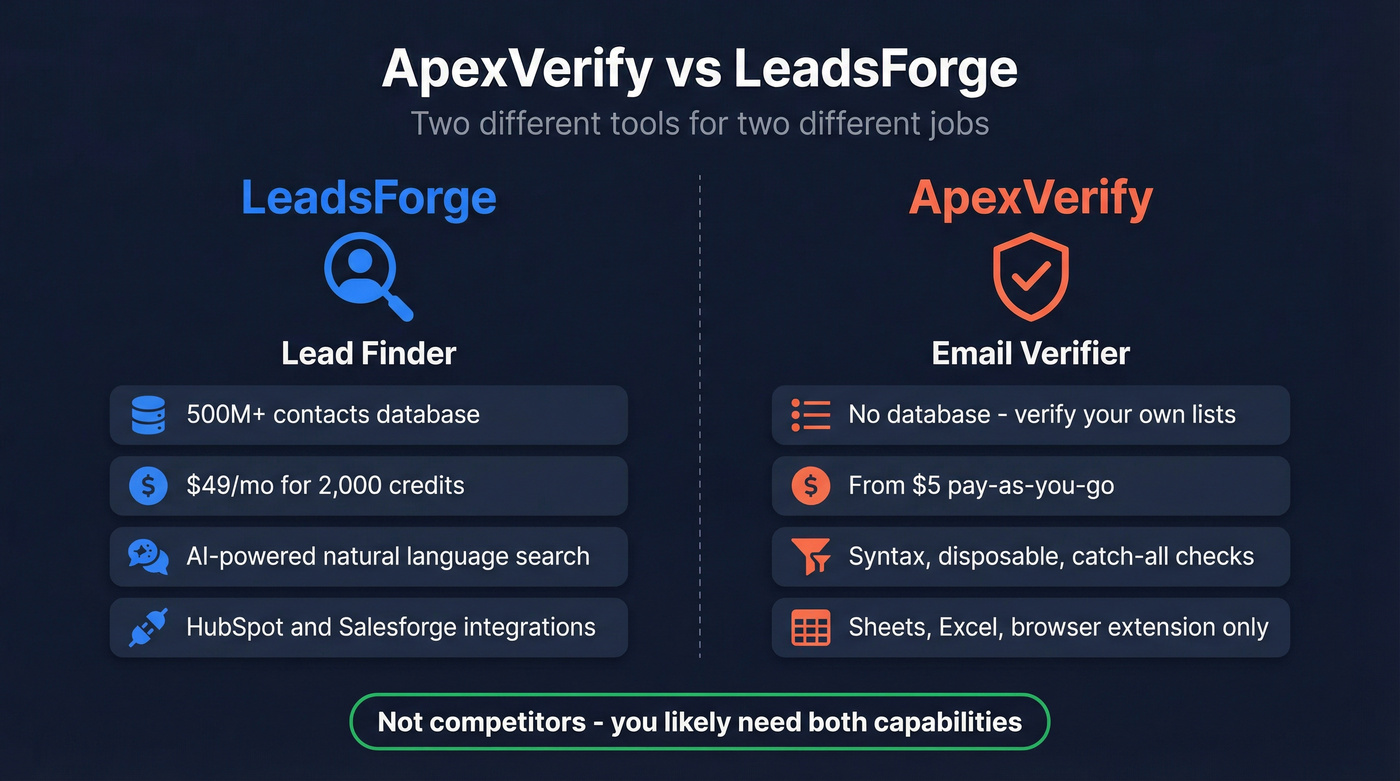
Need to verify an existing list? ApexVerify. Pay-as-you-go email and phone verification starting at $5.
What Each Tool Actually Does
LeadsForge - AI Lead Search
LeadsForge is built around a conversational interface. Describe your ICP in natural language - think ChatGPT for prospecting - and it translates your prompt into filters across 500M+ contacts. Waterfall enrichment queries multiple sources for emails, phone numbers, intent signals, and lookalike targeting.
Users on G2 rate it 4.5/5 across 12 reviews, praising the granular filtering. Multiple Trustpilot reviewers report saving 10+ hours per week on manual research. HubSpot and Salesforge integrations push leads straight into sequences, and credits carry over month-to-month.
Here's the thing: email validation costs extra credits on top of the $49/mo base, so your effective cost-per-lead runs higher than the sticker price. Reviewers also flag a steep learning curve, and exported data quality can be inconsistent - fields aren't always clean or complete.
ApexVerify - Email & Phone Verification
ApexVerify's strongest selling point is its pricing. Email verification starts at $5, phone verification at $15, and prepaid credits never expire. That makes it a straightforward way to clean a list without committing to a subscription. You also get 100 free email credits, 25 free phone credits, and 6 free daily checks without even registering.

Features cover the basics: syntax checks, disposable email detection, catch-all detection, bulk verification, and bounce rate analysis. Capterra rates it 4.8/5 from 18 reviews with a 9.4/10 likelihood to recommend.
Outside Capterra, the picture is thinner. G2 has zero reviews. Trustpilot shows 2.9/5 from just 3 reviews - two allege non-delivery, though ApexVerify replies that it can't find matching accounts. Integrations focus on spreadsheets (Google Sheets, Excel, LibreOffice) plus a browser extension, with no native CRM connections listed. Skip this one if CRM automation is a hard requirement.

Managing a lead finder and a separate verifier means two credit systems, manual CSV exports, and inevitable data gaps. Prospeo combines 300M+ searchable profiles with built-in 5-step email verification - 98% accuracy, catch-all handling, spam-trap removal - all on a 7-day refresh cycle.
Find and verify in one step. No CSV shuffle required.
Side-by-Side Comparison
| Feature | LeadsForge | ApexVerify |
|---|---|---|
| Category | Lead generation | Email/phone verification |
| Database | 500M+ contacts | N/A (verify your lists) |
| Pricing | $49/mo (2,000 credits) | From $5 (email) / $15 (phone) |
| Free access | 100 free credits | 100 email + 25 phone credits; 6 free checks/day |
| G2 rating | 4.5/5 (12 reviews) | No reviews |
| Capterra | Not listed | 4.8/5 (18 reviews) |
| Trustpilot | 4.0/5 (11 reviews) | 2.9/5 (3 reviews) |
| Integrations | HubSpot, Salesforge | Sheets, Excel, LibreOffice (+ browser extension) |
| Best for | Finding new prospects | Cleaning existing lists |
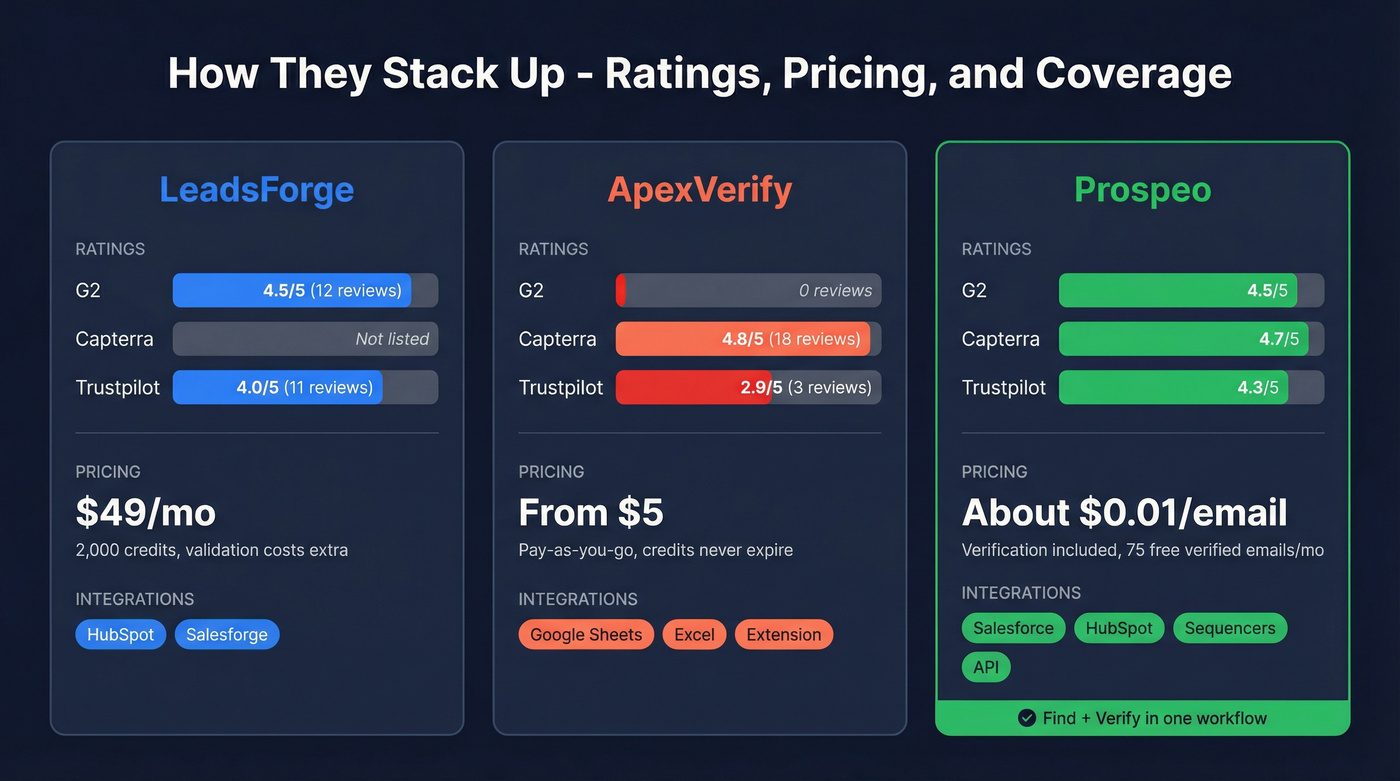
These tools don't directly compete, so picking a "winner" per row misses the point. The real question is whether you need one, the other, or both.
Do You Need a Finder, Verifier, or Both?
Most outbound teams need both capabilities. You can't send sequences to unverified emails without torching your sender reputation, and you can't verify contacts you haven't found yet. We've seen teams burn through domain reputation in a single afternoon by skipping verification - one bad batch is all it takes.
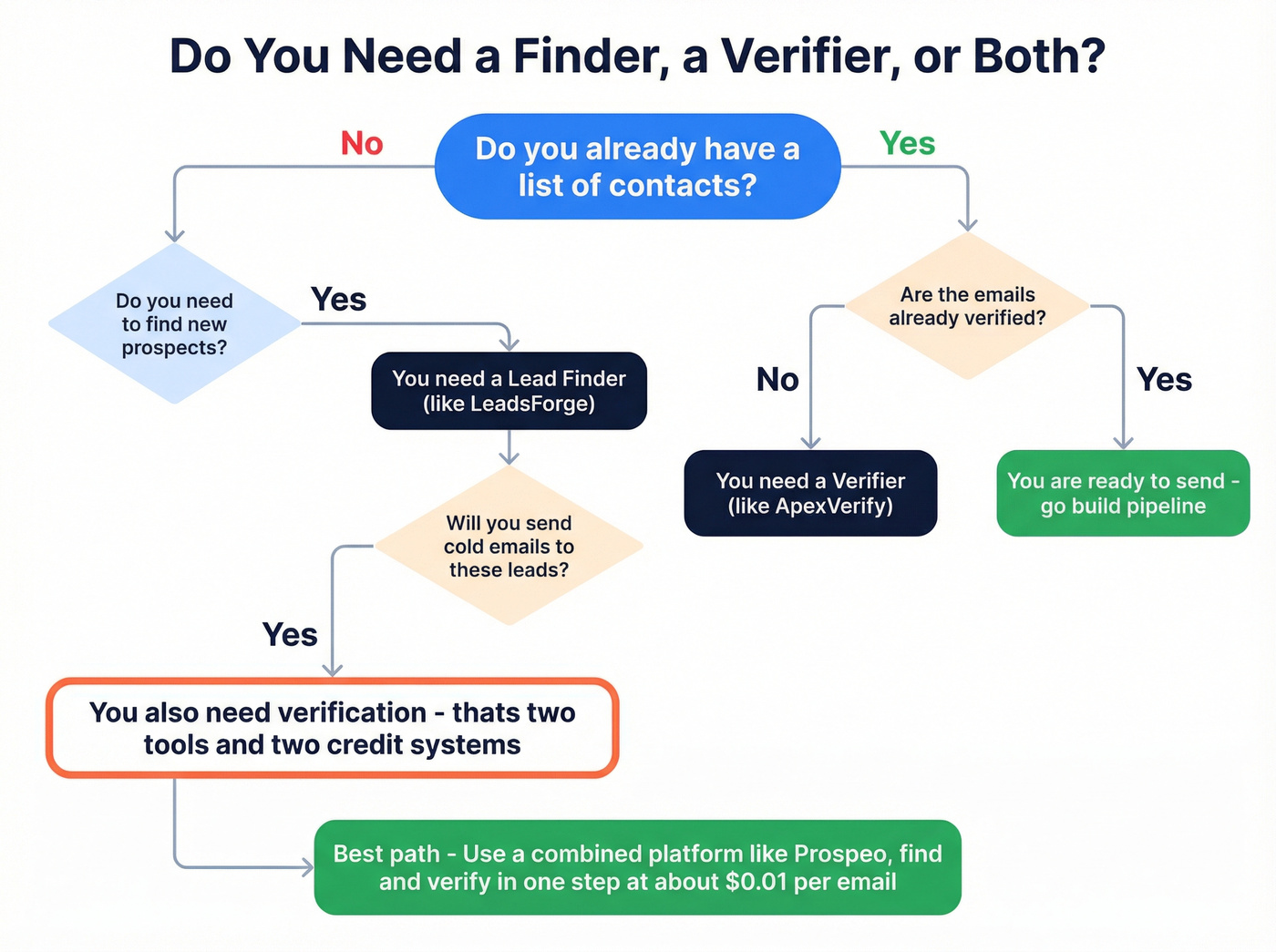
Let's be honest: if your average deal value sits below five figures, you probably can't afford the overhead of managing two separate tools with two credit systems and a manual CSV handoff between them. That friction adds up fast, and it's the kind of operational drag that quietly kills pipeline velocity.
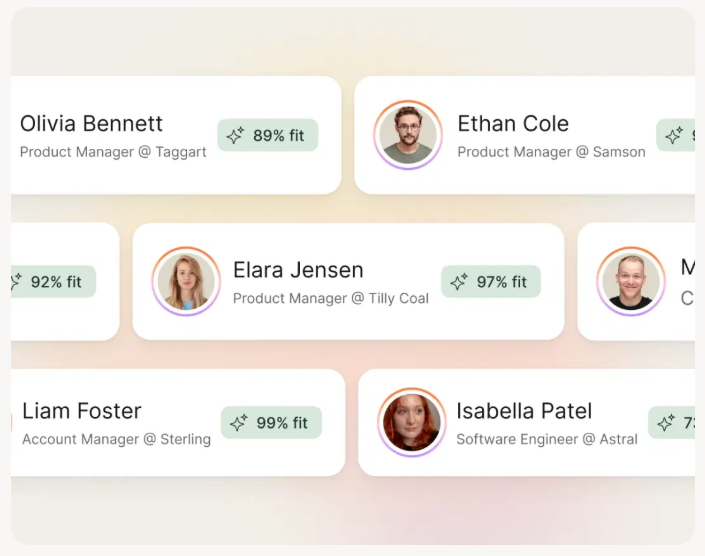
Platforms that combine prospecting and verification in one workflow eliminate that problem entirely. Prospeo searches 300M+ profiles with 30+ filters - including buyer intent powered by Bombora across 15,000 topics - and verifies emails at 98% accuracy before export, all on a 7-day data refresh cycle. One credit system, one login, ~$0.01/email with verification included. Its 5-step verification process handles catch-all domains, spam traps, and honeypots, so your bounce rate stays under control. The free tier gives you 75 verified emails and 100 Chrome extension credits per month without a contract or sales call.

LeadsForge charges extra credits for validation. ApexVerify has no CRM integrations. Prospeo gives you 30+ search filters, Bombora intent data across 15,000 topics, and verified emails at ~$0.01 each - with native Salesforce, HubSpot, and sequencer integrations built in.
One platform, one credit system, zero bounced-email surprises.
Final Verdict
If you only need lead lists and you're already in the Salesforge ecosystem, LeadsForge works - just budget for the extra validation credits. If you only need to clean a CSV you already have, ApexVerify's pay-as-you-go model is cheap enough to justify.
But when weighing ApexVerify vs LeadsForge, most teams realize they need both finding and verifying - and paying for that twice is a problem you don't need to have. In our experience, a combined platform is the cleaner path, and the math backs it up.
FAQ
Are ApexVerify and LeadsForge the same type of tool?
No. LeadsForge finds new contacts across a 500M+ database using AI-powered search. ApexVerify checks whether existing emails and phone numbers are valid. They solve different problems and don't directly compete - one is a prospecting tool, the other is a hygiene tool.
Can I use LeadsForge and ApexVerify together?
You can - find leads in LeadsForge, export the CSV, then verify in ApexVerify. But you're managing two tools with a manual handoff. Prospeo handles both steps at ~$0.01/email with 98%-accurate verification built into the export, eliminating the CSV shuffle entirely.
What's the cheapest way to get verified B2B leads?
Prospeo's free tier gives you 75 verified emails and 100 Chrome extension credits per month with no contract. On paid plans, ~$0.01/email includes verification - cheaper than combining LeadsForge at $49/mo with a separate verifier on top.