


BombBomb Pricing, Reviews, Pros & Cons: Is It Worth $36-70/Month?
BombBomb's pricing page says one thing. Half the comparison articles still reference plan names that don't exist anymore. And the review sites can't agree on whether it's a steal or overpriced - the confusion between the old Essentials/Plus tiers and the current Core/Copilot structure is genuinely messy.
Here's what BombBomb costs right now, what 700+ reviews across G2 and GetApp reveal, and a straight verdict on whether it's worth your budget.
30-Second Verdict
BombBomb Core at $36/month on annual billing is worth it if you're a real estate agent, mortgage broker, or relationship-driven seller sending 10-30 personalized videos per week. The GIF previews and open/play tracking justify the cost.
Core + Copilot at $56-70/month only makes sense if you need automated drip sequences and CRM send. If you're a SaaS SDR team trying to blast 500 cold video emails, skip it - you'll hit deliverability walls fast. For simple async video without email-specific features, Loom at $18/month covers it.
BombBomb Pricing Breakdown
| Core | Core + Copilot | Enterprise | |
|---|---|---|---|
| Monthly | $42/user/mo | $70/user/mo | Custom |
| Annual | $36/user/mo | $56/user/mo | Custom |
| Key features | Unlimited video messages, mobile apps & privacy controls, quick editing, custom branding, Gmail/Outlook integrations, Chrome/Edge extensions, viewer engagement analytics, SOC 2 Type II hosting | + AI creation tools, patented fallback video logic, CRM send (Microsoft Dynamics, Outreach, Total Expert), automated workflows, team analytics dashboard | + API access, SSO (SCIM/Okta), RBAC, advanced governance controls, enterprise analytics/reporting, dedicated success manager |
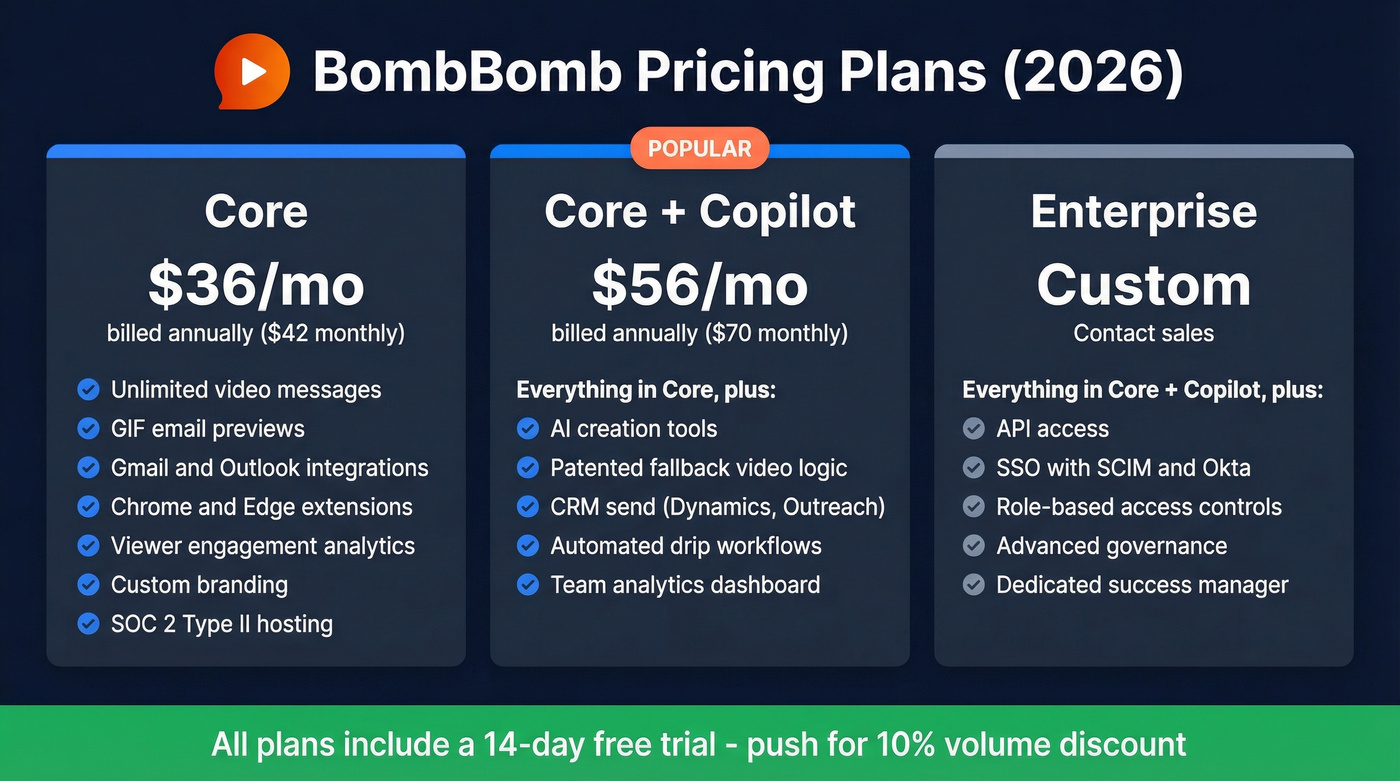
All plans include a 14-day free trial. G2's pricing insights show a 10% average discount, so if you're buying multiple seats, push for it.
If you see "Essentials" or "Plus" cited anywhere, that's outdated. The current plans are Core and Core + Copilot. BombBomb's own comparison-table page still lists the legacy tier names, which doesn't help the confusion.
What Users Love
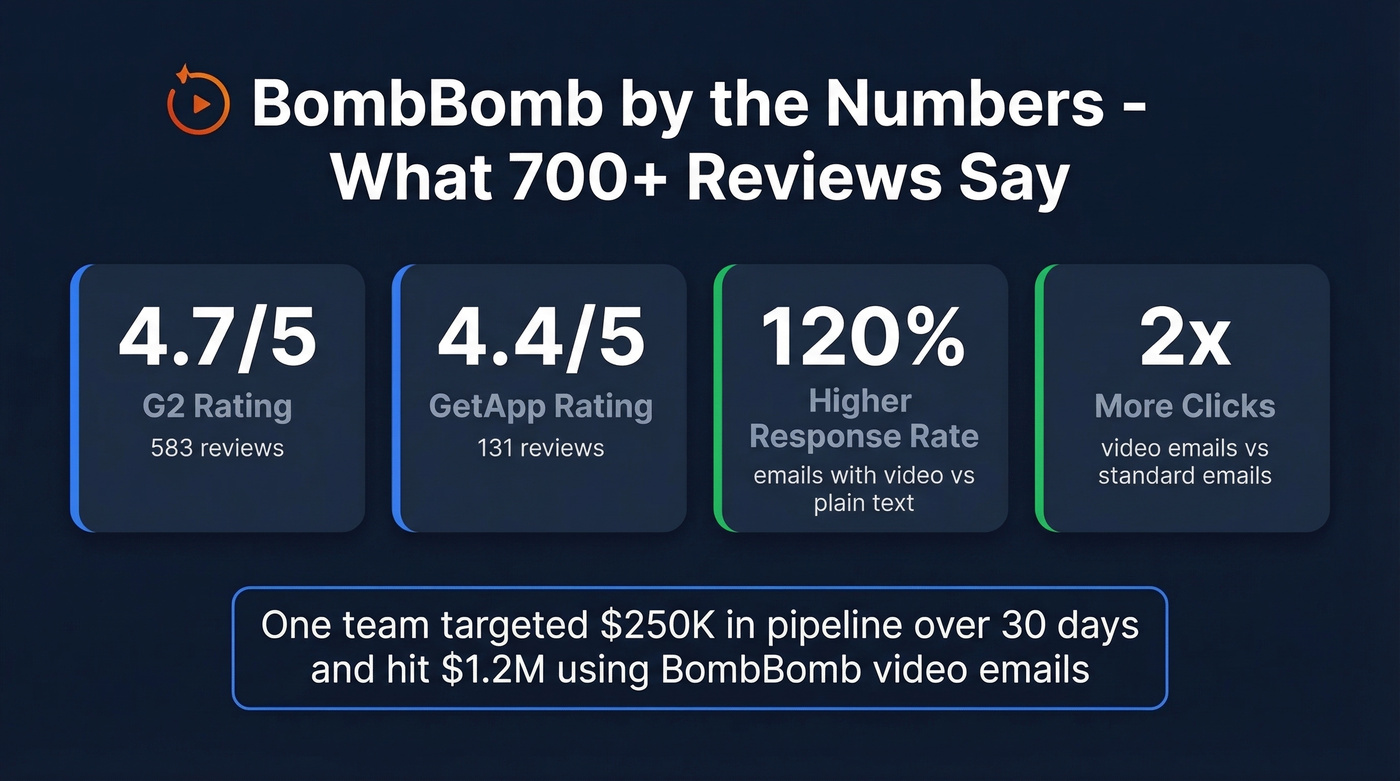
BombBomb holds a 4.7/5 on G2 across 583 reviews and a 4.4/5 on GetApp across 131 reviews. Those ratings aren't an accident.
The GIF preview is the killer feature. When you send a BombBomb email, the recipient sees an animated GIF of you - not a static thumbnail, not a play button over a stock image. It grabs attention in a way plain-text cold emails simply can't match, and it's the single feature users mention most often in positive reviews.
BombBomb's data shows emails with video get 120% higher response rates and 2x clicks. One team targeted $250K in pipeline over 30 days and hit $1.2M. That's the kind of ROI that justifies $36/month many times over.
Tracking and analytics are the second big win. You see exactly who opened, who played, and how much they watched - making follow-up prioritization dead simple. TrustRadius reviewers consistently call this out as the feature that changes their workflow. If you're tightening your process, pairing this with proven sales follow-up messaging helps you convert the extra engagement into replies.

BombBomb's GIF previews and open tracking only work if your emails actually land. Bad contact data turns your $36/mo investment into wasted recordings and damaged sender reputation. Prospeo's 98% email accuracy - refreshed every 7 days - means every personalized video reaches a real inbox.
Stop recording videos for email addresses that don't exist.
What Users Complain About
The complaints cluster around a few specific issues.
The Chrome extension is the most common operational headache. TrustRadius reviewers describe it as "finicky" - one user said they had to redownload it twice a day to reset it. Another called it "awful" and said it took up too much space in the inbox UI. Not a dealbreaker, but daily friction BombBomb hasn't fully resolved.
Deliverability is the more serious concern. BombBomb works best for 1:1 personalized sends, not mass email. When people use it like a bulk tool, unsubscribes spike - and reviewers warn that unsubscribes can "put a black mark on your record." BombBomb's own deliverability guide recommends adding 15-50 words of text around your video thumbnail and avoiding image-only emails. Other recurring cons from G2 include limited video editing capabilities and persistent Outlook integration issues.
Let's be honest about something we've seen firsthand: if your video emails aren't landing, the problem often starts upstream with bad email addresses. We've watched teams burn their sender reputation by treating BombBomb like a mass email tool without verifying their list first. Running your contacts through Prospeo's email finder before every video campaign eliminates bounces and protects your domain - 98% email accuracy on a 7-day refresh cycle means you're not wasting those carefully recorded videos on dead addresses. If you want the deeper mechanics, this email deliverability breakdown explains what actually moves inbox placement.

BombBomb reviewers flag deliverability as their #1 serious concern. The fix starts before you hit record. Prospeo verifies emails through a 5-step process with spam-trap removal and catch-all handling - at $0.01 per email. Protect your domain reputation and make every video count.
Verify your entire prospect list before your next video campaign.
Who BombBomb Fits Best
Use it if you're in real estate, mortgage, or insurance. 43% of GetApp reviewers are in real estate, and 73% cite email marketing as their primary use case. It's built for 1:1 personalized video to warm or semi-warm prospects where open/play tracking drives follow-up calls. G2's company-size breakdown skews heavily SMB - 401 of 583 reviewers are small business users, which tells you exactly where BombBomb finds its sweet spot. If you're building a repeatable outbound motion, these sales prospecting techniques help you pick the right channel mix.
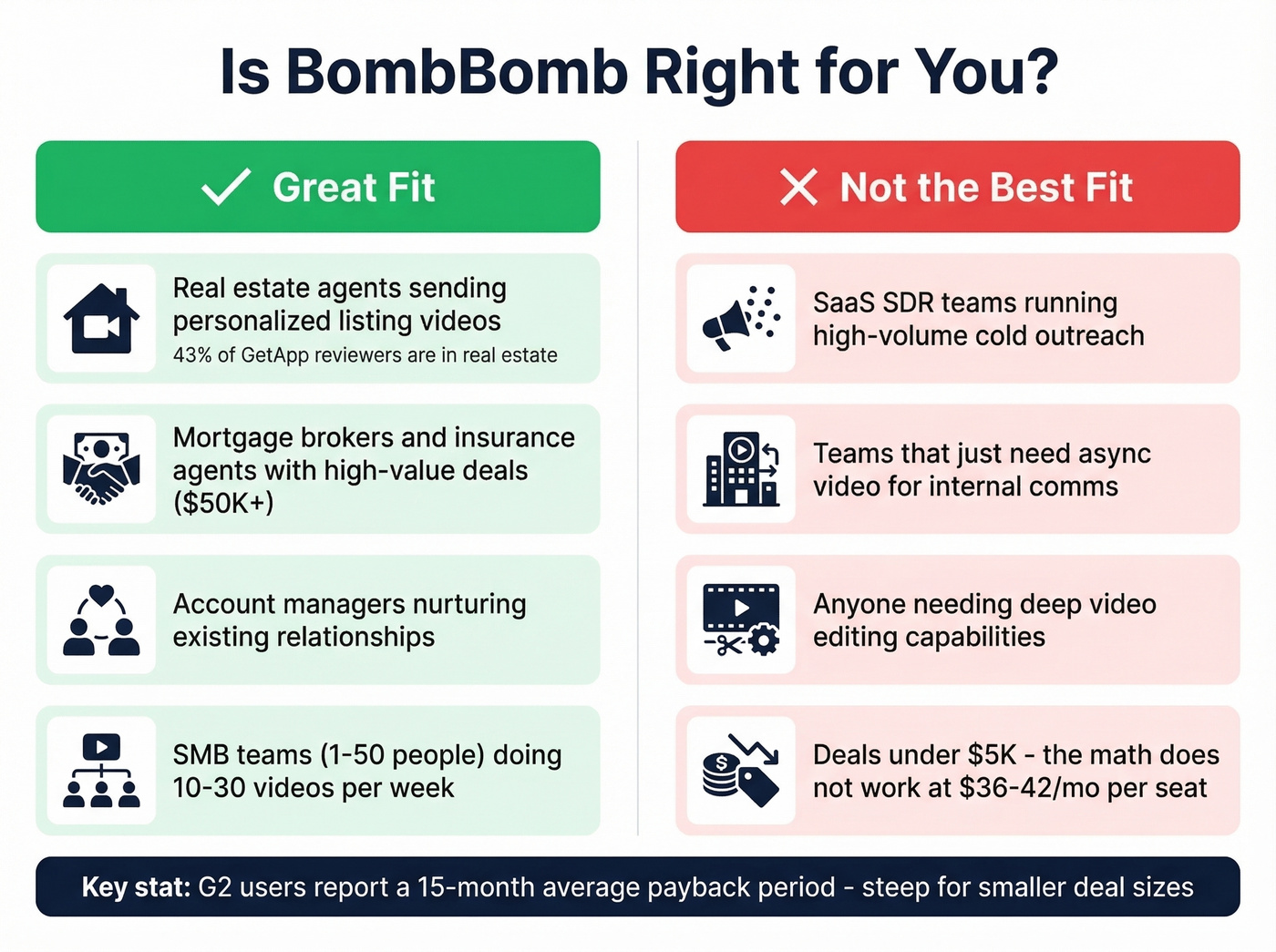
Skip it if you're a SaaS SDR team running high-volume cold outreach, you just need async video for internal comms, you need deep video editing, or you're expecting fast ROI. G2 users report a 15-month average payback period, which is steep for smaller deal sizes. For teams doing true outbound, it’s worth comparing your stack against other SDR tools before committing.
Here's our hot take: if your average deal is under $5K, BombBomb's $36-42/month per seat is hard to justify. The GIF preview is magic for $50K real estate commissions and $200K mortgage deals. For a $3K SaaS contract, the math just doesn't work.
BombBomb Alternatives Compared
| BombBomb Core | Loom Business | Vidyard Starter | |
|---|---|---|---|
| Price | $36-42/user/mo | $18/user/mo | ~$59/user/mo (annual) |
| GIF preview | ✅ | ❌ | ✅ |
| Email tracking | ✅ | ❌ | ✅ |
| Drip sequences | Copilot tier | ❌ | ❌ |
| Free tier | 14-day trial | ✅ (25 videos) | ✅ (15 AI videos) |
| AI features | Copilot tier | Business + AI | All tiers |
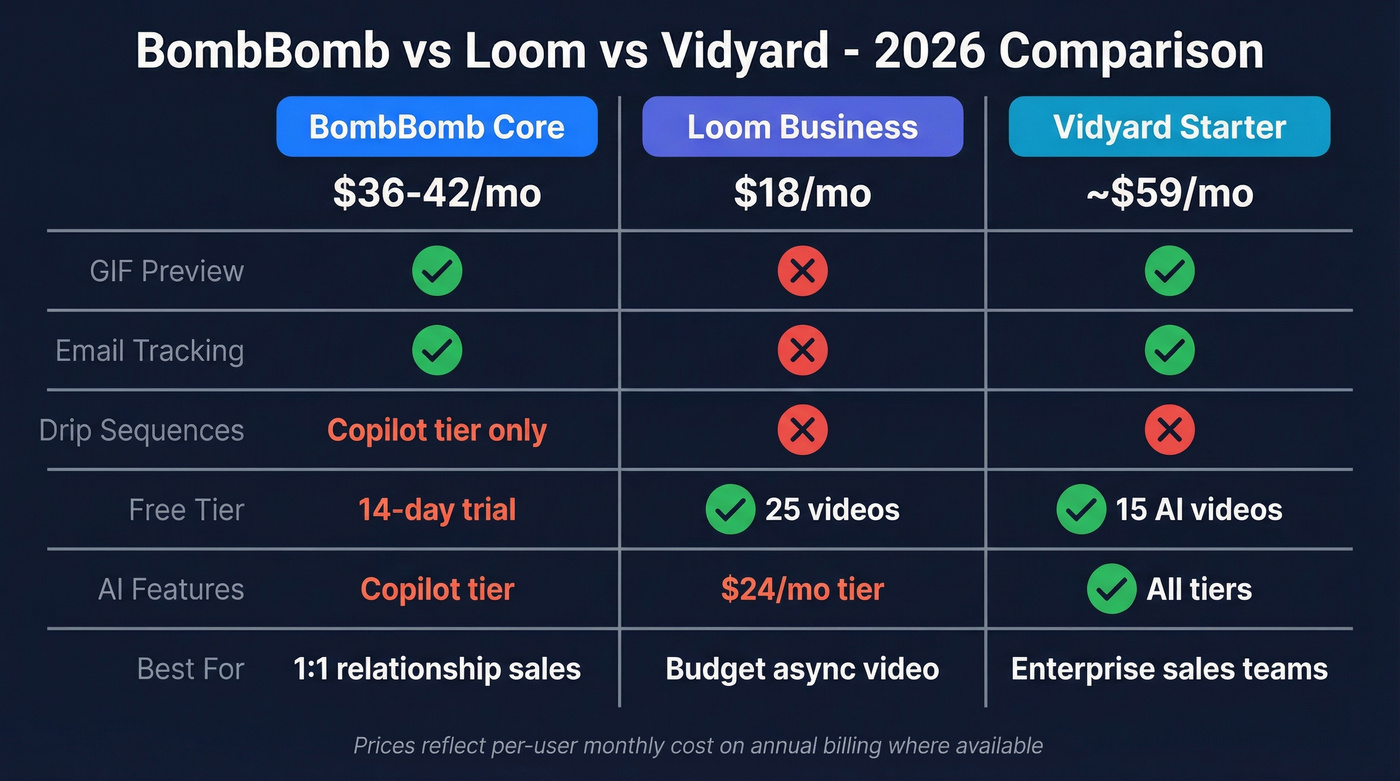
Loom is the budget pick at $18/user/month. No GIF previews, no open/play tracking, no drip sequences - but if you don't need email-specific features, it saves you $18-24/month per seat. Loom's Business + AI tier at $24/month adds AI capabilities but still lacks the email tracking and GIF previews that make BombBomb distinctive. If you're specifically using video in outbound, this Loom video cold email guide is a good starting point.
Vidyard is the enterprise-leaning alternative. The free tier includes 15 AI videos, and the Starter plan runs around $59/user/month billed annually based on third-party pricing data. CRM integrations are gated to the Teams tier. More expensive than BombBomb for comparable features, but stronger on AI-generated content and video analytics at scale. The consensus on r/sales threads tends to favor Vidyard for larger teams and BombBomb for individual producers - worth browsing if you're on the fence.
Final Verdict
BombBomb Core at $36/month with annual billing is a solid investment for relationship-driven sales - real estate, mortgage, account management - where personalized video moves deals. The GIF preview and tracking genuinely differentiate it from generic video tools.
Upgrade to Core + Copilot only if you actually need automated workflows and CRM send. Otherwise you're paying extra for features that'll collect dust. If you do go heavier on automation, aligning it with personalized drip campaigns best practices will matter more than the tool choice.
If you're on the fence, start with the 14-day trial and send 15 videos to warm prospects. If your reply rate doesn't jump noticeably, BombBomb isn't for your workflow - and Loom at $18/month does the job for half the price. That's the honest take on BombBomb's pricing, user reviews, and trade-offs heading into 2026.