


Which One Should You Actually Pay For?
You're staring at your Zoom Business invoice and wondering why you're also paying Calendly $16/seat/month. Or maybe you're setting up scheduling for the first time and can't tell if Zoom's built-in option is good enough.
Here's the thing: this decision is simpler than most people make it. Let's break it down.
30-Second Verdict
- Already on Zoom Business or Enterprise? Use Zoom Scheduler. It's included. Stop paying for a second tool.
- Need CRM routing, 5+ integrations, or global payment collection? Calendly wins by default - Zoom Scheduler can't match its integration depth or routing logic.
- Your real problem is contact data after meetings get booked? Pair either tool with Prospeo to enrich every contact who books time with you.
Pricing Breakdown
The math changes completely depending on whether you already pay for Zoom.
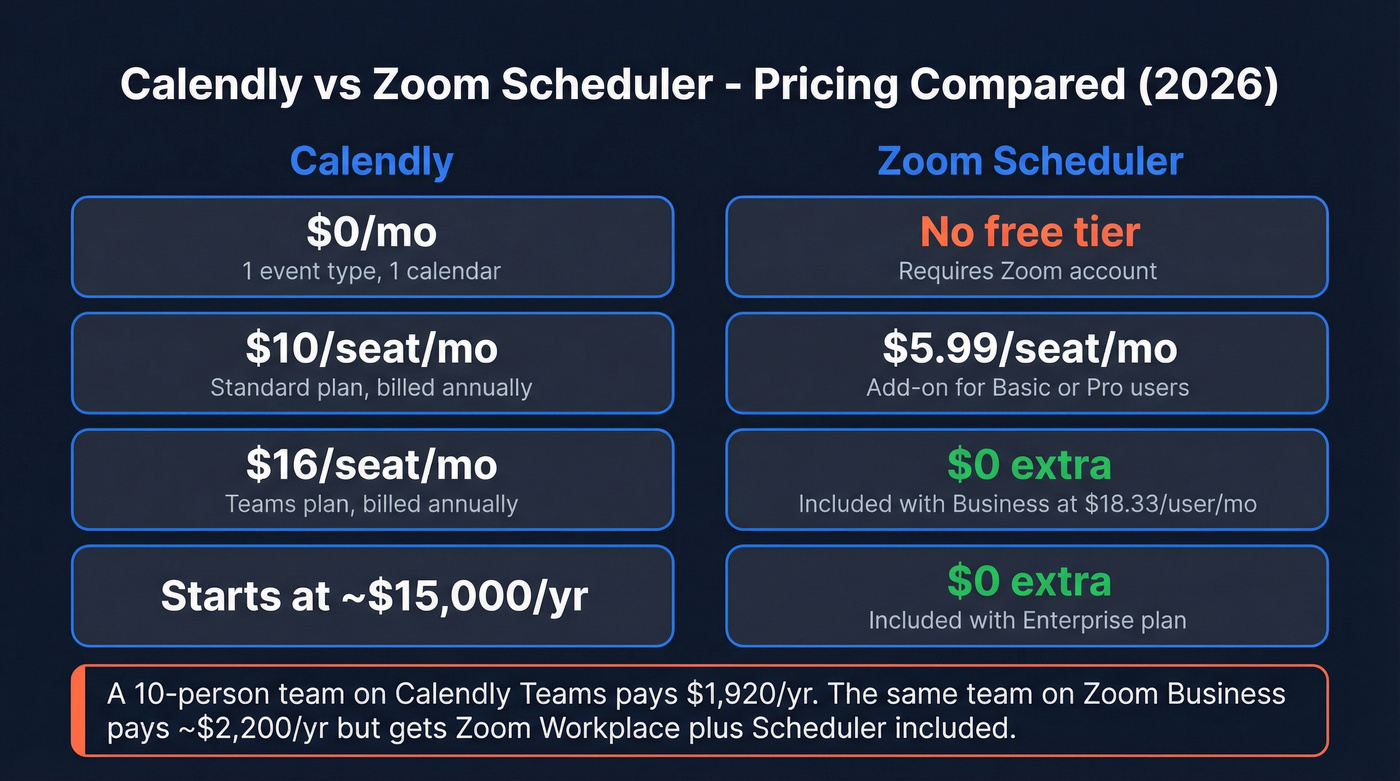
| Calendly | Zoom Scheduler | |
|---|---|---|
| Free tier | $0 (1 event type, 1 calendar) | N/A (needs Zoom account) |
| Entry paid | $10/seat/mo (annual) | $5.99/seat/mo (add-on) |
| Team tier | $16/seat/mo (annual) | Included w/ Business ($18.33/user/mo) |
| Enterprise | Starts ~$15,000/yr | Included w/ Enterprise |
| Free trial | Available (varies by plan) | 30 days (eligible accounts; auto-renews) |
If you're already on Zoom Business, Scheduler costs you exactly $0 extra. A 10-person team on Calendly Teams pays $1,920/year. That same team on Zoom Business pays ~$2,200/year - and gets Zoom Workplace bundled, plus Scheduler included.
One warning: Zoom Scheduler's 30-day trial is only for eligible Basic/Pro online customers, and it auto-renews to $5.99/user/month. Set a calendar reminder before you forget.

You just saved $2,000/year picking the right scheduler. Now stop losing pipeline to no-shows with bad contact data. Prospeo enriches every booked contact with 98% accurate work emails, direct dials, and 50+ data points - refreshed every 7 days.
Turn every calendar booking into a reachable prospect for $0.01 per email.
Feature-by-Feature Comparison
| Feature | Calendly | Zoom Scheduler |
|---|---|---|
| Event types | Unlimited (paid) | Unlimited |
| Calendar connections | Multiple calendars (paid) | 1 primary + 5 conflict-check |
| Integrations | 150+ (CRM, automation, payments) | Limited (Zoom Meetings, Google Meet, Microsoft Teams) |
| Payment collection | Stripe + PayPal | Stripe (US/UK only) |
| CRM routing | Account lookup/matching (Salesforce + HubSpot on Teams+) | Basic routing forms + event logging |
| Browser extension | Yes | No |
| Round-robin | Yes (Teams+) | Yes |
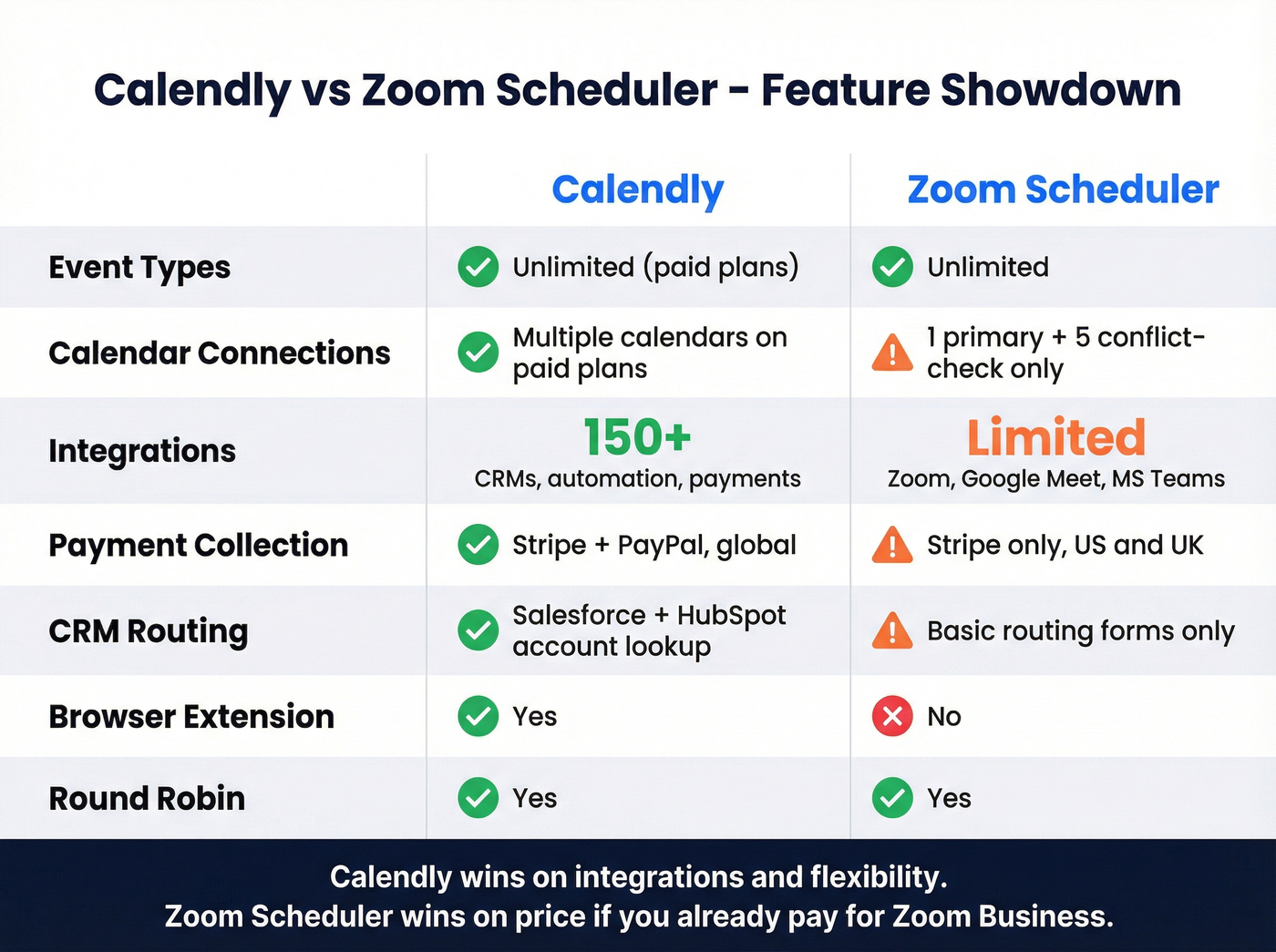
In our testing, the calendar constraint is Zoom Scheduler's biggest friction point. You get one primary calendar connection, with up to five more for conflict checking only. If your team juggles multiple Google and Outlook calendars across different departments, that limitation bites fast. Calendly connects multiple calendars on paid plans without the same restrictions.
Integrations tell the story even more clearly. Calendly plugs into 150+ tools - CRMs, automation platforms, payment processors, you name it. Zoom Scheduler is designed to consolidate scheduling inside Zoom Workplace, and while it supports the major video platforms, it doesn't offer anywhere near the same breadth of third-party workflow connections.
What Real Users Say
Calendly holds a 4.7/5 on G2 from over 2,500 reviews. Top praise centers on ease of use and scheduling efficiency. The main gripes: features locked behind paid tiers and pricing that feels steep for what you get at the advanced level.
If you're trying to tie booked meetings to actual pipeline outcomes, it helps to think beyond scheduling and into lead enrichment and data-driven selling workflows.
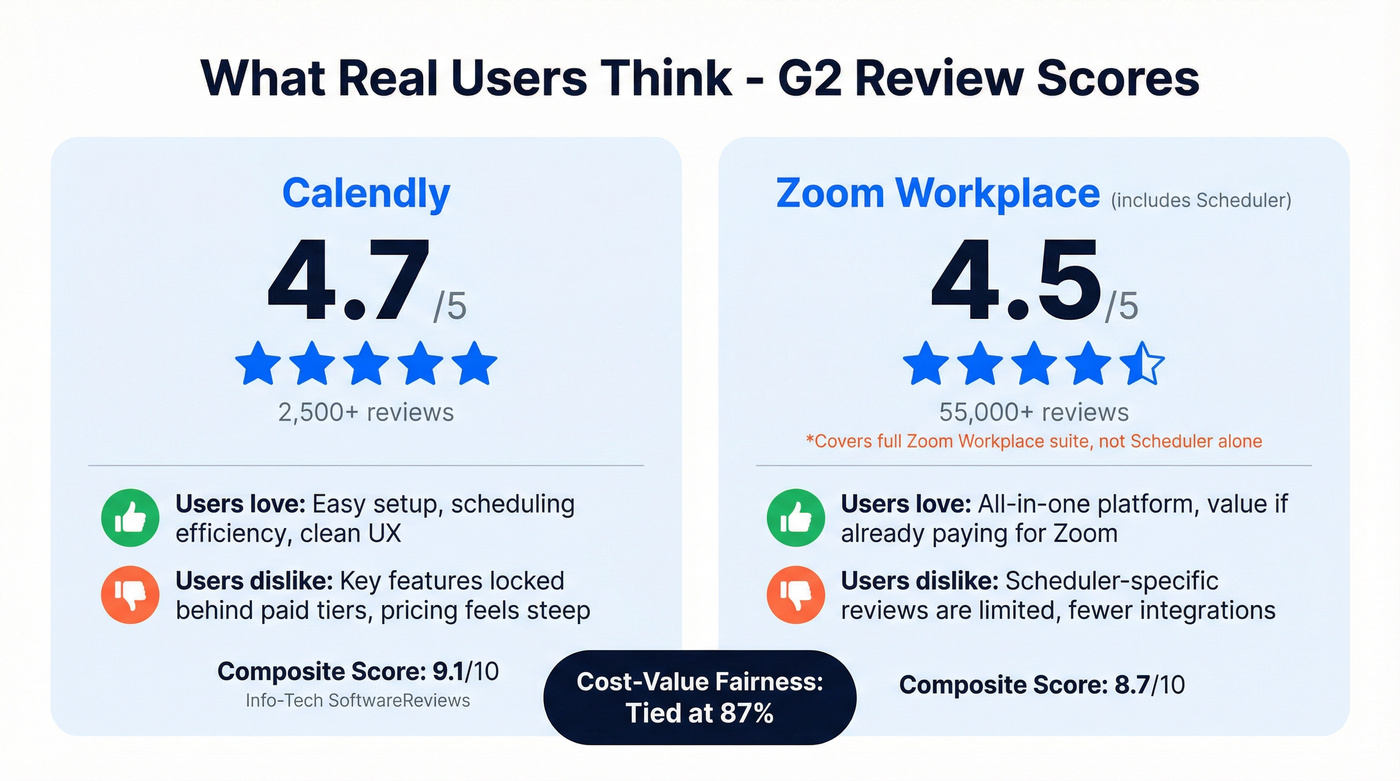
Zoom Workplace scores 4.5/5 on G2 from 55,000+ reviews, but those ratings cover the full Zoom Workplace suite, not Scheduler specifically. An Info-Tech SoftwareReviews comparison gives Calendly a 9.1 composite score versus Zoom Workplace's 8.7, with cost-value fairness dead even at 87%.
The consensus on Reddit is less about features and more about economics - most threads boil down to "are you already paying for Zoom Business?" If yes, the conversation's over.
Who Should Pick Which
Use Zoom Scheduler if you're already on Zoom Business or Enterprise. It's free, it handles the basics, and paying for a second scheduling tool is money you don't need to spend. Skip Calendly unless you have a specific integration requirement Zoom can't cover.
If your team is doing true team selling, the bigger question is how you route and follow up after the booking - not just which scheduler you picked.
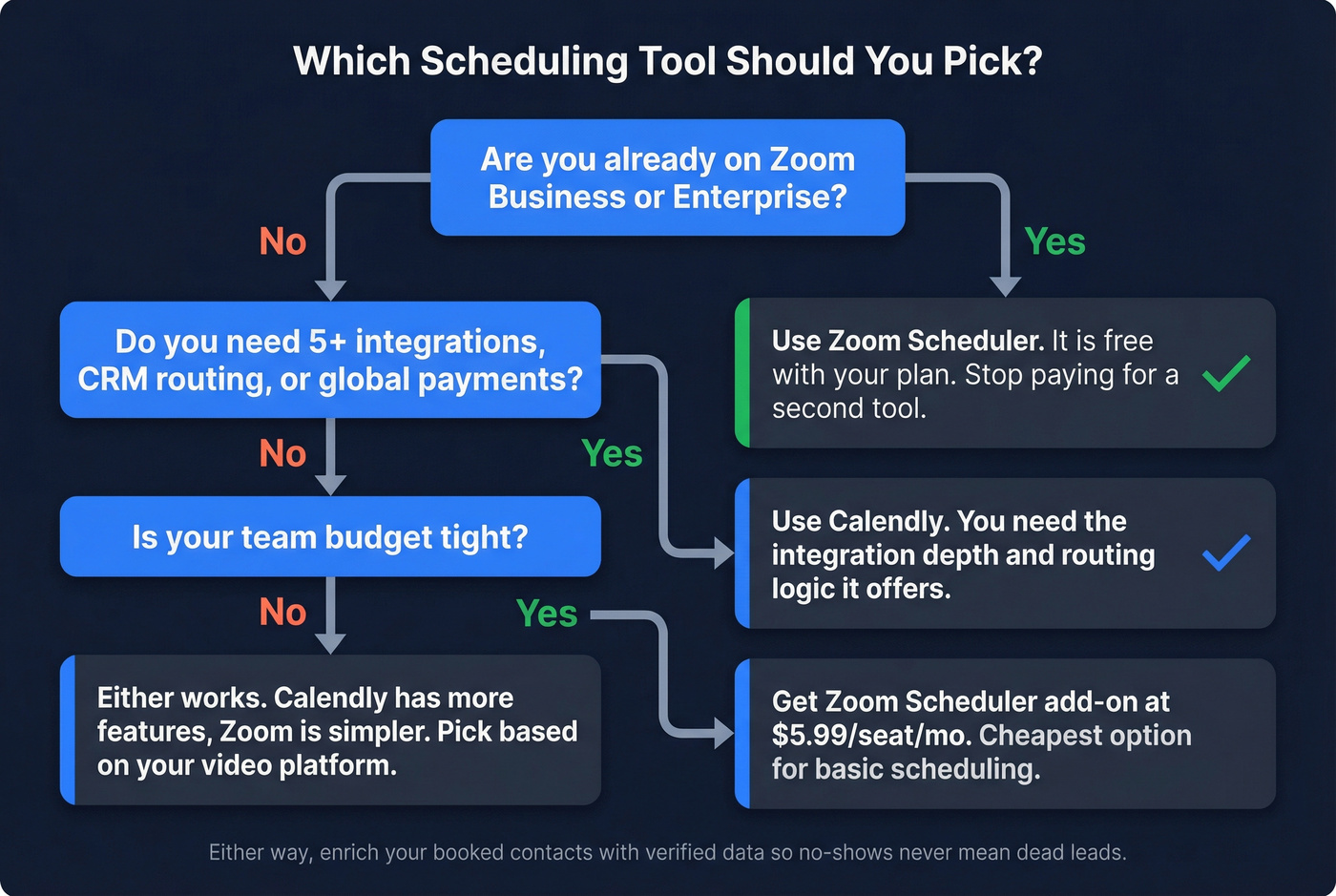
Use Calendly if you need deep integrations, Salesforce/HubSpot account lookup routing, or payment collection beyond what Zoom Scheduler supports today. Teams running complex sales workflows will hit Zoom Scheduler's walls fast.
We've seen teams save $2,000-5,000/year just by switching to the tool they were already paying for. The people who genuinely need Calendly know it - they're the ones with routing rules and Zapier automations they can't live without. Everyone else is overpaying out of habit, and that's a frustrating realization when you do the math on two years of redundant subscriptions.
The Data Behind the Booking
Neither tool solves the problem that actually kills your pipeline: a prospect books a demo, no-shows, and all you have is a first name and a personal Gmail address. That's where data enrichment comes in. Connect Prospeo to your CRM and every booked contact gets enriched with 98% verified work emails, direct dials, and 50+ data points. Data refreshes every 7 days, so you're never chasing stale info.
This is also where your lead scoring and pipeline health start to improve - because you can actually reach the person who booked.
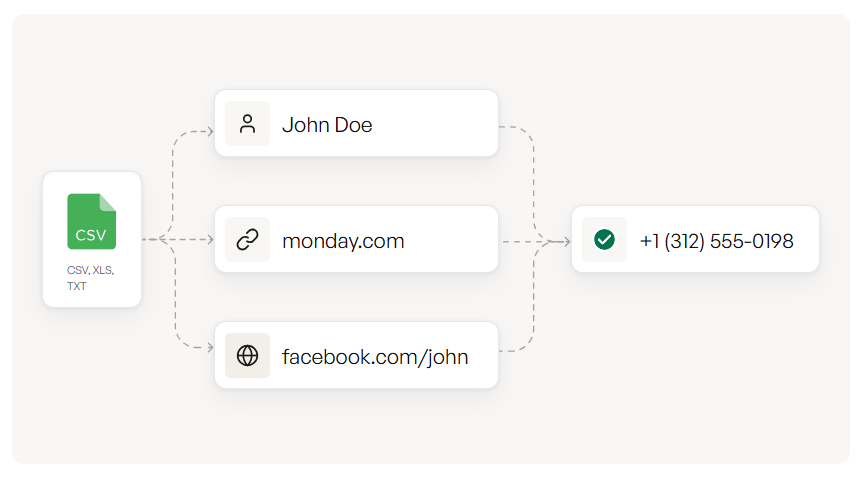
Calendly or Zoom Scheduler handles the booking. Neither tells you the prospect's verified work email, direct dial, or company revenue. Prospeo's enrichment API fills in 50+ data points at a 92% match rate - so a no-show never means a dead lead.
Start free with 75 enriched emails per month. No contract, no sales call.
FAQ
Is Zoom Scheduler free?
Zoom Scheduler is included at no extra cost with Zoom Business ($18.33/user/month) and Enterprise plans. For Basic or Pro users, it's a $5.99/month/seat add-on, and eligible accounts can get a 30-day free trial that auto-renews.
Can Calendly integrate with Zoom Meetings?
Yes. Calendly supports Zoom Meetings as a video conferencing option on all paid plans. Setup takes under two minutes through Calendly's integration settings.
How do I verify contact data from scheduling tool bookings?
Use a data enrichment platform to automatically verify emails and append direct dials and company info for every contact who books time with you. Prospeo's enrichment API returns 50+ data points per contact at a 92% match rate - connect via API or upload a CSV.