

CUFinder vs EmailListVerify: Enrichment Tool or Email Verifier?
CUFinder vs EmailListVerify sounds like a head-to-head. It isn't.
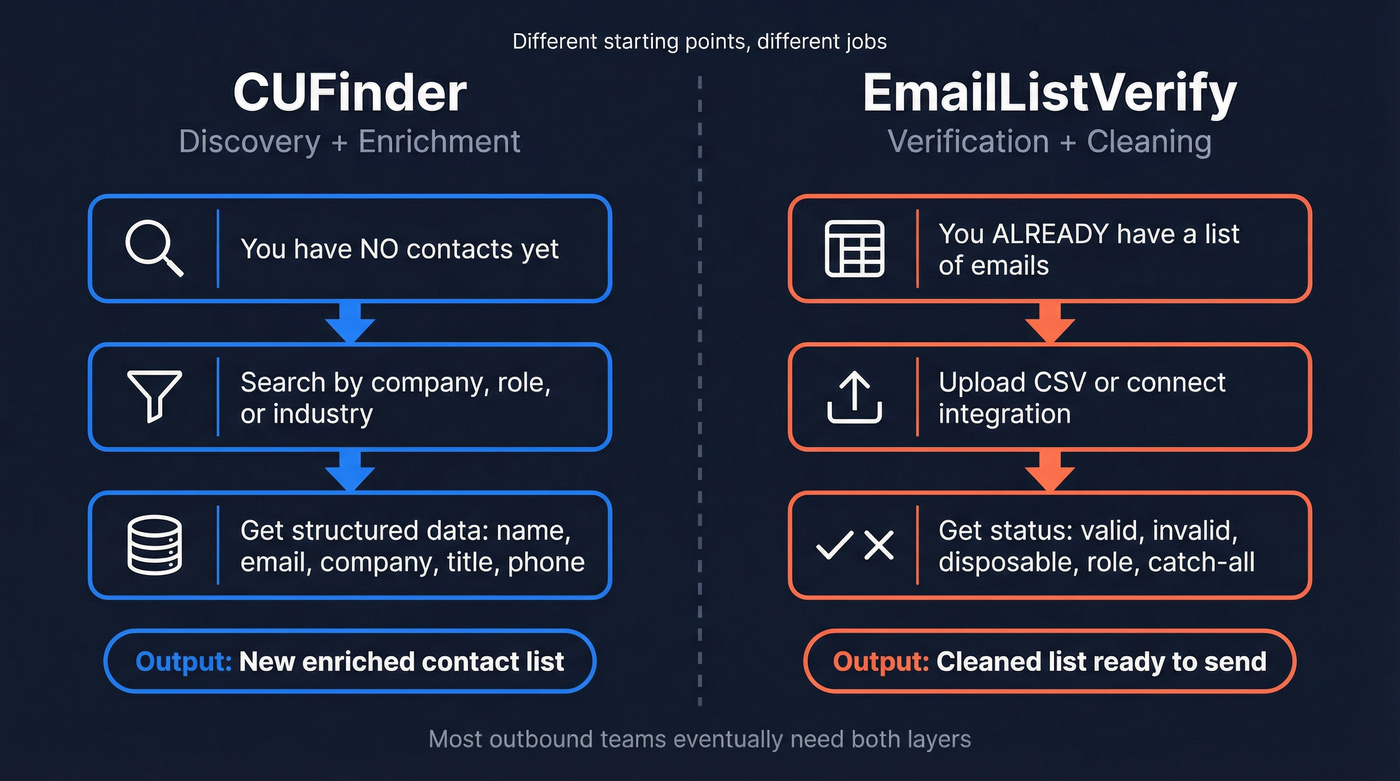
CUFinder helps you find and enrich contacts you don't have yet. EmailListVerify helps you clean and verify emails you already have. If you buy the wrong one, you end up paying for features you won't use and still dealing with bounces.
Let's break this down in plain terms: one tool is for building the list, the other is for making sure the list won't hurt your sender reputation.
The real difference (and why it matters)
Here's the thing: you can't "enrich" your way out of a dirty list, and you can't verify contacts you haven't found yet. That's the whole comparison.
In our experience, teams get into trouble when they treat verification like a magic eraser. They'll run a list through a verifier, see a bunch of "valid" results, and assume deliverability is handled. Then the campaign goes out, bounce rate spikes, and suddenly they're warming up new domains again. It's frustrating, and it's avoidable.
Bad data is expensive, too. IBM has long cited that poor data quality costs the US economy trillions annually, and while that number is broad, the day-to-day impact is easy to recognize: wasted SDR time, damaged domains, and CRM records that slowly rot. (If you want the original reference, start with IBM's data quality research: https://www.ibm.com/topics/data-quality)
One more nuance: verification accuracy isn't perfect in the real world. Hunter tested 15 email verifiers and found the best tools landed around 70% accuracy on business emails in their benchmark. That's not a dunk on verifiers; it's just reality when catch-all domains and strict mail servers are involved. See Hunter's write-up here: https://hunter.io/blog/email-verifier-accuracy-test/
Feature comparison at a glance
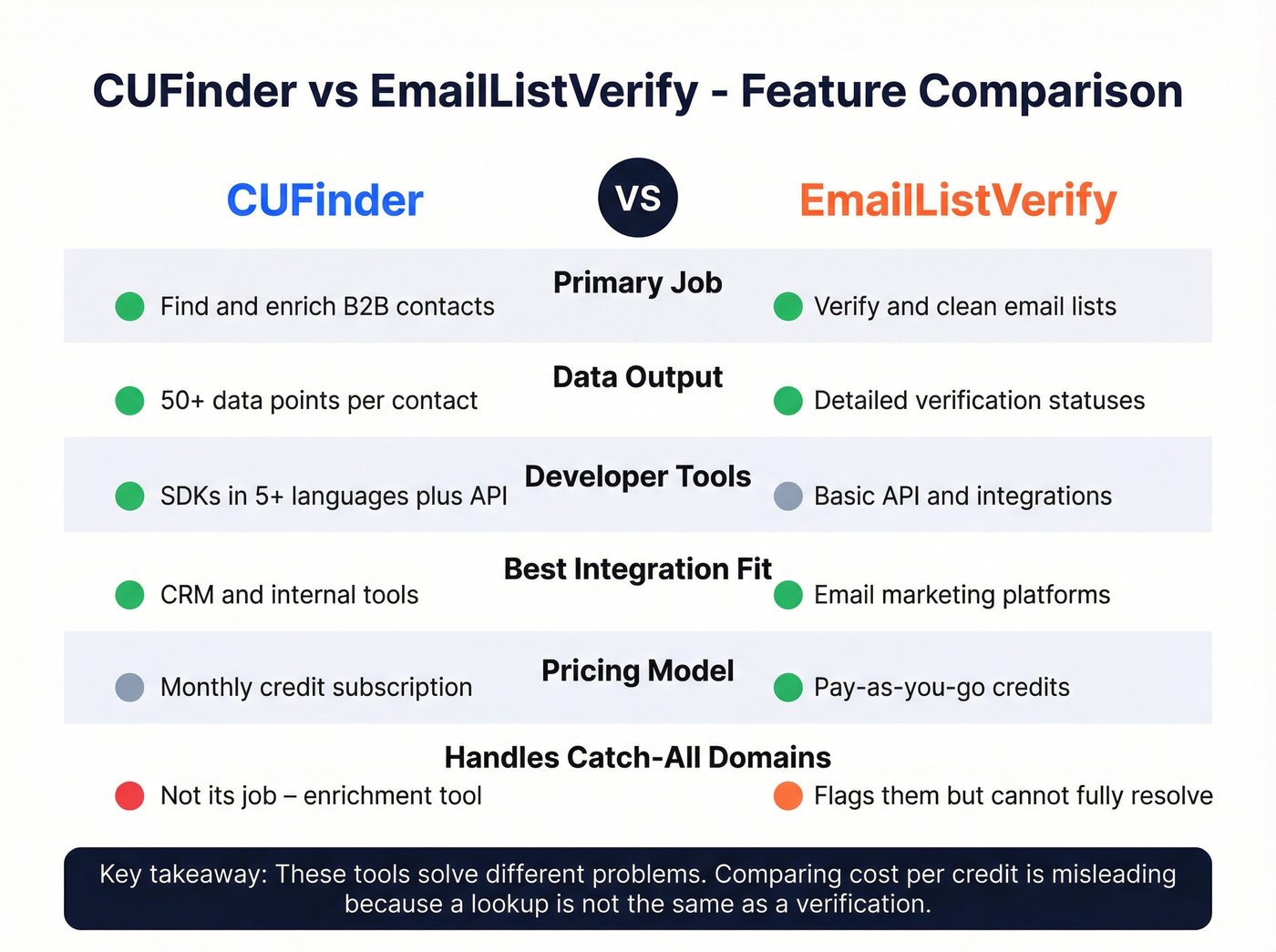
| CUFinder | EmailListVerify | Who wins | |
|---|---|---|---|
| Primary job | B2B contact discovery + enrichment | Email verification | Depends on your workflow |
| What you "buy" | Enrichment/search credits | Verification credits | EmailListVerify for list cleaning |
| Developer tooling | Multiple SDKs + API endpoints | Limited (mostly app + integrations) | CUFinder |
| Integrations | CRM-style workflows | Email marketing stack | EmailListVerify |
| Best fit | Building lists, enriching a CRM | Cleaning lists before sending | Depends |
If you're sending under ~5,000 emails/month, don't overcomplicate this. Most small teams don't need a heavyweight data enrichment engine plus a separate verifier plus glue code to keep them in sync.
CUFinder: built for discovery and enrichment
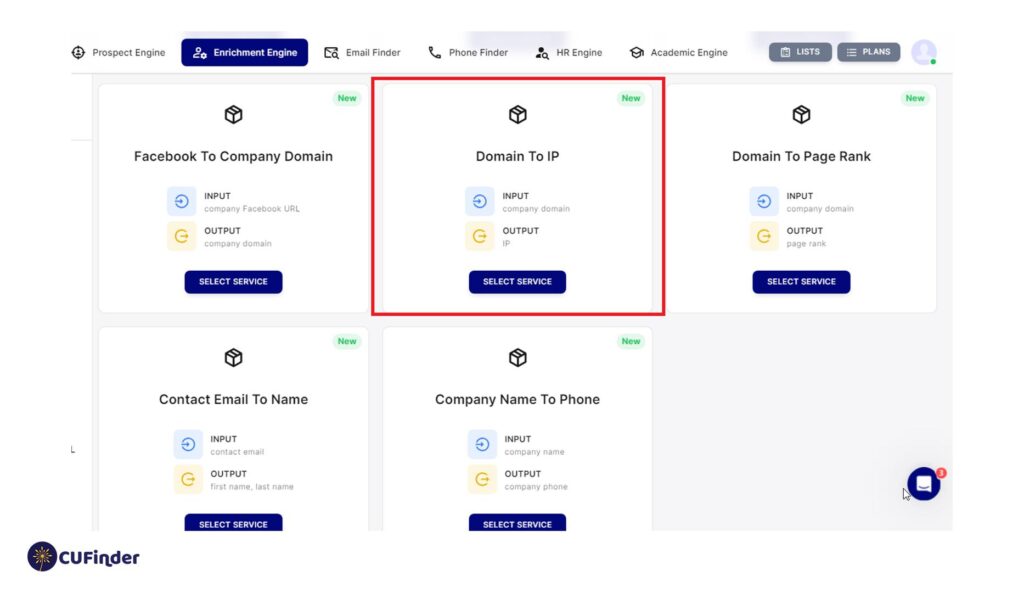
CUFinder is an enrichment-first product. You use it to find people, enrich companies, and pull structured fields into your workflow. The standout is the developer experience: CUFinder offers official SDKs (TypeScript, Python, Go, Rust, Ruby) and a set of API endpoints that cover common enrichment needs.
What we like about CUFinder is that it clearly aims at teams who want data as an input to systems, not just a CSV export. If you're building internal lead generation workflow tools, routing logic, or enrichment jobs that run nightly, that matters.
Where CUFinder fits best:
- Prospecting from scratch (you don't have the contacts yet)
- Enriching CRM records (filling missing fields, standardizing company data)
- Programmatic workflows (API-first teams)
Where it doesn't:
- If you already have a list and your only question is "Will these bounce?" CUFinder's not the right spend.
Skip this if your main pain is deliverability hygiene. You'll pay enrichment pricing to solve a verification problem.
EmailListVerify: a verifier with unusually granular results

EmailListVerify is a dedicated email verifier. You upload a list (or connect an integration), it runs checks, and it tells you what to keep and what to suppress.
The practical difference vs many verifiers is the granularity of its statuses. Instead of just "valid/invalid/unknown," it breaks results into more detailed buckets. Real talk: that sounds nerdy until you're staring at a campaign report trying to figure out why one segment is bouncing more than another. Those extra labels can save you hours.
A scenario we see a lot: an agency inherits a client list that's been "cleaned" three times, but it's still full of role accounts, disposable addresses, and catch-all domains. EmailListVerify's classifications make it easier to decide what to suppress, what to retry later, and what to keep out of cold outbound entirely.
EmailListVerify fits best when:
- You have a big CSV and need it cleaned fast
- You're doing newsletter or lifecycle email and want to protect deliverability
- You want pay-as-you-go credits instead of a monthly commitment
Skip this if you expect it to behave like a B2B database. It isn't one, and treating it like one is how teams end up with "verified" emails that still don't match the right person.
For general deliverability best practices (bounces, complaint rates, authentication), Google's sender guidelines are still the clearest baseline: https://support.google.com/a/answer/81126?hl=en

You just read that even the best standalone verifiers hit ~70% accuracy on business emails. Prospeo's 5-step proprietary verification delivers 98% email accuracy - built into every lookup, not bolted on after. Find contacts, verify them instantly, and push them to your CRM. No CSV exports. No second tool.
Stop paying twice for what one platform handles at $0.01 per email.
Pricing: you're paying for different things
Here's the clean mental model:
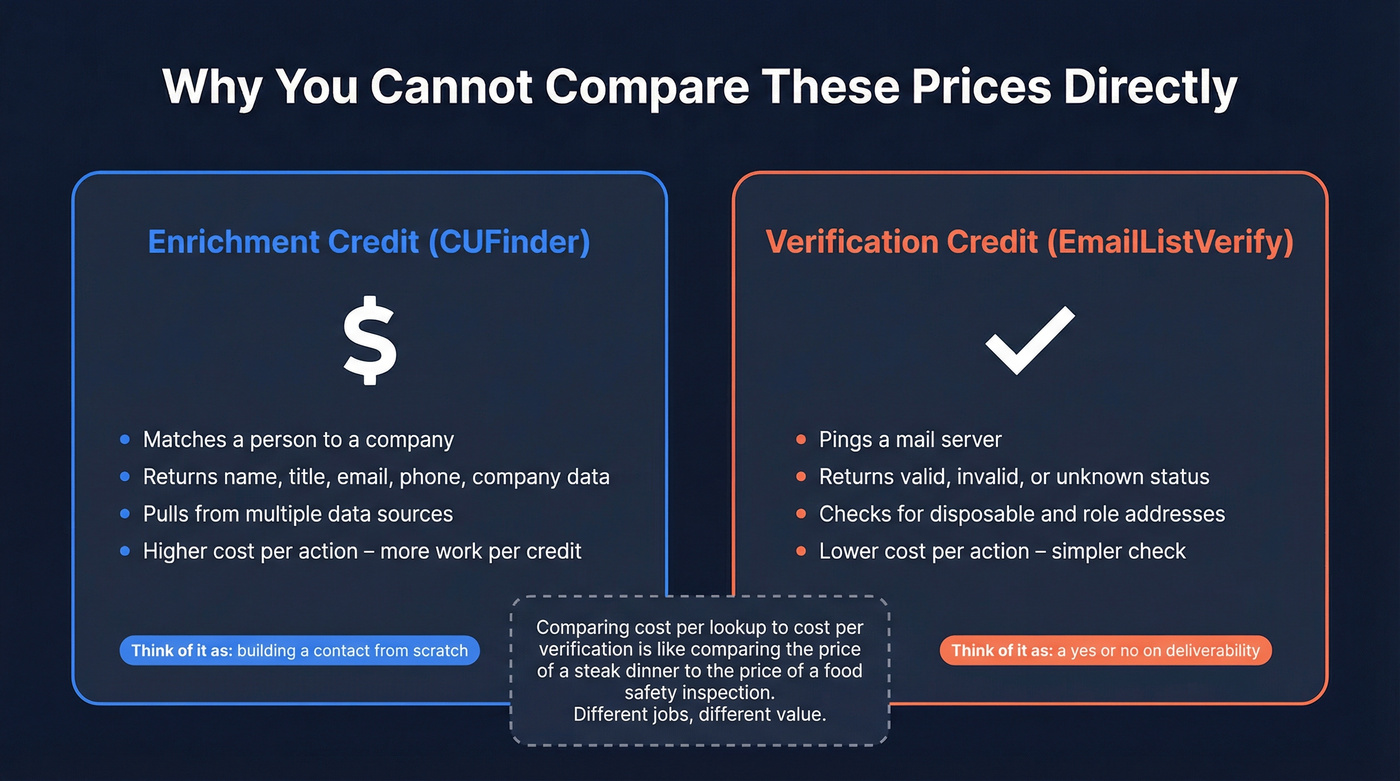
- Enrichment tools charge more because they're matching identities and returning structured data.
- Verifiers charge less because they're running validation checks against domains and mail servers.
CUFinder's pricing is typically monthly-credit based. EmailListVerify is typically credit-based and pay-as-you-go, which is why it often looks dramatically cheaper per "action." That's normal.
One caution, though: don't compare "cost per lookup" to "cost per verification" as if they're the same unit. They aren't. A lookup is supposed to give you a person and context. A verification is supposed to tell you whether an email is safe to send to.
The part nobody wants to hear: most teams need both
If you're doing outbound seriously, you end up needing two layers:
- a fresh source of contacts, and
- verification right before you send.
And yes, running two tools is doable. But it also means two subscriptions, two credit systems, and one more place for your ops process to break. We've watched teams spend more time stitching tools together than actually talking to prospects.
That's why "combined" workflows have become popular: find the contact, verify it immediately, push it to your sequencer/CRM, and move on.
A practical "choose this / not that" guide
Choose CUFinder if:
- You need to discover new contacts and enrich companies
- You care about APIs and SDKs
- You're building repeatable sales prospecting workflows
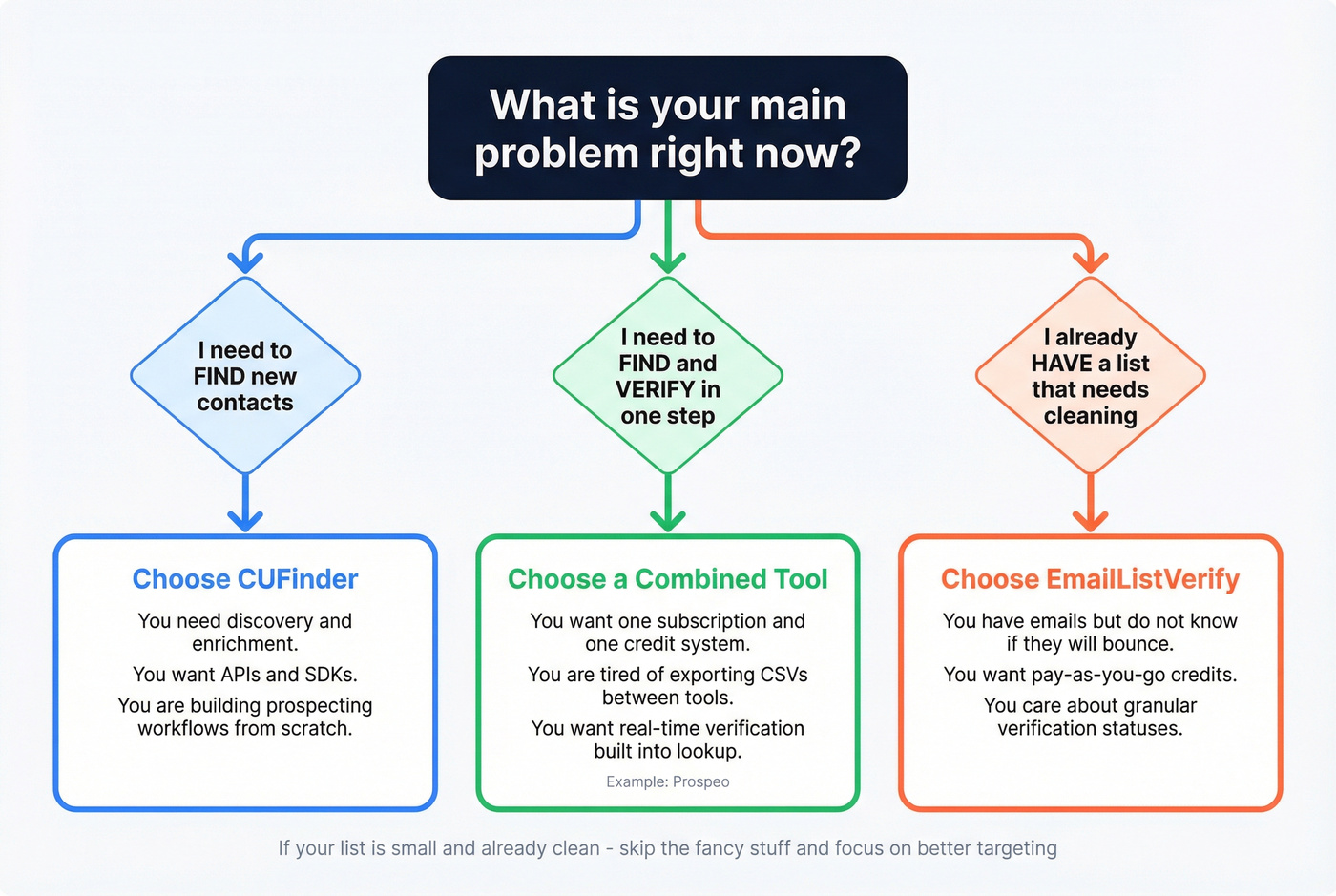
Choose EmailListVerify if:
- You already have a list and need to reduce bounces
- You want pay-as-you-go verification credits
- You care about detailed verification statuses
Choose a combined tool if:
- You want to find + verify in one motion
- You're trying to keep your stack simple
- You're tired of exporting CSVs just to re-import them somewhere else
And look, if your list is already clean and you're sending to a small, known audience, skip the fancy stuff. Spend the money on better targeting and better copy.
Where Prospeo fits (when you want one workflow)

Prospeo sits in the "find + verify" camp, and it's built for teams that care about accuracy and freshness without signing up for a complicated enterprise contract. You get 300M+ professional profiles, 143M+ verified emails, and 125M+ verified mobile numbers, with 98% email accuracy and a 7-day data refresh cycle.
This is the key operational win: you don't have to "find in one place, verify in another, then hope the record you send is still the same person." Prospeo verifies in real time as part of the workflow, and enrichment returns 50+ data points per contact with an 83% enrichment match rate and 92% API match rate.
If you're running outbound at any real volume, that tight loop matters more than people think. It keeps bounce rates down, protects domains, and saves your team from doing spreadsheet gymnastics at 11 p.m. before a launch. If you're troubleshooting deliverability, start with bounce rate benchmarks and a proper email deliverability guide.
The article says most teams end up needing both an enrichment tool and a verifier. Prospeo combines 300M+ profiles, real-time verification, and native CRM integrations - so you skip the stitching. Data refreshes every 7 days, not every 6 weeks. One credit system. One workflow. Zero bounced-domain headaches.
Replace your two-tool stack with one that actually keeps data fresh.
FAQ
Is CUFinder an email verification tool?
No. CUFinder is a B2B discovery and enrichment platform. It's designed to help you find contacts and return structured data, not to run deliverability-focused verification on an existing list.
Is EmailListVerify an enrichment database?
No. EmailListVerify is a verifier. It can help you reduce bounces and clean lists, but it isn't meant to be your source of truth for who to contact or which company someone belongs to.
How accurate are email verification tools in practice?
They aren't perfect. Hunter's benchmark across 15 verifiers showed top tools around 70% accuracy on business emails in their test. Catch-all domains, strict server configs, and temporary blocks create "unknown" outcomes that no verifier can fully eliminate.
When should you pick EmailListVerify over CUFinder?
Pick EmailListVerify when you already have emails and your priority is list hygiene before sending. Pick CUFinder when you need to build or enrich a list from scratch.
What if you need both discovery and verification?
You can run CUFinder plus EmailListVerify as a two-tool stack. Or you can use a combined workflow tool (like Prospeo) that finds contacts and verifies them in the same motion, which is usually simpler for small and mid-sized teams.