

How to Get an Email Address With a Domain Name (2026)
Here's the thing: "get email address with domain name" means two completely different things depending on who's typing it. Half the people want to set up a professional email like you@yourcompany.com. The other half want to find someone else's work email when all they know is the company domain. Two problems, one search bar.
We've written this guide to cover both paths, because most articles only address one and leave you hunting for the rest.
What You Need (Quick Version)
Want your own custom email (you@yourcompany.com)? Cloudflare Email Routing + Gmail "Send As" = completely free. Need multiple users? Zoho Mail's free tier covers up to 5 people on a custom domain.
Want to find someone's email at a company? Use a domain search tool with built-in verification. Paste a domain, get verified emails for everyone at that company. Pattern guessing without verification will wreck your sender reputation (and your email deliverability).
Setting Up Custom Domain Email
If you already own a domain or plan to buy one, attaching a professional email address is straightforward. Point your domain's DNS records at the email service, verify ownership, and start sending.
Pick a Provider
Most people default to Google Workspace or Microsoft 365. Both are solid, but they're overkill if all you need is email.
| Provider | Price | Storage | Best For |
|---|---|---|---|
| Google Workspace | $7/user/mo | 30 GB | Teams already on Google |
| Microsoft 365 | ~$6-$12.50/user/mo | 50 GB | Outlook-first orgs |
| Zoho Mail (free) | $0 (up to 5 users) | 5 GB | Bootstrapped teams |
| Zoho Mail (paid) | $1/user/mo | 10 GB | Budget upgrade |
| Namecheap | $14.88/yr | ~5 GB | Solo founders |
| Hostinger | $0.35/mo (4-yr lock) | 10 GB | Cheapest long-term |
Paying $84/year per user just to send email from your domain is genuinely unnecessary for most small teams. The free route below does the job.
Configure Your DNS Records
Every email provider requires DNS records at your domain registrar. The specific values differ by provider, but the record types are universal:
- MX records route incoming mail to your provider's servers.
- A TXT record verifies you own the domain.
- DKIM/CNAME records authenticate outgoing emails so they don't land in spam.
- An SPF record tells receiving servers which mail servers can send on your behalf.
- A DMARC record sets policy for handling emails that fail authentication.
If your domain already has email configured, plan the MX migration carefully. Changing MX records mid-day can cause a brief gap in delivery, so do it during low-traffic hours and keep the old records as a fallback until everything works. Many registrars offer WHOIS privacy; enable it to keep your personal contact info off public records.
Test and Verify
Once DNS propagates - usually 15 minutes to a few hours - send a test email from your new address to an external account, then reply to it. Check both directions and confirm your messages aren't landing in spam. Mail Tester will score your setup and flag missing records.
The Free Route: Cloudflare + Gmail
Google Workspace is overkill for most people who just want to send and receive email from a custom domain. Cloudflare Email Routing handles inbound for free, and Gmail's "Send As" feature covers outbound.
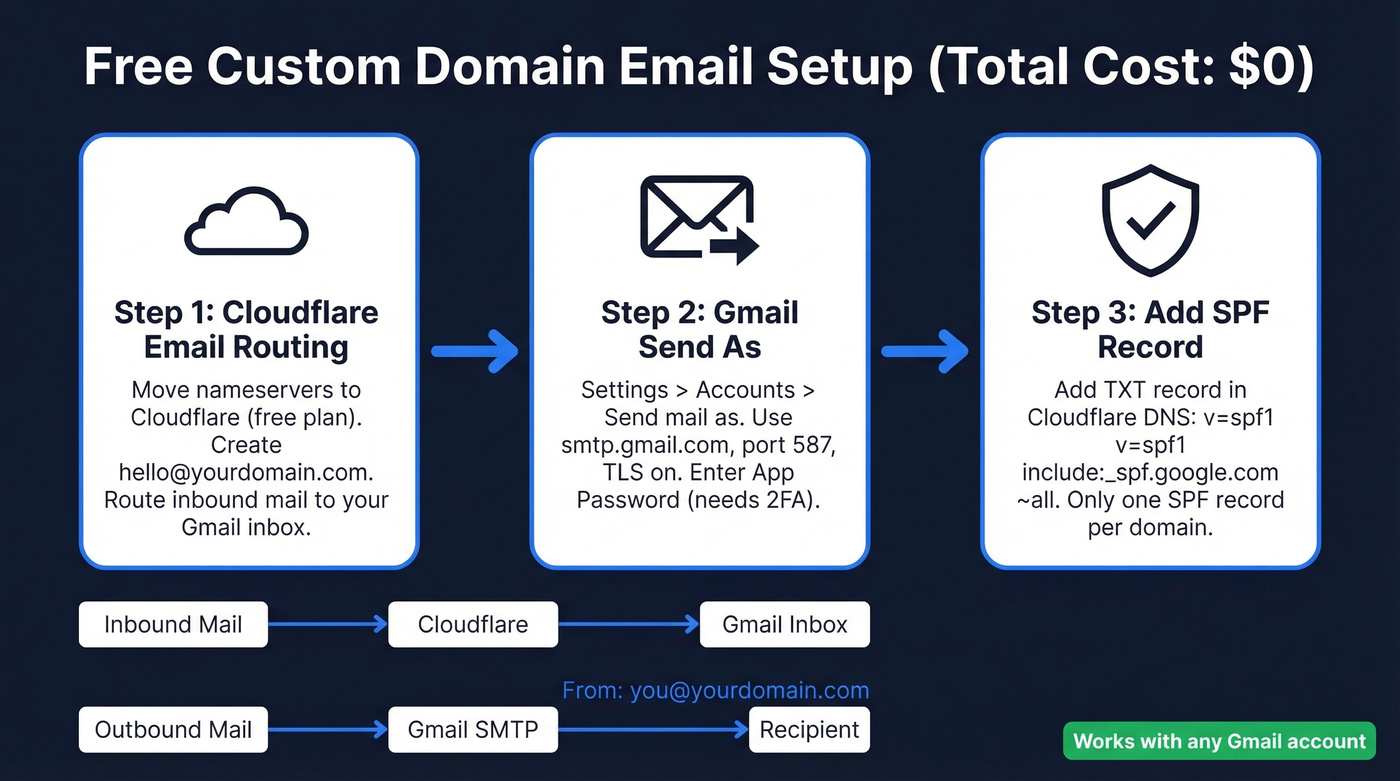
Step 1: Set up Cloudflare Email Routing. Move your domain's nameservers to Cloudflare (free plan works). In the dashboard, go to Email Routing, create a custom address like hello@yourdomain.com, and point it at your existing Gmail inbox. Cloudflare doesn't store or access your routed emails.
Step 2: Enable Gmail "Send As." In Gmail, go to Settings > Accounts > "Send mail as" > Add another email address. Enter your custom domain address. For SMTP, use smtp.gmail.com, port 587, TLS enabled, your full Gmail address as username, and a Google App Password (requires 2FA).
Step 3: Add an SPF record. In Cloudflare's DNS settings, add a TXT record: v=spf1 include:_spf.google.com ~all. If Cloudflare's wizard already created an SPF record, merge them - you can only have one SPF record per domain.
Inbound mail flows through Cloudflare to your Gmail. Outbound goes through Gmail's SMTP servers with your custom domain in the "From" field. Total cost: $0.
The Zoho Mail free tier is the other zero-cost option - up to 5 users, 5 GB each, one custom domain. The catch is the free plan is web access only, with no IMAP, POP, or phone syncing. Paid plans at $1/user/month unlock that, still far cheaper than Google Workspace.

Setting up a custom domain email is step one. Finding verified emails at someone else's domain is where deals happen. Prospeo's domain search pulls verified contacts from 300M+ profiles at 98% accuracy - so you skip the pattern guessing that wrecks your sender reputation.
Start with 75 free email lookups. Pay $0.01 per email after that.
How to Find Email Addresses by Domain
Now for the other half of this search. You know someone works at acme.com and you need their email address - for outbound sales, recruiting, or just reaching a specific person.
Common Email Patterns
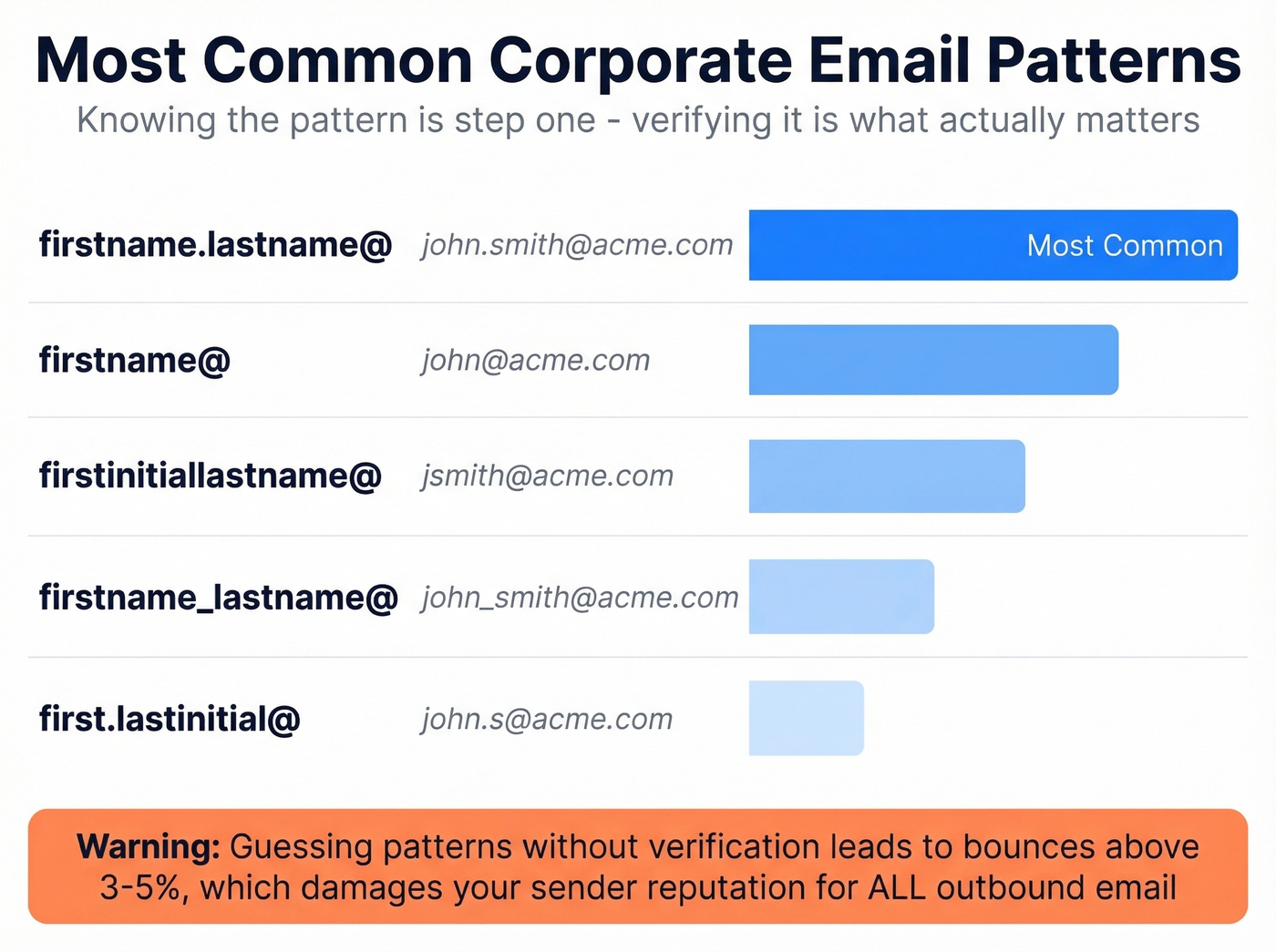
Most companies follow predictable formats. firstname.lastname@ is the most common by far, followed by firstname@, firstinitiallastname@, firstname_lastname@, and first.lastinitial@. You can often figure out the pattern by finding one known email on the company's team page, press releases, or job postings.
If you’re starting from a person’s name and company, a name to email workflow is usually faster than manual pattern hunting.
Why Guessing Alone Fails
Guessing patterns without verification is a fast way to destroy your sender reputation. Email providers track your bounce rate, and anything above 3-5% starts hurting deliverability for all your outbound. Catch-all domains make this worse - they accept every email sent to them, valid or not, so your "guess" never bounces but the email lands in a black hole.
You think you've found a working address when you haven't.
If your deal sizes sit below five figures, you probably don't need a $15,000/year data platform. But you absolutely need verified emails. The cost of bad data isn't the subscription - it's the deals you never close because your emails hit spam.
If you’re seeing bounces creep up, it’s worth tracking your email bounce rate and tightening your verification step.
Email Finder Tools That Work
Most tools claim 90%+ accuracy. In an independent 2025 benchmark of 1,000 profiles, verified match rates ranged from 31% to 72%. That gap between marketing claims and reality is exactly why picking the right tool matters.
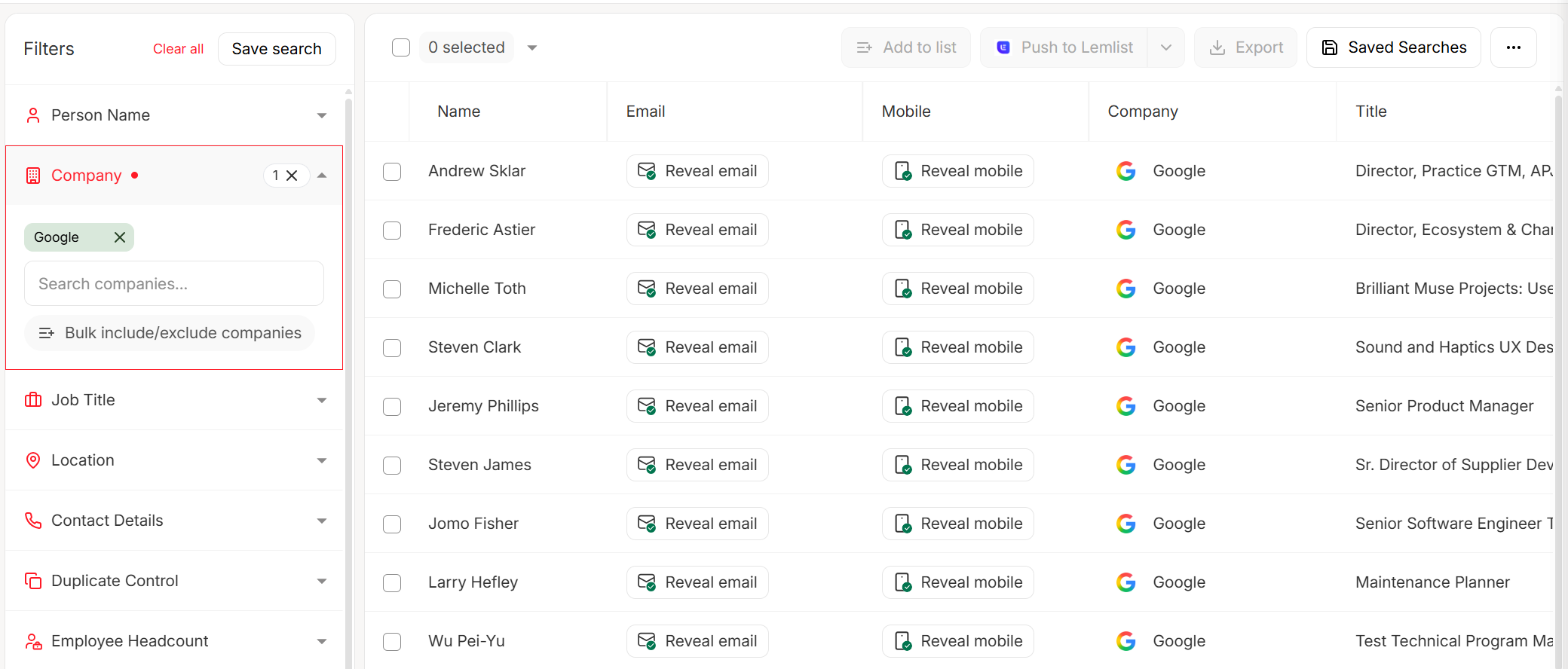
The free tier gives you 75 emails per month - enough to cover dozens of target accounts before you spend a dime. Paid plans start around $39/month, working out to roughly $0.01 per email. Native integrations with Salesforce, HubSpot, Lemlist, Instantly, and Clay push verified contacts straight into your workflow. One of our team members ran a test last quarter: 200 domain lookups across mid-market SaaS companies, and the bounce rate on the verified results came in under 2%.
If you’re building a full outbound stack, compare options in our guide to SDR tools and outbound lead generation tools.
**Hunter**Hunter is the most recognized name in email finding. Its domain search indexes over 100M email addresses and includes date information in results. In the same independent benchmark, Hunter hit a 68% verified match rate with 97% verification accuracy. The free plan gives you 50 credits per month, with verification costing 0.5 credits each. Starter runs $34/month on an annual plan for 2,000 credits.
Use Hunter if you need a reliable, well-documented API and your volume is under a few thousand lookups per month. Skip it if you're doing high-volume prospecting - the consensus on r/sales is that the database is "pretty small" compared to larger platforms.
If you’re evaluating similar products, see our breakdown of Hunter alternatives.
Snov.io
Snov.io bundles email finding with built-in automation sequences, which is handy if you don't already have a separate outreach tool. It's particularly strong for international leads and EU coverage. The tradeoff: it only hit a 31% verified match rate in independent testing, and that benchmark didn't include built-in verification. Plans start at $39/month. Best for teams that want finding + sequences in one tool. Worst for anyone who needs high match rates out of the box.
Apollo
Apollo's 260M+ contact database and unlimited email credits on the free tier sound great - until you dig into the data quality. Reddit threads consistently mention "lots of bounces on older contacts," and per-seat pricing gets expensive fast once you scale past a couple of reps. Paid plans start at $59/month per user.
Dropcontact
The dark horse. Dropcontact scored the highest independent match rate at 72% with 100% verification accuracy. It's EU-focused and GDPR-native. Pricing runs EUR 30-EUR 100/month depending on volume. Worth testing if your prospects are primarily in Europe.
Email Finder Comparison
| Tool | Free Tier | Paid From | Tested Match Rate | Verification | Best For |
|---|---|---|---|---|---|
| Hunter | 50 credits/mo | $34/mo (annual) | 68% | Yes | API-first workflows |
| Snov.io | Trial credits | $39/mo | 31% | Not in benchmark | Finding + sequences combo |
| Apollo | Free tier available | $59/mo/user | Not tested | Basic | Large database, budget teams |
| Dropcontact | Trial | ~EUR 30-100/mo | 72% | Yes, 100% | European prospects |
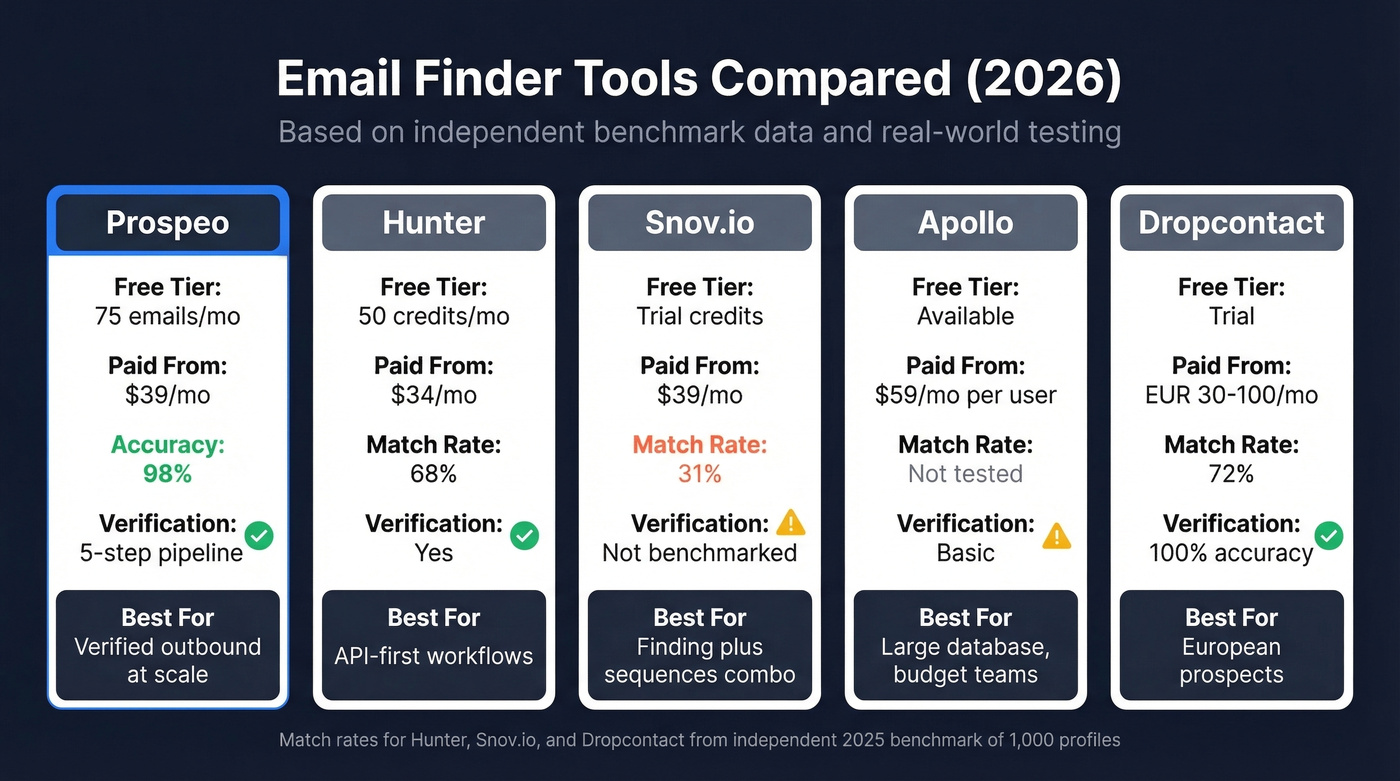
The tested rates for Hunter, Snov.io, and Dropcontact come from an independent 2025 benchmark of 1,000 profiles. Prospeo's 98% accuracy is measured across its own 5-step verification pipeline, which is a more rigorous methodology than pattern-matching tools.
Verification Matters More Than Finding
Let's be honest: the "finding" part is easy. Every tool on this list can guess an email pattern. The hard part is knowing whether that email actually works before you hit send.

Every bounced email chips away at your domain's reputation with inbox providers. Hit a 10% bounce rate on a cold campaign and you'll spend weeks digging out of the spam folder - not just for that campaign, but for every email your domain sends. We've seen teams burn through three domains in a quarter because they skipped verification on a 5,000-contact list.
If you need a tighter process, use email reputation tools and follow a plan to improve sender reputation.
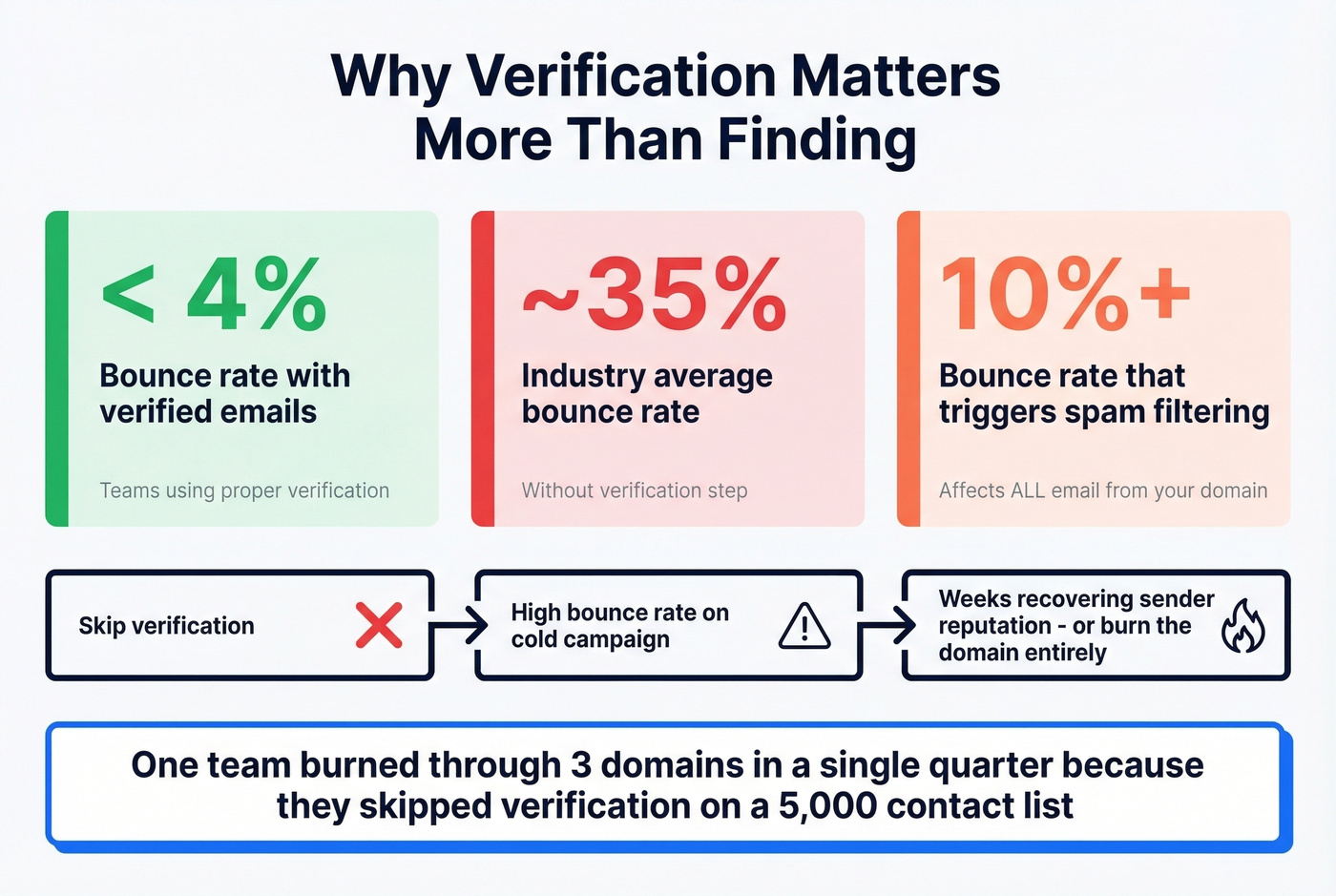
If your email finder doesn't verify in real time, you need a separate verification step before you send anything. Skipping this step is the single most expensive mistake in outbound.
Guessing email patterns without verification tanks your deliverability. Prospeo's 5-step verification catches catch-all traps, spam traps, and honeypots before you ever hit send. Teams using Prospeo keep bounce rates under 4% - while the industry average hovers around 35%.
Stop guessing emails by domain. Verify them in one click.
FAQ
Can I get a custom domain email for free?
Yes. Cloudflare Email Routing forwards mail to your existing inbox at no cost. Pair it with Gmail "Send As" to send from your custom address for $0. Zoho Mail also offers a free plan for up to 5 users with web-only access - no IMAP or mobile sync unless you upgrade to $1/user/month.
How do I find someone's email if I only know their company domain?
Use an email finder tool with built-in verification - paste the company domain and get verified addresses back in seconds. Prospeo and Hunter both support domain search. Pattern guessing alone leads to bounces above 3-5% that damage your sender reputation across all outbound.
What DNS records do I need for custom domain email?
You need five record types: MX records for incoming mail, a TXT record for domain verification, DKIM/CNAME for sender authentication, an SPF record to authorize sending servers, and a DMARC record for full authentication policy. Most providers walk you through each one during setup.
Are email finder tools accurate?
Claimed rates range from 91-97%, but an independent benchmark showed verified match rates between 31-72%. Prospeo's 5-step verification pipeline delivers 98% accuracy on verified addresses. Always prioritize the "verified and deliverable" rate over the raw "found" count.
What's the cheapest email hosting with a custom domain?
Hostinger starts at $0.35/month on long-term contracts, and Namecheap starts at $14.88/year. For truly free, use Cloudflare Email Routing with Gmail's "Send As" feature - zero cost on any Cloudflare plan, works with any domain you own.