

GMass vs LeadEngine.ai: Which Cold Email Tool Deserves Your Budget?
You're sending 200 cold emails a day from GMass and it's working. Then someone says "scale it 10x." GMass runs into Gmail's limits; LeadEngine.ai pitches dedicated infrastructure that can handle up to 500K sends a month. We set up both tools side by side to see how GMass vs LeadEngine.ai actually shakes out in practice - and the answer isn't as straightforward as either vendor wants you to believe.
30-Second Verdict
Pick GMass if you send under 2,000 emails/day from Gmail or Google Workspace and want a cheap, proven mail merge tool ($20-$59.95/mo). It's powered 9+ billion emails over the past decade.
Pick LeadEngine.ai if you're scaling past 100K sends/month and want dedicated infrastructure plus AI-generated copy in one platform - but you're comfortable being an early adopter.
Here's the thing: most teams agonizing over sending infrastructure are ignoring the real bottleneck. Bad email data torches sender reputation faster than any platform can fix it. Clean your list first, then pick a sender.
GMass at a Glance

Use GMass if you live inside Gmail and want the simplest path to personalized cold outreach. It installs as a Chrome extension, works directly in your inbox, and includes free email verification. For a solo founder or small SDR team, the simplicity is unmatched. GMass also added a dedicated cold email sending server and an AI HTML template builder in recent updates, which narrows the infrastructure gap with pricier platforms somewhat - though it's still fundamentally a Gmail-first tool.
Skip GMass if you need more than 2,000 emails a day or built-in email warmup. GMass caps at 500 sends/day on free Gmail and 2,000 on Google Workspace. You can push past that with SMTP, but then you're managing a separate sending setup anyway.
No native warmup means you'll need a tool like Instantly or Mailreach on top. For teams that need dedicated IPs and high-volume sending, GMass starts to feel undersized.
LeadEngine.ai at a Glance

Use LeadEngine.ai if you want enrichment, AI copywriting, and dedicated sending infrastructure without stitching together four tools. The 4-tier dedicated backend with private IPs and email fingerprinting is genuinely differentiated - it's the kind of setup that used to require a DevOps hire and a Mailgun account. Their ScaledMail partnership handles domain/inbox setup plus DNS and warmup automatically, saving hours of config, though expect 30-60 minutes for full platform onboarding. RevAI autopilot classifies replies and triggers follow-ups, and a "Database Free Refueling" lookalike engine finds new prospects matching your best-performing leads.
Skip LeadEngine.ai if you need battle-tested reliability. Fewer than 50 public reviews exist across major software marketplaces. We checked Reddit - a thread asking for feedback got zero replies. LeadEngine.ai publishes performance averages of a 3.3% reply rate and 98.4% delivery rate, with a 0.65% positive reply rate. Those are their numbers, not independently verified.
The pricing has changed at least three times since early 2025 - from credit-based plans ($99-$1,375/mo) to send-based tiers to "unlimited" and lifetime promos. If you need a predictable budget line item, that volatility is a red flag.

Neither GMass nor LeadEngine.ai can save a campaign built on stale data. Prospeo verifies 143M+ emails at 98% accuracy on a 7-day refresh cycle - so your bounce rate stays under 3% regardless of which sender you choose. Integrates with both tools via Zapier. Start with 75 free verifications.
Clean your list before you pick a sender. It takes 60 seconds.
Feature-by-Feature Comparison
| Feature | GMass | LeadEngine.ai | Edge |
|---|---|---|---|
| Sending infra | Gmail / SMTP | Dedicated private IPs | LeadEngine.ai |
| Warmup | None (third-party needed) | Included | LeadEngine.ai |
| AI copy | AI HTML templates | CopyEngine (AI + spintax) | LeadEngine.ai |
| Enrichment | None | EnrichEngine (waterfall) | LeadEngine.ai |
| Multi-inbox support | MultiSend | Multiple accounts + workspaces | Tie |
| Send volume | 500-2,000/day (Gmail/Workspace) | 100K-500K/month | LeadEngine.ai |
| Setup time | Fast Gmail-native setup | 30-60 minutes | GMass |
| Independent reviews | Extensive | Limited | GMass |
| Pricing visibility | Public pricing page | Has shifted across models | GMass |
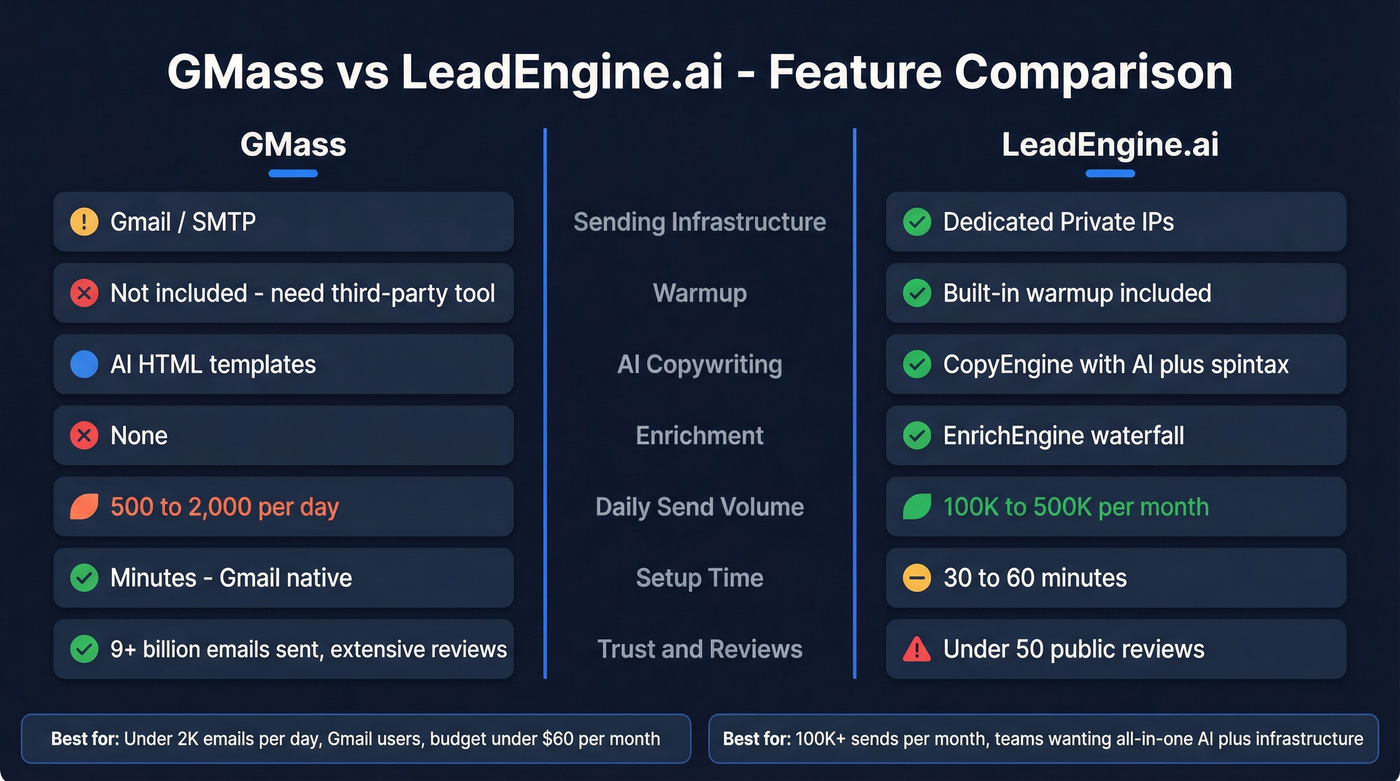
LeadEngine.ai wins on raw capability. GMass wins on trust and simplicity. If you're spending under $100/mo and sending under 2,000 emails/day, GMass's decade of proven reliability matters more than features you won't use.
Pricing Breakdown
GMass
GMass raised prices in January 2026:
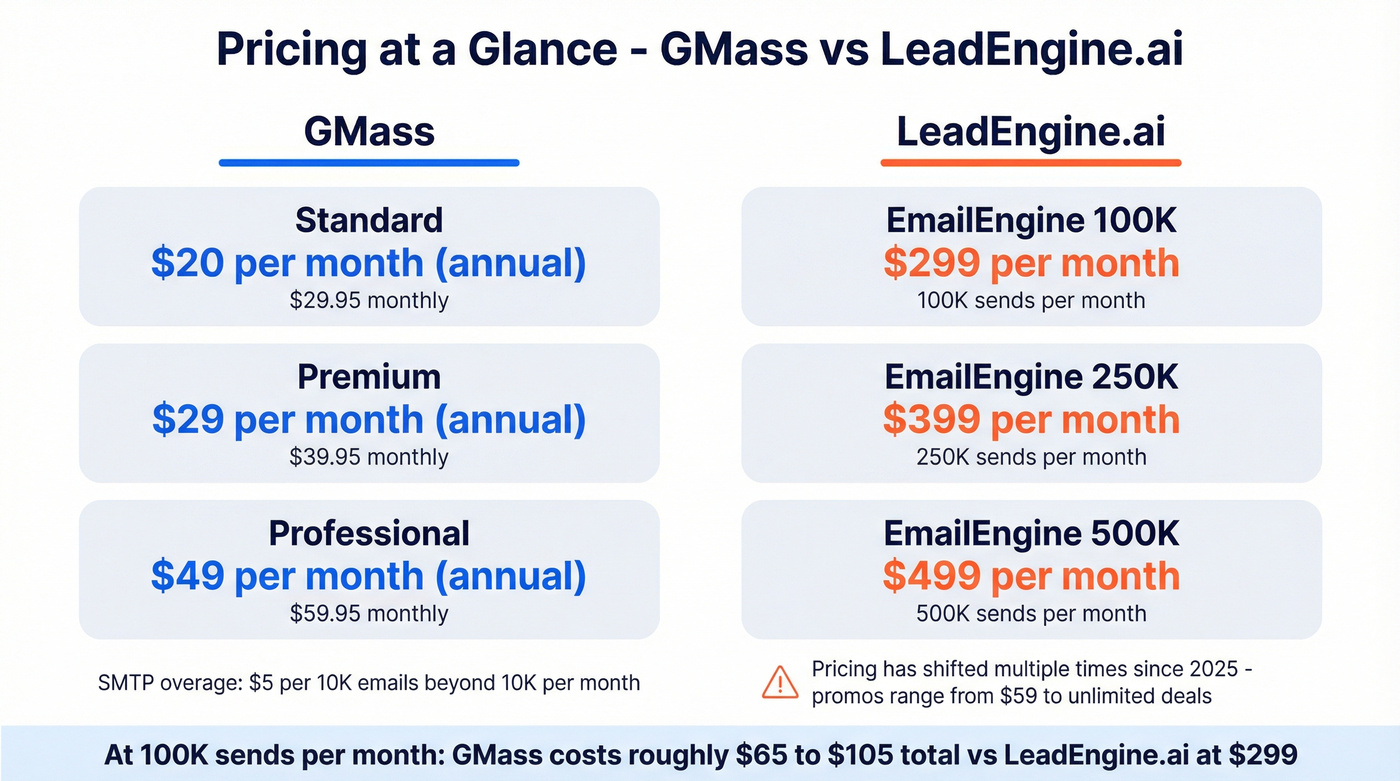
| Plan | Monthly | Annual (per mo) |
|---|---|---|
| Standard | $29.95 | $20 |
| Premium | $39.95 | $29 |
| Professional | $59.95 | $49 |
SMTP sends beyond 10,000/month cost $5 per 10K emails. A team pushing 100K sends/month via SMTP pays roughly $45 in overage - call it about $65-$105/mo total depending on your plan.
LeadEngine.ai
The most recent EmailEngine plans run $299/mo (100K sends), $399/mo (250K sends), and $499/mo (500K sends). EnrichEngine and CopyEngine are available as standalone products starting at $29/mo each - a lower entry point if you only need one piece. VIP service plans run $299/mo, $699/mo, and $999/mo for hands-off campaign management.
They've also run $59/mo "unlimited" promos and $99 lifetime deals per engine, though "unlimited" comes with fair-use caps and metered third-party AI/enrichment costs. Realistically, budget $59-$499+/mo depending on which promo is active and how much AI and enrichment you consume.
Your Data Matters More Than Your Sender
Let's be honest about something. The most common reason cold email campaigns fail isn't copy or infrastructure - it's bad addresses. Bounces destroy domain reputation, and no amount of dedicated IPs can fix that.
We've seen this pattern repeatedly: a team upgrades their sending tool, keeps the same stale list, and watches deliverability crater within two weeks. The tool wasn't the problem. The data was.

Prospeo catches stale addresses before they become bounces - 143M+ verified emails at 98% accuracy on a 7-day refresh cycle. It integrates with GMass via Zapier and fits into LeadEngine.ai-style enrichment workflows. The free tier gives you 75 email verifications a month to test before committing.
If you're troubleshooting deliverability, start with bounce rate and sender reputation before you touch infrastructure.
Which Tool Should You Pick?
Pick GMass if you send fewer than 2,000 emails/day, want a Gmail-native workflow, and value a decade of track record over bleeding-edge features. Budget: under $60/mo.
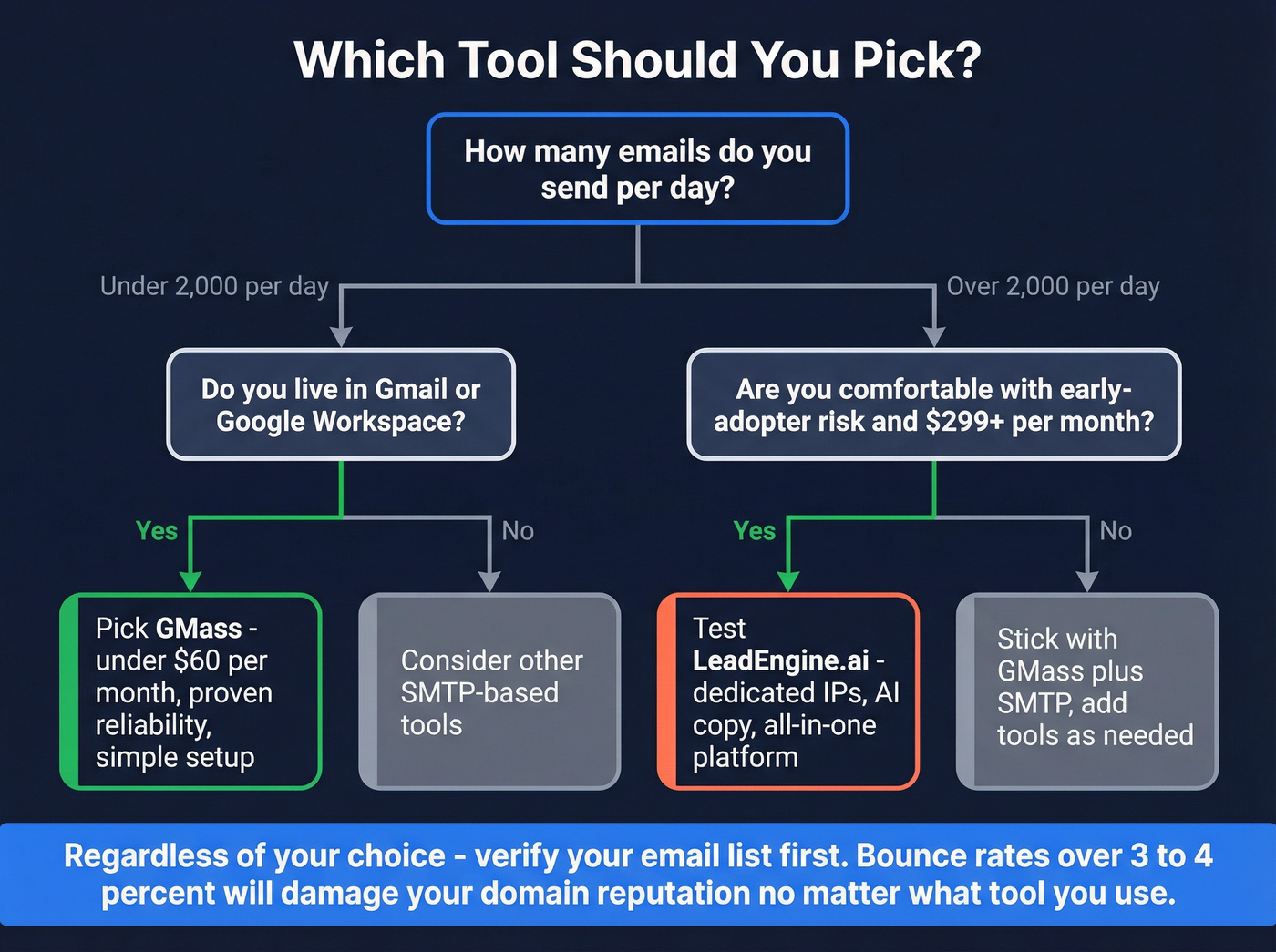
For teams scaling past 100K sends/month who want AI copy plus dedicated infrastructure in one platform, LeadEngine.ai is worth testing - as long as you're comfortable with early-adopter risk and pricing that hasn't stabilized. Budget: $299+/mo.
Fix your data first if bounce rates exceed 3-4% or your domain reputation is already damaged. Clean data makes every sending tool work better, regardless of where you land in the GMass vs LeadEngine.ai debate. If you need help tightening the messaging too, use proven cold email follow-up templates and email subject line examples.
Scaling from 2K to 500K sends/month means nothing if 10% of those addresses bounce. Prospeo's 5-step verification catches dead emails, spam traps, and catch-all domains before they torch your domain reputation. At $0.01 per email, it costs less than a single bounced send costs your deliverability.
Stop debating infrastructure. Fix the data that feeds it.
FAQ
Can GMass send more than 500 emails a day?
Yes. Google Workspace accounts allow 2,000/day, and adding an SMTP server removes Gmail's cap entirely. SMTP usage beyond 10,000/month costs $5 per 10K emails, so 100K sends runs about $45/mo on top of your plan.
Is LeadEngine.ai legit?
The platform is real and actively developed, but independent validation is thin - fewer than 50 public reviews across major marketplaces. Run a trial with a small list before committing budget.