

Google Dorks for Email Search: The Only Guide Actually About Email
You need the VP of Sales' email at a target account. You don't want to pay for a tool yet. So you open Google, type a dork query, and 90 seconds later you're staring at a PDF from 2019 with an email that probably bounces.
Here's the thing: every google dorks email search guide out there is written for security researchers and pentesters, not for salespeople and recruiters who just need a working email address. What follows are the exact queries that surface emails, the chaining techniques that make them precise, and the honest moment where dorking stops working and you need a real tool.
What You Need (Quick Version)
For 1-10 emails, Google dorks are free and fast. These five queries cover most common use cases:
intext:"@company.com" "firstname lastname"site:company.com intext:"@company.com"filetype:pdf "@company.com" "email"(intext:"@gmail.com" OR intext:"@outlook.com") AND intext:"John Doe""sales@" OR "ceo@" OR "info@" site:company.com
For 50+ verified emails, skip dorking entirely. A dedicated email finder gives you verified addresses in seconds - no CAPTCHAs, no guessing if the address is still live.
Google Search Operators for Email Discovery
Every operator below has an email-specific use - not the generic "find login pages" examples you'll see in most dorking guides. Mastering these search operators is the foundation of every technique in this guide.
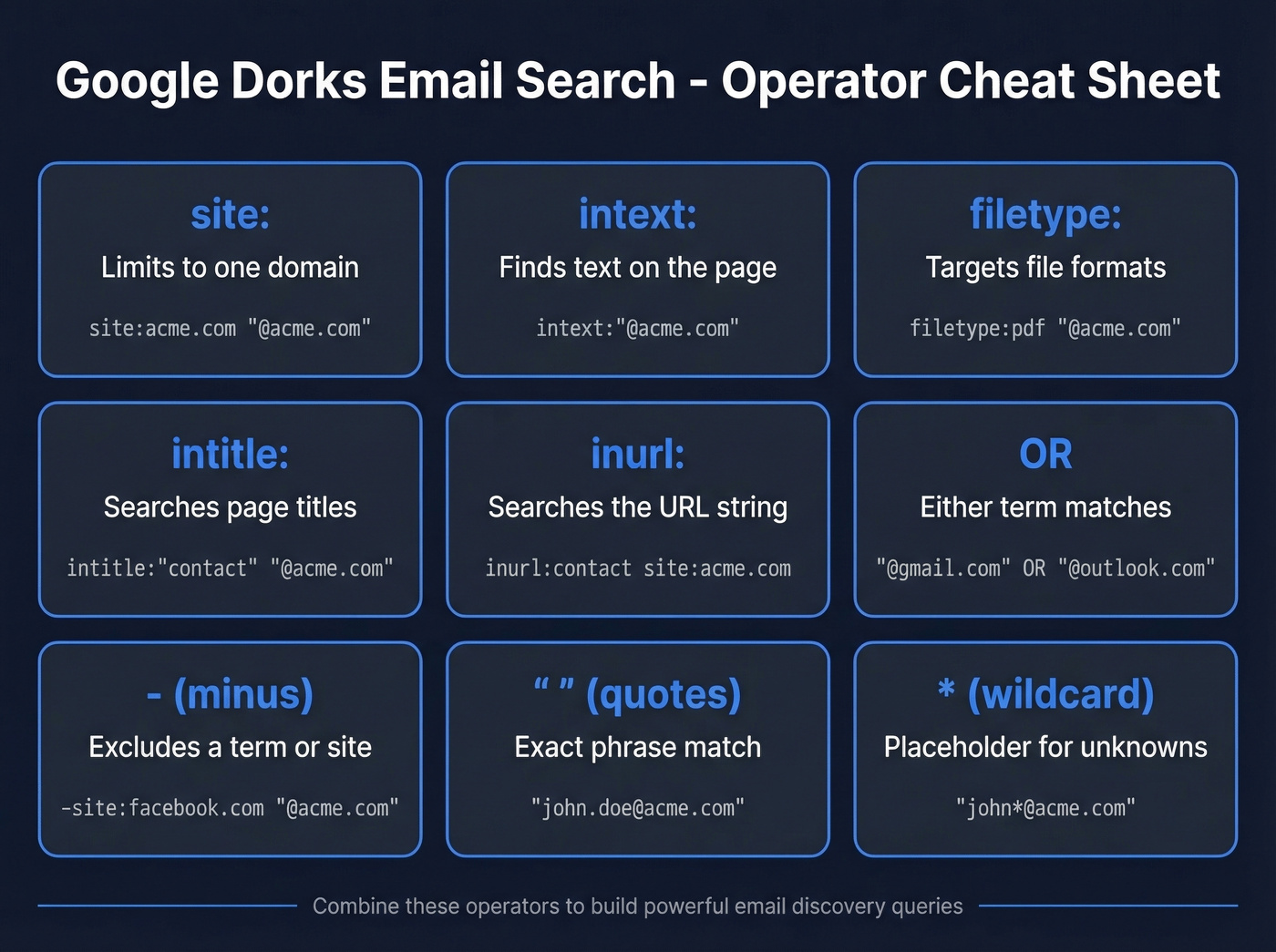
| Operator | What It Does | Email Example |
|---|---|---|
site: |
Limits to one domain | site:acme.com "@acme.com" |
intext: |
Finds text on the page | intext:"@acme.com" |
filetype: |
Targets file formats | filetype:pdf "@acme.com" |
intitle: |
Searches page titles | intitle:"contact" "@acme.com" |
inurl: |
Searches the URL string | inurl:contact site:acme.com |
OR |
Either term matches | "@gmail.com" OR "@outlook.com" |
- |
Excludes a term/site | -site:facebook.com "@acme.com" |
"" |
Exact phrase match | "john.doe@acme.com" |
* |
Wildcard placeholder | "john*@acme.com" |
These operators are your vocabulary. The queries below are the sentences.
Dork Queries by Use Case
Find a Specific Person's Email
Start with the simplest pattern and escalate. The multi-provider OR technique catches personal and corporate addresses in one query:
(intext:"@gmail.com" OR intext:"@yahoo.com" OR intext:"@outlook.com") AND intext:"John Doe"
People don't always use their full name online. Add name variants:
intext:"@aol.com" AND (intext:"John Doe" OR intext:"J. Doe" OR intext:"John D.")
For a corporate email specifically, swap the provider domain for the company domain:
intext:"@acme.com" "John Doe"
This is the query pattern B2B prospectors use most. Consumer email providers are noise - you want the work address.
Find All Emails at a Company
Two queries do the heavy lifting when you're mapping an entire account:
site:acme.com intext:"@acme.com"
This surfaces every page on their domain that contains an email address. Pair it with a document search:
"@acme.com" filetype:pdf
For role-based addresses, use OR chaining:
"sales@" OR "info@" OR "ceo@" OR "press@" site:acme.com

Find Emails in Documents
Documents surface the most emails per query. Exported spreadsheets, conference attendee lists, and vendor directories often contain hundreds of emails in a single file - we've pulled 200+ addresses from a single conference PDF before. Specificity plus operator chaining is what still produces results, and it's worth expanding beyond PDF to include SQL, JSON, and TXT files alongside the usual suspects.
filetype:csv "@acme.com" "email"
filetype:xlsx "contact" "email" site:acme.com
filetype:txt "@acme.com" OR filetype:json "@acme.com"
A word of caution on paste-site results like site:pastebin.com intext:"@acme.com": these emails are often old, and using data from breached sources raises ethical and legal questions. Stick to corporate documents and public directories for outreach lists.
If you need to scale this beyond a few files, consider web scraping lead generation workflows instead of manual SERP digging.

You just spent 5 minutes crafting the perfect dork query and found an email from a 2021 PDF. Prospeo's email finder returns 98% verified addresses from 300M+ profiles - refreshed every 7 days, not whenever Google re-crawls a document.
Skip the dork queries. Get verified emails at $0.01 each.
Advanced Chaining Techniques
Basic operators get you started. Chaining them together is what separates useful results from pages of noise.
The wildcard email trick. When you know a username pattern but not the full domain, try searching jdoe1*com to surface any publicly indexed email starting with that username. It's imprecise - Google's wildcard behavior inside email strings is unreliable - but it occasionally catches addresses across multiple domains that you'd never find otherwise.
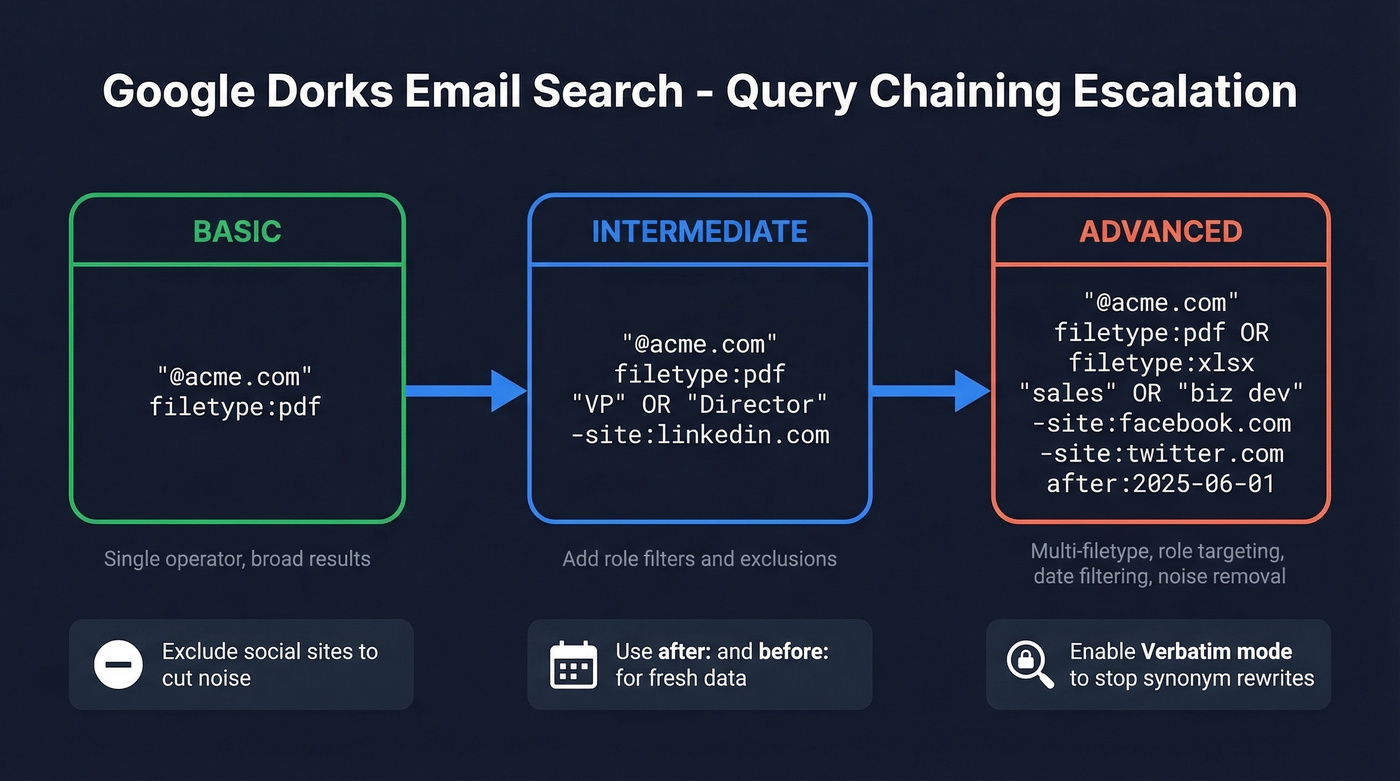
Multi-operator chains. Build from simple to complex:
- Basic:
"@acme.com" filetype:pdf - Intermediate:
"@acme.com" filetype:pdf "VP" OR "Director" -site:linkedin.com - Advanced:
"@acme.com" filetype:pdf OR filetype:xlsx "sales" OR "business development" -site:facebook.com -site:twitter.com after:2025-06-01
Exclusion patterns are essential. Adding -site:facebook.com -site:twitter.com -site:linkedin.com cuts noise fast because social media profiles clog results with useless pages that mention email addresses without actually displaying them.
Verbatim mode. Click "Tools" then "All Results" then "Verbatim" in Google. This stops Google from rewriting your query with synonyms, which matters when you're searching for exact email patterns.
Date filtering. Use before: and after: to avoid stale results. "@acme.com" filetype:pdf after:2025-01-01 filters out that ancient whitepaper with the email of someone who left three years ago.
Limitations You'll Hit
Google doesn't want you doing this at scale. After Google's January 2025 anti-bot update, you'll start hitting CAPTCHAs quickly if you run lots of similar dork queries back-to-back. The triggers are high request frequency, repetitive query patterns, and limited geo diversity. Space your queries 10-15 seconds apart and you'll last longer, but you're still on borrowed time.
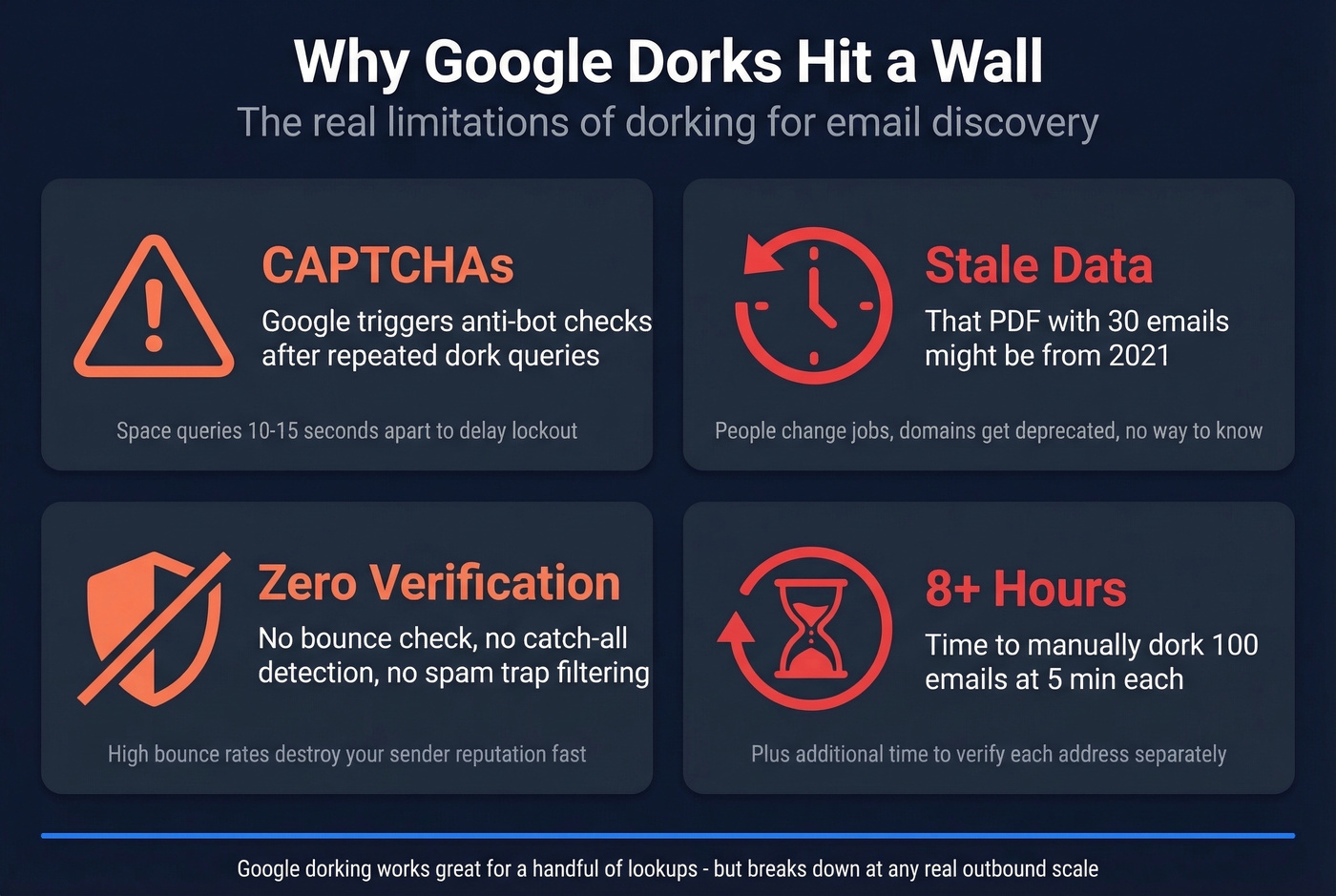
The bigger problem is data freshness. That PDF you found with 30 email addresses might be from 2021. People change jobs, companies rebrand domains, and role-based addresses get deprecated. There's no verification layer in Google dorking - you're trusting whatever the internet cached.
Bing and DuckDuckGo work as fallbacks when Google locks you out. They support similar operators. The Google Hacking Database (GHDB) is the canonical dork repository, but a user on r/cybersecurity noted it hasn't been updated since August 2024 - don't expect fresh email-specific entries there. OSINT practitioners commonly supplement dorking with browser extensions and Python scripts that scan page HTML for email patterns, but these still require manual effort per domain.
If you're getting blocked often, it's usually a sign you should switch to free lead generation tools that don't rely on SERP scraping.
When Dorking Isn't Enough
Let's do the math. If you're spending 5 minutes per email via dorking and you need 100 emails for an outbound campaign, that's over 8 hours of manual work - plus verification time. At any reasonable hourly rate, a $39/month tool pays for itself in the first session.
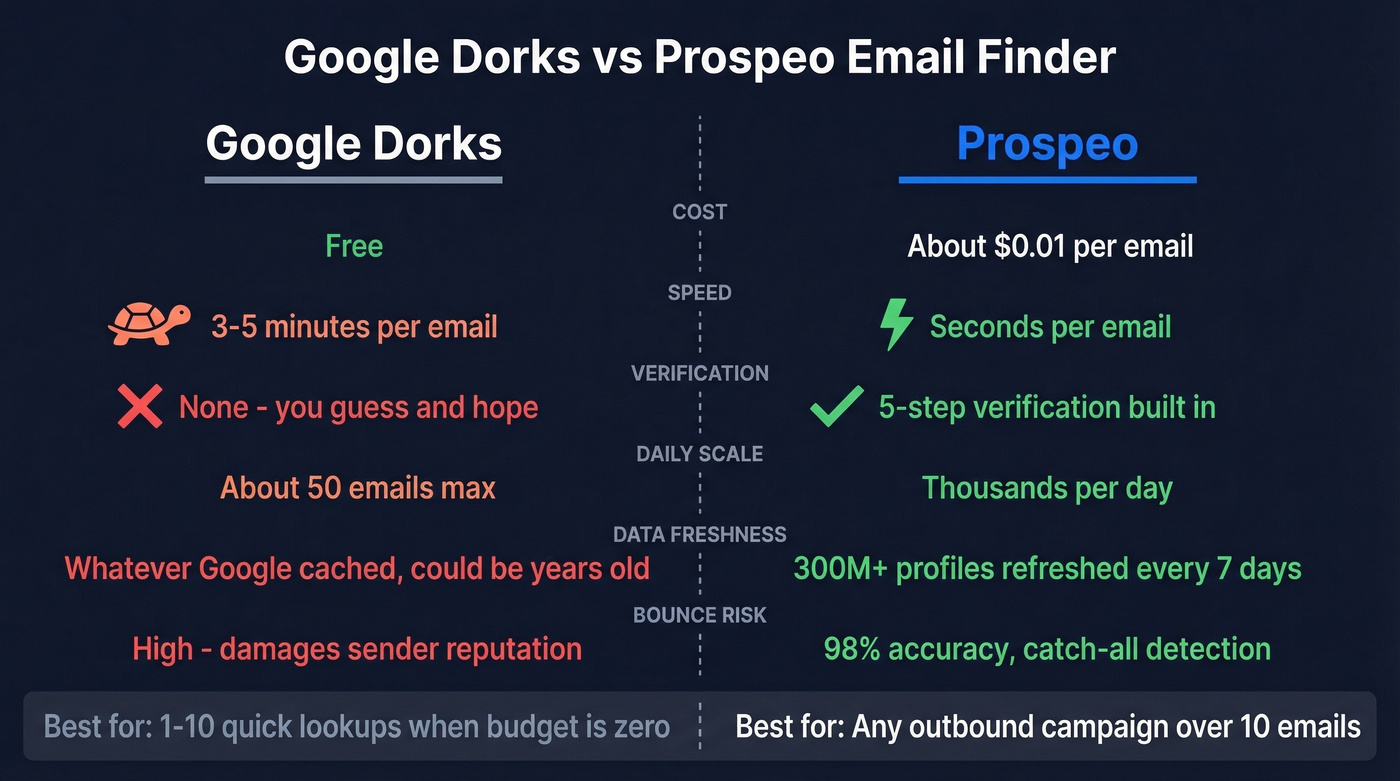
Google dorking is the best free method for finding emails. It's also a terrible method for finding emails at scale. The ceiling is about 50 usable addresses per day if you're disciplined, and many will bounce without verification. If your outbound volume exceeds one campaign per week, you've already outgrown dorking.
| Factor | Google Dorks | Email Finder Tools | Winner |
|---|---|---|---|
| Cost | Free | ~$39-99/mo | Dorks (if time is free) |
| Speed | 3-5 min/email | Seconds/email | Tools |
| Verification | None | Built-in | Tools |
| Scale ceiling | ~50/day max | Thousands/day | Tools |
| Accuracy | Unknown | Higher with verification | Tools |
Multi-provider OR queries tend to outperform single-domain searches for finding personal emails, but corporate email accuracy is a coin flip without verification. In our testing, Prospeo runs at roughly $0.01 per email with 98% accuracy across 300M+ profiles, refreshed every 7 days. The 5-step verification handles catch-all domains, spam traps, and honeypots - problems you can't solve with a Google query. Findymail starts at $49/mo for 1,000 credits, Kaspr offers a free tier with 5 email credits ($49/mo starter), and Snov.io's starter plan runs $39/mo with 1,000 credits.
High bounce rates from unverified dork results will damage your sender reputation fast. Always verify before sending.
If you're seeing bounces climb, start with email bounce rate benchmarks and fixes, then work on How to Improve Sender Reputation in 2026.

At 5 minutes per email, dorking 100 contacts for an outbound campaign burns 8+ hours with zero verification. Prospeo pulls verified emails and 125M+ direct dials in bulk - with 30+ filters to target the exact titles, companies, and intent signals you need.
Replace 8 hours of dorking with 60 seconds of search.
Email Dork Cheat Sheet
Bookmark this table. It covers every operator technique from this guide, organized from basic to advanced.
| Dork Query | What It Finds | Use Case |
|---|---|---|
intext:"@company.com" |
Pages with company emails | Account mapping |
site:company.com "@company.com" |
Emails on company's own site | Staff directories |
"firstname lastname" "@company.com" |
Specific person's work email | Targeted outreach |
(intext:"@gmail.com" OR "@yahoo.com") "Name" |
Multi-provider personal email | Broad person search |
"sales@" OR "info@" site:company.com |
Role-based addresses | General inquiries |
filetype:pdf "@company.com" |
Emails in PDFs | Whitepapers, reports |
filetype:csv "@company.com" "email" |
Emails in spreadsheets | Exported lists |
filetype:txt OR filetype:json "@company.com" |
Emails in text/data files | Developer directories |
"@company.com" "director" OR "VP" filetype:pdf |
Senior contacts in docs | Executive targeting |
"@company.com" -site:facebook.com -site:linkedin.com |
Emails minus social noise | Cleaner results |
"@company.com" filetype:pdf after:2025-01-01 |
Recent document emails | Fresh data only |
intitle:"contact" "@company.com" |
Contact pages with emails | Quick wins |
"J. Doe" OR "John D." "@company.com" |
Name variants | Catch initials |
If you're turning these results into outreach, pair the list with cold email subject line examples and sales follow-up templates so you don't waste the work on weak copy.
FAQ
Is Google dorking legal?
Yes - you're using a public search engine with its built-in operators. Accessing what you find is where legal nuance enters. Don't log into restricted systems, and check your jurisdiction's data protection rules (GDPR, CAN-SPAM) before using found emails for outreach.
How many queries before I get a CAPTCHA?
After Google's January 2025 anti-bot update, CAPTCHAs typically appear after 15-30 rapid-fire queries. Space queries 10-15 seconds apart, use Verbatim mode, and switch to Bing or DuckDuckGo when blocked.
Are emails found via dorks accurate?
Often not. Emails in old PDFs or paste sites can be years out of date. Bounce rates above 5% damage domain reputation and tank deliverability. Always run addresses through a verification tool before loading them into any sequence.
How does a Google dork email lookup compare to a dedicated tool?
A dork-based lookup relies on whatever's been publicly indexed - old documents, cached pages, directory listings. A dedicated email finder queries live databases, verifies deliverability in real time, and handles catch-all domains. For one-off searches, dorks work fine. For anything beyond a handful of addresses, a tool saves hours and protects your sender reputation.