

How to Suggest a Time for a Meeting: 6 Ready-to-Use Samples
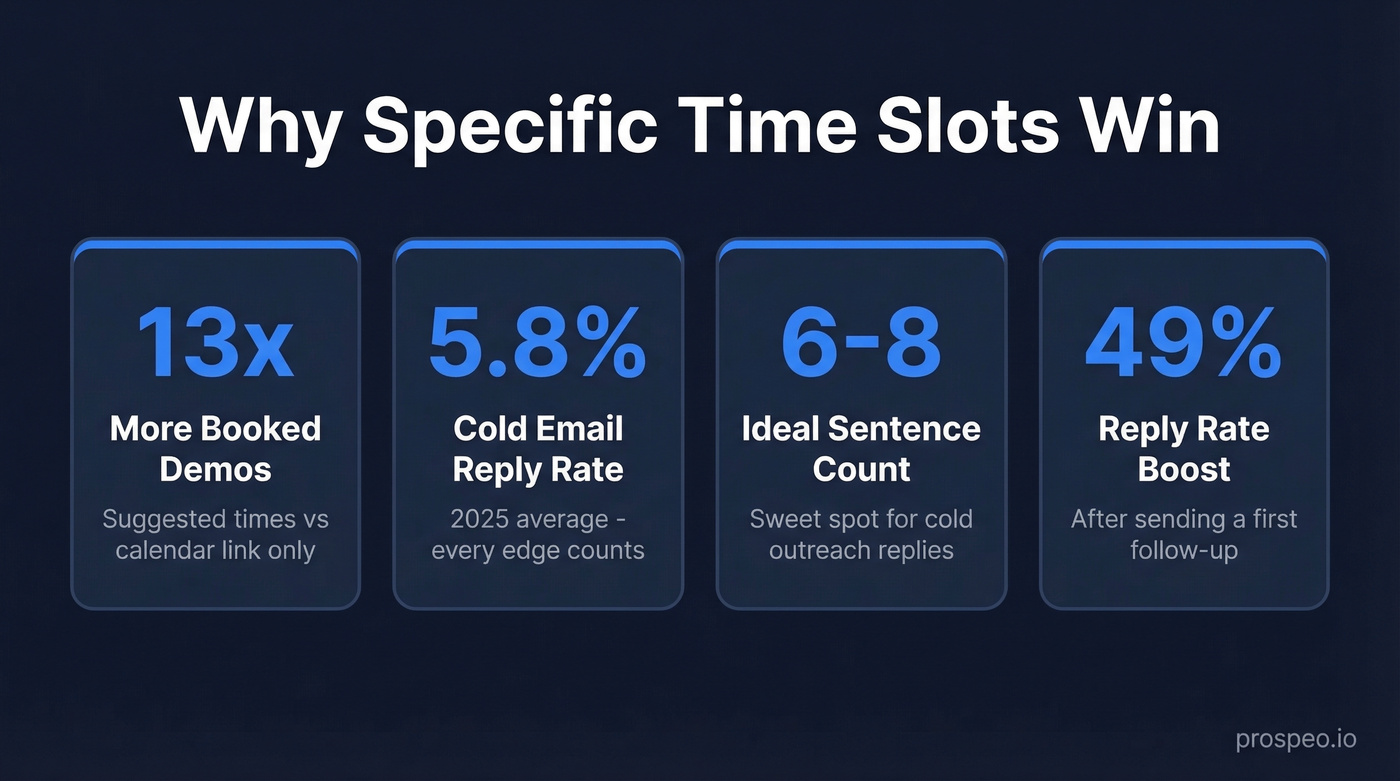
Open-ended "when works for you?" emails are where scheduling goes to die. The recipient glances at their calendar, thinks about it for a second, then moves on to something easier. In a Chili Piper internal test - 50 follow-up emails with only a calendar link vs. 50 with suggested times - suggested times produced 13x more booked demos. That's not a marginal improvement. That's a different category of outcome.
Knowing how to suggest a time for a meeting, and having a sample to work from, is the difference between a booked call and a dead thread.
Why Suggesting Specific Times Wins
Cold email reply rates dropped to 5.8% in 2025. Every formatting edge counts. When you propose two or three concrete slots, you remove the mental effort of checking a calendar and composing a response - the recipient just picks one. We've tested this across hundreds of outbound campaigns, and proposed times consistently outperform open-ended asks. It's not even close.
Five Elements Every Meeting Request Needs
Before you copy any template, make sure you're hitting these five things:
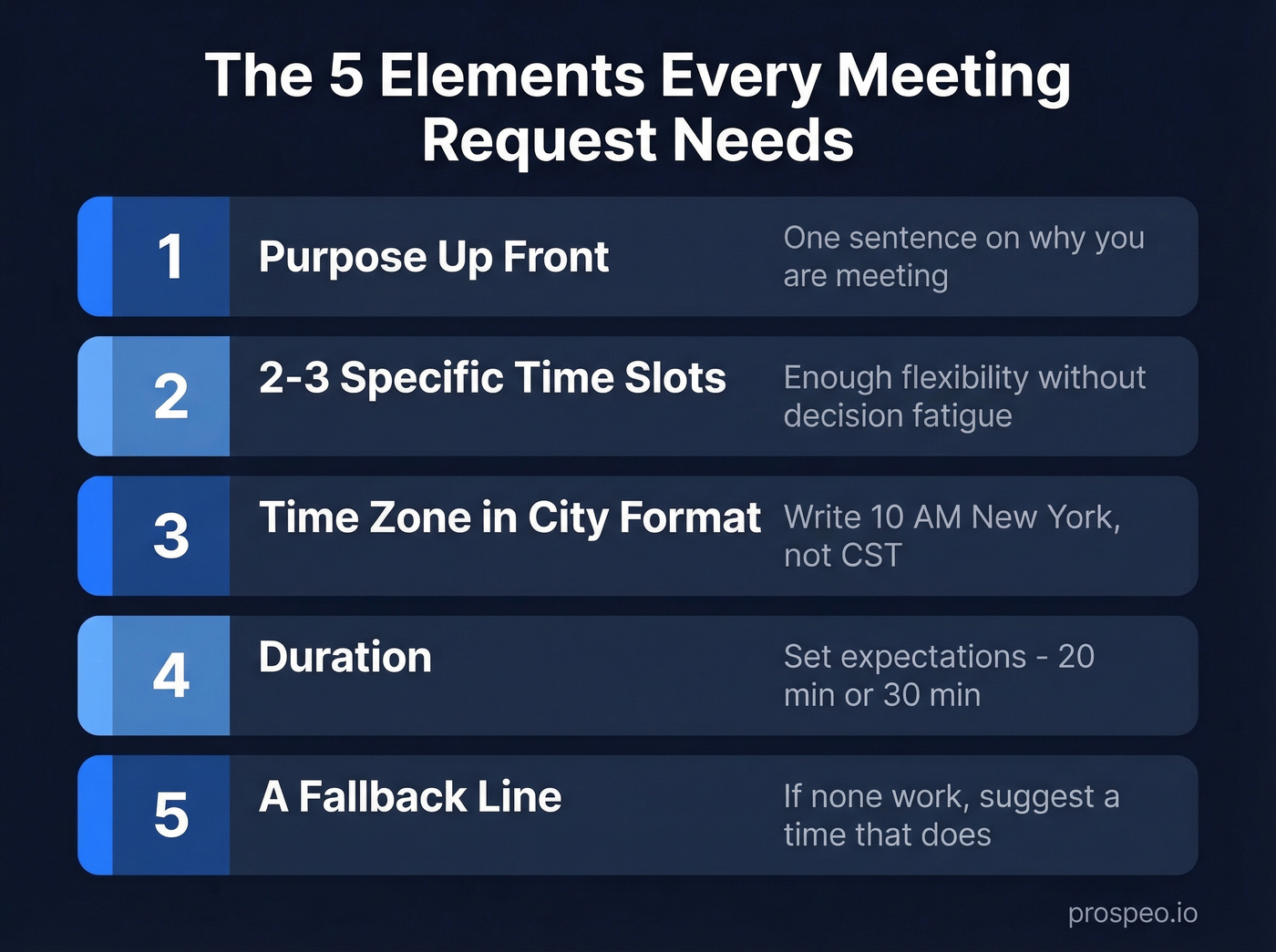
Purpose up front. One sentence on why you're meeting, plus a mini-agenda if the meeting runs longer than 30 minutes.
2-3 specific time slots. Enough flexibility without overwhelming. Five options creates decision fatigue - we've seen it tank reply rates.
Time zone in city format. "CST" can mean Central Standard Time or China Standard Time - a 14-hour difference. Write "10 AM New York" instead.
Duration. "30 minutes" or "a quick 20-minute call" sets expectations and shows you respect their time.
A fallback line. Always close with "If none of these work, suggest a time that does." This turns a proposal into a conversation.

You just crafted the perfect meeting request - two time slots, clear purpose, timezone included. Now imagine it bouncing. Prospeo verifies emails across 300M+ professional profiles at 98% accuracy, so your carefully written meeting proposals actually reach the inbox.
Don't let a bad email address waste a great meeting request.
6 Meeting Time Suggestion Samples
1. Colleague or Internal Meeting
Subject: Quick sync on Q3 planning
Hey Sarah,
Want to align on the Q3 roadmap before Friday's all-hands. Do either of these work?
- Tuesday 2:00-2:30 PM
- Wednesday 10:00-10:30 AM
If not, throw me a time and I'll make it work.
Thanks, [Your name]
Two slots, no timezone needed when everyone's on the same local time. Casual tone matches the relationship.
2. Client or External Stakeholder
External emails need more structure. You're asking someone to carve time out of a day they don't owe you - make it effortless.
Subject: Follow-up: implementation timeline
Hi David,
I'd love to walk through the implementation timeline and answer any open questions. Could we schedule 45 minutes this week?
- Tuesday, Jan 14 at 10:00 AM New York (3:00 PM London)
- Wednesday, Jan 15 at 1:00 PM New York (6:00 PM London)
- Thursday, Jan 16 at 11:00 AM New York (4:00 PM London)
Happy to adjust if another time works better.
Best, [Your name]
Three slots here because cross-timezone coordination is harder. Including both city times eliminates the mental math.
3. Cold Outreach / First Touch
Subject: Quick question about [company]'s outbound
Hi Maria,
Noticed [company] is scaling the SDR team - congrats. We help similar teams cut list-building time by 60%. Worth a quick 20-minute call?
- Thursday 9:30 AM New York
- Friday 2:00 PM New York
Either way, no pressure.
[Your name]
Why this works: Messages with 6-8 sentences hit a 6.9% reply rate - the sweet spot for cold outreach. Keep subject lines under 50 characters so they don't get truncated on mobile. And here's the thing: none of this matters if your email bounces. Before sending a cold meeting request, verify the address with a tool like Prospeo's Email Finder, which covers 300M+ professional profiles at 98% accuracy.
4. Follow-Up After No Reply
Subject: Re: Quick question about [company]'s outbound
Hi Maria,
Wanted to bump this in case it got buried. Here's refreshed availability:
- Tuesday 11:00 AM New York
- Wednesday 3:00 PM New York
If the timing's off or this isn't a priority right now, just let me know - happy to reconnect next quarter.
[Your name]
Don't resend the same slots. Offer new ones and add a graceful exit. Reply rates increase by up to 49% after the first follow-up, so skipping it is leaving meetings on the table.
5. Cross-Time Zone Meeting
The worst scheduling experience? You list three available dates and they pick a fourth. Across time zones, that back-and-forth multiplies. Eliminate it by listing UTC plus every relevant city.
Subject: Syncing across time zones
Hi Kenji,
Let's find 30 minutes to review the partnership proposal:
- Monday, Jan 20 at 11:00 UTC / 6:00 AM New York / 8:00 PM Tokyo
- Tuesday, Jan 21 at 14:00 UTC / 9:00 AM New York / 11:00 PM Tokyo
If neither works, send me your preferred window and I'll adjust.
Best, [Your name]
6. Group Meeting
Subject: Scheduling kickoff - 3 teams
Hi all,
Need to get Product, Engineering, and Design aligned before sprint planning. Proposing two windows:
- Wednesday, Jan 15, 10:00-11:00 AM New York
- Thursday, Jan 16, 2:00-3:00 PM New York
If neither works for your team, here's a quick poll: [Doodle/When2meet link]
Thanks, [Your name]
With three or more stakeholders, offer two options first but include a polling tool as a fallback. In our experience, trying to coordinate multiple calendars over email creates long threads that go nowhere fast.
Mistakes That Kill Your Reply Rate
Offering 5+ time slots. Stick to 2-3. More options feel helpful but actually slow decisions down - the paradox of choice is real and well-documented.
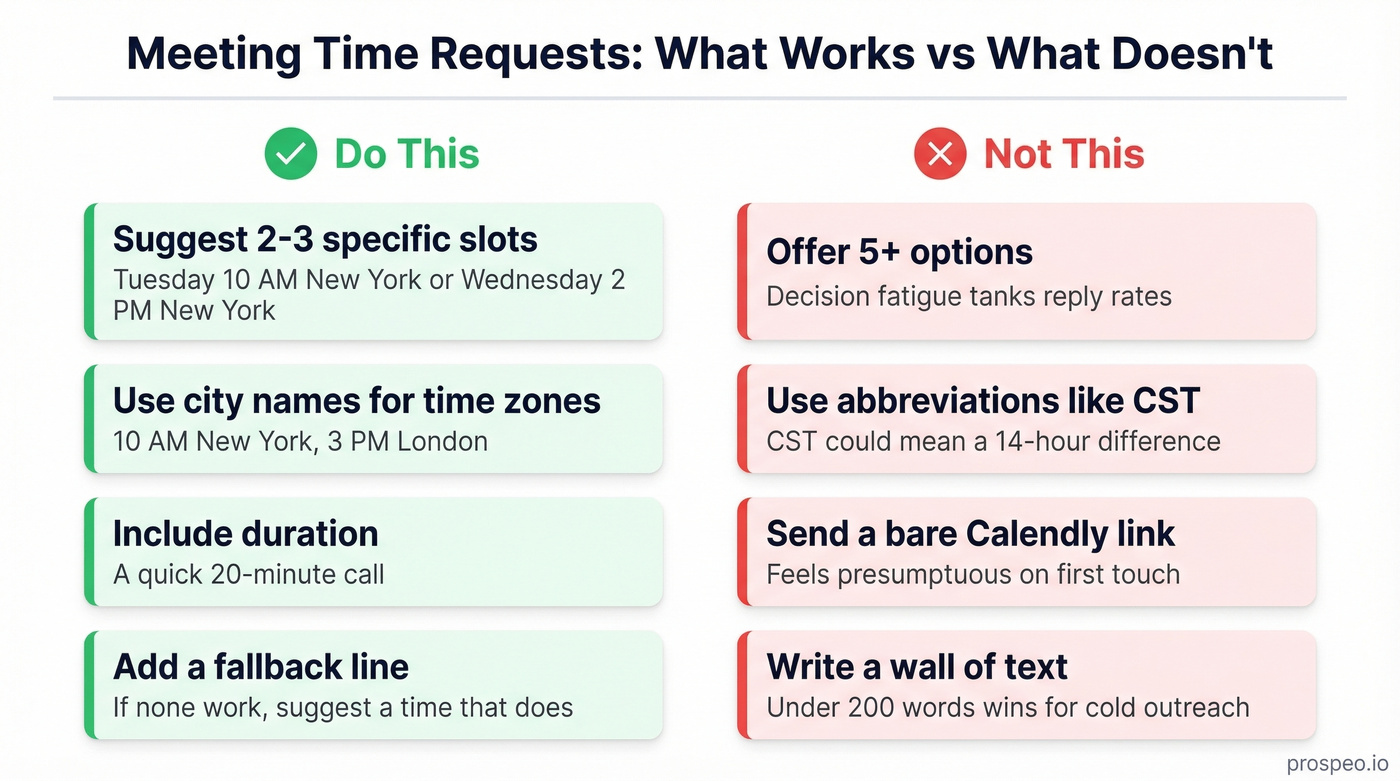
Using timezone abbreviations. "CST" is ambiguous. Write "10 AM Chicago" or "10 AM New York."
Sending a bare calendar link. Unless someone asked for it, a Calendly link in a first-touch email feels presumptuous. Propose times first; save the link for the reply.
Writing a wall of text. For cold outreach, emails under 200 words outperform longer ones. State the purpose, propose times, stop. If you want more structure, borrow a few patterns from these sales follow-up templates and adapt them to meeting scheduling.
Let's be honest: if your average deal is a few thousand dollars, you probably don't need a fancy scheduling tool. Two specific time slots in a well-written email will outperform any automated booking link - because it signals you actually thought about the recipient. The consensus on r/sales backs this up: personalized time proposals beat generic "book a time" links for anything above transactional meetings.
Make Sure Your Email Actually Arrives
None of these samples help if your email bounces. Keep bounce rates under 2% - above 5% actively damages your domain reputation, and even warm contacts start landing in spam. If you're proposing meeting times to a prospect you haven't contacted before, verify the address first. (If you need a deeper benchmark breakdown, see email bounce rate and the full email deliverability guide.)
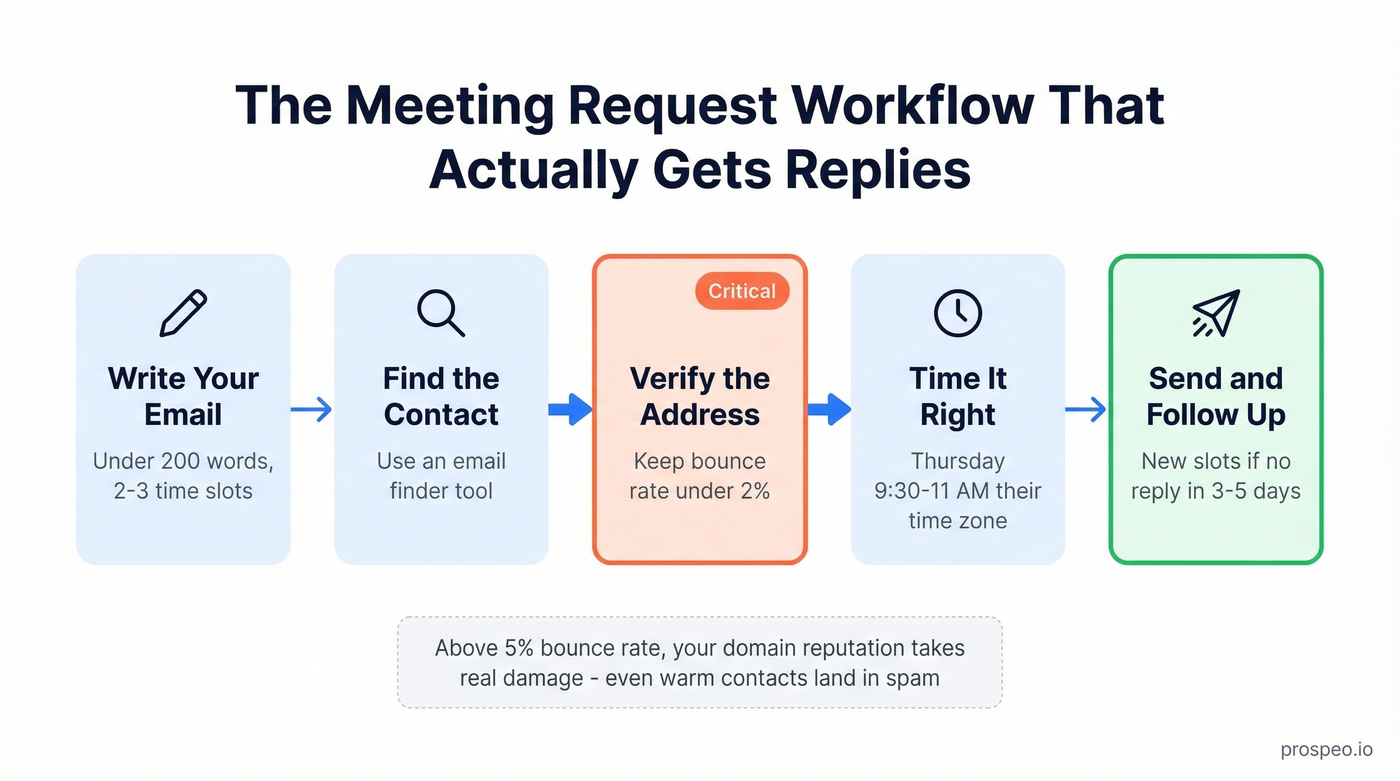
Thursday has the highest reply rate at 6.87%, and mid-morning sends between 9:30-11:00 AM in the recipient's timezone hit the sweet spot. Time your meeting requests accordingly - then refine your cadence using the best time to send cold emails data.
Cold meeting requests only convert when they land. Prospeo's 5-step email verification catches bad addresses, spam traps, and catch-all domains before you hit send - keeping your bounce rate under 2% and your domain reputation intact. Start free at ~$0.01/email, no contracts.
Verify first, propose times second. Your domain reputation depends on it.
FAQ
How many time slots should I suggest?
Two or three. Fewer feels rigid and gives the recipient no flexibility. More creates decision fatigue and slows responses. Always include a fallback line inviting them to propose their own time.
Should I send a calendar link instead of suggesting times?
Only if the recipient expects one - an existing relationship, or they explicitly asked. For first-touch emails, proposing specific times feels more personal and converts up to 13x better than a standalone calendar link.
How do I handle time zones without confusing the recipient?
List the time in UTC plus two or three city names - for example, "11:00 UTC / 7 AM New York / 12 PM London." Never use abbreviations like CST, which can mean Central Standard Time or China Standard Time. That's a 14-hour difference that'll wreck your meeting.
What's the best day and time to send a meeting request?
Data from multiple outbound studies points to Thursday mid-morning as the sweet spot - around 9:30-11:00 AM in the recipient's local time. That said, don't overthink it. A well-structured email with clear time slots will outperform a perfectly timed but vague one every time.