

How to Warm Up an SMTP Server the Right Way
You set up a fresh SMTP server. Gmail accepts your test emails. You send one to Outlook - bounced. No explanation, no useful error code, just silence.
Here's the thing: if you're figuring out how to warm up an SMTP server properly, the fix comes down to two things - a proper ramp schedule and preflight authentication. Skip either one and you'll burn the IP before it ever builds reputation.
What You Need (Quick Version)
Configure SPF, DKIM, DMARC, and rDNS before sending a single email.
Follow a day-by-day ramp - start at 20 emails/hour on a dedicated IP. For domain warm-up, begin low per mailbox provider (around 100-500 emails/provider) and scale based on performance.
Monitor with Google Postmaster Tools and Microsoft SNDS. If bounce rate exceeds 2%, hold volume. If spam rate rises above 0.1%, hold volume; if it starts pushing toward 0.3%, cut volume and fix the root cause before scaling again.
IP Warm-Up vs. Domain Warm-Up
Most guides conflate these. On a shared IP, your ESP manages IP reputation across the pool - you only need domain warm-up. On a dedicated IP, you need both.
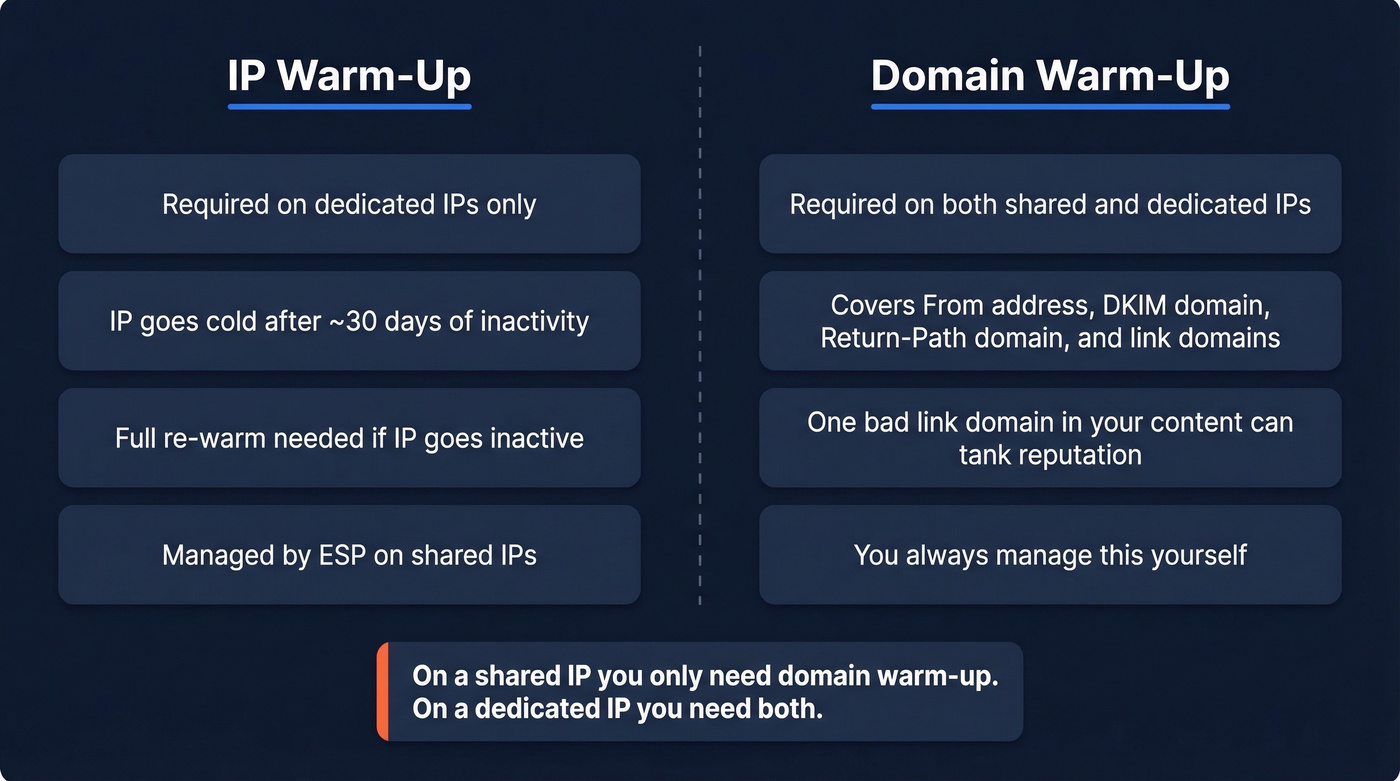
An IP goes cold after roughly 30 days of inactivity, which forces a full re-warm. Domain reputation isn't just your From address either. ISPs evaluate your DKIM signing domain, Return-Path domain, and any link domains in your content. We've watched a perfectly clean warm-up tank because someone used a sketchy link shortener in the email body. One bad domain in your content can undo weeks of careful ramping.
Preflight Authentication Checklist
Don't send a single warm-up email until every item here is green:
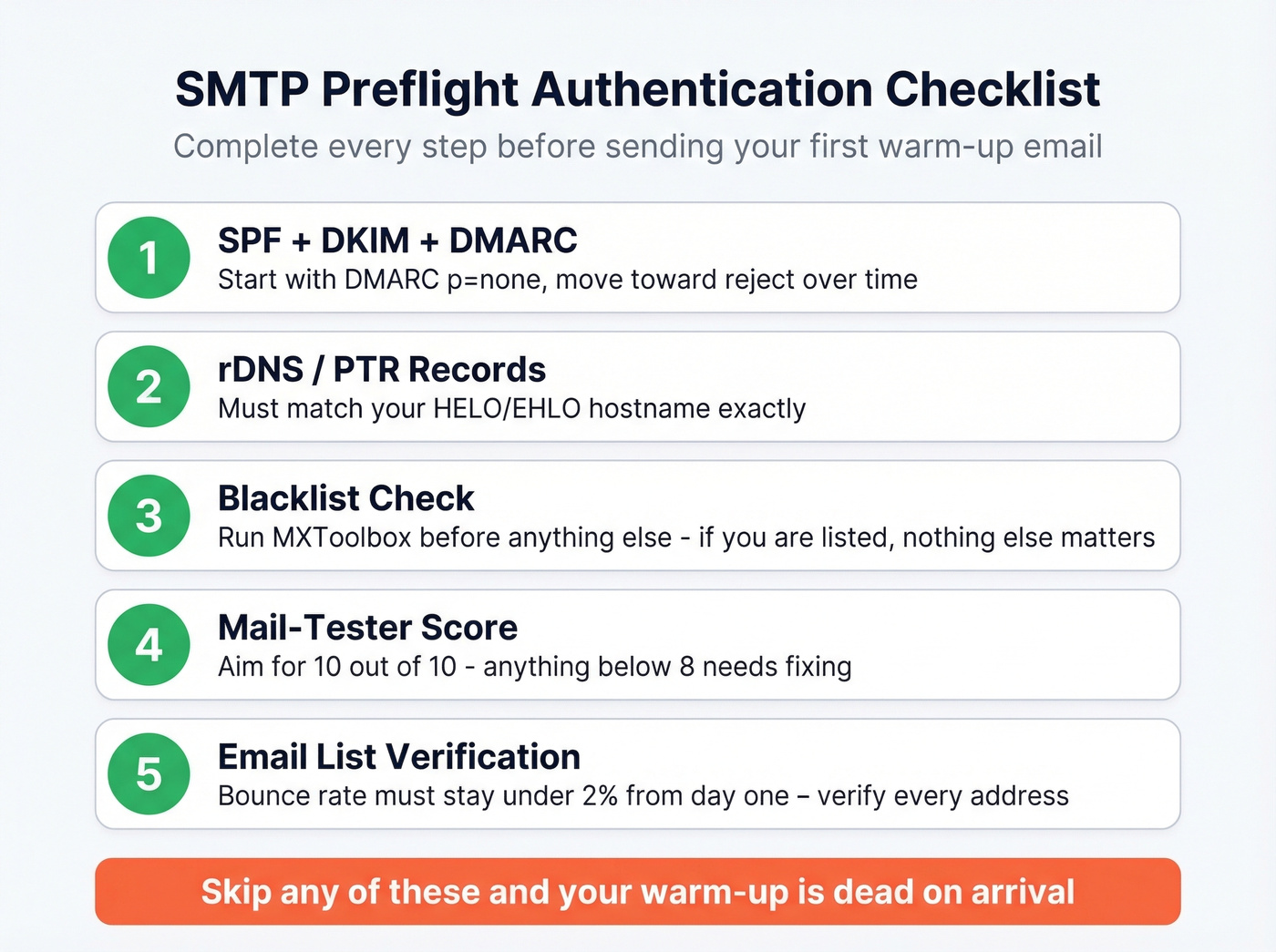
- SPF, DKIM, DMARC configured - DMARC at minimum
p=none. Move towardrejectover time. - rDNS/PTR records matching your HELO/EHLO hostname.
- Blacklist check via MXToolbox. If you're listed before you start, nothing else matters.
- Mail-Tester score - aim for 10/10.
- Verify your email list - bounce rate must stay under 2% from day one.
We've seen teams follow a warm-up guide that said "send 50 emails on day one." By day three their bounce rate hit 8% because half the addresses were dead. The warm-up was over before it started. Run your list through a verification tool before sending - Prospeo's 5-step verification catches invalid addresses, spam traps, and honeypots at 98% accuracy, including catch-all domains that trip up other verifiers.


Your warm-up schedule is useless if 8% of your list bounces on day three. Prospeo's 5-step verification - with spam-trap removal, honeypot filtering, and catch-all handling - keeps bounce rates under 2% from the very first send. At $0.01 per email, cleaning your list costs less than one wasted warm-up day.
Don't burn a fresh IP on dead addresses. Verify first.
The SMTP Warm-Up Schedule
Dedicated IP Ramp (Day-by-Day)
Based on Inboxroad's published ramp plan for two IPs. Adjust proportionally for one.
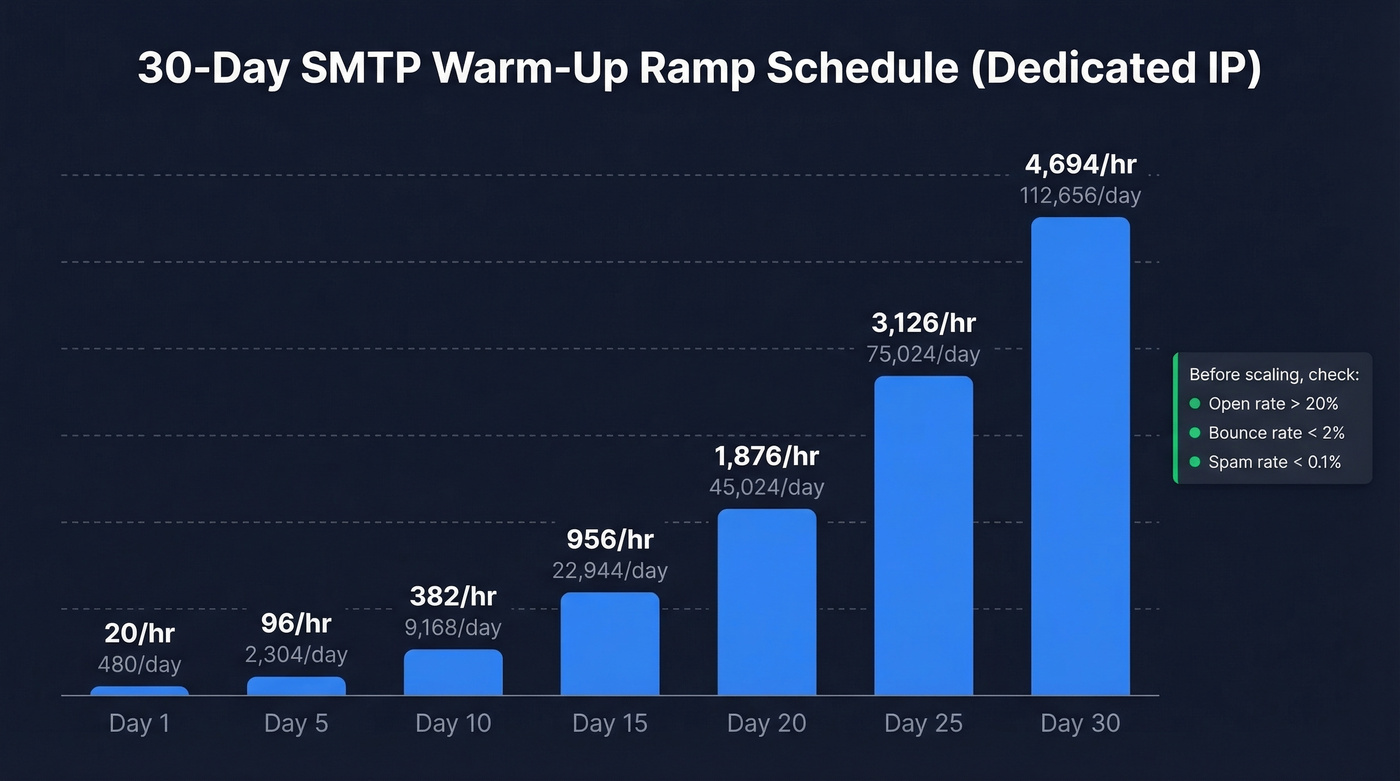
| Day | Emails/Hour | Emails/Day |
|---|---|---|
| 1 | 20 | 480 |
| 5 | 96 | 2,304 |
| 10 | 382 | 9,168 |
| 15 | 956 | 22,944 |
| 20 | 1,876 | 45,024 |
| 25 | 3,126 | 75,024 |
| 30 | 4,694 | 112,656 |
Split volume across ISPs daily. Don't warm Gmail on Monday and Yahoo on Tuesday - ISPs want consistent, distributed patterns.
Domain-Only Ramp
Start at 100-500 emails per provider. Double daily early, then shift to 20-50% increases at higher volumes.
Before scaling at any step, check your gates: open rate above 20%, bounce rate below 2%, spam complaints below 0.1%. If any metric is off, hold volume steady until it recovers. Patience here saves you from a full re-warm later.
No Big List? The Conversation Circle Method
A practitioner on r/coldemail documented this approach - ramping to 50 emails/day in three weeks for free:
- Gather ~15 addresses across Gmail, Outlook, Yahoo - friends, family, colleagues.
- Use Google Apps Script to send at human-like intervals (every few hours, not in bursts).
- Start at 5 emails/day. Scale to 50/day over 3 weeks.
- Have recipients reply naturally - threads and engagement signal legitimacy to ISPs.
Let's be honest: this is tedious. But it works, and it costs nothing.
Provider-Specific Monitoring
Gmail - Google Postmaster Tools
Keep spam rate below 0.1%. Never exceed 0.3% - that's where blocking starts. Since late 2025, Gmail enforcement has tightened further, and authentication failures are more likely to trigger rate limits and rejections rather than just spam folder placement. The v2 interface shifts emphasis toward compliance checks over the classic reputation-first view.
Two caveats worth knowing: Postmaster Tools has a 24-48 hour data lag, and it requires 100+ daily emails to Gmail before data populates. It also doesn't include Google Workspace mailboxes, so you're only seeing consumer Gmail behavior.
Outlook - Microsoft SNDS + JMRP
Microsoft's filtering is more aggressive than Google's. This is a constant frustration in self-hosted email communities - senders watch Gmail accept everything while Outlook bounces without useful error codes. SNDS tracks sending volume, complaint rates, and spam trap hits. JMRP tells you when recipients mark messages as spam so you can suppress those addresses immediately.
Since mid-2025, Microsoft requires SPF, DKIM, and DMARC with alignment for senders exceeding 5,000 emails/day to consumer mailboxes (@outlook.com, @hotmail.com, @live.com). Non-compliant mail goes to junk first, then gets blocked outright. If you're only warming for B2B and most of your recipients use corporate domains, this threshold matters less - but get your authentication right regardless.
Mistakes That Kill Your Warm-Up
Sending too many too fast. Start at 20-50/day, not 500. ISPs don't care about your launch timeline.
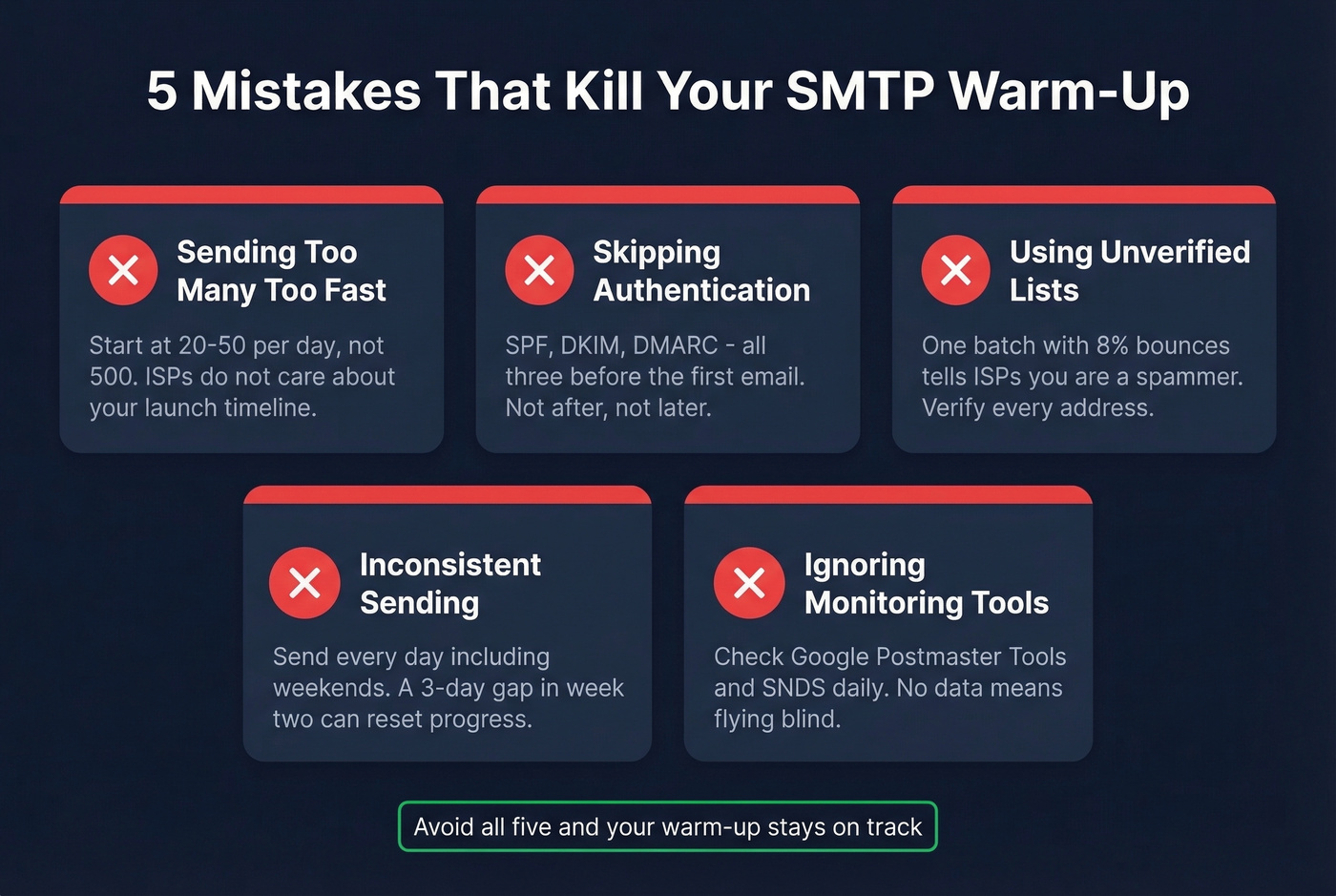
Skipping authentication. SPF, DKIM, DMARC - all three, before the first email leaves. Not after. Not "we'll get to DMARC later." If you need a deeper checklist, start with an email deliverability guide and then validate your setup with how to verify DKIM is working.
Using unverified lists. A single warm-up batch with 8% bounces tells ISPs you're a spammer. Verify every address beforehand. No exceptions. If you're troubleshooting, use these email bounce rate benchmarks and fixes, and keep a remediation plan for spam trap removal.
Inconsistent sending. Send every day during warm-up - weekends included. A three-day gap in the middle of week two can reset your progress with some providers.
Ignoring monitoring tools. Google Postmaster Tools and SNDS exist for a reason. If you aren't checking them daily during warm-up, you're flying blind. For a broader stack, see email reputation tools.
The fastest way to kill an SMTP warm-up is sending to invalid addresses. Prospeo verifies 143M+ emails at 98% accuracy using proprietary infrastructure - no third-party providers, no recycled data. Catch-all domains, spam traps, and honeypots get flagged before they ever touch your sender reputation.
Start your warm-up with a list you can actually trust.
Warm-Up Tools Worth Considering
| Tool | Price | Best For |
|---|---|---|
| Warmbox | From $15/mo | Budget-conscious teams |
| Mailreach | $25/mo per mailbox | Mid-range reliability |
| Lemwarm | $29/mo per mailbox | Lemlist users |
| Instantly | From $30/mo | All-in-one outreach |
| Folderly | $79/mo | Enterprise compliance |
In our experience, you don't need a paid warm-up tool. The conversation circle method works just as well for single-domain warm-ups. These tools automate reply-generation and engagement signals, which saves time at scale - but a spreadsheet and patience get you to the same place. Skip this if you're warming one or two domains. Consider paying if you're managing ten or more simultaneously. If you're also planning higher-volume sends, map your ramp to safe email velocity limits.
FAQ
How long does SMTP server warm-up take?
Most dedicated IP warm-ups take 30 days to reach full sending volume. Domain-only warm-ups run 2-4 weeks depending on starting reputation. If your IP has been inactive 30+ days, you're re-warming from scratch.
Can I warm up on a shared IP?
Yes - the ESP manages IP reputation across the pool. You only need domain warm-up: start low, ramp gradually, and monitor bounce and spam rates. Most teams on shared IPs reach full volume in about 2 weeks.
Why does Gmail accept mail but Outlook bounces?
Microsoft uses more aggressive filtering and requires SPF, DKIM, and DMARC alignment for senders above 5,000 emails/day. Set up SNDS and JMRP to monitor Outlook reputation - missing authentication alignment is the most common cause. The consensus on r/selfhosted is that Outlook is the hardest provider to crack, and they're not wrong.
Do I need to verify my list before warm-up?
Absolutely. A bounce rate above 2% during warm-up signals to ISPs that you're a spammer. Verify every address before sending. Prospeo's free tier gives you 75 email verifications per month with catch-all handling - enough to validate a starter warm-up list alongside other bulk verification tools.