

How to Write a Reschedule Email That Doesn't Make You Look Flaky
You need to send this email in the next ten minutes, and you're staring at a blank compose window feeling guilty. Stop. Knowing how to write a reschedule email is a basic professional skill - 87% of business professionals have cancelled meetings, so you're the norm, not the exception. With 36-56 million meetings happening daily in the US alone, rescheduling is inevitable. What matters is how you handle the next five sentences.
The Only Structure You Need
We've sent dozens of these over the years, and the ones that work all follow the same three-step pattern:
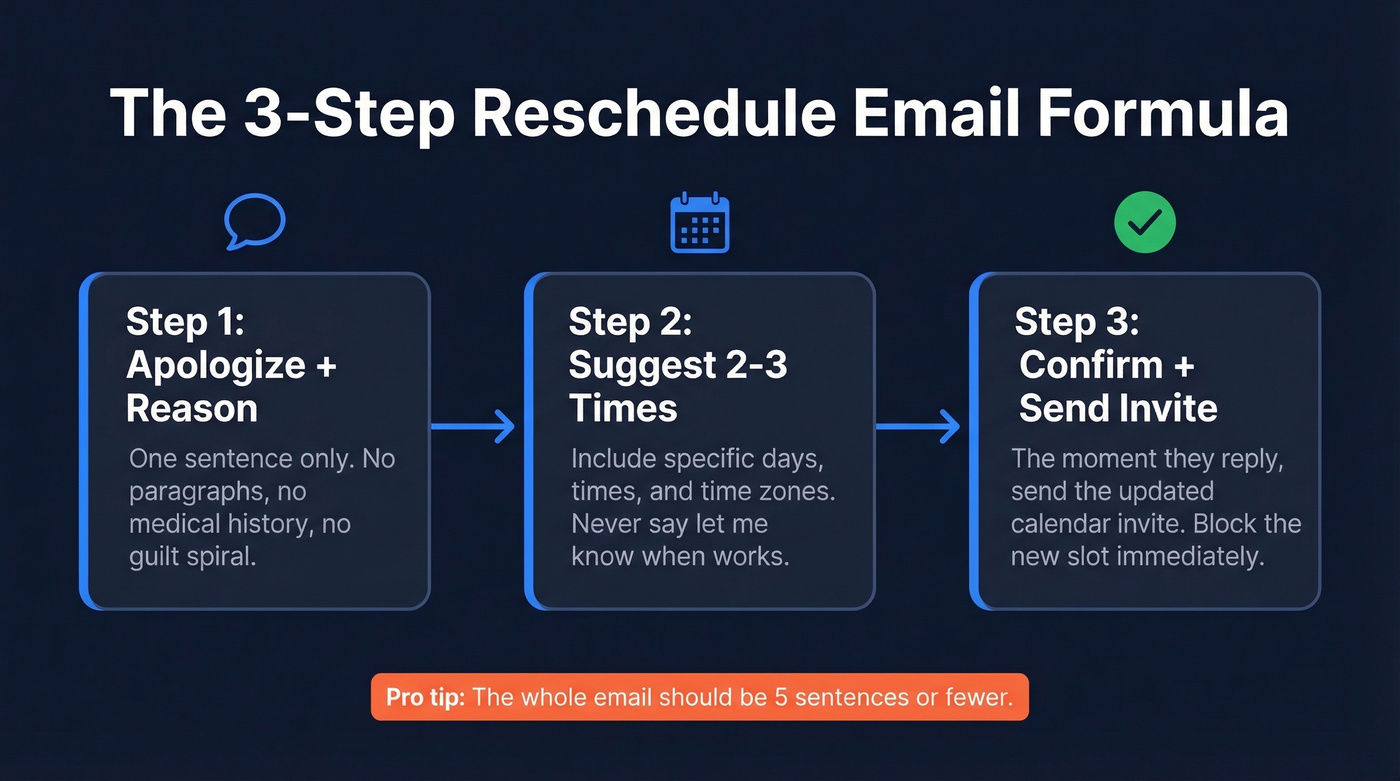
- Apologize briefly + give a one-sentence reason. One sentence. Not a paragraph.
- Suggest 2-3 specific times (include time zones if you're working across regions).
- Confirm and send an updated calendar invite the moment they reply.
That's it. Let's talk subject lines now, because a vague "Quick question" guarantees your email gets buried.
| Scenario | Subject Line |
|---|---|
| General meeting | Reschedule: [Meeting Name] on [Date] |
| Client appointment | Need to move our [Date] appointment |
| Interview | Request to reschedule interview |
| Same-day change | Quick reschedule for today's call |
| No-show follow-up | Missed you today - let's rebook |
Keep subject lines short, specific, and searchable - and if you want more options, borrow from these email subject line examples.
5 Reschedule Email Templates You Can Copy
General Meeting Reschedule
Any internal or external meeting that isn't client-facing or high-stakes.
Subject: Reschedule: [Meeting Name] on [Original Date]
Hi [Name],
I need to reschedule our meeting on [date/time]. A scheduling conflict came up that I can't move around. I apologize for the inconvenience.
Would any of these work instead?
- [Day], [Time] [Time Zone]
- [Day], [Time] [Time Zone]
- [Day], [Time] [Time Zone]
Let me know and I'll send an updated invite right away.
Best, [Your Name]
Client or Appointment Reschedule
You're the service provider and the client is expecting you.
Subject: Need to move our [Date] appointment
Hi [Name],
I'm sorry, but I need to reschedule our appointment on [date]. I want to give you my full attention, and [brief reason - e.g., "an unexpected conflict"] means I can't do that on [original date].
You can grab a new time that works for you here: [booking link]
Or if you'd prefer, I have openings on [Day] at [Time] and [Day] at [Time].
Thanks for your flexibility - I really appreciate it.
[Your Name]
Offering a booking link cuts down on back-and-forth and keeps the client feeling in control. If you've rescheduled on a paying client more than once, a small gesture - a discount, a free add-on - goes further than another apology.
Interview Reschedule
Here's what most candidates don't realize: rescheduling once with notice rarely hurts your candidacy. Recruiters deal with this constantly. What actually hurts is ghosting or cancelling morning-of without offering alternatives. Keep the reason vague and the enthusiasm high:
Subject: Request to Reschedule Interview - [Your Name]
Dear [Interviewer/Recruiter Name],
Thank you again for the opportunity to interview for the [Role] position. Unfortunately, a personal matter has come up and I need to request a reschedule of our [date/time] meeting.
I remain very enthusiastic about this role and am happy to accommodate any alternative dates or times that work for your team.
Best regards, [Your Name]
If you're doing this as part of an outreach process, keep your follow-ups tight too - these sales follow-up templates help.
Last-Minute / Same-Day Reschedule
It's today. You're cancelling with hours or minutes of notice.
Subject: Quick reschedule for today's [time] call
Hi [Name],
Apologies for the short notice - an urgent issue just came up and I won't be able to make our [time] meeting today.
Can we move to [tomorrow/specific date] at [time]? I'm also open to [alternative].
To keep things moving, I've attached [notes/status update/agenda] so we don't lose momentum.
Thanks for understanding, [Your Name]
That attached status update is the difference between "I'm bailing" and "I'm pivoting." Fellow's template library recommends attaching notes or a status update to preserve trust on a same-day cancel.
No-Show Follow-Up
Don't assume why they missed it. Don't guilt-trip. Just make rebooking easy:
Subject: Missed you today - let's rebook
Hi [Name],
I was on the line for our [time] meeting today but it looks like we missed each other. No worries at all.
Here's what I was planning to cover: [one-line agenda summary]. If you'd like to reschedule, grab a time here: [scheduling link]
Hope all is good on your end.
[Your Name]
Send this within the window the meeting would have ended, then wait. One follow-up is enough - nagging across multiple channels feels spammy and kills any chance of rebooking.

Rescheduling a meeting is stressful enough without finding out the email bounced. Prospeo verifies emails in real time with 98% accuracy - so your reschedule actually lands in their inbox, not the void.
Don't let a bounced email turn a reschedule into a ghost.
5 Mistakes That Ruin Reschedule Emails
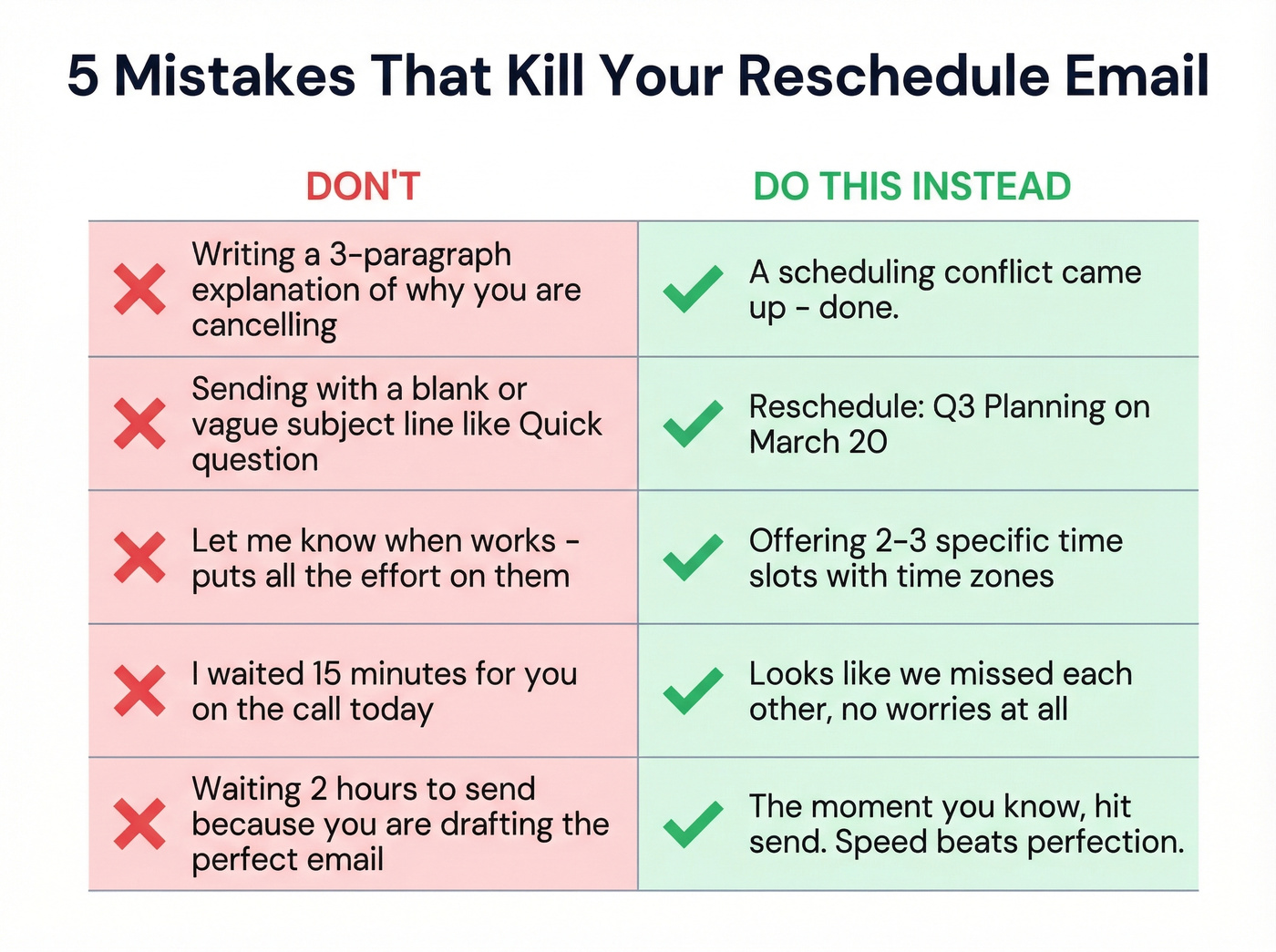
- Over-explaining the reason. "A scheduling conflict came up" covers 90% of situations. Nobody needs your medical history.
- Skipping the subject line. A blank subject line makes your reschedule easier to miss and harder to find later.
- Not offering alternative times. "Let me know when works" puts all the labor on them. Suggest 2-3 slots.
- Guilt-tripping after a no-show. "I waited 15 minutes for you" is technically true and strategically terrible.
- Waiting too long to send. The moment you know, hit send. Etiquette coach Jacqueline Whitmore recommends reading important emails out loud before sending - just don't let that turn into a two-hour delay.
Look, the biggest killer in our experience is over-apologizing. One "I apologize for the inconvenience" is professional. Three apologies in the same email makes you sound like you ran over their dog.
What to Do After You Hit Send
Update the calendar invite immediately. Block the proposed times so you don't double-book yourself again. This sounds obvious, but we've watched colleagues reschedule a meeting only to create the exact same conflict a second time because they forgot to hold the new slots.
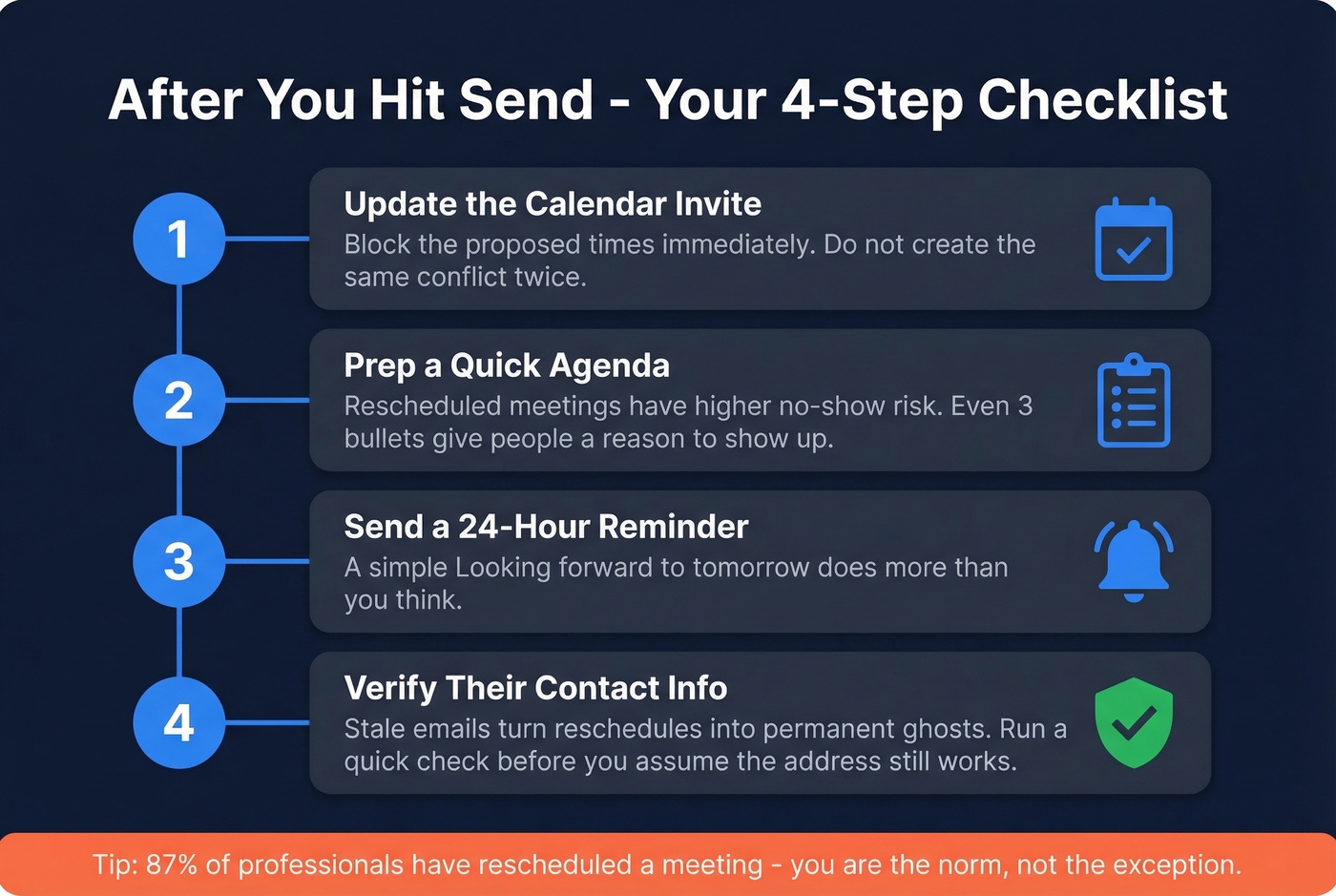
Prep the agenda. Rescheduled meetings have a higher no-show risk. An agenda gives people a reason to show up - even a three-bullet summary beats a blank invite.
Send a reminder 24 hours before. A quick "Looking forward to tomorrow's call" does more than you'd think - and if you're unsure on timing, see when should you follow up on an email.
Verify contact info for sales meetings. Stale data is a common reason rescheduled prospect calls turn into permanent ghosting. If you're in sales, run a quick verification before you assume that email address still works - tools like Prospeo can check in real time so you're not sending reschedule emails into the void. If you want the deeper mechanics, start with how to check if an email exists and email bounce rate.
If deliverability is the real issue, this email deliverability guide is the fastest way to diagnose what’s happening.
Stale contact data turns rescheduled sales calls into permanent no-shows. Prospeo refreshes 300M+ profiles every 7 days - not every 6 weeks - so the email you're sending that reschedule to is still active.
Check if their email still works before you hit send.
FAQ
Is it unprofessional to reschedule a meeting?
No. 87% of professionals have done it. A prompt, well-structured reschedule email is far more professional than showing up distracted or unprepared. One reschedule with clear alternative times signals respect for the other person's time.
How do I reschedule a meeting due to a conflict?
Keep it simple: acknowledge the conflict in one sentence, apologize briefly, and propose two or three alternative times with time zones. The general meeting template above is built for exactly this.
How many times can you reschedule before it's a problem?
Once is fine. Twice raises eyebrows. Three times usually signals you don't value the other person's time, and you'll likely lose the meeting entirely. If you've already rescheduled twice, prioritize that meeting above everything else on your calendar.
Should you explain why you're rescheduling?
One sentence is enough. "A scheduling conflict came up" works for almost every situation. Over-explaining shifts the tone from professional to apologetic, and nobody needs a detailed backstory for a moved Tuesday standup.