

NoParam vs Tomba: You're Comparing Two Different Tools
Comparing NoParam vs Tomba is like comparing a spell-checker to a word processor. One verifies emails you already have. The other finds emails you don't. They solve fundamentally different problems, and picking between them without understanding that distinction is how teams end up with bounce rates hitting 12% and torched sender reputations.
Let's sort this out.
30-Second Verdict
Use NoParam if you already have a list and just need to clean it. It's a pure verifier - privacy-first, developer-friendly, with a free tier of 100 verifications per month.
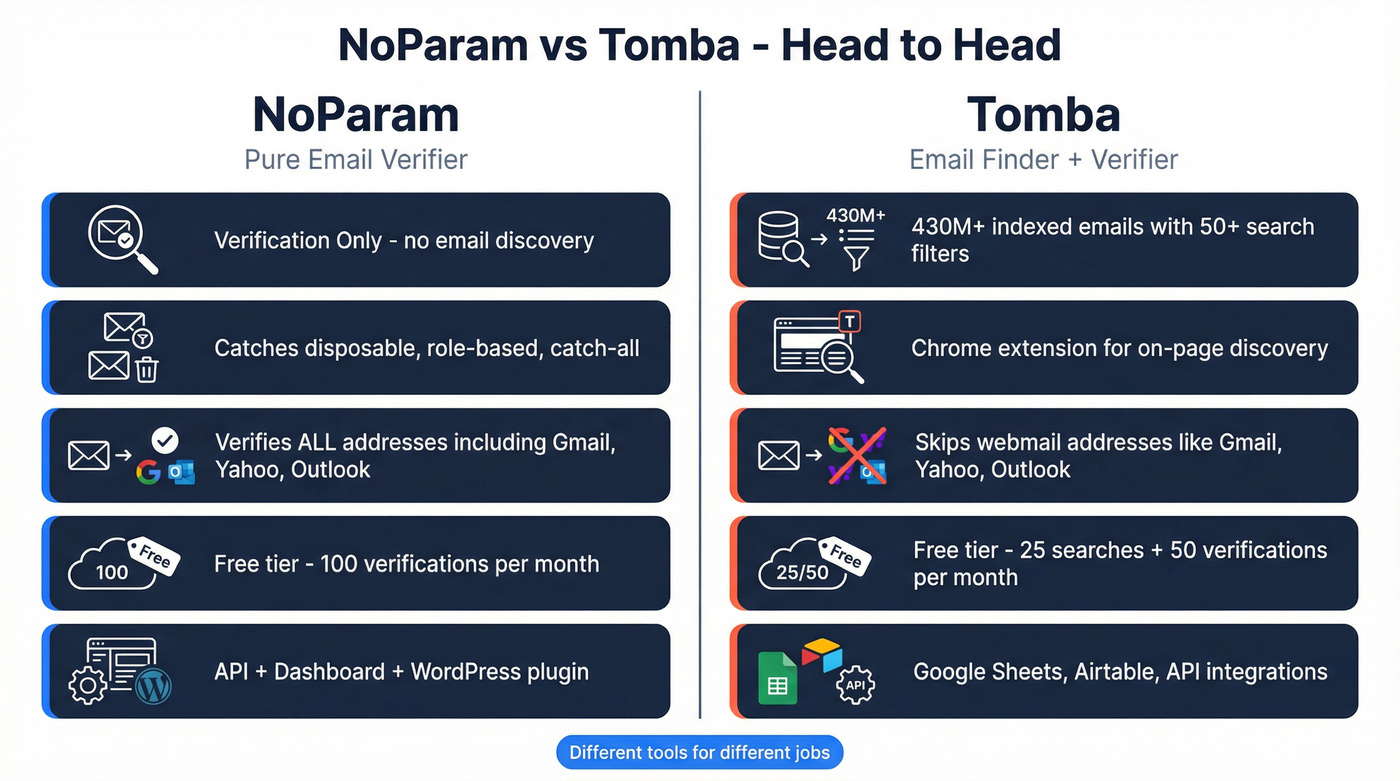
Use Tomba if you need to discover emails from company domains. It's a finder first, verifier second, with 430M+ indexed emails and 50+ search filters.
Feature Comparison
| Feature | NoParam | Tomba | Edge |
|---|---|---|---|
| Core function | Verification only | Finding + verification | Tomba |
| Database size | None (verifier) | 430M+ emails | Tomba |
| Catch-all detection | Yes | Yes | Tie |
| Disposable detection | Yes | Yes | Tie |
| Webmail handling | Verifies all addresses | Skips Gmail/Yahoo/Outlook | NoParam |
| Chrome extension | No | Yes | Tomba |
| Integrations | API + dashboard + WordPress plugin | Google Sheets, Airtable, API | Tomba |
| Bulk verification | Yes | Yes | Tie |
| G2 rating | Not listed | 4.5/5 (59 reviews) | Tomba |
The biggest gap between these tools isn't speed - it's scope. NoParam runs a tight verification stack covering syntax, domain, MX, mailbox, disposable, and role-based checks, but it doesn't find anything. You bring the emails; it tells you which ones are real.
Tomba does both jobs. It uses EHLO/SMTP simulation to verify addresses and offers 50+ search filters, a Chrome extension, and native integrations with Google Sheets and Airtable. Here's the catch, though: Tomba's verification automatically skips webmail addresses like Gmail, Yahoo, and Outlook. That's a meaningful gap if your list includes personal emails, which plenty of SMB and founder-led outreach lists do.
One Reddit user ran the same 2,500 contacts through eight finders and Tomba came out on top with a 76.9% valid-email yield - solid, but that still means roughly one in four contacts didn't return a valid email. The recurring complaint on G2 is that plan limits feel tight at scale, which tracks with what we've heard from teams doing high-volume outbound.
Tomba collects emails from indexed sources rather than scraping websites directly. If you need real-time scraping from live pages, neither tool does that. (If that’s your use case, see our guide to web scraping lead generation.)

Tomba skips webmail. NoParam can't find emails. Prospeo finds and verifies in one step - 300M+ profiles, 143M+ verified emails, 98% accuracy, refreshed every 7 days. No CSV juggling between tools.
Find, verify, and send - all from one dashboard.
Pricing Side-by-Side
| NoParam | Tomba | |
|---|---|---|
| Free tier | 100 verifications/mo | 25 searches + 50 verifications/mo |
| Entry paid | $29/mo (10K verifications) | ~$49/mo (billed annually) |
| Mid tier | $69/mo (50K verifications) | ~$89/mo (billed annually) |
| Top tier | Custom enterprise | ~$199/mo (billed annually) |
| High volume | - | ~$449/mo (billed annually) |
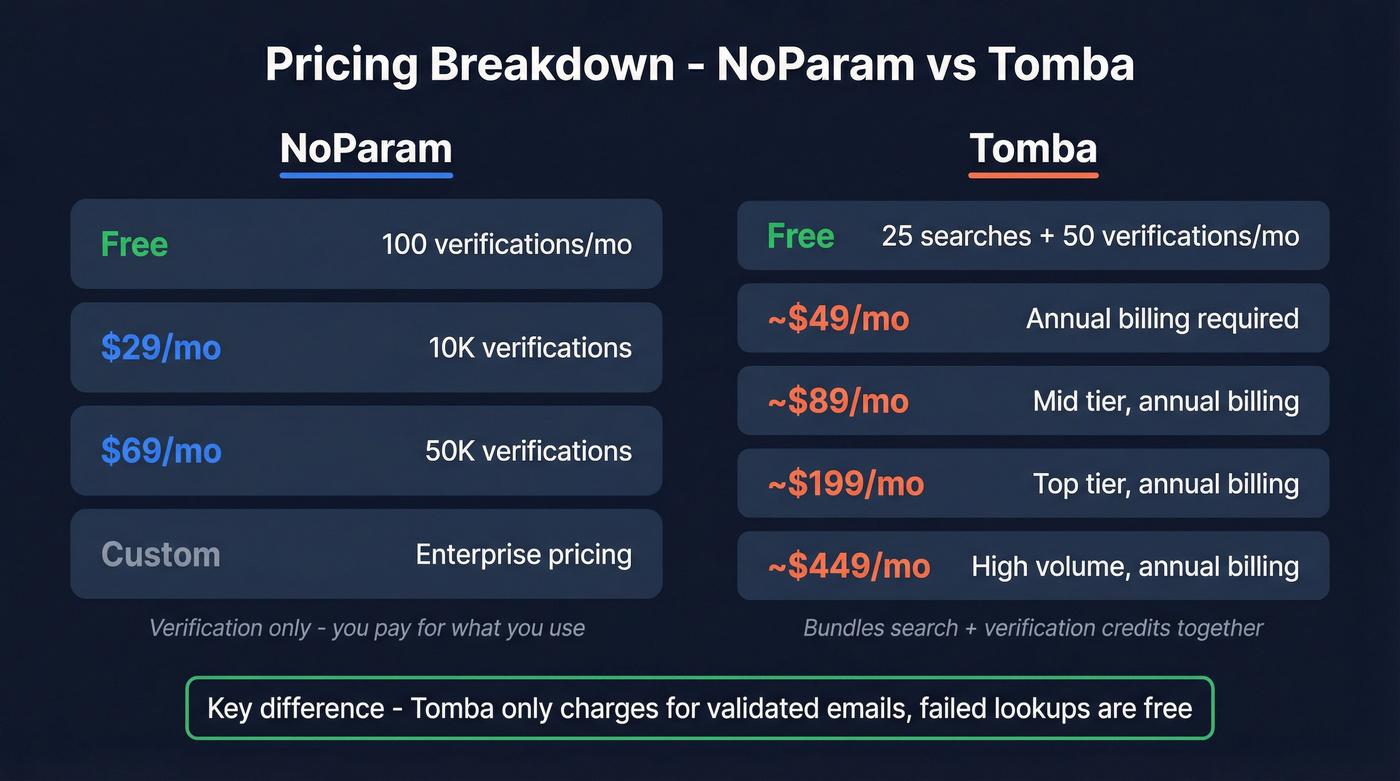
Here's the thing: Tomba bundles search and verification credits together, so you're paying for the finder even if you only need verification. NoParam charges purely for verification - nothing else. If all you need is list cleaning, NoParam is the cheaper, more focused option. (If you’re comparing verifiers, our roundup of Bouncer alternatives is a good starting point.)
Tomba does have one pricing advantage worth calling out. It only charges for validated emails. Failed verifications and unfound emails don't eat your credits. That's a real perk at scale, where 20-30% of lookups typically return nothing.
Our take: If your outbound volume is under 5,000 emails per month, you probably don't need either of these tools as standalone subscriptions. A combined platform will cost less and save you the CSV shuffle between finder and verifier. (If you’re building a full outbound stack, start with our list of SDR tools.)

What If You Need Both?
Most outbound teams do. You need to build a list and verify it before it hits your sequencer. Running a separate finder and verifier means two subscriptions, two dashboards, and a CSV export sitting in your Downloads folder as the middleman. (For a repeatable process, see our lead generation workflow.)
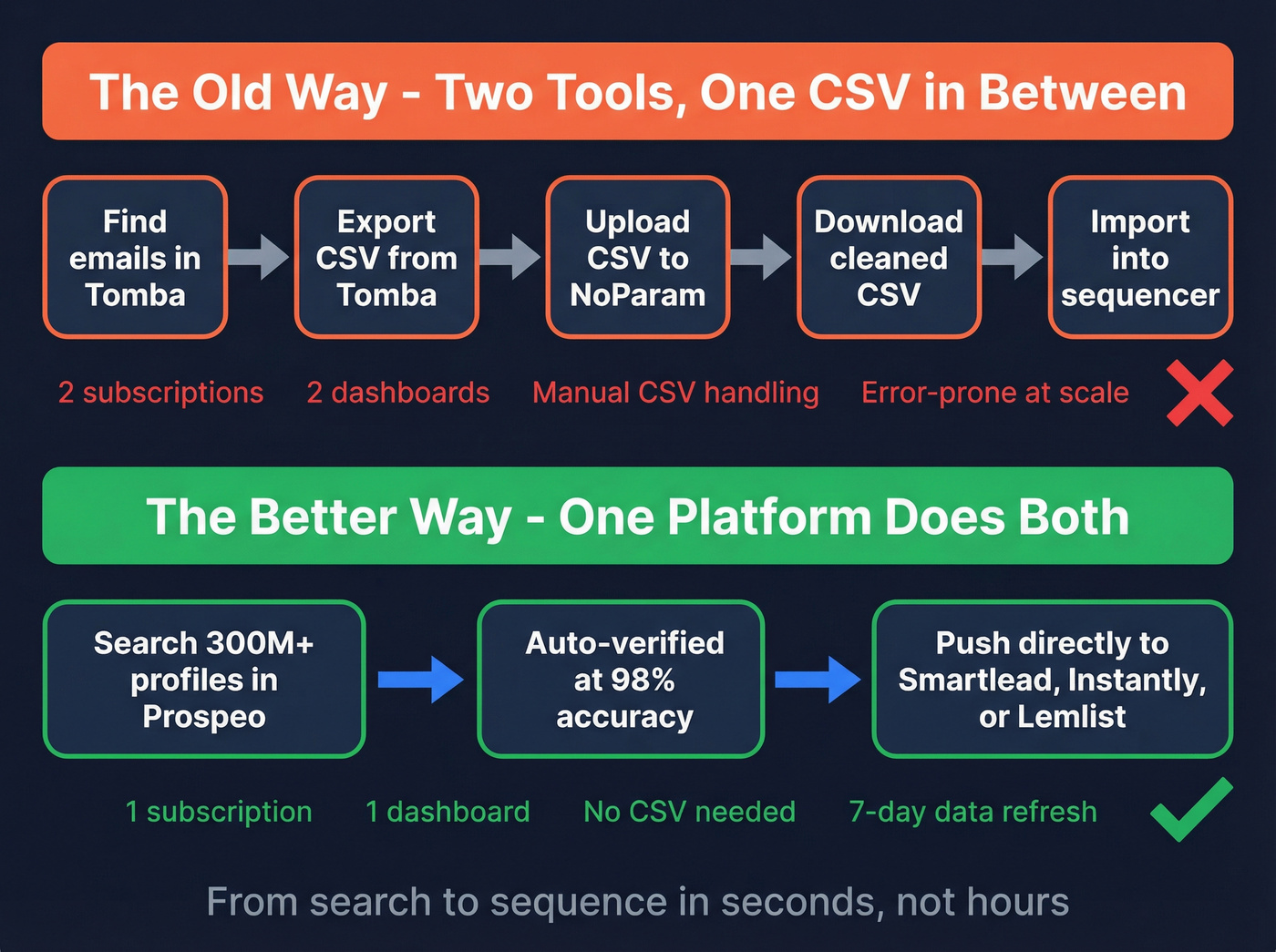
We've seen teams waste hours on exactly this workflow - exporting from Tomba, uploading to NoParam, downloading the cleaned file, then importing into their sequencer. It's tedious and error-prone, especially when you're running campaigns for multiple clients or segments. Prospeo handles both in one dashboard: 300M+ professional profiles with 143M+ verified emails at 98% accuracy, refreshed on a 7-day cycle. The free tier gives you 75 emails per month to test it, and native integrations with Smartlead, Instantly, and Lemlist mean you go from search to sequence without touching a spreadsheet. (If you want to tighten deliverability before scaling, read our email deliverability guide and how to improve sender reputation.)
Two subscriptions, two dashboards, and a CSV in your Downloads folder - that's the NoParam + Tomba workflow. Prospeo replaces both at ~$0.01/email with native integrations to Smartlead, Instantly, and Lemlist.
Kill the CSV shuffle and go from search to sequence in seconds.
The Verdict
When weighing NoParam vs Tomba, the real question is what you already have. Got lists that need cleaning? NoParam's the better free tier - 100 verifications versus Tomba's 50 - and it's the simpler tool. Need to discover emails from company domains? Tomba's 430M+ database and 50+ filters get the job done, just know it won't touch webmail addresses. (If you’re shopping around, compare more options in our guide to email search tools.)
FAQ
Is NoParam or Tomba better for cold outreach?
Tomba is the better fit because it discovers emails from company domains - you can build a list from scratch. NoParam only verifies emails you already have, so it can't source new contacts for outbound campaigns.
Can Tomba verify Gmail and Yahoo addresses?
No. Tomba automatically skips webmail providers during verification and doesn't charge credits for them. If your list includes personal email addresses, you'll need a dedicated verifier like NoParam or Prospeo to handle those.
Is there a tool that combines email finding and verification?
Yes. Prospeo combines 300M+ profiles with real-time verification at 98% accuracy, plus a 7-day data refresh cycle. It starts free with 75 emails per month - no contracts or sales calls required.