

Best Sales Contact Management Software in 2026
We've seen teams run bake-offs between three CRMs where the "winner" on paper created 4,000 duplicate contacts in Salesforce within five days. The cheapest tool in the test had better phone connect rates and half the admin overhead. The lesson: the best sales contact management software isn't the one with the most features - it's the one your team actually uses with clean data.
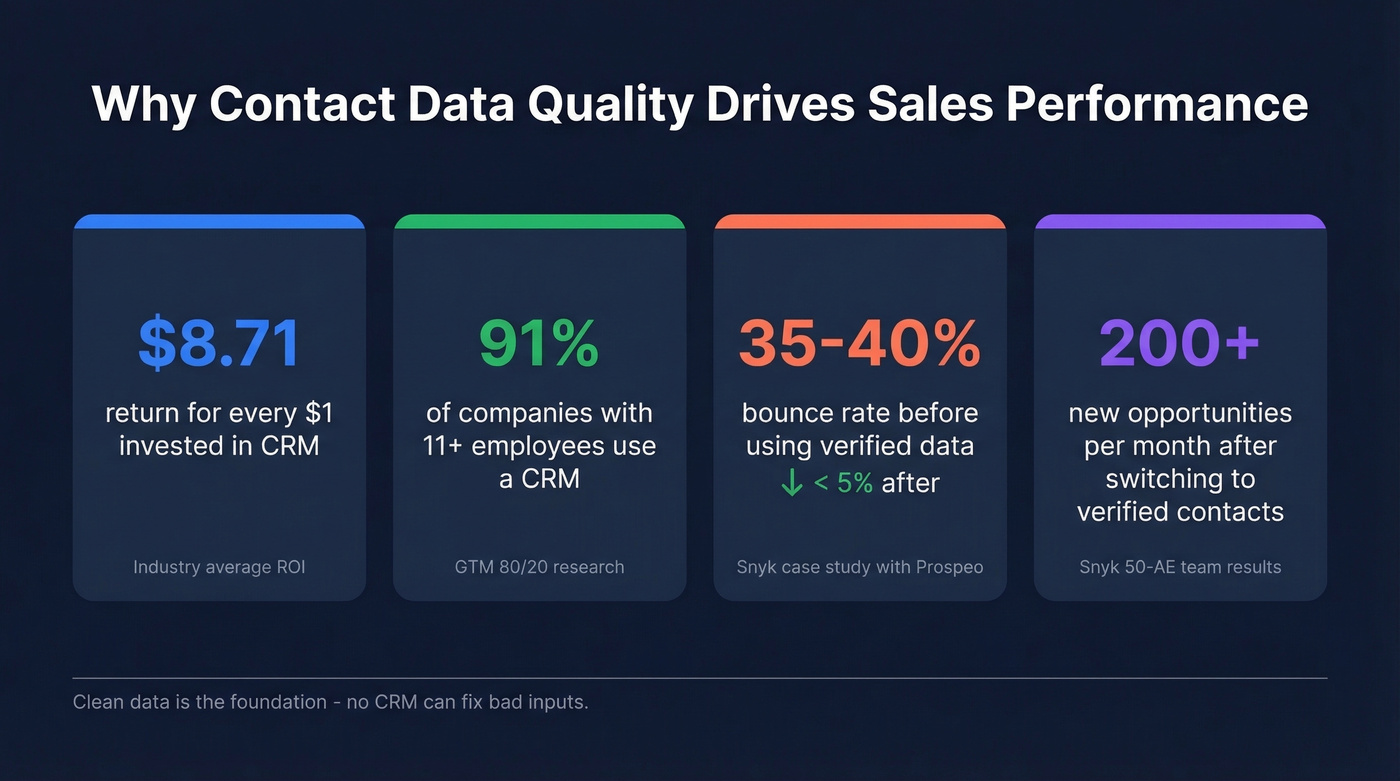
91% of companies with 11+ employees use a CRM, and the average return is $8.71 for every $1 invested. But a huge chunk of those teams are overpaying for pipeline analytics, marketing automation, and AI features they never touch. The recurring ask on r/CRM is simple: "I want contact profiles, notes in one place, email from the contact screen, and follow-up scheduling. I don't want bloated CRM features." That's what we're covering here.
Our Picks at a Glance
| Use Case | Pick | Why |
|---|---|---|
| Best for contact data accuracy | Prospeo | 98% email accuracy, 125M+ verified mobiles, 7-day data refresh |
| Best free starting point | HubSpot CRM | Generous free tier, massive integration ecosystem |
| Best for pipeline-driven sales | Pipedrive | Visual pipeline, fast setup, strong automation |
| Best value with built-in AI | Freshsales | Free for 3 users, AI scoring on Pro plan |
| Best for CRM-haters | Less Annoying CRM | $15/user/month flat, zero bloat, zero upsells |
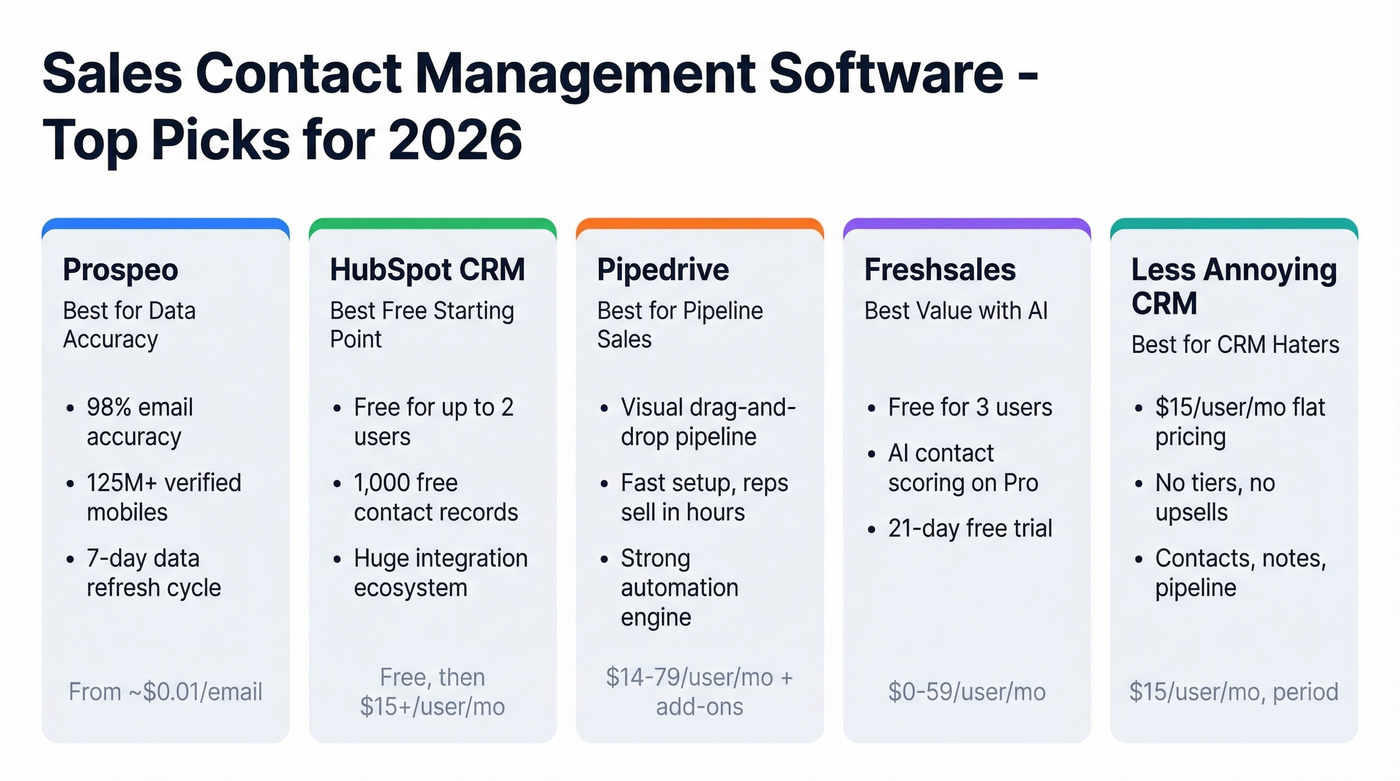
If you're in a rush, start with HubSpot's free tier for organizing contacts and pair it with Prospeo for data accuracy. That combination covers 80% of what most teams under 20 reps need.
Contact Management vs. CRM - Which Do You Need?
Contact management is a subset of CRM. PCMag frames it well: a full CRM aims to track interactions and tie them into sales pipelines, marketing campaigns, and even supply chain operations. Pure contact management focuses on accurate data plus basic touchpoint summaries. The distinction matters because a full CRM isn't just software - it's an overhaul of your sales process, and for a 5-person startup, that's too much overhead.
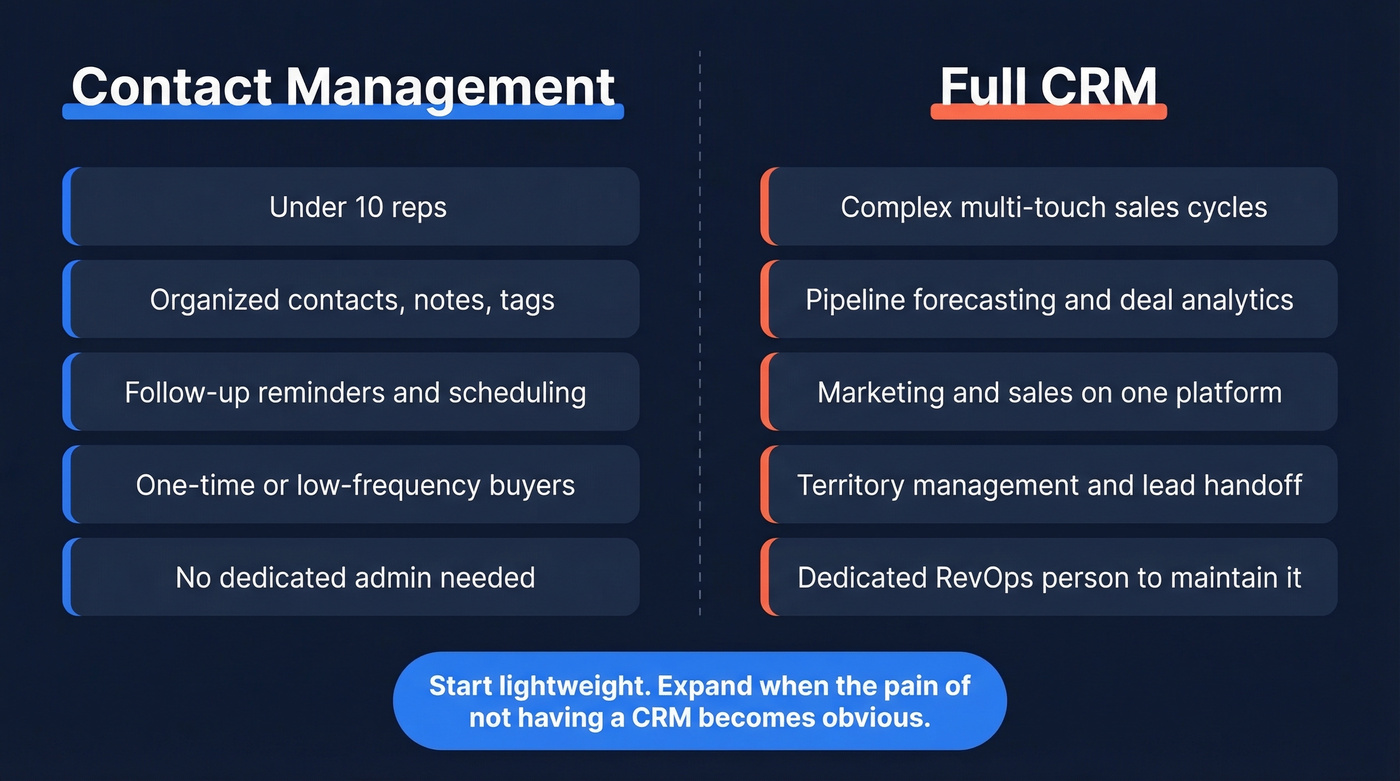
You need contact management if:
- Your team is under 10 reps
- Most customers are one-time or low-frequency buyers
- You mainly need organized contacts with notes, tags, and follow-up reminders
- You don't run multi-stage marketing campaigns from your CRM
You need a full CRM if:
- You manage complex, multi-touch sales cycles
- Marketing and sales share the same platform for lead handoff
- You need pipeline forecasting, territory management, or deal analytics
- You have a dedicated RevOps person to configure and maintain it
The smart move for most small teams: start with a lightweight contact tool, build a clean data foundation, and expand into a full CRM when the pain of not having one becomes obvious. Don't buy the enterprise suite on day one. Reddit's r/CRM consistently warns that CRM rollouts fail from lack of buy-in, not lack of features - and buying too much tool too early is the fastest way to kill adoption.
The Best Tools for 2026
HubSpot CRM - Best Free Starting Point
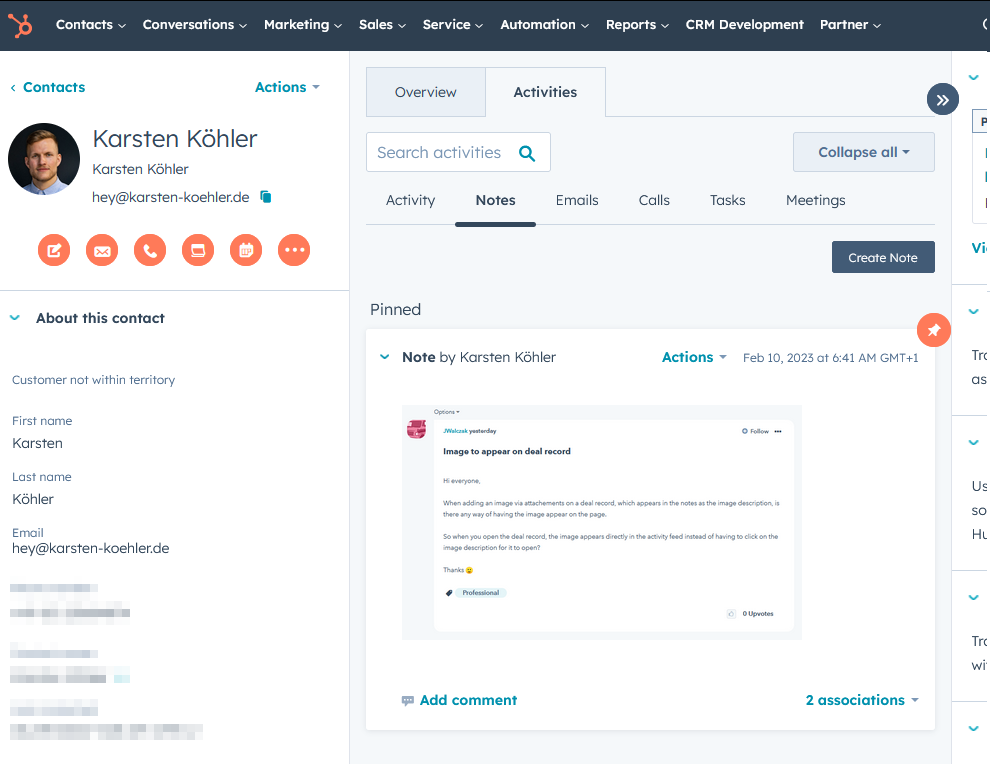
Use it if you want a free contact management tool that can grow into a full CRM later. HubSpot's free tier supports up to 2 users and up to 1,000 free contact and company records, with basic deal tracking, email logging, and a deep integration ecosystem. For a team that just needs organized contacts and follow-up reminders, it's hard to beat free.
Skip it if you'll outgrow the free tier quickly. The jump from free to paid is steep - Starter runs $15/user/month, but most teams end up on higher tiers that land around $90+/user/month once you need the features that actually matter: custom reporting, sequences, and workflows. That price increase catches people off guard. HubSpot is the best on-ramp in the category, but plan for the upgrade cost.
Prospeo - Best for Contact Data Accuracy
Use it if your biggest problem isn't organizing contacts - it's having accurate contacts in the first place. Your CRM is only as good as the data in it, and Prospeo is the accuracy layer that makes every other tool on this list work better.
The database covers 300M+ professional profiles with 143M+ verified emails, 98% email accuracy, and 125M+ verified mobile numbers that deliver a 30% pickup rate. That's not a vanity metric - Snyk's 50 AEs cut bounce rates from 35-40% to under 5% and generated 200+ new opportunities per month after switching. The 7-day data refresh cycle is the real differentiator; the industry average is six weeks, which means most databases are already stale by the time you export a list.

The 30+ search filters include buyer intent, technographics, job changes, and headcount growth - so you're not just finding contacts, you're finding contacts who are likely in-market. The Chrome extension with 40,000+ users lets you enrich contacts from any website or CRM in one click, returning 50+ data points per record at a 92% API match rate.
Skip it if you already have clean, verified data in your CRM and your bounce rates are under 3%. In that case, your bottleneck is pipeline management, not data - start with Pipedrive or HubSpot.
Pricing: Free tier includes 75 email lookups and 100 Chrome extension credits per month. Paid plans run ~$0.01 per email with no contracts and no sales calls required. See full pricing for volume tiers.
Pipedrive - Best for Pipeline-Driven Sales
Use it if your team thinks visually and lives in the pipeline view. Pipedrive's drag-and-drop interface is the fastest setup-to-selling experience we've tested. Reps get productive in hours, not weeks. Contact management is solid - every contact ties to deals, activities, and email history in a clean timeline, making it straightforward to manage prospects and tasks from a single screen.

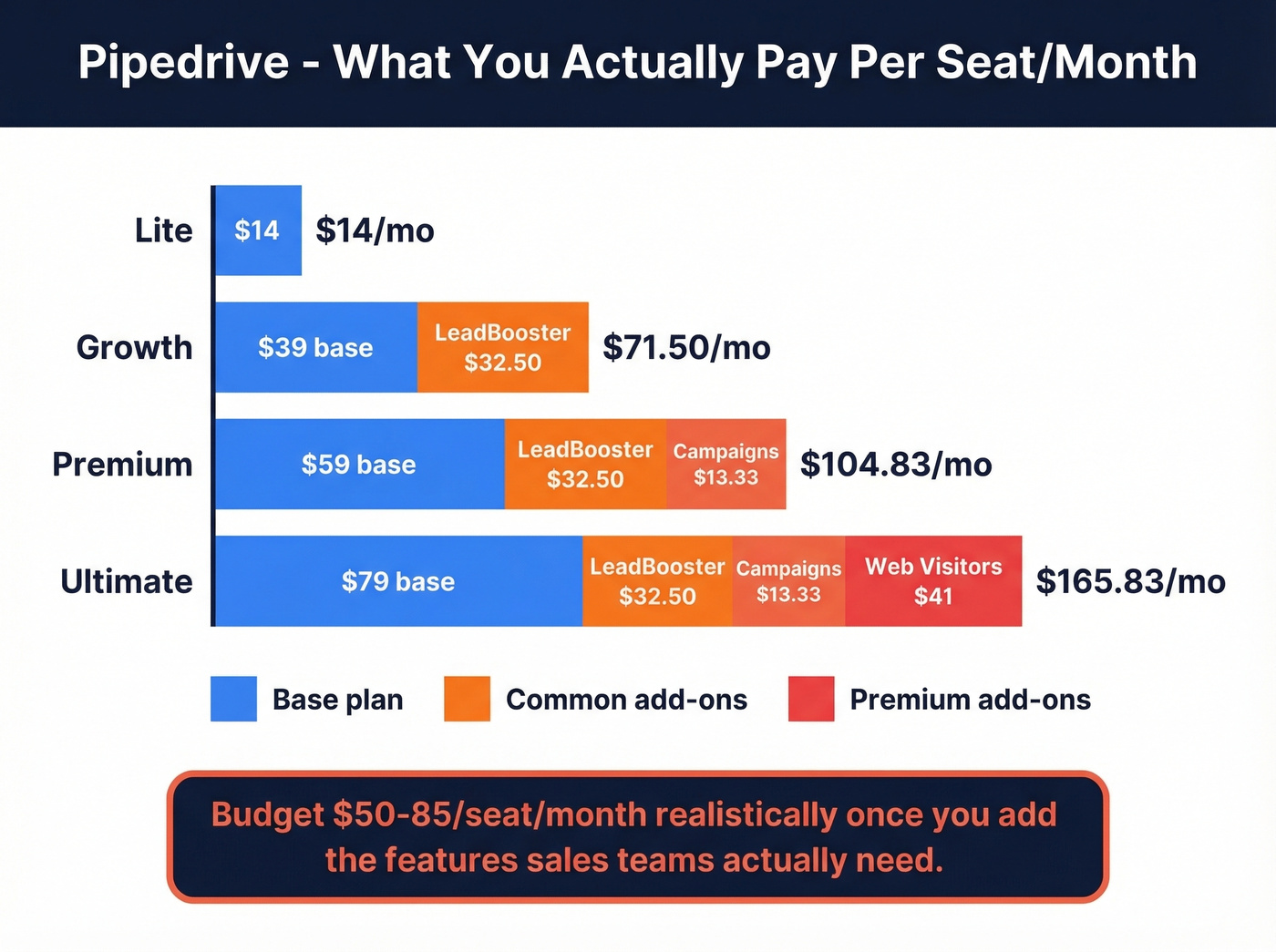
Here's the thing about Pipedrive's pricing, though. Their pricing page shows Lite at $14/seat/month, Growth at $39, Premium at $59, and Ultimate at $79, all billed annually. But the add-ons add up fast: LeadBooster at $32.50, Campaigns at $13.33, Web Visitors at $41. Budget $50-85/seat/month realistically once you add the features sales teams actually need. The base product is excellent; the nickel-and-diming on add-ons is the most frustrating pricing model in this category.
Skip it if your team is under 5 reps and deals average under $10k. Start with Bigin at $7/user/month and upgrade when you actually need visual pipeline management.
Freshsales - Best Value With Built-In AI
Use it if you want AI contact scoring without paying enterprise prices. Freshsales offers a free plan for up to 3 users, Growth at $9/user/month, Pro at $39, and Enterprise at $59. The 21-day free trial is generous enough to actually evaluate the tool properly.
Skip it if you need AI features on day one without paying. Freddy AI contact scoring, sales sequences, and multiple pipelines all require the Pro plan at $39/user/month. The $9 Growth tier is fine for basic contact management, but the AI features that make Freshsales special are locked behind a 4x price jump. Know which tier you actually need before you commit.
Bigin by Zoho - Best Lightweight CRM
Bigin is Zoho's answer to the "I don't need a full CRM" crowd, and it nails the brief. Free for one user, paid plans start at $7/user/month - making it one of the cheapest options that still feels like a real product. You get pipeline management, built-in telephony, and email integration without the complexity of Zoho CRM proper.
For teams already in the Zoho ecosystem for invoicing or support, Bigin integrates natively. The tradeoff is limited customization compared to Attio or Pipedrive, but for teams under 10 reps, that's a feature, not a bug. It also doubles as a capable mobile-friendly option for reps who need access on the go.
Best moment to buy: When you've outgrown spreadsheets but aren't ready for $40+/user/month tools.
Less Annoying CRM - Best for CRM-Haters
$15/user/month. No tiers. No upsells. No annual contracts. Less Annoying CRM is the anti-CRM CRM, and the simplicity is the whole point. You get contacts, notes, pipeline tracking, calendar integration, and web forms for lead capture. Email logging works via BCC to a unique address - not elegant, but functional.
On r/sales, the most common ask from small business owners is for "a modern Act! without the bloat." Less Annoying CRM is the closest thing to that. The honest tradeoff: there's no native mobile app (it's web-only on mobile), no marketing automation, and fewer integrations than HubSpot or Pipedrive. But the sticker price is the real price, and that's rare in this market.
Nimble - Best for Social Selling
Unlike Pipedrive or HubSpot, Nimble puts core CRM features in one plan: $24.90/user/month on annual billing, with no tier-gating for essential tools. It pulls social profile data into contact records automatically, which makes it uniquely useful for teams that prospect heavily across social channels. It integrates tightly with Office 365 and Google Workspace, and the contact enrichment is solid for basic firmographic data.
The pipeline customization is limited compared to Pipedrive, and it's not built for complex multi-stage deal management. But if relationship context matters more than deal stages, Nimble earns its spot.
Attio - Best Modern/Next-Gen Option
Attio is the CRM for teams that think in data models, not deal stages. Free for up to 3 seats, paid plans from $34-$119/user/month. The customizable pipelines, native AI attributes, and open API make it a strong fit for RevOps and data-driven teams that want to build their own workflows rather than adapt to someone else's. Compared to Folk, which prioritizes quick adoption for early-stage teams, Attio is the scale-ready option with modular architecture. For Series A-B companies with a technical RevOps lead, it's on our shortlist - the API flexibility alone justifies the price.
Quick Mentions
OnePageCRM ($10-20/user/month) forces every contact to have a defined next step - no contact sits idle. Great for teams that struggle with follow-up discipline. 21-day free trial.
Copper ($9/user/month starting) lives inside Gmail and Google Workspace, auto-logging emails and creating contact records from your inbox. Realistic cost climbs to $23-59/user/month for automation and reporting. Skip it if you're on Outlook. And skip Streak at $59/user/month - it does a similar job inside Gmail for four times the price with a less polished interface.
Folk (free tier available, ~$20/user/month paid) is the lightweight CRM for teams that aren't ready for Pipedrive or HubSpot's complexity. Think of it as training wheels - no shame in starting here and graduating later.
Clay (free for up to 1,000 contacts, $10-40/user/month paid) is a contact-centric enrichment tool, not a traditional CRM. There's no visual pipeline. Best for teams building automated enrichment workflows who already have a CRM for deal management.
Monday CRM (from $12/user/month, no free plan) bridges project management and sales in one platform. Strong for teams that manage deliverables alongside deals, but the CRM features feel secondary to the project management DNA. If you're already paying for Monday.com for project work, adding the CRM module makes sense. Otherwise, a dedicated sales tool will serve you better.

Every tool on this list works better with clean data underneath it. Prospeo feeds your contact management software 143M+ verified emails at 98% accuracy and 125M+ verified mobiles - refreshed every 7 days, not every 6 weeks like competitors.
Stop managing stale contacts. Start with data that's actually accurate.
Pricing Comparison
Most tools advertise "starts at" pricing. The "Realistic Cost" column shows what you'll actually pay once you add the features sales teams need.
| Tool | Free Plan | Starting Price | Realistic Cost | Free Trial |
|---|---|---|---|---|
| HubSpot CRM | Yes (2 users) | $15/user/mo | $90+/user/mo | Free tier |
| Pipedrive | No | $14/seat/mo | $50-85/seat/mo | 14 days |
| Freshsales | Yes (3 users) | $9/user/mo | $39/user/mo | 21 days |
| Bigin | Yes (1 user) | $7/user/mo | $7-15/user/mo | - |
| Less Annoying | No | $15/user/mo | $15/user/mo | - |
| Nimble | No | $24.90/user/mo | $24.90/user/mo | - |
| Attio | Yes (3 seats) | $34/user/mo | $34-69/user/mo | Free tier |
| OnePageCRM | No | ~$10/user/mo | ~$15/user/mo | 21 days |
| Copper | No | $9/user/mo | $23-59/user/mo | - |
| Folk | Yes | ~$20/user/mo | ~$20/user/mo | Free tier |
| Clay | Yes (1K contacts) | $10/user/mo | $20-40/user/mo | Free tier |
| Streak | No | $59/user/mo | $59/user/mo | - |
| Monday CRM | No | $12/user/mo | $17-28/user/mo | - |
Look at the gap between "Starting Price" and "Realistic Cost" for HubSpot and Pipedrive. That's where hidden CRM costs live. Less Annoying CRM and Nimble are the only tools where the sticker price is the real price.
Quick winners by budget: Under $15/user/month, Bigin is the best value. At $15-25/user/month, Less Annoying CRM wins on simplicity and Nimble wins on features. Above $40/user/month, you're in full CRM territory - HubSpot or Pipedrive, depending on whether you prioritize marketing integration or pipeline visualization.
5 Mistakes That Kill Your Pipeline
So you've picked a tool. Here's how to avoid poisoning it on day one.
1. Contacts scattered across platforms. Half your contacts live in Gmail, a quarter in a spreadsheet, and the rest in someone's phone. Consolidate into one system before you do anything else. Even a free HubSpot account beats three disconnected sources.
2. Not updating contact info. Contact data decays around 30% per year as people change jobs, get promoted, and switch emails. Manual updates don't scale past 500 records - use a data enrichment tool with automated refresh cycles to keep records current.
3. Skipping backups. Your contact database is a business asset. If your CRM vendor has an outage or you accidentally delete a segment, you need a recovery plan. Export a CSV backup monthly at minimum.
4. No segmentation or tagging. A flat list of 5,000 contacts is useless for targeted outreach. Tag by industry, deal stage, engagement level, and source from day one. Every tool on this list supports tags or custom fields - use them.
5. Importing dirty data. We've seen teams waste their entire first month cleaning up a bad initial import. Dumping an unclean CSV into your new CRM is the fastest way to poison it. Deduplicate, standardize formatting, and verify emails before import.
How to Choose the Right Tool
Let's break this down to five questions that cut through the noise.
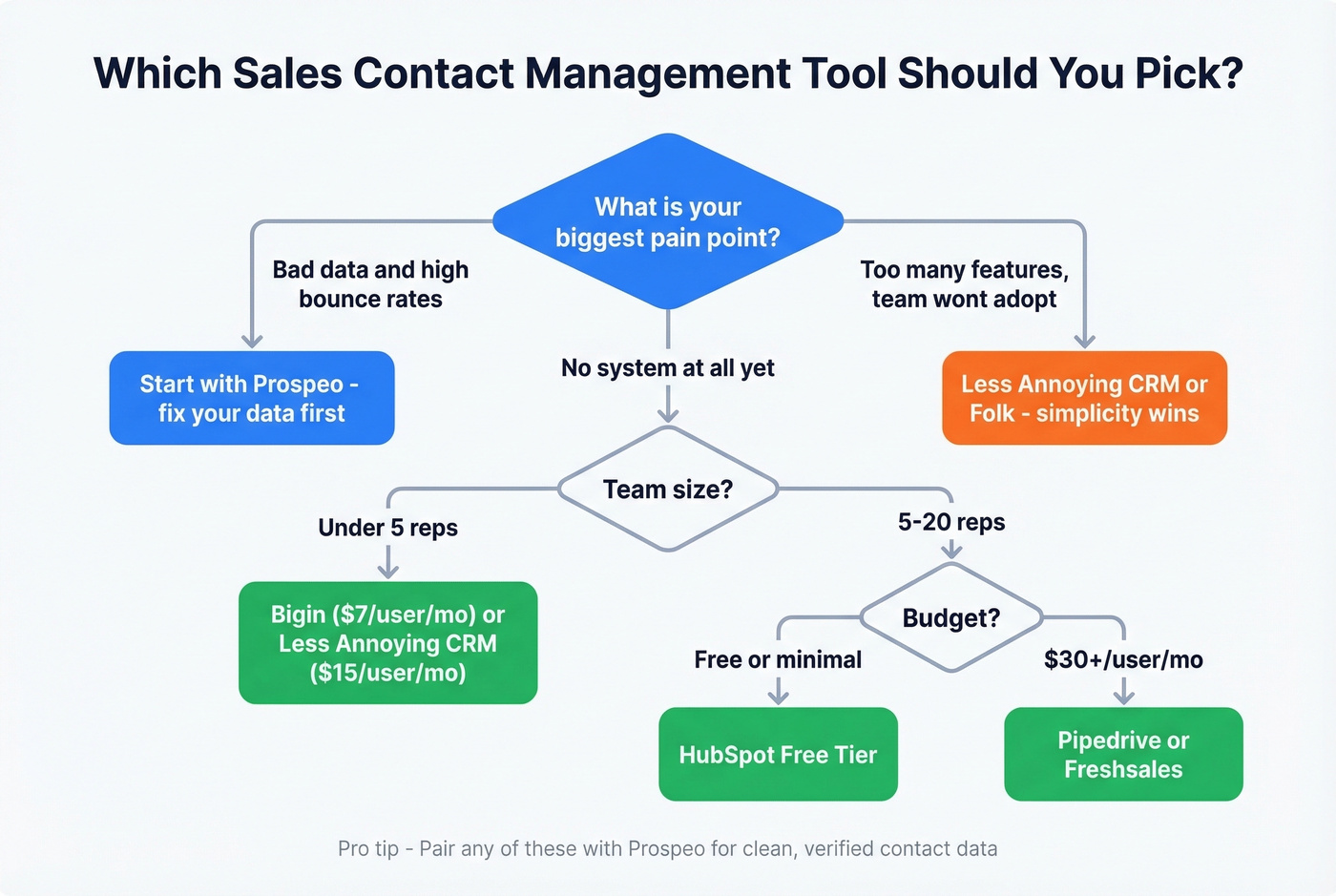
How big is your team? Solo to 3 reps: Bigin, Less Annoying, or Freshsales free. 4-20 reps: HubSpot, Pipedrive, or Nimble. Above 20, you probably need a full CRM with admin controls and territory management.
What's your real budget? Don't compare sticker prices - compare realistic costs from the table above. A $14/month Pipedrive seat becomes $60+ once you add the features you need.
Where does your team live? Gmail-native teams should look at Copper. Outlook and O365 shops fit well with Nimble. Already on Zoho? Bigin is the obvious choice.
How bad is your data? If your bounce rates are above 10%, no CRM will save you. Fix the data layer first with an enrichment tool, then pick your contact management system. This is the single most overlooked step in CRM adoption - and the reason most implementations underperform.
Will you outgrow this in 12 months? If yes, start with HubSpot or Attio - both scale up without forcing a migration. When your needs are stable, Less Annoying CRM's simplicity is a genuine advantage, not a limitation.
The right sales contact management software depends on your team size, budget, and data quality - not on feature checklists. Start with clean data, pick the simplest tool that fits, and expand only when you feel the pain. If you want a broader list beyond this shortlist, see our guide to contact management software.
Snyk's 50 AEs dropped bounce rates from 35-40% to under 5% and added 200+ new opportunities per month. The difference wasn't the CRM - it was the contact data. Prospeo's 30+ search filters and 92% enrichment match rate turn any contact management tool into a pipeline machine.
Your CRM doesn't have a feature problem. It has a data problem.
FAQ
What's the difference between contact management and a CRM?
Contact management handles storing, organizing, and accessing records with notes and follow-up reminders. A CRM adds pipeline management, marketing automation, forecasting, and analytics on top. If you mostly need organized contacts with activity logging, a dedicated contact tool is faster to implement and cheaper to run than a full CRM suite.
Is there good free contact management software for sales?
HubSpot CRM is free for 2 users with up to 1,000 contact records, Freshsales is free for 3 users, and Bigin by Zoho is free for 1 user. For data accuracy, Prospeo's free tier includes 75 email lookups and 100 Chrome extension credits monthly - useful for verifying contacts before importing them into any CRM.
How do I keep contact data accurate over time?
Contact data decays around 30% per year as people change jobs and companies. Use an enrichment tool with automated refresh - a 7-day refresh cycle catches changes weeks before most providers update. Schedule quarterly audits to catch anything automation misses. If your bounce rate is climbing, your data is the problem.
Do small teams really need dedicated contact tools?
If you have a few hundred contacts or 2+ people sharing leads, yes. Spreadsheets break down fast with no deduplication, no activity logging, and no follow-up reminders. Even a free tool like HubSpot or Bigin is a massive upgrade over shared Google Sheets.
What AI features matter in contact management?
AI contact scoring that prioritizes hot leads, automated data enrichment that fills missing fields, deduplication that merges duplicate records, and predictive follow-up timing. Freshsales and Attio offer the strongest AI features in this list, but only at their mid-tier plans or above.