


SalesQL Pros and Cons: Honest Review (2026)
You just exported 2,000 contacts from SalesQL, loaded them into your sequencer, and watched your bounce rate blow past the 5% danger zone on the first send. Your domain reputation is flagged. Your ops lead wants answers.
This breakdown of SalesQL pros and cons covers what actually works, what doesn't, and where the tool fits in 2026.
30-Second Verdict
SalesQL scores a 4.5/5 across 166 G2 reviews but drops to 3.8/5 on Capterra, where 24% of 46 reviews are negative. That gap tells you everything. Casual recruiting use? Great. Outbound sales dependence? Risky.
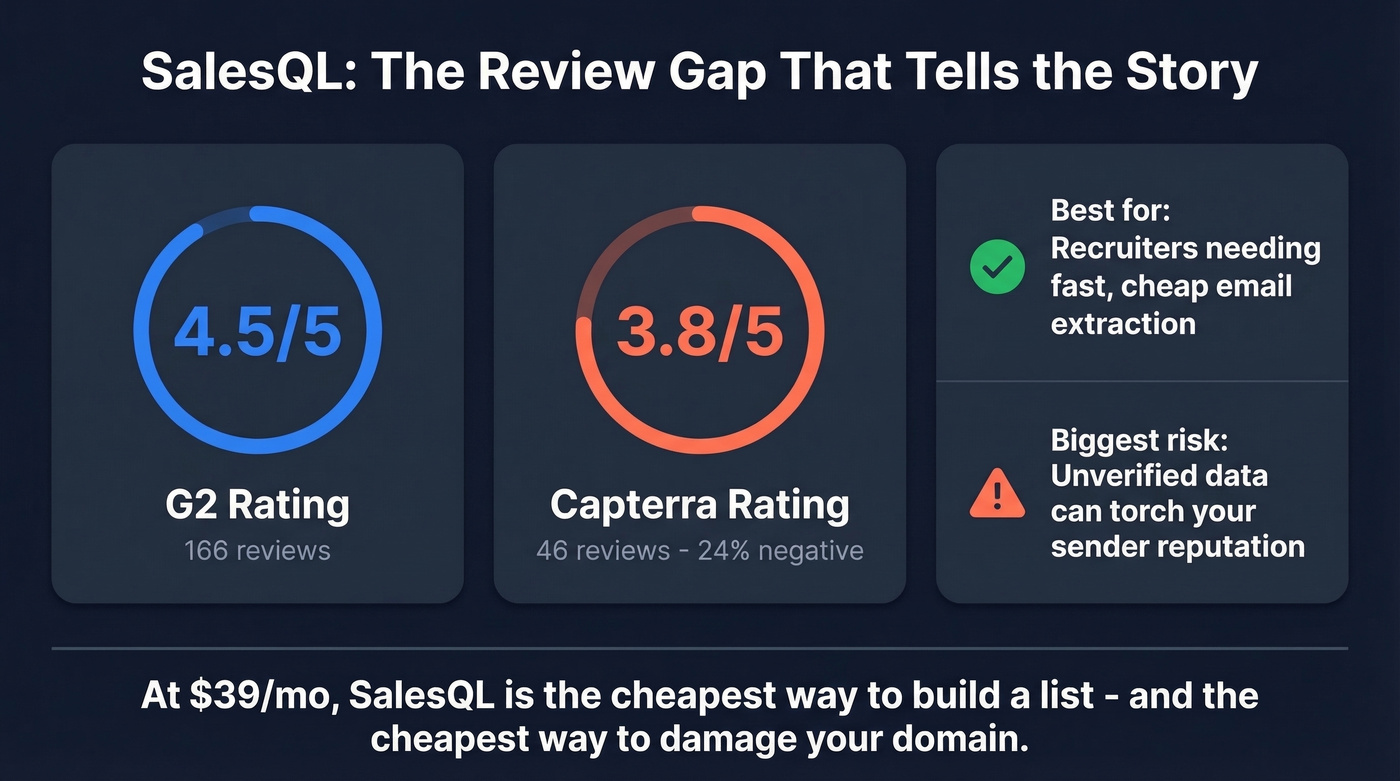
Best for: Recruiters who need fast, cheap email extraction from professional profiles.
Biggest concern: Email accuracy is unquantified - unverified data risks your sender reputation.
Here's the thing: at $39/mo, SalesQL is the cheapest way to build a candidate list. It's also the cheapest way to torch your sending domain. The tool you pick depends on which cost you care about more.
What SalesQL Does
SalesQL is a Chrome extension that pulls emails and phone numbers from professional profiles. It runs on credits - one per contact when at least one email is found. Simple, lightweight, built for people who prospect inside a browser.
Where SalesQL Shines
Dead-simple setup. Install the extension, click a profile, get an email. G2 reviews repeatedly praise ease of use and speed, which matters when you're onboarding non-technical recruiters who don't want to learn a new platform.
Affordable entry point. At $39/mo for 2,000 credits, SalesQL undercuts most competitors. RocketReach's comparable plan runs $249/mo. ZoomInfo starts around $15k/year. For solo recruiters or small agencies, the price-to-volume ratio is hard to beat.
One recruiter on r/recruiting described building entire candidate pipelines with SalesQL - folders to CSV to Loxo in minutes. That kind of speed matters when you're sourcing for multiple roles simultaneously and hiring managers are breathing down your neck.
Phone numbers and company details come bundled with your email credit on paid plans. No separate phone credit like Lusha's model, which charges 5 credits for a phone number versus 1 for an email. That's a genuine cost advantage for teams that need both data types.
Where SalesQL Falls Short
Data accuracy is a coin flip. G2's AI review summary explicitly flags outdated and inaccurate data as a recurring theme. SalesQL doesn't publish an accuracy rate, which is telling. Healthy cold email campaigns stay under 2% bounce rate - anything above 5% risks domain damage. We've seen teams burn through sender reputation in a single week with unverified lists. (If you need the benchmarks and fixes, see bounce rate and the full email deliverability playbook.)
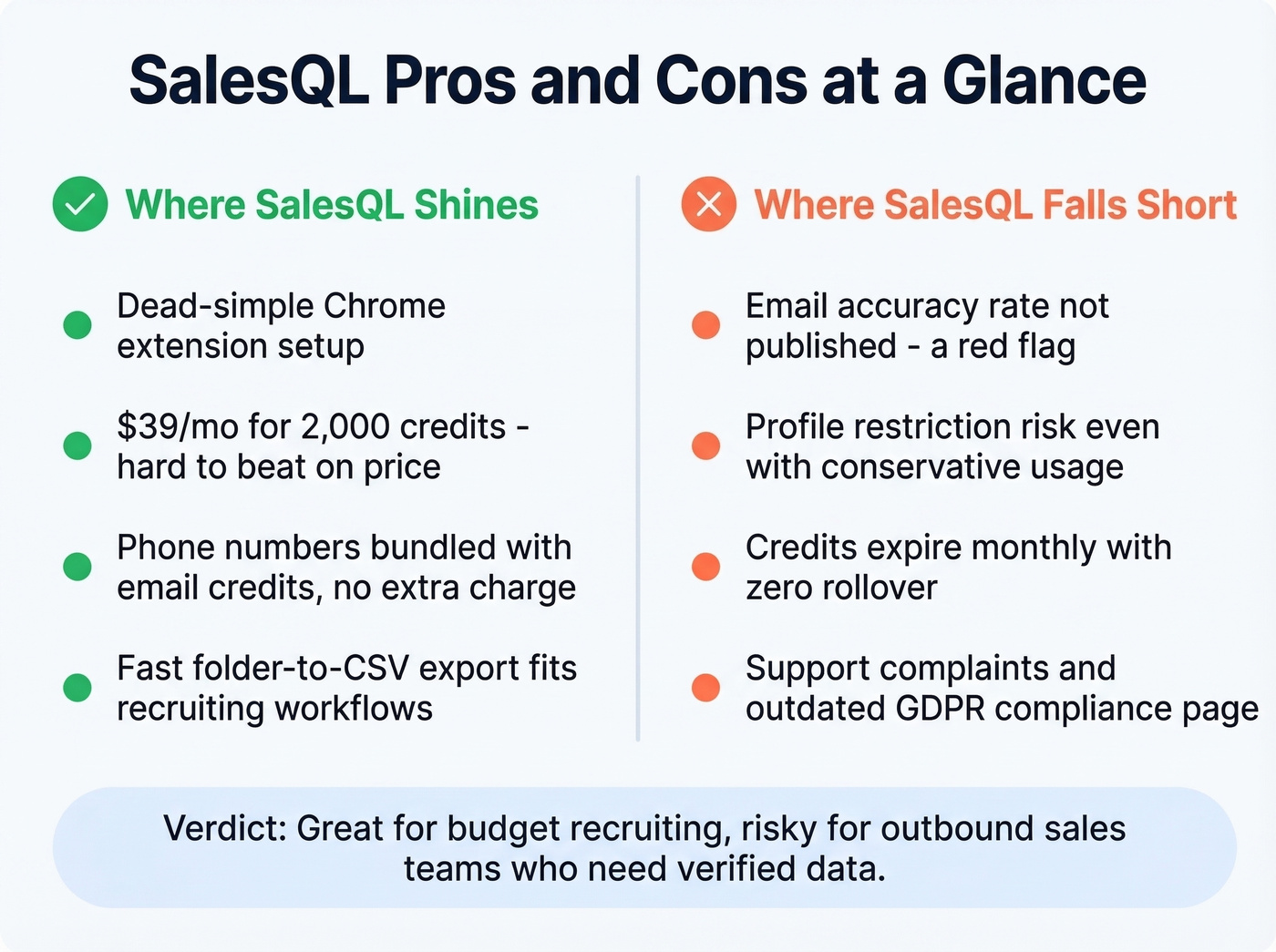
Profile restriction risk is real. A Capterra reviewer reported their profile "gets blocked as soon as you start using SalesQL... no matter how slow." Extensions that auto-scrape in the background tend to be riskier than tools that only fire when you click.
Support and compliance gaps. A February 2025 Capterra review describes paying hundreds for a 6-month plan, being denied a refund, and calling support "incredibly rude." Capterra's 24% negative sentiment rate suggests this isn't isolated. SalesQL's GDPR compliance page also hasn't been updated since July 2018 - worth flagging if your legal team asks about data handling.
Credits expire monthly with no rollover. Unused credits vanish at cycle end. Have a slow month? Wasted budget. That expiry mechanic punishes inconsistent usage, which is exactly how most recruiting teams operate between hiring surges.

Unpublished accuracy rates mean your domain takes the risk. Prospeo's 5-step verification delivers 98% email accuracy with catch-all handling, spam-trap removal, and a 7-day data refresh - so your bounce rate stays under 2%, not above 5%.
Stop gambling your sender reputation on unverified data.
How Credits Work
Use this if you want predictable per-contact costs. One credit gets charged when SalesQL finds at least one email. No email found? No credit charged. Duplicates are detected and updated, not double-charged.
Skip this if your volume fluctuates. Credits expire at cycle end with no rollover. You'll either waste credits or run out mid-sprint.
SalesQL Pricing in 2026
| Plan | Monthly | Annual (per mo) | Credits | Seats |
|---|---|---|---|---|
| Free | $0 | - | 100/mo | 1 |
| Basic | $39 | $29 | 2,000 / 24,000 yr | 1 |
| Professional | $79 | $59 | 5,000 / 60,000 yr | 3 |
| Organization | $119 | $89 | 12,000 / 144,000 yr | 15 |
Annual billing saves roughly 25%. On annual, the Organization plan works out to about $6/seat/month - genuinely cheap for team deployments.
How SalesQL Compares
| Feature | Prospeo | SalesQL | Apollo | Lusha |
|---|---|---|---|---|
| Price | ~$0.01/email | $39/mo | ~$49/mo | ~$22/mo |
| Email accuracy | 98% | Not published | 80-85% | ~85% |
| Data refresh | 7 days | Not stated | ~30 days | ~30 days |
| Verification | Built-in 5-step | Single + bulk | Partial | Partial |
| Free tier | Yes (75 emails) | Yes (100 credits) | Yes | Yes |
| Best for | Accuracy-first outbound | Budget recruiting | Volume + sequencing | Phone numbers |
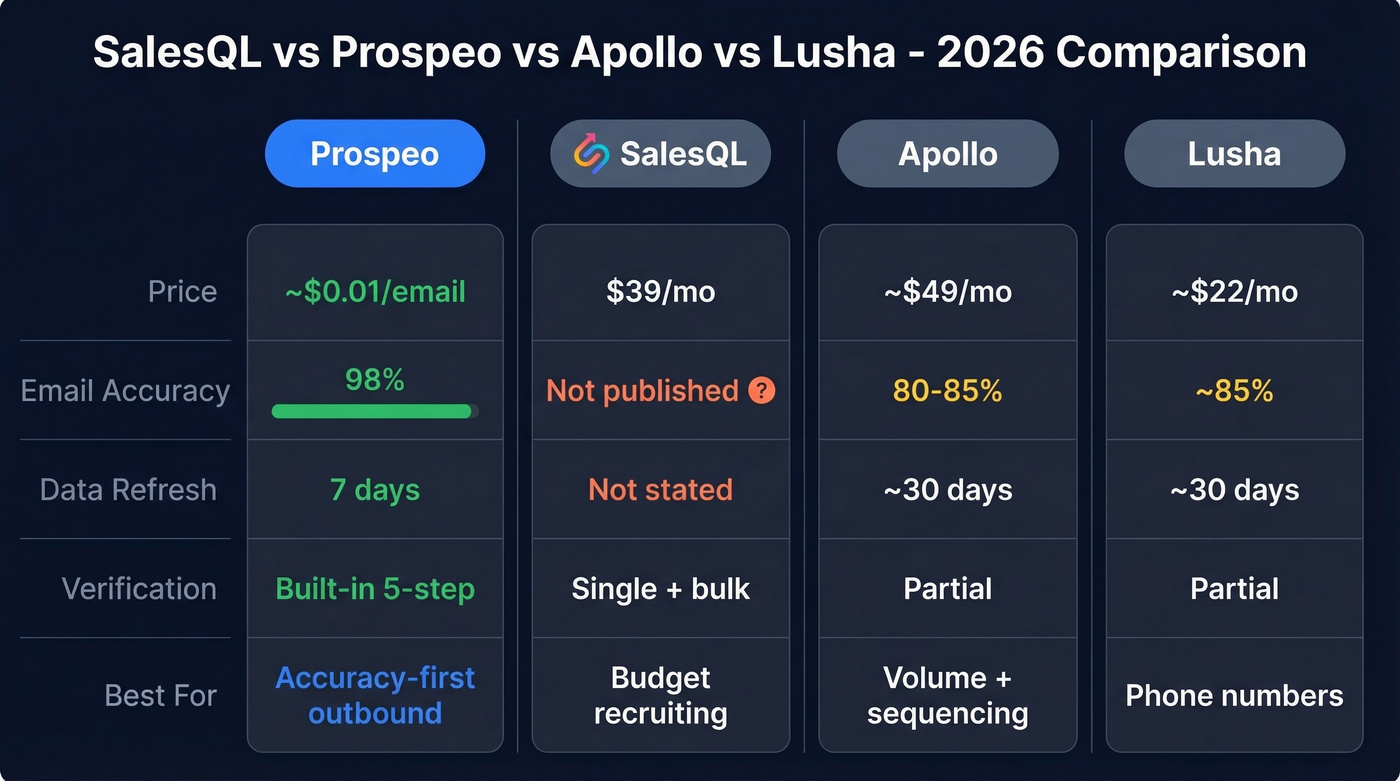
Apollo is the volume play - a large database, decent accuracy around 80-85%, and a built-in sequencer. Lusha is phone-focused and cheap per seat but expensive per phone number.
If you're evaluating other tools in the same category, compare options in our roundup of outbound lead generation tools and the broader list of SDR tools.
The Bottom Line
Weighing the SalesQL pros and cons comes down to your use case. It works for budget-conscious recruiters who need fast extraction and can tolerate data quality variance. The price is right, the workflow is simple, and the folder/export system fits recruiting pipelines well.
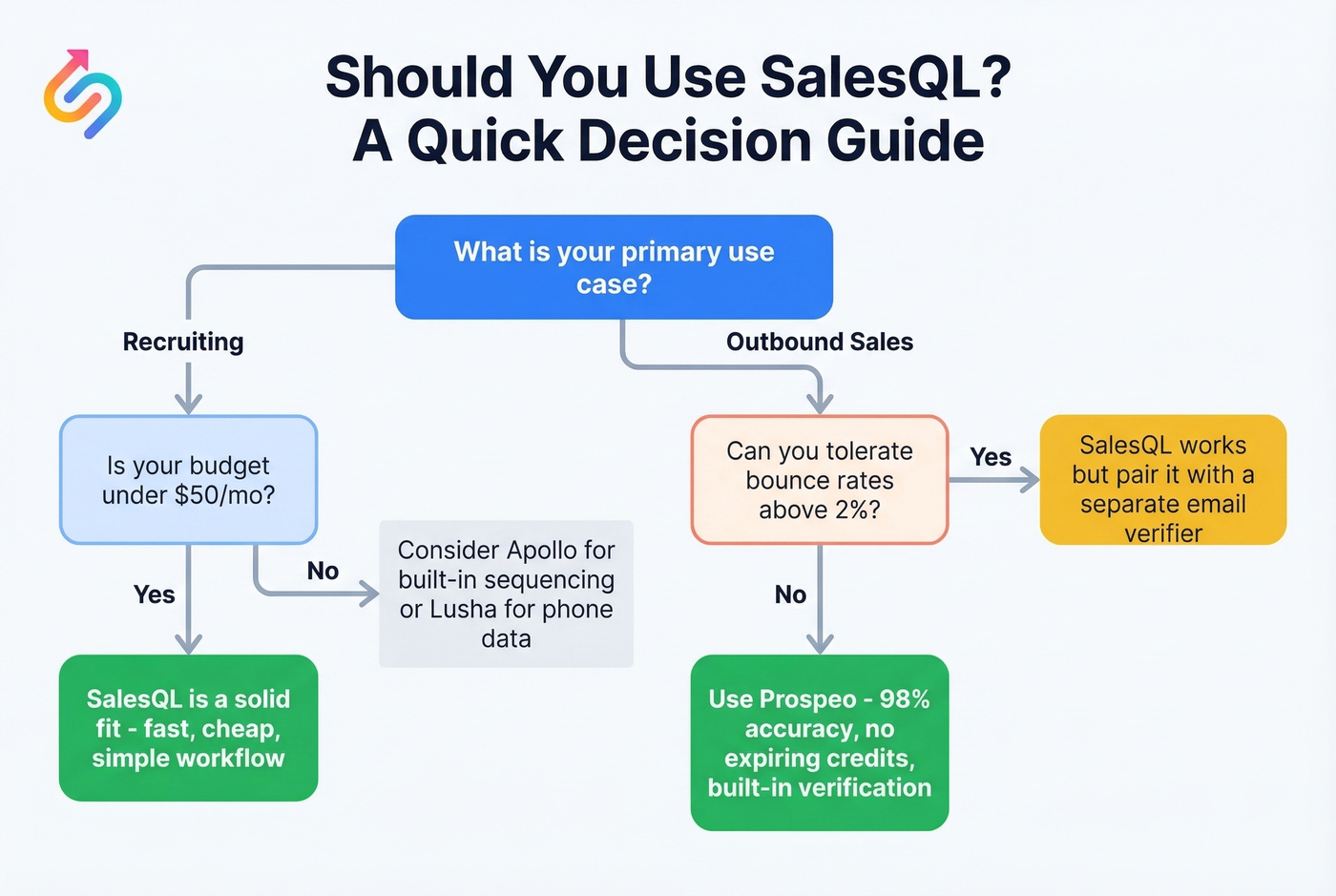
For outbound sales teams where every bounce hurts your domain, the unverified data is a liability. You'll spend what you saved on SalesQL paying for a separate verification tool - or worse, repairing sender reputation after a bad campaign tanks your deliverability for weeks. (If you're already in that situation, start with how to improve sender reputation and spam trap removal.)
SalesQL credits expire monthly whether you use them or not. Prospeo charges ~$0.01 per verified email with no expiring credits, no contracts, and 98% accuracy baked in. Teams using Prospeo book 35% more meetings than Apollo users - because emails that actually land drive real pipeline.
Pay for accuracy, not expiring credits.
FAQ
Is SalesQL safe for your professional profile?
Capterra users report profile restrictions even with conservative usage. Any extension scraping professional profiles carries ban risk. Use low-volume settings, avoid background auto-scraping, and monitor account health weekly.
Does SalesQL verify emails?
SalesQL includes a built-in verifier on paid plans, but G2 reviewers consistently flag accuracy problems despite this. For guaranteed deliverability, a 5-step verification process with catch-all handling and spam-trap removal - like what Prospeo runs - delivers 98% accuracy and is a safer bet for outbound campaigns.
Is SalesQL worth it for sales teams?
At $39/mo it's among the cheapest options, but unpublished accuracy rates, credit expiry, and weaker native CRM integrations make it better suited for recruiters than SDR teams running high-volume outbound. Sales teams sending 500+ emails per week need verified data to protect domain reputation - full stop.
What's the best SalesQL alternative for accuracy?
Prospeo leads on email accuracy at 98% with a 7-day data refresh cycle, compared to the 4-6 week industry average. Apollo (80-85% accuracy) is better for teams that want a built-in sequencer. Lusha suits teams prioritizing phone numbers over email volume.