

ScrapeStorm Review 2026: Pricing, Pros, Cons, and the Honest Verdict
You set up a 375-URL scrape overnight, expecting clean data by morning. Instead, you wake up to 120 missing URLs and an export file full of blank rows. That's not a hypothetical - it's a real Capterra review. If you're weighing ScrapeStorm before buying, here's the 30-second verdict: it's a solid budget scraper for small jobs, but reliability issues and hidden costs make it risky for anything at scale.
What Is ScrapeStorm?
ScrapeStorm is an AI-powered desktop scraping app that runs on Windows, Mac, and Linux. It offers Smart Mode, which uses AI to auto-detect page structures, and Flowchart Mode for building visual scraping workflows. Exports go to CSV, Excel, HTML, TXT, or directly to databases.
The pitch is no-code web scraping for anyone - though "no-code" comes with asterisks we'll get to. If you're evaluating it specifically for web scraping lead generation, that distinction matters.

ScrapeStorm Pricing Breakdown
Some third-party sites still list the Professional plan at $18.99/mo. That's wrong. Here's the actual pricing from ScrapeStorm's site in 2026:
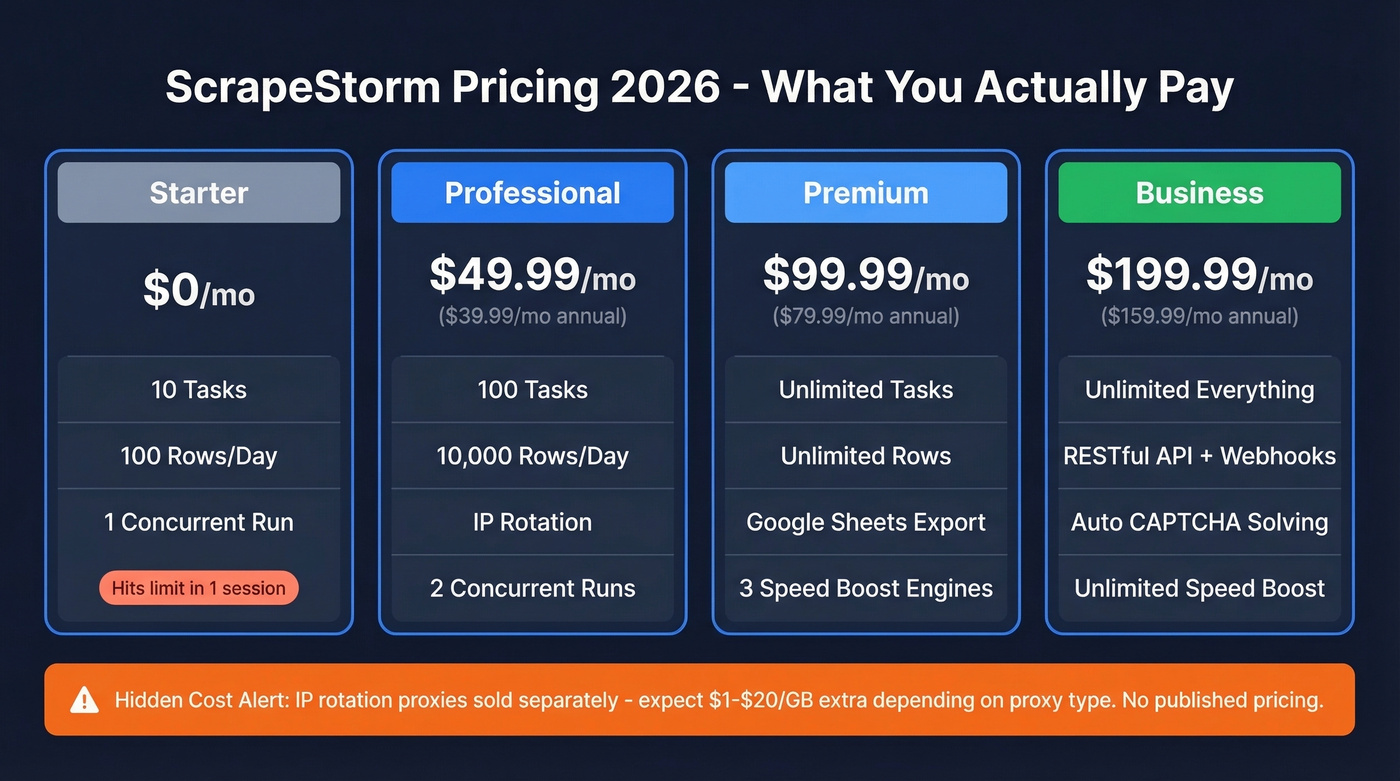
| Plan | Price | Tasks | Rows/Day | Key Extras |
|---|---|---|---|---|
| Starter | Free | 10 | 100 | 1 concurrent local run |
| Professional | $49.99/mo ($39.99 annual) | 100 | 10,000 | IP rotation, 2 concurrent local runs, 1 free custom task (annual) |
| Premium | $99.99/mo ($79.99 annual) | Unlimited | Unlimited | Google Sheets export, 3 Speed Boost Engines |
| Business | $199.99/mo ($159.99 annual) | Unlimited | Unlimited | RESTful API, webhooks, automatic CAPTCHA identification, Unlimited Speed Boost Engines |
A custom Enterprise tier exists for teams needing collaboration and offline deployment.
Here's the catch: IP rotation is listed as a Professional feature, but ScrapeStorm IP is sold separately with no published price. Residential proxies typically run $10-$20/GB; datacenter proxies $1-$3/GB. Those add-on costs stack up fast. For comparison, Octoparse plans typically run $100-$250/mo and list $3/GB for residential proxies on their pricing page.
If you're trying to estimate total cost, it helps to compare against other free lead generation tools that don't require proxy spend.
Pros Worth Knowing
Point-and-click visual UI. Capterra reviewers consistently praise how intuitive the interface feels for basic scrapes. Paste a URL into Smart Mode and it identifies list data, tables, and pagination automatically - genuinely impressive for simple pages.
Cross-platform and affordable. It runs natively on all three desktop OSes with cloud sync across machines. One Capterra reviewer called it "pennies compared to alternative products," and at $49.99/mo for the Professional tier, that's fair.
IP rotation support helps avoid bot detection on sites with aggressive anti-scraping measures. Export flexibility is solid too: CSV, Excel, HTML, TXT, Google Sheets on Premium+, and direct database connections.
If your end goal is outreach, you'll also want to think about what happens after export (cleaning, enrichment, and verification) - that’s where data enrichment services can matter.

ScrapeStorm's IP rotation, proxy costs, and CAPTCHA solving add up fast - and you still end up with unverified data. Prospeo gives you 300M+ professional profiles with 98% email accuracy and 125M+ verified mobiles, refreshed every 7 days. No proxies. No empty exports. About $0.01 per email.
Replace your entire scraping stack with one search.
Cons to Watch For
Reliability on larger jobs is the big one. Users report unexpected stops mid-scrape, lost URLs, and completely empty export files. We tested Smart Mode on a 200-product catalog and it handled it fine, but anything with complex pagination choked. For production workflows, that's a dealbreaker.
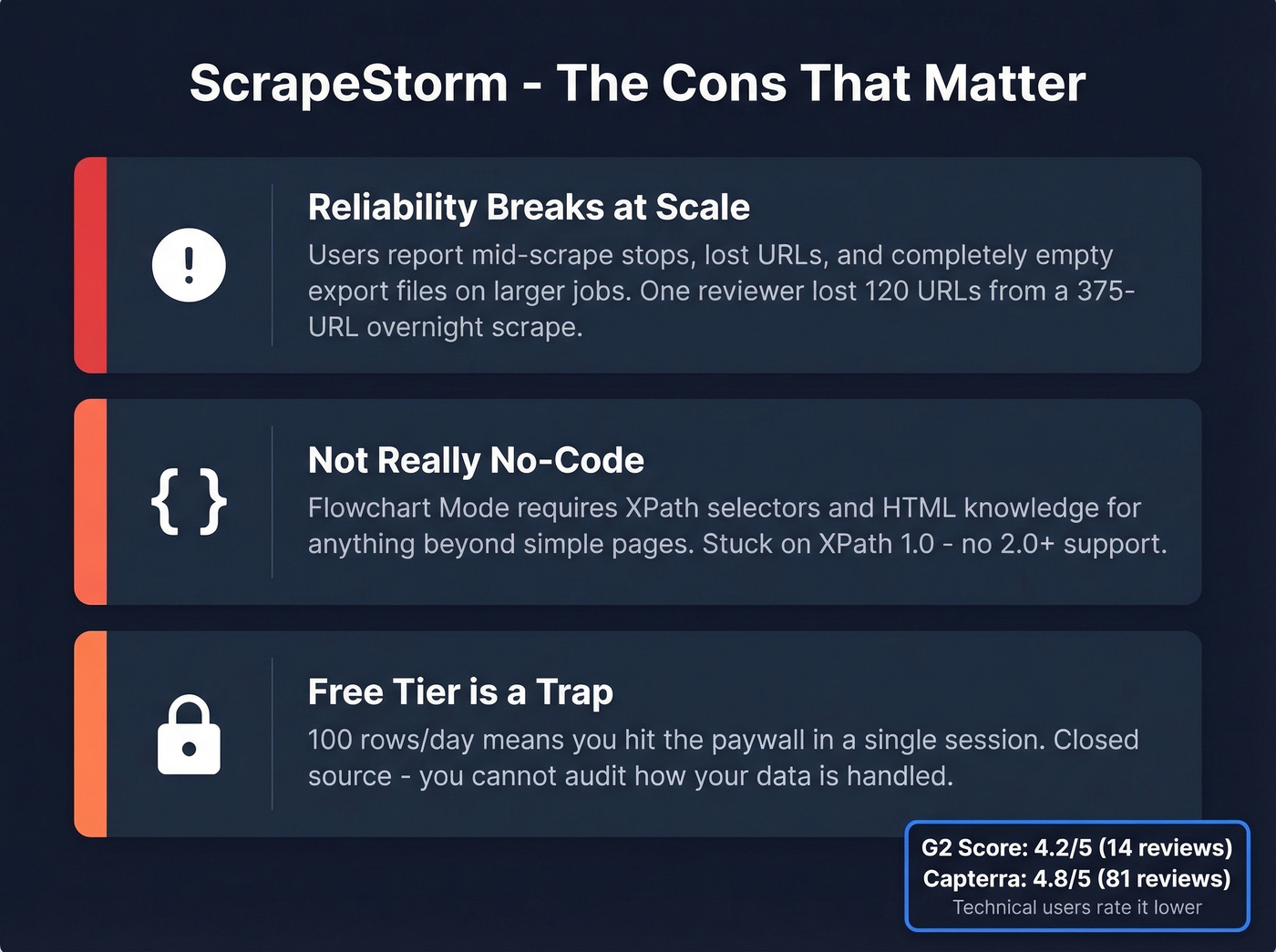
Flowchart Mode isn't truly no-code. The moment you move beyond simple page structures, you need XPath selectors and basic HTML knowledge to handle nested elements or pagination edge cases. And you're stuck with XPath 1.0 - advanced users who need 2.0+ hit a wall immediately.
The free plan ceiling is brutal. 100 rows/day pushes you to paid almost immediately. In our experience, the free tier lasted about one real scraping session before we hit the limit. ScrapeStorm is also closed source, so you can't audit how it handles your data or interacts with target sites.
One G2 reviewer flagged CAPTCHA issues and HTML output problems specifically on Mac - worth noting if that's your platform. If you're doing this for outbound, those failures can cascade into deliverability problems later (see email deliverability).
What Real Users Say
ScrapeStorm scores 4.8/5 on Capterra across 81 reviews with a 4.7/5 Value for Money rating, but drops to 4.2/5 on G2 with just 14 reviews. The gap makes sense: Capterra's broader user base skews toward casual users who love the easy UI, while G2's more technical audience hits the bugs harder. One reviewer who switched from Octoparse noted ScraperAPI was faster at bypassing CAPTCHAs - a telling signal about ScrapeStorm's anti-detection limits.
Reddit coverage is nearly nonexistent. That itself tells you something about adoption among power users.
Who Should (and Shouldn't) Use It
ScrapeStorm works well for non-coders doing light scraping - a few hundred rows, simple page structures, no production deadlines. If you're price-sensitive and your pages are straightforward tables or lists, the $49.99/mo Professional plan is genuinely hard to beat.
Skip it if you're running large-scale production scrapes where data completeness matters, need XPath 2.0+ for complex queries, or can't tolerate empty exports. And here's the thing: if you're scraping company websites and directories just to find emails and phone numbers for outreach, you're using the wrong tool entirely.
At that point, you're closer to an email crawler workflow than a clean B2B data workflow.
Most "Scraping for Emails" Workflows Are a Waste of Time
Let's be honest about what a huge chunk of ScrapeStorm users are actually doing. They're not scraping product catalogs. They're scraping directories to find contact data for outreach - fighting anti-bot measures, paying for proxies, cleaning garbage data, and ending up with unverified emails that bounce.
If you're committed to scraping anyway, at least compare approaches like a free email scraper before you sink time into a desktop workflow.
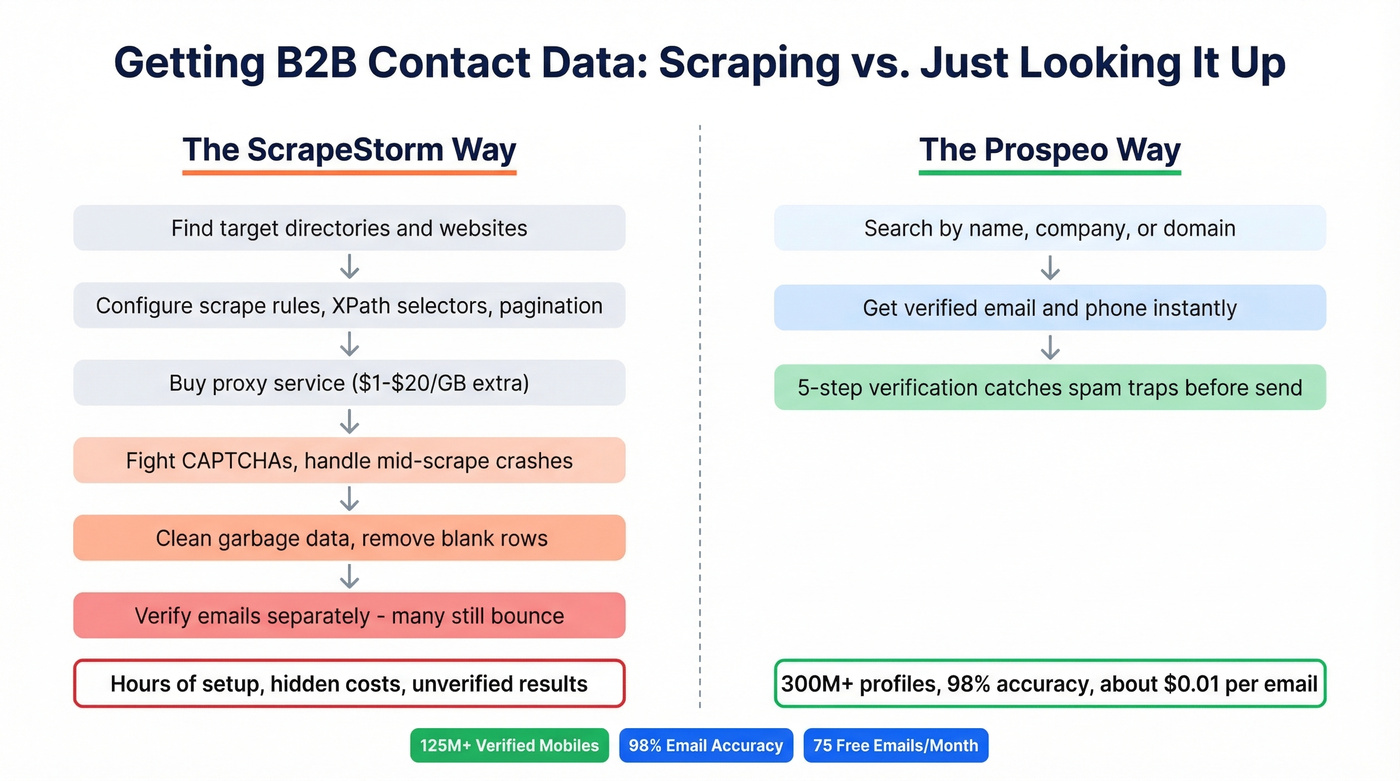
We've watched teams spend hours configuring scrapes that Prospeo replaces in seconds: 300M+ professional profiles, 98% email accuracy, 125M+ verified mobile numbers, refreshed every 7 days. Emails cost roughly $0.01 each. No proxies, no CAPTCHA solving, no empty exports. If contact data is what you're after, stop building Rube Goldberg machines to get it.
If you care about bounce risk, pair any list-building method with a real verifier (see email bounce rate).

If you're using ScrapeStorm to pull emails from directories, you're paying for proxies, fighting CAPTCHAs, and still cleaning bad data. Prospeo's 5-step verification catches spam traps and honeypots before they wreck your domain. 75 free emails/month, no scraping setup required.
Skip the Rube Goldberg machine - get verified contacts in seconds.
FAQ
Is ScrapeStorm free?
The Starter plan is free forever with 10 tasks and 100 rows/day. For any real project, you'll need the Professional plan at $49.99/month or $39.99/month billed annually. Most users exhaust the free tier in a single session.
Is ScrapeStorm safe to use?
It's a desktop app, so scraped data stays on your machine - not routed through third-party servers. That said, ScrapeStorm is closed source, meaning you can't audit its code. Always review a target site's terms of service before scraping.
What's the best ScrapeStorm alternative?
For general web scraping, Octoparse is the closest competitor with plans running $100-$250/mo and a more mature workflow builder. ParseHub is another option with a usable free tier. If you're scraping specifically for B2B contact data, Prospeo gives you verified emails and phone numbers from 300M+ profiles without any scraping setup - 75 free emails per month, no proxies needed.
Does ScrapeStorm handle CAPTCHAs?
Automatic CAPTCHA identification is only available on the Business plan at $199.99/mo. Lower tiers require manual solving or third-party CAPTCHA services, which adds both cost and friction to your workflow.