

How to Run a STARTTLS Test (and Actually Understand the Results)
Gmail is rejecting your outbound mail with error 4.7.29: "Messages aren't sent over a secure TLS connection." Your sequences are dead in the water, and your ops team is scrambling. Here's how to run a STARTTLS test, diagnose the problem in under five minutes, and make sure it doesn't come back.
APNIC highlighted a Google metric showing that roughly 2% of the emails Google sends still aren't encrypted. That sounds small until you realize it's still a meaningful volume of mail - and that TLS failures can turn into immediate deliverability problems. If your SMTP server can't negotiate TLS properly, your deliverability craters overnight (and it’s worth keeping an eye on your broader email deliverability setup too).
STARTTLS Test Tools (Quick Version)
- OpenSSL (
s_client -starttls smtp) - the CLI ground truth. Works everywhere, shows you exactly what's negotiated. - CheckTLS or SSL-Tools - web-based pass/fail checks when you don't want to touch a terminal. Useful for a quick STARTTLS test without SSH access.
- testssl.sh - deep vulnerability scanning for Heartbleed, POODLE, DROWN, and friends. Outputs HTML/JSON for CI pipelines.
Which Port to Test
Port confusion is one of the most common reasons tests fail before they even start.
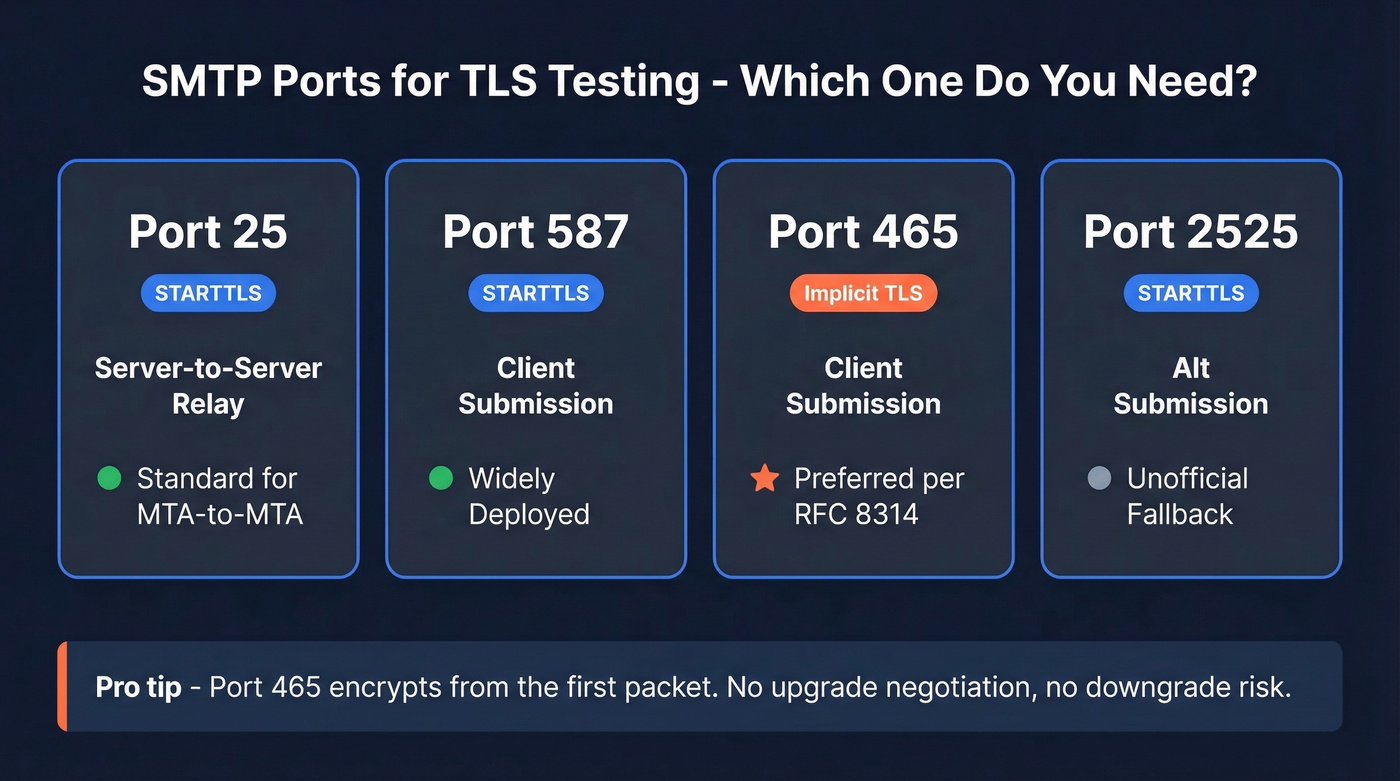
| Port | Purpose | Encryption | Status |
|---|---|---|---|
| 25 | Server-to-server relay | STARTTLS | Standard for MTA-to-MTA |
| 587 | Client submission | STARTTLS | Widely deployed |
| 465 | Client submission | Implicit TLS | Now preferred for submission per RFC 8314 |
| 2525 | Alt submission | STARTTLS | Unofficial fallback |
Despite years of "use 587" advice, RFC 8314 recommends port 465 with implicit TLS for mail client submission. Implicit TLS encrypts from the first packet - no upgrade negotiation, no downgrade risk. If you're configuring a new mail client submission service, prefer 465.
How to Run a STARTTLS Test with OpenSSL
OpenSSL (The Ground Truth)
Run this against your mail server on port 587:
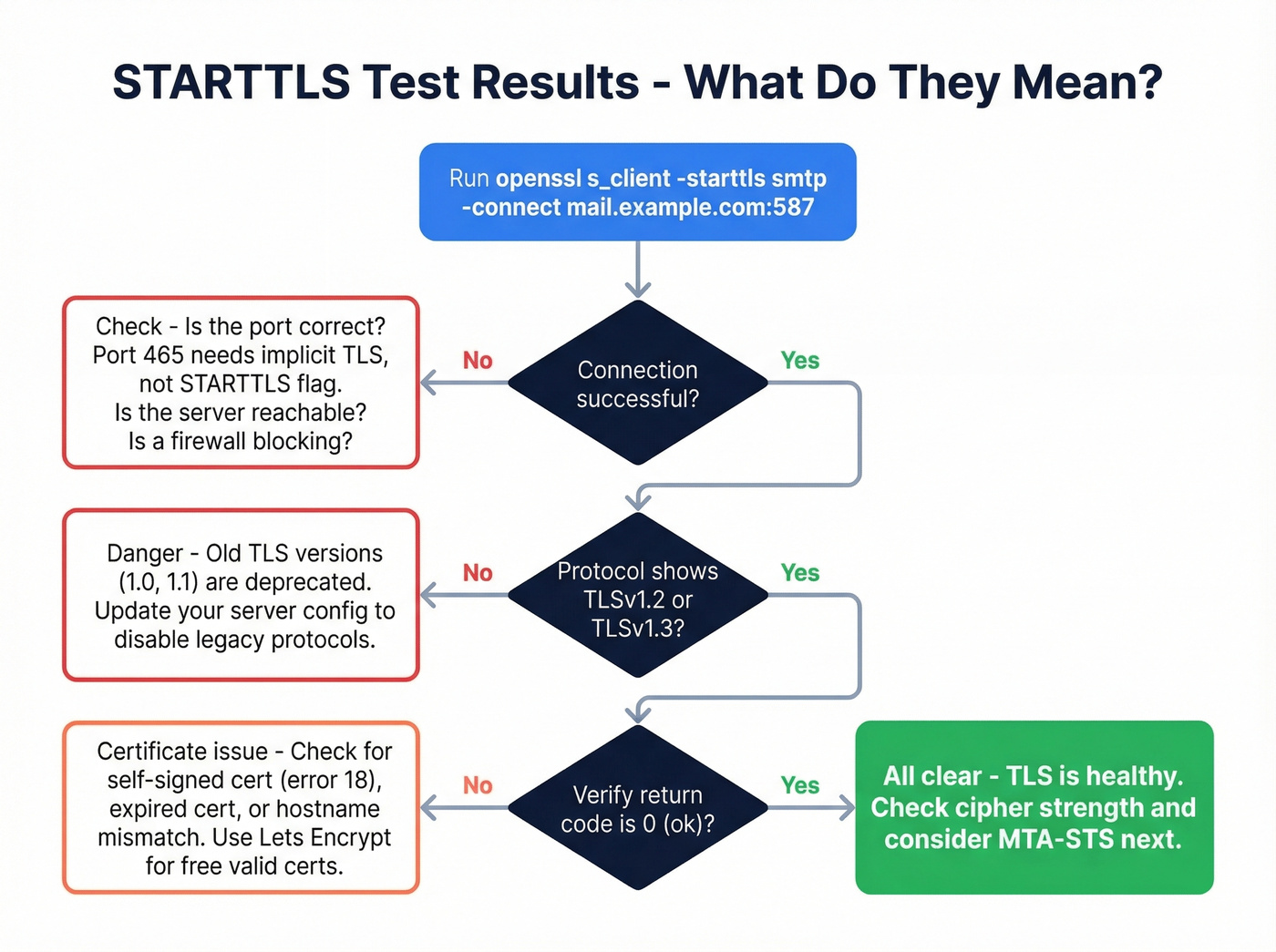
openssl s_client -starttls smtp -connect mail.example.com:587
A healthy response shows three things:
Protocol  : TLSv1.3

Cipher    : TLS_AES_256_GCM_SHA384
[Verify return code: 0 (ok)](https://docs.openssl.org/1.0.2/man1/verify/)
TLS 1.3 negotiated, strong cipher, valid certificate chain - that's a pass. If instead you see no protocols available, cipher (NONE), or no peer certificate available, your TLS is broken.
Two details worth knowing. First, don't use the -starttls flag when testing port 465 - that port expects implicit TLS, not an upgrade handshake, so use plain openssl s_client -connect mail.example.com:465 instead. Second, after STARTTLS negotiation completes, re-issue EHLO to see the server's encrypted-mode capabilities, which often differ from the plaintext greeting.
Online Tools for a Quick Check
If you don't have SSH access, web-based tools get you a quick answer. In our experience, SSL-Tools is stronger for visibility into strict certificate validation and Perfect Forward Secrecy, while CheckTLS gives you a readable SMTP transcript and solid certificate sanity checks but doesn't go as deep on PFS reporting.
| Tool | STARTTLS | Cert check | PFS | Cipher + Grade |
|---|---|---|---|---|
| CheckTLS | Yes | Yes | Limited | Yes |
| SSL-Tools | Yes | Strict | Yes | Yes |
| MxToolbox | Yes | Basic | No | Limited |
| LuxSci | Yes | Basic | No | Limited |
Skip starttls.info if you need something reliable in a pinch - it's been intermittently unavailable based on long-running community reports.
testssl.sh for Deep Scanning
For a full vulnerability audit, the Docker one-liner does everything in a single pass:
docker run - rm -ti drwetter/testssl.sh - starttls smtp mail.example.com:25
This checks for Heartbleed, POODLE, DROWN, LOGJAM, and dozens of other vulnerabilities, then outputs HTML, JSON, and CSV - perfect for CI pipelines or compliance reporting. We've found it catches edge cases that web tools miss entirely, especially around cipher suite ordering and protocol downgrade paths.

You're testing STARTTLS to protect deliverability - but bad email addresses destroy it faster than broken encryption. Prospeo's 5-step verification and 7-day data refresh keep bounce rates under 2%, so every message flowing through your secured connection hits a real inbox.
Don't push clean TLS traffic to dead addresses. Verify first.
Common Failures and Fixes
Self-signed certificate (verify error:num=18): Your server's presenting a cert it signed itself. Other MTAs won't trust it. Get a proper cert from Let's Encrypt - it's free.
If you're seeing deliverability issues even after TLS is fixed, check whether you're also getting hit by bounces and list quality problems (see email bounce rate).
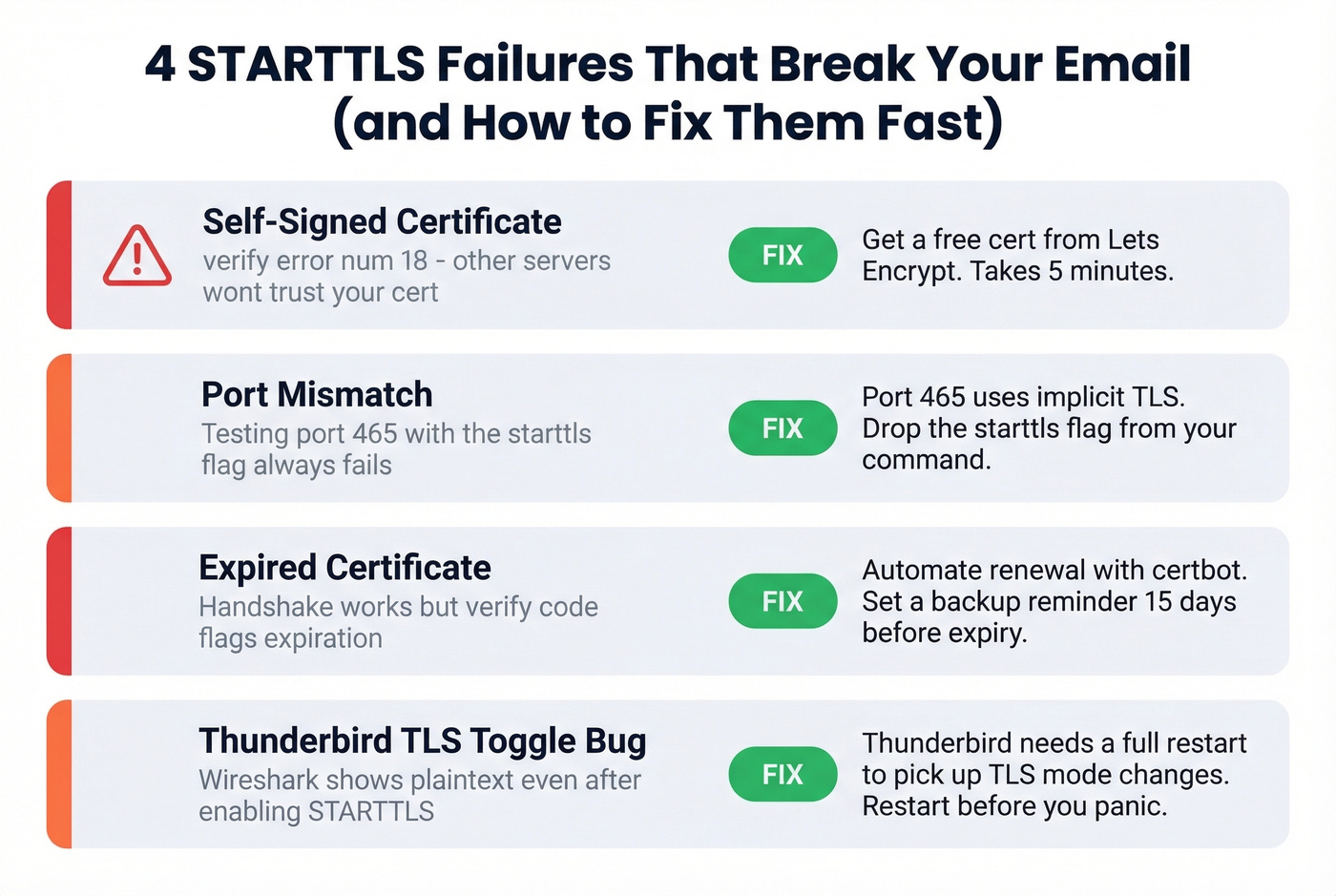
Port mismatch: Testing port 465 with --starttls smtp fails every time. Port 465 uses implicit TLS. Drop the --starttls flag.
Expired certificate: The handshake succeeds but the verify code flags expiration. Automate renewal with certbot and set a backup calendar reminder 15 days out.
Thunderbird "STARTTLS enabled but not encrypting": We've seen this trip up even experienced admins. Thunderbird applies port changes immediately but requires a full restart to pick up TLS mode changes. If Wireshark shows plaintext after you've toggled STARTTLS on, restart the client before you panic.
Preventing Downgrade Attacks
Here's the thing about STARTTLS: it's opportunistic encryption. An attacker sitting between your server and the recipient's MX can strip the STARTTLS offer from the EHLO response, forcing a plaintext fallback. Two standards prevent this.
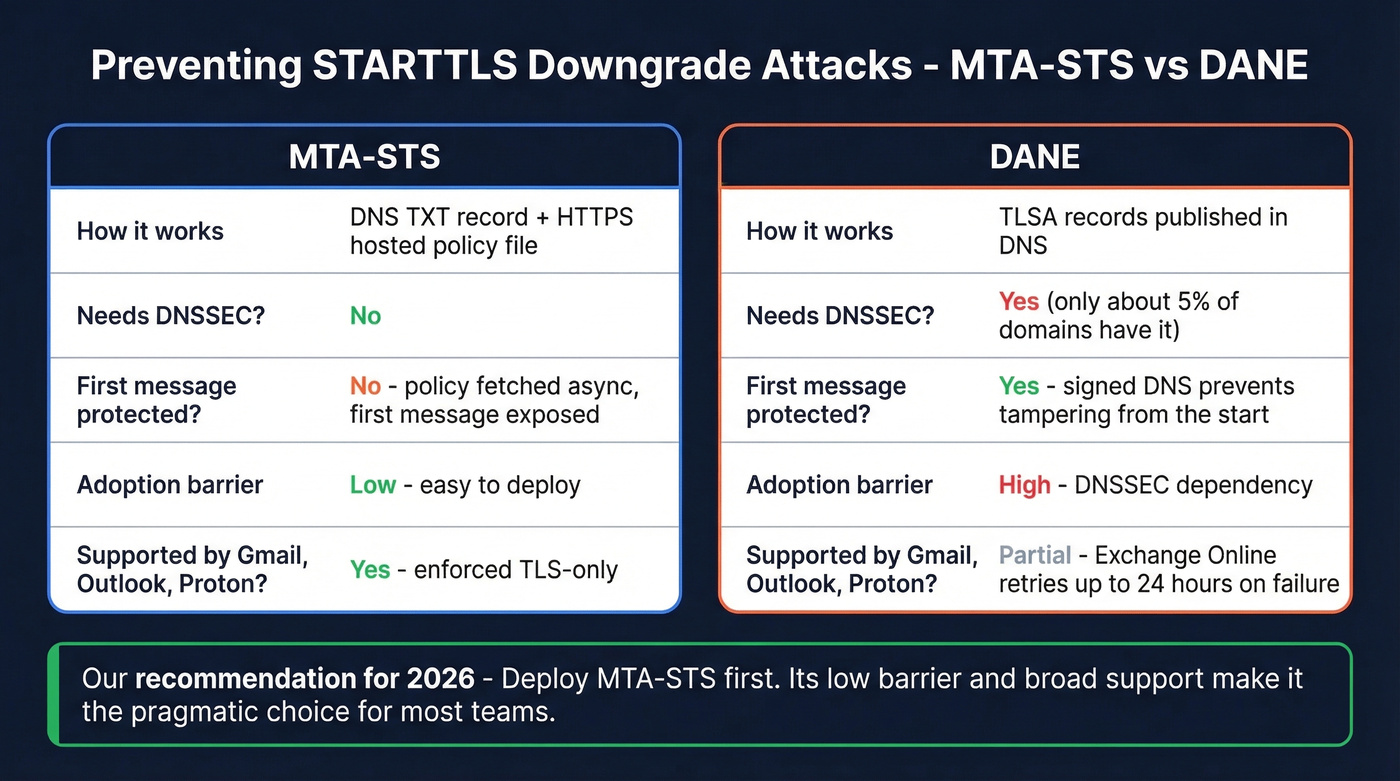
| MTA-STS | DANE | |
|---|---|---|
| Mechanism | DNS TXT + HTTPS policy | TLSA DNS records |
| Requires DNSSEC | No | Yes |
| TOFU vulnerable | Yes (first message) | No |
| Adoption barrier | Low | High (roughly 5% of domains have DNSSEC) |
MTA-STS has a lazy caching problem: the sender fetches your policy asynchronously, so the very first message to a new domain isn't protected until the cache is primed. DANE avoids this through signed DNS but requires DNSSEC, which most organizations still haven't deployed.
Let's be honest - most teams should deploy MTA-STS and stop agonizing over DANE. In APNIC's tests, Gmail, Outlook, and Proton enforced TLS-only delivery, while Amazon SES, Mailgun, and SparkPost didn't support MTA-STS in the same test setup. Proper TLS configuration combined with MTA-STS is the pragmatic choice in 2026. If DANE validation fails on Exchange Online, Microsoft retries at 15 minutes, 15 minutes, then hourly up to 24 hours before generating an NDR.
If you're tightening authentication alongside transport security, it’s also worth validating your SPF and DMARC alignment so mailbox providers don’t treat your mail as suspicious.
Fix Your Server, Then Fix Your Data
You've got TLS sorted - your STARTTLS test passes, certs are valid, and MTA-STS is published. But broken encryption is only half the deliverability equation. Sending to invalid addresses damages your domain reputation just as fast, sometimes faster (especially at higher email velocity). Prospeo verifies emails at 98% accuracy with a 7-day refresh cycle, so the addresses you're pushing through that newly secured connection actually land in real inboxes. Pair solid TLS with clean data and your bounce rate stays under 2%.
If you’re building lists for outbound, make sure you’re also using a reliable email list provider and a consistent lead generation workflow so you’re not constantly reintroducing bad data.
Fixing TLS errors is half the battle. The other half is making sure you're not burning your newly protected sender reputation on invalid contacts. Prospeo verifies emails at 98% accuracy for ~$0.01 each - 90% cheaper than ZoomInfo with higher accuracy.
Secure the connection, then secure the data. 75 free emails to start.