

Technographic Examples You Can Actually Use
Most technographic "examples" out there are just definitions with a bullet list slapped underneath. Not helpful. What follows are actual records you can steal, real targeting queries, and the specific fields that matter when you're building lists or scoring leads.
The technographic market grew from $367M in 2020 to over $1.17B by 2025, and it hasn't slowed down. It's table stakes for any outbound team that wants to personalize beyond "Hi {first_name}."
What a Technographic Record Actually Looks Like
A proper technographic record isn't a list of tool names. It includes context - when the tool was adopted, how heavily it's used, and when the contract renews. Here's a sample for a fictional mid-market company:
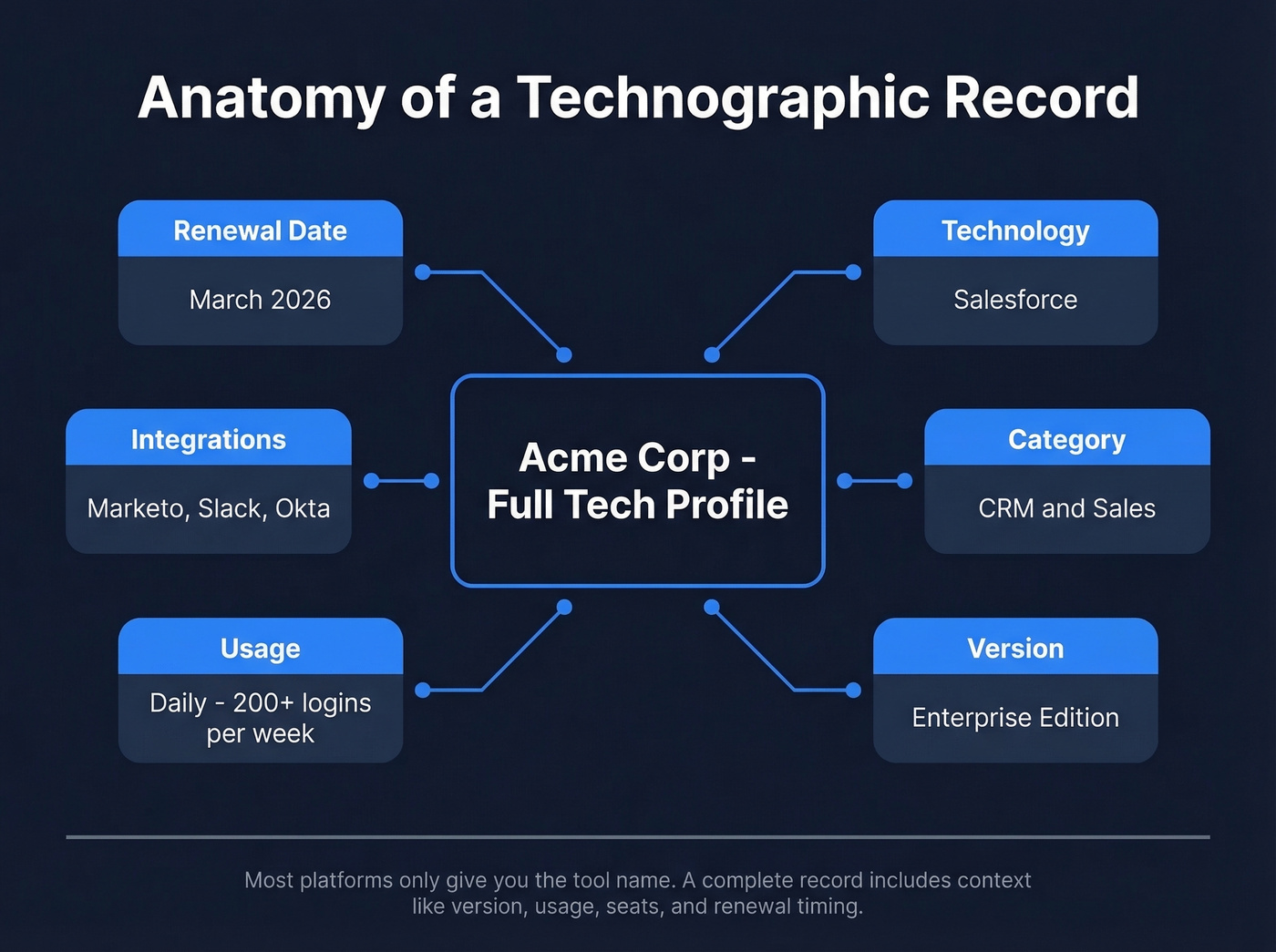
| Field | Example Value |
|---|---|
| Company | Acme Corp |
| Technology | Salesforce |
| Category | CRM & Sales |
| Version | Enterprise Edition |
| Usage Frequency | Daily (200+ logins/wk) |
| Integrations | Marketo, Slack, Okta |
| Seat Count | ~85 |
| Renewal Date | March 2026 |
| Detection Source | Web scan + job posting |
A full technographic profile for Acme Corp would include rows for AWS, Marketo, Slack, Okta, Snowflake - every tool in their stack. In practice, most platforms don't deliver data this cleanly. Demandbase consolidates adopted technologies into a single pipe-delimited field across 42,000+ tracked technologies. That's efficient for filtering, but it's still just a flat list - not a row-by-row record with version, seats, or renewal dates.
The richer fields come from providers like Cognism that layer multiple detection methods. And a job posting requiring "Snowflake + dbt experience" tells you the company runs that stack even if no web scanner would ever detect it.
Data Categories With Named Tools
Not all technologies tell you the same thing about a prospect. Here are the major categories with specific examples for each:
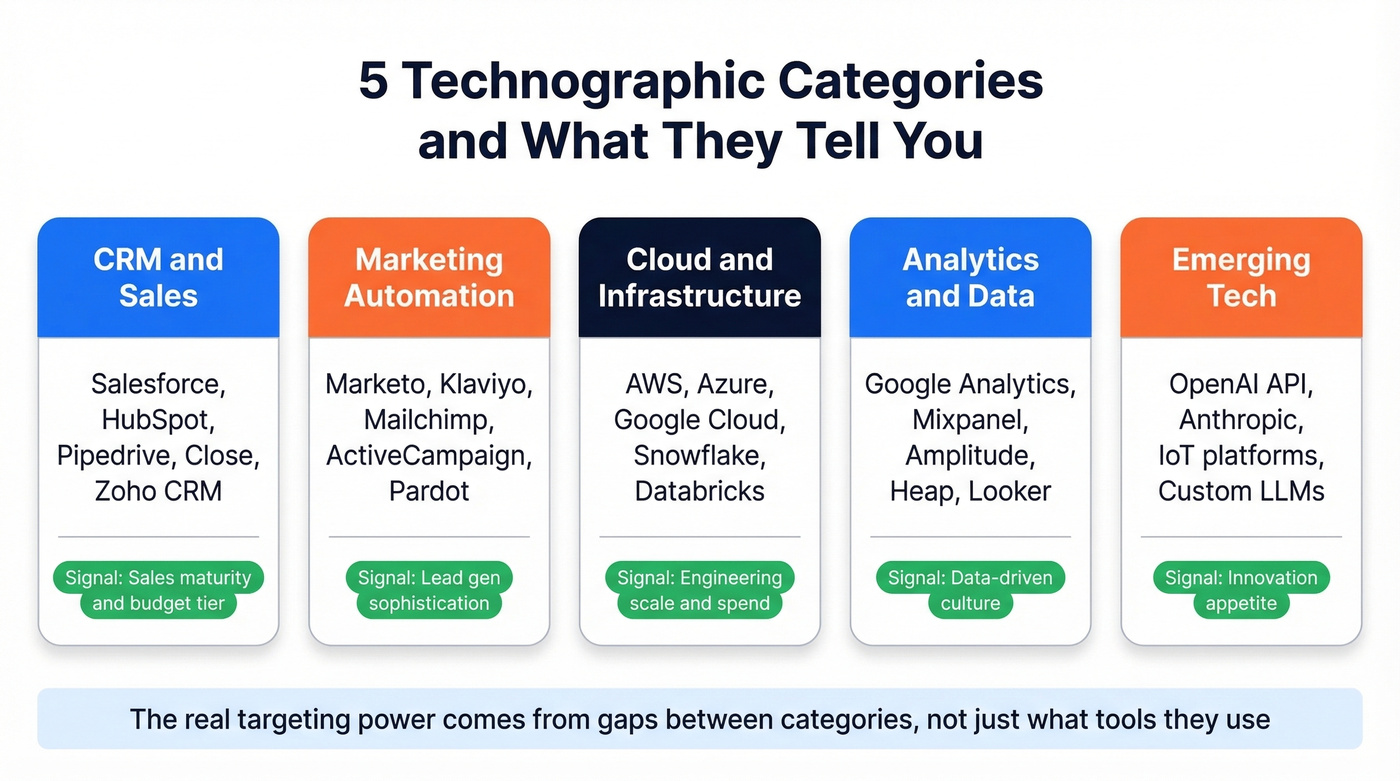
CRM & Sales - Salesforce, HubSpot, Pipedrive, Close, Zoho CRM. Marketing Automation - Marketo, Klaviyo, Mailchimp, ActiveCampaign, Pardot. Cloud & Infrastructure - AWS, Azure, Google Cloud, Snowflake, Databricks, plus databases like PostgreSQL and MongoDB. Analytics & Data - Google Analytics, Mixpanel, Amplitude, Heap, Looker. Emerging Tech - AI/ML platforms like OpenAI API and Anthropic, blockchain infrastructure, IoT platforms, custom LLM deployments.
Knowing a company uses Salesforce is fine. Knowing they're on Salesforce Enterprise Edition, integrated with Marketo but not running a sales engagement tool - that's a targeting signal you can act on.

Prospeo combines technographic filters with 300M+ verified contacts - so you can run queries like 'Salesforce users without a sales engagement tool' and export leads with 98% accurate emails in a single step. No BuiltWith + enrichment tool combo required.
Stop paying twice for tech stack data and contact data separately.
Real-World Targeting Queries
These are the kinds of queries practitioners actually build, pulled from real outbound workflows on Reddit:
HubSpot AND revenue > $10M AND [running LinkedIn ads](https://business.linkedin.com/advertise/ads/campaign-manager) AND based in Florida
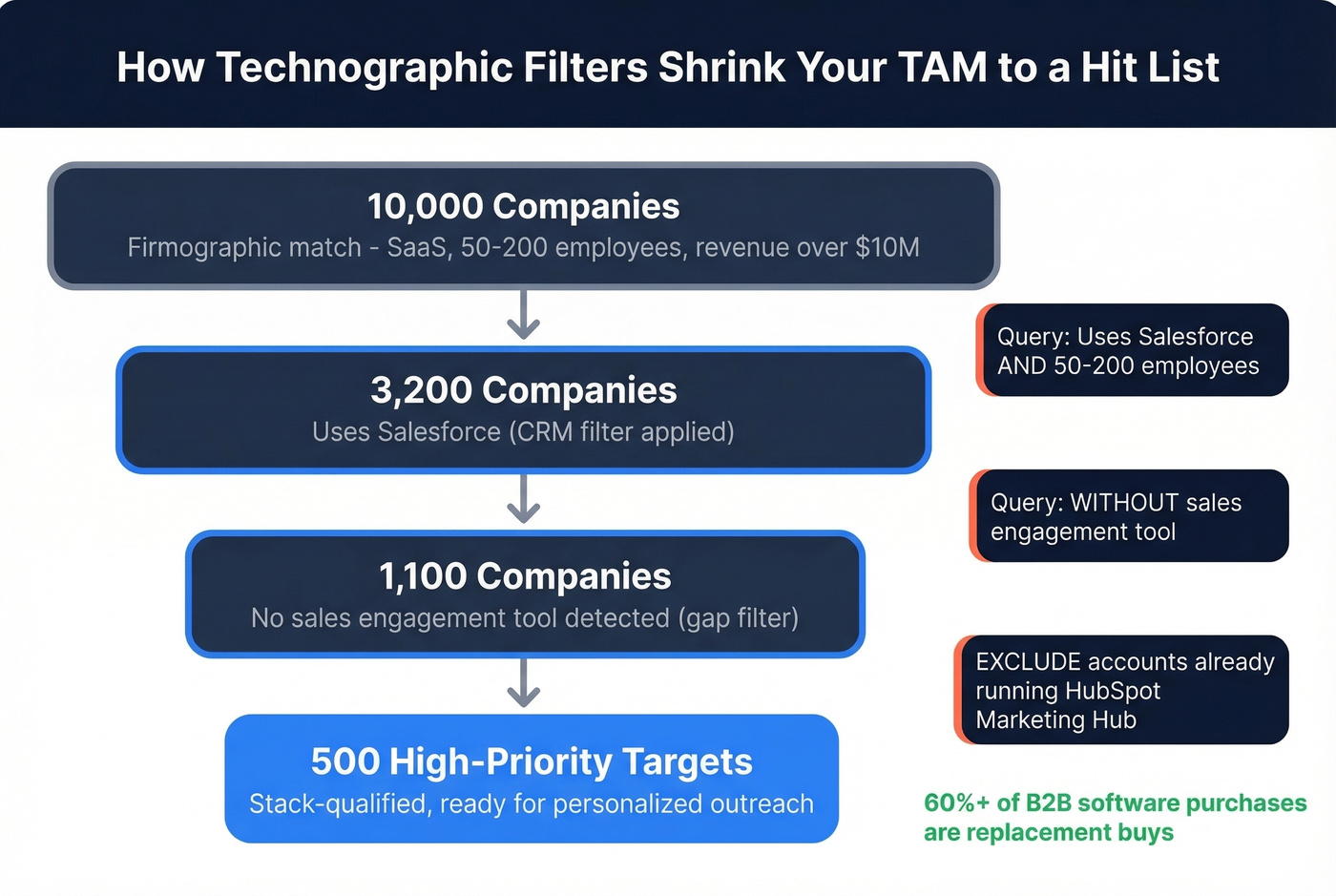
Salesforce users WITHOUT a sales engagement tool + 50-200 employees
EXCLUDE accounts already running HubSpot Marketing Hub
That second query is the money play. Over 60% of B2B software purchases are replacement buys, meaning the biggest opportunity isn't greenfield - it's competitive displacement. Finding companies that use a CRM but lack an adjacent tool is where technographic targeting earns its keep.
Suppression filters matter just as much. If a prospect already runs HubSpot Marketing Hub, you're wasting a touch. Suppression saves reps from conversations that were dead before they started.
Turning Tech Stack Insights Into Pipeline
Four plays that actually move numbers:
Segment and prioritize. Start with 10,000 firmographic matches. Layer in technographic filters - "uses Salesforce, no sales engagement tool, 50-200 employees" - and you're down to 500 high-priority targets. We've seen teams triple their pipeline with exactly this approach, and the benchmarks back it up: sales teams using tech stack data reduce cycles by 27% and improve conversion rates by 34%.
Route leads by stack. Salesforce accounts go to enterprise reps. Pipedrive accounts go to SMB. Custom or legacy stacks get flagged for technical discovery. It's basic hygiene that most teams skip.
Build stack-aware messaging. A prospect running Google Analytics but no CDP? Lead with the "data fragmentation" angle. An older CRM version? Lead with migration pain. The stack tells you what conversation to start, and it lets reps craft openers that reference the prospect's actual environment instead of generic pain points.
Score leads with technographic signals. In our experience, the rubric doesn't need to be complex - four signals are enough. Uses competitor CRM = +20 points, no marketing automation = +15, recently adopted a complementary tool = +10. Feed that into your CRM and let routing handle the rest. At the macro level, this data also reveals regional whitespace - if HR software adoption is high in France but low in Germany, that's your expansion signal.
Where to Source Tech Stack Data
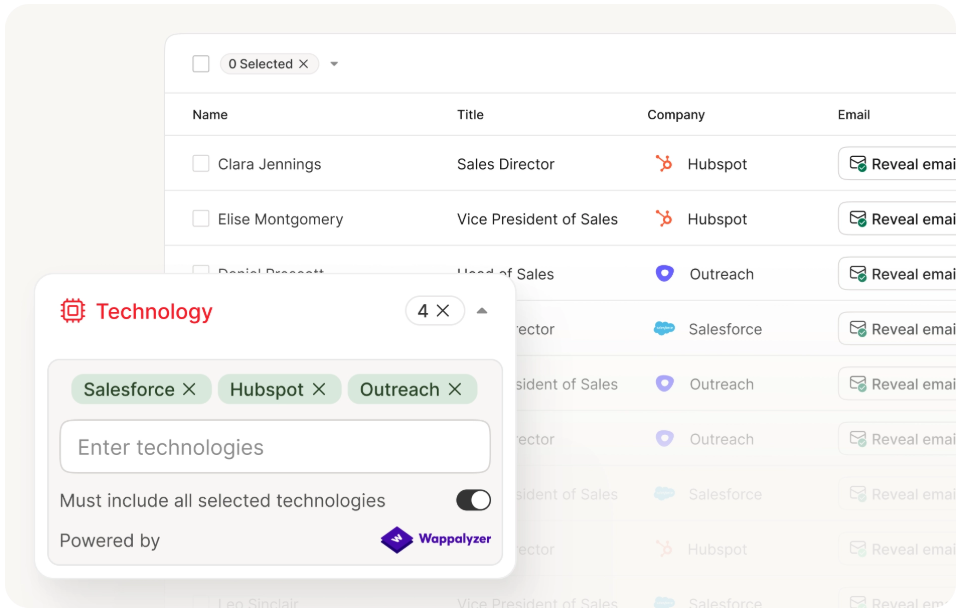
Here's the thing: paying separately for tech detection and then enriching in a second tool is a 2019 workflow. You don't need a dedicated technographic database anymore. Most modern B2B platforms include technographic filters alongside contact data.
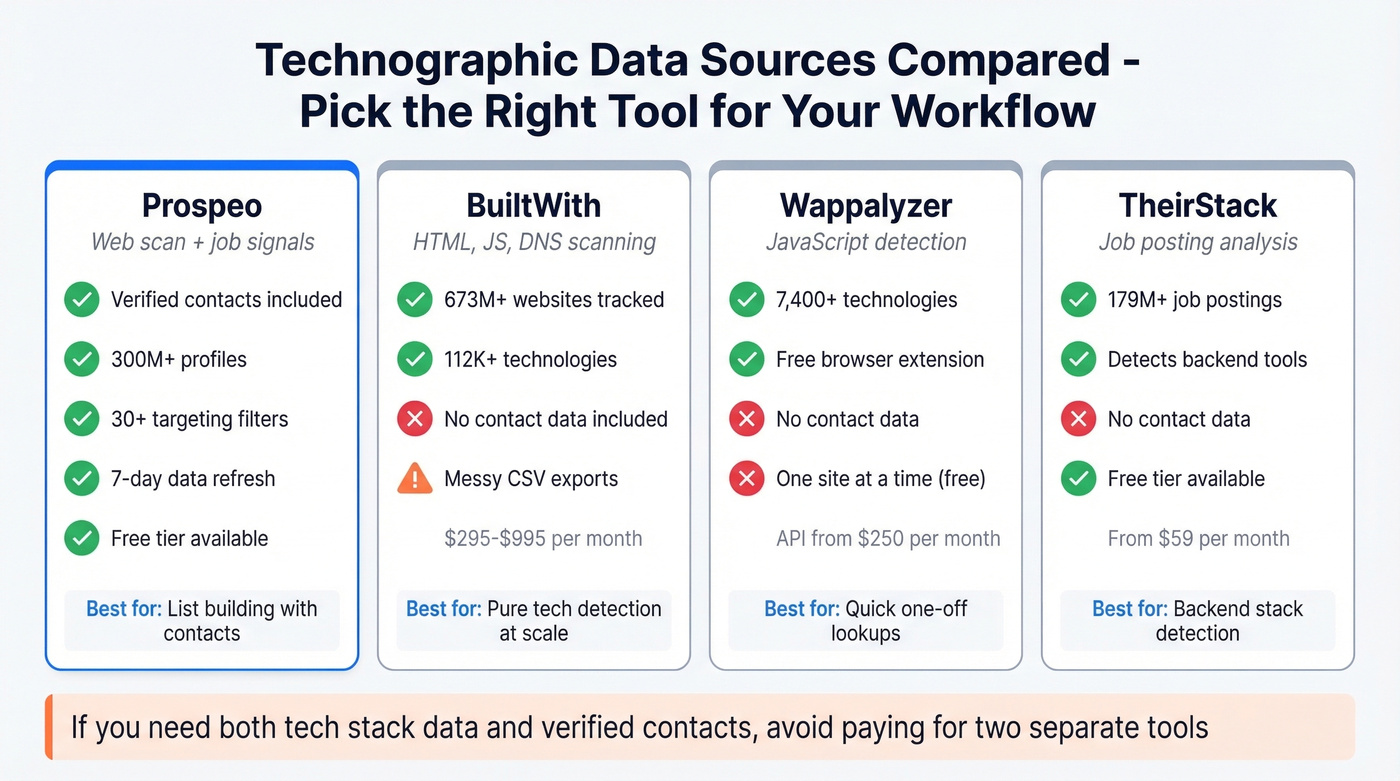
| Tool | Detection Method | Coverage | Pricing | Best For |
|---|---|---|---|---|
| Prospeo | Wappalyzer + job signals | 300M+ profiles, 30+ filters | Free tier; ~$0.01/email | Tech filters + verified contacts |
| BuiltWith | HTML/JS/DNS scan | 673M+ sites, 112K+ techs | $295-$995/mo | Pure tech detection |
| Wappalyzer | JavaScript detection | 7,400 techs, 106 categories | Free ext; API ~$250/mo | Quick browser lookups |
| TheirStack | Job-posting analysis | 179M+ postings, 323K+ sources | Free tier; from $59/mo | Backend tool detection |
BuiltWith users on r/sales consistently praise the filtering but complain about messy exports and the lack of contact data - you'll need a second tool to turn domains into people. Prospeo eliminates that step by combining technographic filters with verified emails and direct dials in one search. The 7-day data refresh cycle means you're not targeting companies based on a stack they abandoned two months ago.
Web-scanned technographics run 80-94% accurate for front-end tags. Backend tools - CRMs, HR systems, internal platforms - are harder to detect from a website, which is why job-posting analysis and combined approaches outperform pure web scanners.
Skip BuiltWith if you also need contact data. You'll end up paying twice. For teams that just need to identify what tech a single prospect runs, Wappalyzer's free browser extension is hard to beat. For list building at scale, you want a platform that pairs tech detection with verified contacts so you're not stitching tools together.
If you’re building lists, it also helps to understand how teams enrich and QA records before outreach.
Every technographic record in Prospeo is refreshed on a 7-day cycle - not the 6-week industry average. Layer tech stack filters with 30+ signals including buyer intent, headcount growth, and funding to find the 500 high-priority targets hiding in your 10,000-company TAM.
Target companies based on the stack they run today, not two months ago.
FAQ
What are common technographic examples?
The most common ones include CRM vendor (Salesforce, HubSpot), cloud provider (AWS, Azure), marketing automation platform (Marketo, Klaviyo), analytics tools (Google Analytics, Mixpanel), and databases (PostgreSQL, MongoDB). Each tells you something different about how a company operates and what they're likely to buy next.
How accurate is technographic data?
Web-scanned technographics are 80-94% accurate for front-end tags like analytics pixels and CMS platforms. Backend tools are harder to detect - job-posting analysis fills that gap by inferring stack from hiring requirements. Combined approaches that use both web scanning and job signals deliver the broadest coverage.
What's the difference between technographic and firmographic data?
Firmographics describe a company - revenue, headcount, industry. Technographics describe the technologies that company uses. Firmographics tell you who to target; tech stack data tells you why they're a fit and which conversation to start.
What's the best free tool for technographic research?
Wappalyzer's free browser extension identifies 7,400+ technologies on any website you visit - great for one-off lookups. For list building at scale, you'll want a platform that pairs technographic filters with contact data so you're not manually enriching every domain.